
eliwell ID 971 Electronic Controllers for Refrigerating Units
USER INTERFACE
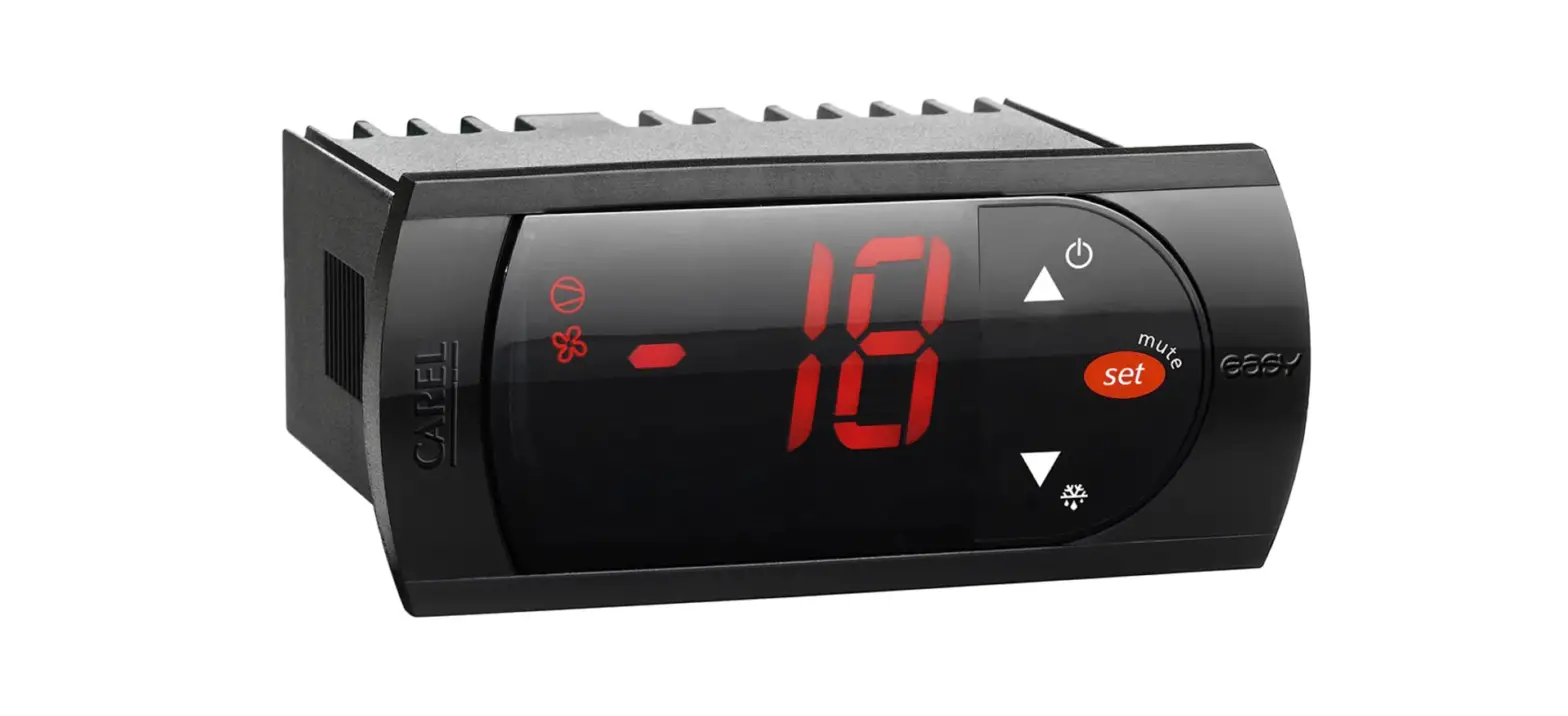
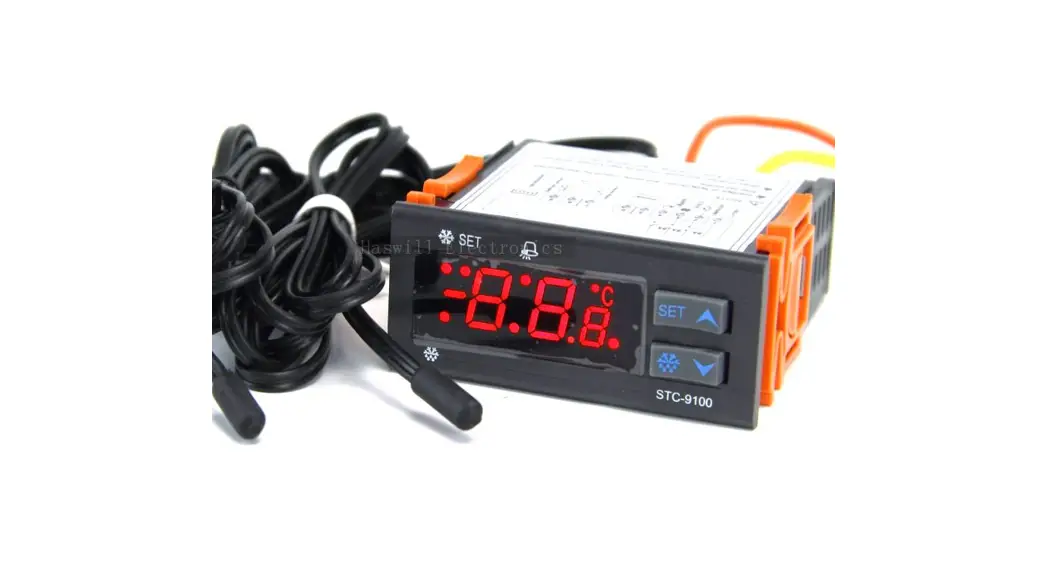
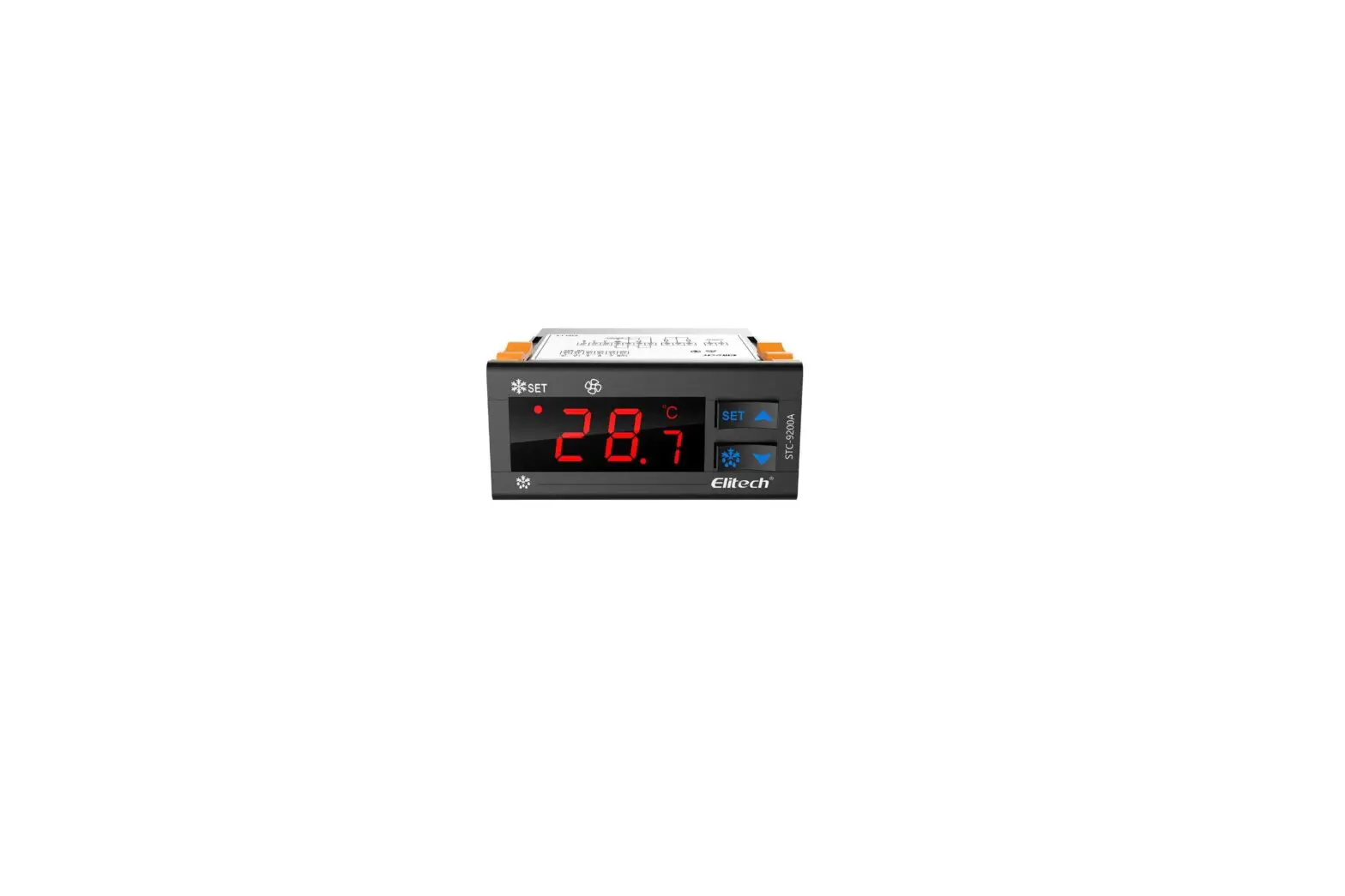
The user has a display and four keys for controlling status and programming of the instrument.
UP key
Scrolls through the menu items Increases the values Activates manual def. function
DOWN key 
Scrolls through the menu items Decreases the values Programmable by parameter
fnc key 
ESC function (exit) Programmable by parameter
set key
Accesses the setpoint
Accesses the menus
Confirms the commands Displaying the alarms (if present)
At start-up the instrument performs a Lamp Test; for few seconds the display and the leds blink, in order to verify their integrity and correct operation. The instru-ment has two main menus: the “Machine Status” and “Programming” menu.
ACCESSING AND USING MENUS
Resources are arranged in a menu, which can be accessed by pressing and quickly releasing the “set” key (“Machine Status” menu) or by holding down the “set” key for more than 5 seconds (“Programming” menu).
To access the contents of each folder, indi-cated by the relevant label, just press the “set” key once.
You can now scroll through the contents of each folder, modify it or use its func-tions.
If you do not use the keyboard for over 15 seconds (time-out) or if you press the “fnc” key once, the last value shown on the display is confirmed and you return to the previous screen mask.
MACHINE STATUS MENU
To access the “Machine Status” menu Press and quickly release the “set” key.
If alarms are not present, the label “SEt” appears. By using the “UP” and “DOWN” keys you can scroll through the other fold-ers in the menu:-
- Pb1: probe 1 value folder;
- Pb2: probe 2 value folder
- SEt: Setpoint setting folder.
Set Setting
- Access the “Machine Status” menu by pressing and quickly releasing the “set” key. The label of the “SEt” folder appears. To display the Setpoint value press the “set” key again.
- The value appears on the display.
- To change the Setpoint value, use the “UP” and “DOWN” keys within 15 seconds.
- If the parameter is LOC = y the Setpoint cannot be changed.
Displaying Probes
By pressing the “set” key when the appro-priate label appears, the value of the probe associated to it is displayed.
PROGRAMMING MENU
To enter the “Programming” menu, press the “set” key for more than 5 seconds.
If specified, the access PASSWORD will be requested, (parameter “PA1”), and the label of the first folder will follow.
To scroll through the other folders, use the “UP” and “DOWN” keys.
To enter the folder, press “set”. The label of the first visible parameter appears. To scroll through the other parameters, use the “UP” and “DOWN” keys; to change the parameter, press and release “set”, then set the desired value using the “UP” and “DOWN” keys, and confirm with the “set” key to move to the next parameter.
PASSWORD
The password allows access to program-ming parameters. In the standard configu-ration password is not present.
To enable and assign it the desired value, access the “Programming” menu, within the folder with the “diS” label. If pass-word is enabled, you will see it at the entrance of the “Programming” menu.
MANUAL ACTIVATION OF THE DEFROSTING CYCLE
To manually activate the defrosting cycle, press the “UP” key for 5 seconds.
If defrosting conditions are not present,
(for example the evaporator probe temperature is higher than defrost stop temperature), the display
will blink three (3) times, in order to indicate that the operation will not
be performed.
COPY CARD
The Copy Card is an accessory connected to the TTL serial port which allows pro-gramming quickly the instrument parame-ters. The operation is performed as fol-lows:
Format
This command allows copy card format-ting, an operation recommended in case of first use.
Warning: if the copy card has been pro-grammed, using the “Fr” the data entered are erased. This operation cannot be can-celled.
Upload
This operation loads the programming parameters from the instrument. Download
This operation downloads to the instru-ment the programming parameters.
The operations are performed accessing the folder identified by the “FPr” label and selecting, according to the case, “UL”, “dL” or “Fr” commands; the operation is con-firmed by pressing the “set” key. If the operation is successful an “y” is displayed, on the contrary, if it fails a “n” will be dis-played.
LED
| Position | Related Function | Status |
 | Compressor or relay 1 | ON when the compressor is started up; blinking in case of delay, protection or blocked enabling |
 | Defrost | ON when defrosting; blinking in case of manual enabling |
 | Alarm | ON when the alarm is enabled; blinking when the alarm is silenced |
KEYBOARD LOCKING
The instrument includes a facility for dis-abling the keyboard, by programming the “Loc” parameter (see folder with “diS” label). If the keyboard is locked, you can still access the programming menu by pressing the “set” key.
The Setpoint can also be viewed.
DIAGNOSTICS
The alarm condition is always signalled by the buzzer (if present) and by the led of the alarm icon
The alarm signal produced by a faulty thermostat probe (probe 1) is shown as E1 on the instrument display.
The alarm signal produced by a faulty evaporator probe (probe 2) is shown as E2 on the instrument display
INSTALLATION
The instrument is designed for panel mounting. Make a hole of 29×71 mm, insert the instrument and fix it using the brackets provided. Do not mount the instrument in humid and/or dirty places; it is suitable for use in ordinary polluted places. Ventilate the place in proximity to the instrument colling slits.
ELECTRICAL WIRING
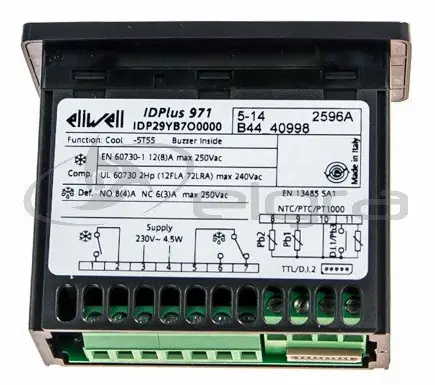
Attention! Never work on electrical con-nections when the machine is switched on. The instrument is equipped with screw ter-minal boards for connection of electrical cables with a diameter of 2.5 mm2 (one conductor only per terminal for power connections).
For the capacity of the terminals, see the label on the instrument.
The relay contacts are voltage free. Do not exceed the maximum current allowed; in case of higher loads, use an appropriate contactor. Make sure the power supply voltage complies with the one required by the instrument.
In 12V versions the power supply must be provided by a security transformer with the protection of a delayed 250 mA fuse. Probes have no connection polarity and can be extended using a regular bipolar cable (note that the extension of the probes affects the EMC electromagnetic compatibility of the instrument: pay extreme attention to wiring).
Probe cables, power supply cables and the TTL serial cables should be distant from power cables.
ID 971
CONDITIONS OF USE
PERMITTED USE
For safety reasons the instrument must be installed and used according to the instruction provided and in particular, under normal conditions, parts bearing dangerous voltage levels must not be accessible.
The device must be adequately protected from water and dust as per the application and must also only be accessible via the use of tools (with the exception of the frontlet).
The device is ideally suited for use on household appliances and/or similar refrig-eration equipment and has been tested with regard to the aspects concerning European reference standards on safety. It is classified as follows:
- according to its manufacture: as an auto-matic electronic control device to be incorporated by independent mounting;
- according to its automatic operating fea-tures: as a 1 B-type operated control type;
- as a Class A device in relation to the cat-egory and structure of the software
UNPERMITTED USE
Any other use other than that permitted is de facto prohibited. It should be noted that the relay contacts provided are of a practical type and therefore subject to fault. Any protection devices required by product standards or dictated by common sense due to obvious safety reasons should be applied externally.
LIABILITY AND RESIDUAL RISKS
Invensys Controls Italy S.r.L. shall not be liable for any damages deriving from:
- installation/use other than that pre-scribed and, in particular, that which does not comply with safety standards anticipat-ed by regulations and/or those given here-in;
- use on boards which do not guarantee adequate protection against electric shock, water or dust under the conditions of assembly applied;
- use on boards which allow access to dan-gerous parts without the use of tools;
- tampering with and/or alteration of the products;
DISCLAIMER
This manual and its contents remain the sole property of Invensys Controls Italy
s.r.l., and shall not be reproduced or dis-tributed without authorization. Although great care has been exercised in the preparation of this document, Invensys Controls Italy s.r.l., its employees or its vendors, cannot accept any liability what-soever connected with its use. Invensys Controls Italy s.r.l. reserves the right to make any changes or improvements with-out prior notice.
TECHNICAL DATA
- Frontal panel protection: IP65.
- Casing: plastic body in resin type
PC+ABS UL94 V-0, inspection window in polycarbonate, buttons in thermoplastic resin. - Dimensions: frontal panel 74×32 mm, depth 60 mm.
- Installation: on panel, with drilling tem-plate 71×29 mm (+0.2/–0.1 mm).
- Use temperature: –5…55 °C.
- Storage temperature.: –30…85 °C.
- Use environment humidity: 10…90 % RH (not condensing).
- Storage environment humidity: 10…90% RH (not condensing).
- Viewing range: –50…110 (NTC); –50…140 (PTC) °C without decimal point (selectable through parameter on 3 digit + 1/2 mark display.
- Analog inputs: two PTC or NTC inputs (programmable by parameter).
- Serial: TTL for connection to Copy Card. Digital outputs: 2 relay contacts: first con-tact SPDT 8(3)A 250V~, second contact SPST 8(3)A 250V~.
- Measuring range: from –50 to 140 °C. Accuracy: 0.5% better than end scale + 1 digit.
- Resolution: 1 or 0.1 °C.
- Power: 3 VA.
- Power supply: 12 Va/c or 230Va.
Warning: check the power supply specified on the instrument label; for relay and power supply capacities, contact the Sales Office).
Parameter Table
| PAR. | DESCRIPTION COMPRESSOR REGULATOR (folder with “CP” label) | RANGE | DEFAULT | VALUE* | LEVEL** | U.M. |
| diF | diFferential. Relay compressor tripping differential. The compressor stops on reaching the Setpoint value (as indicated by the adjustment probe), and restarts at temperature value | 0.1…30.0 | 2.0 | 1 | °C/°F | |
| equal to the Setpoint plus the value of the differential. | ||||||
| Note: the value 0 cannot be assumed. | ||||||
| HSE | Higher SEt. Maximum possible setpoint value. | LSE..302 | 99.0 | 1 | °C/°F | |
| LSE | Lower SEt. Minimum possible setpoint value. COMPRESSOR PROTECTIVE DEVICE (folder with “CP” label) | -55.0…HSE | -50.0 | 1 | °C/°F | |
| Ont | On time (compressor). Compressor activation time in the event of faulty probe. If set to “1” with Oft at “0” the compressor is always on, while at Oft >0 it functions always | 0…250 | 0 | 1 | min | |
| in duty cycle mode. | ||||||
| OFt | OFF time (compressor). Compressor in disabled state time in the event of a faulty probe. If set to “1” with Ont at “0” the compressor is always off, while at Ont >0 | 0…250 | 1 | 1 | min | |
| it functions always in duty cycle mode. | ||||||
| dOn | delay (at) On compressor. Delay time in activating the compressor relay after switch-on of instrument | 0…250 | 0 | 1 | sec | |
| dOF | delay (after power) OFF. Delay after switch off; the indicated time must elapse between switch-off of the compressor relay and the successive switch-on. | 0…250 | 0 | 1 | min | |
| dbi | delay between power-on. Delay between switch-ons; the indicated time must elapse between two successive switch-ons of the compressor. | 0…250 | 0 | 1 | min | |
| OdO | delay Output (from power) On. Delay time in activating the outputs after switch-on of the instrument or after a power failure. | 0…250 | 0 | 1 | min | |
| DEFROSTING REGULATOR (folder with “dEF” label) | ||||||
| dty | defrost type. Type of defrosting. 0 = electric defrost; | 0/1/2 | 0 | 1 | flag | |
| 1 = reverse cycle defrost (hot gas); | ||||||
| 2 = Free defrost (compressor hot). | ||||||
| dit | defrost interval time. Interval between the start of two successive defrosting operations. | 0…250 | 6 | 1 | hours | |
| dCt | defrost Counting type. Selection of count mode for the defrosting interval. 0 = compressor operating hours (DIGIFROST® method); | 0/1/2 | 1 | 1 | flag | |
| 1 = Real Time – appliance operating time; | ||||||
| 2 = compressor stop. | ||||||
| dOH | defrost Offset Hour. Start-of-defrosting delay time from start up of instrument. | 0…59 | 0 | 1 | min | |
| dEt | defrost Endurance time. Defrosting time-out; determines duration of defrosting. | 1…250 | 30 | 1 | min | |
| dSt | defrost Stop temperature. Defrost stop temperature (defined by the evaporator probe). | -50.0… 150 | 8.0 | 1 | °C/°F | |
| dPO | defrost (at) Power On. Determines if at the start-up the instrument must enter defrosting (if the temperature measured by the evaporator allows this operation). | n/y | n | 1 | flag | |
| y = si; n = no. | ||||||
| FANS REGULATOR (folder with “FAn”) | ||||||
| dt | drainage time. Dripping time. DISPLAY (folder with “diS” label) | 0…250 | 0 | 1 | min | |
| LOC | (keyboard) LOCk. Keyboard locking. However, you can enter parameter programming modify them along with the status of this parameter in order to allow keyboard locking. | n/y | n | 1 | flag | |
| y = yes; n = no | ||||||
| PA1 | PAssword 1. When enabled (value other than 0) it constitutes the access key for level 1 parameters. | 0…250 | 0 | 1 | number | |
| ndt | number display type. View with decimal point. y = yes; n = no | n/y | y | 1 | flag | |
| CA1 | CAlibration 1.Calibration 1. Positive or negative temperature value added to the value read by probe 1, based on “CA” parameter settings. | -12.0…12.0 | 0 | 1 | °C/°F | |
| CA2 | CAlibration 2.Calibration 2. Positive or negative temperature value added to the value read by probe 1, based on “CA” parameter settings. | -12.0…12.0 | 0 | 1 | °C/°F | |
| ddL | defrost display Lock. Viewing mode during defrosting. 0 = shows the temperature read by the thermostat probe; | 0/1/2 | 1 | 1 | flag | |
| 1 = locks the reading on the temperature value read by thermostat probe when | ||||||
| defrosting starts, and until the next time the Setpoint value is reached; | ||||||
| 2 = displays the label “deF” during defrosting, and until the next time the | ||||||
| Setpoint value is reached. | ||||||
| dro | display read-out. Select °C or °F for displaying the temperature read by the probe. 0 = °C, 1 = °F. | 0/1 | 0 | 1 | flag | |
| CONFIGURATION (folder with “CnF” label) | ||||||
| H00 (1) | Probe type selection, PTC or NTC. 0 = PTC; 1 = NTC. | 0/1 | 0 | 1 | flag | |
| H42 | Evaporator probe present. | n/y | y | 1 | flag | |
| reL | reLease firmware. Device version: read only parameter. | / | / | 1 | / | |
| tAb | tAble of parameters. Reserved: read only parameter. COPY CARD (folder with “Fpr”label) | / | / | 1 | / | |
| UL | Up load. Programming parameter transfer from instrument to Copy Card. | / | / | 1 | / | |
| dL | Down load. Programming parameter transfer from Copy Card to instrument | / | / | 1 | / | |
| Fr | Format. Erasing all data in the copy card. NOTA BENE: using “Fr” parameter (copy card formatting) the data within the copy | / | / | 1 | / | |
| card will be lost permenently. The operation cannot be cancelled. |
(1) For 230 Va models the default value is 1 (NTC input, see the label on the instrument).
* VALUE column: to be filled manually, with customized settings (if different from the default value).
** LEVEL column: indicates the level of visibility of parameters accessible by PASSWORD (see the related paragraph)
Wiring diagram
 TERMINALS
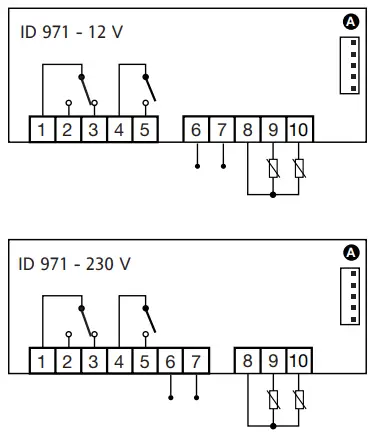 TERMINALS
- 1 – 2: N.A. defrost relay
- 1 – 3: N.C. defrost relay
- 4 – 5: compressor relay output
- 6 – 7: Power supply
- 8 – 9: Probe 2 input (evaporator)
- 8 – 10: Probe 1 input (thermostat)
- A: TTL input for Copy Card
NOTE: Default user settings