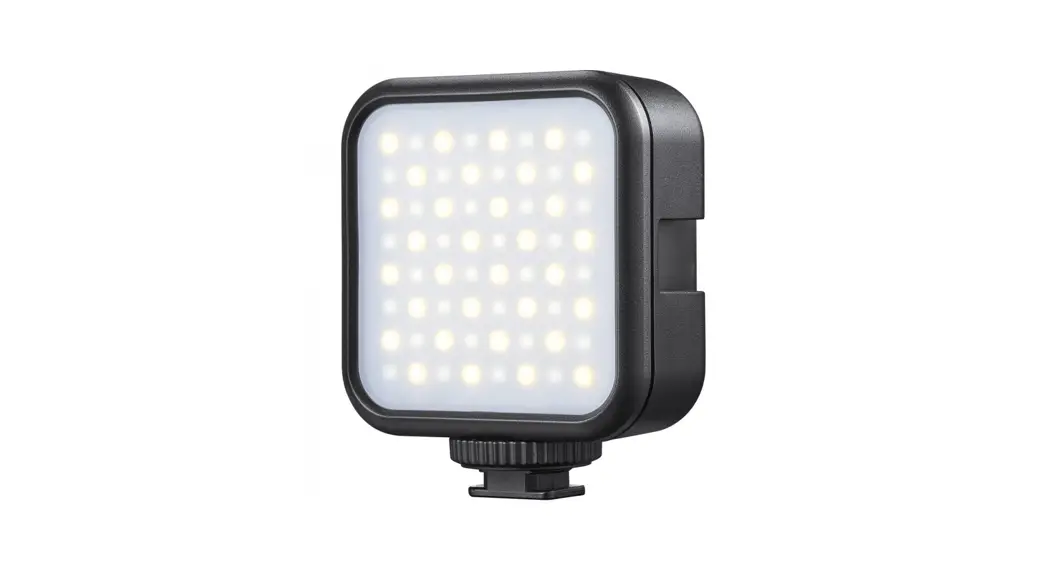
 Bi-color LED Video Light
 LED6Bi
 Instruction Manual
Forward
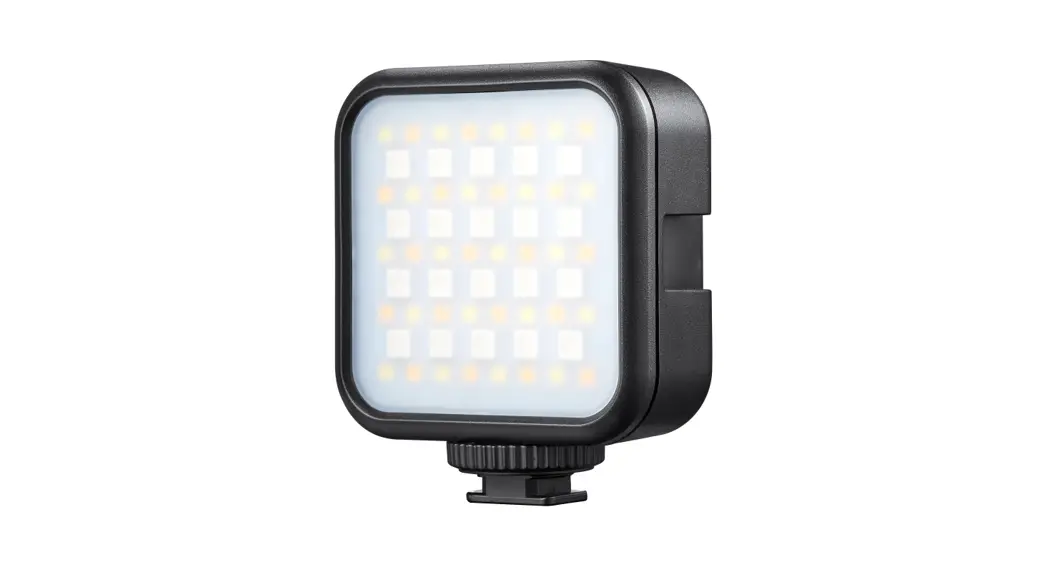
This Bi-color LED Video Light LED6Bi is a multifunctional light with adjustable color temperature and light brightness. Suitable for almost all shooting occasions e.g. live, make-up, portrait and product shooting, video, and recording, etc. It can be used on-camera independently or in combination with easy operation and great portability.
Main Features
- Easy to adjust color temperature and brightness
- With a built-in lithium battery and the light can be charged through a Type-C USB port
- Can be used independently or in combination with cold shoe mounting base and slots
- Fashionable, easy operated, and portable
 Warning
 As this product does not have a waterproof function, please take measures of waterproof in rainy or damp environments.Do not use the flash unit in the presence of flammable gases, chemicals, and other similar materials. In certain circumstance, these materials may be sensitive to the strong light emitting from this flash unit, and fire or electromagnetic interference may result.As this product has a built-in lithium battery, do not disassemble, impact, squeeze or put it into the fire. If a serious bulge occurs, please do not use it. Do not use or store the product if the ambient temperature reads over the range of -10°C to 45°C. Please charge the product with the included adapter and correctly operate it within the defined voltage and working temperate according to the instruction manual.
Names of Parts
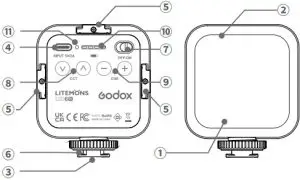
- LED Beads
- Diffusion
- 1/4” Cold Shoe
Mounting Base - Type-C USB Charging Port
- Cold Shoe Slot
- Cold Shoe Base
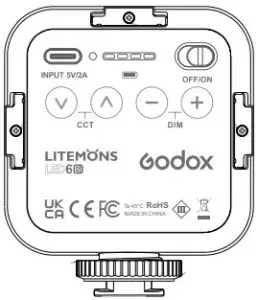
- Power Switch
- Color Temperature
Adjustment Button - Brightness Adjustment
Button - Battery Level Indicator
- Button Indicator
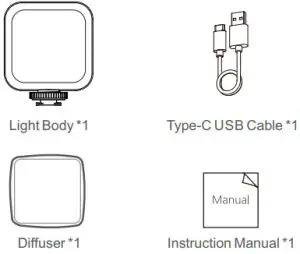
What’s in the Box
Battery
- This flash unit has a built-in 1800mAh Li-ion battery which is non-detachable.
- It is reliably safe. The inner circuit is against overcharge, over-discharge, overcurrent, and short circuit.
- Charge the battery by using the 5V 2A charger.
Cautions:
- No over 24 hours’ continuous charging.
- Store in dry, cool, ventilated places.
- Do not put aside or into the fire.
- Dead batteries should be disposed of according to local regulations.
- Please charge the battery to approx. 70% before being placed for a long time.
- If the battery had ceased using for over 3 months, please make a full recharge.
- It’s normal that the battery will be degraded after a period’s usage for the battery life limitation.
- It is recommended that the user can adjust the brightness to 100% only when the battery is fully charged for 2 grids.
- After the battery power is used up, it is recommended that the USB power supply side charging and using should not be greater than the brightness of 6 gear.
Operation
Light Setting
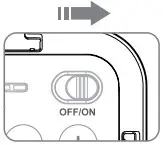
- Power ON/OFF
Push the power switch to ON to turn on the light while OFF to turn it off.
- Color Temperature Adjustment
Press the upper adjustment button to increase the color temperature value while the lower button
  decreases. Long press the button to adjust the value from 3200K to 6500K in 9 levels quickly. When the color temperature value is up to the maximum, the indicator will be blinking.
 - Brightness adjustment
Press the “ ” adjustment button to increase the brightness value while the “
  ” button decreases. Long press the button to adjust the brightness value from 10 levels quickly. When the brightness value is up to the maximum, the indicator will be blinking.
 - Installation and Multi-Usage
The light can be fixed on the equipment with a cold shoe or hot shoe through its cold shoe mounting base. It can be fixed on the equipment with 1/4” sockets e.g. pan-tilt, tripod, and light stand.
And the three cold shoe sockets enable this light to be installed on the equipment with a cold shoe mounting base.
The lights can be used in combination.
 to increase the color temperature value while the lower button
  decreases. Long press the button to adjust the value from 3200K to 6500K in 9 levels quickly. When the color temperature value is up to the maximum, the indicator will be blinking.
 ” adjustment button to increase the brightness value while the “
  ” button decreases. Long press the button to adjust the brightness value from 10 levels quickly. When the brightness value is up to the maximum, the indicator will be blinking.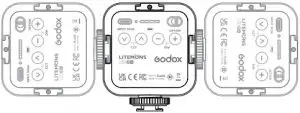
Technical Data
| Model | LED6Bi |
| Built-in Lithium Battery | 1800mAh |
| Power Source of Charging | 5V/2A |
| Power | Max. 6W |
| Color Temperature Range | 3200K~6500K (in 9 levels) |
100% Illuminance (LUX)(0.5m)( ) ) | 360 |
| CRI( ) | 95 |
| Brightness Range | In 10 levels |
| Duration | 1.5H-10H |
| Working Environment Temperature | -10~45°C |
| Dimension | 77*66*30 mm |
| Net Weight | 100g |
Maintenance
- – Shut down the device immediately should the abnormal operation be detected.
- – Avoid sudden impacts and the product should be dedusted regularly.
- – It is normal for the light beads to be warm when in use. Avoid continuous flashes if unnecessary.
- – Maintenance of the light must be performed by our authorized maintenance department which can provide original accessories.
- – This product, except consumables, is supported with a one-year warranty. Lithium battery is supported with six months warranty.
- – Unauthorized service will void the warranty.
- – If the product had failures or was wetted, do not use it until it is repaired by professionals.
- – Changes made to the specifications or designs may not be reflected in this manual.
FCC Statement
This device complies with part 15 of the FCC Rules.
Operation is subject to the following two conditions: (1) This device may not cause harmful interference, and (2) this device must accept any interference received, including interference that may cause undesired operation.
Note: This equipment has been tested and found to comply with the limits for a Class B digital device, pursuant to part 15 of the FCC Rules. These limits are designed to provide reasonable protection against harmful interference in a residential installation. This equipment generates uses and can radiate radio frequency energy and, if not installed and used in accordance with the instructions, may cause harmful interference to radio communications. However, there is no guarantee that interference will not occur in a particular installation. If this equipment does cause harmful interference to radio or television reception, which can be determined by turning the equipment off and on, the user is encouraged to try to correct the interference by one or more of the following measures:
- – Reorient or relocate the receiving antenna.
- – Increase the separation between the equipment and receiver.
- – Connect the equipment into an outlet on a circuit different from that to which the receiver is connected.
- – Consult the dealer or an experienced radio/TV technician for help.
Warranty
Dear customers, as this warranty card is an important certificate to apply for our maintenance service, please fill in the following form in coordination with the seller and safe-keep it. Thank you!
| Product Information | Model | Product Code Number |
| Customer Information | Name | |
| Address | ||
| Seller Information | Name | |
| Contact Number | ||
| Address | ||
| Date of Sale | ||
| Note: | ||
Note: This form shall be sealed by the seller.
Applicable Products
The document applies to the products listed on the Product Maintenance lnformation (see below for further information). Other products or accessories (e.g. promotional items, giveaways, and additional accessories attached, etc.) are not included in this warranty scope.
Warranty Period
The warranty period of products and accessories is implemented according to the relevant Product Maintenance information. The warranties date) when the product is bought for the first time, And the purchase day period is calculated from the day(purcte is considered as the date registered on the warranty card when buying the product.
How to Get the Maintenance Service
If maintenance service is needed, you can directly contact the product distributor or authorized service institutions. You can also contact the Godox after-sale service call and we will offer you service. When applying for maintenance service, you should provide a valid warranty card. If you cannot provide a valid warranty card, we may offer you a maintenance service once confirmed that the product or accessory is involved in the maintenance scope, but that shall not be considered as our obligation.
Inapplicable Cases
The guarantee and service offered by this document are not applicable in the following cases:
- The product or accessory has expired its warranty period;
- Breakage or damage caused by inappropriate usage, maintenance, or preservation, such as improper packing, improper usage, improper plugging in/out external equipment, falling off or squeezing by an external force, contacting or exposure to the improper temperature, solvent, acid, base, flooding, and damp environments, etc;
- Breakage or damage caused by the non-authorized institution or staff in the process of installation, maintenance, alteration, addition, and detachment;
- The original identifying information of product or accessory is modified, alternated, or removed;
- No valid warranty card;
- Breakage or damage caused by using illegally authorized, nonstandard, or non-public released software;
- Breakage or damage caused by force majeure or accident;
- Breakage or damage that could not be attributed to the product itself. Once met these situations above, you should seek solutions from the related responsible parties and Godox assumes no responsibility. The damage caused by parts, accessories, and software beyond the warranty period or scope is not included in our maintenance scope. The normal discoloration, abrasion, and consumption are not the breakage within the maintenance scope.
Maintenance and Service Support Information
The warranty period and service types of products are implemented according to the following Product Maintenance Information:
| Product Type | Name | Maintenance Period(month) | Warranty Service Type |
| Parts | Circuit Board | 12 | The customer sends the product to the designated site |
| Battery | 3 | The customer sends the product to the designated site | |
| Electrical parts e.g. battery charger, power cord, sync cable, etc. | 12 | The customer sends the product to the designated site | |
| Other Items | Flash tube, modeling lamp, lamp body, lamp cover, locking device, package, etc. | No | Without warranty |
Godox After-sale Service Call 0755-29609320-8062
QC PASS
GODOX Photo Equipment Co., Ltd.
Add: Building 2, Yaochuan Industrial Zone, Tangwei Community,
Fuhai Street, Bao’an District, Shenzhen, China Tel: +86-755-29609320(8062)
Fax: +86-755-25723423 E-mail: [email protected]
godox.com
Made in China