Bluetooth settings

Press PTT for 10 seconds if you want to change to new cell phone.
Step 1: Pair PTT at Bluetooth setting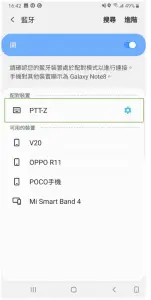
Step 2: Go to Tassta setting : Prefer Bluetooth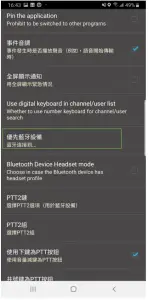
Step 3: Choose PTT-Z as prefer Bluetooth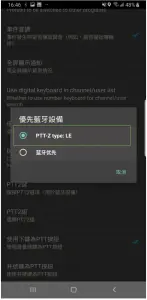
It’s ready to go.


Press PTT for 10 seconds if you want to change to new cell phone.
Step 1: Pair PTT at Bluetooth setting
Step 2: Go to Tassta setting : Prefer Bluetooth
Step 3: Choose PTT-Z as prefer Bluetooth
It’s ready to go.
Download manual
Here you can download full pdf version of manual, it may contain additional safety instructions, warranty information, FCC rules, etc.