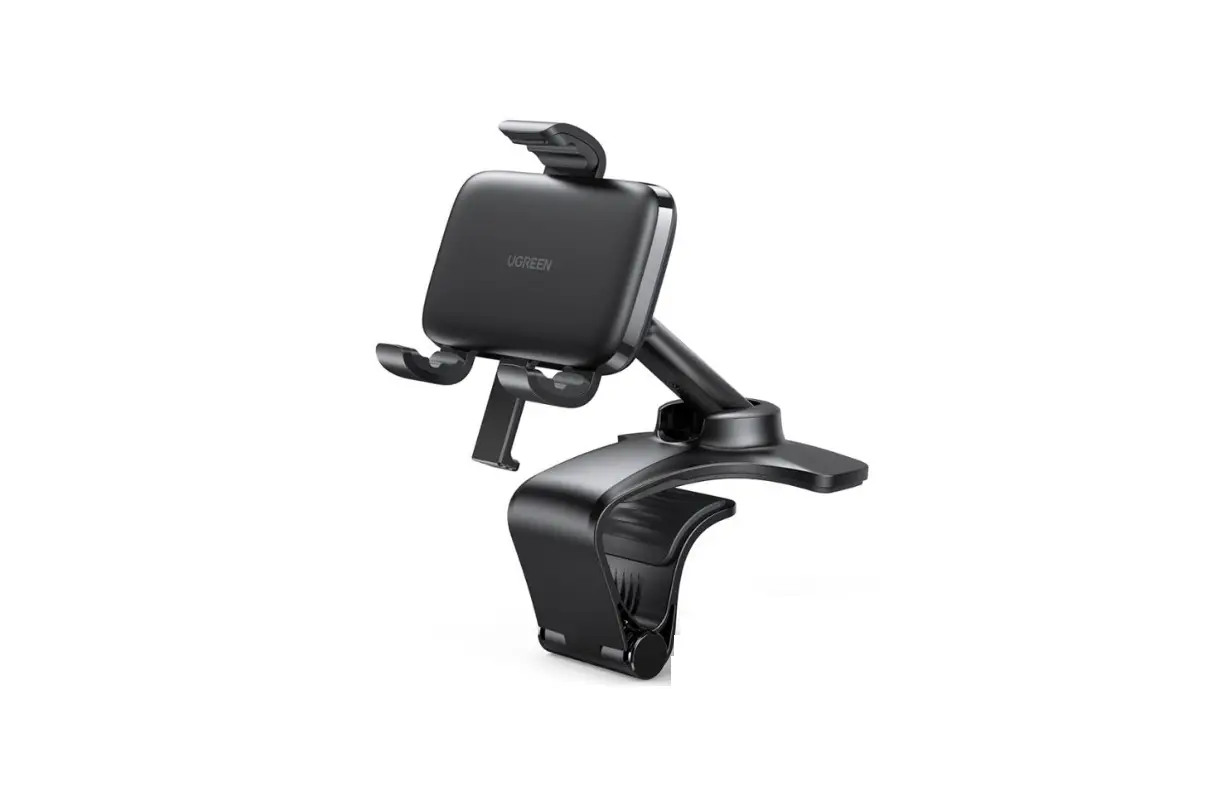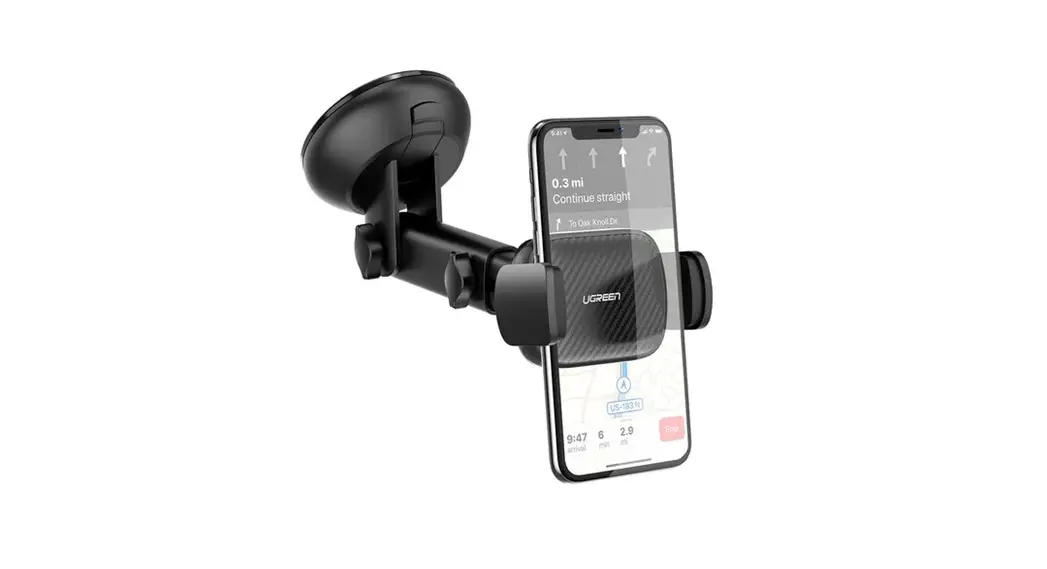

Phone Mount
for Dashboard (Upgraded)
Model: LP369 | P/N: 80902
User Manual
Product Overview
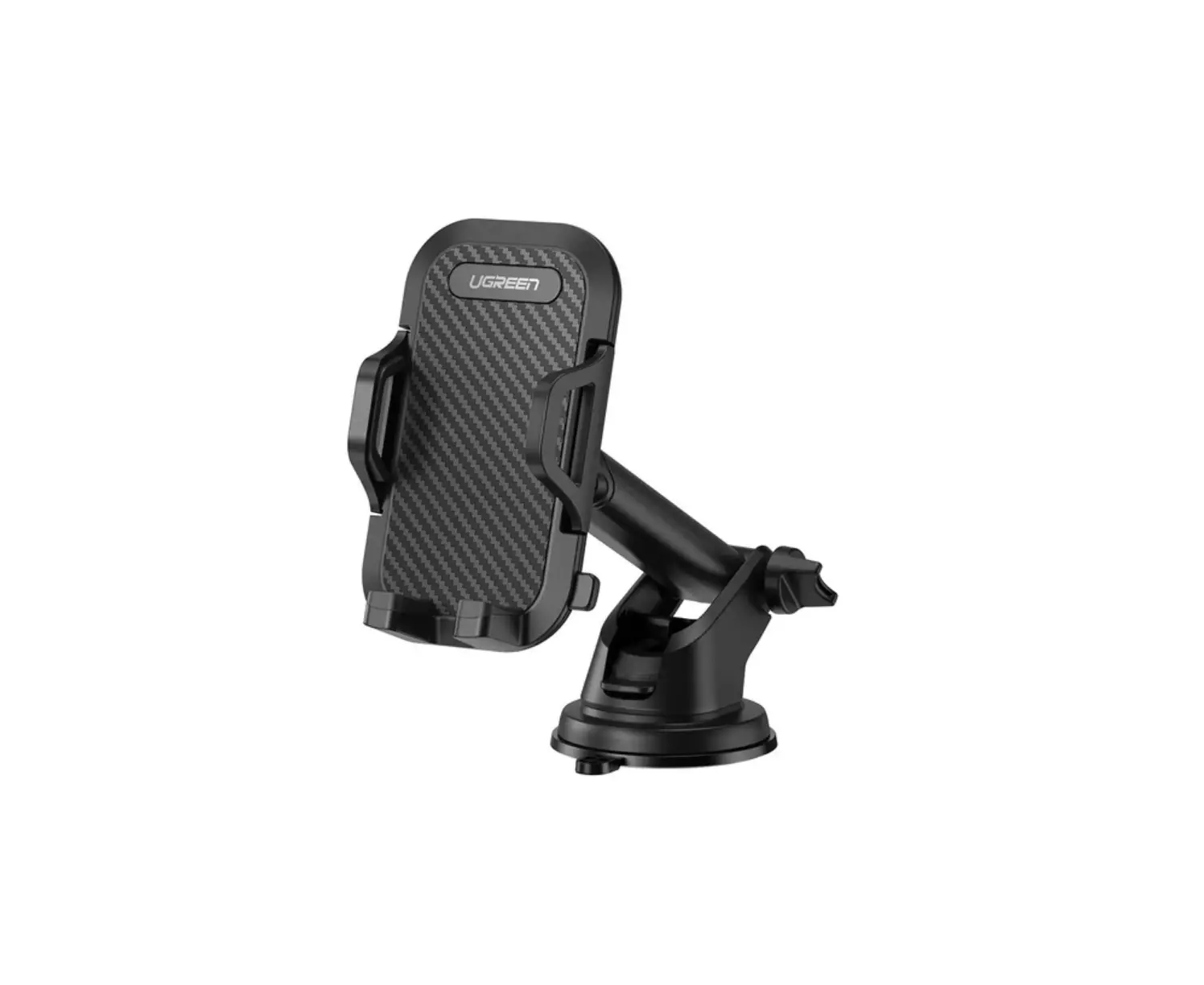
Phone Mount [Front View]
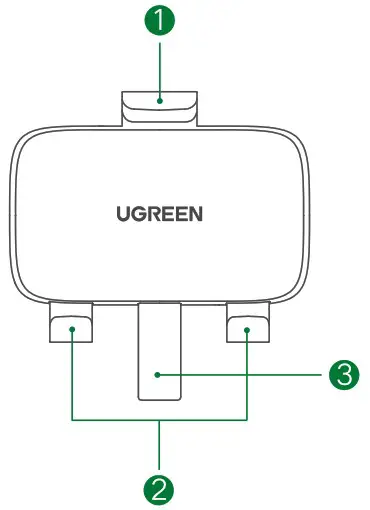
- arm
- bracket
- spring-loaded stick
Phone Mount [Rear View]
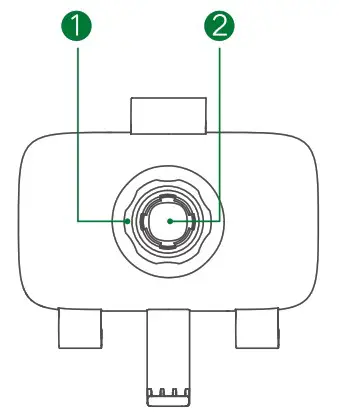
- nut
- socket
Arc-shaped Base
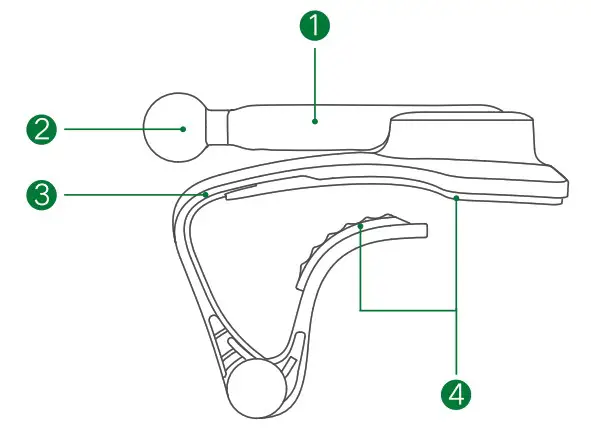
- Supporting stick
- Ball joint
- Arc-shaped clip
- Rubber mat
Specifications
| Material | (PA+GF)+(PC+ABS) |
| Dimension | L85 x W12.45 x H97.61 (mm) |
| Compatibility | Suitable for 4.7″-7.2″ smartphones |
Installation
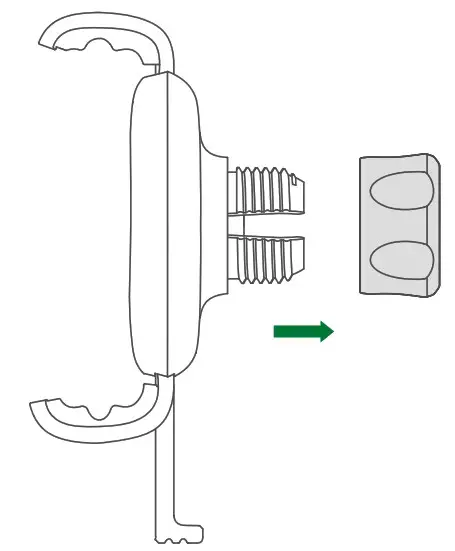
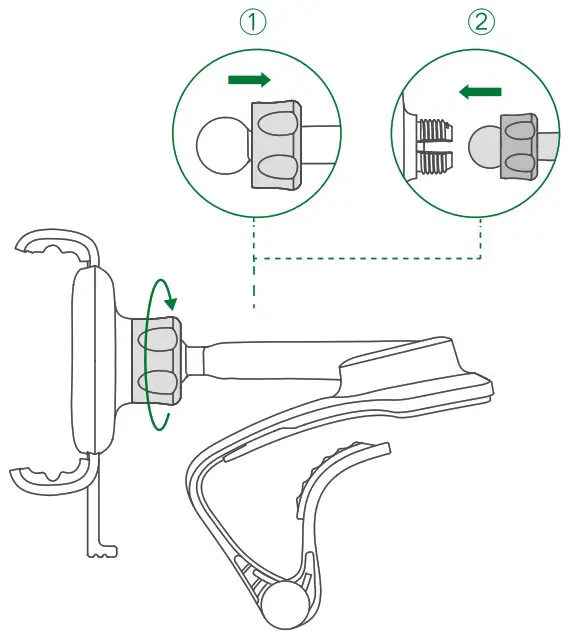
- Release the nut.

- Attach the nut to the ball joint, insert the ball joint into the socket, then tighten the nut.

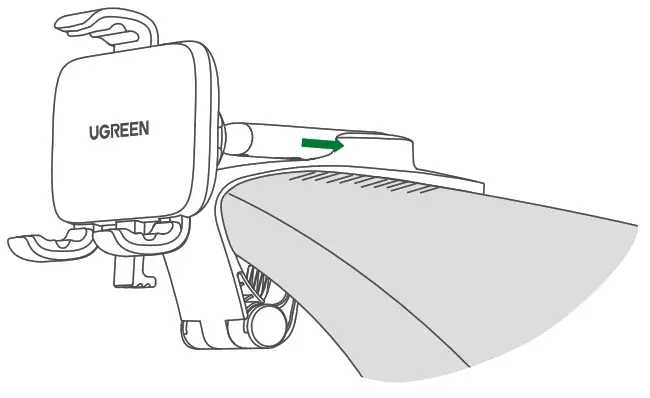
- Secure the arc-shaped base in the dashboard and push in all the way.

Instructions
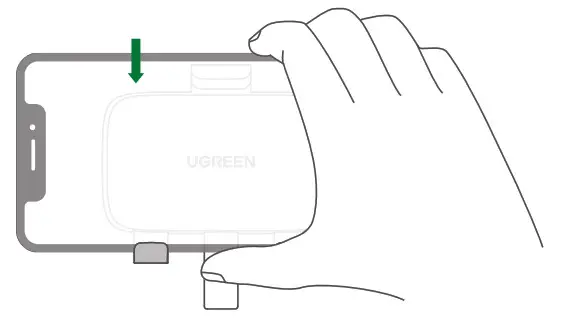
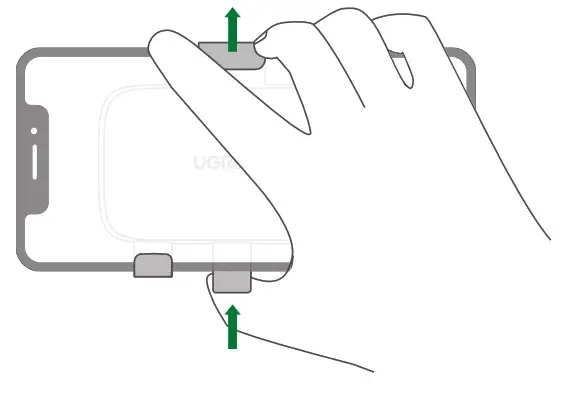
- Place your smartphone on the bottom bracket.

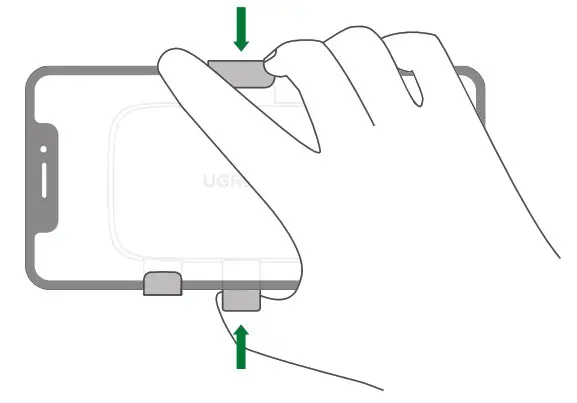
- Hold your smartphone and push the bottom spring-loaded stick up until your phone is tightened.

- Move the supporting stick up and down and rotate the phone mount to a desired angle.

- To remove your phone, hold your phone and push the bottom spring-loaded stick up again.

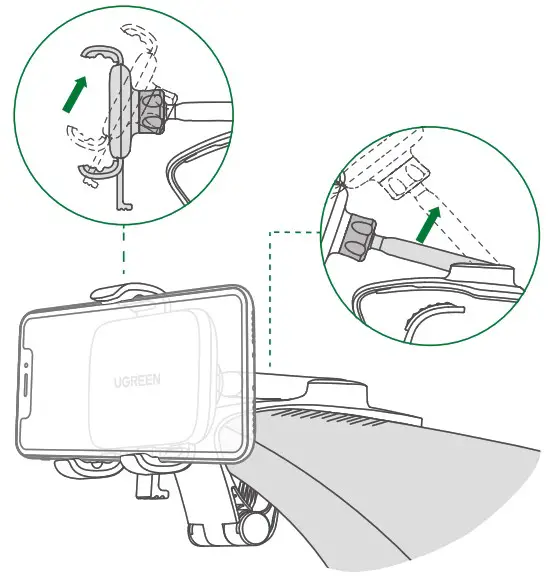
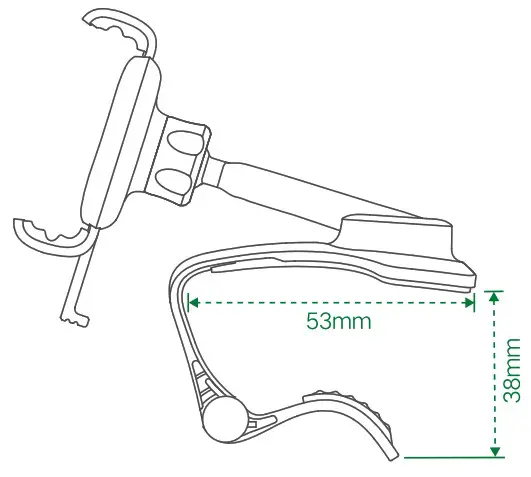
Applicable Dashboard
Notes
- Do not use highly hazardous chemicals, detergent,s or strong cleaner to clean the product.
- When not in use, please store the product in a dry, dust-free place with ambient temperature.
- For the purpose of disassembly, please ask UGREEN after-services or such other service providers designated by UGREEN.
- Keep out of reach of children.
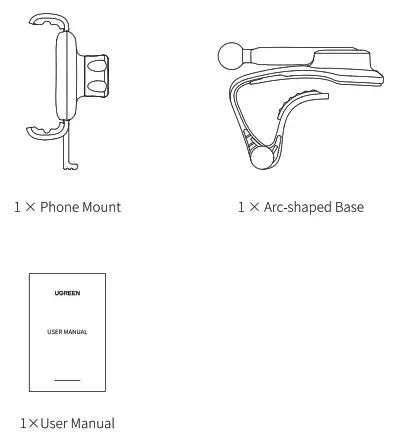
Package Contents
Important WEEE Information
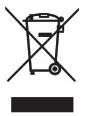 This symbol on the product(s) and/or accompanying documents indicates that under the new Directive 2012/19/EU on waste electrical and electronic equipment (WEEE), product(s) used electrical and electronic equipment (WEEE) should not be mixed with general household waste. For proper treatment, recovery, and recycling, please take this product(s) to designated collection points where it will be accepted free of charge.
Disposing of this product correctly will help save valuable resources and prevent any potential negative effects on human health and the environment, which could otherwise arise from inappropriate waste handling.
Please contact your local authority for further details of your nearest designated collection point.
Penalties may be applicable for incorrect disposal of this waste, in accordance with your national legislation.
For professional users in the European Union
If you wish to discard electrical and electronic equipment (EEE), please contact your dealer or supplier for further information.
For disposal in countries outside of the European Union
This symbol is only valid in the European Union (EV). If you wish to discard this product please contact your local authorities or dealer and ask for the correct method of disposal.