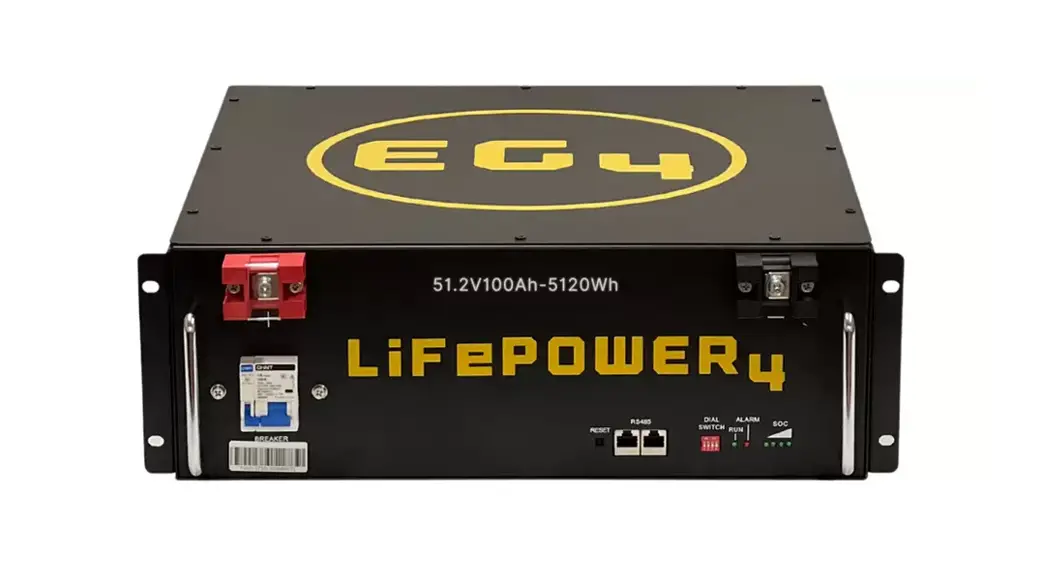
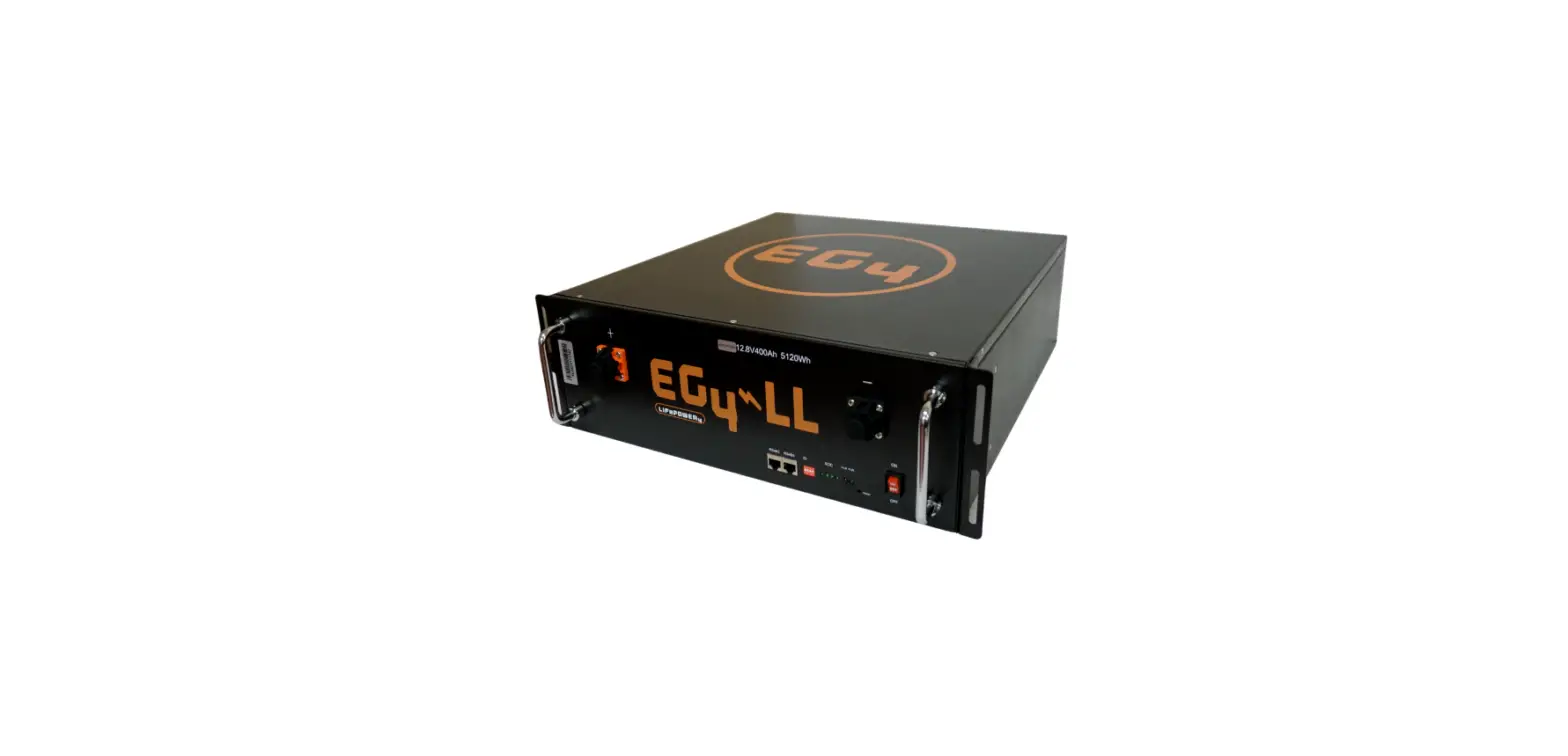
EG4-LL Rack Mounted Battery
EG4-LL Rack Mounted Battery
Product Information:
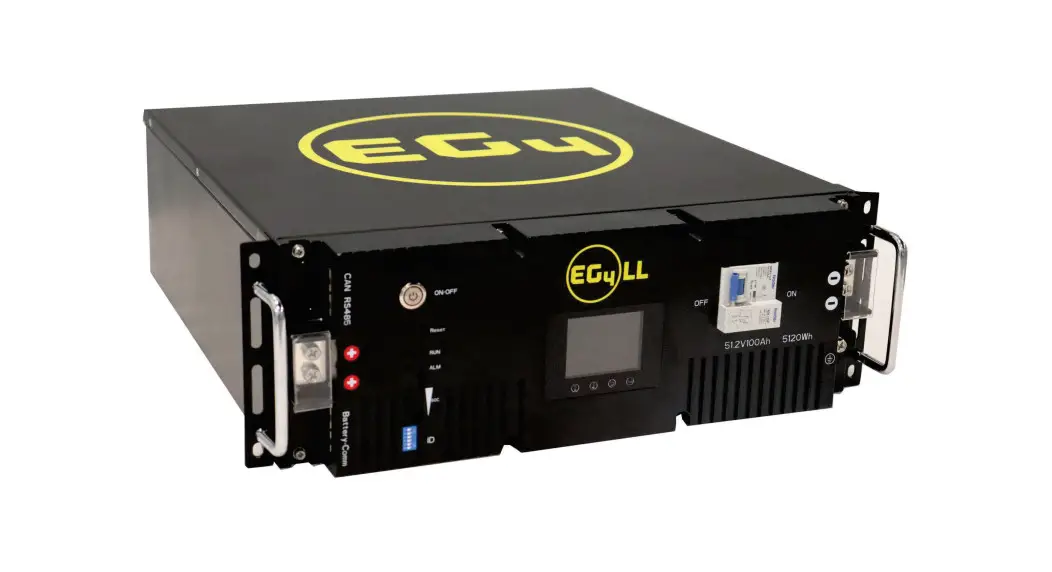
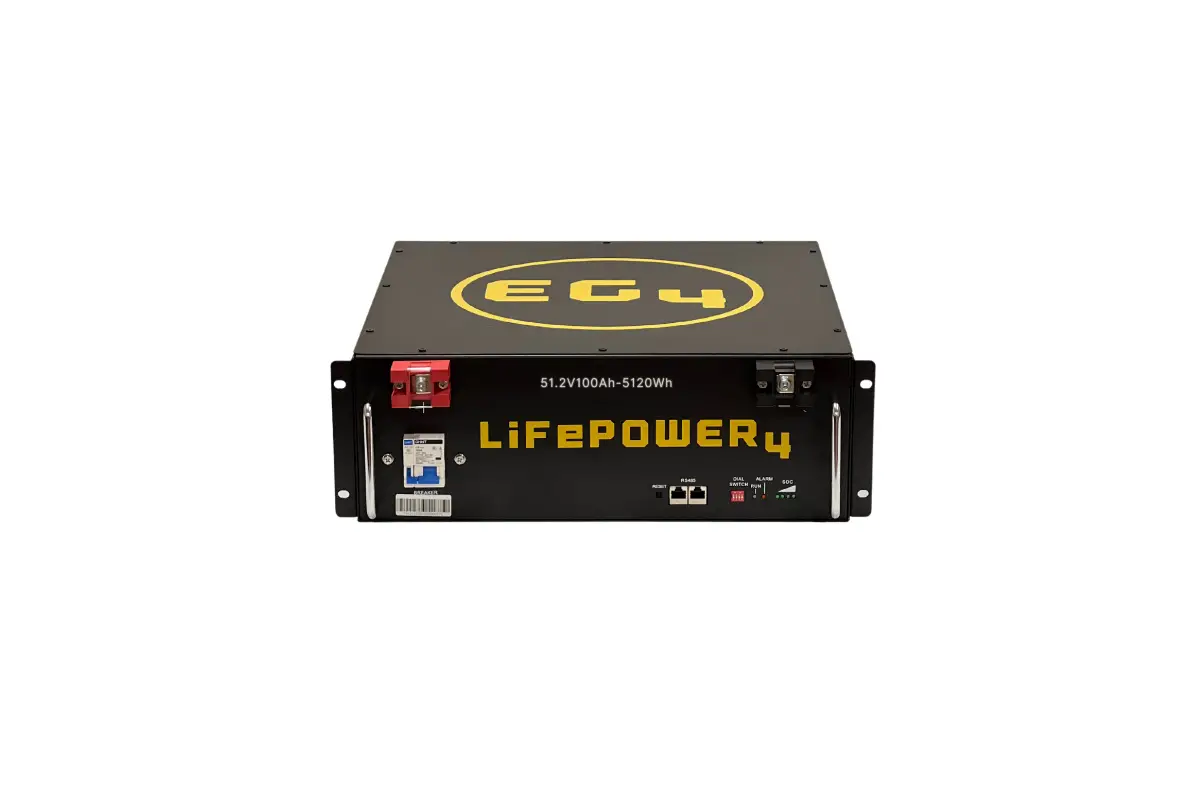
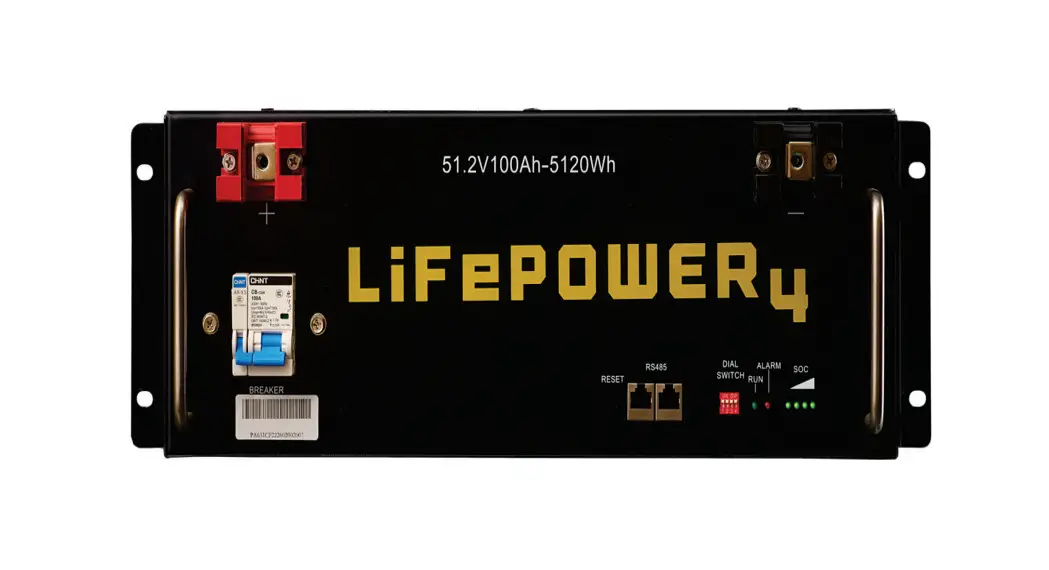
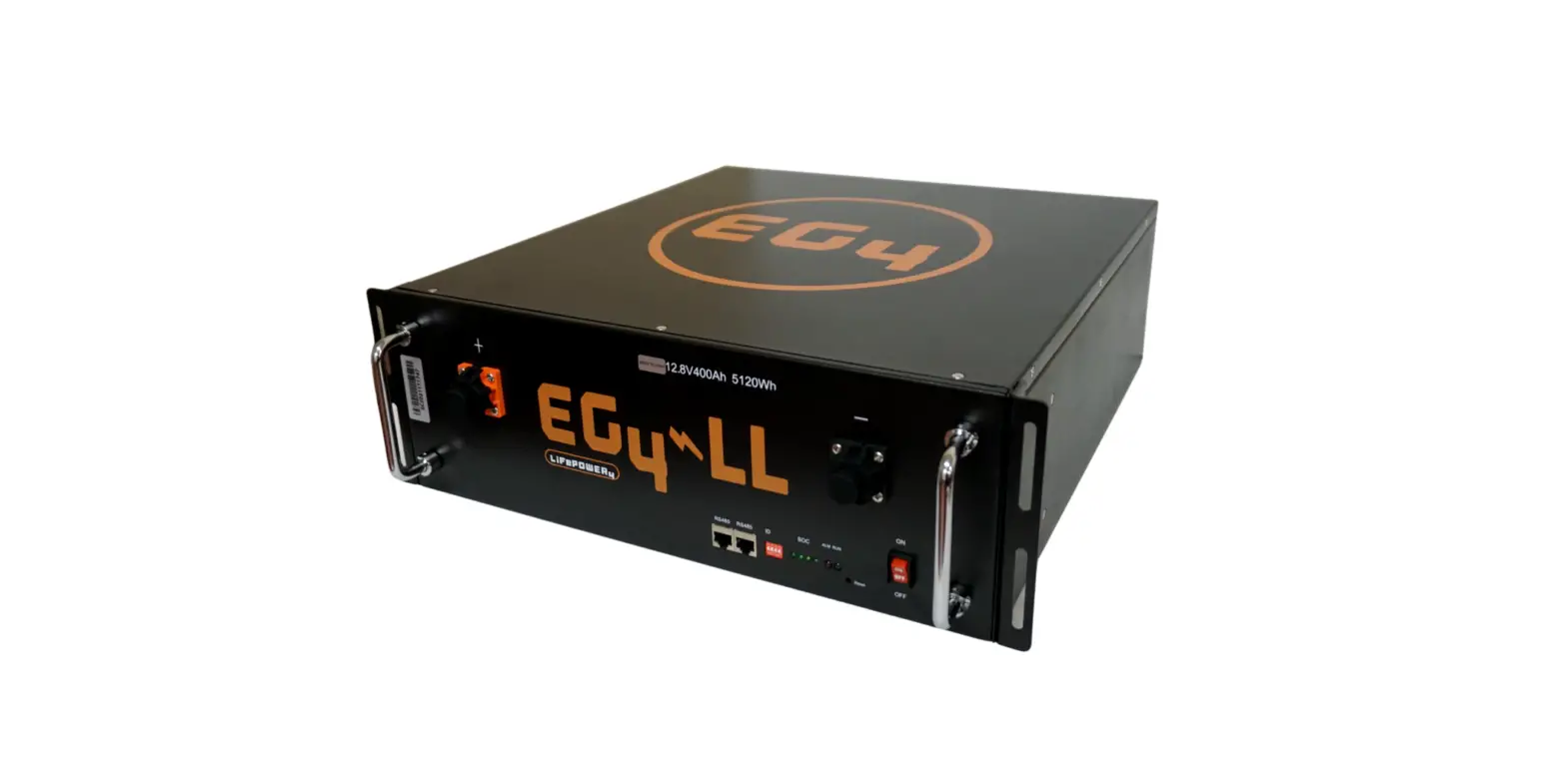
The EG4-LL Rack Mounted Battery is a high-capacity battery
module designed for use in various applications. It comes in two
options: 48V 100Ah and 24V 200Ah. The battery module has a built-in
BMS (Battery Management System) that controls the charging and
discharging of the battery. It has a CAN communication interface
that enables it to communicate with other devices such as
inverters, and an inter-battery communication cable that allows
multiple batteries to be connected in parallel.
Table of Contents:
The user manual contains the following:
- EG4-LL Battery Diagram
- About This Manual
- Introduction
- Product Description
- Overview
- Included Equipment
- Installation
- Needed Tools For Installation
- How to Connect Cables to the Battery Terminals
Product Usage Instructions:
About This Manual:
The user manual provides installation, commissioning, operation,
and troubleshooting guidelines. Please read the manual carefully
before installing and operating the battery module.
Safety Notice:
Before installing or using the unit, read all instructions and
cautionary markings on the unit and all appropriate sections of the
manual. Do not disassemble the unit. Take it to a qualified service
center when service or repair is required. To reduce the risk of
electric shock, shutdown and disconnect all wiring before
attempting any maintenance or cleaning. Only qualified personnel
can install this equipment. NEVER charge a battery below the
specified minimum temperature. Refer to the battery data sheet.
Wire size is critical for safe operation and optimal performance of
the equipment. Refer to an electrician or the user manual for
guidance.
Installation:
The EG4-LL battery module comes with multiple items, including
an inter-battery communication cable and positive and negative
color-coded connection cables. The tools required for installation
may vary depending on how you choose to mount your battery. In
general, you will need a 10mm socket and ratchet, Phillips head
screwdriver, and torque wrench of proper size.
How to Connect Cables to the Battery Terminals:
- Identify the positive and negative terminals on your battery.
These are labeled and color-coded (Red for Positive, Black for
Negative). - Verify that you have all hardware to attach the cable properly.
Check to ensure the bolt insert for the terminal fully seats and
can be tightened to the proper torque.
EG4-LL Rack Mounted 48V 100Ah/24V 200Ah
User Manual
1.0.0
Table of Contents
EG4-LL Battery Diagram……………………………………………………….2 About This Manual………………………………………………………………4 Introduction………………………………………………………………………5 Overview………………………………………………………………………….6 Installation………………………………………………………………………..6 EG4 Battery Rack Interface……………………………………………………6 Charging………………………………………………………………………….8 Introduction to the BMS……………………………………………………….9 Battery Communications…………………………………………………….10 LCD Screen and PC Software……………………………………………….11 Battery Storage………………………………………………………………..16 Battery End of Life…………………………………………………………….17 Troubleshooting……………………………………………………………….17 Warranty…………………………………………………………………………19
1
EG4-LL Battery Diagram
No.
Item
Function Description
1
Grounding Provides a safe route for grounding
screw
2
Positive
Positive battery connection
terminal
3
Display
Shows battery information
4
Breaker
Power output switch
5
ID
Assigns unique address to each module
Remarks
M6 bolt (x2) DIP switch
2
6
CAN
CAN communication interface
Inverter communication
7
Reset
Emergency restart button
8
RS485
RS485 communication interface
Inverter communication
9
ALM
Alarm indication LED
10
Battery-Comm Inter battery communication when paralleled
11
RUN
Operation indication LED
Always on when the system is running
12
SOC
The state of charge
4 green lights mean fully charged
13
Negative
Negative battery connection
terminal
M6 bolt (x2)
14
ON/OFF
BMS control
BMS On/Off switch
15
Handle
For carrying and handling the battery
3
About This Manual
Purpose
This manual describes installation, commissioning, operation, and troubleshooting. Please read the manual fully and carefully before installing and operating. Keep this manual for future use.
Scope
This manual provides basic installation guidelines as well as information on tools and wiring.
Safety Notice
Attention: The following contains important safety and operating instructions. Read and keep this manual for future reference.
1. Before installing or using the unit read all instructions and cautionary markings on the unit and all appropriate sections of the manual.
2. CAUTION – Do not disassemble the unit. Take it to a qualified service center when service or repair is required. Incorrect re-assembly may result in a risk of electric shock or fire.
3. To reduce the risk of electric shock, shutdown and disconnect all wiring before attempting any maintenance or cleaning. Turning off the unit alone will not reduce the risk of shock or injury.
4. CAUTION – Only qualified personnel can install this equipment. 5. NEVER charge a battery below the specified minimum temperature; refer to the battery data
sheet. 6. Wire size is critical for safe operation, and optimal performance of the equipment. Refer to an
accredited sizing resource or cable manufacturer specifications to meet charge/discharge requirements. 7. Use caution when working with metal tools on or around all systems and batteries. Risk of electrical arcs and/or short circuiting of equipment can lead to severe injury and damage. 8. Strictly follow installation procedure when connecting/disconnecting DC terminals. Refer to the Installation section of this manual for details. 9. The included breaker is not a guarantee of battery protection. Size and install the correct overcurrent protection for conductors and battery if not included with the product. 10. Grounding – The grounding system must meet the Authority Having Jurisdiction (AHJ) requirements for your area. 11. NEVER short DC inputs. Do NOT connect the system to the grid with a shorted DC input. 12. WARNING – Only qualified service personnel are able to service this equipment. If errors persist after following the troubleshooting table, please contact your retailer for further assistance.
4
Introduction
Product Description
EG4-LL Rack-Mounted lithium battery products are suitable for low-voltage small and medium-sized energy storage system applications. These products adopt the highest safety performance lithium iron phosphate cells, with a high-precision battery management system (BMS), which can monitor and collect voltage, current and temperature of each cell in the module in real time. The BMS also has a passive balance function, advanced battery control strategy, which can improve the performance of the battery pack further. In order to improve the system safety performance of the product, we put two aerosol fire-fighting modules inside each battery module, which can be used as the last safety barrier of the system in extreme cases to ensure the safety of your property and life to the greatest extent. The battery module consists of 16 “AAA” Grade cells , BMS, housing, breaker, and wire. The module can be placed in a standard 19-inch cabinet and establish communication with the outside devices through CAN/RS485, and communicate with other modules through RS485. The modules can be connected in parallel to meet the expansion needs. Maximum inter battery communications support 16 modules.
5
Overview
Included Equipment
When you purchase an EG4-LL battery, you will receive multiple items. These items will be included in the battery box, or separate packaging within your shipment.
1. (1) EG4-LL battery module 2. Inter-battery communication cable 3. Positive and Negative color coded connection cables
Installation
Needed Tools For Installation
The tools required may vary depending on how you choose to mount your battery. In general, you will need the following items to install your battery into an EG4 racking solution.
1. 10mm socket and ratchet 2. Phillips head screwdriver 3. Torque wrench of proper size
How to Connect Cables to the Battery Terminals
1. Identify the positive and negative terminals on your battery. These are labeled and color coded. (Red for Positive, Black for Negative)
2. Verify you have all hardware to attach the cable properly. Check to ensure the bolt insert for the terminal fully seats and can be tightened to the proper torque.
3. Connect the cables to your battery terminals by removing the terminal bolts, inserting them through the eyelet of the proper cable, and reseating the bolt into the terminal block to the correct torque.
4. DO NOT finger tighten the terminal bolts. They require a specific torque (60 in-lb/7nm) to ensure they do not loosen during operation. Failure to properly tighten the terminal bolts can result in serious damage and will void your warranty.
EG4-LL and EG4 Battery Rack Interface
1. Grounding – One end of the grounding cable is screwed to the grounding hole at the end of the chassis, and the other end is connected to a grounding lug on the rack (or cabinet) to ensure a solid connection.
2. Power cable installation – During single battery operation, the battery terminals can directly connect to the equipment. When there are multiple batteries used in parallel; first use the power cable to connect each battery in parallel, and then connect to the equipment or switch terminals.
3. Connect the equipment – Clearly identify the location of the positive and negative terminals of the system, red to the positive terminal, black to the negative terminal, to ensure no connection errors.
6
4. Communication cable installation – (When a single module is used, please ignore this step) When multiple batteries are connected in parallel, please set the address code of the battery according to the DIP Table (make sure there is no duplicate address code). Then connect the Battery-Comm interface of the battery to each other, finally RS485/CAN interface of the No.1 address battery connects to the inverter by communication cable.
7
In the above figure, there are 6 EG4-LL 48V 100Ah batteries wired in parallel. This battery bank still maintains the appropriate 48V needed for most Inverter/Charger systems. However, the Amp hour rating of this bank has increased to 600Ah.
WARNING: Do NOT parallel batteries by using jumper wires on the double terminals. This will cause high amperage in the final jumpers and potentially excessive amperage on the battery terminals.
WARNING: When adding or removing a battery from the rack/cabinet, turn off ALL batteries and remove all cables from the batteries. This will ensure that you do not accidentally make contact with live (powered) busbars. This can cause serious injury and/or death.
Connecting Your Batteries to a Busbar
EG4 recommends that you only use a properly sized (amp rated) busbar to parallel batteries together. 1. Connect the battery cables to your positive busbar by removing the bus bolts, inserting them through the eyelets of the proper cable, and reseating the bolt into the busbar to 60 in-lbs/7nm. Repeat with all positive cables. 2. Connect the battery cables to your negative busbar by removing the bus bolts, inserting them through the eyelets of the proper cable, and reseating the bolt into the busbar to the correct torque. Repeat with all negative cables.
Battery Charging
Once you are ready to charge your batteries, you must ensure that you use the proper settings. This will ensure that you don’t over-charge or damage your batteries.
1. Bulk/Absorption: 55.5V (+/- 2%) 2. Float: 54V (+/- 2%) 3. Battery Charge Temperature Range: 32°F – 113°F 4. Battery Discharge Temperature Range: -4°F – 131°F 5. Cell Charge Temperature Range: >32°F or <158°F 6. Cell Discharge Temperature Range: >32°F or <158°F
8
What To Expect During a Charge Cycle
It is normal for LFP batteries that have their own internal BMS and that are wired in parallel to demonstrate a fairly wide variety of SOC readings during any given charge or discharge cycle. Variations of up to 10% are common. This is not cause for concern or indication you are getting anything less than the full capacity of your pack. This is caused by even slight variations in wiring resistance to each battery, internal resistance, temperature differences and variations in cell manufacture. Even a slight variation causes one battery to take more of the load or charge for a while. Over the duration of the discharge or charge cycle, this will balance out with the lagging battery then taking the load or charge at the other end of the cycle resulting in recovering the full listed KWH capacity of the pack. The voltage differences created as batteries diverge in SOC will eventually cause them to converge at some point in the cycle.
Introduction to the BMS
The BMS (Battery Management System) is designed to protect your battery and battery cells from a number of situations that may damage or destroy your system. This protection also helps keep your battery and the battery cells operable for a larger number of life cycles. Each EG4-LL battery is specifically configured to ensure the optimal performance and operation of your equipment.
PCB Temperature Protection
The BMS will ensure that the PCB (Printed Circuit Board) does not overheat. This is the part that houses most of the “brains” of the battery. This feature will turn off the battery if it begins to overheat.
Cell Balance Protection
Cell balance ensures that each cell is within a specific voltage range of each other. Cell balance is crucial for ensuring that your battery is operating properly for its lifespan. This is done automatically at all times.
Environmental Temperature Protection
In periods of extreme heat or cold, it may be dangerous for your battery to operate. Continued operation in these conditions can cause permanent damage to your battery, and electrical system. To ensure this does not happen, the BMS is designed to measure the temperature while it is charging/discharging, and will shut down the battery to prevent damage.
Voltage Protection
The BMS is designed to constantly monitor the voltage of each individual cell and ensure that they do not become over/undercharged.
Current Protection
The BMS is designed to constantly monitor the charge/discharge amperage, and has built in protections against exceeding specific parameters. These include built in timers that shut off quickly in the event of
9
extremely large amperage, and delayed shut down for amperage that is only slightly above maximum. This also protects from short circuits.
Battery Communications
Each EG4 is built with the user in mind, and designed to show you as much information as possible as easily as possible. We include an option to connect your battery to PC software to monitor the status of your battery. This allows you to see and understand exactly what your battery is doing, as well as allowing you to troubleshoot if you run into any issues.
DIP Switch ID Settings
ID code bits correspond to binary digits, down represents “ON”, up represents “OFF”. The right side of the code bit is the low bit, and the left side is the high bit. The code range is 0~15, and the communication mode can support up to 16 modules in parallel. EG4-LL batteries interface with inverters and PC monitoring by designating a “Host” battery (DIP switch ID No. 1). This battery will connect directly via an EG4 battery communications cable or a standard CAT 5, 5e, or 6 cable (for closed loop communications with non-EG4 inverter types). If you have multiple batteries, ALL other DIP switch settings MUST be different from each other. This allows equipment to see each battery in the bank separately.
10
LCD Screen and PC Software
Each module has a built-in LCD display and the PC software is only suitable for installation; maintenance.
LCD Display Introduction
The LCD display is embedded in each battery module. It’s used to display important information about the cells. (Voltage, current, temperature, SOC, capacity, running status etc.)
Button Description
There are 4 function buttons below the display with detailed descriptions as shown in the table below.
The corresponding function description for each button is shown below.
No. Item
1
Up
2
Down
3
Return
4
Enter
Screen Wake Up
Press any key to wake up the screen when power is on, and more information will be shown on the display.
11
Main Page Information Description
Battery module name 51.2V100Ah
Battery status
Standby
Battery module voltage Vol53.40V
Battery module current Cur0.0A
Battery SOC
SOC84%
System time
2000-00-00 00:00
Cell Information
Press the “Enter” button, check the cell information, there are 2 pages, “Up” and “Down” to change the page. Page 1 is for cell 01~ cell 9, page 2 is for cell 10 ~cell 16.
Temperature Information
When viewing the Cell Voltage, press “Enter” to view the temperature information.
12
Protocol Setting Selection/Communicating directly with inverters
Required Operating configuration
Only the Master Battery (Address 1) needs to be set to the Inverter protocol, all other batteries must have unique addresses starting at address 2 and ascending in chronological order. You must connect either the RS485 or the CAN port of the Master battery to your inverter’s BMS communication port.
Protocol Change/Selection Procedure
1. Power off all battery DC breakers (while leaving the power button on), and ensure that the voltage between + and – Busbars is 0V.
2. The Inverter protocol can only be changed with the Master battery temporarily set to address 16 (dial all down). After the dial is changed, restart the battery (with only the power button) for the settings to take effect.
3. On the master battery, Press and hold Enter for 5 seconds to enter the Protocol setting. 4. Select the corresponding RS485 program or CAN program, and press Enter. 5. Press the Return key to return to the main interface. 6. Change address dip switches back to address 1 (Switch 1,2,3 down and Switch 4 up ) 7. Power the master pack on again, and the battery will correspond to the program.
Protocol setting selection–RS485
RS485: P01-EG4 P02-GRW P03-LUX P04-SCH
EG4 Growatt Luxpower Schneider
13
Protocol setting selection–CAN
CAN: P01-GRW P02-SLK P03-DY P04-MGR P05-VCT P06-LUX
Growatt Sol-Ark Deye Megarevo Victron Luxpower
PC Software Installation
The PC software provides a tool for temporary battery analysis and diagnostics. You cannot run the PC software and a closed loop inverter at the same time. Additionally, Address 01 will not communicate to PC software, to analyze the master battery you must temporarily change the address to a number other than 01.
Check the eg4electronics.com website to get the latest version of the software for free, and run the BMS_tools.exe program directly after unpacking.
PC software installation steps
14
Communication Connection
1. Connect the RS485/USB cable, and set the baud rate to 19200. 2. Press “Find Device” in the upper left corner.
The software will automatically identify the connected battery pack.
Interface menu definition
Item BMS monitoring BMS Parameter Setting
BMS Control Management
BMS Datalog Monitoring History Real-time data reception
Software system parameters
Definition Real-time data and status monitoring of the BMS BMS parameter Setting management (restricted,
unauthorized changes will void warranty) Control state management of BMS (restricted,
unauthorized changes will void warranty) BMS operation data logging to PC
Internal BMS operation data records (exportable) Record of sending and receiving of battery pack
data Software configuration, settings and language
selection
15
Battery Storage
How do you properly store your battery?
If you plan to store your batteries, there are a few steps you can take to ensure that they are stored safely and in a state that will ensure they are not damaged while storing them. These include a few factors as detailed below.
Battery State
The state of the battery when placed into storage will affect how long it can be stored for as well as the condition when you begin using it again. EG4 recommends that each battery is brought to a SOC (state of charge) of 100% prior to placing it in storage. Lithium iron phosphate batteries will lose a certain percentage of their total charge while in storage, depending on how long they are stored and the conditions they are stored in. Our recommendation is to ensure they are fully charged to allow them to be stored as safely and for as long as possible.
Environmental Factors
The environment you store your EG4 battery in can greatly affect the health of the battery. The temperature should remain moderate. We also suggest keeping the battery away from locations where it may get wet, or locations with extremely high humidity.
What steps should you take to maintain a healthy battery?
EG4 batteries are an advanced lithium iron phosphate battery. This means that in reality, they require very little maintenance. If used correctly by following this manual, we have designed these to be `set it and forget it’ for most of their lifespan. We do recommend connecting to the batteries periodically using the monitoring software to ensure there aren’t any irregularities, and if you are placing the batteries in series without a bus-bar, to ensure you fully charge your batteries periodically. Beyond that, after initial set up you shouldn’t need to do much with your batteries at all.
16
Battery End of Life
How should you properly recycle or dispose of your batteries?
The EG4 battery is designed to last for 15+ years when used correctly. We have worked tirelessly to ensure that our batteries will maintain a charge after thousands of cycles, and typically the battery will outlast most enclosures. However, when it does come time to retire your battery, there are a few things you must consider.
Lithium iron phosphate batteries are considered a hazardous material and should not be disposed of by simply placing them in the trash. There are a number of online websites and organizations that will accept your battery to recycle at little to no cost to you. At EG4, we understand that we are working with customers across the United States and the world. Our best recommendation is to visit your favorite search engine, and search the term “Lithium Battery Disposal Near Me”. You will likely get an assortment of organizations that can safely dispose of your battery. We highly recommend calling ahead of time to ensure that the location is still open and accepting materials.
If, however, you are unable to locate a disposal location safely, we are here to help. Before dumping your battery or disposing of it incorrectly, please contact our customer service team for further assistance.
Troubleshooting
Alarm Description and Handling
When the ALM light on the battery control panel is on, it means that the battery has given an alarm or has been protected, please check the cause of the failure through the computer and take appropriate measures or go directly to the site to troubleshoot. Common alarm conditions are shown in Table 10-1 below.
Major alarms and protection
State Charge Charge Discharge Discharge
Type Overcurrent protection Temperature protection Overcurrent protection Temperature protection
Indicator ALM ALM ALM ALM
Action
Stop charge, check the settings
Stop charge, wait for the temp recovery
Stop discharge, check for overload
Stop discharge, wait for temp recovery
17
Common Faults and Solutions
Number 1 2 3 4
5 6 7 8 9 10 11 12
Fault
Analysis
Solution
Inverter communication failure
Check communication port connection, and battery ID
setting
Refer 8.4.2
No DC output
Open breaker, or battery voltage is too low
Check battery breaker, or charge the battery
Power supply unstable
Battery capacity is not at full power
Check for proper battery cable connection, or replacement
Battery can’t be charged fully
DC output voltage is below the minimum charge voltage
Check the charging settings on the inverter to ensure they match battery requirements
ALM LED always on
Short circuit
Disconnect the power cable and check all cables
The battery output voltage is unstable
Battery management system does not operate normally
Press the reset button to reset the battery, then reboot
the system
ALM LED flashes 20 times w/ SOC1 LED on
Unbalanced voltage within a cell
Examine/balance the cell
ALM LED flashes 20 times w/ SOC2 LED on
Unbalanced temperature
Replace temperature sensor cable
ALM LED flashes 20 times w/ SOC 3/4 LED on
BMS damaged
Replace BMS
Different SOC value of batteries in parallel operation
No issue
Deep discharge the battery bank (<20% SOC), then charge battery bank fully
Low voltage protection w/ no LED on
BMS is in low voltage protection, and is in sleep
mode
Follow the below steps to reboot the module
Deep discharged w/ “ON” LED on
The battery has been discharged too low, and voltage is too low to start
BMS
Open the top cover and charge the battery pack
above 40V to reboot
18
EG4 Warranty
Your warranty must be registered within the first year of purchase to remain valid. If you choose not to register your warranty, your warranty may be invalidated. This limited warranty is to the original purchaser of the product and not transferable to any other person or entity. All BMS and Cell Exchanges are covered throughout the warranty period. If a full replacement warranty is needed the warranty is prorated 1/9th per year after the first year at the current retail pricing.
Warranty Exclusions – EG4 Electronics has no obligation under this limited warranty for product subjected to the following conditions (including but not limited to):
Damages incurred during installation or removal
Damages caused during mishandling of product
Inappropriate Environmental Exposure
Damages caused by improper maintenance
Tampering, Altering, and/or Disassembly of product
Using product in applications other than which it was intended for by manufacturer
Lightning, Fire, Flood, or Acts of God
Any product whose serial number has been altered, defaced, or removed
The equipment sold by EG4 Electronics is designed to be installed only by licensed, trained, and insured solar electrical installation professionals. We strongly advise the customer to seek the assistance of such a professional to exclusively perform the implementation of any of these products, and we make no warranty of the purchaser’s safety, success of equipment implementation, or compliance with local codes and regulations.
EG4 Electronics disclaims all additional warranties, expressed or implied, including but not limited to, any implied warranty with respect to the accuracy or completeness of the information they disseminate and /or fitness of the materials sold for a particular purpose. No warranty may be created or extended by sales or promotional materials on these items. Each party hereby irrevocably waives its rights to trial by jury in any Action or proceeding arising out of this agreement or the transactions relating to its subject matter. All installation advice provided by EG4 before, during, or after purchase of solar equipment is purely for the purpose of general concept education and must not replace the expertise of a licensed and trained solar specialist. The Customer agrees to full indemnification for EG4 henceforth from any legal recourse relating to and arising out of losses, direct or consequential, from the installation of the products purchased by the customer in excess of the value of the equipment purchase price.
19
 EG4 Electronics | Power 4 LiFe | Batteries, Inverters, and Everything Solar