i3ALLSYNC Touch Transmitter
Product Information
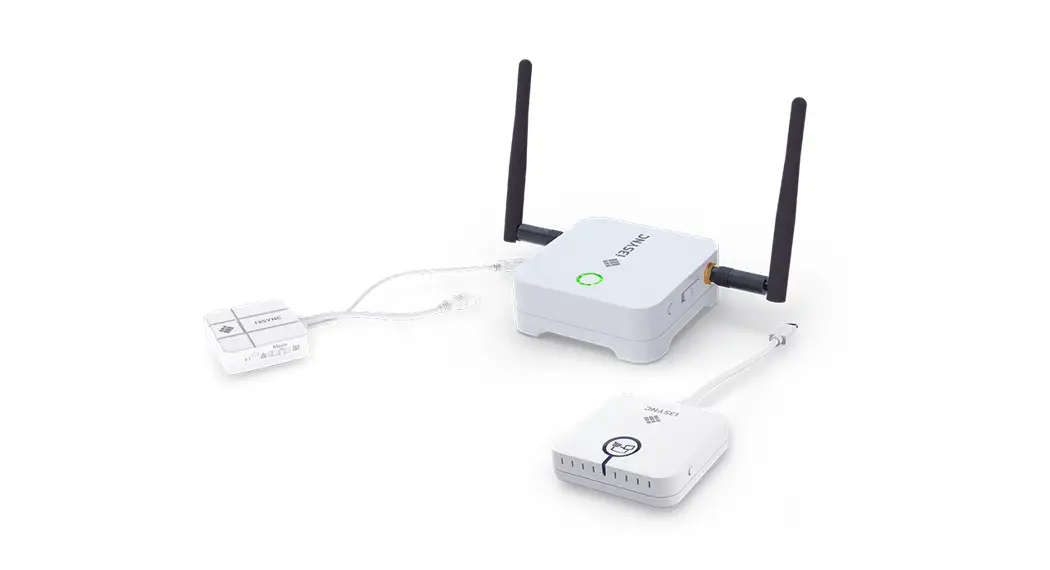
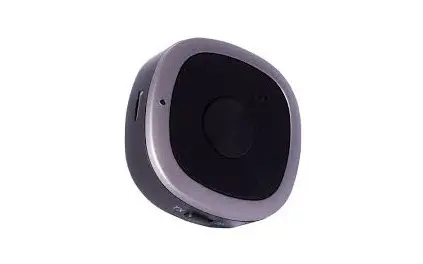
The i3ALLSYNC Transmitter is a wireless presenting solution that
allows you to share your content wirelessly from any device without
installing any software. It works on i3TOUCH and non-i3TOUCH
displays. The i3ALLSYNC HDMI Transmitter is a model of the
i3ALLSYNC Transmitter that provides real-time wireless mirroring of
image (1080p supported at 60hz) and sound. It is compatible with
HDMI-supported devices such as PC, tablet, camcorder, game console,
etc. It also supports smart pads such as Galaxy Tab, iPad, and
smartphones if gender charger is connected.
Product Usage Instructions
The usage instructions of the i3ALLSYNC Transmitter depend on
whether you have an i3TOUCH display or not. Please follow the
relevant instructions below:
You will only need the i3ALLSYNC transmitter, either the
HDMI/USB version or the USB-C version, which one fits your current
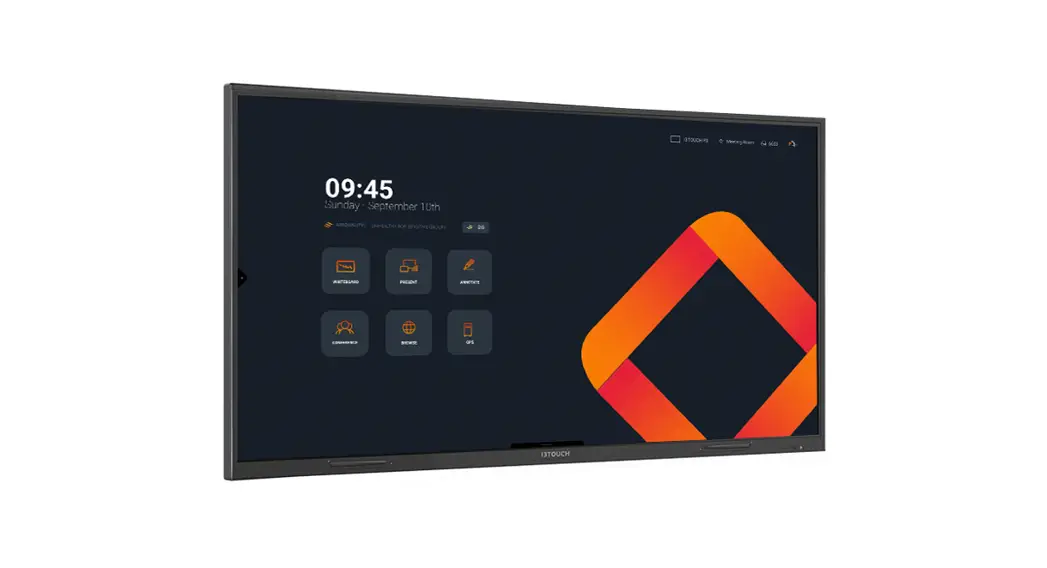
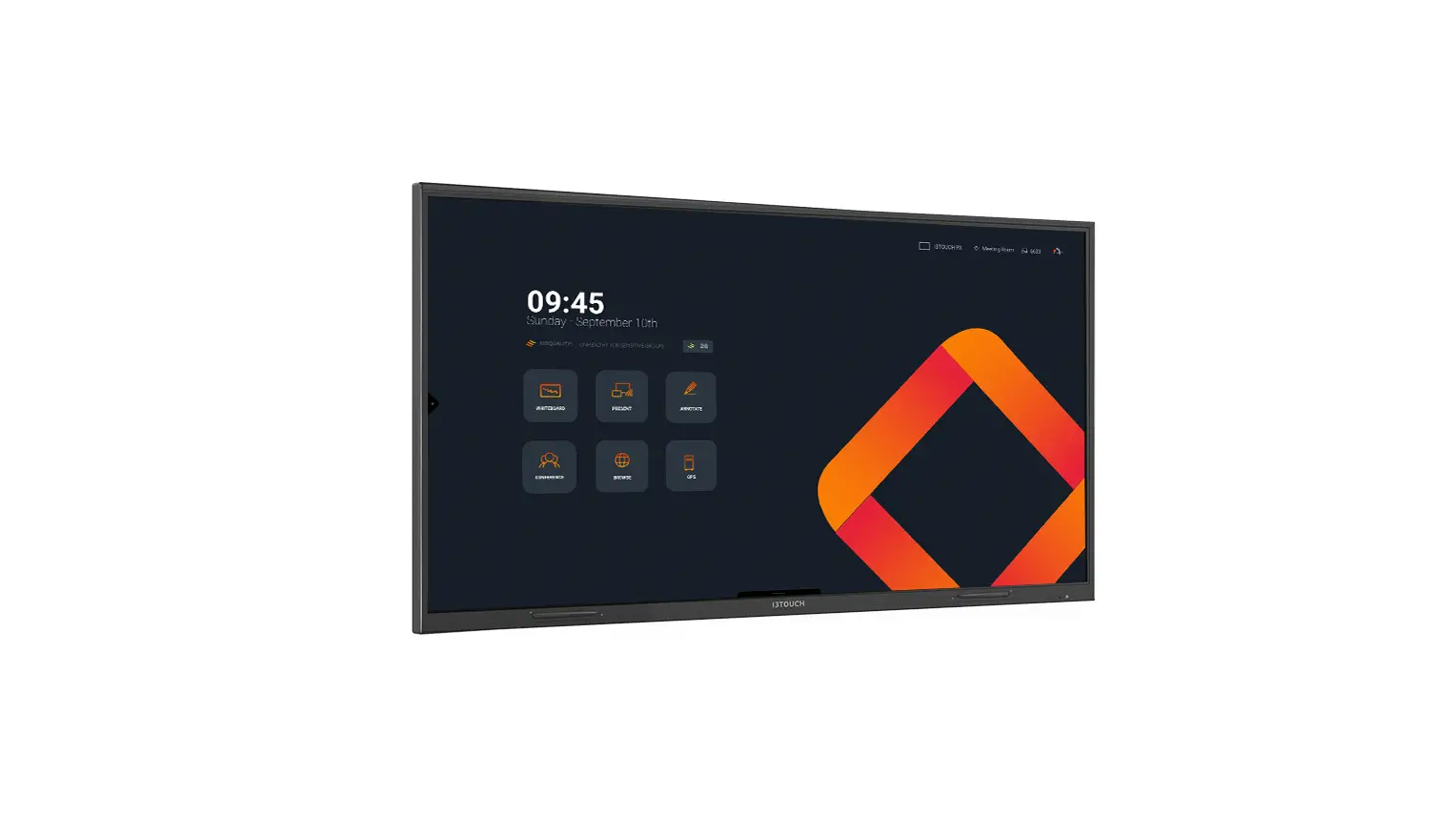
hardware. i3TOUCH panels have got the i3ALLSYNC software built-in
so you don’t need a receiver. Connect the transmitter to your
device, press the `present’ button and off you go.
You will need the i3ALLSYNC transmitter, either the HDMI/USB
version or the USB-C version, which one fits your current hardware.
Both HDMI & USB-C can be used simultaneously on the same
display. To communicate with your touch display you’ll need the
i3ALLSYNC receiver as well. Connect the transmitter to your device,
press the `present’ button and off you go.
I have an i3TOUCH display, and I don’t want to buy extra
hardware
You only need the i3ALLSYNC transmitter application. i3TOUCH
panels have got the i3ALLSYNC software built-in so you don’t need a
receiver. Compatible with Windows, Mac OS, iOS & Android.
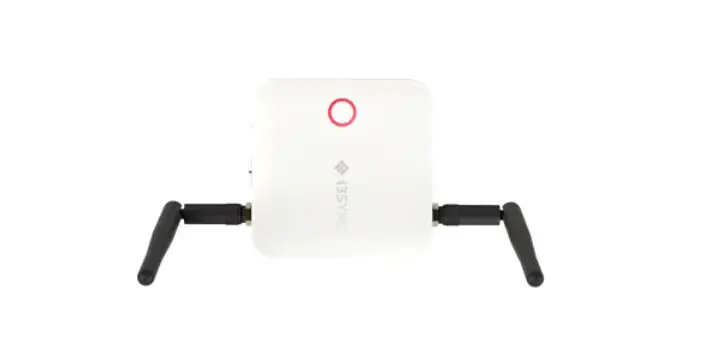
You’ll need the i3ALLSYNC receiver, and the i3ALLSYNC
Transmitter software. Compatible with Windows, Mac OS, iOS &
Android. Connect the transmitter to your device, press the
`present’ button and off you go.
Note: The i3ALLSYNC Hardware Transmitter is OS independent.
Touchback only available on Windows and macOS (as transmitter).
Make sure that your device supports touch functionality.
Present with one click.
Share your content wirelessly from any device without installing any software. Connect the transmitter to your device, press the `present’ button and off you go.
Our solution works on i3TOUCH and non-i3TOUCH displays. Although the implementation is different, the ease of use stays the same.
So what do you need ?
I have an i3TOUCH display, and i want to share with one click of a button.
You’ll only need the i3ALLSYNC transmitter, either the HDMI/USB version or the USB-C version, which one fits your current hardware. i3TOUCH panels have got the i3ALLSYNC software built in so you don’t need a receiver.
I don’t have an i3TOUCH display, and i want to share with one click of a button.
You’ll need the i3ALLSYNC transmitter, either the HDMI/USB version or the USB-C version, which one fits your current hardware. Both HMDI & USB-C can be used simultaneously on the same display. To communicate with your touch display you’ll need the i3ALLSYNC receiver as well.
OR
OR
+
USB C TRANSMITTER
HDMI/USB TRANSMITTER
USB C or HDMI/USB TRANSMITTER
RECEIVER
I have an i3TOUCH display, and i don’t want to buy extra hardware
You only need the i3ALLSYNC transmitter application. i3TOUCH panels have got the i3ALLSYNC software built-in so you don’t need a receiver. Compatible with Windows, Mac OS, iOS & Android.
I don’t have an i3TOUCH display, and i want to share my screen using multi-step software.
You’ll need the i3ALLSYNC receiver, and the i3ALLSYNC Transmitter software. Compatible with Windows, Mac OS, iOS & Android.
i3ALLSYNC APP
+
i3ALLSYNC APP
RECEIVER
i3ALLSYNC
i3ALLSYNC TRANSMITTERS
i3ALLSYNC TOUCH HDMI/USB or USB-C
i3ALLSYNC TRANSMITTERS
Share your screen wirelessly from any device with our i3ALLSYNC Transmitter. Start sharing at the push of a button, without any installation. It is as easy as that! All you need is the i3ALLSYNC wireless presenting app on your display, which is integrated on i3TOUCH P11, P12, E10r, EX, PX, ES and i3HUDDLE, i3SIXTY. Plug the transmitter in to your laptop (or other suitable device). Press the button to share your screen. It’s simple, fast and effective.
Works with
The i3ALLSYNC Hardware Transmitter is OS independent. Touchback only available on Windows and macOS (as transmitter). Make sure that your device supports touch functionality.
No software needed
No need to install the i3ALLSYNC software on to your laptop.
User-friendly
Start sharing your screen at the push of a button.
Hybrid Solutions
Both transmitters, HDMI & USB-C, can be used simultaneously on one display.
Plug & play
Connect the transmitter to your laptop (or other compatible device) and press the button to share.
Touch back
Control your computer from the display screen without remote.
i3ALLSYNC
Specifications
PRODUCT INFORMATION
Model name i3ALLSYNC HDMI Transmitter
Size
65 mm x 65 mm x 20 mm (HDMI cable: 150 mm and USB cable 250 mm)
Transmission quality
Real time wireless mirroring of image (1080p supported at 60hz) and sound
HDMI supported PC, tablet, camcorder, game
Compatible device
console, etc Smart pad such as Galaxy Tab, iPad and smartphone supported if gender
charger is connected.
OS Independent
Compatible with Windows, Mac, Android and Linux
Wi-Fi WiFi 802.11 b/g/n 2.4G 2T2R
Power Supply USB input 5V 1A
Splitscreen support
Available on i3HUDDLE, I3TOUCH EX, PX, ES and i3ALLSYNC TOUCH Stand-alone Receiver
Operating range In connection range of WiFi router.
Touch back
Control your computer from the display screen without remote.
SLIDE SWITCH
The latency between the transmitter and Presentation Mode receiver means less latency and delay in
presentation. Smooth video display due to higher frames per Video Mode second. User enjoys better video and audio experience.
LED
Color Led Action
Status
Red Lights up constantly
Standby
Red
Flash three seconds and stop three seconds
Connection failed
Red Blink
Error
Green Blink
Pairing
Green Lights up constantly
Paired and Ready
Blue Lights up constantly
Mirroring
Yellow Lights up constantly
Without HDMI source
White Blink
Waiting for pairing
PRODUCT INFORMATION
Model name i3ALLSYNC USB-C Transmitter
Size
70 mm x 70 mm x 20 mm (USB-C cable 230 mm)
Transmission quality
Real time wireless mirroring of image (1080p supported at 60hz) and sound
USB-C supported PC, tablet, camcorder, game
Compatible device
console, etc Smart pad such as Galaxy Tab, iPad and smartphone supported if gender
charger is connected.
OS Independent
Compatible with Windows, Mac, Android and Linux
Wi-Fi WiFi 802.11 b/g/n 2.4G 2T2R
Power Supply USB input 5V 1A
Splitscreen support
Available on i3HUDDLE, I3TOUCH EX, PX, ES and i3ALLSYNC TOUCH Stand-alone Receiver
Operating range In connection range of WiFi router.
Touch back
Control your computer from the display screen without remote.
SLIDE SWITCH
The latency between the transmitter and Presentation Mode receiver means less latency and delay in
presentation. Smooth video display due to higher frames per Video Mode second. User enjoys better video and audio experience.
PACKAGE CONTENT
i3ALLSYNC HDMI/USB-C Transmitter How-to-use manual
ENVIRONMENTAL CONDITIONS
Operating Temperature -5°C – 45°C Operating Humidity 20% – 80% RH Non Condensation
Storage temperature -20°C – 60°C
CERTIFICATION
CE & FCC
i3ALLSYNC
i3ALLSYNC APP
i3ALLSYNC Wireless presenting app
Walk into your meeting room and start your presentation without wasting time by hunting for the right cable, resolution or driver. Share your content wirelessly from any device you want to present from and control your device from the display screen without a remote.
User-friendly
Participants can share their screen at one click of a button.
Pre-installed
Pre-installed on all lastest i3TOUCH, i3HUDDLE & i3SIXTY devices.
Wireless sharing
Share your content wirelessly from any device (Windows, Adroid, MacOS and iOS).
Multiple viewers
Up to 64 simultaneous users can follow presentation on their devices.
Airplay integration
integration of Airplay for iOS & MacOS.
Multiview
Share content from up to 4 devices simultaneously. Available on supporting devices.
i3ALLSYNC
I3ALLSYNC CLIENT/USER DEVICE TECHICAL REQUIREMENTS
Laptops & Tablet PCs
Operating System
Windows 7 or newer, OSX 10.10 or newer
Minimum Required
Intel Core 2 Duo, 2.3GHz 2 GB RAM
iPads, iPhones,& iPods
Android Tablets & Phones
iOS version 8.0 or newer iPad 3 / iPhone 5 or newer
Android 6.0 or newer Phones/Tablets with Android 6.0 or newer
i3ALLSYNC SHARE NETWORK REQUIREMENTS
Network and internet access
When I3ALLSYNC is deployed into the existing network, the host PC and the clients require wired or wireless network connection with a minimum bandwidth of 20 Mbps. When running HD content, increase the minimum bandwidth to 50 Mbps. Like any network application, the overall performance would be depended on available bandwidth. Internet access is required to activate the I3ALLSYNC Windows Software (server) and install software updates for I3ALLSYNC Windows Software (server). Internet access is also required to install and update the I3ALLSYNC client apps for Windows, Mac, iOS, and Android.
i3ALLSYNC SPECIFICATIONS
Resolution Up to 1080p (FHD) Framerate 30 fps 4-way splitscreen Only on i3HUDDLE Video latency less than 200 ms
Audio Stereo Touch 10 point multitouch (only with Windows Transmitter Client) Recommended internet WiFi 2.4 GHz Multiview Available on i3TOUCH EX, PX, ES, I3HUDDLE 3.0 Wireless Touch Supported via the i3ALLSYNC WINDOWS & MAC App, HDMI & USB-C transmitter
i3ALLSYNC
i3ALLSYNC has a broad offering of broadcasting protocols for wirelessly sharing your devices’ content to your i3TOUCH display. Wireless broadcasting is swiftly becoming an acceptable alternative to wired connections and offers a whole set of additional benefits. Even though these wireless solutions are continuously improving, the technologies used to enable them remain complex, and there are many considerations to keep in mind for a well-functioning setup.
THIRD-PARTY BROADCASTING PROTOCOLS
Some of the protocols offered by i3ALLSYNC are closed source, and therefore detailed documentation is not available. (e.g., Airplay, Google cast, Miracast,…) Nonetheless, i3-Technologies is offering a functioning implementation for these protocols to improve the accessibility and compatibility of your i3TOUCH display. Please note that these implementations might differ in terms of functionality from the offering of the original vendor, especially in comparison with hardwaresupported implementations. (e.g., AppleTV, Google Chromecast,…) Adding to the complexity are the continuous changes made to these protocols by their respective maintainers. (Apple, Google,…) In consequence, the third-party mirroring functions provided by i3ALLSYNC might perform sub-optimally for some periods of time. i3-Technologies does perform regular updates to assure the best possible compatibility.
INFLUENCE OF NETWORK INFRASTRUCTURE
Needless to say that a well-functioning networking infrastructure is the foundation of any wireless broadcasting solution. Factors such as bandwidth, latency, package loss rate, etc., all play a key role in the correct functioning of i3ALLSYNC. Additionally, specific network configurations and components (e.g., Aruba routers) impact the quality and performance of the wireless present solution. Our solutions are tested to work in most networking setups, but i3-Technologies cannot guarantee compatibility with custom network infrastructures.
i3ALLSYNC
i3ALLSYNC STORAGE
Keep the work environment nice and tidy with the i3ALLSYNC HDMI Storage. Allows you to easily store 4 i3ALLSYNC HDMI or USB-C Transmitters.
SIZE
Length 268 mm Height 120 mm Depth 93 mm
ATTRIBUTES
Material Plexiglass Weight Netto 900 gr
i3ALLSYNC