

Register your new device on MyBosch now and get free benefits:
bosch-home.com/welcome
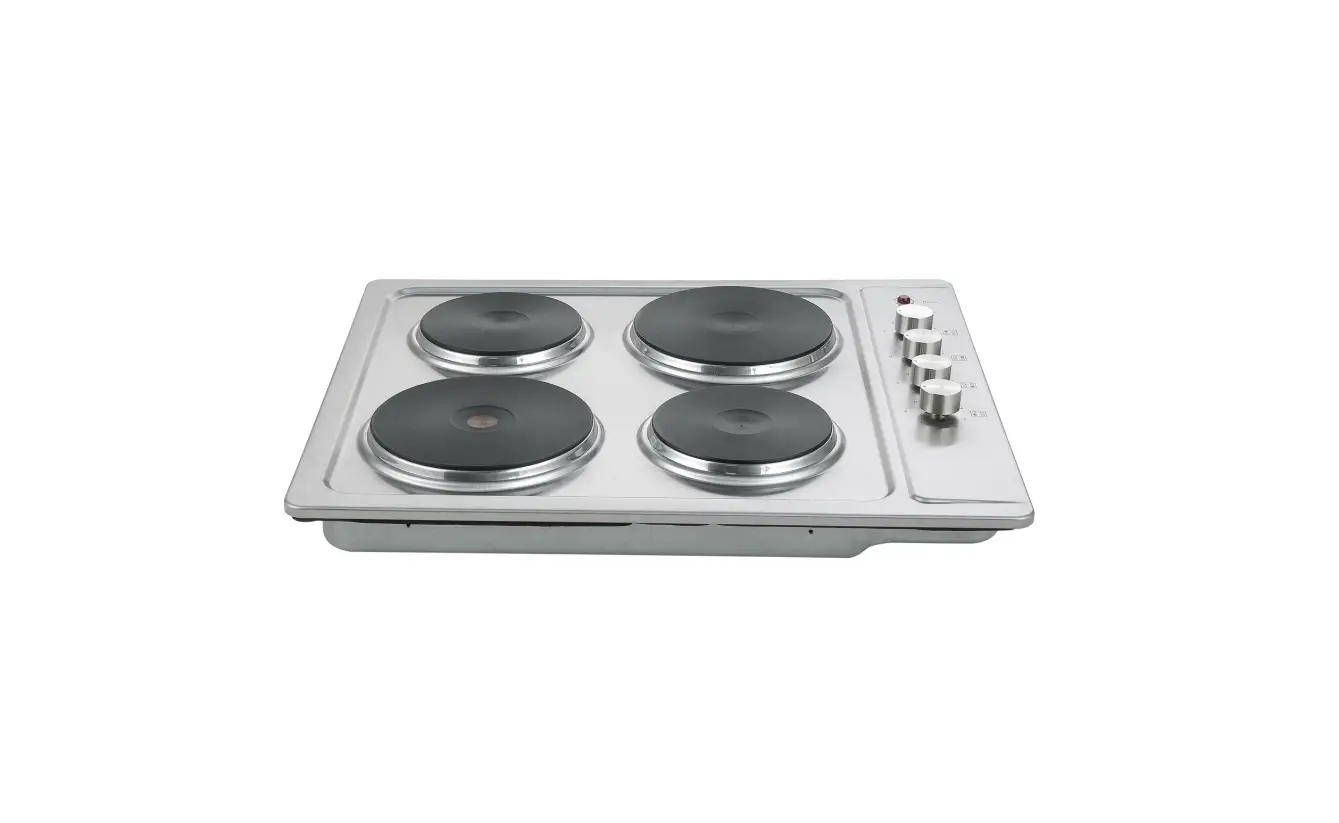
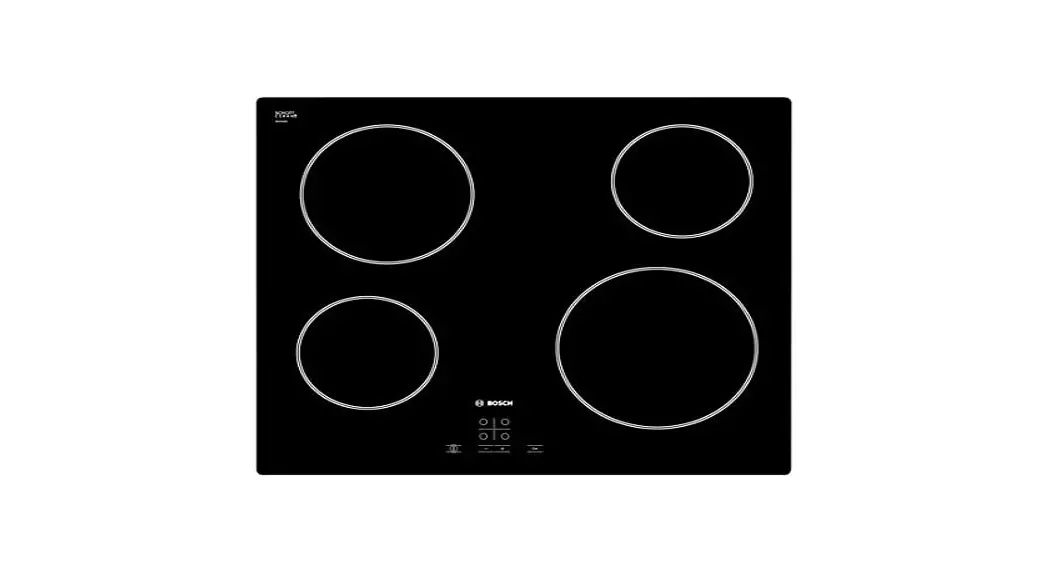
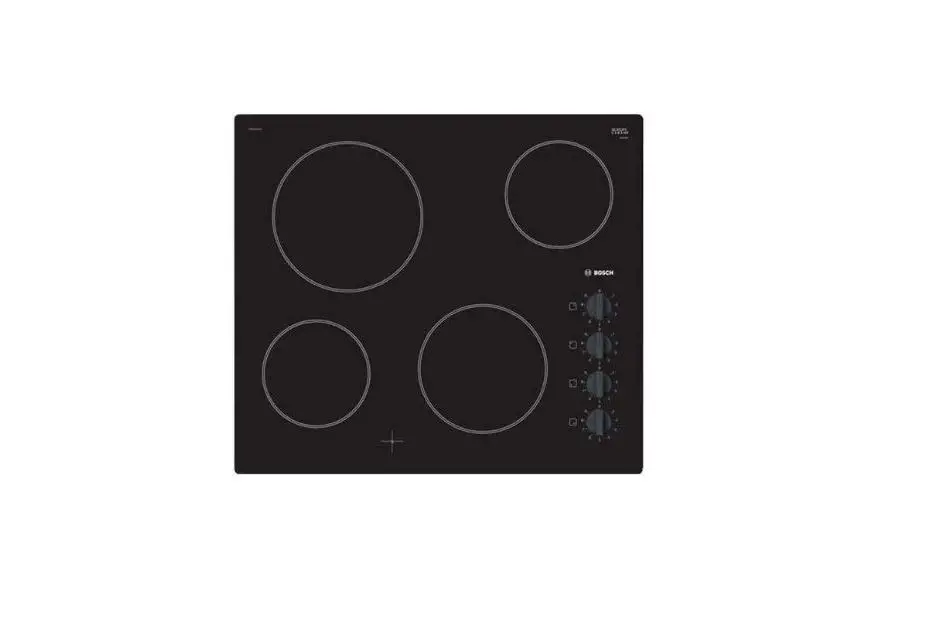
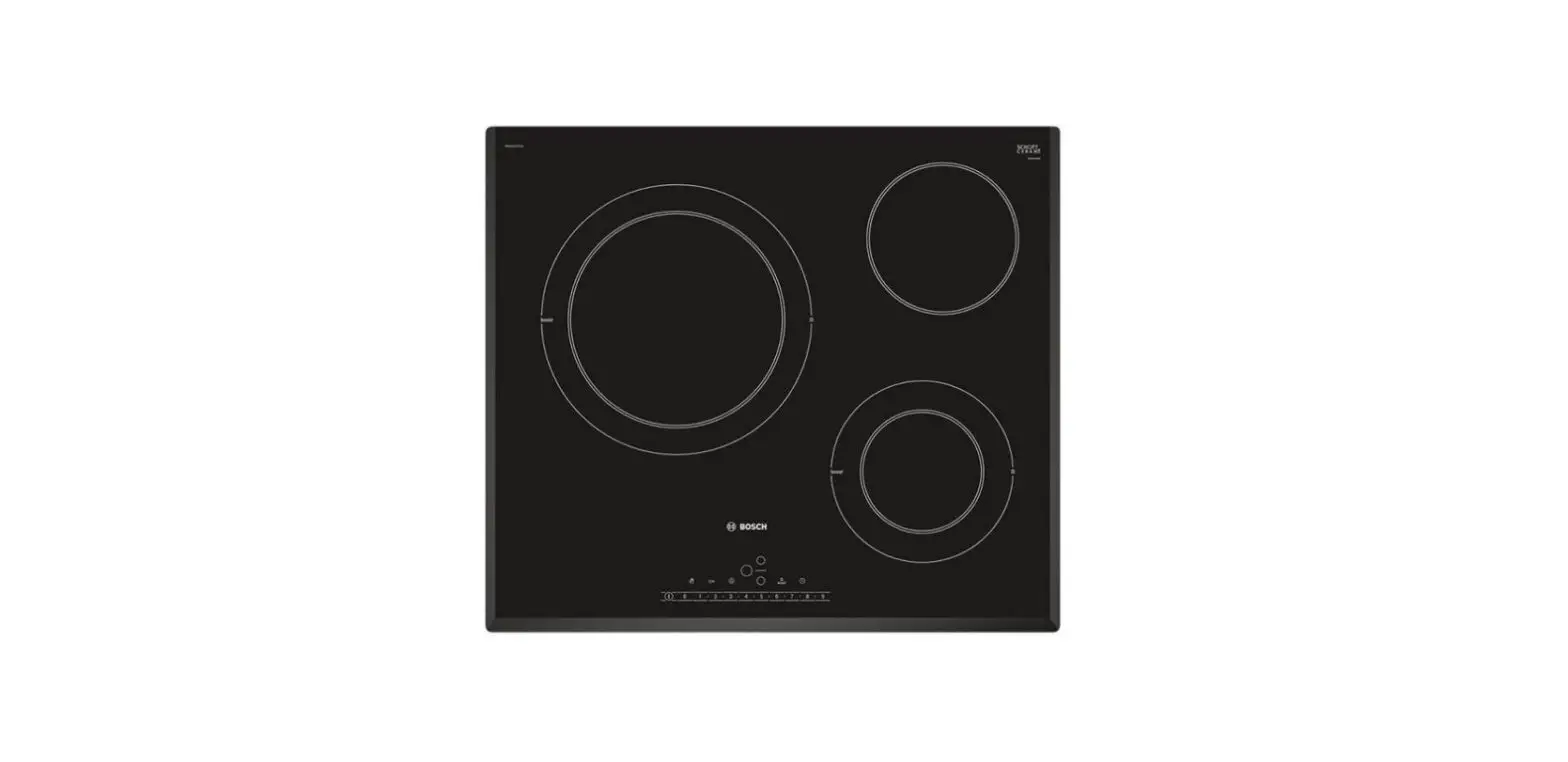
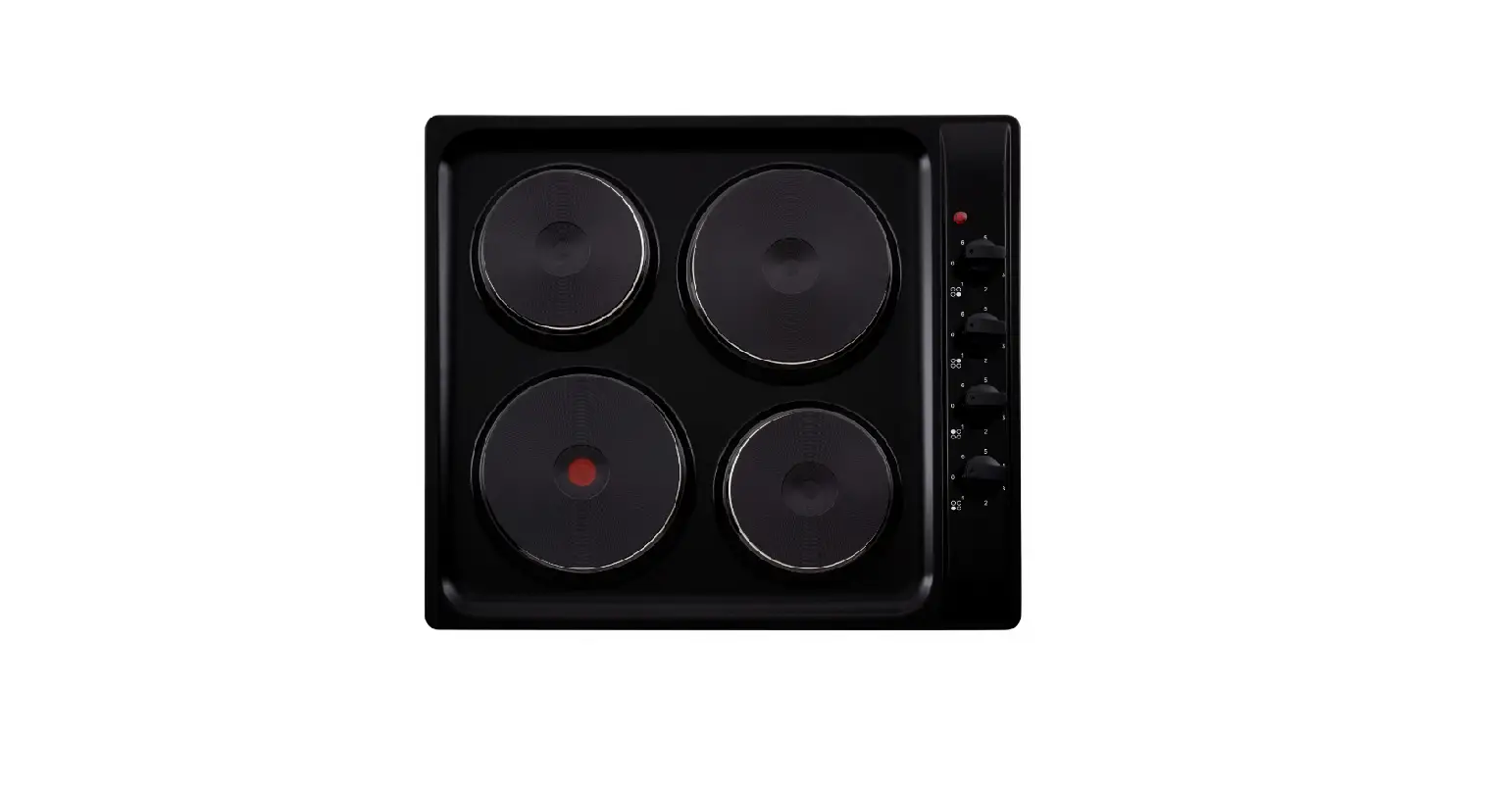
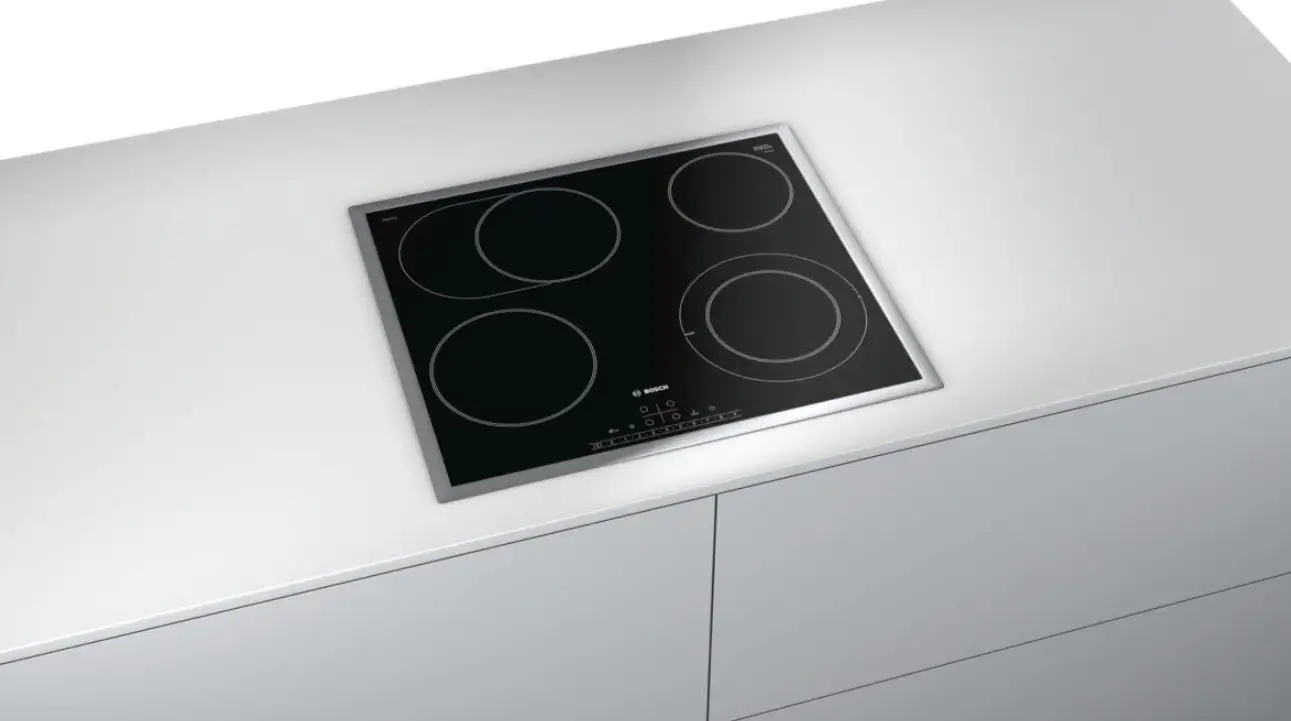
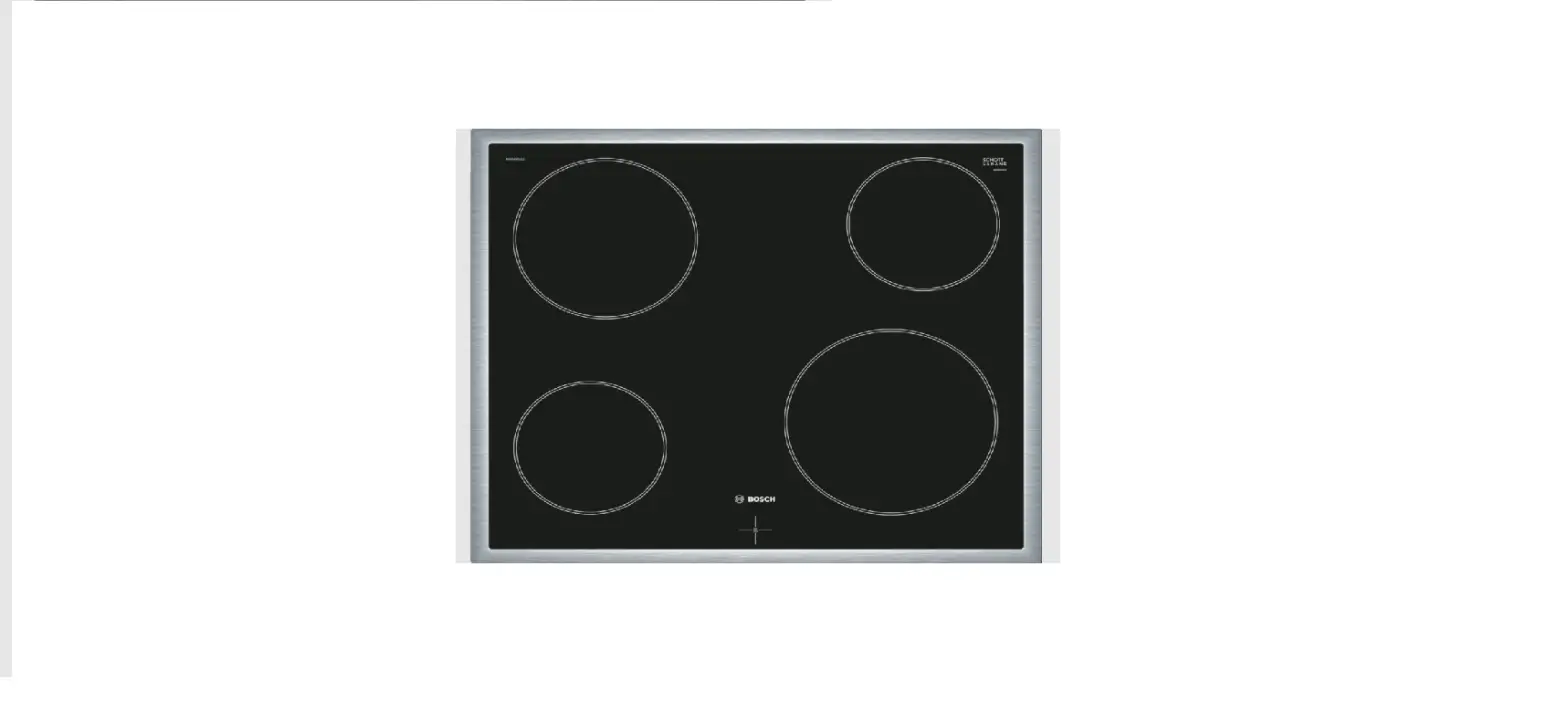
Hob
PKE6…17.,
PKE6..BB..,
PKF6…17.,
PKF6..BB..,
PKM6..B17.,
PKM6..BB..,
PKK6..B1..,
PKK6..BB..,
PKN6…17.,
PKN6..BB..
User manual
PKE6…17.., PKE6..BB.. PKK6..B1.., PKK6..BB..
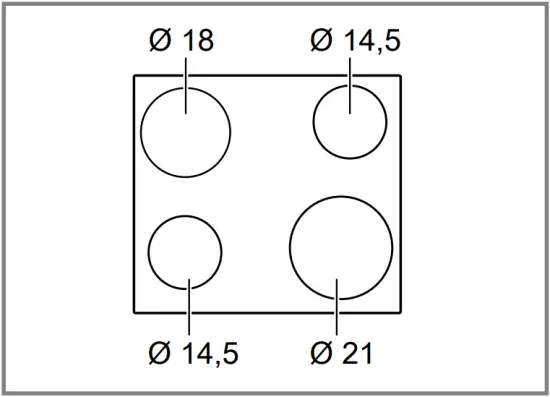
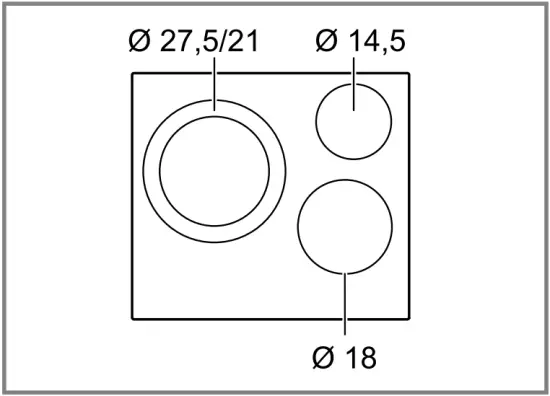
PKF6…17., PKF6..BB.. PKN6…17., PKN6..BB..
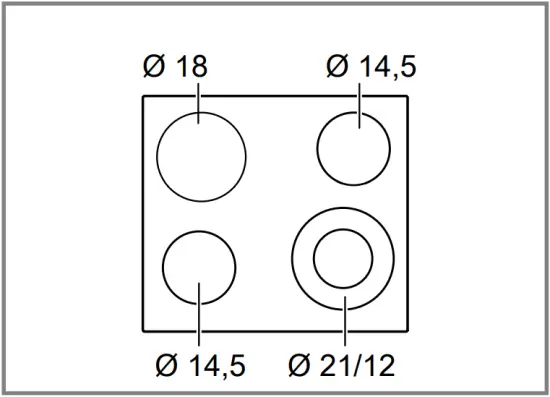
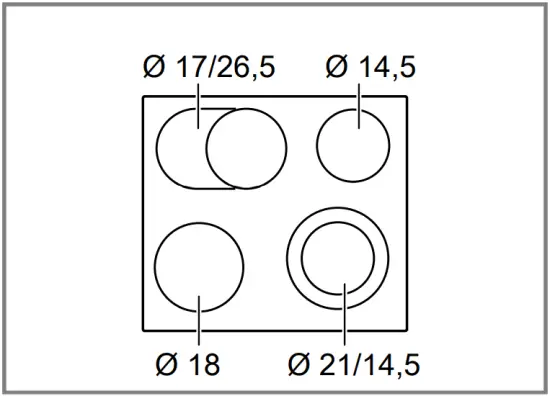
PKM6..B17., PKM6..BB..
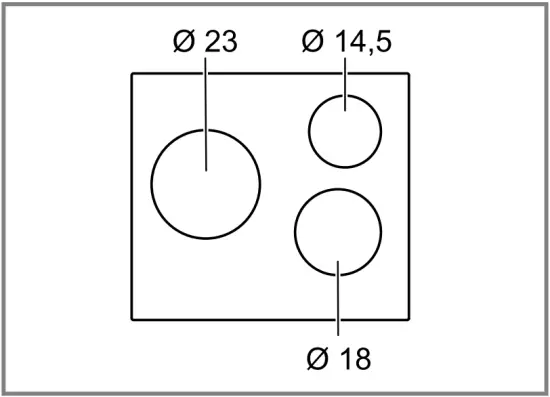
Ø = cm
 1 Safety
 1 Safety
Observe the following safety instructions.
1.1 General information
- Read this instruction manual carefully.
- Keep the instructions, the appliance pass and the product information safe for future reference or for the next owner.
- Do not connect the appliance if it has been damaged in transit.
1.2 Intended use
Only a licensed professional may connect appliances without plugs. Damage caused by incorrect connection is not covered under the warranty.
Only use this appliance:
- To prepare meals and drinks.
- Under supervision. Never leave the appliance unattended when cooking for short periods.
- In private households and in enclosed spaces in a domestic environment.
- Up to an altitude of max. 2000 m above sea level.
Do not use the appliance:
- With an external timer or a separate remote control. This does not apply if operation with appliances included in EN 50615 is switched off.
1.3 Restriction on user group
This appliance may be used by children aged 8 or over and by people who have reduced physical, sensory or mental abilities or inadequate experience and/or knowledge, provided that they are supervised or have been instructed on how to use the appliance safely and have understood the resulting dangers.
Children must not play with the appliance.
Children must not perform cleaning or user maintenance unless they are at least 15 years old and are being supervised.
Keep children under the age of 8 years away from the appliance and power cable.
1.4 Safe use
 WARNING – Risk of fire!
Leaving fat or oil cooking on an unattended hob can be dangerous and may lead to fires. Never leave hot oil or fat unattended. Never attempt to extinguish a fire using water; instead, switch off the appliance and then cover with a lid or a fire blanket.
The cooking surface becomes very hot. Never place flammable objects on the cooking surface or in its immediate vicinity. Never place objects on the cooking surface.
The appliance will become hot. Do not keep combustible objects or aerosol cans in drawers directly underneath the hob.
The hob switches off automatically and can no longer be operated. It may switch on unintentionally at a later point. Switch off the fuse in the fuse box. Call the customer service.
Hob covers can cause accidents, for example due to overheating, catching fire or materials shattering. Do not use hob covers.
Food may catch fire. The cooking process must be monitored. A short process must be monitored continuously.
WARNING – Risk of burns!
The appliance and its parts that can be touched become hot during use, particularly the hob surround, if fitted. Caution should be exercised here in order to avoid touching heating elements. Young children under 8 years of age must be kept away from the appliance.
The hotplate heats up but the display does not work. Switch off the fuse in the fuse box. Call the customer service.
Hob protective grilles may cause accidents. Never use hob protective grilles.
The appliance becomes hot during operation. Allow the appliance to cool down before cleaning.
WARNING – Risk of electric shock!
Incorrect repairs are dangerous. Repairs to the appliance should only be carried out by trained specialist staff. Only use genuine spare parts when repairing the appliance. If the power cord of this appliance is damaged, it must be replaced by trained specialist staff.
If the appliance or the power cord is damaged, this is dangerous. Never operate a damaged appliance. If the surface is cracked, you must switch off the appliance in order to prevent a possible electrical shock. To do this, switch off the appliance via the fuse in the fuse box rather than at the main switch. Call customer services. → Page 13
An ingress of moisture can cause an electric shock. Do not use steam- or high-pressure cleaners to clean the appliance.
The insulation on cables of electrical appliances may melt if it touches hot parts of the appliance. Never bring electrical appliance cables into contact with hot parts of the appliance.
WARNING – Risk of injury!
Saucepans may suddenly jump due to liquid between the saucepan base and the hotplate. Always keep hotplates and saucepan bases dry.
WARNING – Risk of suffocation!
Children may put packaging material over their heads or wrap themselves up in it and suffocate. Keep packaging material away from children. Do not let children play with packaging material.
Children may breathe in or swallow small parts, causing them to suffocate. Keep small parts away from children. Do not let children play with small parts.
2 Preventing material damage
ATTENTION!
Rough pot and pan bases will scratch the ceramic. Check your cookware.
Boiling pans dry may damage cookware or the appliance. Never place empty pans on a heated hotplate or allow to boil dry.
Incorrectly positioned cookware can cause the appliance to overheat. Never place hot pots or pans on the controls or the hob surround.
Damage can occur if hard or pointed objects fall onto the hob. Do not let hard or pointed objects fall onto the hob.
Non heat-resistant materials will melt on heated hotplates. Do not use oven protective foil. Do not use aluminium foil or plastic containers.
2.1 Overview of the most common damage
Here you can find the most common types of damage and tips on how to avoid them.
| Damage | Cause | Measure |
| Stains | Food boiling over | Remove boiled-over food immediately with a glass scraper. |
| Stains | Unsuitable cleaning products | Only use cleaning products that are suitable for glass ceramic. |
| Scratches | Salt, sugar or sand | Do not use the hob as a work surface or storage space. |
| Scratches | Rough pot or pan bases | Check your cookware. |
| Discolouration | Unsuitable cleaning products | Only use cleaning products that are suitable for glass ceramic. |
| Discolouration | Pan abrasion, e.g. aluminium | Lift pots and pans to move on the hob. |
| Blisters | Sugar or food with a high sugar content | Remove boiled-over food immediately with a glass scraper. |
3 Environmental protection and saving energy
3.1 Disposing of packaging
The packaging materials are environmentally compatible and can be recycled. Sort the individual components by type and dispose of them separately.
3.2 Saving energy
If you follow these instructions, your appliance will use less energy.
Select the cooking zone to match the size of your pan. Centre the cookware on the hob.
Use cookware whose base diameter is the same diameter as the hotplate.
Tip: Cookware manufacturers often give the upper diameter of the saucepan. It is often larger than the base diameter.
- Unsuitable cookware or incompletely covered cooking zones consume a lot of energy.
Cover saucepans with suitable lids. - Cooking without a lid consumes considerably more energy.
Lift lids as infrequently as possible. - When you lift the lid, a lot of energy escapes.
Use a glass lid. - You can see into the pan through a glass lid without having to lift it.
Use pots and pans with flat bases. - Uneven bases increase energy consumption.
Use cookware that is suitable for the quantity of food. - Large items of cookware containing little food need more energy to heat up.
Cook with only a little water. - The more water that is contained in the cookware, the more energy is required to heat it up.
Turn down to a lower power level early on. - If you use an ongoing power level that is too high, you will waste energy.
Take advantage of the hob’s residual heat. With longer cooking times switch off the hotplate 5-10 minutes before the end of cooking. - Unused residual heat increases energy consumption.
4 Familiarising yourself with your appliance
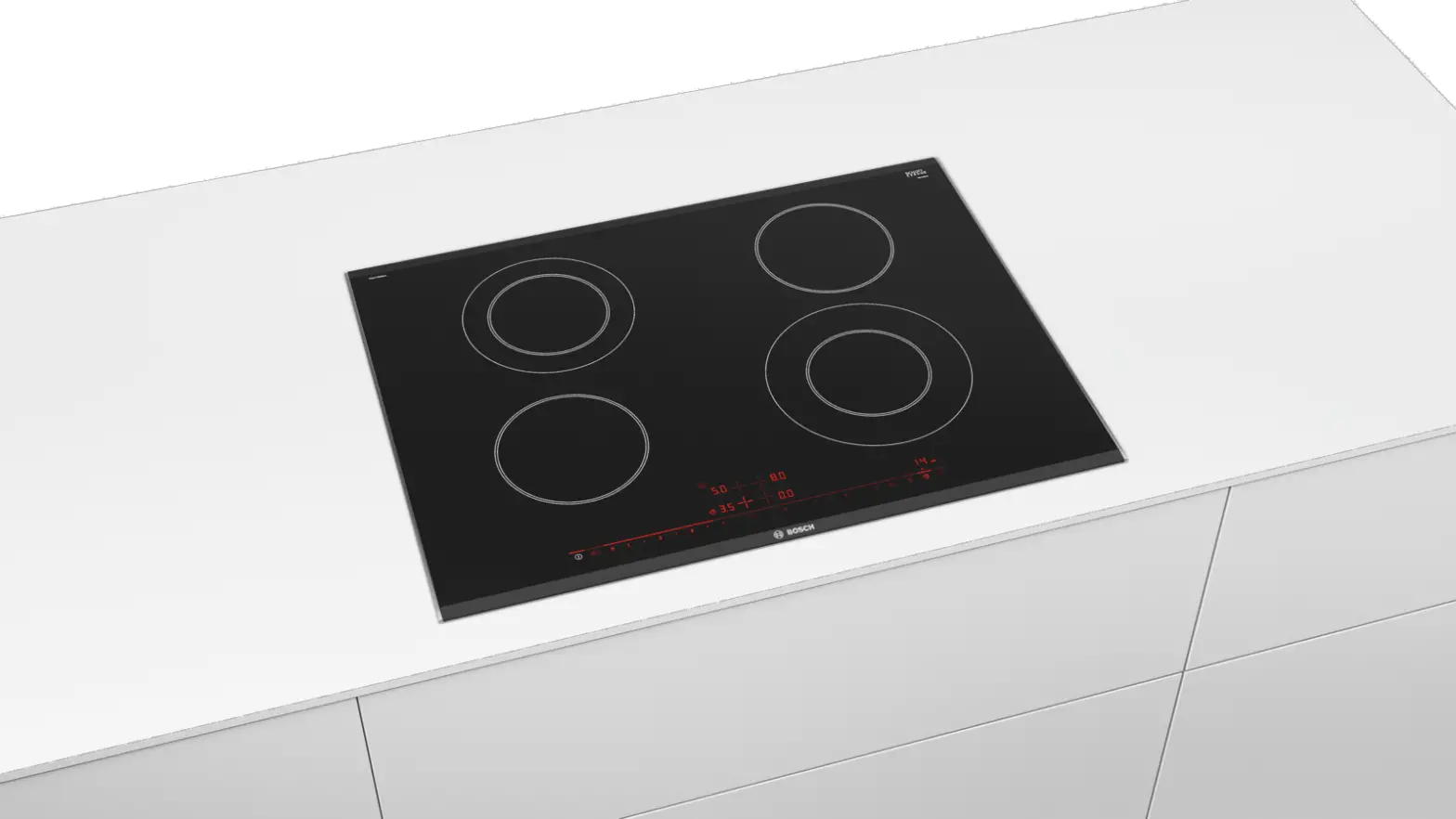
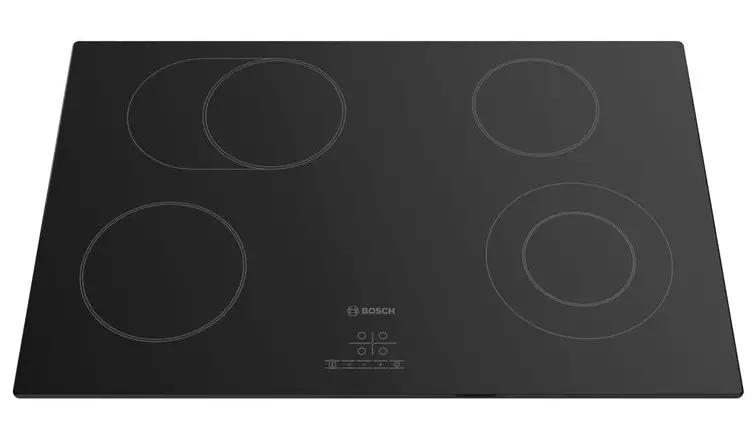
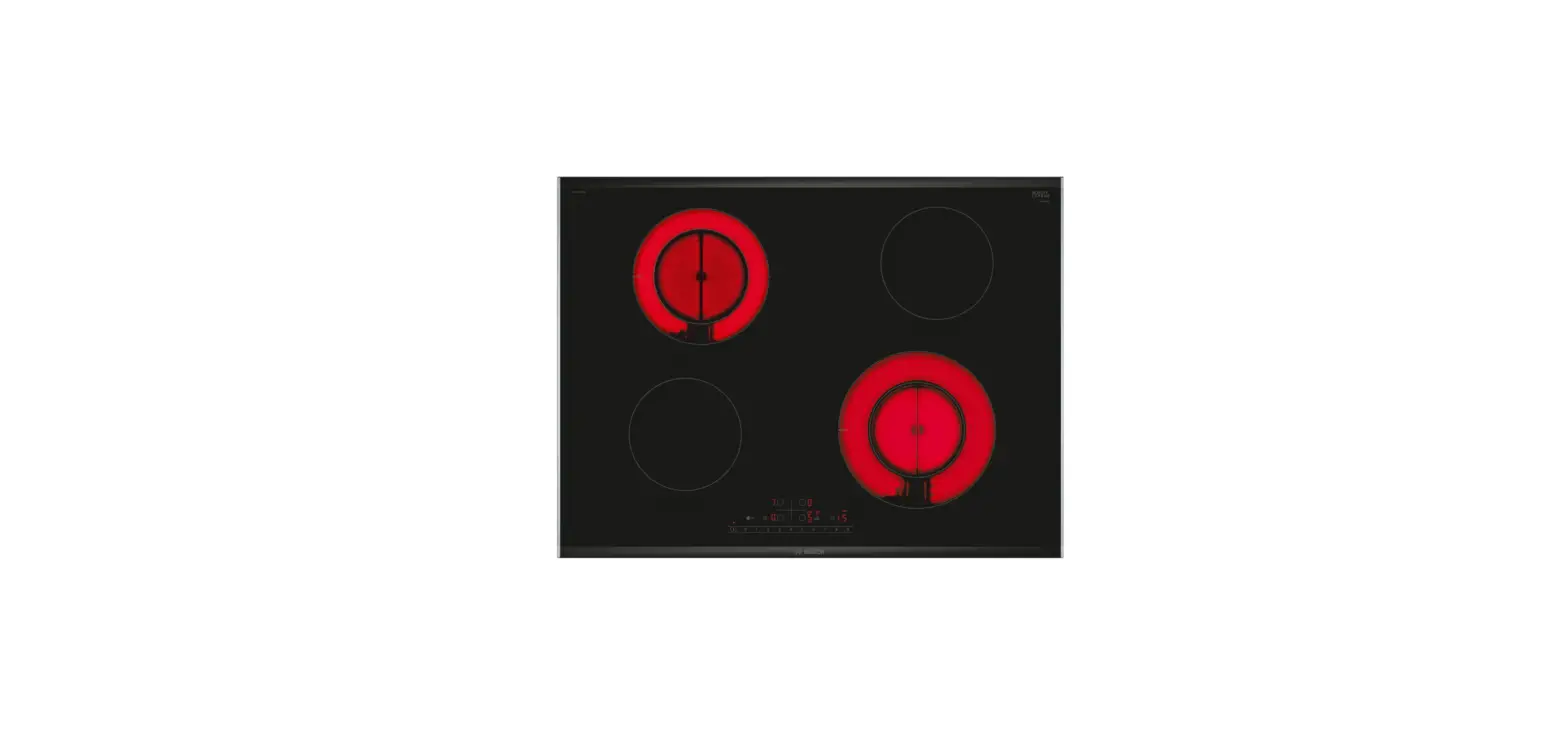
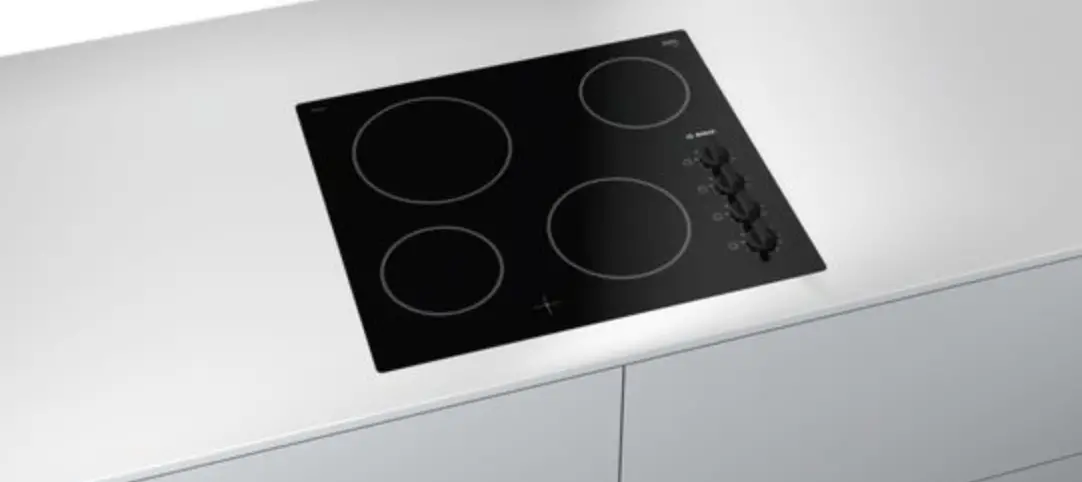
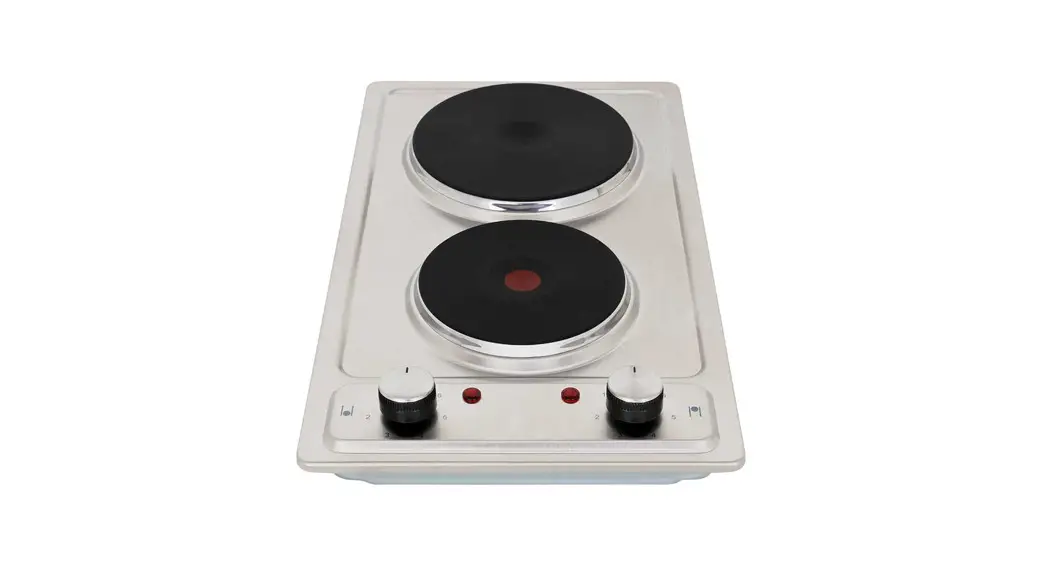
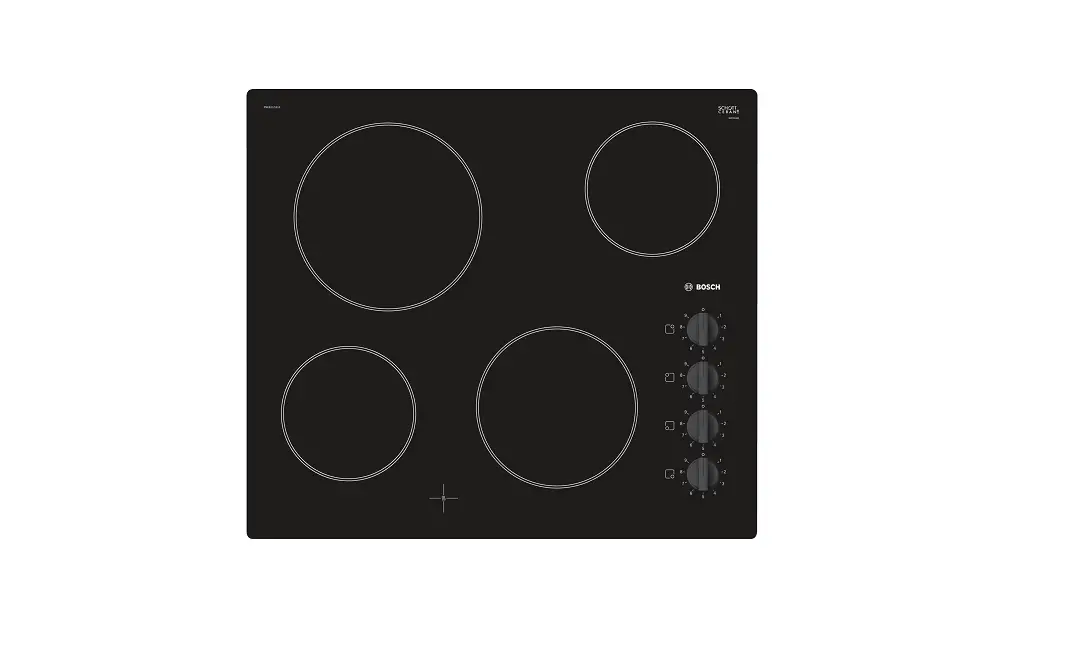
The instruction manual is the same for various different hobs. You can find the hob dimensions in the overview of models. → Page 2
4.1 Control panel
You can use the control panel to configure all functions of your appliance and to obtain information about the operating status.
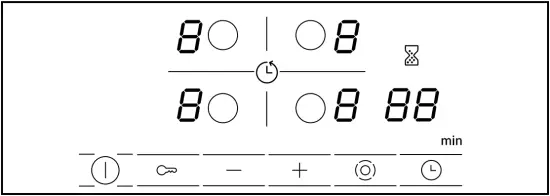
4.2 Indicators/symbols
The displays show selected values and functions.
| Display | Name |
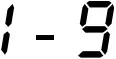 | Heat settings |
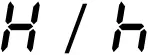 | Residual heat |
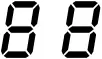 | Timer |
4.3 Touch fields
Touch fields are touch-sensitive surfaces. To select a function, touch the relevant field.
| Touch field | Name |
 | Main switch |
 | Hotplate selection |
 | Childproof lock |
 | Adjustment fields |
 | Automatic zone control |
 | Timer |
Notes
- Always keep the control panel dry. Moisture impairs the function.
- Do not pull pans close to the displays and touch fields. The electronics may overheat.
4.4 Hotplates
You can find an overview of the different activations of the hotplates here.
If you operate the activations, the relevant displays light up.
If you switch on a hotplate, it will switch to the setting last selected.
| Hotplate | Name | Activating and deactivating |
| Single-circuit cooking zone | Select a hotplate. |
| Dual-circuit hotplate | Select a hotplate. Touch . |
 | Extended cooking zone | Select hotplate. Touch . |
Notes
- Dark areas in the glow pattern of the hotplate are part of the technical design. They do not affect the functionality of the hotplate.
- The hotplate regulates the temperature by switching the heat on and off. The heat may also switch on and off when at the highest setting.
- With multi-circuit hotplates, the heating of the hotplate and the activated areas may switch on or off at different times.
Reasons:
- Easily damaged components are protected against overheating.
- The appliance is protected against electrical overload.
- This achieves a better cooking result.
4.5 Residual heat indicator
The hob has a two-stage residual heat indicator for each hotplate. Do not touch the hotplate while the residual heat indicator is lit up.
| Display | Meaning |
 | The hotplate is so hot that you can keep small dishes warm or melt cooking chocolate. |
 | The hotplate is hot. |
5 Basic operation
5.1 Switching the hob on or off
The main switch is used to switch the hob on and off. If you switch the appliance back on again within 4 seconds after switching off, the hob will start up with the previously stored settings.
5.2 Switching on the hob
Touch .
√ The indicator lamp above lights up.
√ The  displays light up.
√ The hob is ready for use.
5.3 Switching off the hob
The hob will switch off automatically when all hotplates have been switched off for a while (10-60 seconds). Touch .
√ The indicator lamp above goes out.
√ The displays go out.
√ All hotplates are switched off.
√ The residual heat indicator remains on until the hotplates have cooled down sufficiently.
5.4 Setting the hotplates
To set a hotplate, it has to be selected.
Select the required heat setting on the control panel.
| Heat setting | |
| 1 | Lowest setting |
| 9 | Highest setting |
| . | Every heat setting has an intermediate setting, e.g. 4. . |
5.5 Selecting heat settings
Requirement: The hob is switched on.
1. Select the hotplate with .
√ lights up on the power level display.
2. Within the next 10 seconds, touch + or -.
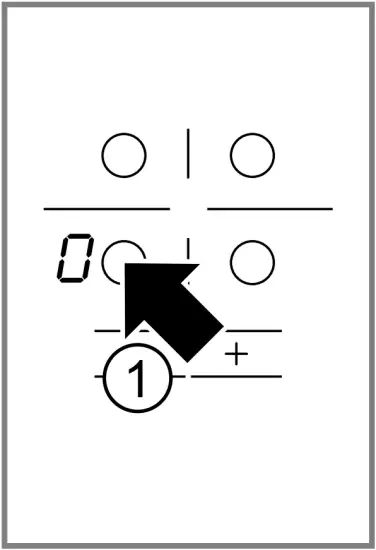
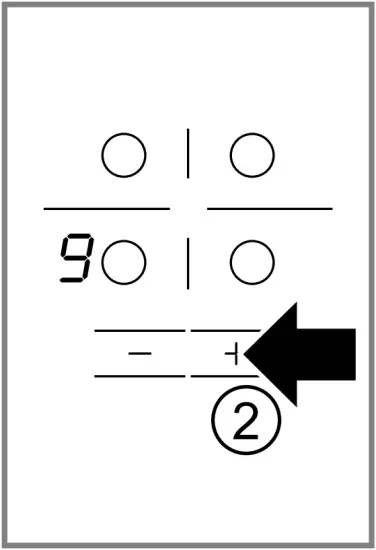
The basic setting appears.
- + Power level 9
- – Power level 4
5.6 Changing heat settings
- Select the hotplate with
 .
. - Touch + or – until the required heat setting appears.
5.7 Switching off the hotplate
There are 2 ways to switch off the hotplate.
- Touch twice.
√ appears on the heat setting display.
√ After approx. 10 seconds the residual heat indicator appears. - Select the hotplate and touch + or – until appears on the heat setting display.
√ After approx. 10 seconds the residual heat indicator appears.
Note: The hotplate last selected remains activated. You can adjust the hotplate without selecting it again.
5.8 Recommended cooking settings
You can find an overview of different foods with appropriate power levels here.
The cooking time varies depending on the type, weight, thickness and quality of the food. The ongoing power level depends on the cookware used.
Cooking tips
- To bring food to the boil, use heat setting 9.
- Stir thick liquids occasionally.
- Food that needs to be seared quickly or that initially loses a lot of liquid during frying should be fried in small portions.
- Tips for saving energy when cooking. → Page 5
| Melting | ||
| Food | Ongoing cooking setting | Ongoing cooking time in minutes |
| Chocolate, cooking chocolate | 1-1. | – |
| Butter, honey, gelatine | 1-2 | – |
| Heating or keeping warm | ||
| Stew, e.g. lentil stew | 1-2 | – |
| Milk1 | 1.-2. | – |
| Sausages in water1 | 3-4 | – |
| 1 Prepare the dish without the lid. | ||
| Defrosting and heating | ||
| Spinach, frozen | 2.-3. | 10-20 |
| Goulash, frozen | 2.-3. | 20-30 |
| Poaching or simmering | ||
| Dumplings1, 2 | 4.-5. | 20-30 |
| Fish1, 2 | 4-5 | 10-15 |
| White sauce, e.g. béchamel | 1-2 | 3-6 |
| Whisked sauces, e.g. sauce béarnaise or hollandaise | 3-4 | 8-12 |
| 1 Bring the water to the boil with the lid on. 2 Continue to cook the dish without a lid. | ||
| Boiling, steaming or stewing | ||
| Rice with double the volume of water | 2-3 | 15-30 |
| Rice pudding | 1.-2. | 35-45 |
| Unpeeled boiled potatoes | 4-5 | 25-30 |
| Boiled potatoes | 4-5 | 15-25 |
| Pasta, noodles1, 2 | 6-7 | 6-10 |
| Stew, soup | 3.-4. | 15-60 |
| Vegetables, fresh | 2.-3. | 10-20 |
| Vegetables, frozen | 3.-4. | 10-20 |
| Food in a pressure cooker | 4-5 | – |
| 1 Bring the water to the boil with the lid on. 2 Continue to cook the dish without a lid. | ||
| Braising | ||
| Roulades | 4-5 | 50-60 |
| Pot roast | 4-5 | 60-100 |
| Goulash | 2.-3. | 50-60 |
| Frying with little oil Fry food without a lid. | ||
| Escalope, plain or breaded | 6-7 | 6-10 |
| Escalope, frozen | 6-7 | 8-12 |
| Chops, plain or breaded1 | 6-7 | 8-12 |
| Steak, 3 cm thick | 7-8 | 8-12 |
| Patties, 3 cm thick1 | 4.-5. | 30-40 |
| Hamburgers, 2 cm thick1 | 6-7 | 10-20 |
| Poultry breast, 2 cm thick1 | 5-6 | 10-20 |
| Poultry breast, frozen1 | 5-6 | 10-30 |
| Fish or fish fillet, plain | 5-6 | 8-20 |
| Fish or fish fillet, breaded | 6-7 | 8-20 |
| Fish or fish fillet, breaded and frozen, e.g. fish fingers | 6-7 | 8-12 |
| Scampi, prawns | 7-8 | 4-10 |
| Vegetables or mushrooms, fresh, sautéing | 7-8 | 10-20 |
| Vegetables or meat in strips cooked Asian-style | 7.-8. | 15-20 |
| Stir fry, frozen | 6-7 | 6-10 |
| Pancakes | 6-7 | one by one |
| Omelette | 3.-4. | one by one |
| Fried eggs | 5-6 | 3-6 |
| 1 Turn the dish several times. | ||
| Deep-frying Deep-fry food in 1-2 l oil in batches, 150-200 g per batch. Cook food without a lid. | ||
| Frozen products, e.g. chips or chicken nuggets | 8-9 | – |
| Croquettes, frozen | 7-8 | – |
| Meat, e.g. chicken | 6-7 | – |
| Fish, breaded or battered | 5-6 | – |
| Vegetables or mushrooms, breaded or battered Tempura | 5-6 | – |
| Small pastries, e.g. doughnuts, fruit in batter | 4-5 | – |
6 Childproof lock
You can use the childproof lock to prevent children from switching on the hob.
6.1 Activating the childproof lock
Requirement: The hob is switched off. Press and hold for approx. 4 seconds.
√ The indicator light above lights up for 10 seconds.
√ The hob is locked.
6.2 Deactivating the childproof lock
Press and hold for approx. 4 seconds.
√ The lock is released.
7 Time-setting options
Your appliance has different time-setting options which can be used to set a cooking time or a kitchen timer.
7.1 Cooking time
Enter a cooking time for the relevant hotplate. When the cooking time has elapsed, the hotplate switches off automatically.
You can set a cooking time of up to 99 minutes.
Setting the cooking time
Requirement: The hotplate is selected.
1. Select the heat setting.
2. Touch .
√ The indicator light for the hotplate lights up at |→|. lights up on the timer display.
3. Touch + or -.
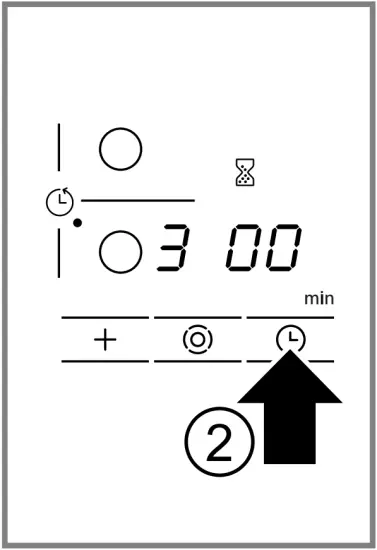
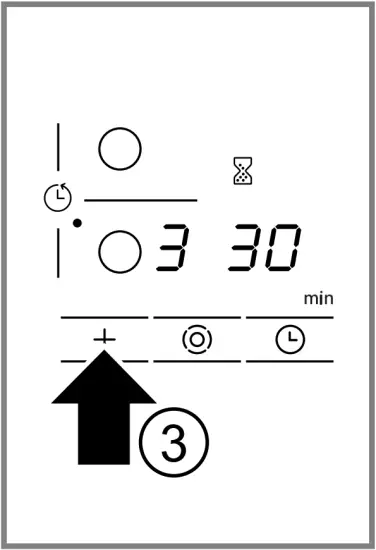
The default value appears.
+ 30 minutes.
– 10 minutes.
√ The cooking time counts down. If you have set a cooking time for more than one hotplate, the cooking time of the hotplate selected is displayed.
√ When the cooking time has elapsed, the hotplate switches off. A signal sounds and flashes on the display for 10 seconds.
Changing or cancelling the cooking time
- Select the cooking zone.
- Touch .
- Change the cooking time using + or – or set to .
Switching off the continuous signal
You can switch the signal off manually. Touch any symbol.
√ The displays will go out and the audible signal will stop.
Automatic timer
You can use this function to preselect a cooking time for all hotplates. Each time a hotplate is switched on, the preselected cooking time counts down. When the cooking time has elapsed, the hotplate switches off automatically.
Switch on the automatic timer in the basic settings. → Page 10
Tip: The automatic timer is valid for all hotplates. You can reduce or delete the cooking time for individual hotplates. → Page 9
7.2 Kitchen timer
You can set a time of up to 99 minutes after which a signal will then sound. The kitchen timer runs independently of all other settings.
Setting the kitchen timer
1. Switch on the kitchen timer.
There are 2 different ways of switching the kitchen timer on.
| If a hotplate has been selected. | Touch twice within 10 seconds. |
| If a hotplate has not been selected. | Touch . |
√ The  display lights up.
2. Use + or – to set the time.
√ The time counts down.
√ When the time has elapsed, a signal sounds. lights up on the timer display. The display switches off after 10 seconds.
Displaying the time Select the kitchen timer with .
√ The time is displayed for 10 seconds.
Setting the correct time
1. Select the kitchen timer with .
2. Set the required time with + or -.
Switching off the timer signal
You can switch the signal off manually. Touch any touch field.
√ The display goes out and the audible signal ceases.
8 Automatic switch-off
If you do not change the settings of a hotplate for a long time, automatic switch-off will be activated.
When the hotplate switches off depends on the heat setting selected (1 to 10 hours).
The heat to the hotplate is switched off. 
 and the residual heat indicator / flash alternately on the hotplate display.
8.1 Continuing cooking after automatic switch-off
1. Touch any touch field.
√ The display goes out.
2. Reset.
9 Basic settings
You can configure the appliance to meet your needs.
9.1 Overview of the basic settings
You can find an overview of the basic settings and the default factory settings here.
| Display | Selection |
  | Automatic childproof lock - Switched off1 – Switched on  – Manual and automatic childproof lock are switched off. – Manual and automatic childproof lock are switched off. |
| Signal tone - Confirmation signal and operating error signal are switched off. The main switch signal remains switched on. – Only the operating error signal is switched on. – Only the confirmation signal is switched on.  – Confirmation signal and operating error signal are switched on.1 – Confirmation signal and operating error signal are switched on.1 |
 | Automatic timer– Switched off.1–  – Cooking time after which the hotplates switch off. – Cooking time after which the hotplates switch off. |
 | Duration of the timer end signal - 10 seconds.1 – 30 seconds. – 1 minute. |
 | Activation of the heating elements- Switched off– Switched on– The last setting before switching off the hotplate.1 |
| Time for selecting hotplates- Unlimited: The last hotplate selected can always be adjusted without having to select it again.1 – You can adjust the last hotplate selected within 10 seconds after selecting it. After this time you have to select the hotplate again before adjusting it. |
| Resetting to the factory settings – Switched off.1 – Switched on. |
| 1 Factory setting | |
9.2 Changing basic settings
Requirement: The hob is switched off.
1. Switch on the hob.
2. Within the next 10 seconds press and hold for approx. 4 seconds.
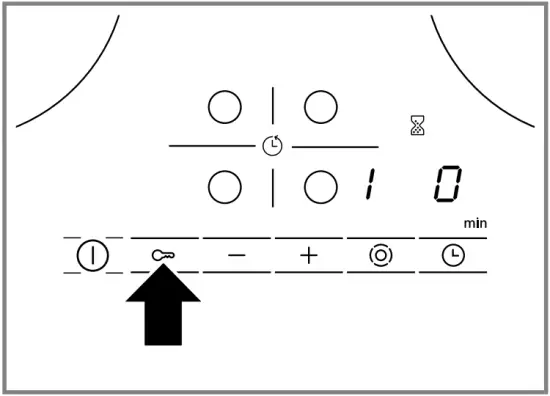
√ and flash alternately on the left-hand display.
√ lights up on the right-hand display.
3. Touch repeatedly until the required indicator appears on the left-hand display.
4. Use + or – to set the required value.
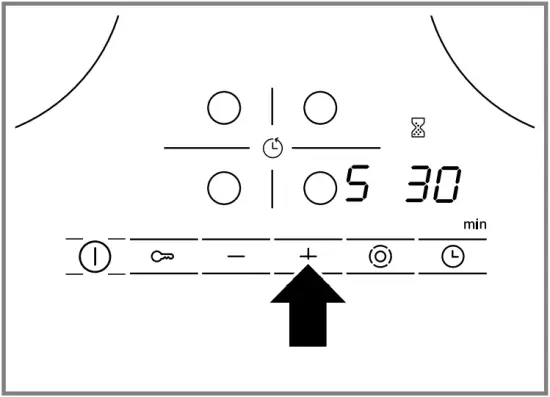
5. Press and hold for 4 seconds.
√ The setting is activated.
Tip: To exit the basic settings without saving, switch off the hob using . Switch the hob on again and reset.
10 Cleaning and servicing
To keep your appliance working efficiently for a long time, it is important to clean and maintain it carefully.
10.1 Cleaning products
You can obtain suitable cleaning products and glass scrapers from customer service, the online shop or a retailer.
ATTENTION!
Unsuitable cleaning products may damage the surfaces of the appliance. Never use unsuitable cleaning products.
Unsuitable cleaning products
- Undiluted detergent
- Detergent intended for dishwashers
- Abrasive cleaners
- Aggressive cleaning products such as oven spray or stain remover
- Abrasive sponges
- High-pressure or steam jet cleaners
10.2 Cleaning the glass ceramic
Clean the hob after every use to stop cooking residues from getting burnt on.
Note: Note the information on unsuitable cleaning products. -> Page 11
Requirement: The hob has cooled down.
1. Remove heavy soiling using a glass scraper.
2. Clean the hob with a cleaning product for glass ceramic.
Follow the cleaning instructions on the product packaging.
Tip: You can achieve good cleaning results using a special sponge for glass ceramic.
10.3 Cleaning the hob surround
Clean the hob frame after use if dirty or stained.
Notes
• Note the information on unsuitable cleaning products. → Page 11
• Do not use the glass scraper.
1. Clean the hob frame with hot soapy water and a soft cloth. Wash new sponge cloths thoroughly before use.
2. Dry with a soft cloth.
11 Troubleshooting
You can rectify minor faults on your appliance yourself. Read the troubleshooting information before contacting aftersales service. This will avoid unnecessary costs.
WARNING – Risk of injury!
Improper repairs are dangerous. Repairs to the appliance should only be carried out by trained specialist staff. If the appliance is defective, call Customer Service.
WARNING – Risk of electric shock!
Incorrect repairs are dangerous. Repairs to the appliance should only be carried out by trained specialist staff. Only use genuine spare parts when repairing the appliance. If the power cord of this appliance is damaged, it must be replaced by trained specialist staff.
WARNING – Risk of burns!
The hotplate heats up but the display does not work. Switch off the fuse in the fuse box. Call the customer service.
WARNING – Risk of fire!
The hob switches off automatically and can no longer be operated. It may switch on unintentionally at a later point. Switch off the fuse in the fuse box. Call the customer service.
11.1 Information on display panel
| Fault | Cause and troubleshooting |
| None | There has been a power cut. 1. Check the household fuse for the appliance. 2. Check whether there has been a power failure by trying other electrical appliances. |
| All displays flash | The control panel is wet or objects are lying on it. Dry the control panel or remove the object. |
| Several hotplates have been used over a prolonged period at high power settings. The hotplate has been switched off to protect the electronics. 1. Wait a while. 2. Touch any touch field. √ When the message no longer appears, the electronics have cooled down sufficiently. You can continue to cook. |
 | Despite being switched off by , the electronics have become hot again. All hotplates have therefore been switched off. 1. Wait a while. 2. Touch any touch field. √ When the message no longer appears, the electronics have cooled down sufficiently. You can continue to cook. |
| and the heat setting flash alternately. A signal sounds. | Hot pot near the control panel. There is a risk that the electronics will overheat. Remove the pan. √ The display goes out shortly afterwards. |
| and audible signal | Hot pot near the control panel. The hotplate has been switched off to protect the electronics. 1. Remove the pot. 2. Wait a while. 3. Touch any touch field. √ When the message no longer appears, the electronics have cooled down sufficiently. You can continue to cook. |
| The hotplate was on for too long and has switched off automatically. You can switch the hotplate back on again immediately. |
  and hotplates do not heat up and hotplates do not heat up | Demo mode is activated. 1. Disconnect the appliance from the power supply for 30 seconds by briefly switching off the circuit breaker in the fuse box. 2. Touch any touch field within the next three minutes. |
| A message with “E” appears on the display, e.g. E0111. | The electronics have detected a fault. 1. Switch the appliance off and on again. √ If the fault was a one-off, the message disappears. 2. If the message appears again, call the after-sales service. Please specify the exact error message when calling. → “Customer Service”, Page 13 |
12 Disposal
Find out here how to dispose of old appliances correctly.
12.1 Disposing of old appliance
Valuable raw materials can be reused by recycling. Dispose of the appliance in an environmentally friendly manner.
Information about current disposal methods are available from your specialist dealer or local authority.
 | This appliance is labelled in accordance with European Directive 2012/19/EU concerning used electrical and electronic appliances (waste electrical and electronic equipment – WEEE). The guideline determines the framework for the return and recycling of used appliances as applicable throughout the EU. |
13 Customer Service
If you have any queries on use, are unable to rectify faults on the appliance yourself or if your appliance needs to be repaired, contact Customer Service. Function-relevant genuine spare parts according to the corresponding Ecodesign Order can be obtained from Customer Service for a period of at least 10 years from the date on which your appliance was placed on the market within the European Economic Area.
Note: Under the terms of the manufacturer’s warranty the use of Customer Service is free of charge.
Detailed information on the warranty period and terms of warranty in your country is available from our after sales service, your retailer or on our website.
If you contact Customer Service, you will require the product number (E-Nr.) and the production number (FD) of your appliance.
The contact details for Customer Service can be found in the enclosed Customer Service directory or on our website.
13.1 Product number (E-Nr.) and production number (FD)
You can find the product number (E-Nr.) and the production number (FD) on the appliance’s rating plate.
The rating plate can be found:
- on the appliance certificate.
- on the lower section of the hob.
Make a note of your appliance’s details and the Customer Service telephone number to find them again quickly.

 Thank you for buying a Bosch Home Appliance!
Register your new device on MyBosch now and profit directly from:
- Expert tips & tricks for your appliance
- Warranty extension options
- Discounts for accessories & spare-parts
- Digital manual and all appliance data at hand
- Easy access to Bosch Home Appliances Service
Free and easy registration also on mobile phones:
www.bosch-home.com/welcome

Looking for help?
You’ll find it here.
Expert advice for your Bosch home appliances, help with problems or a repair from Bosch experts.
Find out everything about the many ways Bosch can support you:
www.bosch-home.com/service
Contact data of all countries are listed in the attached service directory.
Robert Bosch Hausgeräte GmbH
Carl-Wery-Straße 34
81739 München
GERMANY
www.bosch-home.com
Valid within Great Britain:
Imported to Great Britain by BSH Home Appliances Ltd.
Grand Union House
Old Wolverton Road
Wolverton, Milton Keynes
MK12 5PT
United Kingdom