 USER MANUAL
AQ-07LL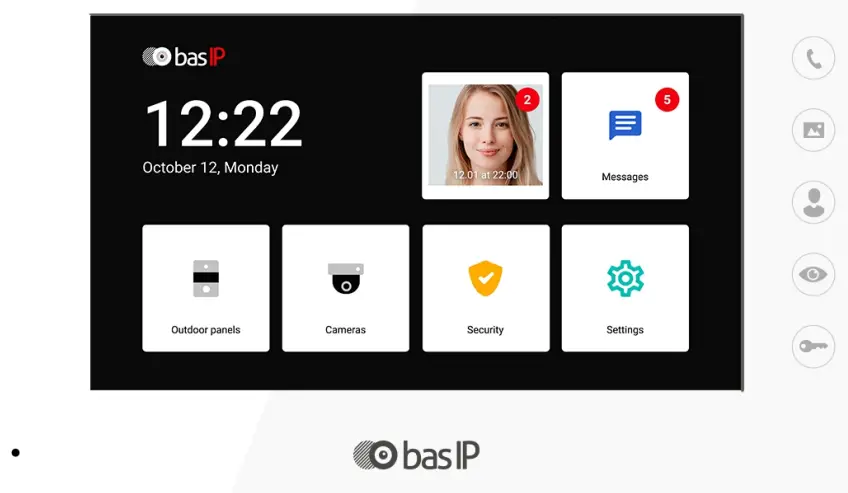
IP INDOOR VIDEO ENTRY PHONE
Main features
- Display: 7” TFT LCD, capacitive touchscreen.
- Screen resolution: 800 x 480.
- Built-in camera: No.
- Power: PoE and + 12 V DC.
- Power consumption: 6 W, standby 2.5 W.
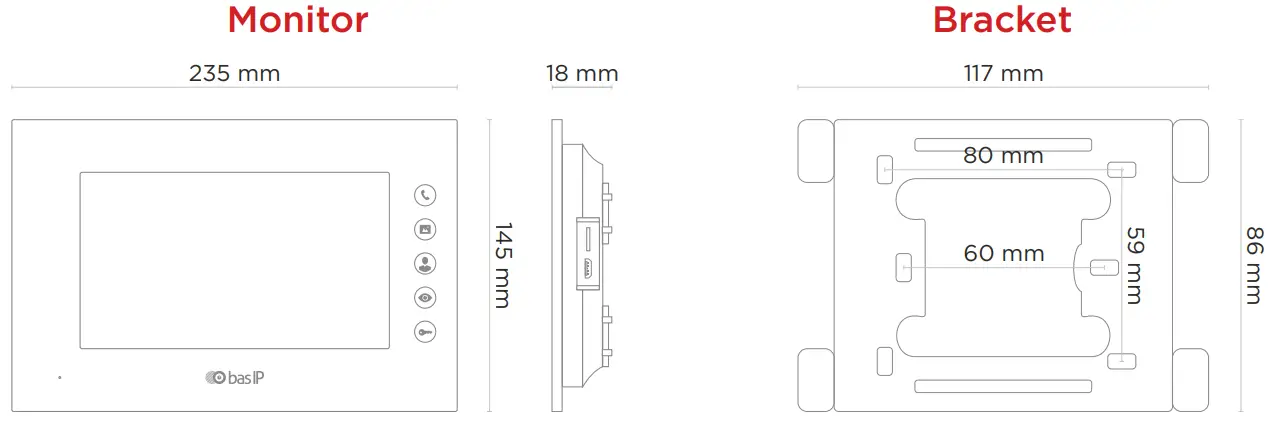
- Dimensions: 235 x 145 x 18 mm.
- Colors: Black, White.
- Body: Plastic.
- Installation Type: Wall mount.
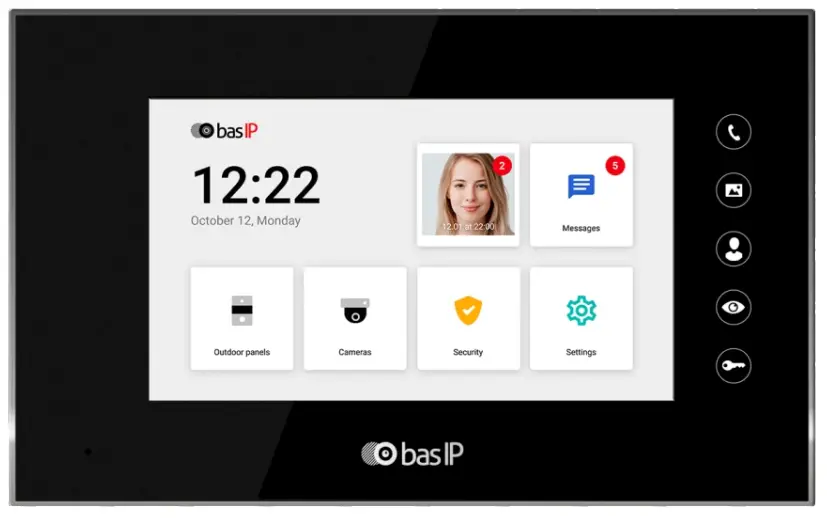
IP INDOOR VIDEO ENTRY PHONE
 https://wiki.bas-ip.com/en/internal-monitors-2752663.html
AQ-07LL
Device description
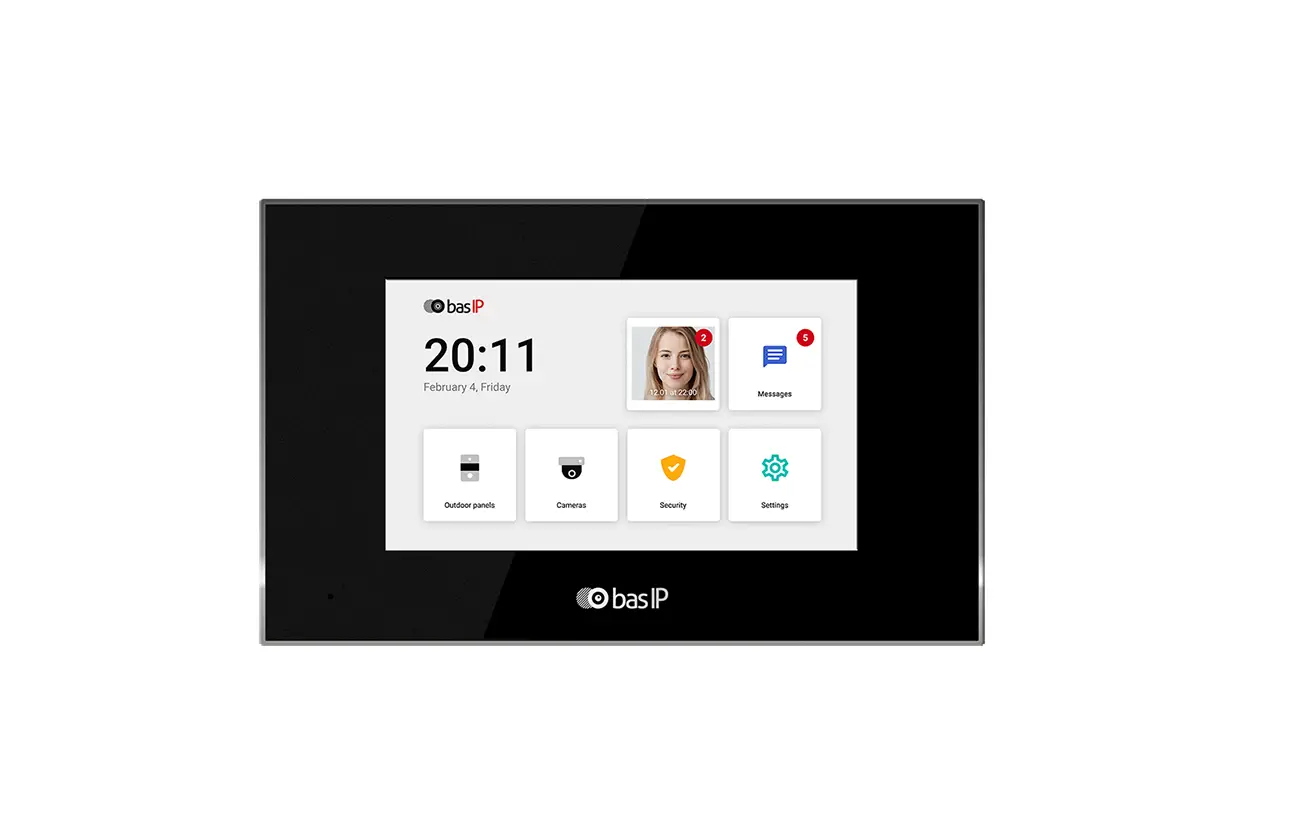
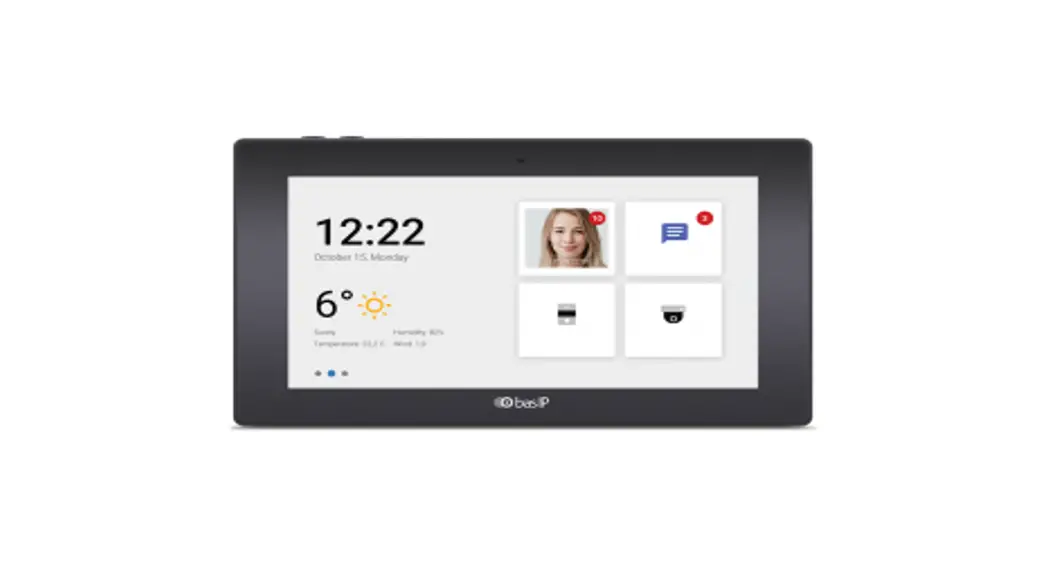
The BAS-IP AQ-07LL IP video intercom indoor monitor is designed with a 7-inch stylish TFT touch-screen colour display and plastic case.
The intercom can be powered from 12V or PoE, and the classic black and white body color will suit any interior style.
Appearance
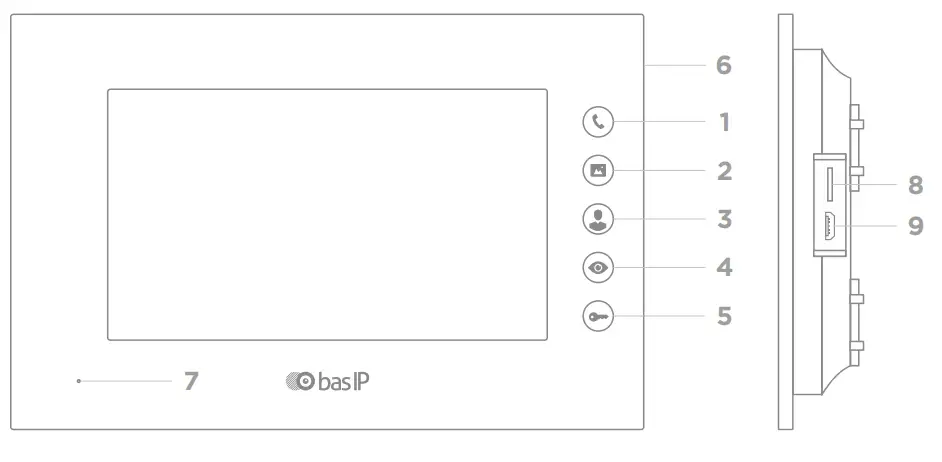
- Call.
- Photo frame mode.
- Concierge.
- Monitoring.
- Open.
- Loudspeaker.
- Microphone.
- MicroSD slot.
- MicroUSB port.
Completness check of the product
Before installing the monitor, be sure to check that it is complete and that all components are available.
The monitor kit includes:
| Monitor | 1 pc |
| Wall mounting bracket | 1 pc |
| Manual | 1 pc |
| Set of wires with connectors for connection of alarm loops, doorbell and home automation | 1 pc |
| Resistors for alarm sensors | 8 pcs |
| Installation screws | 2 pcs |
Electrical connection
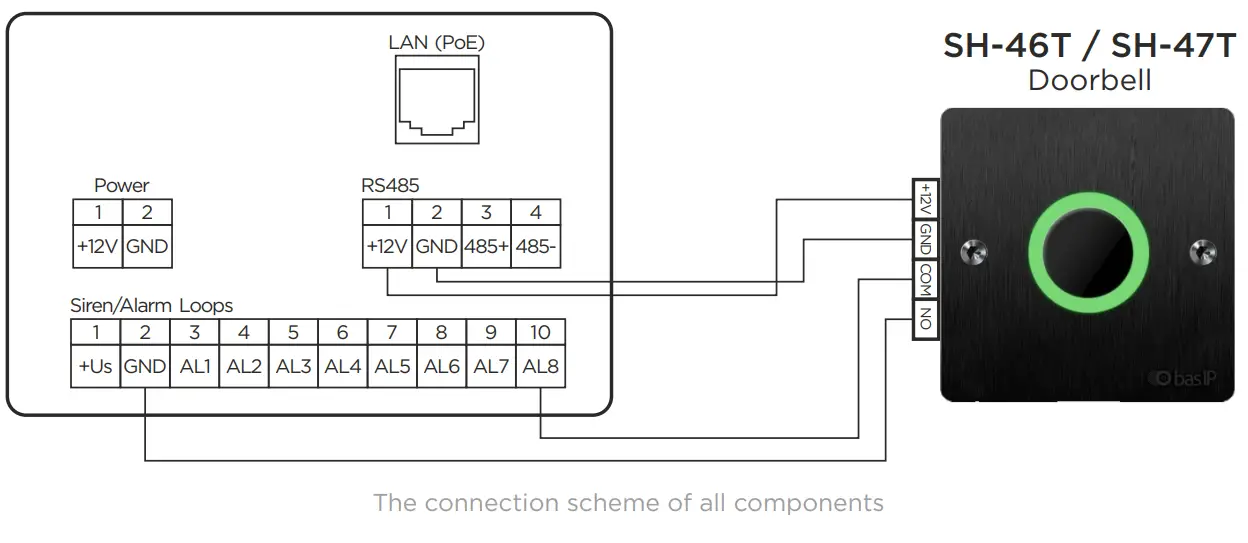
After verifying the device’s completeness, you can switch to the monitor connection.
To connect monitor you will need:
- An Ethernet UTP CAT5 or higher cable is connected to a PoE switch or to a normal switch/router.
Cable length recommendations
The maximum length of the UTP CAT5 cable segment should not exceed 100 meters, according to the IEEE 802.3 standard.
- Power supply at +12 Volts DC if there isn’t PoE.
- Wires must be brought for the connection of alarm loops and home automation (optional).
Mechanical mounting
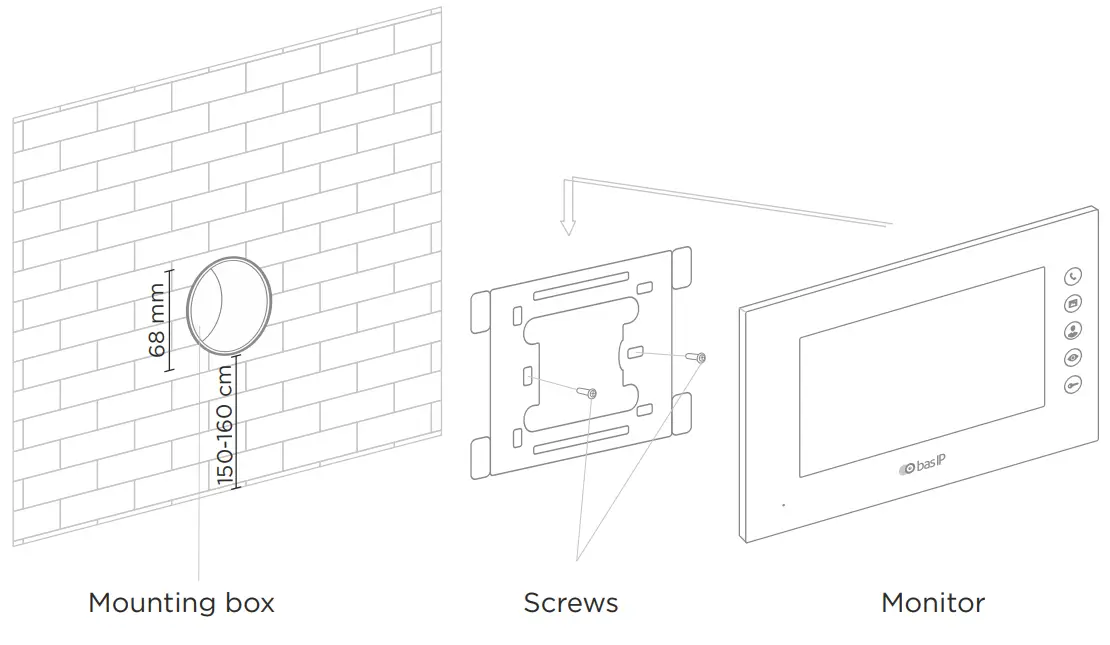
Before installation of a monitor, it is necessary to drill a hole or a recess into a wall with a 68 mm (2.68in) diameter under the standard mounting box for a 65×45 mm (2.56×2.13in) socket. It is necessary for switching wires and the installation of the monitor. Attach the bracket in the outlet box using set screws and a Phillips head screwdriver.
Installation of the monitor on the bracket is done from top to bottom.
Warranty
The warranty card number
Model name
Serial number
Seller name
With the following stated terms of warranty is familiar, a functional test was performed in my presence:
Customer signature
Warranty conditions
The warranty period of the product — 36 (thirty-six) months from the date of sale.
- Transportation of product must be in its original packaging or supplied one by the seller.
- The product is accepted for in-warranty repair only with a properly filled warranty card and the presence of intact stickers or labels.
- The product is accepted for examination in accordance with the cases provided by law, only in the original packaging, in a full complete set, appearance corresponding to the new equipment, and the presence of all relevant properly filled documents.
- This warranty is in addition to the constitutional and other consumer rights and in no way restrict them.
Terms of warranty
- The warranty card must indicate the name of the model, serial number, purchase date, name of the seller, seller’s company stamp, and customer’s signature.
- Delivery to the warranty repair is carried out by the buyer himself.
- Warranty repairs are carried out only during the warranty period specified in the warranty card.
- The service center is committed to doing everything possible to carry out the repair warranty products, for up to 24 working days. The period spent on the restoration of product functionality is added to the warranty period.
Notes
…………………………………………………………..
EAN: 5060514914007 (BLACK)
EAN: 5060514913994 (WHITE)


 Home - Home page
 Best IP Intercom System With No Limits & 3 Year Warranty