


Nice to meet you
 |  |
OPEN HER
Welcome to the Tonie-Universe
Hi! I’m Playtime Puppy, one of the many Tonies compatible with your new Toniebox. Before you begin, I will walk you through a simple connection process. Your Toniebox will be up and running in no time!
 Setting up your Toniebox is easy! You will need:
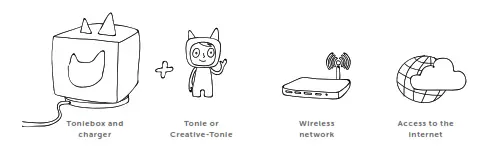
 Tip: You need to keep the Toniebox within close range of your Wi-Fi signal during setup. The better the connection, the sooner you can start listening!
Set up your Toniebox and start listening
Before you can use your new Toniebox, you must first set it up. You’ll need a smartphone, tablet or computer to get started.
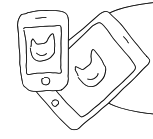 |  |
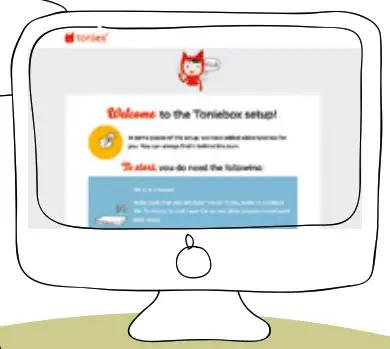
Download the free mysteries app and follow the step-by-step guide to set up your Toniebox.
 https://www.tonie.app/ https://www.tonie.app/ |  |
You can also visit my.tonies.com/setup-toebox
FAVORITE CHILDREN’S SONGS
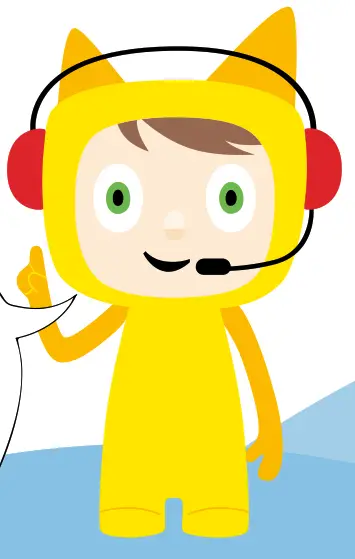
Hi! I’m Playtime Puppy.
I like to sing songs that get you moving and grooving!

Playtime Songs
Here’s a list of songs we can sing together:
| The Wheels on the Bus If You‘re Happy and You Know It The Muffin Man Jack Be Nimble Itsy Bitsy Spider Rain, Rain, Go Away Baby Shark Let‘s Get Ready Old MacDonald Had a Farm Mary Had a Little Lamb All the Little Raindrops Down by the Bay Jack and Jill Clean Up Song Bingo Hot Cross Buns One Potato, Two Potato | Pat-a-Cake It‘s Raining, It‘s Pouring The Alphabet Song Miss Polly I Wanna Be Clean/Hygiene Song The Ants Go Marching I Know an Old Lady (Who Swallowed a Fly) Hickory Dickory Dock I Had a Little Nut Tree Row, Row, Row Your Boat I‘m Growing Up Skip to My Lou Peter Piper I‘m a Little Teapot Oats, Peas, Beans, and Barley Grow Head, Shoulders, Knees, and Toes Skidarmarink |
Running time: approx. 45 minutes
The Toniebox makes listening eds.
Using the Toniebox is so simple:
How to turn your Toniebox on
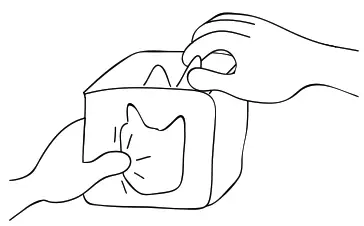
Pinch one of the ears with your thumb and forefinger or place the box on its charging station.
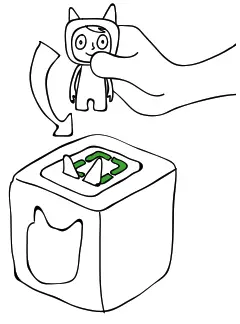
Playing and pausing
When the light on your Toniebox turns green, place a Tonie on top. Want to pause the story or song? Just remove the Tonie from the Toniebox. When you place your Tonie back on, it will pick back up from the same spot as long as another Tonie hasn’t been played in between.
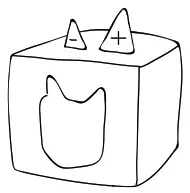
How to turn the volume up and down
Pinch the big ear to turn up the volume of the Toniebox. Use the little ear to turn it down.
YOU CAN SET THE MAXIMUM VOLUME AND MUCH MORE IN YOUR TONIE ACCOUNT!
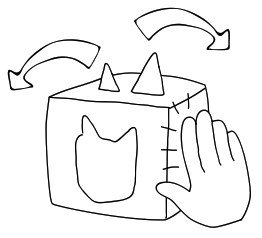
Skip back and forth
To skip back and forth between chapters, hold your Toniebox with one hand and tap on its side with the other. To fast-forward or rewind, tilt the box to one side.
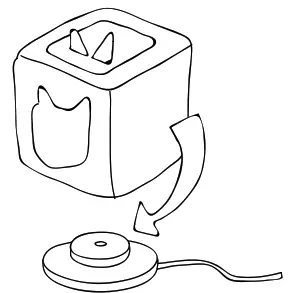
How to charge your Toniebox
Even a Toniebox needs a little rest and relaxation sometimes.
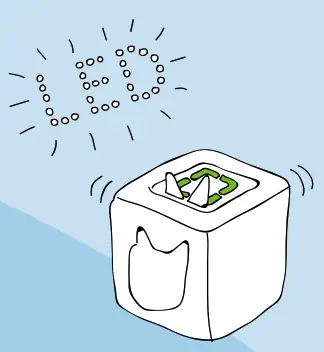
The LED will glow green when the battery is sufficiently charged.
The LED lights up orange when the battery is low.
LED display overview
The Toniebox has different LED indicators. Here’s a brief overview
Color | LED Display Meaning | |
 | Flashing green | Factory setting: Please install |
 | Greenlight | Everything’s good to go. The battery is sufficiently charged and the Tonie box is ready to play. |
 | using blue | The Tonie box is in connection mode and can now look for new wireless internet connections. |
 | Flashing blue | This may mean the following: a. The Toniebox is connected to the internet and is downloading new Tonie content. b. The Toniebox is looking for available wireless internet connections before it switches into connection mode (lasts approximately 20 seconds). |
 | Orange light | Warning – low battery! Place your Toniebox on the charging station to recharge the battery. |
 | Red light | Oops! An error has occurred. Your Toniebox will tell you which error it is in a voice message. |
 | White light | Offline mode |
Nee? help?
Here are a few tips toge t you started. additional help visit:

Quick troubleshooting tips 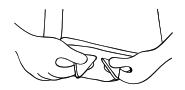
Tip 1: The classic restart
If your Toniebox is having a hard time, sometimes a restart will do the trick. To restart, remove your Toniebox from the charging station, turn it on its head, and press both ears until you hear a sound (approximately 10 seconds).
Tip 2: Reset the Toniebox to its factory settings
As a last resort, you can reset your Toniebox to its factory settings. To do this, turn both the Toniebox and its connected charging station upside down. Press both ears of the Toniebox until you hear a sound (approximately 10 seconds). Warning: By resetting your Toniebox to factory settings, all network connections, contents, and settings will be deleted.
Tip 3: Check the support code word
In the event of a more complex problem, your Toniebox will provide a code word. You can find out what it means and how to resolve the problem by calling our support line at 877-MY-TONIES (877-698-6643) or by visiting support.tonies.com
 tonies® - Welcome to mytonies