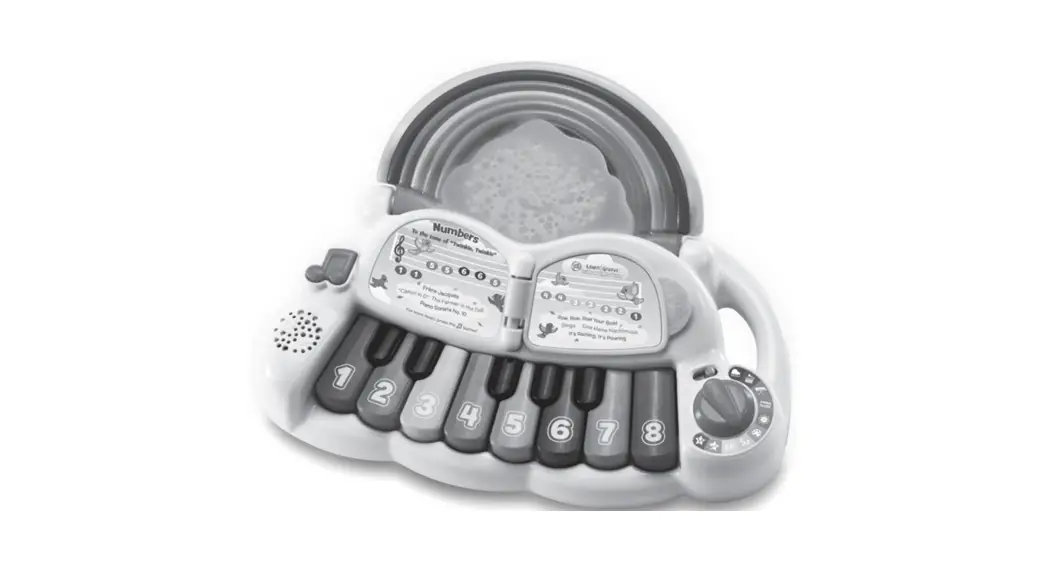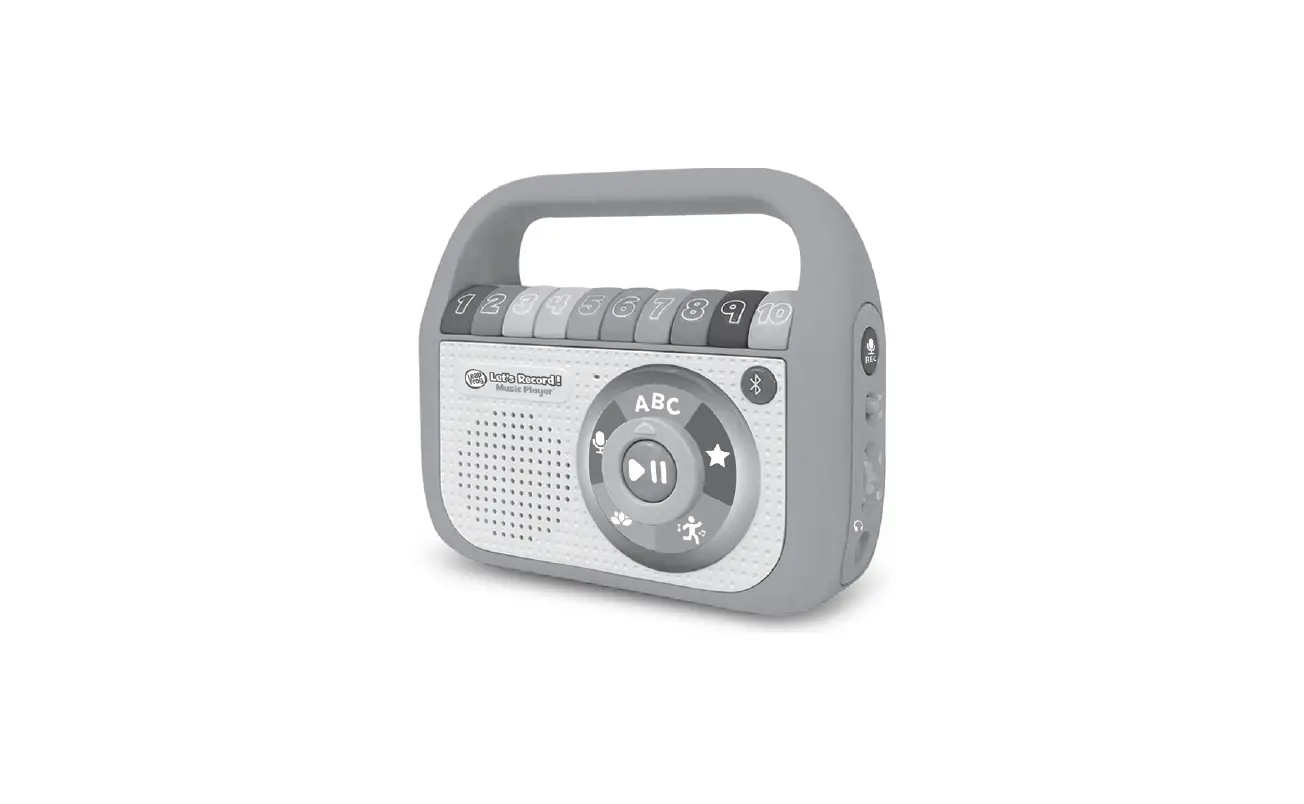

LeapFrog 6155 Let’s Record! Music Player
INTRODUCTION
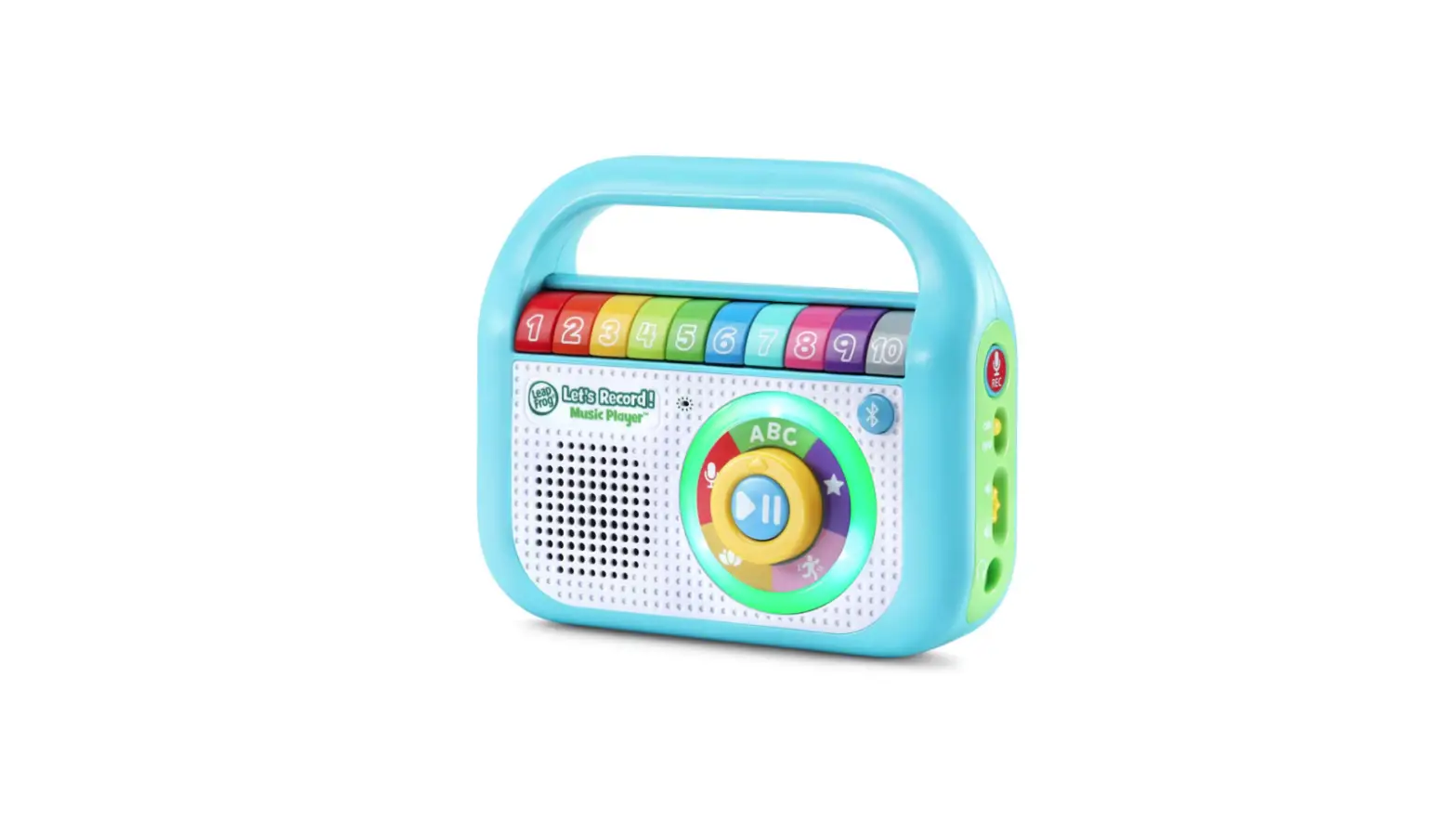
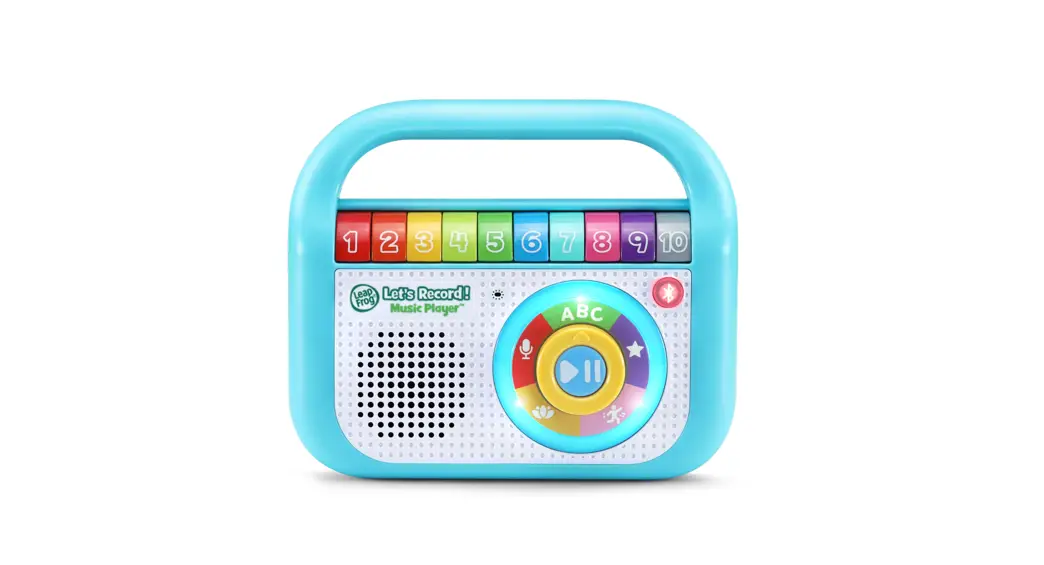
Thank you for purchasing the Let’s Record! Music PlayerTM! Sing and boogie as you explore letters, numbers, classical music and your inner super star!
INCLUDED IN THIS PACKAGE
- One Let’s Record! Music PlayerTM
- Quick Start Guide
WARNING:
All packing materials such as tape, plastic sheets, packaging locks, removable tags, cable ties, cords and packaging screws are not part of this toy, and should be discarded for your child’s safety.
NOTE:
Please save this Instruction Manual as it contains important information.
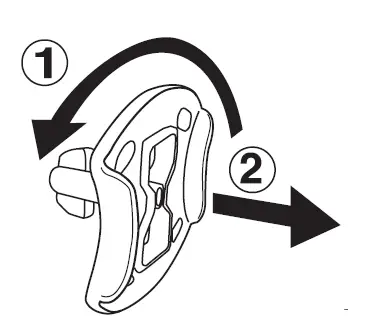
Unlock the Packaging Locks
- Rotate the packaging lock 90 degrees anticlockwise.
- Pull out the packaging lock and discard.
 ACTIVATE NORMAL PLAY MODE
This product is in Try-Me mode in the packaging. To activate normal play mode, please complete the following steps:
- Slide the On/Off Switch to the Off position.
- Slide the On/Off Switch to the On position to activate normal play mode.
INSTRUCTIONS
Battery Removal and Installation
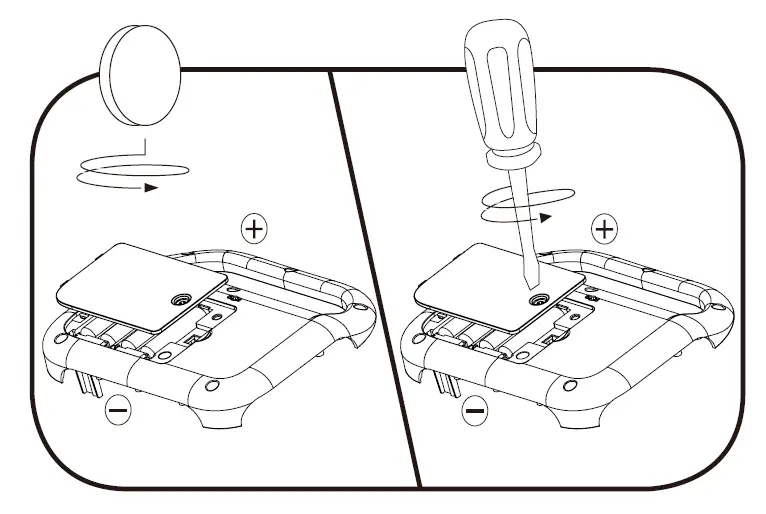
- Make sure the unit is turned OFF.
- Find the battery cover located on the back of the unit, use a screwdriver to loosen the screw and then open the battery cover.
- Remove old batteries by pulling up on one end of each battery.
- Install 4 new AA (AM-3/LR6) batteries following the diagram inside the battery box. (For best performance, alkaline batteries or fully charged Ni-MH rechargeable batteries are recommended.)
- Replace the battery cover and tighten the screw to secure..
 WARNING:
Adult assembly required for battery installation. Keep batteries out of reach of children.
IMPORTANT: BATTERY INFORMATION
- Insert batteries with the correct polarity (+ and -).
- Do not mix old and new batteries.
- Do not mix alkaline, standard (carbon-zinc) or rechargeable batteries.
- Only batteries of the same or equivalent type as recommended are to be used.
- Do not short-circuit the supply terminals.
- Remove batteries during long periods of non-use.
- Remove exhausted batteries from the toy.
- Dispose of batteries safely. Do not dispose of batteries in fire.
RECHARGEABLE BATTERIES:
- Remove rechargeable batteries from the toy before charging.
- Rechargeable batteries are only to be charged under adult supervision.
- Do not charge non-rechargeable batteries.
PRODUCT FEATURES
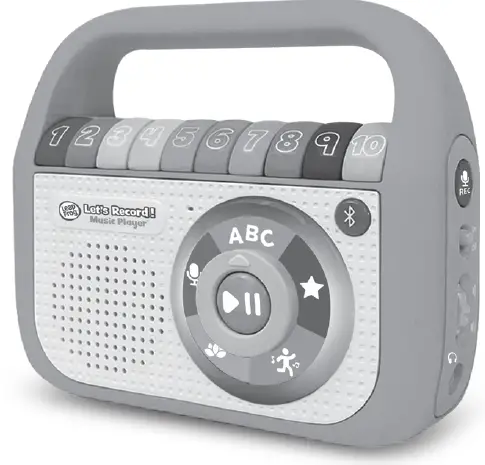
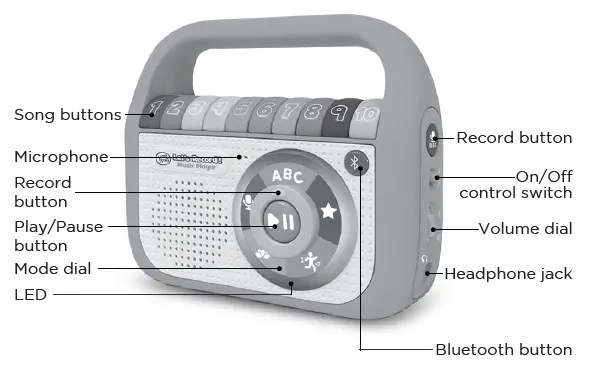
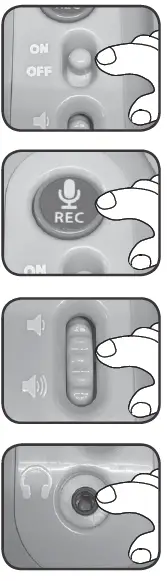
- On/Off Control Switch
Slide the On/Off Control Switch to turn the toy on and off. - Record Button
Press the record button to record your own audio. - Volume Control
Rotate the dial up or down to adjust the volume level. - Headphone Jack
Insert headphones (not included) for on-the-go listening fun. - Mode Dial
Twist the dial to choose a mode.

- Play/Pause button
Press to hear a selected song, melody or recording. Press again to pause. - Bluetooth Button
Press to activate Bluetooth and to pair with a Bluetooth enabled device. - Song Buttons
Press to play a song, melody or recording. - Microphone
Speak into the microphone when using the Record feature.
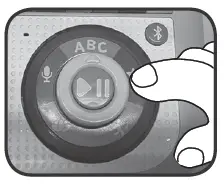
 Modes
Modes
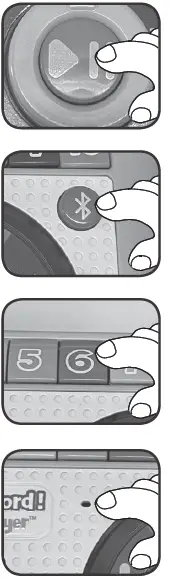 Modes
ModesAfter selecting a mode, press a song button to play an individual song or press the play button to play all the songs in order.
ACTIVITIES
Learning Songs
- The Alphabet Song
- Counting 1 to 10
- All the Colors of the Rainbow
- Love Grows
- The Days of the Week
- Wash Your Hands
- Five Little Birdies
- Clean Up
- On the Farm We Can Play
- What is the Weather Like Outside Today?
All Star Classics
- Old MacDonald Had a Farm
- Twinkle, Twinkle, Little Star
- Bingo
- The Wheels on the Bus
- Down by the Bay
- I’m a Little Tea Pot
- The Muffin Man
- London Bridge
- Row, Row, Row Your Boat
- Five Little Speckled Frogs
Active Songs
- Animal Rock
- Can You Hear?
- Animal Jive
- Scrub that Body
- Animal Sounds
- Let’s Go on a Stroll Together
- If You’re Happy and You Know It
- Dem Bones
- Let’s Do the Funky Bear
- Tick Tock
Relaxing Music
- Hush Little Baby
- Beethoven’s “Ode to Joy”
- Brahms’ “Lullaby”
- Pachelbel’s “Canon in D”
- Bach’s “Minuet in G”
- Ocean Waves – Music of the Sea
- Vivaldi’s “Spring”
- Frère Jacques
- Beethoven’s “Für Elise”
- Goodnight ABC’s
Record and Play
Press the Record Button and then listen to the instructions to record your own audio. Each numbered button can save a three-minute piece of audio.
CARE & MAINTENANCE
- Keep the unit clean by wiping it with a slightly damp cloth.
- Keep the unit out of direct sunlight and away from any direct heat sources.
- Remove the batteries if the unit will not be in use for an extended period of time.
- Do not drop the unit on hard surfaces and do not expose the unit to moisture or water.
TROUBLESHOOTING
If for some reason the unit stops working or malfunctions, please follow these steps:
- Please turn the unit OFF.
- Interrupt the power supply by removing the batteries.
- Let the unit stand for a few minutes, then replace the batteries.
- Turn the unit ON. The unit should now be ready to play again.
- If the unit still does not work, install a new set of batteries.
Environmental Phenomena
The unit may malfunction if subjected to radio-frequency interference. It should revert to normal operation when the interference stops. If not, it may become necessary to turn the power off and back on, or remove and reinstall the batteries. In the unlikely event of an electrostatic discharge, the unit may malfunction and lose memory, requiring the user to reset the device by removing and reinstalling the batteries.
IMPORTANT NOTE
If the problem persists, please call our CoConsnsuumemer r SeServrviicesces DepartmentDepartment at 1-800-701-53271-800-701-5327 in the U.S. and Canada, or email [email protected].leapfrog.com. Creating and developing LeapFrog products is accompanied by a responsibility that we take very seriously. We make every effort to ensure the accuracy of the information, which forms the value of our products. However, errors sometimes can occur. It is important for you to know that we stand behind our products and encourage you to contact us with any problems and/or suggestions you might have. A service representative will be happy to help you.
CAUTION
Changes or modifications not expressly approved by the party responsible for compliance could void the user’s authority to operate the equipment.
NOTE
This equipment has been tested and found to comply with the limits for a Class B digital device, pursuant to Part 15 of the FCC Rules. These limits are designed to provide reasonable protection against harmful interference in a residential installation. This equipment generates, uses and can radiate radio frequency energy and, if not installed and used in accordance with the instructions, may cause harmful interference to radio communications.
However, there is no guarantee that interference will not occur in a particular installation. If this equipment does cause harmful interference to radio or television reception, which can be determined by turning the equipment off and on, the user is encouraged to try to correct the interference by one or more of the following measures:
- Reorient or relocate the receiving antenna.
- Increase the separation between the equipment and receiver.
- Connect the equipment into an outlet on a circuit different from that to which the receiver is connected.
- Consult the dealer or an experienced radio/TV technician for help.
Supplier’s Declaration of Conformity 47 CFR § 2.1077 Compliance Information
- Trade Name: LeapFrog®
- Model: 6155
- Product Name: Let’s Record! Music Player™
Responsible Party: LeapFrog Enterprises, Inc.
Address: 2200 Powell St., Suite 500
Emeryville, CA 94608
Website: leapfrog.com
THIS DEVICE COMPLIES WITH PART 15 OF THE FCC RULES. OPERATION IS SUBJECT TO THE FOLLOWING TWO CONDITIONS: (1) THIS DEVICE MAY NOT CAUSE HARMFUL INTERFERENCE, AND (2) THIS DEVICE MUST ACCEPT ANY INTERFERENCE RECEIVED, INCLUDING INTERFERENCE THAT MAY CAUSE UNDESIRED OPERATION.
Bluetooth Statement
The Bluetooth® word mark and logos are registered trademarks owned by the Bluetooth SIG, Inc. and any use of such marks by VTech is under license. Other trademarks and trade names are those of their respective owners.
RF warning statement:
The device has been evaluated to meet general RF exposure requirement. The device can be used in portable exposure condition without restriction.
This device contains licence-exempt transmitter(s)/receiver(s) that comply with Innovation, Science and Economic Development Canada’s licence-exempt RSS(s). Operation is subject to the following two conditions:
(1) This device may not cause interference.
(2) This device must accept any interference, including interference that may cause undesired operation of the device.
Visit our website for more information about our products, downloads, resources and more.
leapfrog.com
leapfrog.ca
Read our complete warranty policy online at leapfrog.com/warranty
leapfrog.ca/warranty
LeapFrog Enterprises, Inc.
A subsidiary of VTech Holdings Limited. TM & © 2022 LeapFrog Enterprises, Inc. All rights reserved.
IM-615500-000
Version:0
 Kids Learning Games | Educational Toys & Kids Tablets | LeapFrog
 Kids Learning Games | Educational Toys & Kids Tablets | LeapFrog