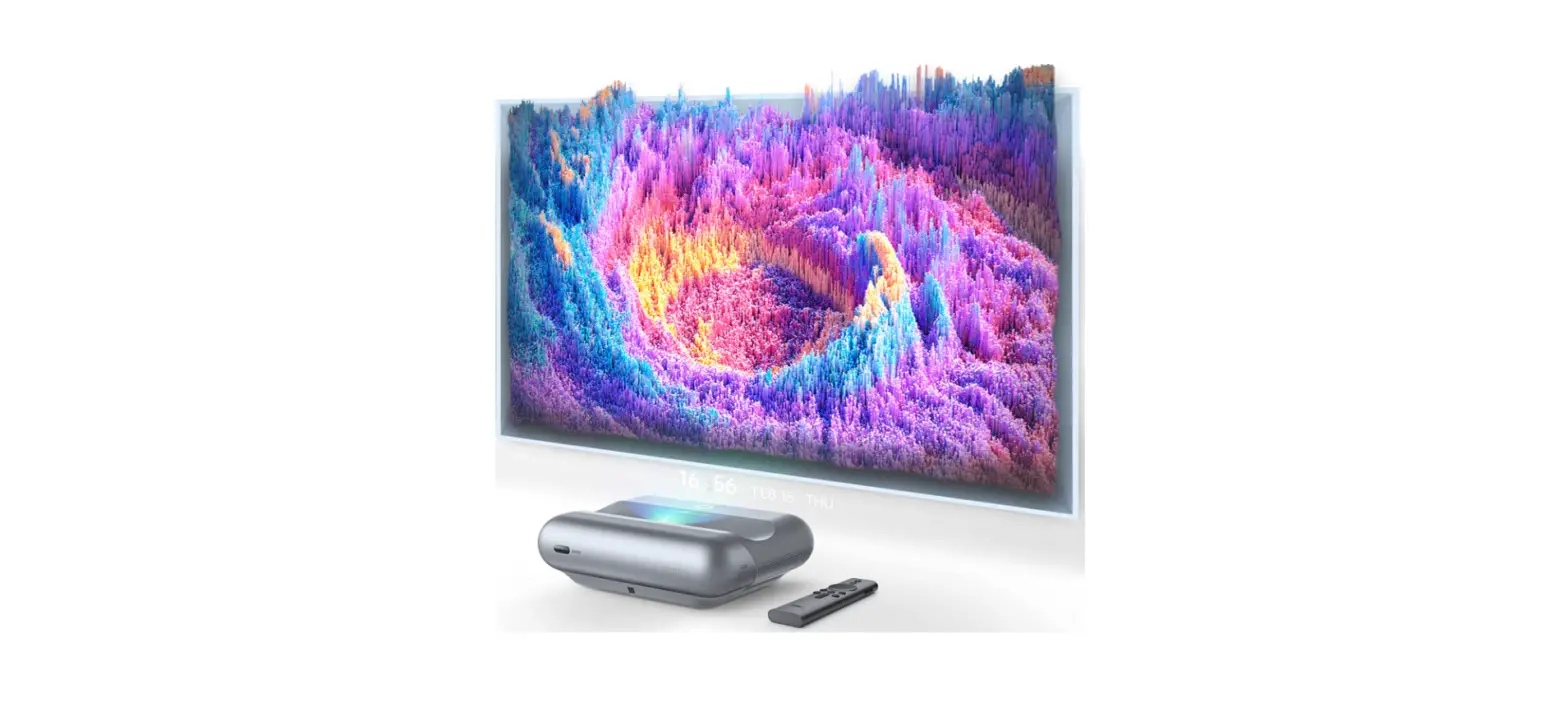
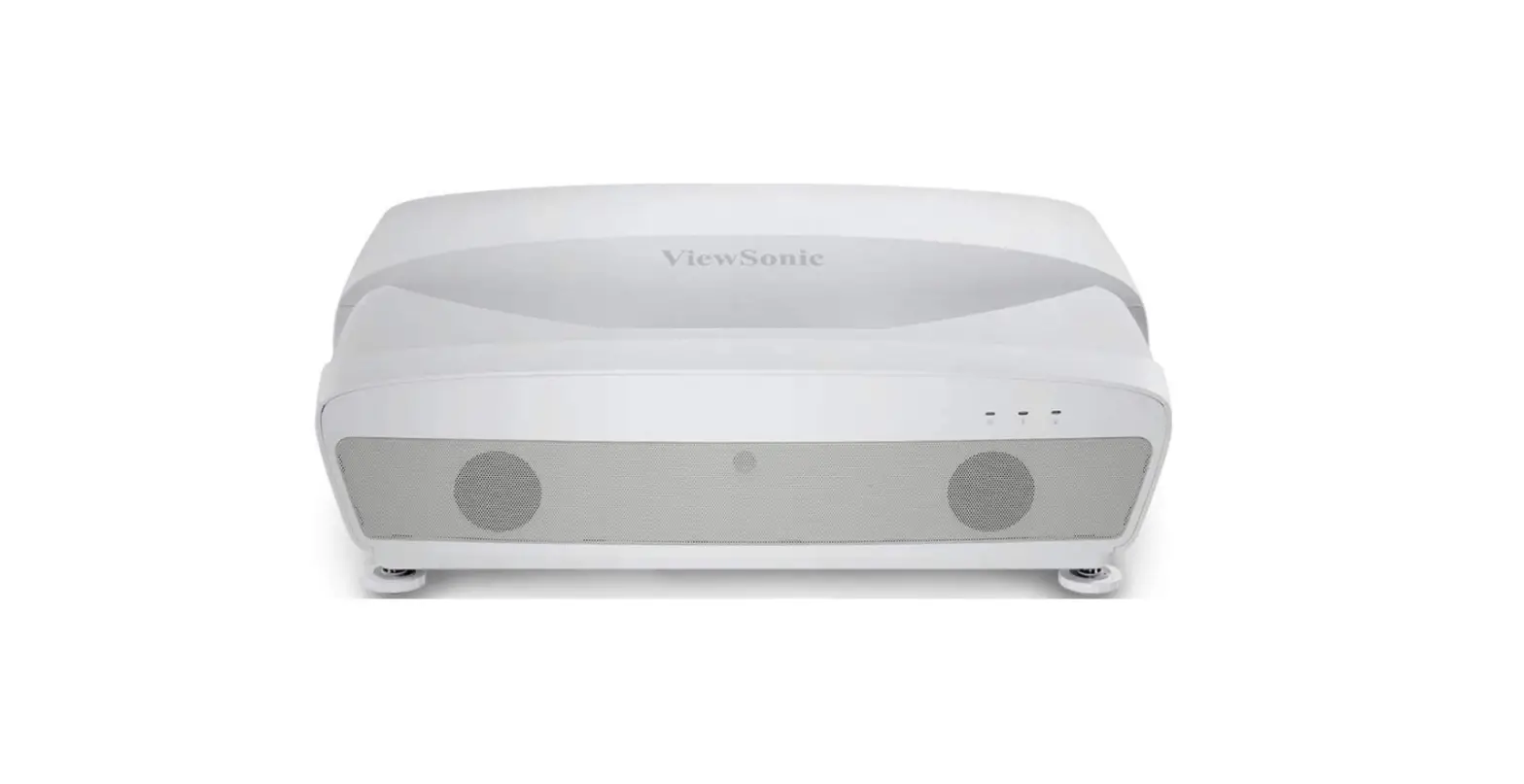
Cine 1 Ultra-Short Throw Projector
Product Information:
The Leica Cine 1 is a laser projector that offers high-quality
projection for a cinematic experience. It comes with a quick start
guide, user manual, and remote control for easy operation. The
projector features a status LED, eye protection sensor, main
switch, lens with laser, service port, Ethernet port, Wi-Fi module,
and power connection. The remote control has various buttons for
power control, information display, input selection, channel
navigation, playback control, menu access, and more.
Product Usage Instructions:
Power Supply:
The Leica Cine 1 can be powered by both AC (alternating current)
and DC (direct current) sources. Ensure that the power supply meets
the specified voltage requirements.
Safety Instructions:
Follow these safety guidelines while using the Leica Cine 1:
- Maintain a distance of more than 15 cm from the projector
during operation. - Maintain a distance of more than 20 cm from the projector
during maintenance or repair. - Ensure proper grounding of the antenna.
- Refer to the warning instructions for laser product usage.
- Replace batteries in the remote control when necessary.
General Care and Maintenance:
To ensure optimal performance and longevity of the Leica Cine 1,
follow these guidelines:
- Handle the projector and remote control with care.
- Keep the projector clean and free from dust or foreign
particles. - Store the projector in a cool and dry place when not in
use. - Perform regular maintenance and repairs by authorized
technicians. - Refer to the warranty terms for any claims or issues.
Parts Description:
The Leica Cine 1 has the following parts:
- Status LED
- Eye protection sensor
- Main switch
- Lens with laser
- Service port
- Ethernet port
- Wi-Fi module
- Power connection
Remote Control Usage:
The remote control of the Leica Cine 1 has various buttons for
different functions. Here are some key buttons and their
functions:
- Power button: Turns the laser TV on/off.
- INFO button: Displays information on/off.
- INPUT button: Selects the input source.
- Zifferntasten: Allows direct channel selection or number
input. - GUIDE button: Displays the channel list.
- CH.LIST button: Shows program preview.
- Funktionstasten: Perform various functions.
- -Taste: Starts/stops playback.
- / / / (Richtungstasten): Navigation buttons.
- OK button: Confirms a selection.
- -Taste: Adjusts volume.
- EXIT button: Exits the current screen/menu.
- -Taste: Accesses the home screen.
- CH button: Changes the channel.
- -Taste: Mutes/unmutes the sound.
- TEXT button: Activates/deactivates teletext function.
- -Taste: Enables/disables voice control.
- Medienmodus: Switches to media mode.
- Schneller Zugriff auf Apps: Provides quick access to apps.
Battery Replacement:
To replace the batteries in the remote control:
- Slide open the battery compartment cover as shown in the
illustration. - Insert two AAA batteries into the compartment.
Initial Setup:
Prior to using the Leica Cine 1, follow these steps:
- Refer to the user manual of the product being used to mount the
screen.
Remote Control Pairing:
To pair the remote control:
Once successful pairing is established, a corresponding message
will appear in the display area.
Image Geometry Adjustment:
Follow these steps to adjust the image geometry:
- Align the lower edge of the image horizontally.
- Rotate if necessary.
- If the upper edge of the image is too high on the right side,
repeat the process. - If the upper edge of the image is too high on the left side,
repeat the process. - If the upper edge of the image is too low on the left side,
repeat the process. - Align the top right corner of the image.
Media Sources:
The Leica Cine 1 supports various media sources, including
network connection, CI+ modules, and USB connection. Connect to an
external modem, router, or TV cable for network access.
Projection Modes:
The Leica Cine 1 offers different projection modes based on the
placement of the laser TV. Adjust the geometric correction and
enable eye protection mode for optimal viewing experience.
Additional Features:
The Leica Cine 1 provides additional features such as language
selection, TV mode, wireless network setup, time zone selection,
VIDAA account setup, FAQs, and troubleshooting.
LEICA CINE 1
KURZANLEITUNG QUICK START GUIDE MODE D’EMPLOI SUCCINCT BEKNOPTE HANDLEIDING GUIDA RAPIDA INSTRUCCIONES ABREVIADAS
VORWORT
Sehr geehrte Kundin, sehr geehrter Kunde, wir wünschen Ihnen viel Freude und Erfolg mit Ihrem neuen Leica Laser-TV. Damit Sie den Leistungsumfang Ihres Laser-TVs vollständig nutzen können, lesen Sie bitte zunächst diese Anleitung. Ihre Leica Camera AG
MARKEN UND LOGOS DRITTER
Die Begriffe HDMI und HDMI High Definition Multimedia Interface sowie das HDMI-Logo sind Marken oder eingetragene Marken von HDMI Licensing Administrator, Inc. in den Vereinigten Staaten und anderen Ländern.
LIEFERUMFANG
Bevor Sie Ihr Laser-TV in Betrieb nehmen, überprüfen Sie bitte die mitgelieferten Zubehörteile auf Vollständigkeit. Im Standardlieferumfang* sind folgende Teile enthalten: Leica Cine 1 Fernbedienung 2 AAA-Batterien Stromkabel Kurzanleitung
*Der tatsächliche Lieferumfang kann je nach Ausführung abweichen.
Vorsicht · Trocknungsmittel und Plastiktüten sind außerhalb der Reichweite von Kin-
dern aufzubewahren. Plastiktüten können Ersticken verursachen und das Trocknungsmittel ist beim Verschlucken gesundheitsschädlich.
Es darf ausschließlich das in dieser Anleitung bzw. das von der Leica Camera AG aufgeführte und beschriebene Zubehör (Netzstecker, Netzkabel, Kabel etc.) mit dem Laser-TV verwendet werden. Nutzen Sie diese Zubehörteile ausschließlich für dieses Produkt. Fremdzubehör kann zu Fehlfunktionen führen bzw. unter Umständen Schäden verursachen. Leica Camera AG übernimmt keine Haftung für Schäden, die durch nicht bestimmungsgemäßen Gebrauch des Gerätes entstehen.
Bitte lesen Sie vor der Inbetriebnahme Ihres Laser-TVs zunächst die Kapitel ,,Rechtliche Hinweise”, ,,Sicherheitshinweise” und ,,Allgemeine Hinweise”, um Schäden am Produkt zu vermeiden und möglichen Verletzungen und Risiken vorzubeugen.
RECHTLICHE HINWEISE
URHEBERRECHTLICHE HINWEISE
Beachten Sie bitte sorgfältig die Urhebergesetze. Die Aufnahme und Veröffentlichung von Medien, die zuvor selbst aufgenommen wurden, z. B. Bänder, CDs oder anderes veröffentlichtes oder gesendetes Material, kann Urhebergesetze verletzen. Dies trifft genauso auf die gesamte mitgelieferte Software zu.
TECHNISCHE DATEN
Nach Redaktionsschluss können sich Änderungen bei Produkten und Leistungen ergeben haben. Konstruktions- oder Formänderungen, Abweichungen im Farbton sowie Änderungen des Liefer- oder Leistungsumfangs seitens des Herstellers bleiben während der Lieferzeit vorbehalten, sofern die Änderungen oder Abweichungen unter Berücksichtigung der Interessen der Leica Camera AG für den Kunden zumutbar sind. Insoweit behält sich die Leica Camera AG das Recht auf Änderungen ebenso wie das Recht auf Irrtümer vor. Die Abbildungen können auch Zubehör, Sonderausstattungen oder sonstige Umfänge enthalten, die nicht zum serienmäßigen Liefer- oder Leistungsumfang gehören. Einzelne Seiten können auch Typen und Leistungen enthalten, die in einzelnen Ländern nicht angeboten werden.
MARKEN UND LOGOS
Die im Dokument verwendeten Marken und Logos sind geschützte Warenzeichen. Es ist nicht gestattet, diese Marken oder Logos ohne vorherige Zustimmung der Leica Camera AG zu nutzen.
LIZENZRECHTE
Die Leica Camera AG möchte Ihnen eine innovative und informative Dokumentation bieten. Aufgrund der kreativen Gestaltung wird aber um Verständnis dafür gebeten, dass die Leica Camera AG ihr geistiges Eigentum, einschließlich Patente, Handelsmarken und Urheberrechte, schützen muss und diese Dokumentationen keinerlei Lizenzrechte an dem geistigen Eigentum der Leica Camera AG gewähren.
Dolby, Dolby Vision, Dolby Atmos und das Doppel-D-Symbol sind eingetragene Warenzeichen der Dolby Laboratories Licensing Corporation. Hergestellt unter Lizenz von Dolby Laboratories. Vertrauliche unveröffentlichte Arbeiten. Copyright© 2012-2022 Dolby Laboratories. Alle Rechte vorbehalten.
REGULATORISCHE HINWEISE
CE-KENNZEICHNUNG Die CE-Kennzeichnung unserer Produkte dokumentiert die Einhaltung grundlegender Anforderungen der gültigen EU-Richtlinien.
Deutsch Konformitätserklärung (DoC) Die ,,Leica Camera AG” bestätigt hiermit, dass dieses Produkt den grundlegenden Anforderungen und sonstigen relevanten Vorgaben der Richtlinie 2014/53/EU entspricht. Kunden können eine Kopie der Original-DoC zu unseren Funkanlagen-Produkten von unserem DoC-Server herunterladen: www.cert.leica-camera.com Wenden Sie sich im Fall weiterer Fragen an den Produkt-Support der Leica Camera AG: Am Leitz-Park 5, 35578 Wetzlar, Deutschland
VORSICHT
Stromschlaggefahr Öffnen verboten
Zur Vermeidung elektrischer Schläge darf die Verkleidung nicht geöffnet werden. Es befinden sich keine vom Benutzer wartbaren Teile im Gerät. Reparaturen dürfen nur von autorisierten Werkstätten durchgeführt werden.
ENTSORGUNG ELEKTRISCHER UND ELEKTRONISCHER GERÄTE
EAG (ELEKTRO- UND ELEKTRONIKALTGERÄTE) Europäische Richtlinie 2012/19/EU
(Gilt für die EU sowie andere europäische Länder mit getrennten Sammelsystemen.) Dieses Gerät enthält elektrische und/oder elektronische Bauteile und darf daher nicht im normalen Hausmüll entsorgt werden. Stattdessen muss es zwecks Recyclings an entsprechenden, von den Gemeinden bereitgestellten Sammelstellen abgegeben werden. Dies ist für Sie kostenlos. Falls das Gerät selbst wechselbare Batterien oder Akkus enthält, müssen diese vorher entnommen werden und ggf. Ihrerseits vorschriftsmäßig entsorgt werden. Weitere Informationen zum Thema bekommen Sie bei Ihrer Gemeindeverwaltung, Ihrem Entsorgungsunternehmen oder in dem Geschäft, in dem Sie dieses Gerät erworben haben. Verbrauchte Batterien dürfen nicht in den normalen Hausmüll geworfen werden, denn sie enthalten giftige, die Umwelt belastende Substanzen.
ROHS (BESCHRÄNKUNG GEFÄHRLICHER STOFFE) Europäische Richtlinie 2011/65/EU
Diese europäische Richtlinie beschränkt die Verwendung gefährlicher Stoffe, die schwer zu recyceln sind. Hierdurch wird das Recycling vereinfacht und es wird ein wichtiger Beitrag zum Umweltschutz geleistet. Die in diesem Gerät verwendeten Substanzen entsprechen der RoHS-Richtlinie.
WEITERE KENNZEICHEN
Die Symbole auf diesem Produkt (einschließlich Zubehör) haben die folgenden Bedeutungen:
Wechselstrom
Geräte der Klasse II (das Produkt ist doppelt isoliert konstruiert)
Gleichstrom
WICHTIGE HINWEISE ZUR VERWENDUNG VON WLAN/BLUETOOTH®
· Bei Verwendung von Geräten oder Computersystemen, die eine zuverlässigere Sicherheit als WLAN-Geräte erfordern, ist zu gewährleisten, dass angemessene Maßnahmen für Sicherheit und Schutz vor Störungen an den verwendeten Systemen eingesetzt werden.
· Es wird von der Verwendung der WLAN-Funktion in den Ländern ausgegangen, in denen dieses Gerät vertrieben wird. Es besteht die Gefahr, dass das Gerät die Funk-Übertragungsbestimmungen verletzt, wenn es in anderen als den Ländern benutzt wird, in denen es vertrieben wird. Leica Camera AG übernimmt keinerlei Haftung für derartige Verstöße.
· Es besteht grundsätzlich die Gefahr eines Abhörens der über Funkübertragung gesendeten und empfangenen Daten durch Dritte. Es wird dringend angeraten, die Verschlüsselung unter den Einstellungen des Wireless Access Points zu aktivieren, um die Informationssicherheit zu gewährleisten.
· Eine Verwendung des Gerätes in Bereichen mit Magnetfeldern, statischer Elektrizität oder Störungen, z. B. in der Nähe von Mikrowellenherden ist zu vermeiden. Anderenfalls erreichen die Funkübertragungen das Gerät möglicherweise nicht.
· Bei Verwendung dieses Gerätes in der Nähe von Geräten wie Mikrowellenherden oder schnurlosen Telefonen, die das 2,4 GHz-Funkfrequenzband benutzen, kann es bei beiden Geräten zu einer Beeinträchtigung der Leistung kommen.
· Eine Verbindung zu Drahtlosnetzwerken, für deren Nutzung keine Befugnis besteht, kann strafbar sein und sollte unterlassen werden.
· Bei aktivierter WLAN-Funktion werden Drahtlosnetzwerke automatisch gesucht. Wenn dies geschieht, können auch solche, zu deren Nutzung Sie nicht befugt sind, angezeigt werden (SSID: bezeichnet den Namen eines WLAN-Netzwerkes). Versuchen Sie jedoch nicht, eine Verbindung zu einem solchen Netzwerk herzustellen, da dies als unbefugter Zugang betrachtet werden könnte.
· Die Nutzung des WLAN-Funkfrequenzbandes von 5150 MHz bis 5350 MHz ist nur in geschlossenen Räumen zulässig.
SICHERHEITSHINWEISE
Das Objektiv darf nicht mit den Händen berührt oder mit einem Reinigungstuch abgewischt werden. Die optische Beschichtung wird sonst beschädigt, was die Bildqualität beeinträchtigt.
>15 cm
>20 cm
>20 cm
Damit das Gerät ausreichend Belüftung hat, müssen die vorgeschriebenen Abstände (siehe Abbildung) eingehalten werden.
Es dürfen keine Gegenstände über oder vor der Linse platziert werden, da das Laserlicht das Objekt sonst stark erhitzt. Brandgefahr!
Das Laser-TV darf nicht eingeschaltet werden, wenn die Temperatur unter 5 °C oder über 40 °C liegt.
Das Laser-TV darf nicht in einem umschlossenen Raum mit eingeschränkter Belüftung aufgestellt werden. Dies würde zur Überhitzung führen.
Es dürfen keine Flüssigkeiten über dem Laser-TV verschüttet werden. Dies kann zu schweren Schäden führen. Keine Getränke auf oder neben dem Laser-TV abstellen!
Eingriffe in das Gerät können zu Stromschlag und Feuer führen. Das Gerät darf nicht selbst zerlegt, neu zusammengesetzt oder repariert werden. Ein einmal zerlegtes, neu zusammengesetztes oder repariertes Gerät unterliegt nicht mehr der Herstellergarantie.
ALLGEMEIN
· Die Kompatibilität der Produkte von Drittanbietern, Software und Dienstleistungen wird nicht garantiert. Wir können nicht für Schaden oder Verluste haftbar gemacht werden, die beim Betrieb, der Verwendung oder der Verbindung zu inkompatiblen Geräten oder Apps entstehen.
· Aufnahme und Wiedergabe von Inhalten auf diesem oder anderen Geräten erfordern möglicherweise die Zustimmung des Rechteinhabers dieser Inhalte. Es liegt in der Verantwortung des Benutzers, bei der Verwendung dieses Gerätes sicherzustellen, dass die geltenden Gesetze und Bestimmungen zum Urheberrecht im Land der Verwendung beachtet werden. Im Zweifel sollte der Rechteinhaber befragt werden.
· Der Blitz mit der Pfeilspitze in einem gleichseitigen Dreieck soll den Benutzer auf das Vorhandensein einer nicht isolierten gefährlichen Spannung im Gehäuse des Produkts aufmerksam machen, die so groß sein kann, dass die Gefahr eines Stromschlags besteht.
· Das Ausrufezeichen in einem gleichseitigen Dreieck weist den Benutzer auf wichtige Betriebs- und Wartungsanweisungen in der mit dem Gerät gelieferten Dokumentation hin.
· Trocknungsmittel und Plastiktüten sind außerhalb der Reichweite von Kindern aufzubewahren. Plastiktüten können Ersticken verursachen und das Trocknungsmittel ist beim Verschlucken gesundheitsschädlich.
BETRIEBSBEDINGUNGEN UND BENUTZUNG
· Dieses Gerät dient zur Anzeige von Video- und Audiosignalen zu Hause oder im Büro. Es sollte nicht in Bereichen mit hoher Luftfeuchtigkeit oder Staubkonzentration verwendet werden. Die Garantie gilt nur bei bestimmungsgemäßer Verwendung.
· Hohe Luftfeuchtigkeit und Staubkonzentration können zu Kurzschlüssen führen.
· Zur Vermeidung von Feuer oder Stromschlag darf das Gerät nicht Regen, Feuchtigkeit, Tropfwasser oder Spritzwasser ausgesetzt und keine mit Wasser gefüllten Gegenstände (wie Vasen oder Tassen) auf oder über dem Gerät abgestellt werden. Das Gerät darf nicht mit nassen Händen berührt werden.
· Das Gerät nicht direkt vor einer Klimaanlage installieren.
· Nach einem Ortswechsel mit starkem Temperaturunterschied muss das gesamte angesammelte Kondenswasser verdunsten, bevor das Gerät erneut in Betrieb genommen wird.
· Offene Feuer (z. B. brennende Kerzen) sind von dem Gerät fernzuhalten. Von hohen Temperaturen und Hitze fernhalten.
· Falls das Gerät ein ungewöhnliches Verhalten zeigt, sollte sofort der Netzstecker gezogen werden.
· Zur Löschung im Brandfall sollte vorzugsweise ein CO- oder Pulver-Feuerlöscher verwendet werden. Wenn solche Feuerlöscher nicht verfügbar sind, sollte vor dem Einsatz eines Wasserfeuerlöschers möglichst die Stromversorgung getrennt werden.
· Wenn ein Gegenstand oder Wasser in dieses Gerät gelangt, ist sofort der Netzstecker aus der Steckdose zu ziehen. Bitte wenden Sie sich an den Leica Customer Care.
· Weder Anschlüsse noch andere Öffnungen des Gerätes dürfen mit scharfkantigen oder metallischen Gegenständen berührt werden. Kurzschlüsse, Produktschäden und Stromschläge könnten die Folge sein.
· Ein Laser-TV darf niemals unsicher aufgestellt werden. Das Gerät kann umfallen und zu schweren Verletzungen oder schlimmstenfalls zum Tod führen.
· Viele Verletzungen, insbesondere von Kindern, können mit den folgenden einfachen Vorsichtsmaßnahmen vermieden werden: Es sind nur vom Hersteller empfohlene Schränke oder Aufsteller bzw. nur Möbelstücke zu verwenden, die das Gerät sicher tragen können. Das Gerät darf nicht über das Möbelstück herausragen. Das Gerät darf nicht auf hohen Möbelstücken (wie Schrank oder Bücherregal) installiert werden, ohne Gerät und Möbel sicher zu verankern. Das Gerät muss direkt auf dem Möbelstück und nicht auf einem Tuch oder einem ähnlichen Material stehen. Kinder sollten über die Gefahren aufgeklärt werden, die vom Klettern auf Möbel ausgehen (z. B. um das Laser-TV oder die Fernbedienung zu erreichen). Diese Hinweise gelten auch bei späteren Platzwechseln.
· Kinder sollten nicht unbeaufsichtigt in der Nähe des Gerätes spielen. Es könnte umfallen oder von der Standfläche gestoßen oder heruntergezogen werden und jemanden verletzen. Kinder dürfen nicht auf diesem Gerät stehen oder klettern.
· Ein aktiviertes Gerät darf niemals unbeaufsichtigt bleiben.
· Vorsicht beim Umgang mit beweglichen Teilen (Verletzungsgefahr).
STROMVERSORGUNG
· Falsche Spannungen können das Gerät beschädigen. Das Gerät darf nur mit dem mitgelieferten Stromkabel an eine Stromversorgung mit der auf dem Typenschild angegebenen Spannung und Frequenz angeschlossen werden.
· Die verwendete Netzsteckdose muss frei zugänglich bleiben. · Das Gerät ist solange mit Strom versorgt, wie es an einer Steckdose ange-
schlossen ist, auch im Stand-by-Betrieb. · Wir empfehlen, für dieses Gerät einen eigenen Stromkreis zu nutzen. Steck-
dosen sollten nicht mit zu vielen Geräten überlastet werden. Die Überlastung von Steckdosen und Verlängerungskabeln ist gefährlich und kann zu Stromschlag und Feuer führen. · Das Gerät sollte nicht innerhalb von 5 s nach dem Ausschalten wieder eingeschaltet werden. Ein häufiges Umschalten der Stromversorgung in kurzer Zeit kann die normale Arbeit des Gerätes stören.
NETZWERKSTECKER UND NETZKABEL
· Das Gerät darf nicht mit nassen Händen berührt werden. · Netzkabel müssen so verlegt werden, dass sie vor Knicken, scharfkantigen
Gegenständen, Chemikalien und Wärmequellen mit hohen Temperaturen geschützt sind. Schwere Gegenstände dürfen nicht auf dem Netzkabel platziert werden. Ein beschädigtes Netzkabel kann zu Stromschlag und Feuer führen. · Beim Ziehen des Netzsteckers muss stets am Stecker selbst angefasst werden, es darf nicht nicht am Kabel gezogen werden. · Wenn das Stromkabel an eine Steckdose angeschlossen ist, darf das Gerät nicht bewegt werden. · Für dieses Gerät ist das mitgelieferte Netzkabel zu benutzen. Beschädigte oder lose Netzkabel und beschädigte Steckdosen dürfen nicht genutzt werden. · Während eines Gewitters müssen das Stromkabel und alle evtl. angeschlossenen Antennenkabel abgezogen werden. Überspannungen durch Blitzeinschlag können das Gerät durch das Antennensystem und die Steckdose beschädigen.
BELÜFTUNG UND HOHE TEMPERATUREN
· Batterien niemals ins Feuer werfen, erhitzen, aufladen, zerlegen oder aufbrechen.
· Die Vorschriften zur Entsorgung sind zu beachten. · Verbrauchte Batterien dürfen nicht in den normalen Hausmüll geworfen
werden, denn sie enthalten giftige, die Umwelt belastende Substanzen. · Batterie aus dem Gehäuse nehmen, wenn das Produkt für längere Zeit nicht
verwendet wird. Falls Batterien im Gerät auslaufen, muss das Batteriefach mit einem Tuch gereinigt werden. · Bitte keine Alkalibatterien, Standard-(Kohlenstoff-Zink-)Batterien oder wiederaufladbaren (NiCd, NiMH usw.) Batterien verwenden. · Batterien außerhalb der Reichweite von Kindern aufbewahren. Batterien dürfen niemals frei herumliegen, da sie von Kindern oder Haustieren verschluckt werden könnten. Werden Batterien verschluckt, können sie zu Erstickung führen. Verschluckte Batterien können außerdem zu schweren inneren Verletzungen und zum Tod führen.
ERSTE HILFE
· Kommt Batterieflüssigkeit mit den Augen in Kontakt, besteht Erblindungsgefahr. Spülen Sie die Augen sofort gründlich mit sauberem Wasser. Reiben Sie nicht in den Augen. Gehen Sie sofort zum Arzt.
· Gelangt ausgelaufene Flüssigkeit auf die Haut oder Kleidung, besteht Verletzungsgefahr. Waschen Sie die betroffenen Bereiche mit sauberem Wasser.
ERDUNG DER HAUSANTENNE
· Bei Benutzung einer Hausantenne ist auf den korrekten Schutz des Antennensystems gegen Überspannung und statische Entladungen zu achten.
LAUTSTÄRKE
· Laute Musik und Geräusche können zu irreparablen Schaden an Ihren Ohren führen. Extreme Lautstärken sollten vermieden werden, besonders während längerer Zeiträume und bei Verwendung von Kopfhörern.
· Falls bei Ihnen Ohrgeräusche oder Schmerzen auftreten, sollten Sie sofort die Lautstärke reduzieren oder die Kopfhörer vorübergehend nicht benutzen.
WARNHINWEISE ZU DIESEM LASERPRODUKT
· Das Gerät muss stets mit ausreichender Belüftung aufgestellt werden. Es ist darauf zu achten, dass an den Seiten mindestens 20 cm und auf der Rückseite 15 cm Freiraum für die Luftzirkulation vorhanden sind.
· Übermäßige Hitze und Beeinträchtigung der Belüftung können zum vorzeitigen Ausfall einiger elektrischer Komponenten führen, im schlimmsten Fall sogar zu Bränden.
· Die Lüftungsöffnungen müssen jederzeit freigehalten werden. · Ein laufendes oder erst seit kurzem ausgeschaltetes Gerät sollte nicht be-
rührt werden, da es sehr heiß sein kann. · Es dürfen keine Fremdkörper durch die Lüftungsöffnungen in das Gerät
eingeführt werden!
BATTERIEN DER FERNBEDIENUNG
· Es darf ausschließlich der in dieser Anleitung aufgeführte und beschriebene Batterietyp verwendet werden. Die vorschriftswidrige Verwendung dieser Batterien und die Verwendung von nicht vorgesehenen Batterietypen können unter Umständen zu einer Explosion führen!
· Falsch eingesetzte Batterien können auslaufen, korrodieren oder explodieren.
· Batterien sind nur gegen den gleichen Typ auszutauschen. Die Mischung erschöpfter mit frischen Batterien oder von unterschiedlichen Batterietypen sollte vermieden werden.
· Batterien dürfen nicht für längere Zeit Sonnenlicht, Hitze, Feuchtigkeit oder Nässe ausgesetzt werden. Ebenso wenig dürfen sie in einem Mikrowellenofen oder einem Hochdruckbehälter untergebracht werden es besteht Feuer- oder Explosionsgefahr!
Achtung · Dieses Gerät wird mit einem Lasermodul geliefert. Demontieren oder
modifizieren Sie das Gerät in keiner Weise. Andernfalls kann es zu Verletzungen kommen. Die ausgehende Laserstrahlung kann Ihre Gesundheit gefährden.
· Schauen Sie niemals direkt auf das Objektiv, wenn das Gerät eingeschaltet ist. Schauen Sie niemals direkt in den abgegebenen Lichtstrahl! Es besteht die Gefahr schwerer Augenschäden bis hin zur Blindheit.
· RG2: Schauen Sie niemals direkt in den abgegebenen Lichtstrahl!
IEC 62471-5: 2015 CLASS 1 Laser PRODUCT = 459471 nm/519531 nm/635651 nm · Werden andere als die in dieser Anleitung aufgeführten Bedienungsvorgänge verwendet bzw. Anpassungen am Gerät vorgenommen, kann es zum Austritt gefährlicher Strahlung kommen.
· Bei einer ggf. nötigen Reparatur dieses Gerätes muss zwingend ein Augenschutz mit einer Optischen Dichte von 4 oder mehr (Wellenlänge 459651 nm) getragen werden.
ALLGEMEINE HINWEISE
· Neue Produkte und Materialien können durch Verdunstung Chemikalien in die Luft abgeben. Bei der ersten Inbetriebnahme des Geräts kann für einige Stunden ein leichter Geruch entstehen. Dies liegt daran, dass sich einige Bauteile des Geräts zum ersten Mal erwärmen. Die verwendeten Materialien entsprechen vollständig den Umweltanforderungen und -vorschriften. Die für die Geruchsbildung verantwortlichen Dämpfe nehmen mit der Zeit ab. Es wird empfohlen, vor der ersten tatsächlichen Nutzung das Gerät eine Weile bei guter Belüftung laufen zu lassen.
· Alle Daten, also auch persönliche Daten, können durch fehlerhafte oder versehentliche Bedienschritte, statische Elektrizität, Unfälle, Fehlfunktionen, Reparaturen und andere Maßnahmen verändert oder gelöscht werden. Die Leica Camera AG kann keinerlei Haftung für unmittelbare Schäden oder Folgeschäden übernehmen, die auf die Änderung oder Vernichtung von Daten und persönlichen Informationen zurückzuführen sind.
PFLEGE UND AUFBEWAHRUNG
· Ein laufendes oder erst seit kurzem ausgeschaltetes Gerät sollte nicht berührt werden, da es sehr heiß sein kann.
· Das Gerät sollte nicht mit Öl abgewischt werden, da dies die Oberflächen angreifen oder den Lack beschädigen kann.
· Längerer Kontakt mit Gummi- oder Ethylenprodukten kann dieses Gerät verschmutzen.
· Das Objektiv darf nicht mit den Händen berührt oder mit einem Reinigungstuch abgewischt werden. Zur Entfernung von Staub von der Linse sollte ein Staubbläser verwendet werden. Fett, Schmutz und Fingerabdrücke sollten vom Fachmann sorgfältig mit einem optischen Reinigungstuch, Linsenpapier oder professionellen Reinigungslösungen gereinigt werden. Andernfalls kann es zur Zerstörung des optischen Films und dadurch zu einer Beeinträchtigung der Bildqualität kommen.
· Vor einer Reinigung muss das Gerät stets ausgeschaltet und der Netzstecker gezogen werden.
· Die Reinigung von Gerät und Fernbedienung erfolgt grundsätzlich nur mit einem weichen, feuchten, sauberen und natürlich gefärbten Tuch. Bitte keine Chemikalien verwenden.
· Wenn das Gerät lnsektenvernichtungsmitteln, Lösungsmitteln oder anderen flüchtigen Substanzen ausgesetzt wird, kann dies die Oberflächen oder Glasflächen beschädigen oder zerstören.
· Bei der Reinigung dürfen weder Wasser noch sonstige Flüssigkeiten direkt auf das Gerät gesprüht oder geschüttet werden. Dies kann zu schweren Schäden führen.
· Der Netzstecker kann regelmäßig mit einem trockenen Tuch gereinigt werden. · Solange der Stecker an eine Steckdose angeschlossen ist, verbraucht das
Gerät auch im Stand-by-Betrieb Strom. Der Netzstecker und alle angeschlossenen Antennenkabel müssen während einer langen Abwesenheit abgezogen werden. · Der Netzstecker wird als Trennvorrichtung verwendet, er muss daher jederzeit leicht zugänglich sein.
WARTUNG UND REPARATUR
· Zur Vermeidung elektrischer Schläge darf die Verkleidung nicht geöffnet werden. Es befinden sich keine vom Benutzer wartbaren Teile im Gerät. Reparaturen dürfen nur von autorisierten Werkstätten durchgeführt werden.
GARANTIE
Neben Ihren gesetzlichen Gewährleistungsansprüchen gegenüber Ihrem Verkäufer erhalten Sie für dieses Leica Produkt zusätzlich von der Leica Camera AG eine Produktgarantie ab dem Kaufdatum bei einem autorisierten Leica Fachhändler. Bisher wurden die Garantiebedingungen der Produktpackung beigelegt. Als neuer Service werden sie nun ausschließlich online zur Verfügung gestellt. Dies hat den Vorteil, dass Sie jederzeit auf die für Ihr Produkt geltenden Garantiebedingungen Zugriff haben. Bitte beachten Sie, dass dies nur für Produkte gilt, die nicht mit beigelegten Garantiebedingungen ausgeliefert werden. Für Produkte mit beigelegten Garantiebedingungen gelten weiterhin ausschließlich diese. Weitere Informationen zu Garantieumfang, Garantieleistungen und Beschränkungen finden Sie unter: https://warranty.leica-camera. com
BEZEICHNUNG DER TEILE
4
1 7
2 3
6 5
3 7
18
2
16
8 12
9 10
11
131415 15 15 1617
19
1 Status-LED
2 Empfänger für Fernbedienung
3 Augenschutzsensor
4 Hauptschalter
Achtung Beim Ein- und Ausschalten öffnet bzw. schließt sich der Deckel automatisch. Die Bewegung des Deckels darf nicht durch Gegenstände oder Finger etc. behindert werden. Es kann sonst zu Beschädigungen des Gerätes oder zu Verletzungen kommen.
5 Objektiv mit Laser
Achtung Schauen Sie niemals direkt auf das Objektiv, wenn das Gerät eingeschaltet ist. Schauen Sie niemals direkt in den abgegebenen Lichtstrahl! Es besteht die Gefahr schwerer Augenschäden bis hin zur Blindheit.
6 Fremdkörpersensor
7 Lüftungsgitter
8 Service-Anschluss
9 Ethernet-Anschluss
18 Wi-Fi-Modul
Cine 1
19 Stromanschluss
Cine 1
Hinweis · Für die Internetverbindung wird ein Router benötigt.
10 Service-Anschluss
11 Schacht für CI+-Modul
12 Kopfhörerausgang
Vorsicht · Übermäßiger Schalldruck von Kopfhörern kann zu Hörverlust führen.
13 Antennenanschluss 1
Spannungsversorgung für Satellitenantenne (13/18 V, max. 0,5 A)
14 Antennenanschluss 2
Für Antennenkabel (75 ) für VHF/UHF-Antennen
15 HDMI-Anschlüsse für externe Geräte 16 USB-Anschluss 17 Audio-Ausgang
* Externe Geräte sowie das zu deren Anschluss benötigte Zubehör wie Audio-, Video- oder Ethernet-Kabel sind nicht enthalten (Abbildungen symbolisch).
FERNBEDIENUNG
4
1
2
3
5
6
7
8
9
10
11 12
13
14
16
15
17
18
19
20
21
22
1 -Taste
Laser-TV einschalten/ausschalten
2 INFO-Taste
Informationsanzeige An/Aus
3 INPUT-Taste
Auswahl der Eingangsquelle
4 Mikrofon für Sprachsteuerung
Hinweis · Diese Funktion wird nur in einigen Ländern oder Regionen unterstützt.
5 Zifferntasten
Direkte Auswahl eines Kanals oder Zahleingabe
6 GUIDE-Taste
Anzeige der Kanalliste
7 CH.LIST-Taste
Programm-Vorschau
8 Funktionstasten
9 -Taste
Menü anzeigen
10 -Taste
Starten/Stoppen der Wiedergabe
11 / / / (Richtungstasten)
Navigieren im Menü Anpassen der Systemeinstellungen
12 OK-Taste
Auswahl bestätigen
13 -Taste
Einen Schritt zurück
14 EXIT-Taste
Menü verlassen
15 Lautstärke
16 -Taste
Startbildschirm aufrufen
17 CH-Taste
Kanal wechseln
18 -Taste
Stummschaltung An/Aus
19 TEXT-Taste
Teletext-Funktion An/Aus
20 -Taste
Sprachsteuerung An/Aus
Hinweis · Diese Funktion wird nur in einigen Ländern oder Regionen unterstützt.
21 Medienmodus
Anzeige von verfügbaren Netzwerkgeräten und von via USB angeschlossenen Geräten. In diesem Modus kann schnell auf die eigenen Bilder/ Musik/Videos zugegriffen werden.
22 Schneller Zugriff auf Apps
Hinweis · Diese Funktion variiert je nach Land bzw. Region.
Die Abbildung dient als Referenz. Das tatsächliche Erscheinungsbild der mit dem Gerät gelieferten Fernbedienung kann von dieser Darstellung abweichen.
BATTERIEN WECHSELN
Für den Umgang mit Batterien gelten die im Abschnitt ,,Sicherheitshinweise” beschriebenen Hinweise.
Markierung auf der Unterseite drücken · Der Batteriefachdeckel wird entriegelt.
Batteriefachdeckel wie in der Abbildung gezeigt aufschieben Zwei AAA-Batterien einlegen
· Dabei muss auf korrekte Polarität geachtet werden.
Batteriefachdeckel wie in der Abbildung gezeigt zurückschieben
VOR DER ERSTEN NUTZUNG
Neue Produkte und Materialien können durch Verdunstung Chemikalien in die Luft abgeben. Bei der ersten Inbetriebnahme des Geräts kann für einige Stunden ein leichter Geruch entstehen. Dies liegt daran, dass sich einige Bauteile des Geräts zum ersten Mal erwärmen. Die verwendeten Materialien entsprechen vollständig den Umweltanforderungen und -vorschriften. Die für die Geruchsbildung verantwortlichen Dämpfe nehmen mit der Zeit ab. Es wird empfohlen, vor der ersten tatsächlichen Nutzung das Gerät eine Weile bei guter Belüftung laufen zu lassen.
LEINWAND MONTIEREN
Hinweise finden sich im Benutzerhandbuch des verwendeten Produkts.
Hinweis · Wenn die Fernbedienung sehr warm oder heiß ist, sollte sie nicht verwendet
werden.
ARBEITSBEREICH DER FERNBEDIENUNG
Die Fernbedienung kann bis zu einer Entfernung von 8 m vor dem Laser-TV arbeiten. Bei einem Abstand von 6 m kann die Steuerung noch bis zu einem Winkel von ±30° (horizontal) bzw. ±15° (vertikal) erfolgen. Dieser Winkel wird via Infrarot abgedeckt, wenn die Fernbedienung nicht gepaart ist.
FERNBEDIENUNG PAAREN
Gerät einschalten Fernbedienung im Umkreis von 3 m zum Gerät halten -Taste mindestens 3 s lang gedrückt halten
· Das Pairing startet. · Sowohl nach einem erfolgreichem als auch nach einem fehlgeschlagenen
Pairing erscheint eine entsprechende Meldung im Anzeigebereich.
Hinweise · Bei einem unbekannten Fehler in der Fernbedienung kann eine Störung der
Verbindung die Ursache sein. Eine erneute Kopplung kann dann die Fehlerursache beseitigen. · Bei einem unbekannten Fehler in der Fernbedienung kann die Ursache manchmal beseitigt werden, indem die Batterien entnommen und danach eine beliebige Taste 12 s lang gedrückt wird. · Ein Pairing kann nicht erfolgen, wenn das Laser-TV sich im Stand-byBetrieb befindet.
GERÄT AUFSTELLEN
· Der Transport dieses Gerätes sollte immer mit zwei Personen gemeinsam erfolgen.
· Beim Umgang mit diesem Gerät muss darauf geachtet werden, das Objektiv zu schützen.
· Wir empfehlen, dass alle auf der Rückseite anzuschließenden Kabel vor dem Aufstellen angeschlossen werden.
· Sicherstellen, dass die richtigen Kabel für die Ports ausgewählt wurden und korrekt angeschlossen sind.
· Lose Verbindungen können die Bildqualität beeinträchtigen.
BILD-GEOMETRIE
Mithilfe der folgenden Schritte wird das Bild des Laser-TVs auf die Leinwand ausgerichtet. Danach kann noch eine geometrische Korrektur für die letzte Feineinstellung angewandt werden. Die empfohlene Reihenfolge ist wie folgt: 1. Untere Bildkante horizontal gerade ausrichten 2. Untere Bildkante an der Leinwand ausrichten 3. Untere Bildkante auf Leinwandbreite einstellen 4. Rechte obere Ecke ausrichten 5. Linke obere Ecke ausrichten 6. Obere Bildkante auf Leinwandbreite einstellen
Achtung Schauen Sie niemals direkt auf das Objektiv, wenn das Gerät eingeschaltet ist. Schauen Sie niemals direkt in den abgegebenen Lichtstrahl! Es besteht die Gefahr schwerer Augenschäden bis hin zur Blindheit.
Hinweise · Gestrichelte Linien stellen die Situation vor der Ausrichtung dar, die dunkle
Fläche die Situation nach der Ausrichtung. · Zum Hinein- und Herausdrehen der Einstellfüße kann am besten der mitge-
lieferte Schraubenschlüssel genutzt werden. · Es empfiehlt sich, vor Beginn der Ausrichtung alle Einstellfüße soweit wie
möglich hineinzudrehen.
SCHRITT 1 UNTERE BILDKANTE HORIZONTAL GERADE AUSRICHTEN
Die Unterkante des Bildes ist links niedriger und rechts höher Gerät gegen den Uhrzeigersinn
drehen
Die obere Bildkante ist rechts zu hoch
Die beiden rechten Einstellfüße auf gleiche Höhe herausdrehen
Gerät gegen den Uhrzeigersinn drehen, bis der untere Bildrand wieder parallel zur Leinwand verläuft
Ggf. Ablauf wiederholen
Die Unterkante des Bildes ist links höher und rechts niedriger
Gerät im Uhrzeigersinn drehen
SCHRITT 2 UNTERE BILDKANTE AN DER LEINWAND AUSRICHTEN Das Bild ist nach links verschoben Gerät etwas weiter rechts platzieren
Das Bild ist nach rechts verschoben Gerät etwas weiter links platzieren
Hinweis · Die untere Bildkante sollte immer parallel zur Leinwand bleiben. SCHRITT 3 UNTERE BILDKANTE AUF LEINWANDBREITE EINSTELLEN Die untere Bildkante ist zu breit Gerät näher an der Leinwand positio-
nieren
Die obere Bildkante ist rechts zu niedrig Die beiden rechten Einstellfüße auf gleiche
Höhe hineindrehen Gerät im Uhrzeigersinn drehen, bis der untere
Bildrand wieder parallel zur Leinwand ist Ggf. Ablauf wiederholen
SCHRITT 5 LINKE OBERE ECKE AUSRICHTEN Die obere Bildkante ist links zu hoch Die beiden linken Einstellfüße auf gleiche
Höhe herausdrehen Gerät im Uhrzeigersinn drehen, bis der unte-
re Bildrand wieder parallel zur Leinwand ist Ggf. Ablauf wiederholen
Die untere Bildkante ist zu schmal Gerät weiter von der Leinwand entfernt
positionieren
Hinweis · Die untere Bildkante sollte immer parallel zur Leinwand bleiben.
Die obere Bildkante ist links zu niedrig
Die beiden linken Einstellfüße auf gleiche Höhe hineindrehen
Gerät gegen den Uhrzeigersinn drehen, bis der untere Bildrand wieder parallel zur Leinwand verläuft
Ggf. Ablauf wiederholen
SCHRITT 4
RECHTE OBERE ECKE AUSRICHTEN
Beim Ausrichten der Bildoberkante müssen die folgenden Schritte ggf. mehrfach durchgeführt werden, bis sowohl die obere als auch die untere Bildkante parallel zur Leinwand sind.
SCHRITT 6 OBERE BILDKANTE AUF LEINWANDBREITE EINSTELLEN Die obere Bildkante ist zu breit Die beiden vorderen Einstellfüße
etwas herausdrehen, bis die beiden Seitenränder des Bildes parallel zu den Leinwandkanten sind
Die obere Bildkante ist zu schmal Die beiden hinteren Einstellfüße etwas
herausdrehen, bis die beiden Seitenränder des Bildes parallel zu den Leinwandkanten sind Gerät etwas weiter von der Leinwand entfernt positionieren, um das Bild auf die Leinwandbreite zu vergrößern
Wenn die hinteren Einstellfüße bereits ihre maximale Höhe erreicht haben und nicht weiter herausgedreht werden können, können stattdessen die beiden vorderen Einstellfüße hineingedreht werden.
MEDIENQUELLEN
NETZWERK
KABELGEBUNDENE VERBINDUNG (LAN) LAN-Port an der Rückseite des Gerätes per LAN-Kabel (Ethernet Cat 5) mit
einem externen Modem oder Router verbinden
Cine 1
Router (DHCP)
ADSL/VDSL Modem Kabel TV
DRAHTLOSE VERBINDUNG (WLAN) Das Laser-TV kann drahtlos mit einem WLAN-Netzwerk verbunden werden. Dafür wird ein Wi-Fi-Router bzw. ein drahtloses Modem benötigt. Im Geräte-Menü den Einrichtungs-Wizard aufrufen Den Anweisungen folgen
Wi-Fi Router (DHCP)
Cine 1
Hinweise · Für die Nutzung mit drahtlosen Netzwerken muss das integrierte
WLAN-Modul genutzt werden. Externe USB-Netzwerkadapter werden nicht unterstützt. · Die Verbindung zu einem drahtlosen Netzwerk gelingt viel einfacher, wenn der verwendete Router DHCP unterstützt. · Das Gerät unterstützt die folgenden Sicherheitsstandards: WEP, WPA, WPA2. · Für einen guten Empfang sollte der Abstand zwischen Router und dem Laser-TV idealerweise 10 m nicht überschreiten.
CI+-MODULE
Das Laser-TV unterstützt die Installation von CI+-Modulen. Gerät ausschalten CI+-Modul einschließlich Chipkarte gemäß den Pfeilmarkierungen auf dem
Modul und der Chipkarte anschließen CI+-Karte anschließend gemäß den Anleitungen des Dienstleistungsanbieters
anschließen
Hinweise · Je nach gewünschtem Sender müssen vom jeweiligen Anbieter ein CI+-
Modul und eine Karte bezogen werden. · Das CI+ Modul sollte nicht wiederholt angeschlossen und entfernt werden,
da anderenfalls das Interface beschädigt und Fehlfunktionen verursacht werden könnten. · CI+ wird in einigen Ländern und Regionen nicht unterstützt. Wenden Sie sich bei Fragen an Ihren Einzelhändler.
USB-VERBINDUNG
Beim Anschluss einer Festplatte oder eines USB-Hubs sollte immer das Netzteil des angeschlossenen Gerätes zur Stromversorgung genutzt werden. Das Überschreiten des Gesamtstromverbrauchs kann zu Schäden führen. Der maximal zulässige Stromverbrauch der USB 1.1- und USB 2.0-Geräte beträgt 500 mA. Der USB-Anschluss unterstützt eine Spannung von 5 V.
Hinweis · Einige nicht standardgemäße Festplatten mit hoher Kapazität können einen
Neustart oder eine Selbstsperrung des Laser-TVs auslösen, falls deren Stoßstrom größer oder gleich 1 A ist. Aus diesem Grund unterstützt dieses Gerät solche Festplatten nicht.
MENÜ-EINSTELLUNGEN
PROJEKTIONSMODUS
Abhängig von der Positionierung des Laser-TVs relativ zur Leinwand muss das Bild entsprechend gedreht oder gespiegelt werden.
GEOMETRISCHE KORREKTUR
AUTOMATISCH Wenn das Laser-TV und Ihr Mobilgerät mit demselben WLAN-Netzwerk verbunden sind, ist eine automatische geometrische Korrektur möglich. Gerät positionieren Ggf. die Einstellfüße einstellen, um das gesamte projizierte Bild in den Be-
reich der Leinwand einzupassen (siehe S. 9)
AUGENSCHUTZ-MODUS
Achtung Schauen Sie niemals direkt auf das Objektiv, wenn das Gerät eingeschaltet ist. Schauen Sie niemals direkt in den abgegebenen Lichtstrahl! Es besteht die Gefahr schwerer Augenschäden bis hin zur Blindheit.
Der Augenschutz-Modus hilft, Augenschäden durch versehentliches Blicken in den Lichtstrahl zu verhindern. Wenn jemand dem Projektor im laufenden Betrieb zu nahe kommt, wird die Lichtleistung nach einem Countdown von 5 s vorübergehend deaktiviert. Es wird dringend empfohlen, den Augenschutz-Modus aktiviert zu lassen!
MENÜ-ÜBERSICHT
Unter dem Menüpunkt ,,Laser-TV-Einstellungen” können weitere Einstellungen einschließlich der Netzwerkverbindung konfiguriert werden.
Im Menü die Funktion zur automatischen geometrischen Korrektur aufrufen Durchführung der automatischen Korrektur bestätigen
· Dabei werden die bestehenden Daten gelöscht. Sicherstellen, dass Mobilgerät und Laser-TV mit demselben Netzwerk ver-
bunden sind Im Menü ,,Weiter” wählen Den QR-Code auf der Leinwand mit dem Mobilgerät scannen
· Die automatische geometrische Korrektur startet. · Auf der Leinwand erscheint ein Ausrichtungsraster.
Auf dem Mobilgerät auf ,,+” tippen, um ein Bild des gesamten Bildbereiches aufzunehmen · Beste Resultate werden mit Querformat-Aufnahmen aus ca. 3 m Entfernung erzielt.
Auf dem Mobilgerät auf ,,Hochladen” tippen · Die Korrektur wird durchgeführt.
MANUELL Bei dieser Korrektur werden Punkte mittels Fernbedienung verschoben, um das projizierte Bild genau auf die Leinwand auszurichten. Mit den Richtungstasten der Fernbedienung den gewünschten Punkt an-
wählen OK-Taste drücken Mit den Richtungstasten den gewählten Fokuspunkt verschieben
· Lang drücken: schnelle Änderung. · Kurz drücken: Feineinstellung. OK-Taste drücken · Die Einstellung wird gespeichert und es kann mit dem nächsten Punkt
fortgefahren werden. Um die Werkseinstellungen wiederherzustellen Schaltfläche ,,Zurücksetzen” wählen
Hinweis · Die manuelle geometrische Korrektur ist nur bei bestimmten Modellen und
in bestimmten Ländern/Regionen verfügbar.
Sprache
Menüsprache
TV-Modus
Wählbar: ,,Home Mode” oder ,,Store Mode”
Projektionsmodus
Unterschiedliche Modi je nach Platzierung des Laser-TVs
Drahtloses Netzwerk
Falls keine Verbindung über Ethernet möglich oder gewünscht ist, kann unter diesem Menüpunkt eine WLAN-Verbindung eingestellt werden. Es kann ein Netzwerk aus der angezeigten Liste gewählt oder ein verborgenes Netzwerk hinzugefügt werden.
Land
Land, in dem das Gerät verwendet wird
Zeitzone
Zeitzone, in dem das Gerät verwendet wird
Auto Geometrische Korrektur
Die automatische geometrische Korrektur mittels App wird durchgeführt und eine bestehende Korrektur überschrieben
EndbenutzerLizenzvereinbarung
Die Verwendung dieses Geräts unterliegt der Endbenutzer-Lizenzvereinbarung. Falls die Endbenutzer-Lizenzvereinbarung nicht akzeptiert wird, bleiben alle Smart-Funktionen des Geräts deaktiviert. Alle Smart-Funktionen können separat aktiviert/deaktiviert. Wenn alle Smart-Funktionalitäten aktiviert werden, gelten die entsprechenden Datenschutzbestimmungen/-bedingungen als angenommen.
Verbesserte Anzeige
Bild- und Tonmodus können automatisch an den angezeigten Inhalt angepasst werden (falls vom automatischen Inhaltserkennungsdienst korrekt identifiziert).
Diese Funktion ist nur bei bestimmten Modellen und in bestimmten Ländern/Regionen verfügbar.
Bildschirm zur Einrichtung des VIDAA-Kontos
Verbindung des Laser-TVs mit einem VIDAAKonto.
FAQ
In vielen Fällen können Probleme mit dem Laser-TV durch einen Neustart behoben werden. Wenn das Problem sich dadurch nicht lösen lässt, können die folgenden Tipps hilfreich sein.
Problem
Mögliche/zu prüfende Ursache
Vorschläge für Abhilfe
Anzeige
Nach dem Einschalten dauert es einige Sekunden, bis das Bild angezeigt wird
Das Fernsehgerät wird initialisiert und sucht nach Informationen zu früheren Einstellungen
Warten bis das Gerät bereit ist
Die Lichtleistung des Projektors ist zu gering und die Betriebsanzeige blinkt 5x rot
Der Fremdkörpersensor hat ein Objekt erkannt Der Fremdkörpersensor ist verschmutzt
Objekt entfernen Fremdkörpersensor reinigen
Ton und Anzeige
Kein Ton oder Bild
Laser-TV ohne Strom
Sicherstellen, dass das Stromkabel an eine Steckdose ange-
schlossen ist.
Wenn die LED leuchtet, wird das Gerät mit Strom versorgt.
Laser-TV im Stand-by-Betrieb
-Taste auf der Fernbedienung drücken
Kein Bild/kein Ton nach Anschluss Verbindungsproblem einer externen Quelle
Verbindung prüfen (korrekter Ausgang an der externen Quelle, korrekter Eingang am Laser-TV)
Bild ist normal, aber es ist kein Ton Lautstärke zu gering eingestellt
zu hören
Tonausgabe deaktiviert
Lautstärke-Einstellung prüfen Überprüfen, ob die Stummschaltung aktiviert ist
Ton ist normal, aber kein Bild oder Software- bzw. Systemabsturz nur Schwarz-Weiß-Bild
Netzstecker aus der Steckdose ziehen und nach 60 s wieder einstecken
Falsche Farbeinstellung
Überprüfen, ob Farbeinstellung auf 50 oder höher eingestellt ist
Kein aktiver Empfang
Verschiedene Fernsehkanäle ausprobieren
Ton und/oder Bild sind verzerrt oder Beeinträchtigung durch ein elektrisches Gerät in der Alle elektrischen Geräte in der Nähe ausschalten oder vom
erscheinen wellig
Nähe
Laser-TV entfernen
Laser-TV ohne Strom
Anschluss an eine andere Steckdose versuchen
Ton und Bild sind verschwommen oder fallen aus
Kein/schlechter Empfang
Bei Verwendung einer externen Antenne: Richtung, Position und Anschluss der Antenne überprüfen
Ausrichtung der Antenne anpassen oder den Kanal zurücksetzen oder den Kanal feineinstellen
Das Kunststoffgehäuse macht ein ,,Klick”-Geräusch
Bei Temperaturänderungen im Betrieb dehnt sich das Dies ist normal und das Gerät ist in Ordnung Gerät geringfügig aus oder zieht sich zusammen, dabei kann ein ,,Klick”-Geräusch entstehen
Die Fernbedienung funktioniert nicht Laser-TV ohne Strom
Sicherstellen, dass das Stromkabel an eine Steckdose angeschlossen ist.
Wenn die LED leuchtet, wird das Gerät mit Strom versorgt.
Keine oder leere Batterien eingesetzt
Batterien ersetzen
Batterien falsch eingesetzt
Batterien korrekt einlegen
TECHNISCHE DATEN
Modellname
Leica Cine 1 – 80
Aktive Bilddiagonale
80″
Bildauflösung
3840 x 2160 Pixel
Audio-Ausgangsleistung
2 x 25 W
Stromversorgung
120240 V 50/60 Hz
Energieverbrauch Normalbetrieb Energieverbrauch Netzwerk-Stand-byBetrieb (Wake on LAN) Leistungsaufnahme Stand-by-Betrieb
Max. 185 W 2,0 W
0,5 W
HDMI-Eingang
RGB / 60 Hz (640 x 480, 800 x 600, 1024 x 768) YUV / 60 Hz (480i, 480p, 720p, 1080i, 1080p) YUV / 50 Hz (576i, 720p, 1080i, 1080p) 3840 x 2160 / 24 Hz, 3840 x 2160 / 25 Hz, 3840 x 2160 / 30 Hz, 3840 x 2160 I 50 Hz, 3840 x 2160 I 60 Hz
Empfangssystem Analog Digital
PAL-D/K, B/G, I, SECAM-D/K, B/G DVB-T/T2, DVB-C, DVB-S/S2
Wi-Fi
IEEE802.11 a/b/g/n/ac
WLAN-Modul Modell Frequenzbereich Ausgangsleistung (max.)
TX7921AU64T 2,4-2,4835 GHz 5,15-5,85 GHz 5,9-6,425 GHz 2,4-2,4835 GHz, 17 dBm 5,15-5,25 GHz, 14d Bm 5,25-5,35 GHz (DFS Band), 14 dBm 5,49-5,71 GHz (DFS/TPC Band), 14 dBm 5,725-5,85 GHz (für NichtEU), 14 dBm 5,9-6,425 GHz, 14 dBm
Bluetooth
BT 5.2
Bluetooth-Modul Modell Frequenzbereich Ausgangsleistung (max.)
TX7921AU64T 2,4-2,4835 GHz 2,4-2,4835 GHz, Class1, 6 dBm
Fernbedienung Modell Frequenzbereich Ausgangsleistung (max.)
ERF6A64/ERF6B64H 2,42,4835 GHz 2,42,4835 GHz, 5 dBm
Betriebsbedingungen
Temperatur: 5 °C40 °C Feuchtigkeit: 20 %80 % RH Luftdruck: 86 kPa106 kPa
Gewicht
14,6 kg
Abmessungen (B x H x T)
600 x 149,1 x 378 mm
Änderungen in Konstruktion und Ausführung vorbehalten.
Leica Cine 1 – 100
100″ 3840 x 2160 Pixel 2 x 25 W 120240 V 50/60 Hz
Max. 320 W 2,0 W
0,5 W RGB / 60 Hz (640 x 480, 800 x 600, 1024 x 768) YUV / 60 Hz (480i, 480p, 720p, 1080i, 1080p) YUV / 50 Hz (576i, 720p, 1080i, 1080p) 3840 x 2160 / 24 Hz, 3840 x 2160 / 25 Hz, 3840 x 2160 / 30 Hz, 3840 x 2160 I 50 Hz, 3840 x 2160 I 60 Hz
PAL-D/K, B/G, I, SECAM-D/K, B/G DVB-T/T2, DVB-C, DVB-S/S2 IEEE802.11 a/b/g/n/ac
TX7921AU64T 2,4-2,4835 GHz 5,15-5,85 GHz 5,9-6,425 GHz 2,4-2,4835 GHz, 17 dBm 5,15-5,25 GHz, 14d Bm 5,25-5,35 GHz (DFS Band), 14 dBm 5,49-5,71 GHz (DFS/TPC Band), 14 dBm 5,725-5,85 GHz (für NichtEU), 14 dBm 5,9-6,425 GHz, 14 dBm BT 5.2
TX7921AU64T 2,4-2,4835 GHz 2,4-2,4835 GHz, Class1, 6 dBm
ERF6A64/ERF6B64H 2,42,4835 GHz 2,42,4835 GHz, 5 dBm Temperatur: 5 °C40 °C Feuchtigkeit: 20 %80 % RH Luftdruck: 86 kPa106 kPa 14,6 kg 600 x 149,1 x 378 mm
Leica Cine 1 – 120
120″ 3840 x 2160 Pixel 2 x 25 W 120240 V 50/60 Hz
Max. 320 W 2,0 W
0,5 W RGB / 60 Hz (640 x 480, 800 x 600, 1024 x 768) YUV / 60 Hz (480i, 480p, 720p, 1080i, 1080p) YUV / 50 Hz (576i, 720p, 1080i, 1080p) 3840 x 2160 / 24 Hz, 3840 x 2160 / 25 Hz, 3840 x 2160 / 30 Hz, 3840 x 2160 I 50 Hz, 3840 x 2160 I 60 Hz
PAL-D/K, B/G, I, SECAM-D/K, B/G DVB-T/T2, DVB-C, DVB-S/S2 IEEE802.11 a/b/g/n/ac
TX7921AU64T 2,4-2,4835 GHz 5,15-5,85 GHz 5,9-6,425 GHz 2,4-2,4835 GHz, 17 dBm 5,15-5,25 GHz, 14d Bm 5,25-5,35 GHz (DFS Band), 14 dBm 5,49-5,71 GHz (DFS/TPC Band), 14 dBm 5,725-5,85 GHz (für NichtEU), 14 dBm 5,9-6,425 GHz, 14 dBm BT 5.2
TX7921AU64T 2,4-2,4835 GHz 2,4-2,4835 GHz, Class1, 6 dBm
ERF6A64/ERF6B64H 2,42,4835 GHz 2,42,4835 GHz, 5 dBm Temperatur: 5 °C40 °C Feuchtigkeit: 20 %80 % RH Luftdruck: 86 kPa106 kPa 14,6 kg 600 x 149,1 x 378 mm
LEICA CUSTOMER CARE
Für die Wartung Ihrer Leica-Ausrüstung sowie die Beratung zu sämtlichen Leica-Produkten und deren Bestellung steht Ihnen der Customer Care der Leica Camera AG zur Verfügung. Bei Reparaturen oder in Schadensfällen können Sie sich ebenfalls an den Customer Care oder direkt an den Reparaturdienst Ihrer Leica-Landesvertretung wenden.
LEICA DEUTSCHLAND Leica Camera AG Leica Customer Care Am Leitz-Park 5 35578 Wetzlar Deutschland
Telefon: +49 6441 2080-189 Fax: +49 6441 2080-339 E-Mail: [email protected] https://leica-camera.com
IHRE LANDESVERTRETUNG
Den für Ihren Wohnort zuständigen Customer Care finden Sie auf unserer Homepage: https://leica-camera.com/de-DE/kontakt
FOREWORD
Dear Customer, we wish you a great deal of enjoyment and every success with your new Laser TV. Please read this manual to familiarize yourself with the full scope of functions your Laser TV has to offer. Your Leica Camera AG
THIRD-PARTY TRADEMARKS AND LOGOS
The terms HDMI and HDMI High Definition Multimedia Interface, as well as the HDMI logo are trademarks or registered trademarks of HDMI Licensing Administrator, Inc. in the United States and other countries.
SCOPE OF DELIVERY
Before using your Laser TV for the first time, please check the accessories supplied for completeness. The standard scope of delivery* contains the following: Leica Cine 1 Remote control 2x AAA battery Mains cable Quick Start Guide
*The actual scope of delivery may vary depending on model.
Caution · Desiccants and plastic bags must be stored out of the reach of children.
Plastic bags pose a risk of suffocation and desiccants are a health hazard when swallowed.
Only the accessories specified and described in this manual or by Leica Camera AG must be used with the Laser TV (mains plug, mains cable, cables, etc.). These accessories must only be used with this product. Third-party accessories may result in malfunctions or damage to the product. Leica Camera AG shall not accept liability for damages arising from the use of the device for purposes other than its intended use.
Please read the chapters “Legal information”, “Safety remarks”, and “General information” before using your Laser TV for the first time. Knowledge of the content will prevent inadvertent damage to the product, possible injuries and other risks.
LEGAL INFORMATION
COPYRIGHT NOTICE
Compliance with copyright laws is mandatory. The recording and publication of pre-recorded media like tapes, CDs, or other published or broadcast material may breach copyright laws. The same applies for all software supplied as part of the scope of delivery.
TECHNICAL DATA
Product changes with regards to the product or services may have occurred after the editorial deadline. The manufacturer reserves the right to effect structural or shape changes, color deviations and changes to the scope of delivery or service, where these changes or deviations are reasonably acceptable for the customer, while taking into consideration the interests of Leica Camera AG. To that extent, Leica Camera AG reserves the right to changes and errors. The images in this manual may depict accessory, special features or other items that are not part of the standard scope of delivery or service. Some pages may contain model types and services, which are not offered in specific countries.
BRANDS AND LOGOS
The brand names and logos used in this document are protected trademarks. These brands or logos must not be used without prior approval by Leica Camera AG.
LICENSE RIGHTS
Leica Camera AG intends to provide you with innovative and informative documentation. Due to the amount of creativity that has gone into its design, we ask for your understanding that Leica Camera AG must protect its intellectual property, including patents, trademarks and copyrights, and that possession of the documentation does not infer any licensing rights of the intellectual property of Leica Camera AG.
Dolby, Dolby Vision, Dolby Atmos and the double-D icon are registered trademarks of Dolby Laboratories Licensing Corporation. Manufactured under license by Dolby Laboratories. Confidential, non-published works. Copyright© 2012-2022 Dolby Laboratories. All rights reserved.
For DTS patents, see http://patents.dts.com. Manufactured under license from DTS Licensing Limited. DTS, DTS-HD Master Audio, DTS-HD, Virtual:X, and the DTS-HD logo are registered trademarks or trademarks of DTS, Inc. in the United States and other countries. © 2022 DTS, Inc. ALL RIGHTS RESERVED.
REGULATORY INFORMATION
CE MARK The CE mark on our products documents compliance with the fundamental requirements of applicable EU guidelines.
English Declaration of Conformity (DoC) “Leica Camera AG” hereby declares that this product is in compliance with the basic requirements and other relevant provisions of Directive 2014/53/EU. Customers can download a copy of the original DoC for our Radio Equipment products from our DoC server: www.cert.leica-camera.com Please contact Leica Camera AG, Am Leitz-Park 5, 35578 Wetzlar, Germany in case of any further questions
CAUTION
Electrocution hazard Do not open
The housing must not be opened to avoid the hazard of electrocution. The device does not contain any parts the user can maintain autonomously. Repairs must only be carried out by authorized service centers.
DISPOSAL OF ELECTRICAL AND ELECTRONIC EQUIPMENT
WEEE (WASTE OF ELECTRICAL AND ELECTRONIC EQUIPMENT) European Directive 2012/19/EU
(Applies within the EU and for other European countries with active waste separation policies.) This device contains electrical and/or electronic components which must not be disposed of in general household waste. Instead, it should be disposed of at a recycling collection point provided by your local authority. This service is free of charge. Any standard or rechargeable batteries used in this device must be removed and disposed of separately in accordance with local regulations. Please contact your local authorities, waste disposal collection point or the retailer, from whom you purchased the device for more information on correct waste disposal. Depleted batteries must never be disposed of in household waste as they contain toxic materials that are harmful to the environment.
ROHS (RESTRICTION OF HAZARDOUS SUBSTANCES) European Directive 2011/65/EU
This European directive limits the use of hazardous materials, which are difficult to recycle. Recycling is therefore facilitated as an important contribution to the protection of the environment. The substances used in the manufacture of this device comply with the RoHS Directive.
OTHER IDENTIFIERS
The icons displayed on this product (incl. the accessories) have the following meaning:
Alternating current (AC) Direct current (DC)
Class II devices (the product has a double-insulated design)
IMPORTANT NOTES REGARDING THE USE OF WLAN/BLUETOOTH®
· Appropriate measures must be taken to ensure security and protect against disruptions to the systems in place where devices or computer systems are in use that require more stringent security than WLAN devices.
· It is assumed that the WLAN function is used in the countries in which this device is sold. There may be a risk of breaching statutory wireless communication regulations when using the device in other countries. Leica Camera AG shall not accept liability for such breaches.
· A general risk of unauthorized third party interception of wirelessly communicated data exists. We highly recommend that you activate encryption in the wireless access point settings to ensure data safety.
· Use of the device in areas where it can be exposed to magnetic fields, static electricity or other interferences, e.g. near a microwave oven, is to be avoided. RF transmissions may otherwise not reach the device.
· Using this device near devices like microwave ovens or wireless phones that use the 2.4 GHz RF band may negatively affect the performance of both devices.
· Connecting to wireless networks for the use of which no authorization has been granted may be illegal and should be avoided.
· The device will automatically search for wireless networks, once the WLAN function is enabled. A list, including networks you are not authorized to access, will be displayed (SSID: Network identifier for a WLAN network). Do not attempt to connect to third party network, as this could be construed as unauthorized access.
· The use of the WLAN-RF band between 5150 MHz and 5350 MHz is permitted only in enclosed spaces.
SAFETY REMARKS
The lens must not be touched directly or wiped with a cleaning cloth. Doing so may damage the lens coating, which would negatively affect the image quality.
>15 cm
>20 cm
>20 cm
The recommended distances (see illustration) must be adhered to in order to ensure sufficient ventilation for the device.
No objects must be placed over or in front of the lens, as the laser light would cause the object to heat up considerably. Fire hazard!
The Laser TV must not be switched on in ambient temperatures of below 5°C or above 40°C.
The Laser TV must not be set up in an enclosed space with limited ventilation. Doing so would cause the device to overheat.
Do not spill liquids onto the Laser TV. Doing so would cause severe damage. Do not leave drinks on or near the Laser TV!
Any manipulation of the device poses the hazard of electrocution. The device must not be disassembled, reassembled or repaired by unauthorized parties. The manufacturer warranty is void, once a device was disassembled, reassembled or repaired.
GENERAL INFORMATION
· Compatibility of third-party products, software and services is not guaranteed. We cannot be held liable for damage or loss incurred by the operation, use, or connection to incompatible devices or apps.
· The recording and rendering of content on this or other devices may require the permission of the rights holder of the content. It is the responsibility of the user to ensure that applicable copyright laws and regulations are complied with in the country of use. If in doubt, contact the rights holder.
· The flash icon inside an equilateral triangle notifies the user of the existence of an uninsulated, dangerous voltage inside the housing of the product, which may be potent enough to cause an electric shock.
· The exclamation mark inside an equilateral triangle notifies the user of important operating and maintenance instructions detailed in the device documentation provided.
· Desiccants and plastic bags must be stored out of the reach of children. Plastic bags pose a risk of suffocation and desiccants are a health hazard when swallowed.
OPERATING CONDITIONS AND USE
· This device is designed to display video and audio signals at home or in the office. It should not be used in areas with high ambient humidity or dust concentration. The warranty applies only where the device is operated according to its intended use.
· High ambient humidity or dust concentration may result in short circuiting.
· Do not expose the device to rain, moisture, dripping or splashing liquids, and do not place objects filled with water (such as vases or cups) on or over the device. The device must not be touched with wet hands.
· Do not install the device directly in front of an air conditioning unit.
· Following a change in the installation location with a significant change in ambient temperature, the device must not be switched on until all accumulated condensation has evaporated.
· Keep open flames (e.g. candles) away from the device. Keep the device away from sources of heat or high temperatures.
· Unplug the mains plug immediately if the device displays unusual behavior.
· In case of fire, the use of a CO or powder fire extinguisher is recommended. Where this type of fire extinguishers is unavailable, the mains power supply must be disconnected before using water to extinguish the fire.
· Remove the mains power plug from the wall socket immediately if an object or water gets into the device. Please contact Leica Customer Care.
· Do not touch any of the interfaces or other openings on the device with a sharp or metallic object. Doing so could result in a short circuit, damage to the product, and electric shock.
· A Laser TV must never be placed on an uneven surface. The device could fall over and result in serious injury or death.
· Many injuries specifically injury to children can be prevented with the following simple safety measures: Only use cabinets or stands recommended by the manufacturer and/or furniture with the appropriate load bearing capacity to safely hold the device. The device must not protrude beyond the edge of the furniture. The device must not be installed on top of high pieces of furniture (e.g. a closet or bookcase) if the device or furniture cannot be anchored securely. The device must be placed directly on the piece of furniture (not on top of a cloth or similar). Children must be made aware of the danger posed by climbing on furniture (for example to reach the Laser TV or its remote control). These instructions also apply for later location changes.
· Children should not play unsupervised in the vicinity of the device. The device could fall over, be accidentally pushed from its base or pulled down and cause bodily injury. Children must not be permitted to stand on or climb onto the device.
· Once switched on, the device must never be left unattended.
· Caution with the handling of moving parts (injury hazard).
POWER SUPPLY
· Incorrect voltage input can damage the device. The device must only be connected to a power supply with the voltage and frequency stated on the type plate of the device and only via the mains cable provided.
· The power socket used must remain freely accessible.
· The device consumes power as long as it is connected to a power socket, including in standby mode.
· We recommend using a separate circuit for this device. Power sockets should never be overloaded with too many devices. Overloading power sockets and using multiple extension cables can be hazardous and may lead to electric shock and fires.
· The device should not be switched on again less than 5 s after it was switched off. Frequent activation/deactivation of the power supply may impede the normal function of the device.
NETWORK UND MAINS CABLE
· The device must not be touched with wet hands. · Mains cables must be routed in such a way as to protect them from kinking,
sharp edges, chemicals and sources of high heat. Do not place heavy objects on top of the mains cable. A damaged mains cable poses a hazard of electrocution and a fire hazard. · Pull the mains plug on the plug body only. Never pull it by the cable. · The device must not be moved as long as it is connected to a power socket. · Use only the mains cable provided for this device. A damaged or loose mains cable or a damaged power socket must not be used. · Any connected aerial cables and the mains cable must be unplugged during a lightning storm. An electrical overload due to lightning strike can damage the device via the aerial cable and the mains cable.
VENTILATION AND HIGH TEMPERATURES
VOLUME
· Loud music and noise can cause irreparable damage to hearing. Extreme volumes should be avoided, especially during long-term exposure and when using headphones.
· Reduce the volume immediately or avoid using headphones for a while if you experience tinnitus or pain.
WARNINGS REGARDING THIS LASER PRODUCT
Attention · This device comes with a laser module. Do not disassemble or modify
the device in any way. Doing so may pose injury hazards. Emitting laser radiation may pose a serious health risk. · Never look directly into the lens while the device is operational. Never look directly into the emitted light beam! Doing so may cause severe damage to your eyes or permanent blindness! · RG2: Never look directly into the emitted light beam! IEC 62471-5: 2015 CLASS 1 Laser PRODUCT = 459471 nm/519531 nm/635651 nm · Any operation not described in this manual or any alterations made to the device may result in hazardous radiation exposure. · Eye protection with an optical density of 4 or more (wavelength 459651 nm) must be worn if this unit requires repair.
· The device must always be well ventilated. A space of at least 20 cm on both sides and of 15 cm on the back of the device must always be maintained to ensure optimal air circulation.
· Excessive heat and insufficient ventilation can result in the premature failure of some electric components and may pose a fire hazard.
· The air vents must be unobstructed at all times. · Do not touch the device while it is running or just after it has been switched
off, as it can be very hot. · Do not insert any foreign objects into the air vents!
REMOTE CONTROL BATTERIES
· Only the battery type stated and described in this manual must be used. Any improper use of the batteries or the use of unapproved battery types may result in an explosion!
· Incorrectly inserted batteries can leak, corrode, or explode. · Batteries must only ever be replaced with the same battery type. Do not
mix depleted with fresh batteries or with different battery types. · Do not expose the batteries to direct sunlight, heat, humidity or moisture
for prolonged periods of time. They must not be placed in a microwave oven or a high-pressure container as this would pose a fire or explosion hazard! · Never dispose of batteries in fire and never attempt to heat, recharge, dismantle or break open a battery. · Applicable disposal regulations must be complied with. · Depleted batteries must never be disposed of in household waste as they contain toxic materials that are harmful to the environment. · Remove the batteries from the housing if you will not be using the product for an extended period of time. In case of battery leakage, the battery compartment must be wiped clean with a cloth. · Please do not use alkaline batteries, standard (carbon zinc) batteries or rechargeable (NiCd, NiMH, etc.) batteries. · Batteries must always be stored out of the reach of children. Batteries must never be left lying around unattended, as they could be swallowed by children or pets. Batteries can cause suffocation when swallowed. A swallowed battery can additionally cause severe internal injuries or death.
FIRST AID
· Battery fluid may cause blindness if it comes into contact with the eyes. Rinse the eyes thoroughly with clean water immediately. Avoid rubbing. Seek medical attention immediately.
· Leaked battery fluid poses an injury hazard when it comes in contact with clothing or skin. Rinse the affected areas thoroughly with clean water.
GROUNDING OF THE HOUSE AERIAL
· Where a house aerial is to be used, the aerial system must be appropriately protected against overvoltage and static discharge.
GENERAL INFORMATION
· New products and materials may release chemicals into the air through evaporation. For the initial first few hours of operation, the device can therefore generate some odor. This is caused by some of the device components heating up for the first time. All materials used fully comply with environmental requirements and regulations. The vapors responsible for the odor will diminish over time. We recommend running the machine in a well ventilated environment for some time before its actual initial use.
· All data, including personal information, may be changed or deleted due to incorrect or accidental operation, static discharge, accidents, malfunctions, repairs and other actions. Leica Camera AG does not accept liability for direct or consequential damage due to the manipulation or destruction of data and personal information.
CARE AND STORAGE
· Do not touch the device while it is running or just after it has been switched off, as it can be very hot.
· Do not wipe down the device with oil, as it could corrode surfaces or damage the coating.
· Prolonged direct contact with rubber or ethylene products can contaminate this device.
· The lens must not be touched directly or wiped with a cleaning cloth. Use a dust blower to remove dust from the lens. Grease, dirt and fingerprints must be carefully cleaned off by a professional using an optical cleaning cloth, lens paper, or professional cleaning solutions. Otherwise the optical film on the lens can be destroyed and result in a negative impact on the image quality.
· The device must always be switched off and the mains cable must be disconnected before cleaning.
· The device and the remote control should always be cleaned using a soft, moist, clean, naturally dyed cloth. Please do not use any chemicals.
· The surfaces or glass components of the device can be damaged or even destroyed if the device is exposed to insect repellents, solvents, or other volatile substances.
· During cleaning, no water or other liquids must be sprayed or poured directly onto the device. Doing so would cause severe damage.
· The mains plug can be cleaned regularly with a dry cloth. · The device consumes power as long as it is plugged into a power socket,
including in standby mode. The mains plug and all connected aerial cables
must be unplugged if the device will be left unattended for an extended period of time. · The mains plug is used as a disconnect device. It must be easily accessible at all times.
MAINTENANCE AND REPAIR
· The housing must not be opened to avoid the hazard of electrocution. The device does not contain any parts the user can maintain autonomously. Repairs must only be carried out by authorized workshops.
WARRANTY
In addition to your statutory warranty rights regarding your retailer, you will receive an additional Leica Camera AG product warranty valid from the date of purchase from an authorized Leica retailer. Previously, the product warranty was included in the packaging with the product. As a new service, the product warranty will from now on only be available online. You will be able to review the warranty conditions for your product at any time, without having to search for the document. Please note that this new policy applies only for products that are no longer delivered with a hardcopy product warranty included in the delivery. Any products still delivered with the warranty document remain governed exclusively by that document. For more information regarding the warranty scope, warranty services, and limitations, please visit: https://warranty.leica-camera.com
PART DESIGNATIONS
4
1 7
2 3
6 5
3 7
18
2
16
8 12
9 10
11
131415 15 15 1617
19
1 Status LED
2 Remote control receiver
3 Eye protection sensor
4 Main switch
Attention The cover opens/closes automatically when powering On or Off. The movement of the cover must not be impeded by objects or fingers, etc. Otherwise there could be damage to the device or personal injury.
5 Lens with laser
Attention Never look directly into the lens while the device is operational. Never look directly into the emitted light beam! Doing so may cause severe damage to your eyes or permanent blindness!
6 Foreign body sensor
7 Ventilation grille
8 Service port
9 Ethernet port
18 Wi-Fi module
Cine 1
19 Power connector
Cine 1
Note · A router is needed to establish an Internet connection.
10 Service port
11 Slot for CI+ module
12 Headphone output
Caution · Excessive sound pressure from headphones can cause hearing loss.
13 Aerial port 1
Power supply for satellite aerial (13/18 V, max. 0.5 A)
14 Aerial port 2
Suitable for aerial cables (75 ) for VHF/UHF aerials
15 HDMI ports for external devices 16 USB port 17 Audio output
* External devices, as well as the accessory needed for their connection like audio, video, or Ethernet cables are not included in the scope of delivery (illustration is only symbolic).
REMOTE CONTROL
4
1
2
3
5
6
7
8
9
10
11 12
13
14
16
15
17
18
19
20
21
22
1 button
Laser TV On/Off
2 INFO button
Information display On/Off
3 INPUT button
Input source selection
4 Microphone for voice control
Note · This function is only supported in some countries or regions
5 Number pad
Direct channel selection or number input
6 GUIDE button
Channel list display
7 CH.LIST button
Program preview
8 Function buttons
9 button
Show menu
10 button
Start/Stop playback
11 / / / (directional buttons)
Menu navigation System settings adjustment
12 OK button
Confirm selection
13 button
Go back one step
14 EXIT button
Exit the menu
15 Volume
16 button
Display Home screen
17 CH button
Change channel
18 button
Mute On/Off
19 TEXT button
Teletext function On/Off
20 button
Voice control On/Off
Note · This function is only supported in some countries or regions
21 Media mode
Display of available network devices and devices connected via USB. This mode allows quick access to own images/music/videos.
22 Quick access to apps
Note · This function may vary depending on country and/or region.
The illustration is meant for reference purposes only. The actual physical appearance of the remote control delivered with the device may differ from this illustration.
CHANGING THE BATTERIES
Please note the information provided in the section “Safety Remarks” for the handling of batteries.
Press the marking on the underside · The battery compartment unlocks.
Slide open the battery compartment cover as shown in the illustration Insert two AAA batteries
· Ensure correct battery polarity.
Slide closed the battery compartment cover as shown in the illustration
BEFORE INITIAL USE
New products and materials may release chemicals into the air through evaporation. For the initial first few hours of operation, the device can therefore generate some odor. This is caused by some of the device components heating up for the first time. All materials used fully comply with environmental requirements and regulations. The vapors responsible for the odor will diminish over time. We recommend running the machine in a well ventilated environment for some time before its actual initial use.
MOUNTING THE SCREEN
Check the user manual of the product for information.
SETTING UP THE DEVICE
· This device should always be transported by two people. · When handling the device, it must always be assured that the lens is pro-
tected. · We recommend plugging in all cables on the back of the device before plac-
ing it in its final position. · Ensure that all cables are plugged in correctly and in their correct ports. · Loose cable connections can impact negatively on the image quality.
Note · The remote control should not be used if it is very warm or even hot.
PICTURE GEOMETRY
REMOTE CONTROL WORKING RANGE
The remote control operates correctly up to a distance of 8 m from the Laser TV. At a distance of 6 m, the remote control can be tilted to an angle of ±30° (horizontal) or ±15° (vertical). This angle is covered via infrared if the remote control was not paired.
PAIRING THE REMOTE CONTROL
Switch on the device Keep the remote control within a 3 m radius of the device Press and hold the button for at least 3 s
· The pairing process will begin. · A message will appear in the display area to indicate whether pairing was
successful or unsuccessful.
Notes · In case of an unknown error in the remote control, the reason could be a
connection error. A new pairing attempt may resolve the cause of the error. · In case of an unknown error in the remote control, the error may sometimes
be resolved by removing the batteries and then pressing and holding any button for 12 s. · Pairing will not be successful if the Laser TV is in standby mode.
Follow the steps below to align the picture of the Laser TV on the screen. Afterwards, you can still apply a geometric correction as a final tweak. The recommended sequence is as follows: 1. Align the lower edge of the image horizontally 2. Align the lower edge of the picture on the screen 3. Align the lower edge of the image to the width of the screen 4. Align the upper right corner 5. Align the upper left corner 6. Align the top edge of the image to the width of the screen
Attention Never look directly into the lens while the device is operational. Never look directly into the emitted light beam! Doing so may cause severe damage to your eyes or permanent blindness!
Notes · The dotted line depicts the position before alignment, the dark area the
position after alignment. · Use the wrench supplied for turning the adjustment feet in or out. · We recommend turning the adjustment feet all the way in before beginning
the alignment.
STEP 1 ALIGN THE LOWER EDGE OF THE IMAGE HORIZONTALLY The lower edge of the image is lower on the left and higher on the right Turn the device anti-clockwise
The lower edge of the image is higher on the left and lower on the right Turn the device clockwise
STEP 4
ALIGN THE UPPER RIGHT CORNER
You may have to repeat the following steps several times when aligning the upper edge of the image, until both the upper and the lower edge of the image are parallel to the screen.
The upper edge of the image is too high on the right
Turn the two levelling feet out on the right to the same height
Turn the device anti-clockwise, until the lower edge of the image is once again parallel to the screen
Repeat the process as necessary
STEP 2 ALIGN THE LOWER EDGE OF THE PICTURE ON THE SCREEN
The image is shifted to the left Place the device slightly more to the
right
The image is shifted to the right Place the device slightly more to the left
The upper edge of the image is too low on the right
Turn the two levelling feet in on the right to the same height
Turn the device clockwise, until the lower edge of the image is once again parallel to the screen
Repeat the process as necessary
Note · The lower edge of the image should always remain parallel to the screen.
STEP 3 ALIGN THE LOWER EDGE OF THE IMAGE TO THE WIDTH OF THE SCREEN The lower edge of the image is too wide Place the device closer to the screen
STEP 5
ALIGN THE UPPER LEFT CORNER
The upper edge of the image is too high on the left
Turn the two levelling feet out on the left to the same height
Turn the device clockwise, until the lower edge of the image is once again parallel to the screen
Repeat the process as necessary
The lower edge of the image is too narrow
Place the device further away from the screen
Note · The lower edge of the image should always remain parallel to the screen.
The upper edge of the image is too low on the left
Turn the two levelling feet in on the left to the same height
Turn the device anti-clockwise, until the lower edge of the image is once again parallel to the screen
Repeat the process as necessary
STEP 6 ALIGN THE TOP EDGE OF THE IMAGE TO THE WIDTH OF THE SCREEN The top edge of the image is too wide Turn the two front levelling feet out
a little, until the lateral edges of the image are parallel to the edges of the screen
The top edge of the image is too narrow Turn the two rear levelling feet out
a little, until the lateral edges of the image are parallel to the edges of the screen Place the device slightly further away from the screen to enlarge the image to the width of the screen
Should the two rear levelling feet have reached their max. height and cannot be turned out more, then you can try turning in the two front levelling feet instead.
MEDIA SOURCES
NETWORK
CABLE CONNECTION (LAN) Connect the LAN port on the rear of the device with an external modem or
router via a LAN cable (Ethernet Cat 5)
Cine 1
Router (DHCP)
ADSL/VDSL Modem Cable TV
WIRELESS CONNECTION (WLAN) The Laser TV can be connected wirelessly to a WLAN network. This will require a Wi-Fi router or a wireless modem. Access the setup assistant in the device menu Follow the instructions provided
Wi-Fi router (DHCP)
Cine 1
Notes · Using the device with wireless networks requires the activation of the inte-
grated WLAN module. External USB network adapters are not supported. · Connecting to a wireless network is a lot easier if the router used supports
DHCP. · The device supports the following security standards: WEP, WPA, WPA2. · For optimal reception, the distance between router and the Laser TV should
not exceed 10 m.
CI+ MODULES
The Laser TV supports the installation of CI+ modules.
Switch off the device Connect the CI+ module complete with the chip card as per the arrow
markings on the module and the chip card Then follow the instructions of the service provider to connect the CI+ card
Notes · Depending on which channel you want to receive, you will have to source
from the provider one CI+ module and one card. · The CI+ module should not be repeatedly connected and disconnected, as
this could damage the interface and cause errors. · CI+ is not supported in some countries and regions Please contact your
retailer if you have any questions.
USB CONNECTION
When connecting an external drive or a USB hub, the power supply of the connected device should always be used. Exceeding the total power usage can result in damage. The max. permissible power usage of the USB 1.1 and USB 2.0 devices is 500 mA. The USB port supports a max. voltage of 5 V.
Note · Some non-standard high-capacity drives may cause the Laser TV to reboot
or self-lock if their surge current is greater than or equal to 1 A. This device does not support these types of external drives.
MENU SETTINGS
EYE PROTECTION MODE
PROJECTION MODE
Depending on the positioning of the Laser TV relative to the screen, the image may have to be flipped or mirrored.
GEOMETRIC CORRECTION
AUTOMATIC Automatic geometric correction is possible if the Laser TV and your mobile device are connected to the same WLAN network. Position the device You may have to adjust the height of the levelling feet to fit the entire projected
image into the screen area (see p. 23)
Access the menu function for automatic geometric correction Confirm automatic correction
· All previous data will be deleted. Ensure that the mobile device and the Laser TV are connected to the same
network Select “Next” in the menu Scan the QR code on the screen with the mobile device
· Automatic geometric correction begins. · An alignment grid appears on the screen.
Tap “+” on the mobile device to record an image of the entire image area · Best results are achieved with landscape recordings from a distance of approx. 3 m.
Tap “Upload” on the mobile device · The correction is executed.
Attention Never look directly into the lens while the device is operational. Never look directly into the emitted light beam! Doing so may cause severe damage to your eyes or permanent blindness!
The eye protection mode prevents corneal damage due to accidental viewing of the light beam. The light output will be temporarily deactivated after a countdown of 5 s if anyone gets too close to the projector while it is running. We highly recommend keeping the eye protection mode activated at all times!
MENU OVERVIEW
Additional settings, including the network connection, can be configured under the menu item “Laser TV settings”.
Language TV Mode Projection Mode Wireless Network
Country Time zone Auto Geometric Correction End User License Agreement
Improved Display
Setup Screen for VIDAA Account
Menu language
Available selections: “Home Mode” or “Store Mode”
Various modes, depending on the placement of the Laser TV
Where an Ethernet connection is not possible or wanted, a WLAN connection can be set up under this menu item. A network can be added from the displayed list of networks, or a hidden network can be added.
The country, where the device will be used
The time zone, in which the device will be used
Automatic geometric correction via app will be executed, and any existing correction data will be overwritten
The use of this device is governed by the end user license agreement. All smart functions of the device will remain deactivated if the end user license agreement is not accepted. All smart functions can be activated and deactivated individually. The relevant data protection regulations and provisions are deemed accepted, once all smart functions are activated.
The picture and sound mode can be automatically adapted to the displayed content (provided they are correctly identified by the automated content recognition service). This function is only available in specific device models and countries/regions
Linking the Laser TV to a VIDAA account.
MANUAL During this correction process, points are moved using the remote control to align the projected image exactly with the screen.
Use the directional buttons of the remote control to select the desired point Press the OK button Use the directional buttons to move the selected focus point
· Press and hold: quick change. · Press and release: fine setting.
Press the OK button · The setting is saved and you can proceed with the next point.
Returning to factory setting Select the “Reset” button
Note · Manual geometric correction is only available in specific device models and
countries/regions
FAQ
In many cases, issues with the Laser TV can be rectified with a simple restart of the device. The following tips might be helpful if the problem persists after a restart.
Problem
Display
It takes a few seconds for the image to be displayed after the device is switched on
The light output of the projector is too low and the operating indicator flashes red 5x
Sound and Display
No sound or no picture
Possible causes to check
The TV initializes and searches for information about earlier settings The foreign body sensor has detected an object The foreign body sensor is dirty
Laser TV is disconnected from power supply
No picture/no sound after connection of an external source Picture is normal, but there is no sound Sound is normal, but there is no picture, or only a black and white picture
Sound and/or picture are distorted or appear wavy
Sound and picture are blurred or fail intermittently
Laser TV is in standby mode Connection problem
Volume is set too low Sound output is deactivated Software or system crash
Incorrect color setting No active reception Interference from an electric device nearby
Laser TV is disconnected from power supply No/bad reception
The plastic housing is emitting a
Temperature changes during operation may cause the
clicking sound
device to slightly expand or shrink, which may cause a
clicking sound
The remote control is not functioning Laser TV is disconnected from power supply
No batteries inserted or batteries depleted The batteries are incorrectly inserted
Troubleshooting suggestions
Wait until the device is ready
Remove the object Clean the foreign body sensor
Ensure that the mains cable is connected correctly to a power socket. The device is connected to mains power if the LED lights up. Press the button of the remote control Check the connection (correct output port on the source, correct input port on the Laser TV) Check the volume setting Check, whether the device is set to mute Disconnect the mains cable from the power socket and plug it in again after 60 s Check, whether the color setting is set to 50 or higher Try various TV channels Switch off all nearby electric devices or position them at a greater distance to the Laser TV Try connecting to another power socket When using an external aerial: check the direction, position and connection of the aerial Adjust the alignment of the aerial, reset the channel, or finetune the channel That is completely normal and the device is in perfect working order
Ensure that the mains cable is connected correctly to a power socket. The device is connected to mains power if the LED lights up. Replace the batteries Check polarity and insert the batteries correctly
TECHNICAL DATA
Model Name
Active picture diagonal Image resolution Audio output strength Power supply Energy consumption
Normal operation Power usage in network standby mode (Wake on LAN) Energy consumption in standby mode HDMI port
Receiver system Analog Digital
Wi-Fi WLAN module
Model Frequency range Output (max.)
Bluetooth Bluetooth module
Model Frequency range Output (max.) Remote control Model Frequency range Output (max.) Operating conditions
Weight Dimensions (W x H x D)
Leica Cine 1 – 80
80″
3840 x 2160 pixels
2 x 25 W
120240 V 50/60 Hz
max 185 W 2.0 W
0.5 W
RGB / 60 Hz (640 x 480, 800 x 600, 1024 x 768) YUV / 60 Hz (480i, 480p, 720p, 1080i, 1080p) YUV / 50 Hz (576i, 720p, 1080i, 1080p) 3840 x 2160 / 24 Hz, 3840 x 2160 / 25 Hz, 3840 x 2160 / 30 Hz, 3840 x 2160 I 50 Hz, 3840 x 2160 I 60 Hz
PAL-D/K, B/G, I, SECAM-D/K, B/G DVB-T/T2, DVB-C, DVB-S/S2
IEEE802.11 a/b/g/n/ac
TX7921AU64T 2.4-2.4835 GHz 5.15-5.85 GHz 5.9-6.425 GHz 2.4-2.4835 GHz, 17 dBm 5.15-5.25 GHz, 14d Bm 5.25-5.35 GHz (DFS Band), 14 dBm 5.49-5.71 GHz (DFS/TPC Band), 14 dBm 5.725-5.85 GHz (for non-EU countries), 14 dBm 5.9-6.425 GHz, 14 dBm
BT 5.2
TX7921AU64T 2.4-2.4835 GHz 2.4-2.4835 GHz, Class1, 6 dBm
ERF6A64/ERF6B64H 2.42.4835 GHz 2.42.4835 GHz, 5 dBm
Temperature: 5°C40°C Humidity: 20%80% RH Atmospheric pressure: 86 kPa106 kPa
14.6 kg
600 x 149.1 x 378 mm
Subject to changes in design and model features.
Leica Cine 1 – 100
100″
3840 x 2160 pixels
2 x 25 W
120240 V 50/60 Hz
max. 320 W 2.0 W
0.5 W
RGB / 60 Hz (640 x 480, 800 x 600, 1024 x 768) YUV / 60 Hz (480i, 480p, 720p, 1080i, 1080p) YUV / 50 Hz (576i, 720p, 1080i, 1080p) 3840 x 2160 / 24 Hz, 3840 x 2160 / 25 Hz, 3840 x 2160 / 30 Hz, 3840 x 2160 I 50 Hz, 3840 x 2160 I 60 Hz
PAL-D/K, B/G, I, SECAM-D/K, B/G DVB-T/T2, DVB-C, DVB-S/S2
IEEE802.11 a/b/g/n/ac
TX7921AU64T 2.4-2.4835 GHz 5.15-5.85 GHz 5.9-6.425 GHz 2.4-2.4835 GHz, 17 dBm 5.15-5.25 GHz, 14d Bm 5.25-5.35 GHz (DFS Band), 14 dBm 5.49-5.71 GHz (DFS/TPC Band), 14 dBm 5.725-5.85 GHz (for non-EU countries), 14 dBm 5.9-6.425 GHz, 14 dBm
BT 5.2
TX7921AU64T 2.4-2.4835 GHz 2.4-2.4835 GHz, Class1, 6 dBm
ERF6A64/ERF6B64H 2.42.4835 GHz 2.42.4835 GHz, 5 dBm
Temperature: 5°C40°C Humidity: 20%80% RH Atmospheric pressure: 86 kPa106 kPa
14.6 kg
600 x 149.1 x 378 mm
Leica Cine 1 – 120
120″
3840 x 2160 pixels
2 x 25 W
120240 V 50/60 Hz
max. 320 W 2.0 W
0.5 W
RGB / 60 Hz (640 x 480, 800 x 600, 1024 x 768) YUV / 60 Hz (480i, 480p, 720p, 1080i, 1080p) YUV / 50 Hz (576i, 720p, 1080i, 1080p) 3840 x 2160 / 24 Hz, 3840 x 2160 / 25 Hz, 3840 x 2160 / 30 Hz, 3840 x 2160 I 50 Hz, 3840 x 2160 I 60 Hz
PAL-D/K, B/G, I, SECAM-D/K, B/G DVB-T/T2, DVB-C, DVB-S/S2
IEEE802.11 a/b/g/n/ac
TX7921AU64T 2.4-2.4835 GHz 5.15-5.85 GHz 5.9-6.425 GHz 2.4-2.4835 GHz, 17 dBm 5.15-5.25 GHz, 14d Bm 5.25-5.35 GHz (DFS Band), 14 dBm 5.49-5.71 GHz (DFS/TPC Band), 14 dBm 5.725-5.85 GHz (for non-EU countries), 14 dBm 5.9-6.425 GHz, 14 dBm
BT 5.2
TX7921AU64T 2.4-2.4835 GHz 2.4-2.4835 GHz, Class1, 6 dBm
ERF6A64/ERF6B64H 2.42.4835 GHz 2.42.4835 GHz, 5 dBm
Temperature: 5°C40°C Humidity: 20%80% RH Atmospheric pressure: 86 kPa106 kPa
14.6 kg
600 x 149.1 x 378 mm
LEICA CUSTOMER CARE
Please contact the Customer Care department of Leica Camera AG for the maintenance of your Leica equipment and for help and advice regarding Leica products and how to order them. You can also contact the Customer Care department or the repair service provided by your regional Leica subsidiary for repairs or warranty claims.
YOUR NATIONAL REPRESENTATIVE
You will find the Customer Care department responsible for your locality on our homepage: https://leica-camera.com/en-US/contact
LEICA GERMANY
Leica Camera AG Leica Customer Care Am Leitz-Park 5 35578 Wetzlar Germany
Phone: +49(0)6441 2080-189 Fax: +49(0)6441 2080-339 Email: [email protected] https://leica-camera.com
AVANT-PROPOS
Chère cliente, cher client, Nous espérons que vous prendrez grand plaisir à utiliser votre nouveau vidéoprojecteur laser Leica. Afin de pouvoir utiliser l’ensemble des performances de votre vidéoprojecteur laser, commencez par lire le présent mode d’emploi. Leica Camera AG
MARQUES ET LOGOS DE TIERS
Les termes HDMI et « High Definition Multimedia Interface », de même que le logo HDMI sont des marques commerciales ou des marques déposées de HDMI Licensing Administrator, Inc. aux États-Unis et dans les autres pays.
ÉQUIPEMENTS FOURNIS
Avant de mettre votre vidéoprojecteur laser en marche, vérifiez la présence de tous les accessoires. La livraison standard* comprend les pièces suivantes : Leica Cine 1 Télécommande 2 piles AAA Câble d’alimentation Mode d’emploi succinct
*Le contenu effectif de la livraison peut varier en fonction du modèle.
Prudence · Tenir le déshydratant et les sachets en plastique hors de portée des enfants.
Les sachets en plastique peuvent provoquer une asphyxie et le déshydratant est nocif en cas d’ingestion.
N’utilisez avec le vidéoprojecteur laser que les accessoires (fiche secteur, câble d’alimentation, câbles, etc.) mentionnés et décrits dans ce mode d’emploi ou par Leica Camera AG. Utilisez ces accessoires uniquement pour le présent produit. Des accessoires d’une autre marque peuvent entraîner des dysfonctionnements et, le cas échéant, provoquer des dommages. Leica Camera AG décline toute responsabilité concernant les dommages dus à l’utilisation non conforme de l’appareil.
Dolby, Dolby Vision, Dolby Atmos et le logo avec deux D sont des marques déposées de Dolby Laboratories Licensing Corporation. Fabriqué sous licence par Dolby Laboratories. Travaux confidentiels non publiés. Copyright© 20122022 Dolby Laboratories. Tous droits réservés.
INDICATIONS D’ORDRE RÉGLEMENTAIRE
MARQUAGE CE Le marquage CE de nos produits atteste du respect des exigences de base des normes européennes en vigueur.
Français Déclaration de conformité (DoC) La société « Leica Camera AG » confirme par la présente que ce produit répond aux exigences fondamentales et autres préconisations pertinentes de la directive 2014/53/UE. Les clients peuvent télécharger une copie de la DoC originale de nos d`équipements radioélectriques sur notre serveur de DoC : www.cert.leica-camera.com Si vous avez d’autres questions, veuillez vous adresser à l’assistance produit de Leica Camera AG : Am Leitz-Park 5, 35578 Wetzlar, Allemagne
PRUDENCE
Risque de choc électrique Interdiction d’ouvrir
Avant la première mise en service de votre vidéoprojecteur laser, lisez les chapitres « Mentions légales », « Consignes de sécurité » et « Remarques d’ordre général » afin d’éviter toute détérioration du produit et de prévenir tout risque ou blessure possible.
MENTIONS LÉGALES
MENTIONS SUR LES DROITS D’AUTEUR
Veuillez respecter scrupuleusement la législation sur les droits d’auteur. L’enregistrement et la publication de supports, enregistrés soi-même auparavant, par ex. bandes, CD ou autres supports publiés ou envoyés, peuvent contrevenir à la législation sur les droits d’auteur. Cela s’applique également à l’ensemble des logiciels fournis.
CARACTÉRISTIQUES TECHNIQUES
Des modifications ont pu être apportées à des produits et prestations après la date de clôture de la rédaction. Le fabricant se réserve le droit de modifier la conception ou la forme, les nuances de couleur et l’étendue de la livraison ou des services pendant le délai de livraison, à condition que les modifications ou les écarts soient raisonnables pour le client compte tenu des intérêts de Leica Camera AG. À cet égard, Leica Camera AG se réserve le droit d’apporter des modifications ainsi que le droit à l’erreur. Les illustrations peuvent également contenir des accessoires, des options ou d’autres éléments qui ne font pas partie de l’étendue de la livraison ou des services proposés de série. Certaines pages peuvent également contenir des types et des services qui ne sont pas proposés dans tous les pays.
MARQUES ET LOGOS
Les marques et logos utilisés dans le document sont des marques protégées. Il n’est pas permis d’utiliser ces marques ou logos sans l’accord préalable de Leica Camera AG.
DROITS DE LICENCE
Leica Camera AG souhaite vous proposer une documentation informative innovante. En raison de cette créativité, nous vous prions toutefois de comprendre que Leica Camera AG doit protéger sa propriété intellectuelle, y compris les brevets, les marques commerciales et les droits d’auteur, et que cette documentation n’accorde aucun droit de licence sur la propriété intellectuelle de Leica Camera AG.
Pour éviter les chocs électriques, ne pas ouvrir l’habillage. L’appareil ne contient aucune pièce nécessitant un entretien de la part de l’utilisateur. Les réparations doivent être réalisées exclusivement par des ateliers agréés.
ÉLIMINATION DES APPAREILS ÉLECTRIQUES ET ÉLECTRONIQUES
DEEE (DÉCHETS D’ÉQUIPEMENTS ÉLECTRIQUES ET ÉLECTRONIQUES) Directive européenne 2012/19/UE (applicable dans l’UE ainsi que dans les autres pays européens possédant des systèmes de tri sélectif)
Cet appareil contient des composants électriques et/ou électroniques et ne doit donc pas être jeté avec les ordures ménagères ordinaires. Au lieu de cela, il doit être déposé à un point de collecte municipal adapté afin d’y être recyclé. Ce dépôt est gratuit.
Si l’appareil contient des piles ou des batteries remplaçables, celles-ci doivent être préalablement retirées et, le cas échéant, éliminées séparément par vos soins conformément à la réglementation en vigueur.
D’autres informations à ce sujet sont disponibles auprès de l’administration municipale, de la société de traitement des déchets ou du magasin dans lequel vous avez acheté cet appareil.
Les piles usagées ne doivent pas être jetées avec les déchets domestiques, car elles contiennent des substances toxiques nocives pour l’environnement.
ROHS (LIMITATION DE L’UTILISATION DE CERTAINES SUBSTANCES DANGEREUSES) Directive européenne 2011/65/UE
Cette directive européenne limite l’utilisation de certaines substances dangereuses difficiles à recycler. Cela facilite le recyclage et contribue de manière importante à la protection de l’environnement. Les substances utilisées dans cet appareil sont conformes à la directive RoHS.
AUTRES MARQUAGES Signification des symboles figurant sur ce produit (accessoires inclus) :
Courant alternatif Courant continu
Appareils de classe II (le produit est conçu avec une double isolation)
REMARQUES IMPORTANTES CONCERNANT L’UTILISATION DU WLAN/BLUETOOTH®
· En cas d’utilisation d’appareils ou de systèmes informatiques exigeant une meilleure sécurité que les appareils WLAN, il faut s’assurer de la mise en oeuvre sur les systèmes utilisés de mesures appropriées en matière de sécurité et de protection contre les dysfonctionnements.
· La fonction WLAN est supposée être utilisée dans les pays où cet appareil est commercialisé. Il existe un risque que l’appareil contrevienne aux dispositions en matière de radiotransmission s’il est utilisé dans d’autres pays que ceux dans lesquels il est commercialisé. Leica Camera AG décline toute responsabilité en cas de manquement à cette règle.
· Il existe un risque d’interception par des tiers des données transmises et reçues par radiotransmission. Il est fortement conseillé d’activer le cryptage dans les paramétrages du Wireless Access Point afin de garantir la sécurité des informations.
· Éviter d’utiliser l’appareil dans des zones soumises à des champs magnétiques, de l’électricité statique ou des perturbations, p. ex. à proximité d’un four à micro-ondes. Sinon, les radiotransmissions pourraient ne pas atteindre l’appareil.
· En cas d’utilisation de cet appareil à proximité d’appareils tels que des fours à micro-ondes ou des téléphones sans fil utilisant la bande de fréquence radio de 2,4 GHz, les deux appareils peuvent connaître une dégradation de leur performance.
· La connexion à des réseaux sans fil dont l’utilisation n’est pas autorisée peut être punissable et doit être évitée.
· Quand la fonction WLAN est activée, elle recherche automatiquement les réseaux sans fil. Durant cette opération peuvent s’afficher aussi certains réseaux pour lesquels vous n’avez pas d’habilitation (SSID : désigne le nom d’un réseau WLAN). Cependant, n’essayez pas d’établir une connexion avec ce genre de réseaux, car cela pourrait être considéré comme un accès non autorisé.
· L’utilisation de la bande de fréquence radio WLAN de 5150 MHz à 5350 MHz est uniquement autorisée dans des pièces fermées.
CONSIGNES DE SÉCURITÉ
Ne pas toucher l’objectif avec les mains et ne pas l’essuyer avec un chiffon de nettoyage. Cela endommagerait le revêtement optique et nuirait à la qualité de l’image.
>15 cm
>20 cm
>20 cm
Pour assurer une ventilation suffisante de l’appareil, il convient de respecter les distances prescrites (voir illustration).
Aucun objet ne doit être placé au-dessus ou devant la lentille, car la lumière laser chaufferait alors fortement l’objet. Risque d’incendie !
Ne pas allumer le vidéoprojecteur laser si la température est inférieure à 5 °C ou supérieure à 40 °C.
Le vidéoprojecteur laser ne doit pas être installé dans un espace clos dont la ventilation est limitée. Cela provoquerait une surchauffe.
Ne pas renverser de liquide sur le vidéoprojecteur laser. Cela peut provoquer de graves dommages. Ne pas poser de boissons sur ou à côté du vidéoprojecteur laser !
Toute intervention dans l’appareil représente un risque de choc électrique ou d’incendie. Il est interdit de démonter, remonter ou réparer soi-même l’appareil. Un produit ayant été démonté, remonté ou réparé une fois ne bénéficie plus de la garantie du fabricant.
GÉNÉRALITÉS
· La compatibilité avec des produits, des logiciels et des services d’autres fabricants n’est pas garantie. Nous ne pouvons être tenus responsables de tout dommage ou perte résultant du fonctionnement, de l’utilisation ou de la connexion avec des appareils ou des applis incompatibles.
· L’enregistrement et la lecture de contenus sur cet appareil ou sur d’autres appareils peuvent nécessiter l’autorisation du détenteur des droits de ces contenus. Il est de la responsabilité de l’utilisateur de s’assurer, lors de l’utilisation de cet appareil, que les lois et dispositions relatives aux droits d’auteur en vigueur dans le pays d’utilisation sont respectées. En cas de doute, il convient de demander au titulaire des droits.
· L’éclair finissant par une flèche dans un triangle équilatéral est destiné à avertir l’utilisateur de la présence d’une tension dangereuse non isolée dans le boîtier du produit, tension qui peut être suffisamment élevée pour présenter un risque de choc électrique.
· Le point d’exclamation dans un triangle équilatéral signale à l’utilisateur des instructions de fonctionnement et d’entretien importantes dans la documentation fournie avec l’appareil.
· Tenir le déshydratant et les sachets en plastique hors de portée des enfants. Les sachets en plastique peuvent provoquer une asphyxie et le déshydratant est nocif en cas d’ingestion.
CONDITIONS DE FONCTIONNEMENT ET UTILISATION
· Cet appareil sert à afficher des signaux vidéo et audio à la maison ou au bureau. Il ne doit pas être utilisé dans des endroits soumis à une forte humidité ou à une forte concentration de poussière. La garantie ne s’applique qu’en cas d’utilisation conforme.
· Une humidité de l’air et une concentration de poussière trop importantes peuvent provoquer des courts-circuits.
· Pour éviter tout risque d’incendie ou de choc électrique, ne pas exposer l’appareil à la pluie, à l’humidité, à des gouttes d’eau ou éclaboussures et ne pas placer d’objets remplis d’eau (tels que des vases ou des tasses) sur ou au-dessus de l’appareil. Ne pas toucher l’appareil avec les mains mouillées.
· Ne pas installer l’appareil juste devant un climatiseur.
· Après un changement de lieu représentant une forte différence de température, il faut attendre que toute l’eau de condensation accumulée s’évapore avant de remettre l’appareil en marche.
· Toute flamme nue (par exemple des bougies allumées) doit être tenue à l’écart de l’appareil. Tenir éloigné des températures élevées et de la chaleur.
· Si l’appareil a un comportement inhabituel, il faut immédiatement débrancher la fiche secteur.
· En cas d’incendie, il est préférable d’utiliser un extincteur à CO ou à poudre. Si de tels extincteurs ne sont pas disponibles, il convient, si possible, de couper l’alimentation électrique avant d’utiliser un extincteur à eau.
· Si un objet ou de l’eau pénètre dans l’appareil, il faut immédiatement débrancher la fiche secteur de la prise. Veuillez vous adresser au Leica Customer Care.
· Ne pas toucher les connexions ou autres ouvertures de l’appareil avec des objets métalliques ou à arêtes vives. Cela pourrait provoquer des courts-circuits, des chocs électriques et endommager le produit.
· Ne jamais installer un vidéoprojecteur laser de manière bancale. L’appareil peut se renverser et provoquer des blessures graves ou, dans le pire des cas, la mort.
· De nombreuses blessures, en particulier celles des enfants, peuvent être évitées en prenant les précautions simples suivantes : utiliser uniquement des armoires ou supports recommandés par le fabricant ou uniquement des meubles pouvant supporter l’appareil en toute sécurité. L’appareil ne doit pas dépasser du meuble. L’appareil ne doit pas être installé sur des meubles hauts (comme une armoire ou une bibliothèque) sans que l’appareil et le meuble soient solidement ancrés. L’appareil doit être placé directement sur le meuble et non sur un tissu ou matériau similaire. Expliquer aux enfants les dangers qu’il y a à grimper sur les meubles (par exemple pour atteindre le vidéoprojecteur laser ou la télécommande). Ces consignes sont également valables si l’appareil est par la suite changé de place.
· Les enfants ne doivent pas jouer sans surveillance à proximité de l’appareil. Ce dernier pourrait se renverser, être poussé ou tiré vers le bas depuis son support et blesser quelqu’un. Les enfants ne doivent pas se tenir debout ou grimper sur cet appareil.
· Un appareil activé ne doit jamais être laissé sans surveillance.
· Attention à la manipulation des pièces mobiles (risque de blessure).
ALIMENTATION ÉLECTRIQUE
· Des tensions incorrectes peuvent endommager l’appareil. L’appareil doit être raccordé à une alimentation électrique dont la tension et la fréquence correspondent aux valeurs indiquées sur la plaque signalétique, et uniquement à l’aide du câble électrique fourni.
· La prise électrique utilisée doit rester librement accessible.
· L’appareil est alimenté en courant tant qu’il est branché sur une prise électrique, même en mode veille.
· Nous recommandons d’utiliser un circuit électrique distinct pour cet appareil. Les prises électriques ne doivent pas être surchargées par un trop grand nombre d’appareils. La surcharge des prises électriques et des rallonges est dangereuse et peut entraîner un choc électrique ou un incendie.
· L’appareil ne doit pas être rallumé dans les 5 s qui suivent sa mise hors tension. Des commutations fréquentes rapprochées de l’alimentation électrique peuvent perturber le fonctionnement normal de l’appareil.
FICHE SECTEUR ET CÂBLE D’ALIMENTATION
· Ne pas toucher l’appareil avec les mains mouillées.
· Les câbles d’alimentation doivent être placés de manière à être protégés des pliures, des objets à arêtes vives, des produits chimiques et des sources de chaleur présentant une température élevée. Ne pas placer d’objets lourds sur le câble d’alimentation. Un câble d’alimentation endommagé peut entraîner un choc électrique ou un incendie.
· Pour débrancher la fiche secteur, il faut toujours saisir la fiche elle-même et ne pas tirer sur le câble.
· Lorsque le câble d’alimentation est branché sur une prise, l’appareil ne doit pas être déplacé.
· Pour cet appareil, il convient d’utiliser le câble d’alimentation fourni. Ne pas utiliser des câbles d’alimentation endommagés ou desserrés ou des prises électriques endommagées.
· Pendant un orage, il convient de débrancher le câble d’alimentation et tous les câbles d’antenne éventuellement raccordés. Les surtensions dues à la foudre peuvent endommager l’appareil à travers le système d’antenne et la prise électrique.
· Ne jamais jeter les piles au feu, ni les chauffer, les recharger, les démonter ou les casser.
· Respecter les prescriptions relatives à l’élimination des déchets. · Les piles usagées ne doivent pas être jetées avec les déchets domestiques,
car elles contiennent des substances toxiques nocives pour l’environnement. · Retirez la pile du boîtier si vous n’utilisez pas le produit pendant une période
prolongée. Si des piles fuient dans l’appareil, il faut nettoyer le compartiment à piles avec un chiffon. · Veuillez ne pas utiliser de piles alcalines, de piles standard (carbone-zinc) ou de piles rechargeables (NiCd, NiMH, etc.). · Tenir les piles hors de portée des enfants. Ne jamais laisser les piles traîner car elles pourraient être avalées par des enfants ou des animaux domestiques. Si les piles sont avalées, il y a risque d’étouffement. L’ingestion de piles peut en outre entraîner des blessures internes graves, voire la mort.
PREMIERS SECOURS
· Si du liquide de pile entre en contact avec les yeux, il y a risque de cécité. Rincez immédiatement et abondamment les yeux à l’eau claire. Ne vous frottez pas les yeux. Consultez un médecin d’urgence.
· Si du liquide s’écoule sur la peau ou les vêtements, il existe des risques de blessure. Nettoyez les zones concernées à l’eau claire.
MISE À LA TERRE DE L’ANTENNE DOMESTIQUE
· En cas d’utilisation d’une antenne domestique, il faut veiller à protéger correctement le système d’antenne contre les surtensions et les décharges d’électricité statique.
VOLUME
· Une musique et des bruits trop forts peuvent causer des dommages irréparables à vos oreilles. Il convient d’éviter les volumes sonores extrêmes, en particulier pendant de longues périodes et en cas d’utilisation d’un casque ou d’écouteurs.
· En cas de bourdonnements ou de douleurs, réduisez immédiatement le volume ou cessez temporairement d’utiliser le casque ou les écouteurs.
VENTILATION ET TEMPÉRATURES ÉLEVÉES
AVERTISSEMENTS CONCERNANT CE PRODUIT LASER
· L’appareil doit toujours être installé de manière à avoir une ventilation suffisante. Il faut veiller à ce qu’il y ait un espace d’au moins 20 cm sur les côtés et 15 cm à l’arrière pour la circulation de l’air.
· Une chaleur excessive et une dégradation de la ventilation peuvent entraîner une défaillance prématurée de certains composants électriques, voire, dans le pire des cas, un incendie.
· Les ouvertures de ventilation doivent toujours rester dégagées. · Il ne faut pas toucher un appareil en marche ou qui vient d’être éteint, car il
peut être très chaud. · Aucun corps étranger ne doit être introduit dans l’appareil par les ouver-
tures de ventilation !
PILES DE LA TÉLÉCOMMANDE
· Il est uniquement autorisé d’utiliser le type de pile énoncé et décrit dans le présent mode d’emploi. L’utilisation non réglementaire de ces piles et l’emploi de types de piles non prévus peuvent entraîner, le cas échéant, une explosion !
· Des piles mal installées peuvent fuir, se corroder ou exploser. · Les piles doivent être remplacées uniquement par des piles de même type.
Il faut éviter de mélanger des piles déjà utilisées avec des piles neuves ou des piles de types différents. · Il est interdit d’exposer les piles au rayonnement solaire, à la chaleur ou à l’humidité pendant une durée prolongée. Les piles ne doivent pas non plus être placées dans un four micro-ondes ou un récipient à haute pression au risque de provoquer un incendie ou une explosion !
Attention · Cet appareil est livré avec un module laser. Ne démontez pas et ne modi-
fiez pas l’appareil de quelque manière que ce soit. Dans le cas contraire, vous risquez de vous blesser. Le rayonnement laser émis peut avoir des conséquences pour votre santé.
· Ne regardez jamais directement l’objectif lorsque l’appareil est allumé. Ne regardez jamais directement le faisceau lumineux émis ! Il y a un risque de lésions oculaires graves pouvant aller jusqu’à la cécité.
· RG : ne regardez jamais directement le faisceau lumineux émis !
IEC 62471-5: 2015 CLASS 1 Laser PRODUCT = 459471 nm/519531 nm/635651 nm · L’utilisation de commandes, d’ajustements ou de procédés autres que ceux spécifiés ici peut entraîner l’émission d’un rayonnement dangereux.
· Si une réparation de cet appareil s’avère nécessaire, il faut impérativement porter une protection oculaire d’une densité optique de 4 ou plus (longueur d’ondes 459-651 nm).
REMARQUES D’ORDRE GÉNÉRAL
· Les produits et matériaux neufs peuvent libérer des substances chimiques dans l’air par évaporation. Lors de la première mise en marche de l’appareil, une légère odeur peut se dégager pendant quelques heures. Cela est dû au fait que certains composants de l’appareil chauffent pour la première fois. Les matériaux utilisés sont entièrement conformes aux exigences et aux réglementations environnementales. Les vapeurs à l’origine de l’odeur diminuent avec le temps. Il est recommandé de faire fonctionner l’appareil pendant un certain temps avec une bonne ventilation avant la première utilisation effective.
· Toutes les données, donc également les données personnelles, peuvent être modifiées ou effacées suite à des opérations de commande déficientes ou involontaires, à l’électricité statique, à des accidents, des dysfonctionnements, des réparations ou à d’autres mesures. Leica Camera AG ne saurait être tenu responsable des dommages indirects ou consécutifs dus à la modification ou à la destruction de données ou d’informations personnelles.
ENTRETIEN ET RANGEMENT
· Il ne faut pas toucher un appareil en marche ou qui vient d’être éteint, car il peut être très chaud.
· Ne pas essuyer l’appareil avec de l’huile, car cela peut attaquer les surfaces ou endommager la peinture.
· Un contact prolongé avec des produits en caoutchouc ou en éthylène peut salir cet appareil.
· Ne pas toucher l’objectif avec les mains et ne pas l’essuyer avec un chiffon de nettoyage. Pour enlever la poussière de la lentille, il convient d’utiliser un souffleur de poussière. La graisse, la saleté et les traces de doigts doivent être soigneusement nettoyées par un professionnel à l’aide d’un chiffon de nettoyage optique, de papier pour lentilles ou de solutions de nettoyage professionnelles. Dans le cas contraire, le film optique pourrait être détruit et la qualité de l’image pourrait en être affectée.
· Avant de procéder au nettoyage, l’appareil doit toujours être éteint et la fiche secteur débranchée.
· Le nettoyage de l’appareil et de la télécommande se fait en principe uniquement avec un chiffon doux, humide, propre et de couleur naturelle. Ne pas utiliser de produits chimiques.
· Si l’appareil est exposé à des insecticides, des solvants ou d’autres substances volatiles, cela peut endommager ou détruire les surfaces ou surfaces en verre.
· Lors du nettoyage, ne pas vaporiser ou verser de l’eau ou d’autres liquides directement sur l’appareil. Cela peut provoquer de graves dommages.
· La fiche secteur peut être nettoyée régulièrement avec un chiffon sec. · Tant que la fiche est branchée sur une prise électrique, l’appareil
consomme du courant, même en mode veille. La fiche secteur et tous les câbles d’antenne raccordés doivent être débranchés en cas d’absence prolongée. · La fiche secteur sert également de dispositif de coupure, elle doit donc être facilement accessible à tout moment.
ENTRETIEN ET RÉPARATION
· Pour éviter les chocs électriques, ne pas ouvrir l’habillage. L’appareil ne contient aucune pièce nécessitant un entretien de la part de l’utilisateur. Les réparations doivent être réalisées exclusivement par des ateliers agréés.
GARANTIE
En plus de la garantie légale assurée par votre vendeur, Leica Camera AG accorde une garantie produit supplémentaire pour ce produit Leica à compter de la date d’achat chez un revendeur spécialisé Leica agréé. Jusqu’à présent, les conditions de garantie étaient jointes dans l’emballage du produit. En tant que nouveau service, elles seront désormais uniquement mises à disposition en ligne. Ceci présente l’avantage d’avoir un accès permanent aux conditions de garantie applicables à votre produit. Veuillez noter que ceci s’applique uniquement pour les produits qui ne sont pas livrés avec des conditions de garantie jointes. Pour les produits avec conditions de garantie ci-jointes, uniquement ces dernières continuent de s’appliquer. Vous trouverez de plus amples informations sur l’étendue de la garantie, les prestations de garantie et les restrictions à l’adresse : https://warranty.leica-camera.com
DÉSIGNATION DES PIÈCES
4
1 7
2 3
6 5
3 7
18
2
16
8 12
9 10
11
131415 15 15 1617
19
1 LED d’état
2 Récepteur pour la télécommande
3 Capteur de protection des yeux
4 Commutateur principal
Attention Lors de la mise en marche / de l’arrêt, le couvercle s’ouvre / se ferme automatiquement. Le mouvement du couvercle ne doit pas être entravé par des objets ou des doigts, etc. Sinon, l’appareil risque d’être endommagé ou de provoquer des blessures.
5 Objectif avec laser
Attention Ne regardez jamais directement l’objectif lorsque l’appareil est allumé. Ne regardez jamais directement le faisceau lumineux émis ! Il y a un risque de lésions oculaires graves pouvant aller jusqu’à la cécité.
6 Détecteur de corps étrangers
7 Grille de ventilation
8 Port de service
9 Port Ethernet
18 Module Wi-Fi
Cine 1
19 Prise d’alimentation
Cine 1
Remarque · Un routeur est nécessaire pour la connexion Internet.
10 Port de service
11 Emplacement pour module CI+
12 Sortie casque
Prudence · Une pression sonore excessive dans le casque ou les écouteurs peut
entraîner une perte auditive.
13 Prise d’antenne 1
Alimentation en tension pour antenne satellite (13/18 V, max. 0,5 A)
14 Prise d’antenne 2
Pour câble d’antenne (75 ) pour antennes VHF/UHF
15 Ports HDMI pour appareils externes 16 Port USB 17 Sortie audio
* Les appareils externes ainsi que les accessoires nécessaires à leur raccordement, tels que les câbles audio, vidéo ou Ethernet, ne sont pas inclus (illustrations symboliques).
TÉLÉCOMMANDE
4
1
2
3
5
6
7
8
9
10
11 12
13
14
16
15
17
18
19
20
21
22
Illustration non contractuelle. L’apparence réelle de la télécommande fournie avec l’appareil peut différer de cette représentation.
1 Touche
Mise en marche/Arrêt du vidéoprojecteur laser
2 Touche INFO
Activation/désactivation de l’affichage d’informations
3 Touche INPUT
Sélection de la source d’entrée
4 Microphone pour la commande vocale
Remarque · Cette fonction n’est prise en charge que dans certains pays ou ré-
gions.
5 Pavé numérique
Sélection directe d’une chaîne ou saisie d’un nombre
6 Touche GUIDE
Affichage de la liste des chaînes
7 Touche CH.LIST
Aperçu du programme
8 Touches de fonction
9 Touche
Affichage du menu
10 Touche
Démarrage/Arrêt de la lecture
11 / / / (touches directionnelles)
Navigation dans le menu Adaptation des réglages du système
12 Touche OK
Validation de la sélection
13 Touche
Une étape en arrière
14 Touche EXIT
Sortie du menu
15 Volume
16 Touche
Appel de l’écran de démarrage
17 Touche CH
Changement de chaîne
18 Touche
Activation/désactivation de la fonction Muet
19 Touche TEXT
Activation/désactivation de la fonction télétexte
20 Touche
Activation/désactivation de la commande vocale
Remarque · Cette fonction n’est prise en charge que dans certains pays ou ré-
gions.
21 Mode médias
Affichage des périphériques réseau disponibles et des appareils raccordés par USB. Dans ce mode, il est possible d’accéder rapidement à ses propres images/musiques/vidéos.
22 Accès rapide aux applis
Remarque · Cette fonction varie selon le pays ou la région.
REMPLACEMENT DES PILES
Respecter les consignes décrites dans la section « Consignes de sécurité » lors de la manipulation des piles.
Appuyez sur le marquage figurant sur la face inférieure · Cela déverrouille le couvercle du compartiment à piles.
Poussez le couvercle du compartiment à piles pour l’ouvrir, comme illustré Insérez deux piles AAA
· Veiller à respecter la polarité.
Remettez le couvercle du compartiment à piles en place, comme illustré
AVANT LA PREMIÈRE UTILISATION
Les produits et matériaux neufs peuvent libérer des substances chimiques dans l’air par évaporation. Lors de la première mise en marche de l’appareil, une légère odeur peut se dégager pendant quelques heures. Cela est dû au fait que certains composants de l’appareil chauffent pour la première fois. Les matériaux utilisés sont entièrement conformes aux exigences et aux réglementations environnementales. Les vapeurs à l’origine de l’odeur diminuent avec le temps.
Il est recommandé de faire fonctionner l’appareil pendant un certain temps avec une bonne ventilation avant la première utilisation effective.
MONTAGE DE L’ÉCRAN DE PROJECTION
Vous trouverez des indications dans le manuel d’utilisation du produit utilisé.
Remarque · Ne pas utiliser la télécommande si elle est très chaude ou brûlante.
PORTÉE DE LA TÉLÉCOMMANDE
La télécommande peut fonctionner jusqu’à une distance de 8 m devant le vidéoprojecteur laser. À une distance de 6 m, la commande est encore possible jusqu’à un angle de ±30° (horizontalement) ou ±15° (verticalement). Cet angle est couvert par infrarouge lorsque la télécommande n’est pas appariée.
APPARIEMENT DE LA TÉLÉCOMMANDE
Allumez l’appareil Tenez la télécommande dans un rayon de 3 m de l’appareil Appuyez sur la touche pendant au moins 3 s
· L’appariement démarre. · Un message apparaît dans la zone d’affichage aussi bien après un appa-
riement réussi qu’après un échec.
Remarques · Si la télécommande présente une erreur inconnue, cela peut être dû à un
dysfonctionnement de la connexion. Un nouvel appariement peut alors résoudre le problème. · Si la télécommande présente une erreur inconnue, il est parfois possible d’éliminer l’erreur en retirant les piles et en appuyant sur une touche quelconque pendant 1 à 2 secondes. · L’appariement ne peut pas être effectué si le vidéoprojecteur laser est en mode veille.
INSTALLATION DE L’APPAREIL
· Cet appareil doit toujours être transporté à deux personnes. · Lors de la manipulation de cet appareil, il faut veiller à protéger l’objectif. · Nous recommandons de brancher tous les câbles qui se raccordent à l’ar-
rière avant d’installer l’appareil. · Veiller à ce que les câbles soient raccordés aux bons ports et correctement
fixés. · Des connexions mal serrées peuvent altérer la qualité de l’image.
GÉOMÉTRIE DE L’IMAGE
Les étapes suivantes permettent d’aligner l’image du vidéoprojecteur laser sur l’écran de projection. Il est ensuite encore possible d’effectuer une correction géométrique pour le dernier réglage fin. L’ordre recommandé est le suivant : 1. Aligner horizontalement le bord inférieur de l’image 2. Aligner le bord inférieur de l’image par rapport à l’écran 3. Régler le bord inférieur de l’image à la largeur de l’écran 4. Aligner le coin supérieur droit 5. Aligner le coin supérieur gauche 6. Régler le bord supérieur de l’image à la largeur de l’écran
Attention Ne regardez jamais directement l’objectif lorsque l’appareil est allumé. Ne regardez jamais directement le faisceau lumineux émis ! Il y a un risque de lésions oculaires graves pouvant aller jusqu’à la cécité.
Remarques · Les lignes en pointillés représentent la situation avant l’alignement, la zone
sombre la situation après l’alignement. · Pour visser et dévisser les pieds de réglage, il est préférable d’utiliser la clé
fournie. · Il est recommandé de visser tous les pieds de réglage au maximum avant
de commencer l’alignement.
ÉTAPE 1 ALIGNER HORIZONTALEMENT LE BORD INFÉRIEUR DE L’IMAGE
Le bord inférieur de l’image est plus bas à gauche et plus haut à droite Tournez l’appareil dans le sens in-
verse des aiguilles d’une montre
Le bord supérieur de l’image est trop haut à droite
Dévissez les deux pieds de réglage de droite à la même hauteur
Tournez l’appareil dans le sens inverse des aiguilles d’une montre jusqu’à ce que le bord inférieur de l’image soit de nouveau parallèle à l’écran
Répétez l’opération si nécessaire
Le bord inférieur de l’image est plus haut à gauche et plus bas à droite
Tournez l’appareil dans le sens des aiguilles d’une montre
ÉTAPE 2 ALIGNER LE BORD INFÉRIEUR DE L’IMAGE PAR RAPPORT À L’ÉCRAN
L’image est décalée vers la gauche Placez l’appareil un peu plus à droite
Le bord supérieur de l’image est trop bas à droite
Vissez les deux pieds de réglage de droite à la même hauteur
Tournez l’appareil dans le sens des aiguilles d’une montre jusqu’à ce que le bord inférieur de l’image soit de nouveau parallèle à l’écran
Répétez l’opération si nécessaire
L’image est décalée vers la droite Placez l’appareil un peu plus à gauche
Remarque · Le bord inférieur de l’image doit toujours rester parallèle à l’écran. ÉTAPE 3 RÉGLER LE BORD INFÉRIEUR DE L’IMAGE À LA LARGEUR DE L’ÉCRAN Le bord inférieur de l’image est trop large Placez l’appareil plus près de l’écran de
projection
ÉTAPE 5
ALIGNER LE COIN SUPÉRIEUR GAUCHE
Le bord supérieur de l’image est trop haut à gauche
Dévissez les deux pieds de réglage de gauche à la même hauteur
Tournez l’appareil dans le sens des aiguilles d’une montre jusqu’à ce que le bord inférieur de l’image soit de nouveau parallèle à l’écran
Répétez l’opération si nécessaire
Le bord inférieur de l’image est trop étroit Placez l’appareil plus loin de l’écran de
projection
Remarque · Le bord inférieur de l’image doit toujours rester parallèle à l’écran.
ÉTAPE 4 ALIGNER LE COIN SUPÉRIEUR DROIT Lors de l’alignement du bord supérieur de l’image, il peut être nécessaire d’effectuer plusieurs fois les étapes suivantes jusqu’à ce que les bords supérieur et inférieur de l’image soient parallèles à l’écran de projection.
Le bord supérieur de l’image est trop bas à gauche
Vissez les deux pieds de réglage de gauche à la même hauteur
Tournez l’appareil dans le sens inverse des aiguilles d’une montre jusqu’à ce que le bord inférieur de l’image soit de nouveau parallèle à l’écran
Répétez l’opération si nécessaire
ÉTAPE 6
RÉGLER LE BORD SUPÉRIEUR DE L’IMAGE À LA LARGEUR DE L’ÉCRAN
Le bord supérieur de l’image est trop large
Dévissez légèrement les deux pieds de réglage avant jusqu’à ce que les deux bords latéraux de l’image soient parallèles aux bords de l’écran de projection
SOURCES MÉDIAS
RÉSEAU
CONNEXION FILAIRE (LAN) Reliez le port LAN situé à l’arrière de l’appareil à un modem ou routeur ex-
terne via un câble LAN (Ethernet Cat 5).
Le bord supérieur de l’image est trop étroit
Dévissez légèrement les deux pieds de réglage arrière jusqu’à ce que les deux bords latéraux de l’image soient parallèles aux bords de l’écran de projection
Éloignez légèrement l’appareil de l’écran pour agrandir l’image à la largeur de l’écran
Si les pieds de réglage arrière ont déjà atteint leur hauteur maximale et ne peuvent pas être dévissés davantage, il est possible de visser à la place les deux pieds de réglage avant.
Cine 1
Routeur (DHCP)
Modem ADSL/VDSL TV par câble
CONNEXION SANS FIL (WLAN) Le vidéoprojecteur laser peut être connecté sans fil à un réseau WLAN. Il faut pour cela un routeur Wi-Fi ou un modem sans fil. Appelez l’assistant de configuration dans le menu de l’appareil Suivez les instructions
Routeur Wi-Fi (DHCP)
Cine 1
Remarques · Pour une utilisation avec des réseaux sans fil, il faut utiliser le module
WLAN intégré. L’appareil ne prend pas en charge les adaptateurs réseau USB externes. · La connexion à un réseau sans fil sera beaucoup plus simple si le routeur utilisé prend en charge le DHCP. · L’appareil prend en charge les normes de sécurité suivantes : WEP, WPA, WPA2. · Pour une bonne réception, la distance entre le routeur et le vidéoprojecteur laser ne devrait idéalement pas dépasser 10 m.
MODULES CI+
Le vidéoprojecteur laser permet d’installer des modules CI+.
Éteignez l’appareil Connectez le module CI+, y compris la carte à puce, en suivant les flèches
figurant sur le module et la carte à puce Connectez ensuite la carte CI+ en suivant les instructions du fournisseur de
services
Remarques · Selon la chaîne souhaitée, il faut se procurer un module CI+ et une carte
auprès du fournisseur concerné. · Le module CI+ ne doit pas être déconnecté et reconnecté trop souvent,
sous peine d’endommager l’interface et de provoquer des dysfonctionnements. · Le CI+ n’est pas pris en charge dans certains pays et régions. Si vous avez des questions, adressez-vous à votre détaillant.
CONNEXION USB
En cas de raccordement d’un disque dur ou d’un hub USB, il faut toujours utiliser le bloc secteur de l’appareil raccordé pour l’alimentation électrique. Le dépassement de la consommation de courant totale peut entraîner des dommages. La consommation de courant maximale autorisée des périphériques USB 1.1 et USB 2.0 est de 500 mA. Le port USB supporte une tension de 5 V.
Remarque · Certains disques durs de grande capacité non standard peuvent déclencher
un redémarrage ou un verrouillage automatique du vidéoprojecteur laser si la valeur de crête du courant est supérieure ou égale à 1 A. C’est pourquoi cet appareil ne prend pas en charge de tels disques durs.
PARAMÈTRES DU MENU
MODE DE PROTECTION DES YEUX
MODE DE PROJECTION
En fonction de la position du vidéoprojecteur laser par rapport à l’écran, l’image doit être tournée ou reflétée en conséquence.
CORRECTION GÉOMÉTRIQUE
AUTOMATIQUE Si le vidéoprojecteur laser et votre appareil mobile sont connectés au même réseau WLAN, il est possible d’effectuer une correction géométrique automatique. Positionnez l’appareil Si nécessaire, réglez les pieds de réglage pour que l’ensemble de l’image
projetée soit affiché dans la zone de l’écran de projection (voir p. 37)
Appelez la fonction de correction géométrique automatique dans le menu Confirmez l’exécution de la correction automatique
· Les données existantes sont alors supprimées. Assurez-vous que l’appareil mobile et le vidéoprojecteur laser sont connec-
tés au même réseau Sélectionnez « Suivant » dans le menu Scannez le code QR sur l’écran de projection avec l’appareil mobile
· La correction géométrique automatique démarre. · Une grille d’alignement apparaît sur l’écran de projection.
Tapotez sur « + » sur l’appareil mobile pour prendre une photo de toute la zone d’image · Les meilleurs résultats sont obtenus en prenant les photos au format paysage à une distance d’environ 3 m.
Tapotez sur « Charger » sur l’appareil mobile · La correction est effectuée.
MANUEL Cette correction consiste à déplacer des points à l’aide de la télécommande afin d’aligner précisément l’image projetée par rapport à l’écran. Sélectionnez le point souhaité à l’aide des touches directionnelles de la
télécommande Appuyez sur la touche OK Déplacez le point sélectionné à l’aide des touches directionnelles
· Appui long : changement rapide. · Appui bref : réglage fin. Appuyez sur la touche OK · Le réglage est enregistré et il est possible de passer au point suivant. Pour rétablir les réglages par défaut Sélectionnez la touche « Réinitialisation » Remarque · La correction géométrique manuelle n’est disponible que pour certains modèles et dans certains pays/régions.
Attention Ne regardez jamais directement l’objectif lorsque l’appareil est allumé. Ne regardez jamais directement le faisceau lumineux émis ! Il y a un risque de lésions oculaires graves pouvant aller jusqu’à la cécité.
Le mode de protection des yeux permet d’éviter des lésions oculaires suite à un regard accidentel dans le faisceau lumineux. Si quelqu’un s’approche trop près du projecteur en cours de fonctionnement, la puissance lumineuse est temporairement désactivée après un compte à rebours de 5 s. Il est fortement recommandé de laisser le mode de protection des yeux activé !
VUE D’ENSEMBLE DU MENU
L’option de menu « Réglages vidéoprojecteur laser » permet de configurer d’autres paramètres, y compris la connexion réseau.
Langue Mode TV Mode de projection Réseau sans fil
Pays Fuseau horaire Correction géométrique automatique Contrat de licence utilisateur final
Affichage amélioré
Écran de configuration du compte VIDAA
Langue du menu
Options disponibles : « Mode maison » ou « Mode magasin »
Différents modes selon l’emplacement du vidéoprojecteur laser
Si une connexion via Ethernet n’est pas possible ou souhaitée, cette option de menu permet de régler une connexion WLAN. Il est possible de sélectionner un réseau dans la liste affichée ou d’ajouter un réseau caché.
Pays dans lequel l’appareil est utilisé
Fuseau horaire dans lequel l’appareil est utilisé
La correction géométrique automatique s’effectue au moyen d’une appli et remplace toute correction existante
L’utilisation de cet appareil est soumise au contrat de licence utilisateur final. Si le contrat de licence utilisateur final n’est pas accepté, toutes les fonctions intelligentes de l’appareil restent désactivées. Toutes les fonctions intelligentes peuvent être activées/ désactivées de manière distincte. Lorsque toutes les fonctionnalités intelligentes sont activées, les dispositions/conditions de protection des données correspondantes sont considérées comme acceptées.
Le mode image et le mode son peuvent être adaptés automatiquement au contenu affiché (s’il est correctement identifié par le service de reconnaissance automatique de contenu). Cette fonction n’est disponible que sur certains modèles et dans certains pays/régions.
Connexion du vidéoprojecteur laser à un compte VIDAA.
FAQ
Dans de nombreux cas, les problèmes avec le vidéoprojecteur laser peuvent être résolus par un redémarrage. Si cela ne résout pas le problème, les conseils suivants peuvent être utiles.
Problème
Cause possible/à examiner
propositions de remède
Affichage
Après la mise en marche, l’image Le téléviseur s’initialise et recherche des informations Attendre que l’appareil soit prêt met quelques secondes à s’afficher sur les réglages précédents
La puissance lumineuse du projecteur est trop faible et le témoin de fonctionnement clignote 5 fois en
Le détecteur de corps étrangers a détecté un objet Le détecteur de corps étrangers est sale
Retirer l’objet Nettoyer le détecteur de corps étrangers
rouge
Son et affichage
Pas de son ou d’image
Vidéoprojecteur laser non alimenté en électricité
S’assurer que le câble d’alimentation est branché sur une prise
électrique.
Si la LED est allumée, l’appareil est alimenté en électricité.
Vidéoprojecteur laser en mode veille
Appuyez sur la touche de la télécommande
Pas d’image/son après c