
 Battery Monitor
Installation Guide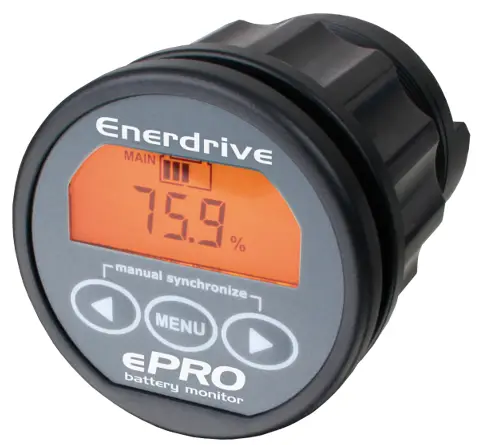
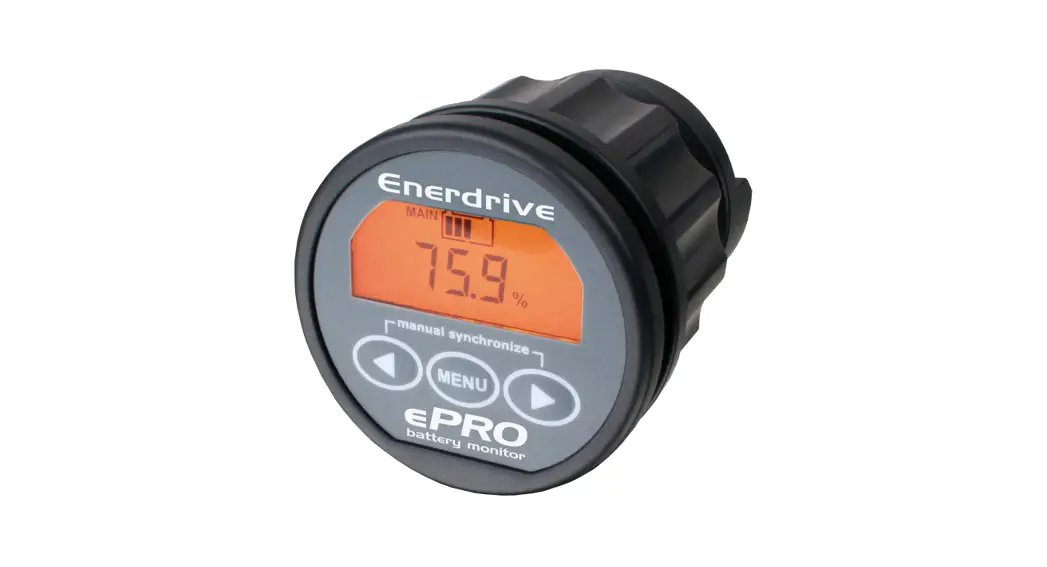
ePRO Plus Battery Monitor
INSTALLATION GUIDE
Please read this document very carefully to avoid battery monitor malfunction and/or fire hazards!
Mounting CDU + Shunt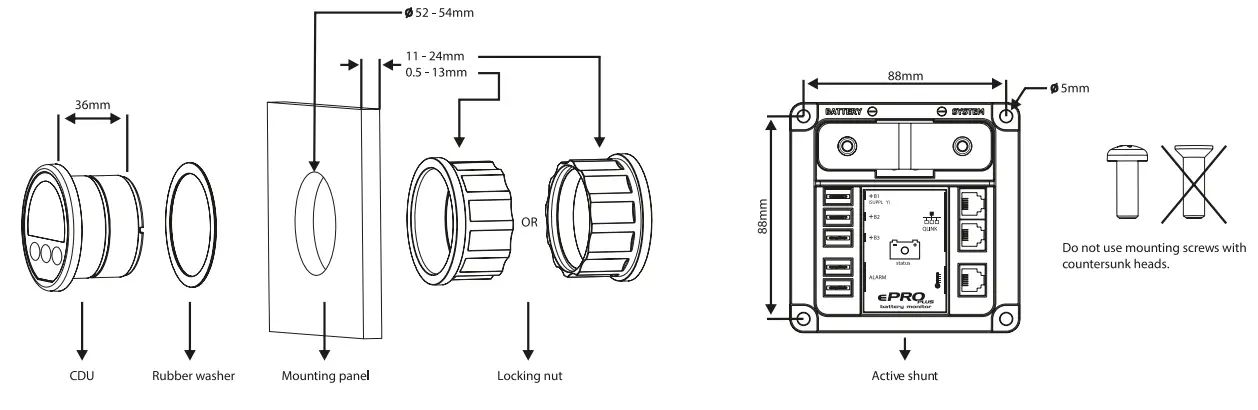
 Always disconnect the battery negative cable first before installation.
Connection diagram of single battery setup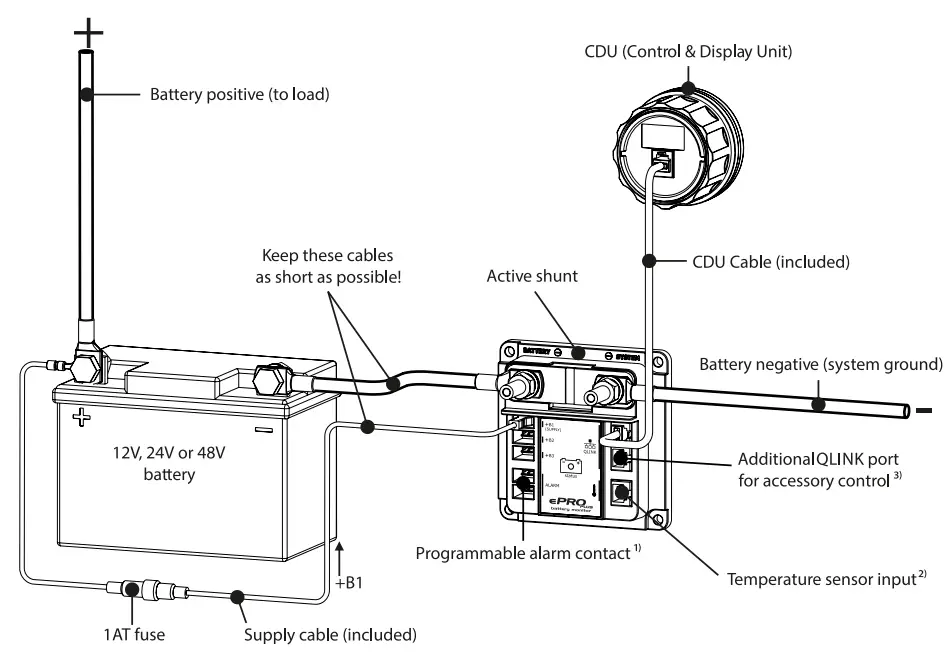
- Normally open or normally closed potential free relay contact. Contact ratings 5A@30Vdc or 1A@70Vdc
- Battery temperature sensor is optional. Sensor kits are offered in lengths of 3m and 10m
- Besides (future-) accessories, the additional QLINK port can also be used to connect to a second CDU
Connection diagram of a multi battery setup
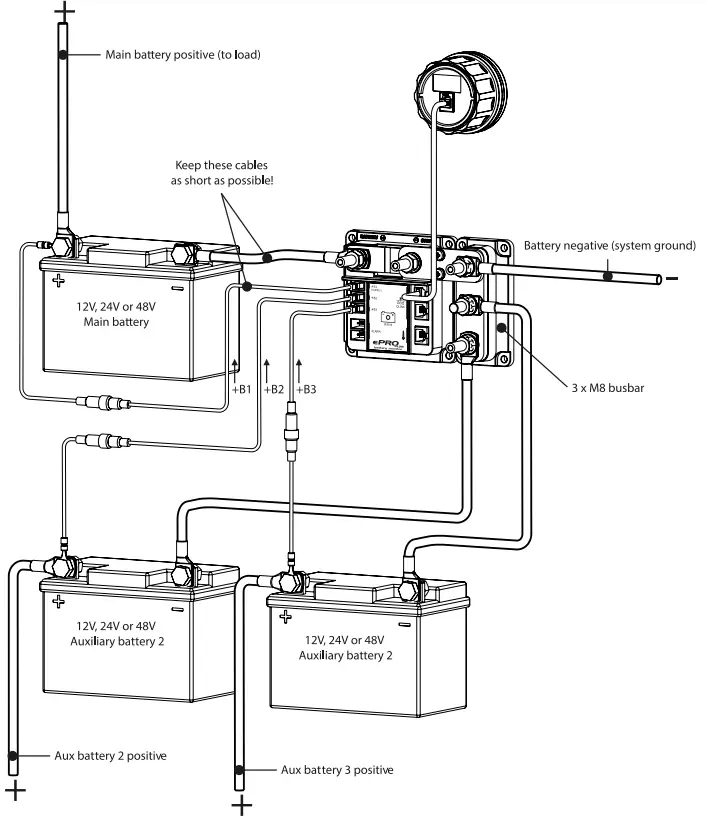 Always connect the battery negative cable last when the installation has been completed.
INSTALLATION WARNINGS
 The shunt must always be installed into the negative line. To achieve maximum IP rating (IP21), the shunt must be installed in a vertical position. Installing the shunt into the positive line may damage the battery monitor! All fuses must be located as close as possible to the battery terminals. All thick lines in the connection diagrams on the left, represent the main current lines. These lines must be wired with a wire type which can handle the full battery current! The battery negative terminal may only contain one cable, which is the one going to the shunt. If there are other cables connected to this terminal as well, this may result in wrong readings on the display. Always connect the battery negative terminal to the ‘BATTERY -’ stud of the shunt. Connecting this terminal to the ‘- SYSTEM’ stud, will result in wrong readings on the display. Make sure that the batteries you install are always in good health, preferably fully charged.
GENERAL BATTERY PRECAUTIONS
- Wear proper, non-absorbent gloves, complete eye protection, and clothing protection. Avoid touching your eyes and wiping your forehead while working near batteries.
- If battery acid contacts skin or clothing, wash immediately with soap and water. If acid enters your eye, immediately flood it with running cold water for at least 15 minutes and get medical attention immediately.
- Never smoke or allow a spark or flame near batteries.
- Use extra caution to reduce the risk of dropping a metal tool on the battery. It could spark or short circuit the battery or other electrical parts and could cause an explosion.
- Remove all personal metal items, like rings, bracelets, and watches when working with batteries. Batteries can produce a short circuit current high enough to weld metal to skin, causing a severe burn.
- If you need to remove a battery, always remove the negative terminal from the battery first. Make sure all accessories are off so you don’t cause an arc.
Placement of rubber covers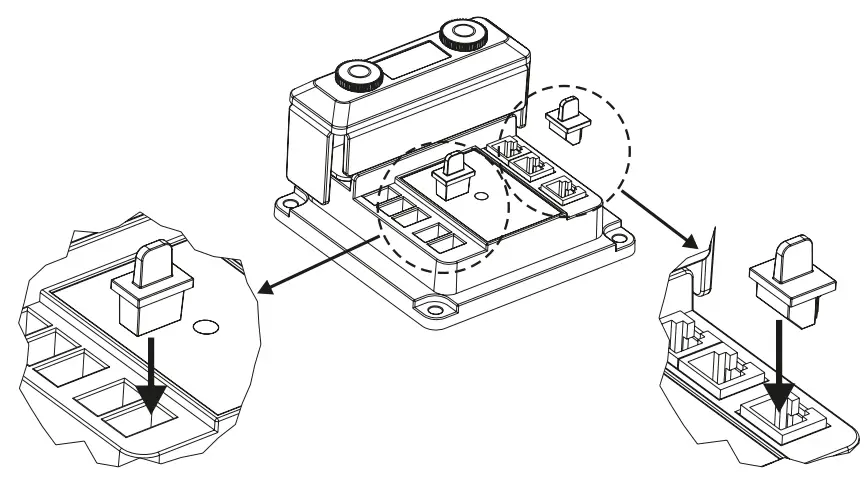 Please see the above illustration on how to cover unused ports of the active shunt module. A selection of rubber cover parts is included in the package.
Battery configurations 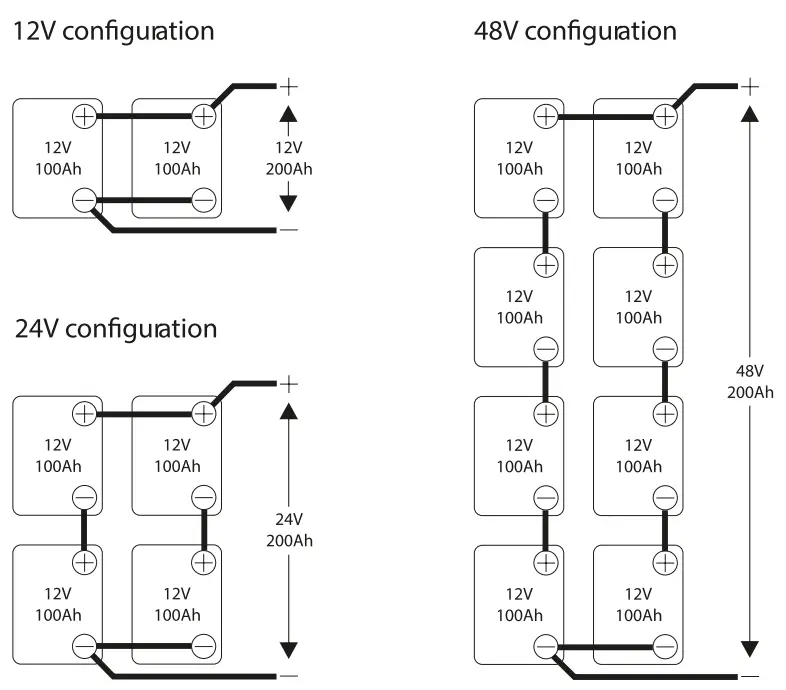
Enerdrive ePRO Plus Battery Monitor Installation Guide (Rev. 1.2)
More information https://www.caravansplus.com.au
 Caravan Accessories - CaravansPlus. Delivered Fast Australia