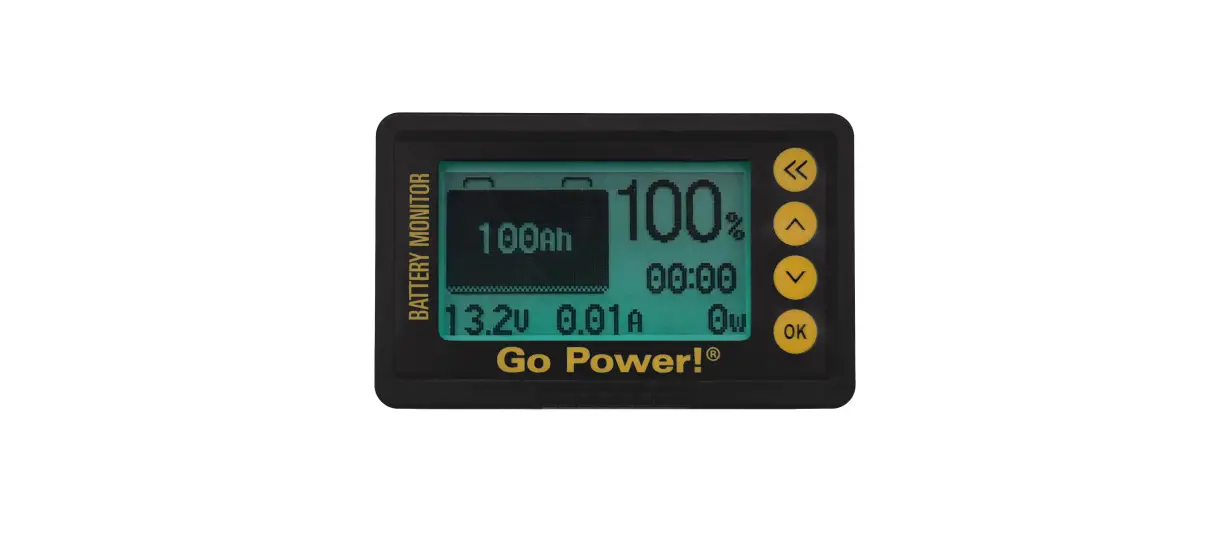
HTG-22-001 TBS E-xpert Pro Battery Monitor
Product Information
| Product Name | Battery Monitor |
| Model | E-xpert Pro |
| Manufacturer | TBS Electronics |
| Compatibility | Tesla 5.3 kWh modules |
Product Usage Instructions
- Install the E-xpert Pro Battery Monitor in a high voltage
system. - Ensure that a prescaler is used to reduce the HV voltage by a
factor of 1:5. - Install a replacement shunt rated for 600A and 50mV.
- Do not use the shunt included with the E-xpert Pro.
- Refer to the wiring diagram included with the prescaler for the
simplest wiring setup. - Connect the gauge directly to the battery.
- Set up the gauge with the key on or off.
- Note that the display readout is always on but uses very little
energy. - Adjust the backlight settings according to your
preference. - Use the “AU” setting to illuminate the backlight only with
activity. - Access the function setup menu by following the steps
below:
- Scroll to “Stat” using the arrow keys.
- Press the enter key to enter the program.
- Scroll through the options using the arrow keys.
- Press the enter key to select a function value.
- To change a value, use the arrow keys to navigate to the
desired value and press enter to save. - To skip to the next function, simply wait for the next
available function to be displayed.
Note: The first battery monitor program setting that needs to be
changed is F6.5 (voltage prescaler). This setting must be done
first to provide accurate values for other settings. Follow the
steps below to change this setting:
- Scroll to F6.5 by pressing the arrow key 38 times.
- Press enter to select and save the value.
Additional Information
Some other settings require you to know the total number of
modules in your system. It does not matter if they are split
between the front and back of the vehicle. Refer to the user manual
for detailed instructions on these settings.
Please note that the information provided in this bulletin is
subject to change and may not apply to all electric vehicles. For
the latest updates, visit evwest.com. If you have any questions or
concerns, contact [email protected] if you purchased your device
from EV West. Otherwise, contact your retailer or the manufacturer
via their website.
How To Guide
SUBJECT:
Recommended programing settings for TBS E-xpert Pro Battery Monitor used
with Tesla 5.3 kWh modules
NUMBER: HTG-22-001
DATE: December, 2022 E-xpert Pro
PRODUCT: Battery Monitor
PURPOSE Certain default settings will need changed to give accurate information of your battery system.
AFFECTED PRODUCTS E-xpert Pro Battery Monitor Similar tbs electronics models may be affected.
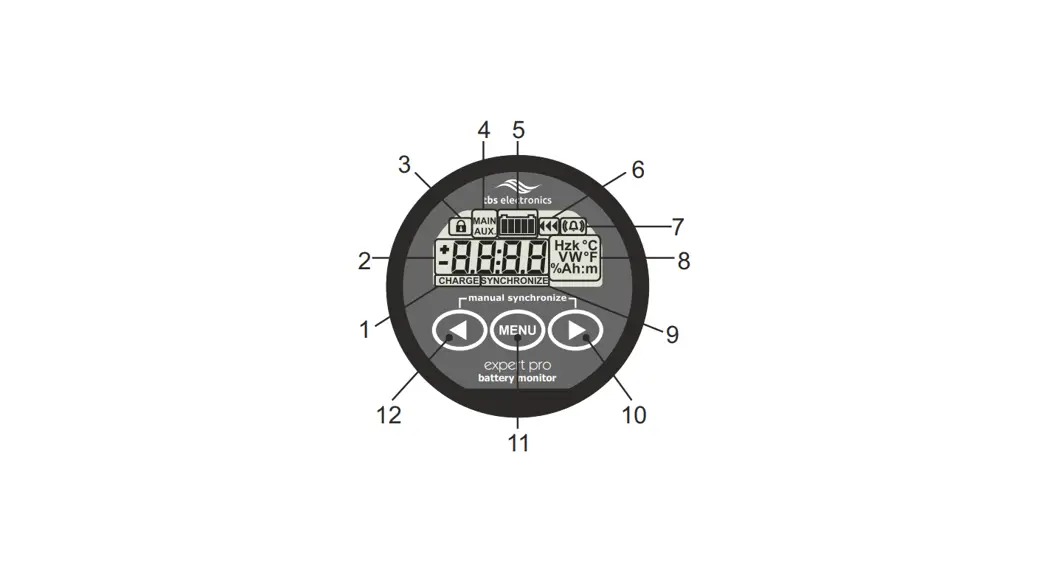
PROCEDURE The E-xpert Pro requires two additional components to work in high voltage systems. A prescaler is used to reduce the HV voltage by a factor of 1:5 that is safe for the gauge. A replacement shunt rated for 600A and 50mV will need to be installed. (the shunt included with the E-xpert Pro will NOT be used) The simplest wiring diagram to follow is included in the prescaler.
FUNCTION SETUP MENU
Since the gauge is wired directly to the battery, set up can be done with the key on or off. Also note display readout is always on but uses very little energy. The backlight can be changed, we use AU which will only illuminate with activity.
(3 SEC)
(2X)
Scroll to
(1X)
Stat
Func
F I.0
To enter program
scroll options
acts like Enter
(1X)
Want to change function value?
value displayed, use
(1X)
to change, then
to save .
Want to skip to the next function?
The next available function will be displayed.
The first battery monitor program setting needed identifies a prescaler is installed. F6.5
voltage prescaler is almost at the end of a long list. This setting MUST be done FIRST to give
STEP # 1
you the correct values for some other settings. This will give you a feel for how to make
changes as they will all be similar. Enter program then do this step first.
(1X)
Scroll to
Press the
38 times to get to F 6.5
1-5
to save.
Continued
1
Some settings you will need to know the total number of
NOTE modules in your system. It does not matter if they are split between the front and back of the vehicle.
F I.0 X3 74.2V
Number X4 98.8V
Modules
System
Uses
X5 123.6V
4.12V
Per Cell X6 148.3V
F I.I
2.2%
F I.2
15sec
F I.3
20%
F I.4 N/A +20°C
F I.5 N/A
1
F I.6
5
F 2.0 F 2.I F 2.2
20%
Use F 3.0 Value
25%
F 2.3
10sec
F 2.4 N/A 0:00
F 2.5 N/A -:–
F 2.6
OFF
F 3.0 X3
Number X4
Modules
System Uses
X5
3.25V
Per Cell X6
58.5V 78.0V 97.5V 117.0V
F 3.I
10sec
F 3.2
OFF
F 3.3 N/A 10.5V F 3.4 N/A 10sec
F 3.5
OFF
F 4.0 X3 76.5V
Number X4 102.0V
Modules
System Uses
X5 127.5V
4.25V
Per Cell X6 153.0V
F 4.I
5sec
F 4.2
[1]F 4.3 N/A 16.0V
F 4.4 N/A 5sec
HTG-22-001
F 4.5
F 5.0
5.3 kWh
F 5.I
OFF 180Ah 20h
F 5.2
20°C
F 5.3
OFF
F 5.4
1.00
F 5.5
OFF
F 5.6
100%
F 6.0
X.XX
F 6.I
600A
F 6.2
50mV
F 6.3
AU
F 6.4
NC
F 6.5
1-5
F 6.6
°C
F 6.7
0
F 6.8
0
F 6.9
OFF
The information contained in this bulletin is subject to change. The information is deemed reliable, but not guaranteed. Due to the many configurations of electric vehicles, your device may have different conditions including being the wrong device for the application. For the latest updates, visit evwest.com. If you are uncertain about this procedure and purchased your device from EV West, contact [email protected]. Otherwise, contact your retailer or the manufacturer via their website.
2