Kimberly-Clark ICON Replace Key Lock with Push Button User Manual
Instructions
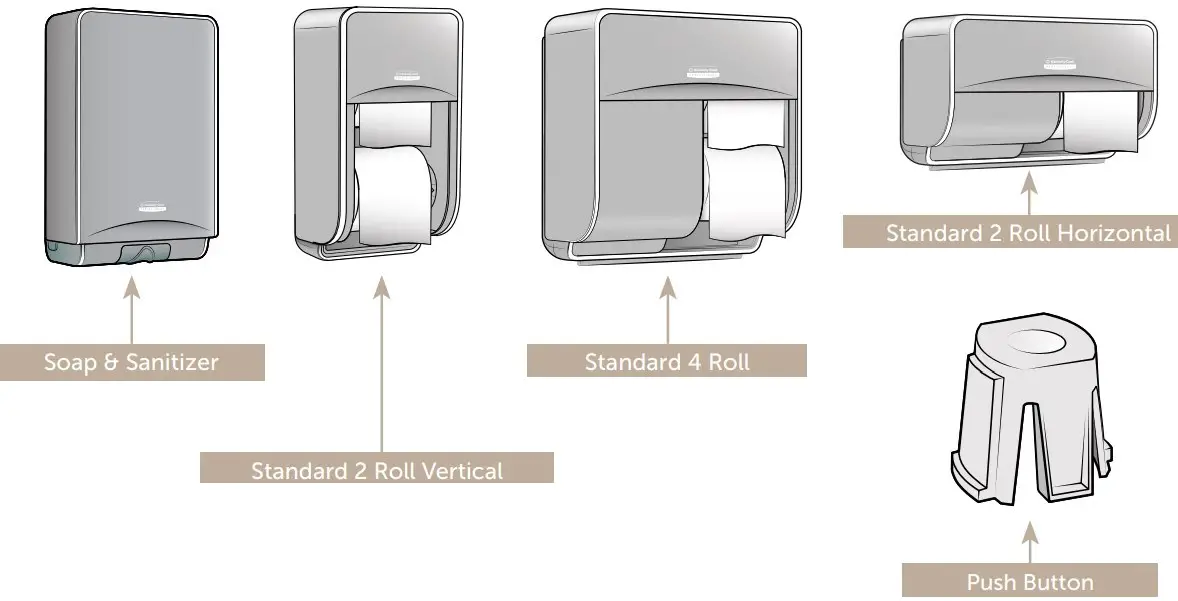
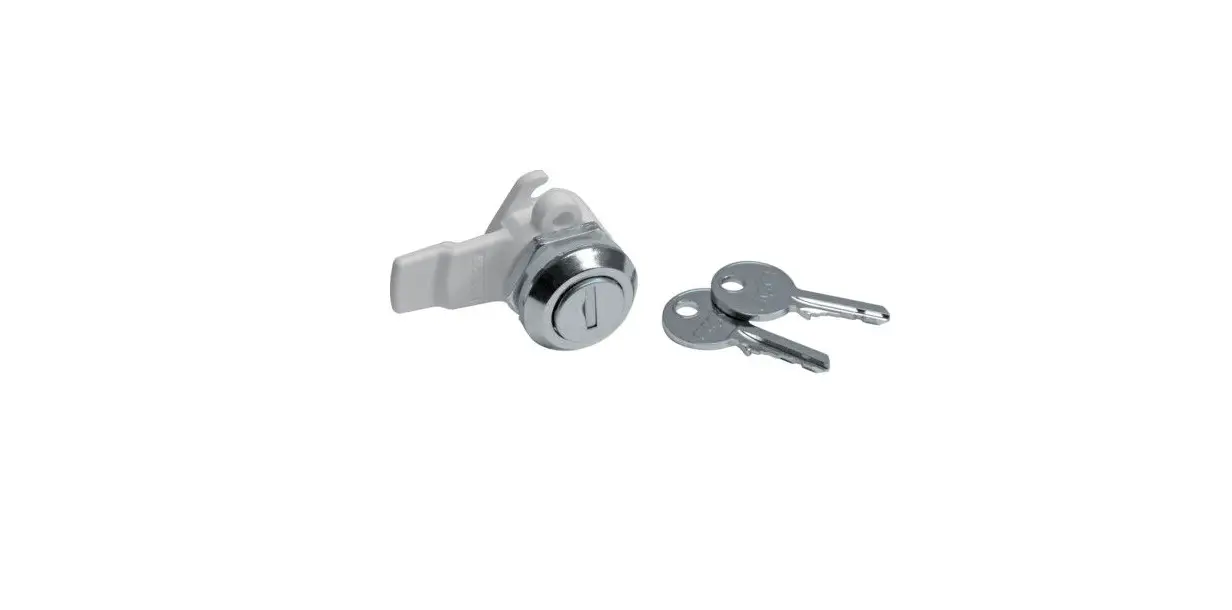
Lock & Key Removal
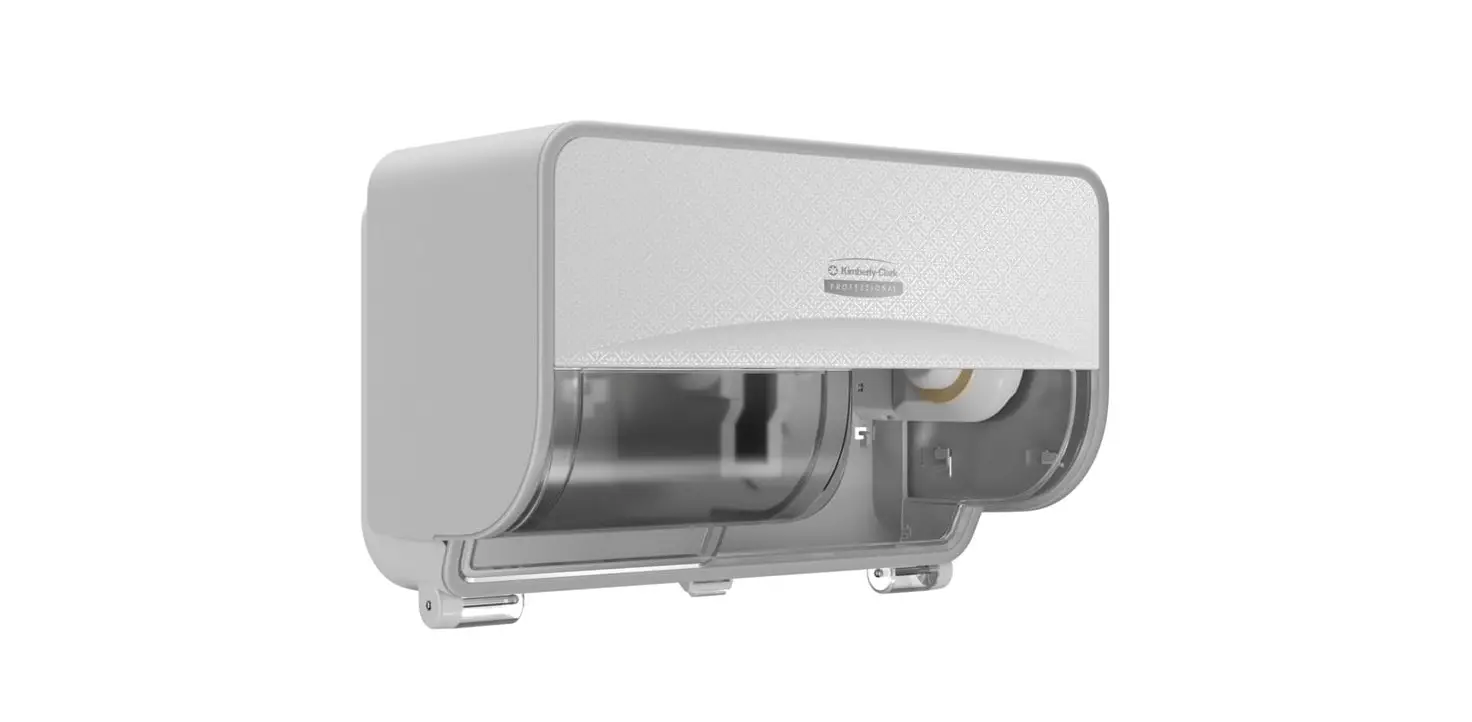
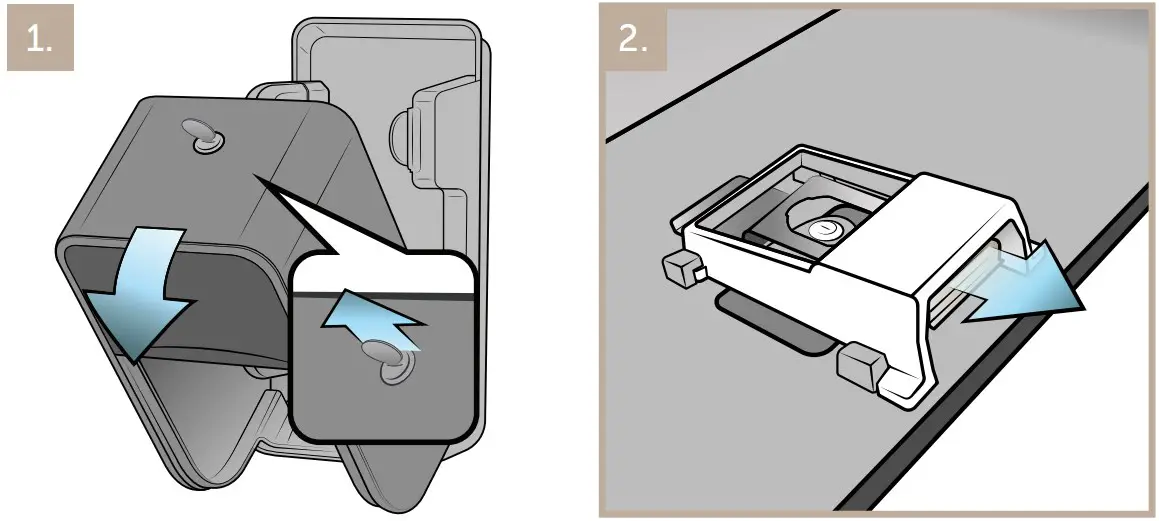
- Open the dispenser cover. Make sure to return the key to the horizontal locked position before removing the lock assembly.
- If present, remove lock cover piece.

- Support lock assembly from underneath with hand. Use a flathead screwdriver to remove retaining clip. Lock may fall into hand.
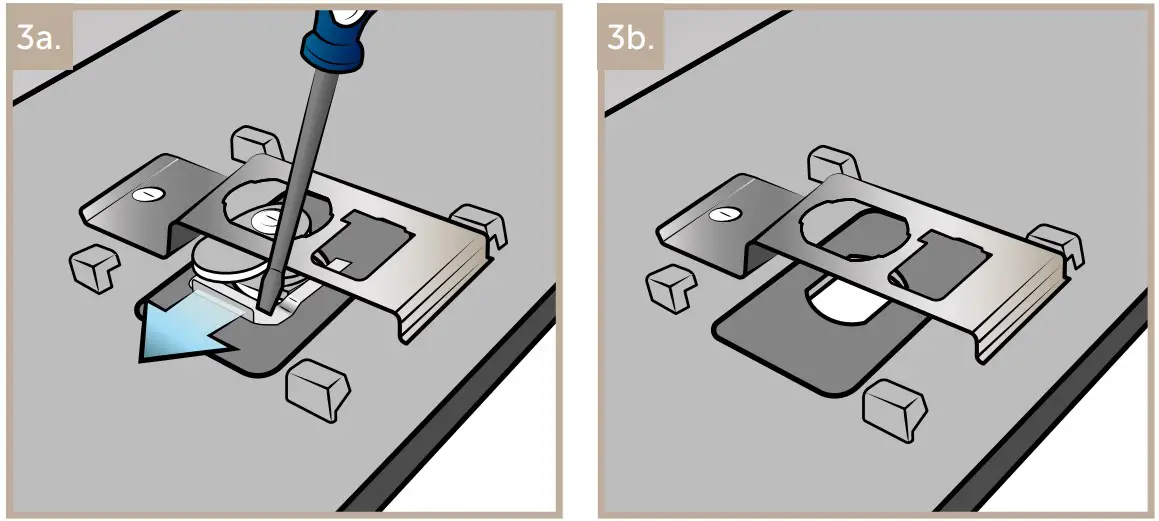
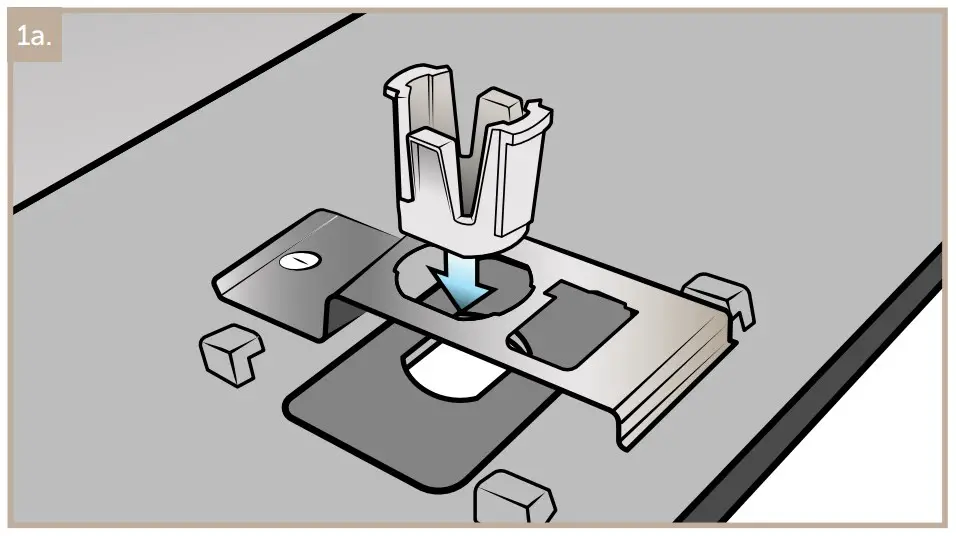
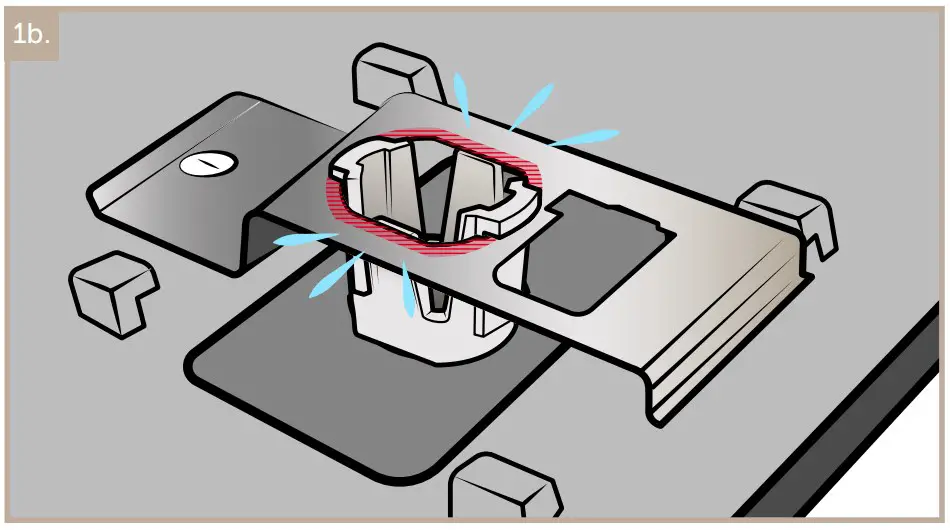
- Insert push button until lowest 2 side tabs fully engage. You should hear a click to signify correct action.
Important! 2 tabs should be underneath the leaf spring and 2 tabs should be above for button to function properly.

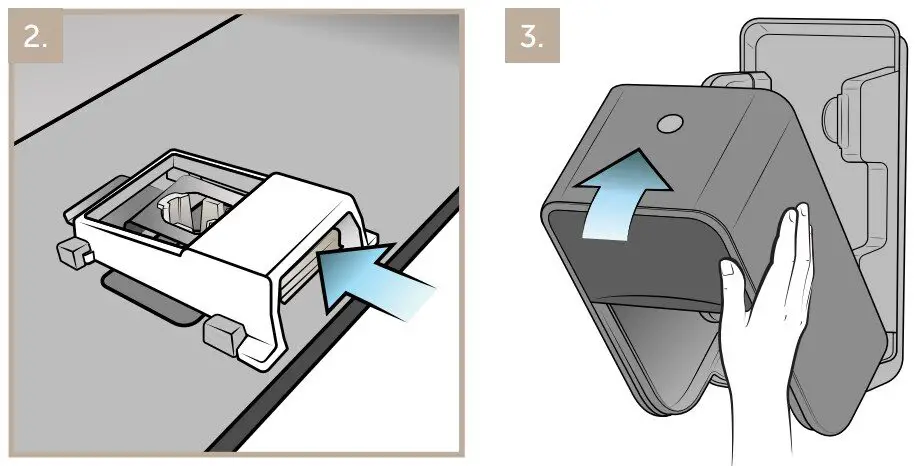
- Slide lock cover back into place if removed.
- Close dispenser cover and make sure it securely closes.

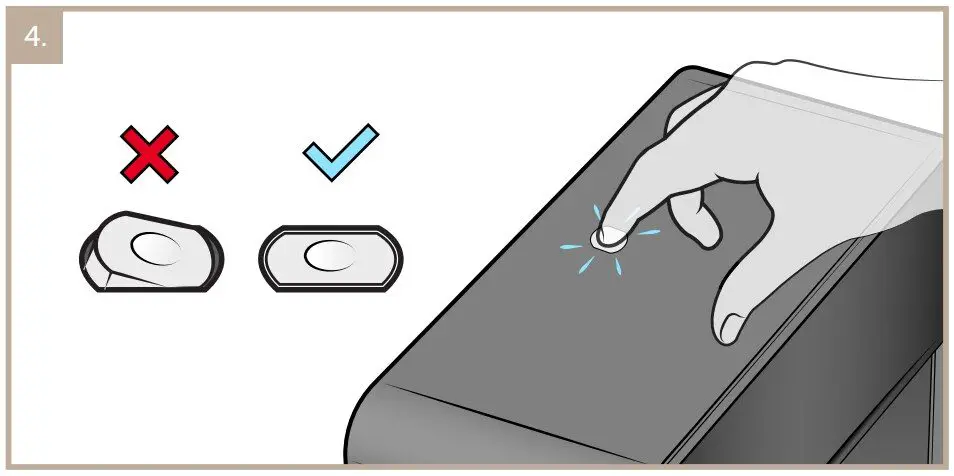
- Ensure push button is flush with the top of the dispenser. Test the button a few times to ensure proper function.