Contents hide
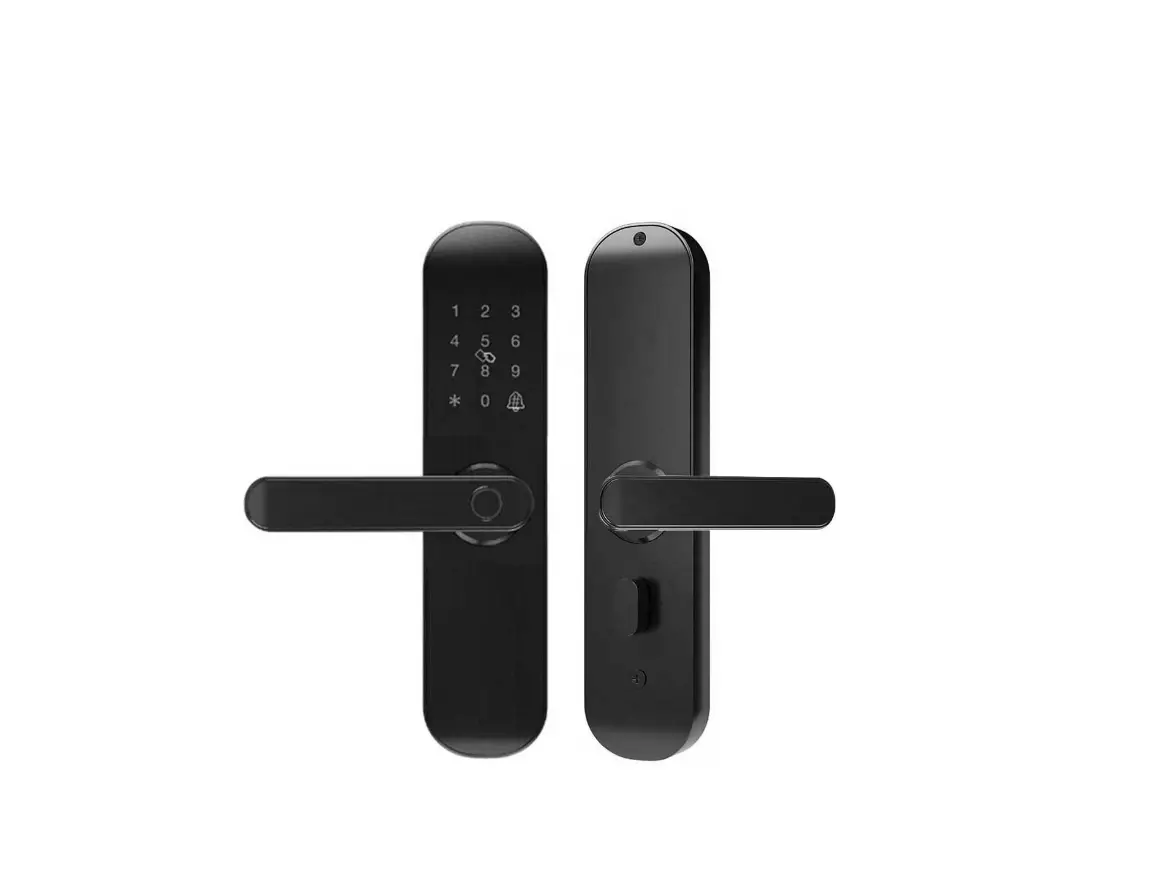
 CRONTE F005 lntelligent Lock
 Intelligent lock(five in one) operation manual
 CRONTE F005 lntelligent Lock
 Intelligent lock(five in one) operation manual
Function and Operation
Description of terms and functional keys
- Adminstrator information: refer to the Administrator’s fingerprint, password or IC card.Unlock information: refer to the input fingerprint, password ,Remote control or IC card information (including Administrator and ordinary users).
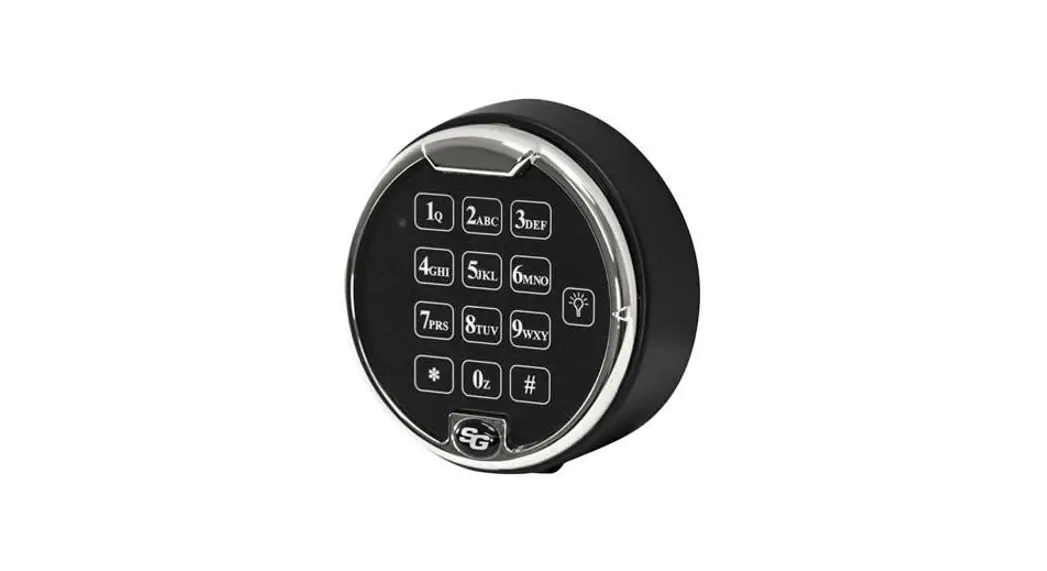
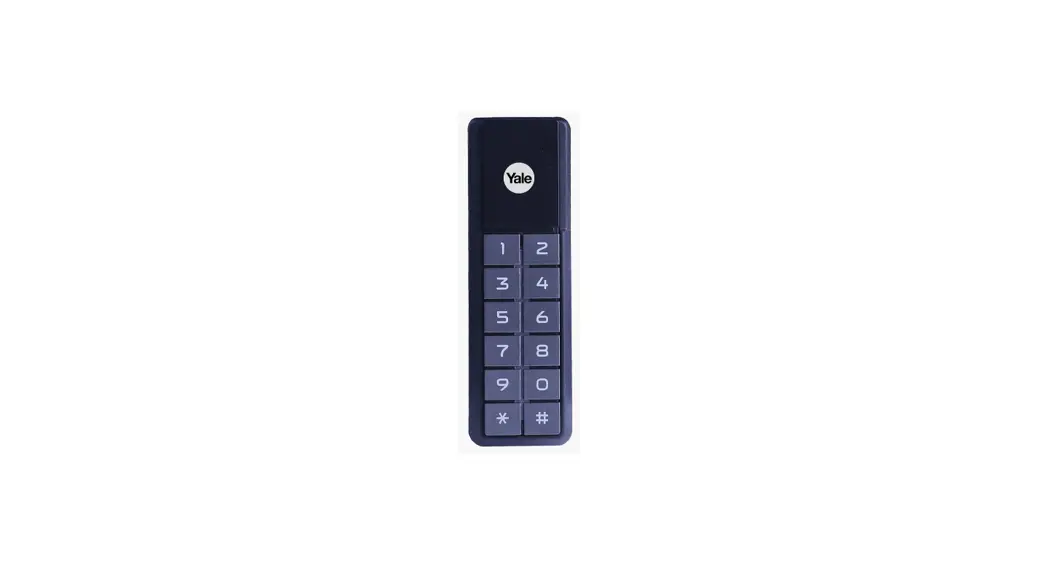
- Key”*”, clear key/back key. Enter the password or point by clearing the previous input.Press the clear key three times in succession , empty all input.
- Key”#”: confirmation key or menu function key.
Original state
- The factory administrator orinitial password is 123456, under the orinitial state any fingerprint, IC card or password can open the lock.
- Any fingerprint. IC card ,or password which are not registered can’t open the lock after inputting the administrator information.
Lock function management (step one)
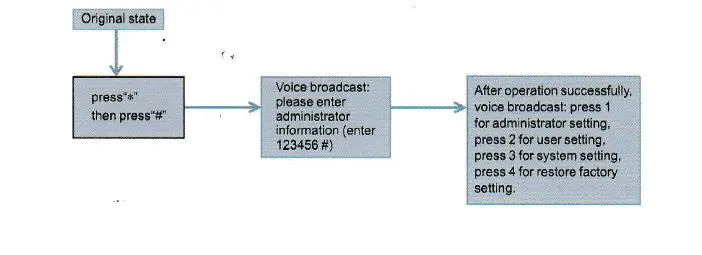
Adm inistrator settings
Add administrator (step 2)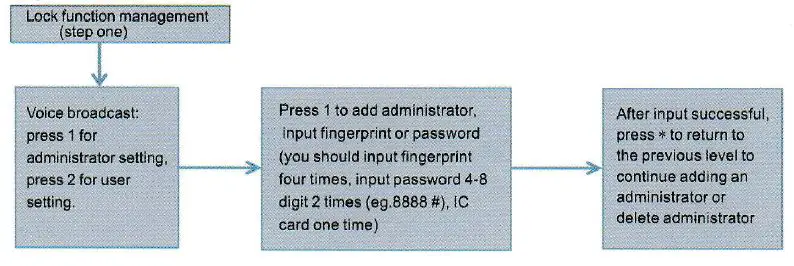
Delete administrator information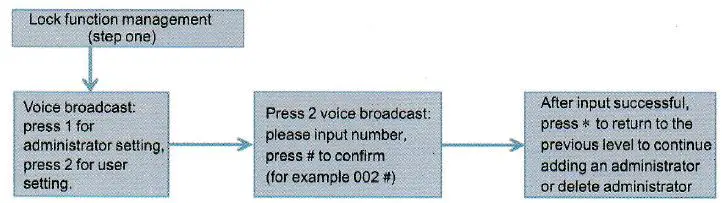
Common user setting
Add administrator information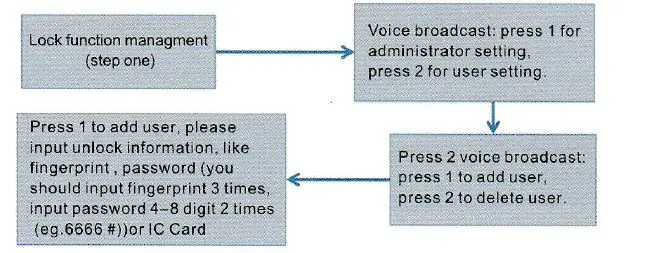
Delete user information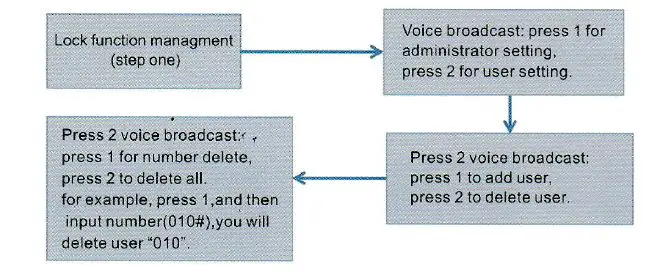
system setting
Voice setting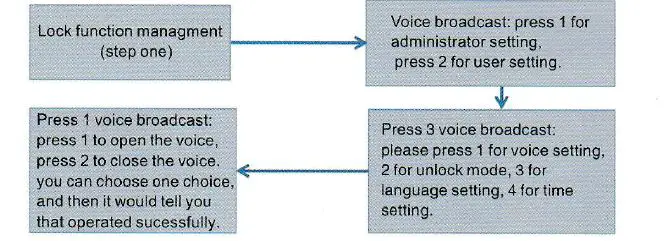
Unlock mode setting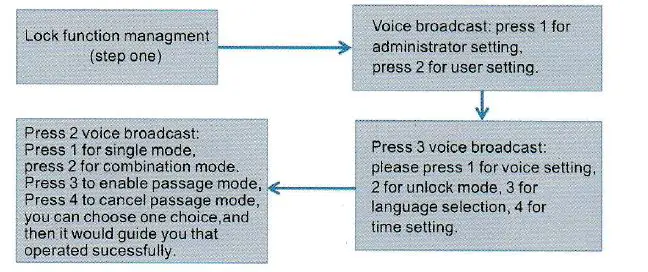
Language settings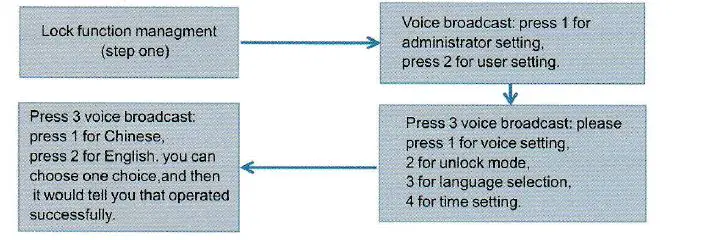
Time setting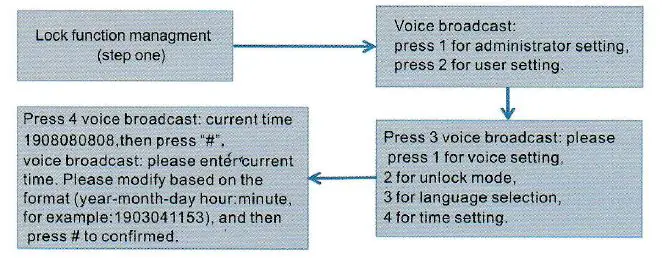
Restore factory settings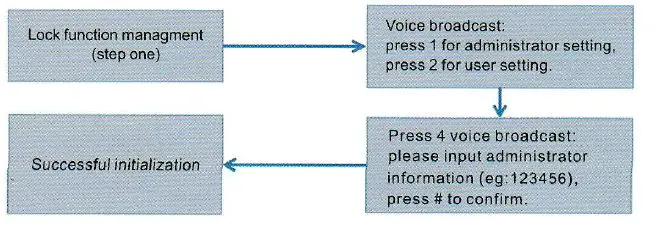
APP Configuration (Tuya Smart) – optional
- Search “Tuya Smart” in App Store or an App market, download and install it.
- Register with your cellphone number and log in.
- Click “Security &Sensor”, find “Lock(Wi-Fi)”, click and add a device following instructions before use.
- Remote unlocking: wake up the screen and press “9”+”#”. There will be a voice prompt: requestingremote unlocking.
Add one network
- Press”*”+”#”to authenticate administrator identity and then press “1” to access administrator settings. Then there will be a voice prompt of pressing “3” for network configuration.
- Voice prompt in network configuration mode: press “1” for hotspot connection and “2” for intelligent connection.
- When the network is successfully added, the 1st, 2nd, 3rd and 4th lights on the keyboard will be on in order with a voice prompt of “operation completed”.
- In the event of network addition failure, the 1st, 2nd, 3rd and 4th lights on the keyboard will not be on and there will be a voice prompt of”operation failed” upon timeout.
notice:
Please add administrator before setting.
Other notes
- Input the wrong password more than 5 times in arow, the keyboard locked for 30 seconds, it does not respond to any operations in 30 seconds.
- Password peeping prevention function: input password as follows when opening the door with password: XXX password XXX; you can add some extraneous codes before and after the password, and then press# to confirm. The password must be included in the input contents.
- If there is no operation more than 1 O seconds , system will automatically exit.
- After the voltage is lower than 4.6v, the lock will automatically alarm every time when it is opened. Alter the alarm, the lock can be opened for about 200 times.
- Remove the battery cover,pr the “Set” key for 6 seconds.the lock was restored to factory mode;
- In factory mode.input “333666999#” cna change the language quickly;
- When unlocking.Input “5#” to enter passage mode(One time effective);
- When unlocking.input “‘” to broadcast the user number;
- When Electronic dead lock was opened, Only the administrator can open the lock
Technical Parameters
| Technical Par am et ers | |||
| Items | Parameters | M emo | |
| 1 | Static current | ;e; so u A | |
| 2 | Dynamic current | ;;; 180mA | |
| 3 | Administrators number | 9 | |
| 4 | Fingerprint number | 100 | |
| 5 | Fingerprint+ password+ card capac i ty | 200 | |
| 6 | Fingerprint Sen sor | Sem iconductor | |
| 7 | Fingerprint contrast time | ;;; o.6Second | |
| 8 | Fingerprint identification Angle | 360° | |
| 9 | False Rejection Rate | ;:i; 0 ,1% | |
| 10 | False Recognition Rate | ;& 0.0001 % | |
| 11 | Reaction t ime | 0.1 Second | |
| 12 | Power type | 6V | |
| 13 | Emergency power | SVDC | |
| 14 | Working temperature | -25’C N60 “C | |
| 15 | Working Relative Humidity | 20%N90%RH | |
| 16 | Human voice | Yes | |
| 17 | Keyboard | Touch standard 12-bit keyboard | |
| 18 | Password Length | 4-8 digits | |
| 19 | Phantom password | 32 digits | |
| 20 | Low voltage alarm | 4.6 ± 0.2V | |
| 21 | Unlock time | ;a, lSecond | |