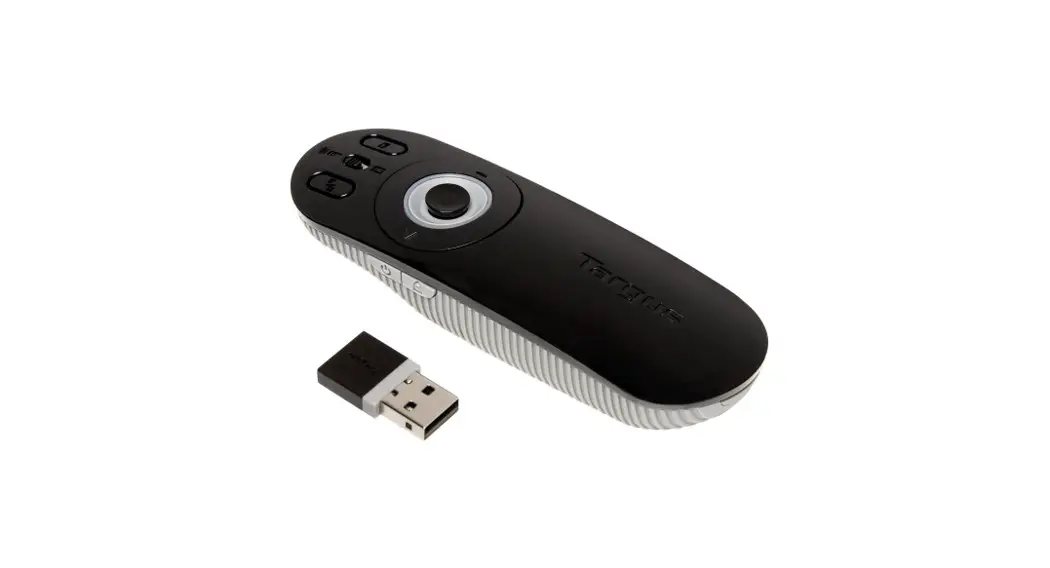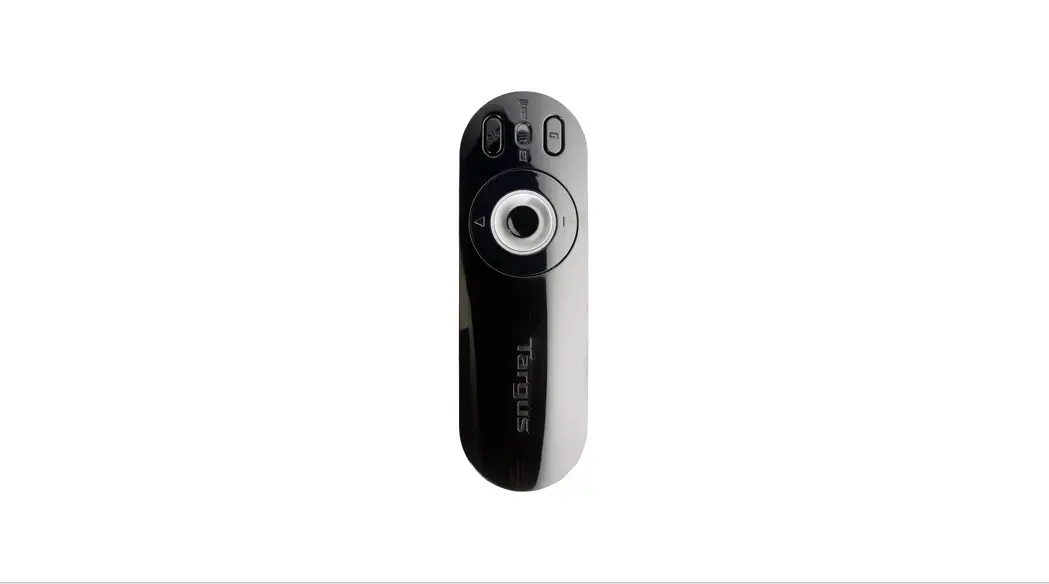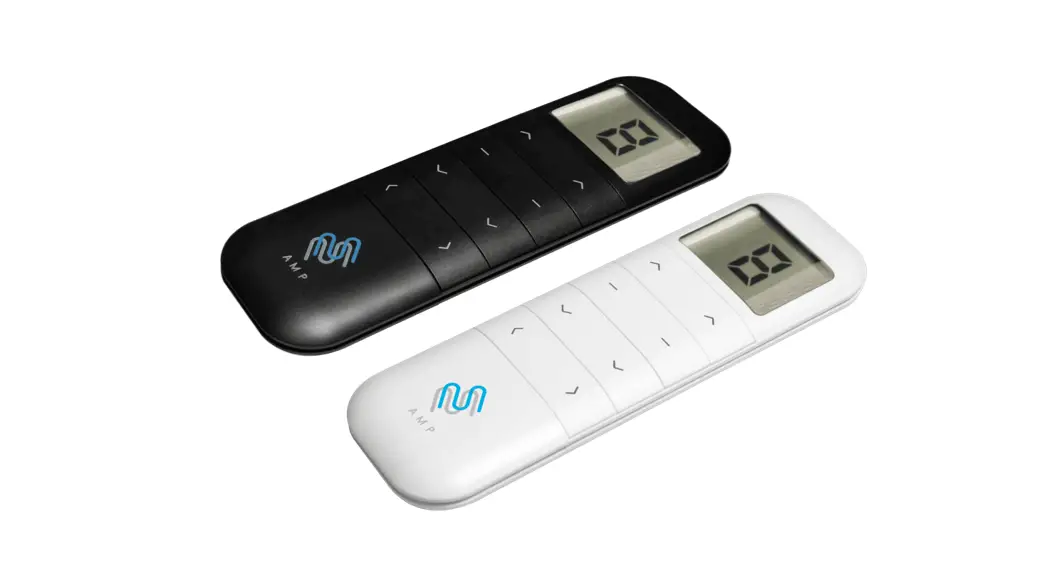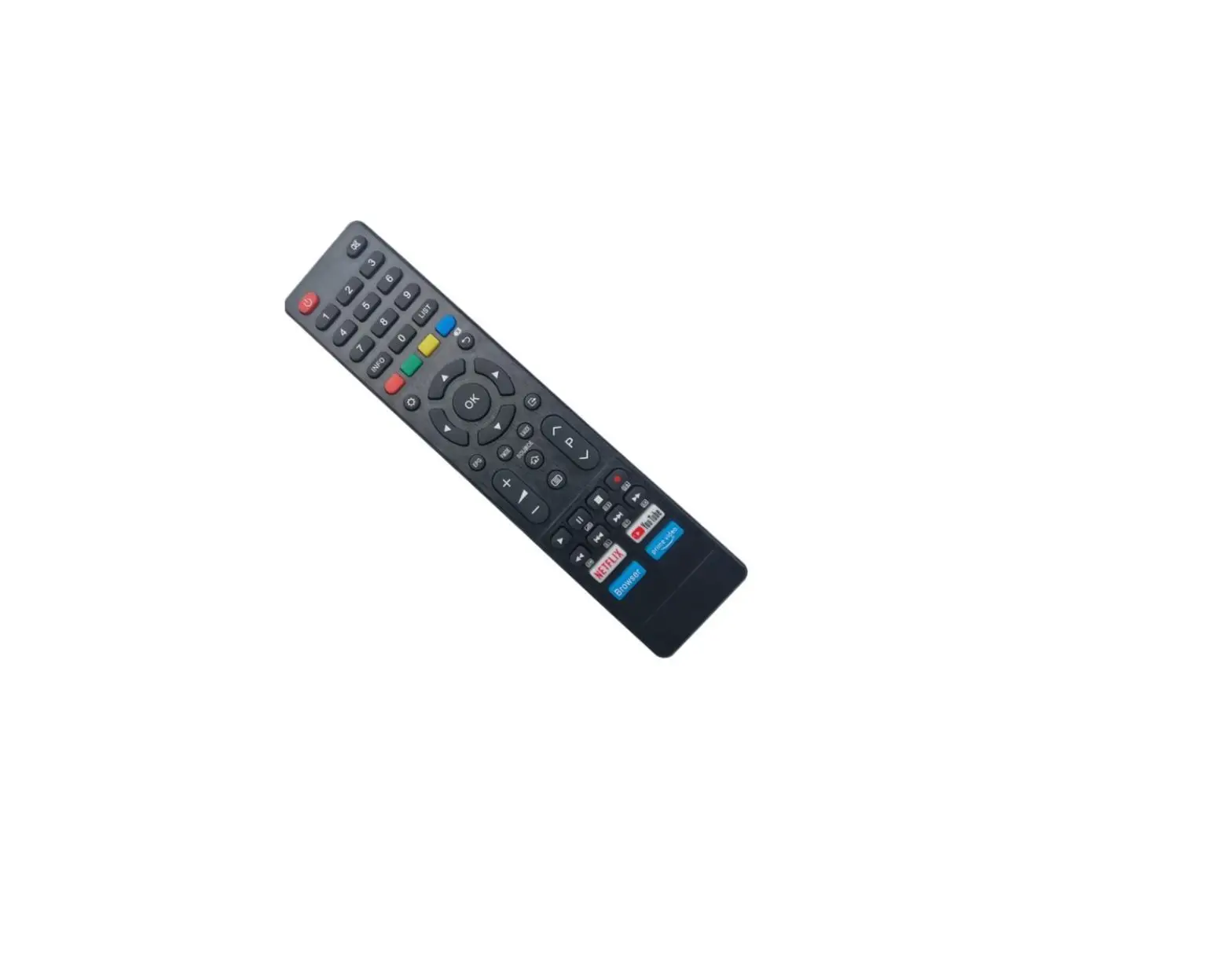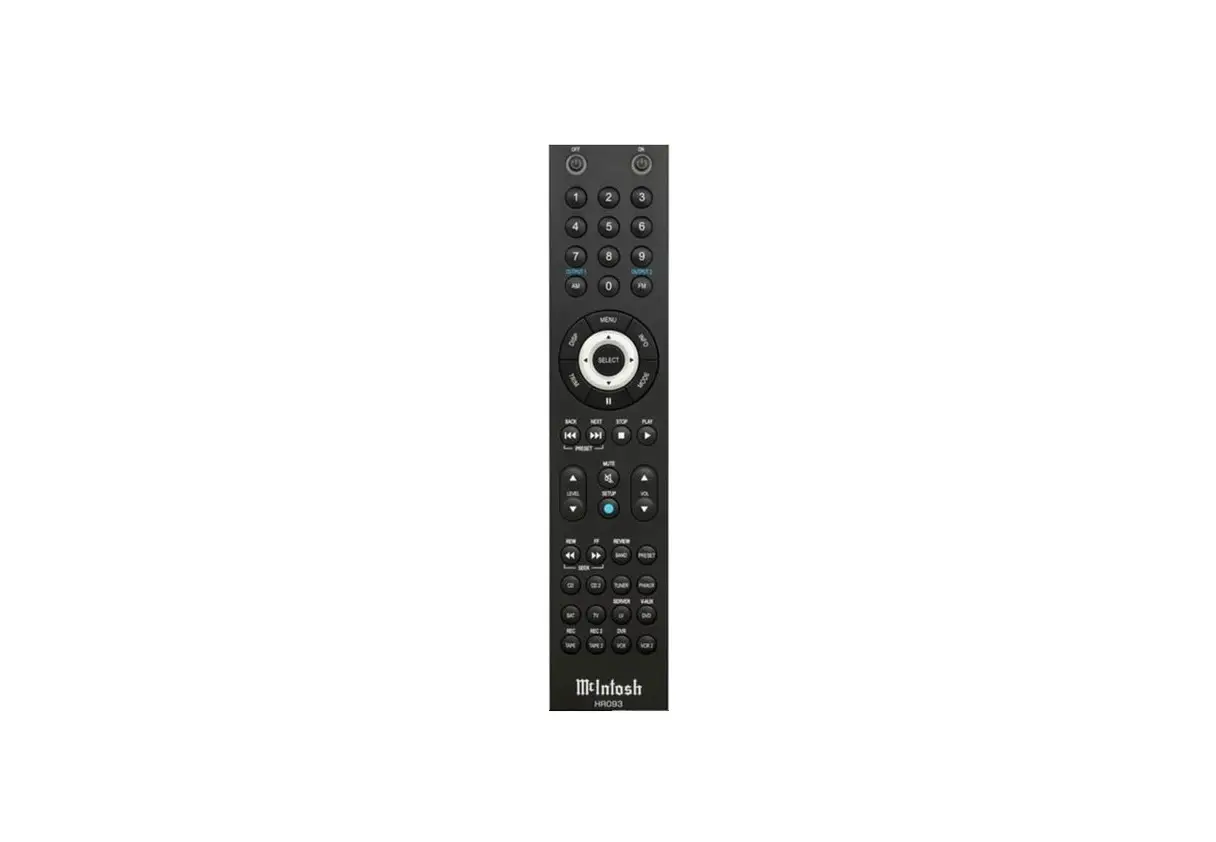
MCINTOSH HR093 Remote Control Compatible with Amplifier User Guide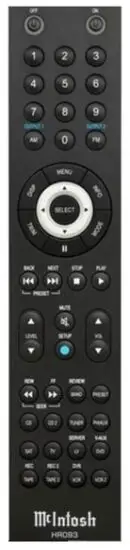
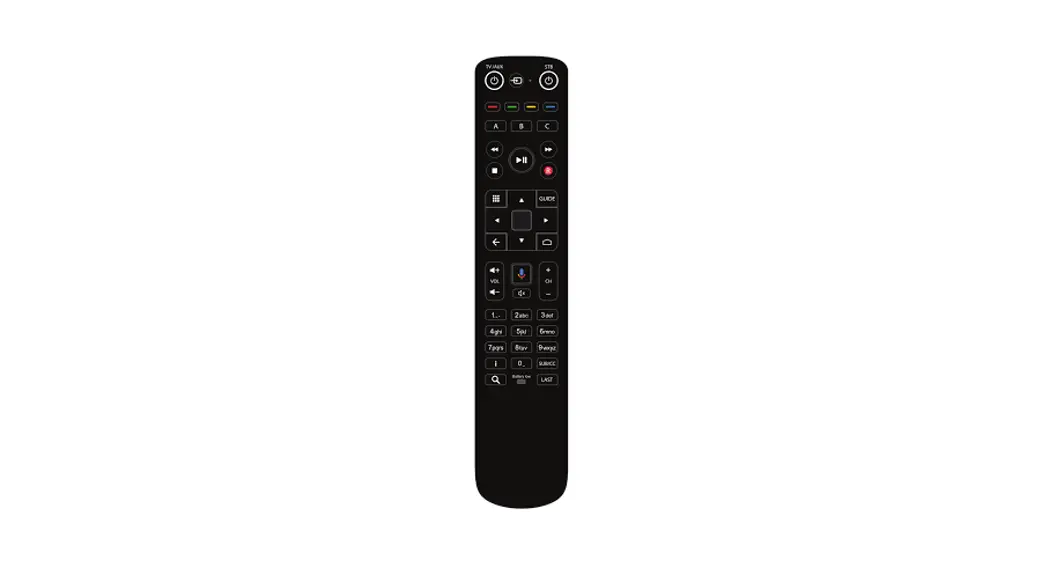
Since McIntosh equipment lasts many decades, and Remotes can be dropped, lost, or chewed by dogs, it’s inevitable that some people will require a new Remote or two over time. There have been many McIntosh Remotes over the years, and not all of them are currently available.
The HR093 has been designed to replace some older model Remotes while maintaining much of the functionality of the original Remote. Some differences are inevitable (Laser Disk anyone?). The chart to the left shows the button assignments of the HR093 compared to previous models.
Installing Batteries
The HR093 requires two CR2032 Lithium Coin/Button Cell batteries which have been supplied and will occasionally need to be replaced.
 WARNING
DO NOT INGEST BATTERY, CHEMICAL BURN HAZARD
The remote control supplied with this product contains a coin/ button cell battery. If the coin/button cell battery is swallowed, it can cause severe internal burns in just 2 hours and can lead to death. Keep new and used batteries away from children. If the battery compartment does not close securely, stop using the product and keep it away from children. If you think batteries might have been swallowed or placed inside of the body, seek immediate medical attention.
Using a small flathead screw driver, or simliar flat sturdy object, pry open the battery compartment found on the back of the HR093.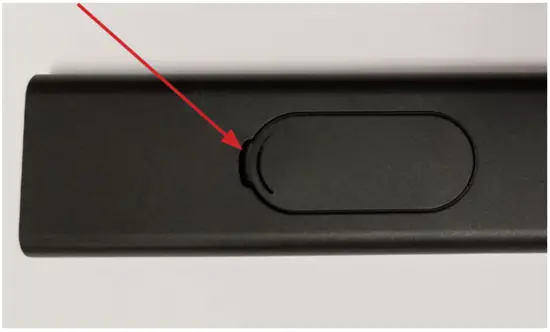
Install the CR2032 with the positive (+) side facing up in the slot sliding the battery under the small lip by the “+” symbol.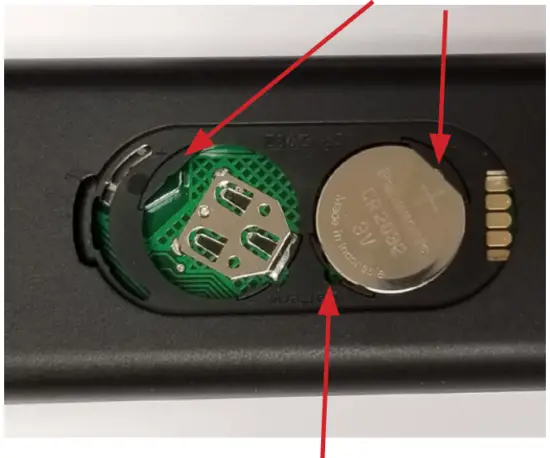
To remove battery, lift by inserting a small object in the small gap opposite the lip, and pry upwards. Dispose of the battery in accordance with the local regulations for lithium battery disposal.
Changing Pages and Alternate Control Codes
The HR093 has nine “pages” of commands. Each page will use either “normal” or “alternate” IR hex codes. The default setup for the HR093 is Page 1 which uses Normal codes. Page 2 contains the same command set, but uses alternate codes. Itmay be necessary to use alternate codes if two units share the same control codes. Switching one unit to alternate codes will allow conflict free control of both units. The HR073 Remote uses alternate codes by default so the HR093 must by switched to alternate codes to replace that Remote.
The additional pages of the HR093 will allow buttons to send different commands. There are also additional pages containing some commands that have no direct button on the HR093. Using these pages will allow you to access additional commands, and use them to teach a learning Remote or control system. These codes and pages are listed on the chart on the back page of this guide.
To change the current page of the HR093, simultaneously hold the SELECT button and the desired page number for about 8 seconds. The light around the top left button will blink a number of times corresponding to the new page number. To return to normal control codes, hold SELECT and the number 1 button as just described. The light will blink once.
To access the secondary commands written in blue above some buttons, push and release the SETUP button (Blue Circle), then choose a command (namely OUTPUT1 or OUTPUT2).
Remote controls
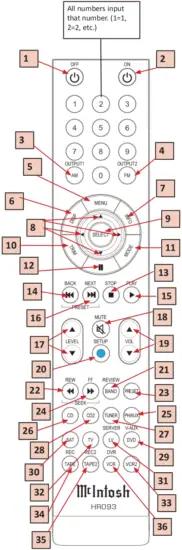
| Remote | HR093 | HR034 HRL042 HR044 HR058 HR060 HR071 | HR054 HR061 HR073 Alternate Code | HR070 HR072* HR070 Only | HR085 |
| Model | CR12 C15 CR16 C38 C41 C45 C46 C220 C2200 C712 MA2275 MA6300 MA6400 MA6450 MA6500 MA6800 MA6850 MA6900 MHT100 MHT200 MX118 MX132 MX134 MA6600 MA7000 | C1000 C2300 C500 | C48 C50 MA5200 MA6700 MAC6700 MA7900 | *HR093 is not intended as a replacement for the HR072 or HR085. Just some more info. | |
| 1 | Off | Off | Off | Off | Off |
| 2 | On | On | On | On | On |
| 3 | AM Output1 | AM | AM | AM | AM Output1 |
| 4 | FM Output2 | FM | FM | FM | FM Output2 |
| 5 | Menu | Menu | Menu | Menu | Menu |
| 6 | Display | Display | Display | Display | Display |
| 7 | Info | Info | Info | Info | |
| 8 | LeftUpDownRight | LeftUpDownRight | LeftUpDownRight | LeftUpDownRight | LeftUpDownRight |
| 9 | Select | Select | Select | Select | Select |
| 10 | Trim | Trim | Trim | Trim | Trim |
| 11 | Mode | Mode | Mode | Mode | Mode |
| 12 | Pause | Pause | Pause | Pause | |
| 13 | Stop | Stop | Stop | Stop | Stop |
| 14 | Back | Back | Back | Back | Back |
| 15 | Play | Play | Play | Play | Play |
| 16 | Next | Next | Next | Next | Next |
| 17 | Level up/down | Level up/down | Level up/down | Level up/down | Level up/down |
| 18 | Mute | Mute | Mute | Mute | Mute |
| 19 | Volume +/- | Volume +/- | Volume +/- | Volume +/- | Volume +/- |
| 20 | Setup | 2nd | 2nd | 2nd | Setup |
| 21 | Band (Review) | Band | Band (+10) | Band | Band |
| 22 | Rewind | Channel Dn | Chnl Dn (Rew) | Channel Dn | Rewind |
| 23 | Preset | Menu | Preset | Preset | Preset |
| 24 | Fast Forward | Channel Up | Chnl Up (FF) | Channel Up | FF |
| 25 | PH/Aux | Phono/Aux | Aux | Aux | |
| 26 | CD | CD | CD | CD | |
| 27 | Tuner | Tuner | Tuner | Tuner | |
| 28 | CD2 | CD2 | CDR | CD2 | |
| 29 | DVD (VAUX) | DVD | DVD | DVD | |
| 30 | SAT | SAT | Input Down | SAT | |
| 31 | LV (Server) | LV | Server | Server | |
| 32 | TV | TV | Input Up | TV | |
| 33 | VCR2 | VCR2 | MC | ||
| 34 | Tape (REC) | Tape | VCR (DVR) | REC | |
| 35 | Tape2 (REC2) | Tape2 | MM | ||
| 36 | VCR (DVR) | VCR | D/A | DVR |
HR093 Pages
This chart shows additional available pages.
To utilize a function on a page:
- Make sure the HR093 is set for that page.
- Find the command under that page’s column.
- Push the HR093 button listed under “Button Label” to the right.
Names are color coded for multiple options
| HR093 Button Name: Push for other page commands listed to the right | Normal Hex Code | Alt Hex Code | HR072: Normal Codes use page 3/ Alt use page 4 | Misc Functions: Normal Codes use page 5 | HR061/073: Alt Codes use page 6 | C1100/D100 Discrete Inputs Normal page7/ Alt page 8 | HR034/042/044: Normal Codes use page 9 | |
| Code # | Button Label | NEC Hex Code | HR072 Remote Function Name | Legacy Remote Function Name | HR061/073 Remote Function Name | C1100/D1100 Function Name | HR034 Function Name | |
| 1 | – | 00H | 80H | – | – | – | – | – |
| 2 | > PLAY | 01H | 81H | > PLAY | – | > PLAY | > PLAY | > PLAY |
| 3 | >>| NEXT | 02H | 82H | >>| NEXT | – | >>| NEXT | >>| NEXT | >>| NEXT |
| 4 | |<< BACK | 03H | 83H | |<< BACK | – | |<< BACK | |<< BACK | |<< BACK |
| 5 | *STOP | 04H | 84H | *STOP | – | *STOP | *STOP | *STOP |
| 6 | > PLAY / 1 | 05H | 85H | – | ACC ON | – | MM PH | – |
| 7 | *STOP / 2 | 06H | 86H | – | ACC OFF | – | MC PH | – |
| 8 | || (Pause) | 07H | 87H | || (Pause) | – | || (Pause) | || (Pause) | E |
| 9 | CD2 / 3 / SAT | 08H | 88H | – | – | CDR | MCT | SAT |
| 10 | LV / 4 / TV | 09H | 89H | – | – | SERVER | OPT1 | TV |
| 11 | LV / Tape 2 / 5 | 0AH | 8AH | SERVER | – | MM | 5 | LV |
| 12 | VCR / SAT / 6 | 0BH | 8BH | D/A | – | INP DN | OPT3 | VCR1 |
| 13 | TV / 7 / VCR2 | 0CH | 8CH | – | – | INP UP | COAX1 | VCR2 |
| 14 | DVD / VCR2 / 8 | 0DH | 8DH | DVD | – | MC | COAX2 | V-AUX |
| 15 | TRIM | 0EH | 8EH | TRIM | – | TRIM | TRIM | TRIM |
| 16 | PRESET | 0FH | 8FH | PRESET | – | PRESET | PRESET | PRESET |
| 17 | CD / 9 | 10H | 90H | CD | – | CD | COAX3 | CD1 |
| 18 | CD2 / DVD / 0 | 11H | 91H | CD2 | – | DVD | AES/EBU | CD2 |
| 19 | TUNER / CD | 12H | 92H | TUNER | – | TUNER | BAL1 | TUNER |
| 20 | TAPE / VCR / CD2 | 13H | 93H | – | – | D/A | BAL2 | TAPE 1 |
| 21 | TAPE2/TAPE/TUNER | 14H | 94H | MM | – | REC MON | BAL3 | TAPE 2 |
| 22 | VCR / PH/AUX | 15H | 95H | – | Old TAPE3 | – | BAL4 | – |
| 23 | SAT / VCR2 | 16H | 96H | MC | Old VIDEO | – | BAL5 | – |
| 24 | PH/AUX / TV | 17H | 97H | AUX | – | AUX | USB | PH/AUX |
| 25 | LEFT | 18H | 98H | LEFT | – | LEFT | LEFT | LEFT |
| 26 | UP | 19H | 99H | UP | – | UP | UP | UP |
| 27 | RIGHT | 1AH | 9AH | RIGHT | – | RIGHT | RIGHT | RIGHT |
| 28 | DOWN | 1BH | 9BH | DOWN | – | DOWN | DOWN | DOWN |
| 29 | SELECT | 1CH | 9CH | SELECT | – | SELECT | SELECT | SELECT |
| 30 | INFO / LV | 1DH | 9DH | INFO | – | INFO | BAL6 | INFO |
| 31 | DISP | 1EH | 9EH | DISP | – | DISP | DISP | DISP |
| 32 | MENU | 1FH | 9FH | MENU | – | MENU | MENU | MENU |
| 33 | Power ON | 40H | C0H | – | POWER (Cycle) | – | – | POWER (Cycle) |
| 34 | Power OFF / DVD | 41H | C1H | – | SYSTEM OFF | – | UNBAL1 | SYSTEM OFF |
| 35 | VOL UP | 42H | C2H | VOL UP | – | VOL UP | VOL UP | VOL UP |
| 36 | VOL DOWN | 43H | C3H | VOL DOWN | – | VOL DOWN | VOL DOWN | VOL DOWN |
| 37 | LEVEL UP | 44H | C4H | LEVEL UP | – | LEVEL UP | LEVEL UP | SURR UP |
| 38 | LEVEL DOWN | 45H | C5H | LEVEL DOWN | – | LEVEL DOWN | LEVEL DOWN | SURR DOWN |
| 39 | MUTE | 46H | C6H | MUTE | – | MUTE | MUTE | MUTE |
| 40 | MODE | 47H | C7H | MODE | – | MODE | EXIT | SP |
| 41 | BLUE BTN (SETUP) | 48H | C8H | BLUE BTN | – | BLUE BTN (SETUP) | BLUE BTN (SETUP) | BLUE BTN (SETUP) |
| 42 | TAPE | 49H | C9H | REC MON | TAPE MON | – | UNBAL2 | – |
| 43 | TAPE2 | 4AH | CAH | – | TAPE MON2 | – | – | – |
| 44 | Power ON | 4BH | CBH | POWER ON | – | POWER ON | POWER ON | – |
| 45 | AM / TAPE2 | 4CH | CCH | – | SPEAKER 1 | – | UNBAL3 | – |
| 46 | FM / VCR | 4DH | CDH | – | SPEAKER2 | – | UNBAL4 | – |
| 47 | LEVEL UP | 4EH | CEH | – | INPUT UP | – | – | – |
| 48 | LEVEL DOWN | 4FH | CFH | – | INPUT DOWN | – | – | – |
| 49 | 1 | 50H | D0H | 1 | – | 1 | – | 1 |
| 50 | 2 | 51H | D1H | 2 | – | 2 | – | 2 |
| 51 | 3 | 52H | D2H | 3 | – | 3 | – | 3 |
| 52 | 4 | 53H | D3H | 4 | – | 4 | – | 4 |
| 53 | 5 | 54H | D4H | 5 | – | 5 | – | 5 |
| 54 | 6 | 55H | D5H | 6 | – | 6 | – | 6 |
| 55 | 7 | 56H | D6H | 7 | – | 7 | – | 7 |
| 56 | 8 | 57H | D7H | 8 | – | 8 | – | 8 |
| 57 | 9 | 58H | D8H | 9 | – | 9 | – | 9 |
| 58 | 0 | 59H | D9H | 0 | – | 0 | – | 0 |
| 59 | << (REW) | 5AH | DAH | << (REW) | – | << (REW) | << (REW) | SEEK DOWN |
| 60 | >> (FF) | 5BH | DBH | >> (FF) | – | >> (FF) | >> (FF) | SEEK UP |
| 61 | BAND (REVIEW) | 5CH | DCH | BAND (REVIEW) | – | BAND (REVIEW) | BAND (REVIEW) | REVIEW |
| 62 | AM (OUTPUT1) | 5DH | DDH | AM (OUTPUT1) | – | AM (OUTPUT1) | AM (OUTPUT1) | AM |
| 63 | FM (OUTPUT2) | 5EH | DEH | FM (OUTPUT2) | – | FM (OUTPUT2) | FM (OUTPUT2) | FM |
| 64 | Power OFF | 5FH | DFH | POWER OFF | – | POWER OFF | POWER OFF | – |
Questions?
If you need further technical assistance, please contact your dealer who may be more familiar with your particular setup including other brands. You can also contact McIntosh with additional questions or in the unlikely event of needing service.
McIntosh Laboratory, Inc.
2 Chambers Street
Binghamton, New York 13903
(607) 723-3512
The continuous improvement of its products is the policy of McIntosh Laboratory Incorporated who reserve the right to improve design without notice.
- McIntosh Laboratory, Inc.
- 2 Chambers Street Binghamton, New York 13903
- www.mcintoshlabs.com

 McIntosh: Home Audio Systems for Music & Home Theater