
FAQs How To Access GSP Using Microsoft Edge
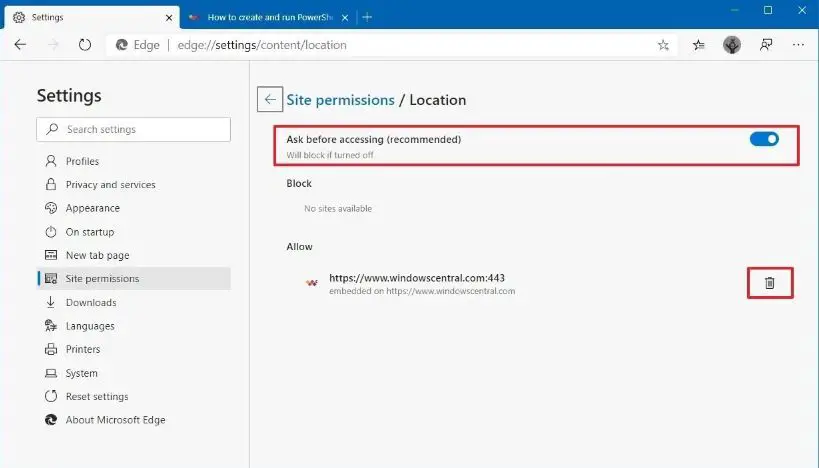
How To Access GSP using Microsoft Edge
NOTE: If your computer does NOT have Silverlight currently installed. Click here to download
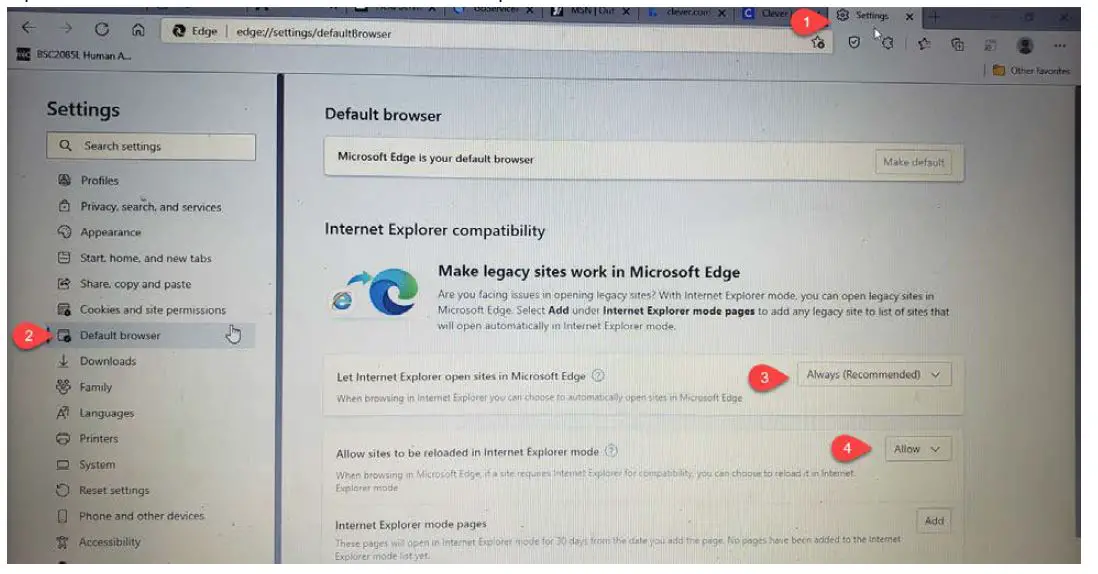
- From Microsoft Edge – Open Settings
- Click Default browser
- Update Let Internet Explorer open sites in Microsoft Edge to Always (Recommended)
- Update Allow sites to be reloaded in Internet Explorer mode to Allow

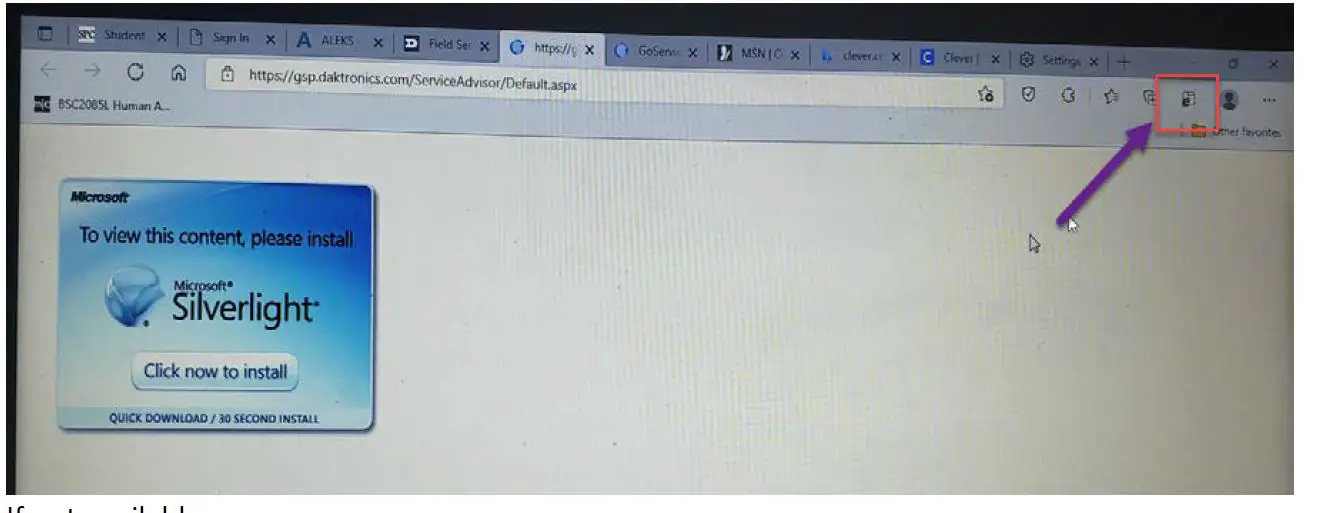
- Click on Log In to GoServicePro from the Field Service Portal – will prompt you to install Silverlight – Do not click link.
- Click on envelop with “e” if available

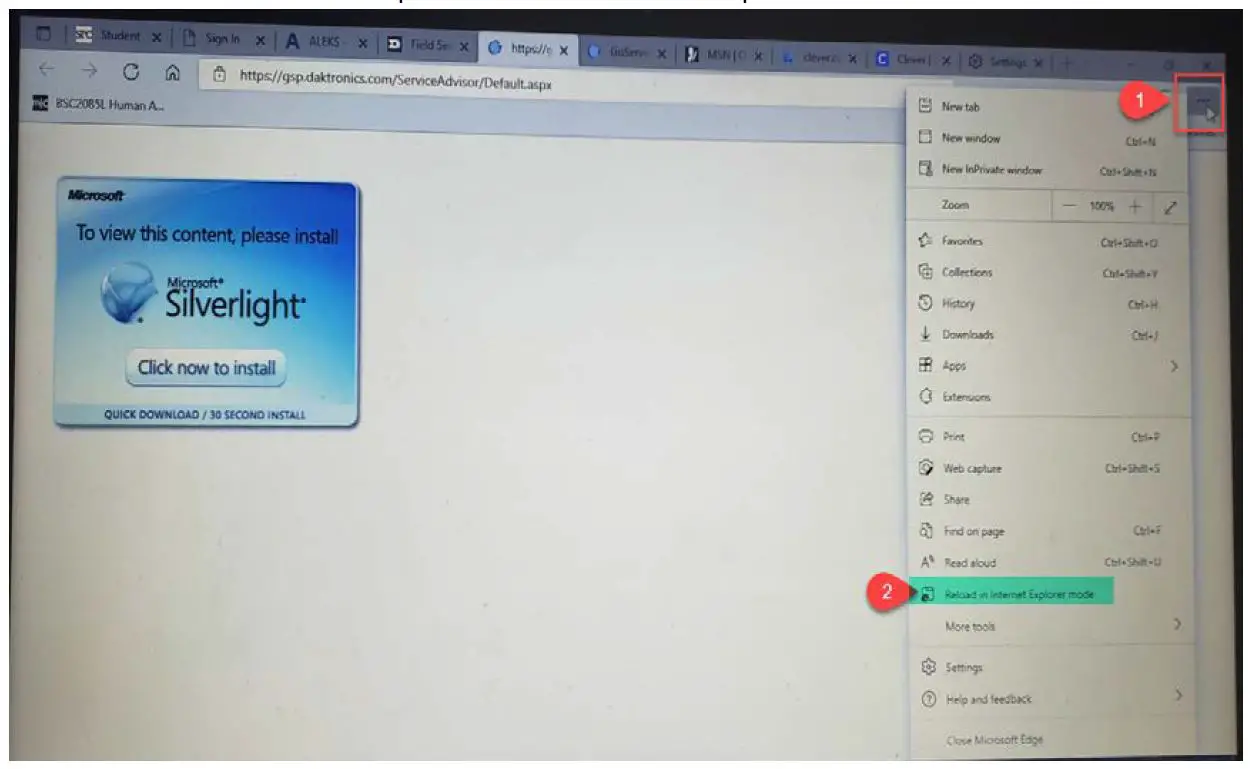
- If not available
- Click on the 3 dots on the far right
- Click on Reload in Internet Explorer Mode from the drop down

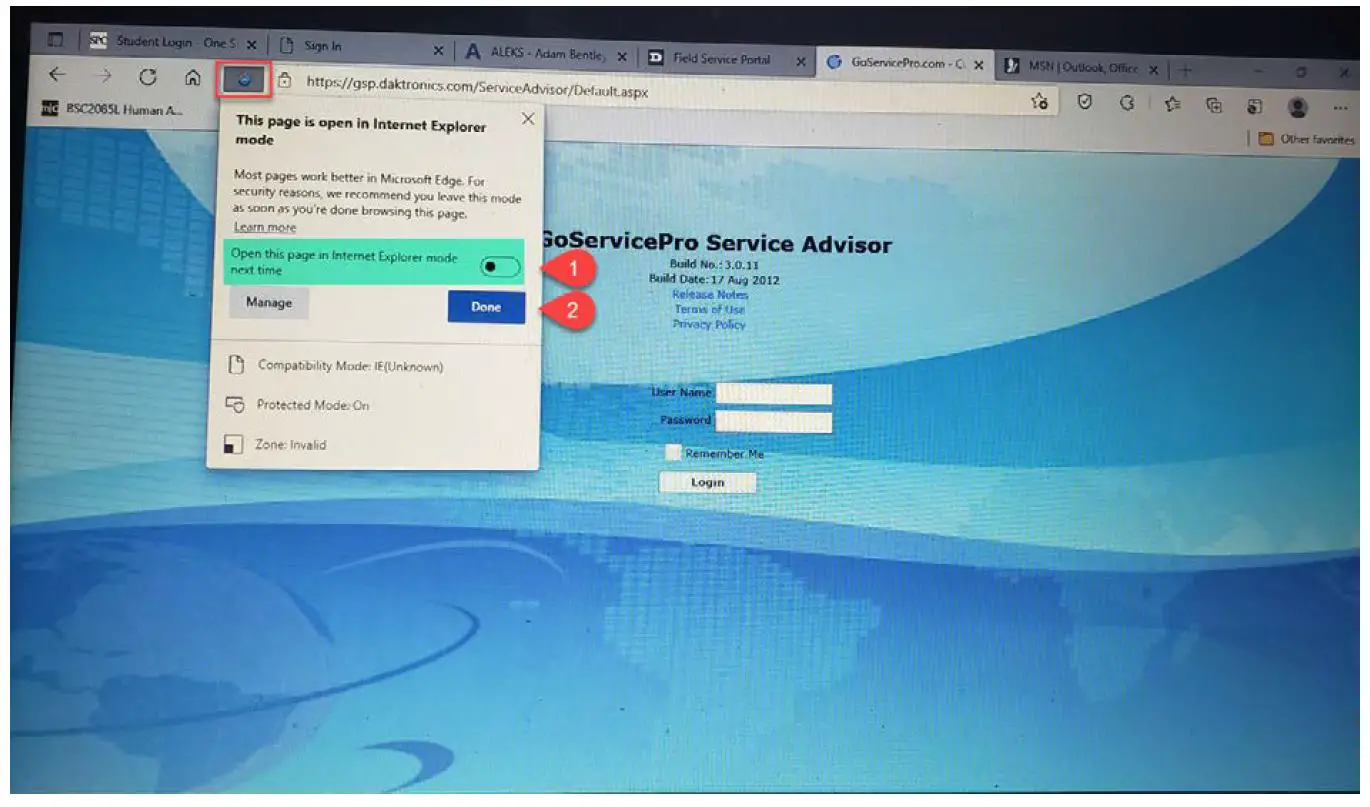
- Click on envelop with “e” if available
- A prompt will then come up to ask if you would like to open in Internet Explorer next time
- Toggle option to the right
- Click done