 NEW YORK. LONDON
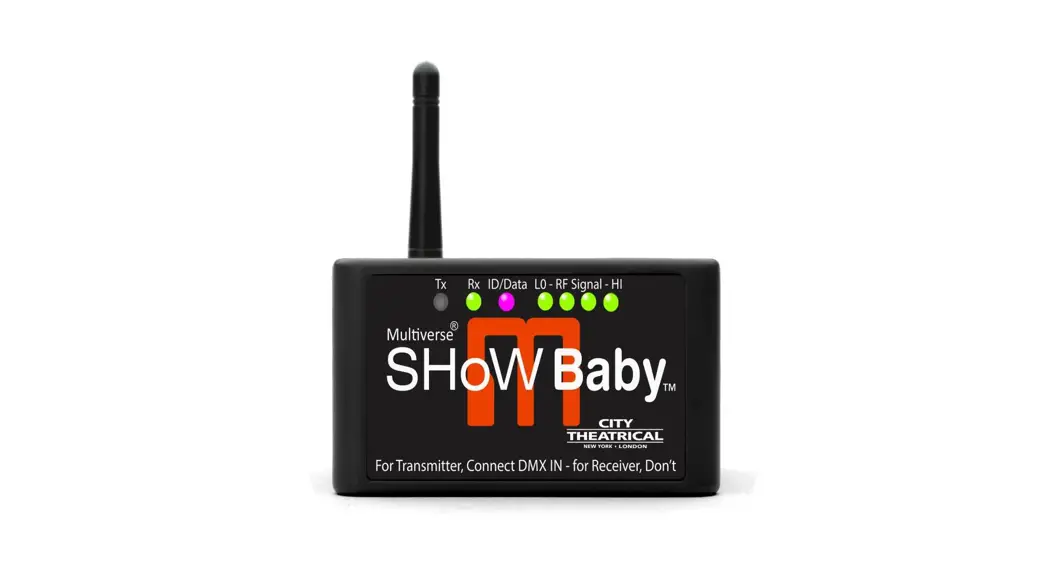
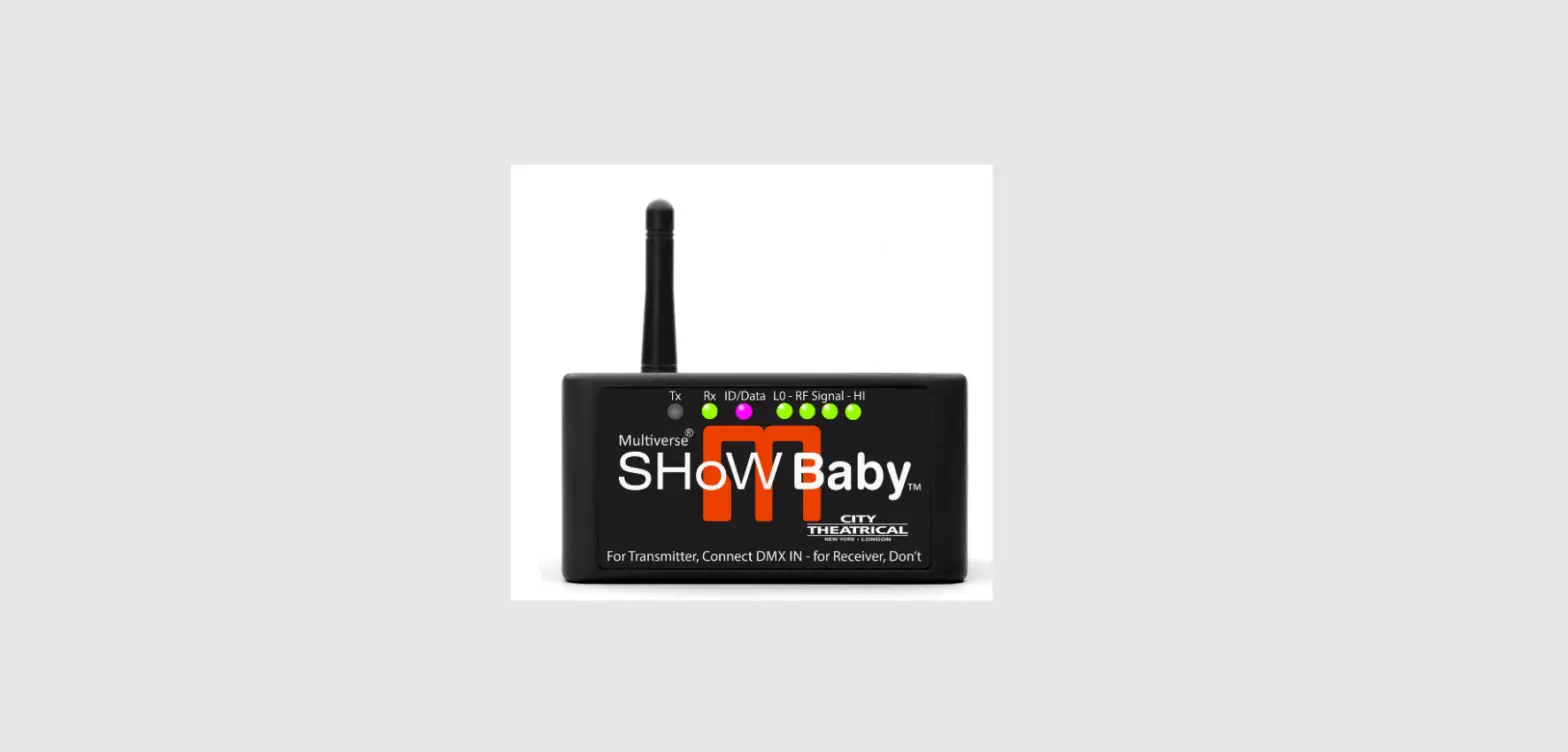
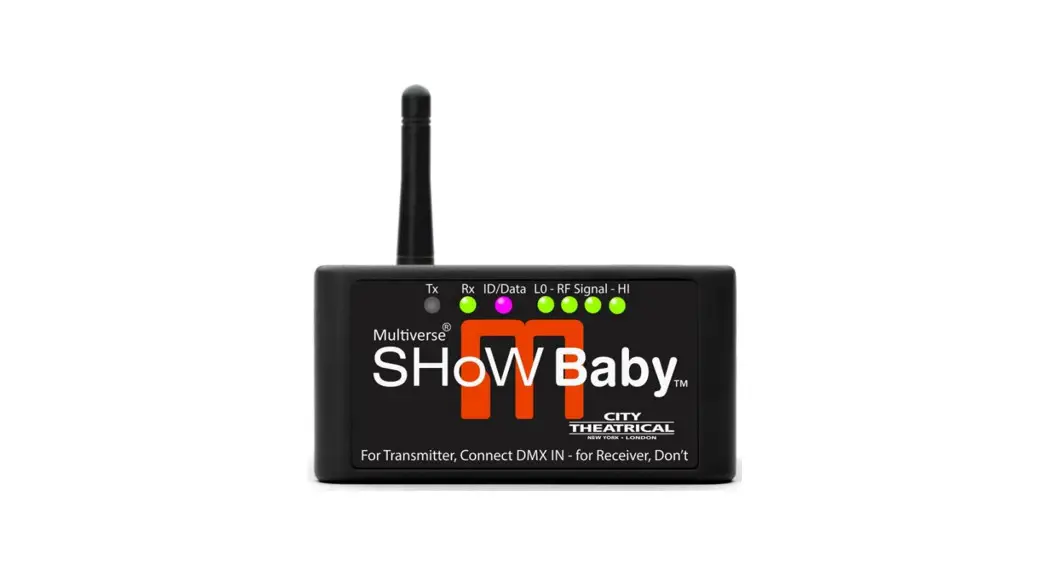
Multiverse® SHoW Baby®
P/N 5900
User’s Manual
Rev 1.5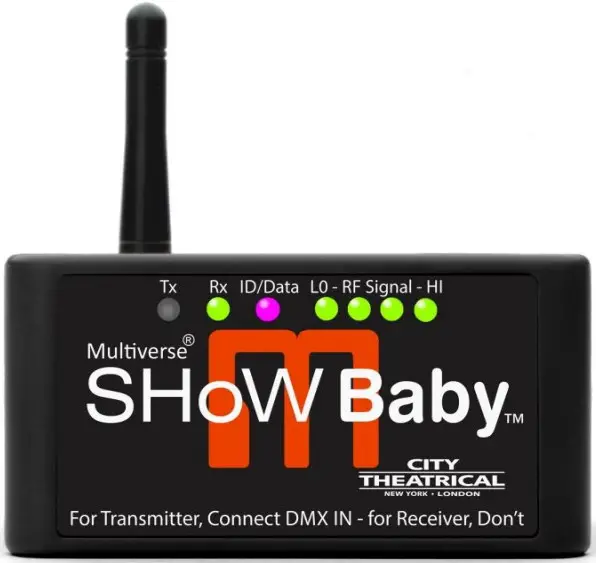
P-N 5900 Multiverse Show Baby
© 2023 City Theatrical, Inc.
Multiverse SHoW Baby Transceivers are covered by U.S. Patent # 7,432,803 and other patents pending.
Made in USA
Compliance
FCC Compliance Statement (United States)
This device complies with Part 15 of the Federal Communications Commission (FCC) Rules. Operation is subject to the following two conditions:
- This device may not cause harmful interference.
- This device must accept any interference received, including interference that may cause undesired operation.
CAUTION: Changes or modifications to this unit not expressly approved by the party responsible for compliance could void the user’s authority to operate this equipment.
IC Statement
This device complies with Industry Canada’s license-exempt RSSs. Operation is subject to the following two conditions:
- This device may not cause interference; and
- This device must accept any interference, including interference that may cause undesired operation of the device.
CE Mark Conformity
City Theatrical Inc. declares that this product conforms to the specifications listed in this manual, following the provisions of the European RED Directive 2014/53/EU, EMC Directive 2014/30/EU, and Low Voltage Directive 2014/35/EU:
City Theatrical Inc. vakuuttaa täten että dieses produkt tyyppinen laite on direktiivin 2014/53/EU, 2014/30/EU, 2014/35/EU oleellisten vaatimusten ja sitä koskevien näiden direktiivien muiden ehtojen mukainen.
- EN 301 489-1, 301 489-18 General EMC requirements for Radio equipment
- EN 62832-1 Safety
- EN 300 328 Technical requirements for Radio equipment
- EN 55032, EN 55103-2
CAUTION— This equipment is intended to be used in all EU and EFTA countries. Outdoor use may be restricted to certain frequencies and/or may require a license for operation. Contact local Authority for procedure to follow.
Note: ESD precautions should be used when attaching or removing the antenna.
Note: Combinations of power levels and antennas resulting in a radiated power level of above 100 mW equivalent isotropic radiated power (EIRP) are considered as not compliant with the above mentioned directive and are not allowed for use within the European community and countries that have adopted the European R&TTEdirective 2014/53/EU, 2014/30/EU, 2014/35/EU. For more details on legal combinations of power levels and antennas, contact City Theatrical Inc.
Do not use this product near water, for example, in a wet basement or near a swimming pool.
Avoid using this product during an electrical storm. There may be a remote risk of electric shock from lightning.
Regulatory Information
Radio Frequency Notifications
Safety Notices
Please read this entire manual before using your new equipment. Please keep the manual in a safe place so you can refer to it in the future as required.
The Multiverse wireless DMX/RDM System is intended for use only by qualified professionals. Connection, installation, and hanging of this equipment must be performed in accordance with all pertinent local, regional, and national safety codes and regulations.
Multiverse wireless DMX/RDM equipment is intended for indoor use only unless specified for outdoor use. Keep the equipment dry! Do not operate the equipment if it gets wet!
Do not operate in excessive heat/direct sunlight. Be sure installation provides adequate ventilation.
There are no user-serviceable parts inside! Refer to qualified service personnel!
RF Exposure: The antenna(s) used for this transmitter must be installed to provide a separation distance of at least 20cm from all persons and must not be collocated or operating in conjunction with any other antenna or transmitter.
Introduction
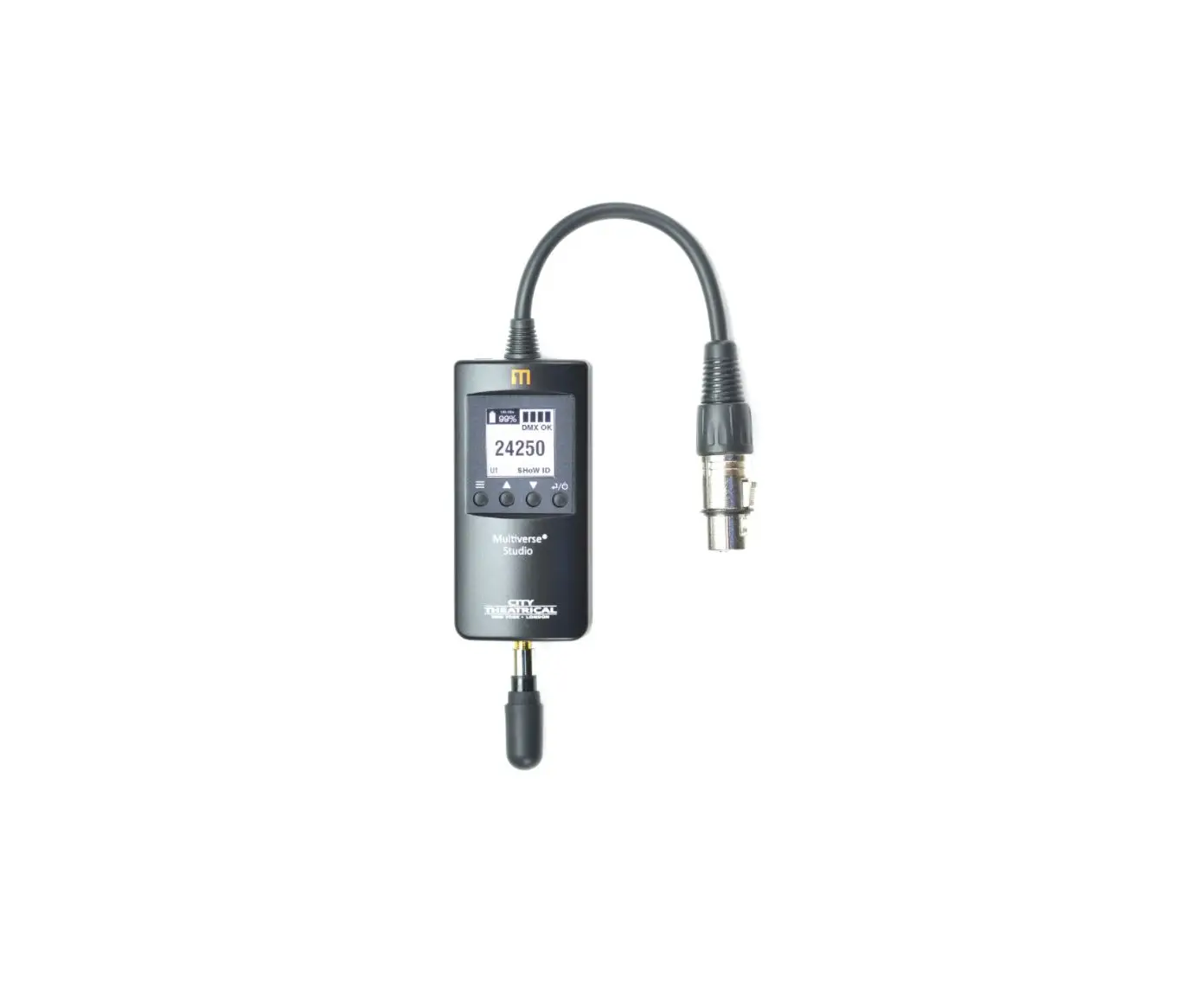
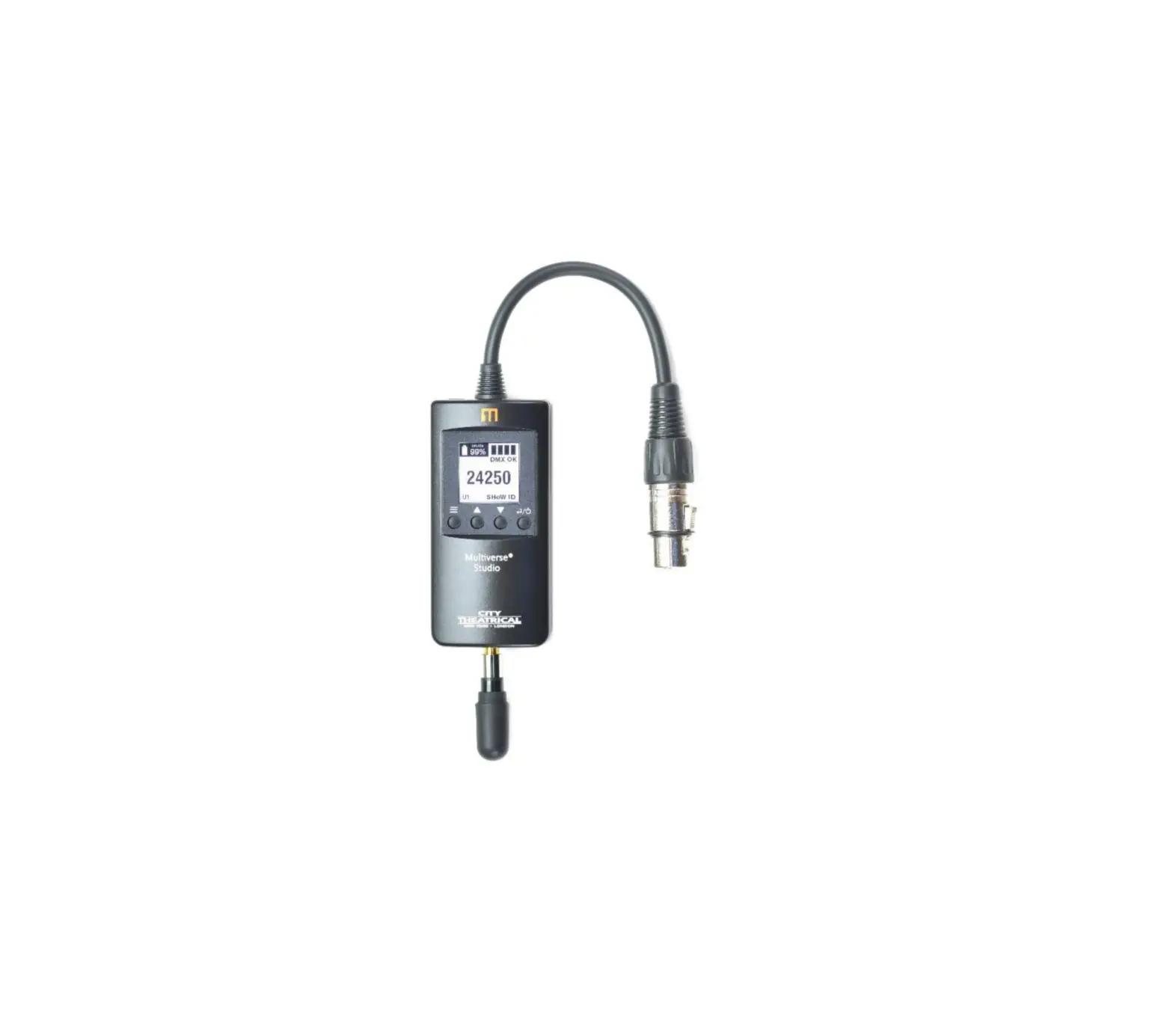
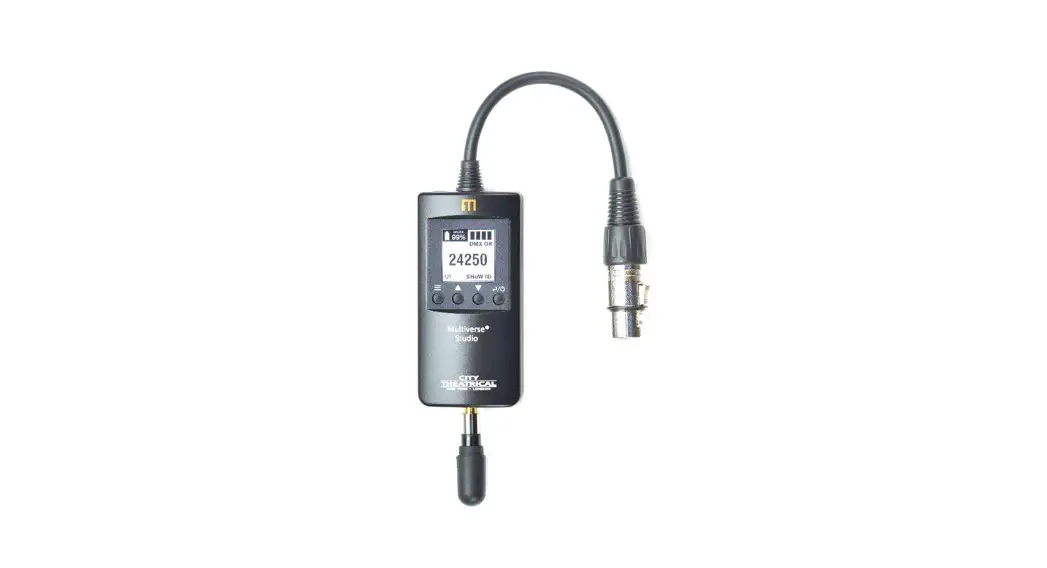
City Theatrical’s Multiverse® SHoW Baby is a wireless DMX transceiver that delivers breakthrough plug and play wireless DMX and RDM transmission right out of the box. In its default mode (SHoW ID 201), it is compatible with all SHoW Babys ever made, including SHoW Baby, SHoW Baby 5, and SHoW Baby 6. By connecting an RDM controller, like DMXcat® Multi Function Test Tool, all of the 147 revolutionary new 2.4GHz Multiverse SHoW IDs are accessible as well as all 70 SHoW DMX Neo SHoW IDs. Users can add Multiverse SHoW Baby to their existing SHoW Baby systems, build new single universe Multiverse systems, or use Multiverse SHoW Baby as a receiver on multiple universe systems with a Multiverse Transmitter.
The Multiverse SHoW Baby features include:
- Full compatibility with all previous SHoW Babys right out of the box
- Instant plug-and-play configuration: For a Transmitter, connect DMX IN, for a Receiver, don’t!
- Multiverse 2.4GHz Frequency Hopping Spread Spectrum (FHSS) Radio
- Wirelessly broadcast and receive a full Universe (512 slots) of DMX
- Robust wireless DMX512 and RDM data transmission
- Six user selectable SHoW IDs accessible on the “SET ID” button, plus 147 Multiverse and 70 SHoW DMX Neo SHoW IDs accessible via RDM.
- Extremely low 4mS latency
- RDM proxy and responder functions
- Mounting bracket for installation with C-Clamp or similar hanging hardware
- Included CL2 Power Supply
- Included 2dBi omni-directional antenna
- Neutrik® 5P XLR Connectors for DMX IN and DMX OUT
Every effort has been made to anticipate your questions in this manual, but if you have any questions that are not answered here, or you want to discuss a special application, please feel free to contact us directly at: [email protected]
Multiverse SHoW Baby Settings
The Multiverse SHoW Baby uses the Multiverse Radio Module. It is configured with six SHoW ID options for Spread Spectrum Frequency Hopping and Neo Low Latency broadcast mode. No other settings are adjustable except by RDM. The SHoW ID can be changed by pressing the small button on the back of the Multiverse SHoW Baby labeled “SET ID”.
Table 1: Setting SHoW ID by Color
| Color | SHoW ID | Use |
| Green | 201 | Adaptive Hopping (default selection) |
| Cyan | 102 | Full bandwidth broadcast |
| Magenta | 117 | Broadcast limited to lower end of band |
| White | 133 | Broadcast limited to middle end of band |
| Red | 149 | Broadcast limited to upper end of band |
| Yellow | 165 | Broadcast limited to area of Wi-Fi channel 14 |
Any other SHoW ID set by RDM not included in this table will make the ID/Data LED turn blue.
Multiverse SHoW Baby Antennas
The Multiverse SHoW Baby is shipped with a 2dBi omni directional antenna. Other approved antennas include the P/N 5981 Panel Antenna and the P/N 5982 Yagi Antenna. If using a 5981 Panel Antenna, you must change the antenna type to “Panel” through the RDM Settings. If using a 5982 Yagi Antenna, you must change the antenna type to “Yagi” through the RDM Settings. The 5981 and 5982 antennas require the use of a P/N 5638 Antenna Adapter Cable.
Setup and Operation
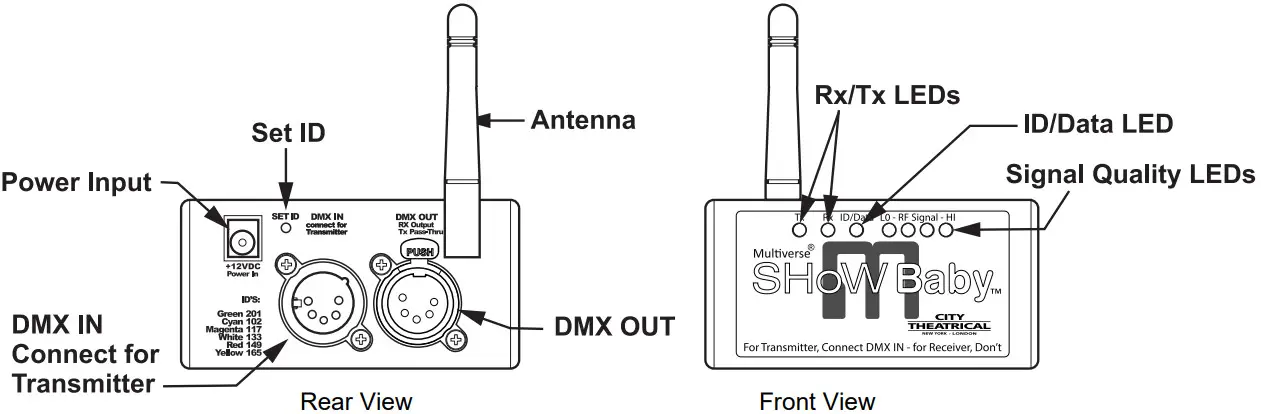 Figure 1: Multiverse SHoW Baby Front and Rear View Diagrams
A Multiverse SHoW Baby system will normally consist of at least two Multiverse SHoW Baby units.
Transmitter Setup
Although a simple Multiverse SHoW Baby system will have one transmitter and one or more receivers, you can use up to six Multiverse SHoW Baby units as transmitters set on different SHoW IDs to create a multi universe system. The following instructions describe how to set up a single universe system.
- Install the Multiverse SHoW Baby you will use for a transmitter in a convenient location where you can reach it with the DMX cable from your console or controller. For best results, locate the unit as high in the air as possible to enable it to be clear of obstructions. Consider where you will put your Multiverse SHoW Baby receivers and place the Multiverse SHoW Baby transmitter where its antenna will be within line of sight with the receivers, if possible.
- Install the provided antenna and point it straight up in the air.
- Connect the provided 12V DC Power Supply to the unit, and connect to mains power.
- Select a SHoW ID for your transmitter by choosing an ID/Data LED color using the Set ID button located on the rear next to the power jack.
- Connect a DMX cable from the console/controller to the DMX IN. The Multiverse SHoW Baby will automatically configure itself as a transmitter and the Tx LED will light. The DMX IN will be automatically terminated, and the DMX OUT will be available as a DMX passthru. If you also connect a cable to the DMX OUT the termination is lifted.
- As soon as you begin sending DMX from your console, the Multiverse SHoW Baby will begin broadcasting and the Data LED will light solid.
Receiver Setup
You will need at least one Multiverse SHoW Baby to use as a receiver.
- Install the Multiverse SHoW Baby you will use for a receiver in a convenient location where you can reach it with a DMX cable to the device (or devices) it will be providing DMX for. As with the Multiverse SHoW Baby transmitter, locate the unit higher in the air for best results, and try to place your Multiverse SHoW Baby receiver where its antenna will be within line of sight with the transmitter.
- Install the provided antenna and point it straight up in the air.
- Connect the provided 12V DC Power Supply to the unit, and connect to mains power. The Multiverse SHoW Baby will be configured as a receiver and the Rx LED will light.
- Select a SHoW ID by matching the ID/Data LED color to that of the transmitting Multiverse SHoW Baby you wish to receive DMX data from by using the button located on the rear of the unit next to the power jack. Transmitter and receiver SHoW ID colors must match for them to communicate.
- Connect a DMX cable from the Multiverse SHoW Baby DMX OUT to the first DMX device you want to provide DMX to. You can then continue to add devices to up to a total of 32 DMX devices in the chain. Like any other DMX system, be sure the last connected device in the chain is properly terminated.
- As soon as you begin broadcasting from the Multiverse SHoW Baby set up as your transmitter, the data will be received by the SHoW Baby(s) 6 set up as receiver(s) and the transmitted DMX will be output from the receiver unit’s DMX OUT. The received signal quality will be displayed on the four LO – RF Signal – HI LEDs. This four LED “meter” will light to show you your signal quality; a high quality wireless signal is three or more LEDs, and lower quality signal is two or less.
You can set up any number of additional Multiverse SHoW Baby units as receivers.
RDM Operation
Multiverse SHoW Baby is fully enabled as an RDM proxy system, so you can use RDM to manage your Multiverse SHoW system and any connected RDM responders that are downstream of the system.
In order to use RDM, you will also need an RDM controller such as the DMXcat Multi Function Test Tool or a lighting control console with a built-in RDM controller.
Multiverse SHoW Baby Advanced Setup
Besides the six SHoW IDs settable via the “Set ID” button on the back of the SHoW Baby, all SHoW DMX Neo SHoW IDs (70) and all Multiverse 2.4GHz SHoW IDs (147) are accessible with any RDM controller, such as DMXcat®. When set to a SHoW ID not listed in Table 1, the ID/Data LED will become blue.
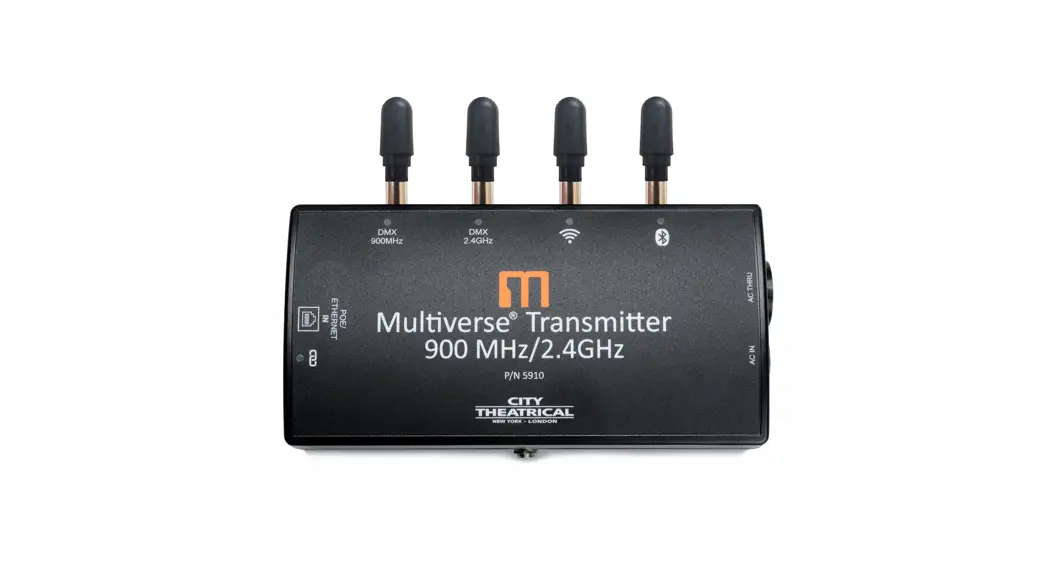
Using Multiverse SHoW IDs enables the use of additional Multiverse features such as Forward Error Correction, mDMX (lower radio energy), and improved RDM performance, as well as allowing the Multiverse SHoW Baby to serve as a receiver on a system with a Multiverse Transmitter or Multiverse Node. (Note: Multiverse SHoW Baby is compatible with Multiverse Transmitter P/Ns 5910 and 5911 when used with a Multiverse SHoW ID on the 2.4GHz band.) See Table 4: Multiverse SHoW IDs on page 12 for more information about the additional SHoW DMX Neo or Multiverse SHoW IDs.
Using an RDM controller like a DMXcat allows access to several other Multiverse SHoW Baby features:
- SHoW ID
All available Multiverse or SHoW DMX Neo SHoW IDs can be entered here. Default is 201. - Output Power
Output power may be user selected as Low, Med, Hi, or Maximum. It is a best practice to use the least amount of output power to achieve a successful show. This helps to reduce reflections which can reduce signal fidelity and to reduce any potential negative effect on other radio users in the area. You can monitor signal strength via RDM. Default is Maximum. - Auto-Off/Sleep Timer (Minutes)
When used as a Transmitter, the Multiverse SHoW Baby can be made to go to sleep when the presence of DMX or RDM is no longer sensed. It will wake up again when DMX or RDM is sensed. This setting is needed when used as a transmitter in a system using ETC ColorSource Relays. Default is 0 (off). - RDM Traffic
The RDM Traffic setting determines whether RDM data is passed downstream of the Multiverse SHoW Baby. It does not affect whether the Multiverse SHoW Baby is detectable by devices upstream. It is recommended that RDM be turned off before production situations as many DMX devices do not correctly handle RDM data and may exhibit flickering or other undesired behavior. Default is Off. - Antenna Selection
If a panel (P/N 5981) or Yagi (P/N 5982) antenna is used instead of the default omni antenna, choose it on this menu for optimum performance and to remain in compliance with FCC and other radio compliance regulations. An (P/N 5638) adapter cable is required to use a panel or Yagi antenna. - SHoW Key Security (Multiverse SHoW IDs only)
The SHoW Key setting allows a user to enter a key to privatize their SHoW ID from another system on the same SHoW ID. SHoW IDs and SHoW Keys need to match in order for receivers and transmitters to talk to each other. Keeping your SHoW Key private will provide a level of security to your Multiverse system from unauthorized use. It is not recommended to use different SHoW Keys in a system that uses multiple Multiverse SHoW Babys as Transmitters on the same SHoW ID. The range is 0 (Default) to 500.
Table 2: SHoW IDs and SHoW Keys
| Situation | Condition | Outcome | |
| Same SHoW Key | with | Different SHoW IDs | OK |
| Different SHoW Keys | with | Same SHoW IDs | Not OK |
| Different SHoW Keys | with | Different SHoW IDs | OK |
- Forward Error Correction (Multiverse SHoW IDs only)
High noise environments can affect wireless DMX performance. Enabling Error Correction adds additional information to the data packets to correct errors in slot data that would have otherwise been lost, restoring DMX delivery back to near perfect levels. The extra data reduces the number of slots that can be transported, Max reduces slots by 50%, Med by 33%, Min by 25%. Only needs to be set at the Transmitter. Default is Off. - mDMX (Multiverse SHoW IDs only)
Improves fidelity while dramatically reducing radio energy broadcast into the spectrum. Only needs to be set at the Transmitter. Default is on.
Specifications
Table 3: Physical Characteristics
| Product Information | |
| Product Name | Multiverse SHoW Baby |
| Part Number | 5900 |
| Maximum Concurrent Universes | 1 |
| Frequency Range: | 2400 – 2480 MHz |
| Physical Specifications | |
| Length | 92mm (3.625 in) |
| Width | 76mm (3.00 in) |
| Height | 46mm (1.80in) |
| Weight | 0.16 Kg (0.35 lb) |
| Construction | Steel, ABS plastic, Black |
| Connection Specifications |
| *DC Jack, 5.5mm x 2.1mm barrel, center positive, 9mm mating depth |
| Neutrik® 5-Pin XLR connectors for DMX512 IN and OUT/thru ports |
| RP-SMA female antenna connector |
| USB Type-A port, internal (requires removing cover and circuit board) |
| Functionality | |
| User Interface | 1 Button/LEDs |
| RDM Features | RDM Proxy, RDM Responder |
| Power | |
| Input Power | 7.5-30VDC, 0.8W |
| Max Draw | 66mA max draw at 12V |
| AC Adapter Voltage | 100VAC to 240VAC 50/60Hz |
| Radio Technology | |
| Latency | 4 ms average |
| RF Sensitivity | -95dBm |
| Loss of Data Behavior | Output stops |
| Broadcast Power | 2.5mW, 8mW, 25mW, 80mW EIRP |
| Broadcast Modes | Adaptive, Full, Low, Mid, High, Max |
| Show IDs | 217 (Americas and Worldwide) |
| Product Information | |
| Use Environment | Indoor |
| Operating Temperature | 0° C to 40° C |
| Storage Temperature | -40° C to 85° C |
| IP Rating | IP50 |
| Compliance | FCC, IC, CE, ARIB, RoHS |
| Warranty | One year |
*Note: This power supply connector is not compatible with Multiverse Node.
Installing the Mounting Bracket
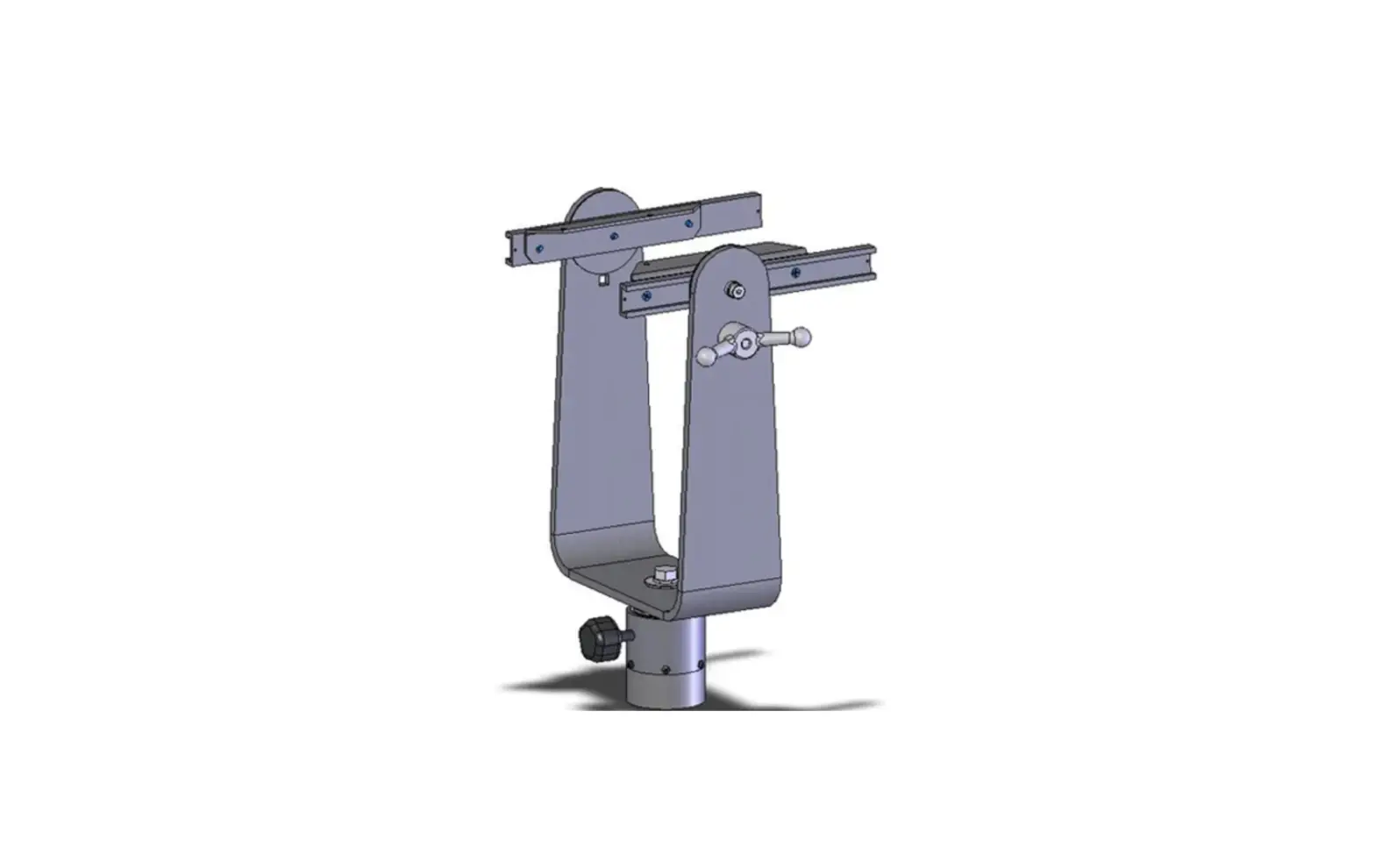
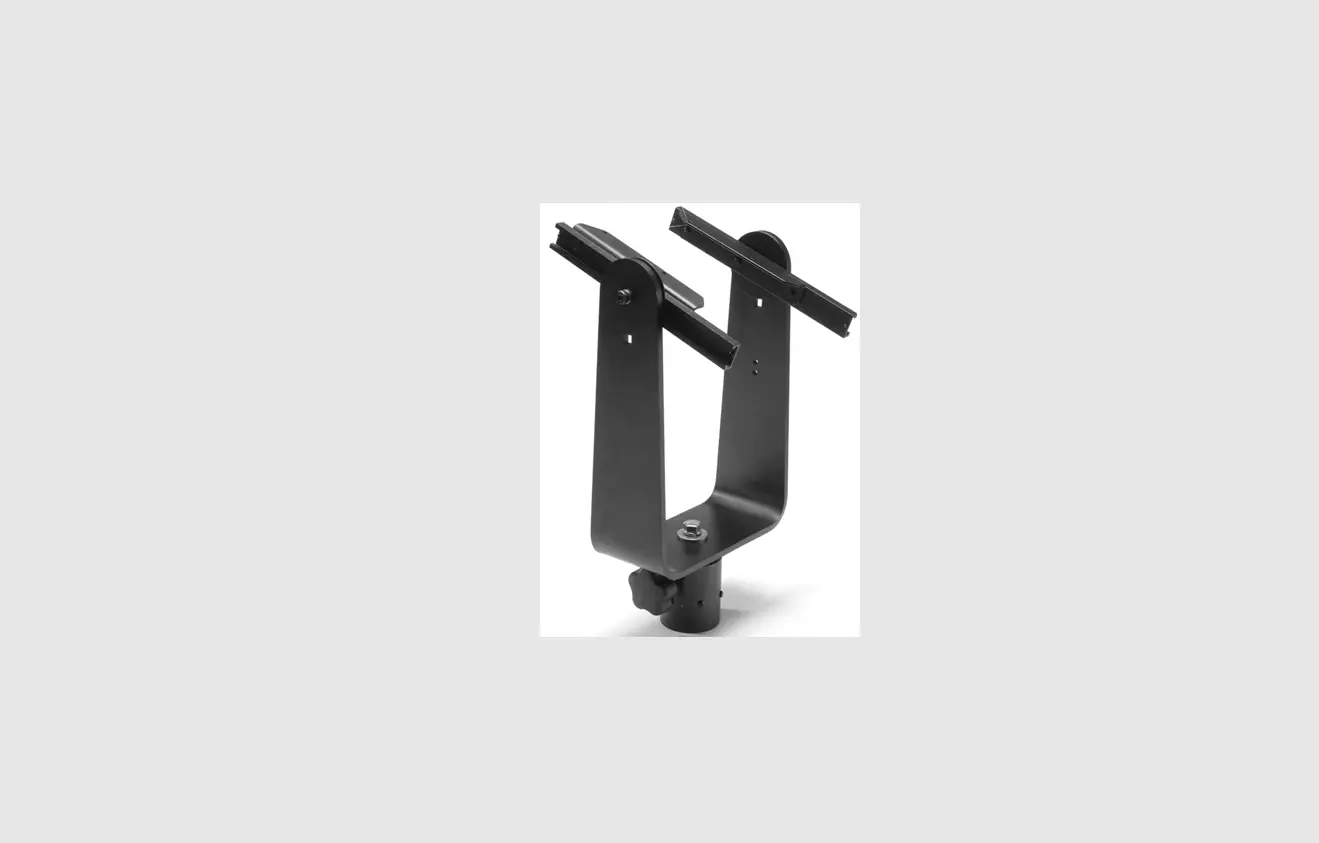
The Multiverse SHoW Baby is provided with a Mounting Bracket for use with ½” theatrical mounting hardware like a C-Clamp.
Mount the Bracket on the Multiverse SHoW Baby using the three provided 8-32 x ½” pan head Philips screws. 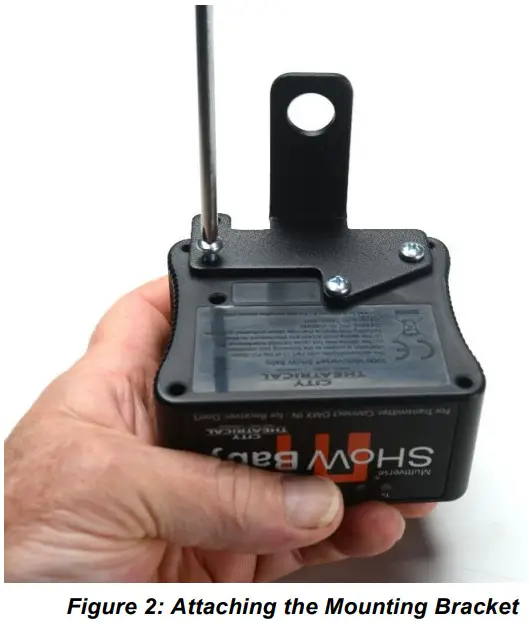
What’s Included
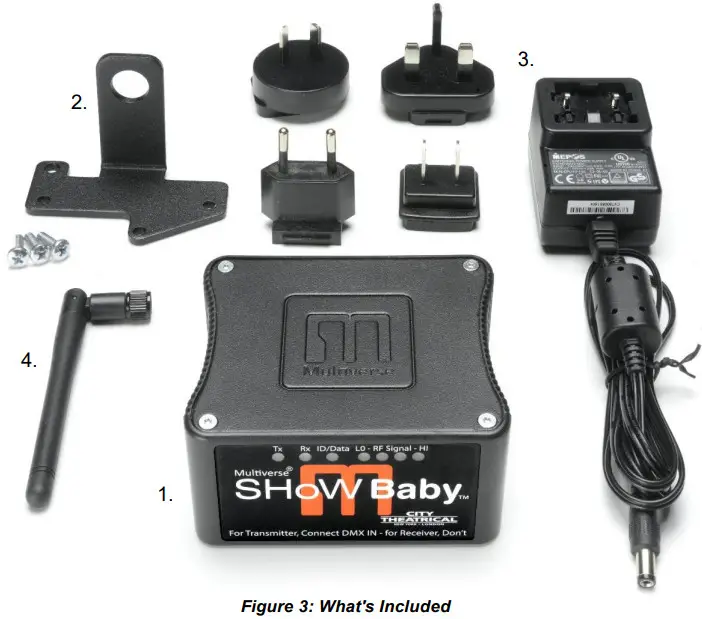 Table 3: Included Item Descriptions and Part Numbers
| Label in Figure 3 | Item Description | Part Number |
| 1 | Multiverse SHoW Baby Transceiver | 5900 |
| 2 | Mounting Plate with hardware | 5602 |
| 3 | 12VDC Power Supply with plug kit | 5627 |
| 4 | 2dBi Omni, 2.3” Multiverse Antenna | 5729 |
Table 4: Multiverse SHoW IDs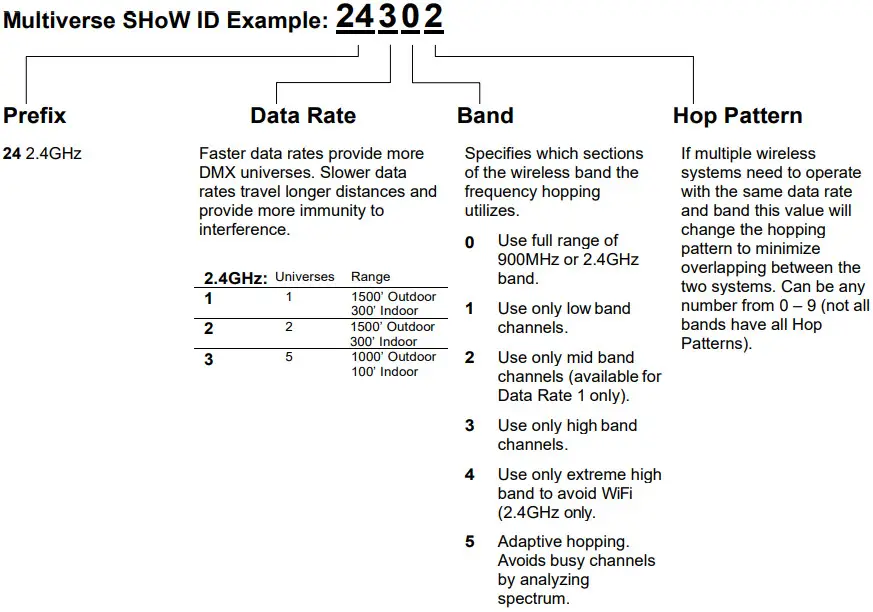 Note: Not all combinations of digits are possible and unused numbers are reserved for future use.
Table 5: SHoW DMX Neo SHoW IDs for Use with Multiverse SHoW Baby
| SHoW ID | Mode | Hopping Pattern | Bandwidth |
| 101 | Neo | 1 | Full |
| 102 | Neo | 2 | Full |
| 103 | Neo | 3 | Full |
| 104 | Neo | 4 | Full |
| 105 | Neo | 5 | Full |
| 106 | Neo | 6 | Full |
| 107 | Neo | 7 | Full |
| 108 | Neo | 8 | Full |
| 109 | Neo | 9 | Full |
| 110 | Neo | 10 | Full |
| 111 | Neo | 11 | Full |
| 112 | Neo | 12 | Full |
| 113 | Neo | 13 | Full |
| 114 | Neo | 14 | Full |
| 115 | Neo | 15 | Full |
| 116 | Neo | 16 | Full |
| 117 | Neo | 1 | Limited Low, Wi-Fi 1-6 |
| 118 | Neo | 2 | Limited Low, Wi-Fi 1-6 |
| 119 | Neo | 3 | Limited Low, Wi-Fi 1-6 |
| 120 | Neo | 4 | Limited Low, Wi-Fi 1-6 |
| 121 | Neo | 5 | Limited Low, Wi-Fi 1-6 |
| 122 | Neo | 6 | Limited Low, Wi-Fi 1-6 |
| 123 | Neo | 7 | Limited Low, Wi-Fi 1-6 |
| 124 | Neo | 8 | Limited Low, Wi-Fi 1-6 |
| 125 | Neo | 9 | Limited Low, Wi-Fi 1-6 |
| 126 | Neo | 10 | Limited Low, Wi-Fi 1-6 |
| 127 | Neo | 11 | Limited Low, Wi-Fi 1-6 |
| 128 | Neo | 12 | Limited Low, Wi-Fi 1-6 |
| 129 | Neo | 13 | Limited Low, Wi-Fi 1-6 |
| 130 | Neo | 14 | Limited Low, Wi-Fi 1-6 |
| 131 | Neo | 15 | Limited Low, Wi-Fi 1-6 |
| 132 | Neo | 16 | Limited Low, Wi-Fi 1-6 |
| 133 | Neo | 1 | Limited Mid, Wi-Fi 5-9 |
| 134 | Neo | 2 | Limited Mid, Wi-Fi 5-9 |
| 135 | Neo | 3 | Limited Mid, Wi-Fi 5-9 |
| 136 | Neo | 4 | Limited Mid, Wi-Fi 5-9 |
| 137 | Neo | 5 | Limited Mid, Wi-Fi 5-9 |
| 138 | Neo | 6 | Limited Mid, Wi-Fi 5-9 |
| 139 | Neo | 7 | Limited Mid, Wi-Fi 5-9 |
| 140 | Neo | 8 | Limited Mid, Wi-Fi 5-9 |
| 141 | Neo | 9 | Limited Mid, Wi-Fi 5-9 |
| 142 | Neo | 10 | Limited Mid, Wi-Fi 5-9 |
| 143 | Neo | 11 | Limited Mid, Wi-Fi 5-9 |
| 144 | Neo | 12 | Limited Mid, Wi-Fi 5-9 |
| 145 | Neo | 13 | Limited Mid, Wi-Fi 5-9 |
| 146 | Neo | 14 | Limited Mid, Wi-Fi 5-9 |
| 147 | Neo | 15 | Limited Mid, Wi-Fi 5-9 |
| 148 | Neo | 16 | Limited Mid, Wi-Fi 5-9 |
| 149 | Neo | 1 | Limited High, Wi-Fi 7-11 |
| 150 | Neo | 2 | Limited High, Wi-Fi 7-11 |
| 151 | Neo | 3 | Limited High, Wi-Fi 7-11 |
| 152 | Neo | 4 | Limited High, Wi-Fi 7-11 |
| 153 | Neo | 5 | Limited High, Wi-Fi 7-11 |
| 154 | Neo | 6 | Limited High, Wi-Fi 7-11 |
| 155 | Neo | 7 | Limited High, Wi-Fi 7-11 |
| 156 | Neo | 8 | Limited High, Wi-Fi 7-11 |
| 157 | Neo | 9 | Limited High, Wi-Fi 7-11 |
| 158 | Neo | 10 | Limited High, Wi-Fi 7-11 |
| 159 | Neo | 11 | Limited High, Wi-Fi 7-11 |
| 160 | Neo | 12 | Limited High, Wi-Fi 7-11 |
| 161 | Neo | 13 | Limited High, Wi-Fi 7-11 |
| 162 | Neo | 14 | Limited High, Wi-Fi 7-11 |
| 163 | Neo | 15 | Limited High, Wi-Fi 7-11 |
| 164 | Neo | 16 | Limited High, Wi-Fi 7-11 |
| 165 | Neo | 1 | Max, Wi-Fi 13-14 |
| 166 | Neo | 2 | Max, Wi-Fi 13-14 |
| SHoW ID | Mode | Universe | Bandwidth |
| 201 | Neo Adaptive | A | Full |
| 202 | Neo Adaptive | B | Full |
| 203 | Neo Adaptive | C | Full |
| 204 | Neo Adaptive | D | Full |
Table 6: Troubleshooting Guide
SHoW DMX Neo SHoW IDs
| Symptom | Solution(s) |
| Unit does not power up. | Check that power cable is properly installed. |
| Test power outlet with another device. | |
| Fixtures connected to the receiver are not responding. | Check that the Tx and Rx symbols on transmitters and receivers are solid. |
| Check that SHoW ID matches on transmitters and receivers. |
Multiverse SHoW IDs
| Symptom | Solution(s) |
| Unit does not power up. | Check that power cable is properly installed. |
| Test power outlet with another device. | |
| Fixtures connected to the receiver are not responding. | Check that the Tx and Rx symbols on transmitters and receivers are solid. |
| Check that SHoW ID and SHoW Key match on transmitters and receivers. | |
| Check that Universe setting matches on Tx and Rx. |
US HEADQUARTERS
475 BARELL AVENUE
CARLSTADT, NEW JERSEY 07072
TEL 800 230 9497 / 201 549 1160
FAX 201 549 1161
LONDON OFFICE
UNIT 1-3 WYVERN ESTATE, BEVERLEY WAY
NEW MALDEN, SURREY KT3 4PH
TEL +44 (0) 20 8949 5051
FAX +44 (0) 20 7183 6061
www.citytheatrical.com
 Telecom News - Forfait Mobile - Box Internet