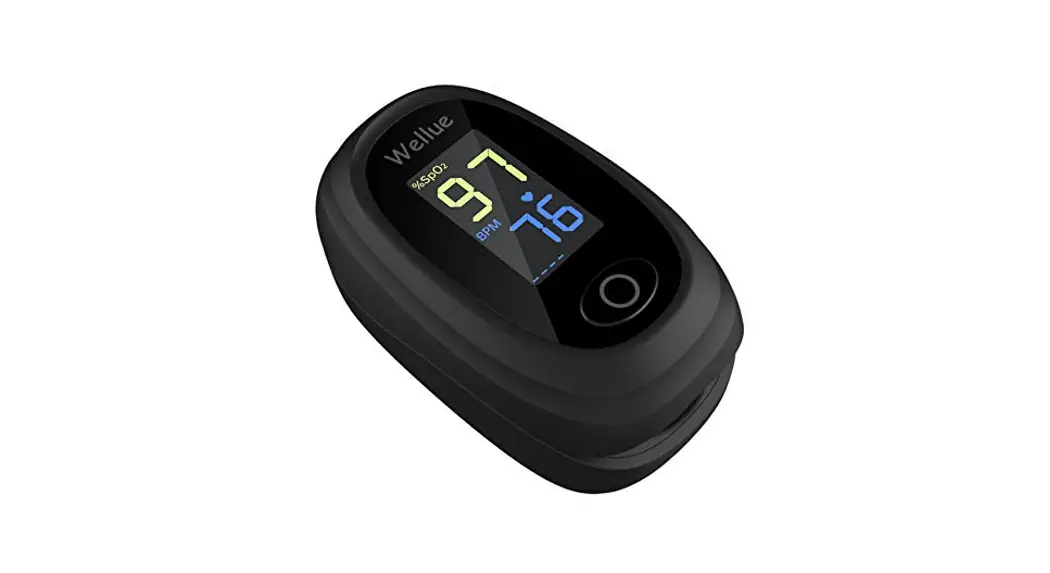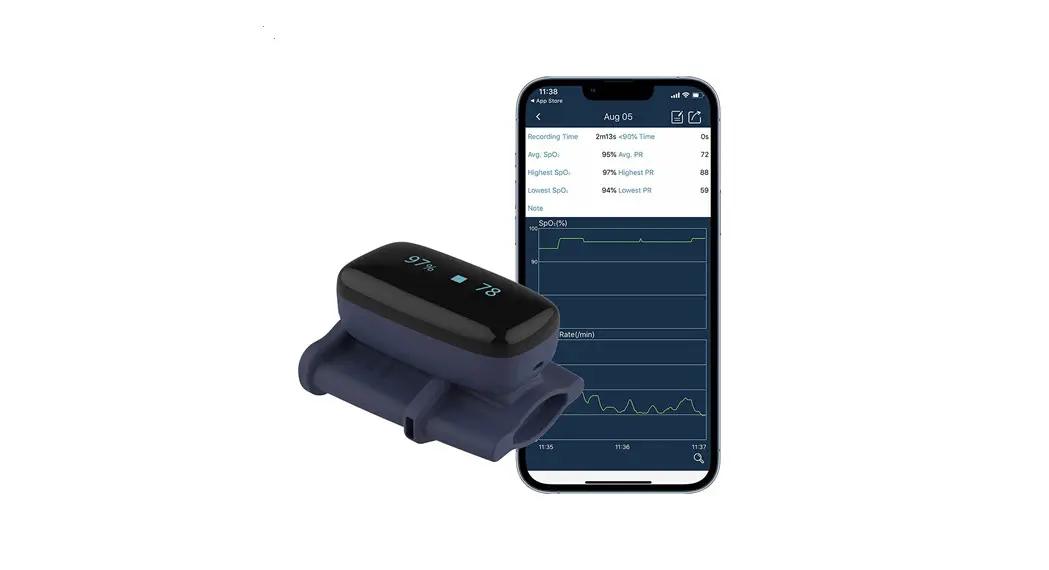

Oxyfit TM
Fingertip Oximeter
User Manual
This product is intended for sports or aviation use only. It should not used to diagnose or treat any medical condition.
Introduction
Intended use
This product is intended to be used for measuring, displaying, and storing of pulse oxygen saturation (SpO2), pulse rate of adults in-home or healthcare facilities environment for sleep or daily use.
Notice: This product is intended for general wellness use. It should not be used to directly diagnose or treat any medical condition.
Warnings and Cautions
- Do not use this device during MRI examination.
- Do not use this device with a defibrillator.
- Do not store the device in the following locations: locations in which the device is exposed to direct sunlight, lint, dust, high temperatures or levels of moisture, or heavy contamination; locations near to sources of water or fire; or locations that are subject to strong electromagnetic influences.
- Do not use the device in a combustible environment (i.e., oxygen-enriched environment).
- Never submerge the device in water or other liquids.
- Do not clean the device with acetone or other volatile solutions.
- Do not drop this device or subject it to strong impact.
- The device and accessories are provided non-sterile.
- Do not place this device in pressure vessels or gas sterilization device.
- Do not dismantle the device, as this could cause damage or malfunctions or impede the operation of the device.
- Consult your doctor immediately if you experience symptoms that could indicate acute disease.
- Do not self-diagnose or self-medicate on the basis of this device without consulting your doctor. In particular, do not start taking any new medication or change the type and/or dosage of any existing medication without prior approval.
- Use only cables, sensors and other accessories specified in this manual.
- Prolonged continuous monitoring may increase the risk of undesirable changes in skin characteristics, such as irritation, reddening, blistering or burns.
- Do not open the device cover without authorization. The cover should only be opened by a qualified service personnel.
- The biocompatibility testing has been performed on the materials in contact with the person in accordance with ISO10993.
- Do not place the SpO2 probe on a finger with edema or fragile tissue.
- Check the SpO2 sensor and cable before use. Do not use a damaged SpO2 sensor.
- Check the SpO2 sensor application site every 6-8 hours to determine the positioning of the sensor and the circulation and skin sensitivity of the patient. Patient sensitivity varies depending on status or skin condition. For patients with poor peripheral blood circulation or sensitive skin, inspect the sensor site more frequently.
- The functional tester cannot be used to assess the accuracy of the SpO2 sensor or a device.
- The device has no alarm system.
- Continuous use for a long time may cause allergies, redness, blistering or burns. Check the wearing position every 6-8 hours.
- The local laws and regulations should be followed when disposing of the device and accessories.
- Do not maintain the device while it is charging.
- Please keep the cable away from children. It can cause strangulation.
- Keep the device out of reach of pets, pests and children.
- The PULSE OXIMETER EQUIPMENT is calibrated to display FUNCTIONAL OXYGEN SATURATION.
Guide to Symbols
| Symbol | Description |
 | Type BF-Applied Part |
 | Manufacturer |
 | Date of manufacture |
 | Authorized Representative in the European Community |
 | Follow Instructions for Use. |
 | MRI unsafe. Presents hazards in all MR environments as device contains strongly ferromagnetic materials. |
| IP22 | Against ingress of solid foreign objects ≥ 12.5mm diameter, splashing. |
| SN | Serial number |
 | No alarm system |
 | Temperature limitation |
 | Humidity limitation |
 | Atmospheric pressure limitation |
 | Indicate separate collection for electrical and electronic equipment (WEEE). |
Unpacking
- Device
- User Manual
- Charging Cable
Overview
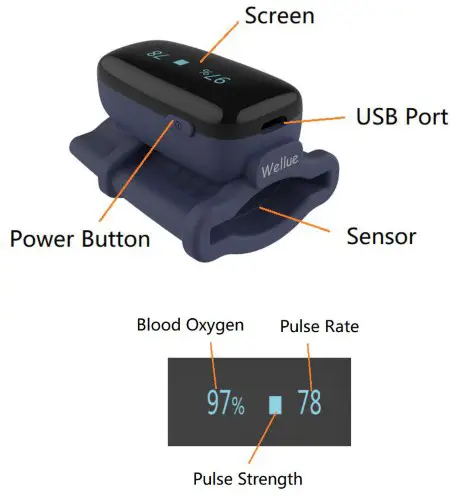
Using the Device
Charging
Charge the battery before using. Connect the device to computer USB or USB charging adapter with USB cable. After fully charged, the device will power off automatically.
POWER ON/OFF
POWER ON:
Wear the device, it will turn on automatically.
POWER OFF:
The device turns off automatically in a moment after you take it off.
Typical steps
- START. Charge the battery. Wear the device to power on.
- STOP. Take off the device, the recording will be over after the countdown.
- DATA SYNC. After the countdown, run App to sync data. OR next time after you turn on the device, run App to sync.
Start working
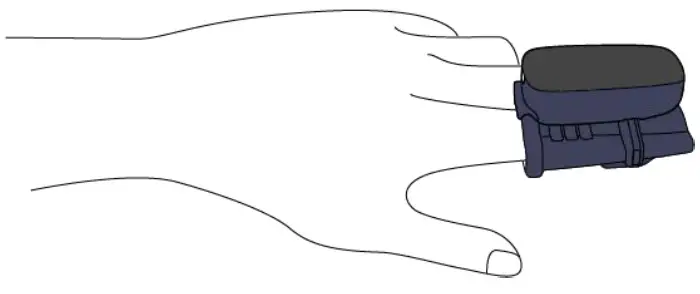
- Wear the device on index finger. Try to move the device along the forefinger to find out a best fit. Avoid being loose. Loose wearing causes inaccurate measure.
- Device will turn on automatically. After a few seconds, the device will begin to work.
Notice:
- If the working time is less than 30 second, the data will not be saved.
- Please avoid excessive motion.
- Please avoid strong ambient light condition.
Stop working & sync data
Take off the device, the countdown will begin. (If the working time is less than 30 second, there will be no countdown)
During the countdown, if you wear the device again, the record will be resumed.

After the countdown, the data will be ready for uploading.
Sync data:
- After the countdown, run App to sync data;
- OR next time after you turn on the device, run App to sync.
Notice: The built-in memory can store up to 4 sessions of record. Each session can store up to 1 hour data, and the oldest session will be overwritten by the new one when the memory is full. Please upload data to your phone in time.
Screen Display
The screen is always on and displaying the measuring value during monitoring. You can press Power button to switch displaying time and battery level.
How to Check Battery
Touch the key on top, you can switch display between readings and battery.
When this symbol displays on device screen, it indicates the readings is unavailable right now. It may caused by:
- Excessive movement;
- Poor signal, finger is too cold; Usually, the readings will recover in a few seconds when at rest.

Download App
App name: ViHealth
iOS: App Store
Android: Google Play
Compatibility
The device is compatible with iOS versions 9.0+ and Android versions 5.0+.
Please Refer the ViHealth app manual for more details.
Bluetooth Connection
The device Bluetooth will be enabled automatically after it’s turned on. To establish a Bluetooth connection,
- Keep the device Bluetooth enabled.
- Make sure the phone Bluetooth is enabled.
- Run the App.
Notice: DO NOT PAIR in the settings of your smart device.
Reminder on Device
The device supports audible reminders which triggered by user-defined SpO2 or Heart rate threshold. You can setup the reminder threshold on App.
Maintenance
Time & Date
After connection with App, device time will sync from your phone time automatically.
Cleaning
Use a soft cloth moistened with water or alcohol to clean the device surface.
Troubleshooting
| Problem | Possible Cause | Possible Solution |
| Device does not turn on or no response | Battery may below. | Charge battery and try again. |
| Device might be da ma get. | Please contact your local distributor. | |
| Software exception | Press and hold the key for 8 seconds. | |
| The app cannot find the device | The Bluetoot h of your phone is off. | Turn on the Bluetoot h in the phone. |
| The device Bl uetoot his off. | Turn on device | |
| For Android, Bluetoot h cannot work without location permission | Allow location access |
For more information about Oxyft, please visit: https://getwellue.com/pages/faqs
Specifications
| Environmental | Operating | Storage |
| Temperature | 5 to 40`C | -25 to 70-C |
| Relative humidity (noncondensing) | 10% to 95% | 10% to 95% |
| Barometric | 700 to 1060hPa | 700 to 1060hPa |
| Protection against electric shock | Internally powered equipment | |
| Degree protection electrical shock Type ype BF | ||
| Electro-magneti c compatibility | Group I, Class B | |
| Degree of dust & | IP22 | |
| water resistance | |
| Weight | 28 g |
| Size | 38 x 30 x 38 mm |
| Battery | 3.7Vdc, Rechargeable Lithium-polymer |
| Charge requirement | 5VDC, Max. 80mA |
| Charge time | 2-3 hours |
| Battery life | 12-14 hours for typical use |
| Wireless | Bluetooth 4.0 BLE |
| Oxygen level range | 70% to100% |
| Sp02 accuracy (Arms) | 80-100%:±2%, 70-80%:±3% |
| Pulse Rate range | 30 to 250 bpm |
| Pulse Rate accuracy | ±2 bpm or ±2%, whichever is greater |
| A functional tester or Sp02 simulator can be used to determine he pulse rate accuracy. | |
| Wavelength / Max emission power | 660nm/940nm, 0.8mW/1.2mW |
| Beep reminder source | low oxygen level; high/low pulse rate |
| Recorded parameters | Oxygen evel, pulse rate |
| Record interval | 4s |
| Data storage | 4 records, up to 1 hours for each |
| Frequency range | 2.402 — 2.480 GHz |
| Max RF power | -10 dBm |
| Expected service life | 3 years |
Manufacturer: Shenzhen Viatom Technology Co., Ltd Address: 4E,Building 3, Tingwei Industrial Park No. 6 Liufang Road, Block 67 Xin’an Street, Baoan District Shenzhen 518101 Guangdong China
Contact us: [email protected]
Website: www.getwellue.com
Model: P06
Version: A
 Wellue - Innovative Technology Powers Your Health
 Products FAQs | Wellue Support