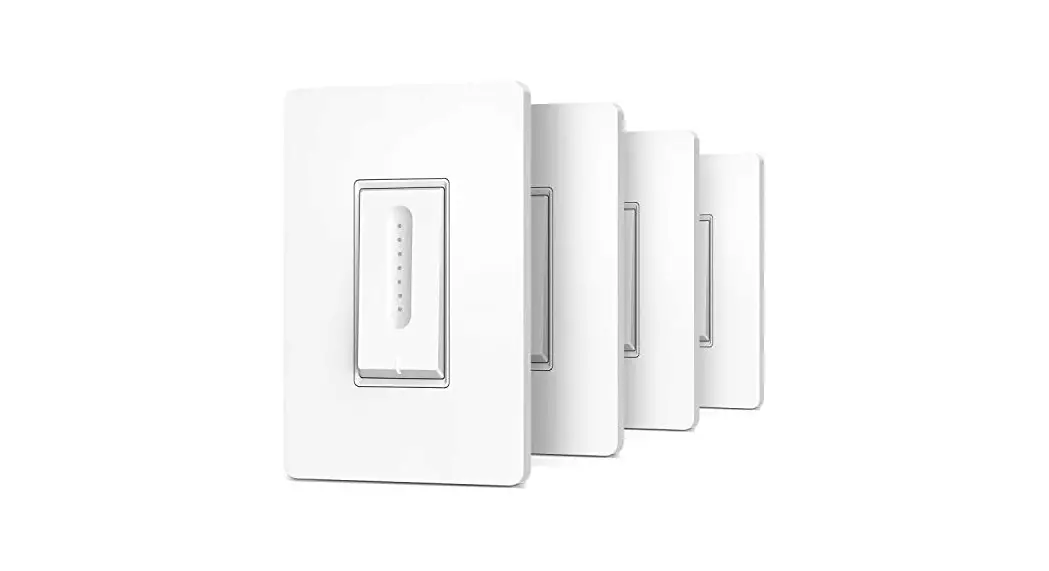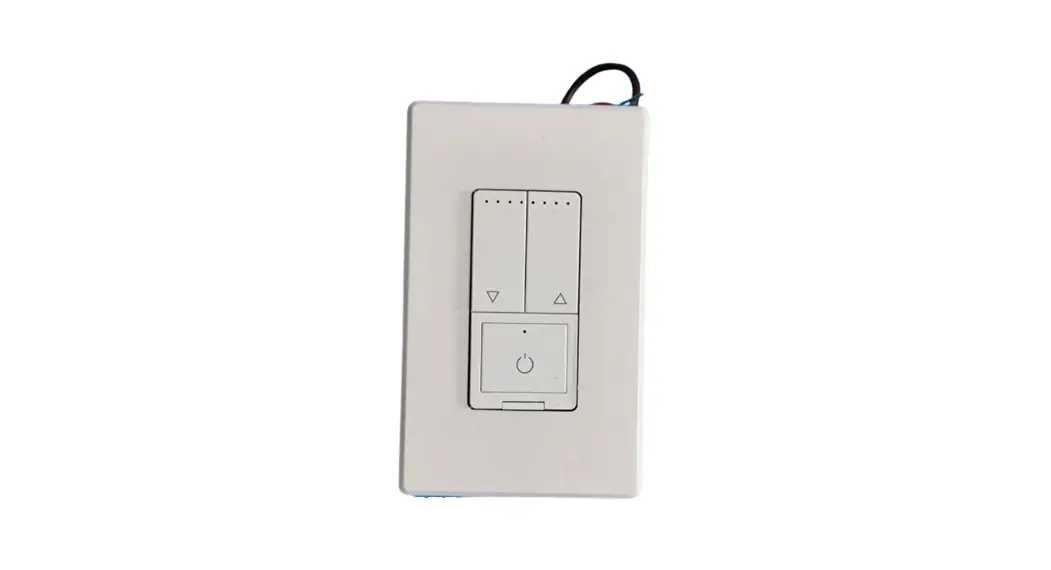

Smart Switch Installation
Instructions Manual
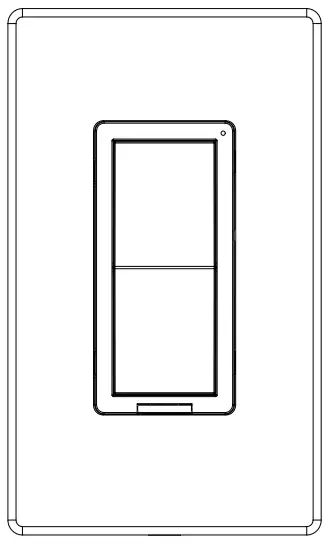
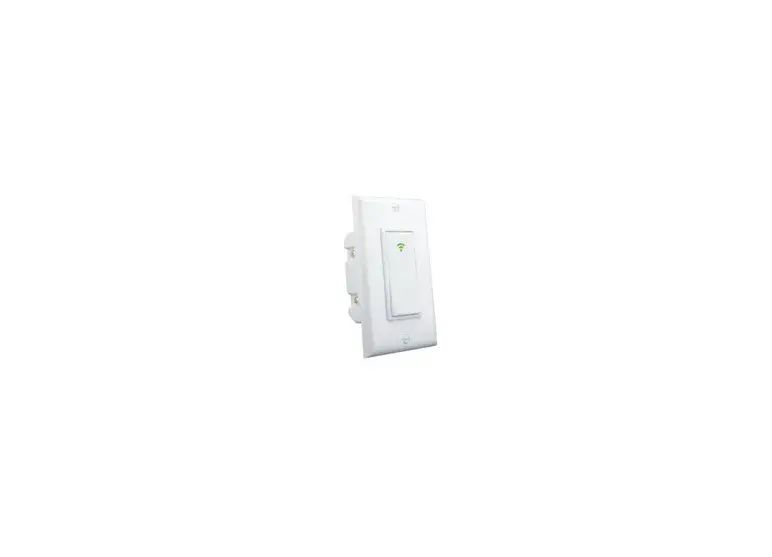
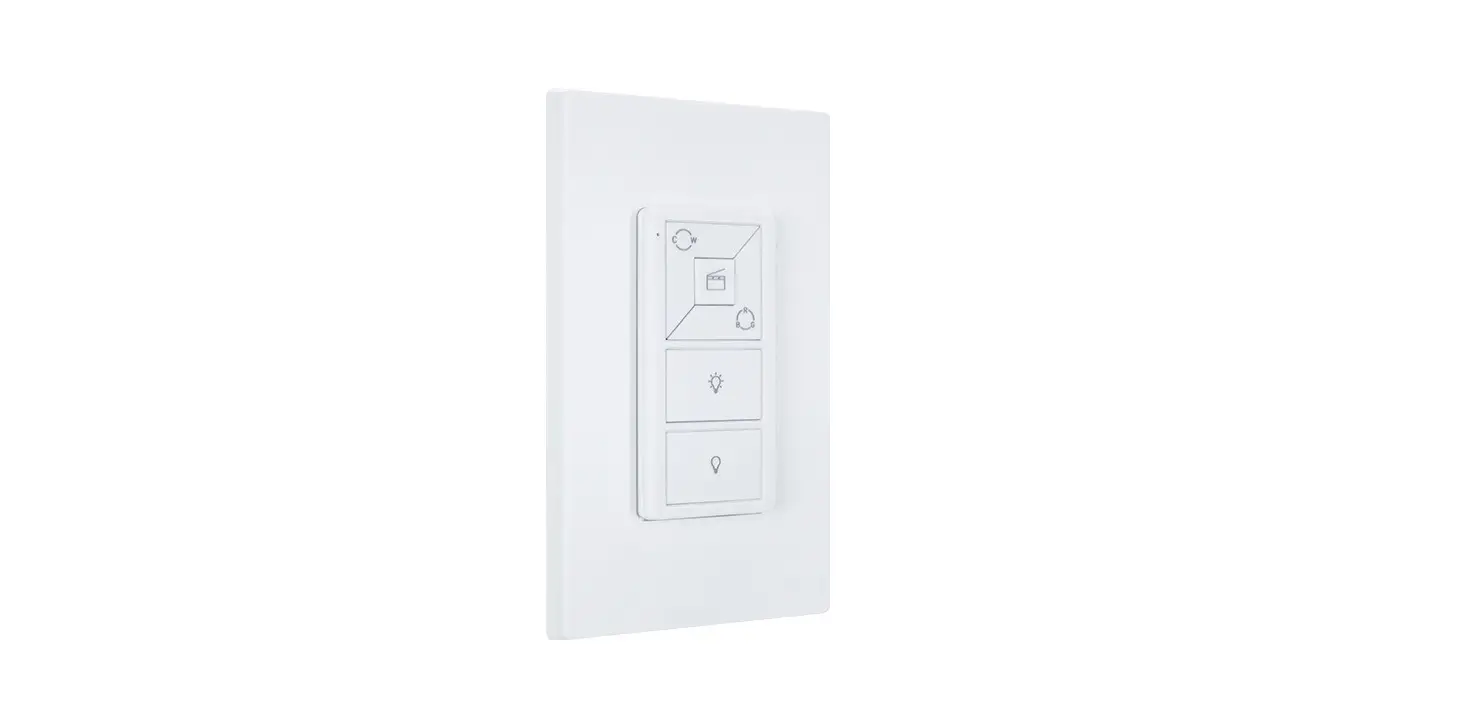
SNA042CLR3-ZB-1X600-P Smart Switch
| Model No. | SNA042CLR3-Z13-1×600- P | ||
| Rated Voltage | 120-277V∼ | ||
| Rated Frequency | 6011z | ||
| Operating Voltage | 120V∼ | 277V ∼ | |
| Load Range | I ncand. | 5A | 3A |
| LED/CFL | 5A | 3A | |
| Res | 5A | 3A | |
| Motor | 1/6HP | 1/6 HP’ | |
| Communication module | Z igBee | ||
| Operating Environment | Temperature: 0°C – 40°C | ||
| Humidity: 10% R.H. – 90% R.H. | |||
| Usage Environment | Indoor use only | ||
| Model Size | 105 mm×44 mm×33mm (L×W×H) | ||
| Model No. | SNA042CLR3-ZB-1×1200- P | ||
| Rated Voltage | 120-277V∼ | ||
| Rated Frequency | 601h | ||
| Operating Vol age | 120V∼ | 277V∼ | |
| Load Range | I ncand. | 10A/1200VA | 8A/2216VA |
| LED/CFL | 10A/1200VA | 8A/2216VA | |
| Res | 10A/1200VA | 8A/2216VA | |
| Motor | 1/2 HP | 1 HP | |
| Communication module | Z i gBee | ||
| Operating Environment | Temperature: 0°C – 40°C | ||
| Humidity: 10% R.H. – 90% R.H. | |||
| Usage Environment | Indoor use only | ||
| Model Size | 105 mm×44 mm×33mm (L×W×H) | ||
 WARNINGSAND CAUTIONS
- To protect against the dangers of fire and electric shock, a product has to be installed according to electrical codes and standards.
- This product should be use together with an upstream air-switch.
- Turn power off at circuit breaker or fuse and test that power is off before installing.
- If you are unsure about any part of these instructions, consult a licensed electrician.
RF EXPOSURE STATEMENT
This equipment complies with the FCC RF radiation exposure limits set forth for an uncontrolled environment. This equipment should be installed and operated with a minimum distance of 20cm between the radiator and any part of your body.
This equipment meets the exemption from the routine evaluation limits in section 2.5 of RSS-102. It should be installed and operated with a minimum distance of 20cm between the radiator and any part of your body.
IC Information
This device contains licence-exempt transmitter(s) that comply with Innovation, Science and Economic Development Canada’s licence-exempt RSS(s). Operation is subject to the following two conditions:(1) This device may not cause interference.and (2) This device must accept any interference, including interference that may cause undesired operation of the device.
FCC Information
This device complies with Part 15 of the FCC Rules. Operation is subject to the following two conditions:
This device may not cause harmful interference, and (2) This device must accept any interference received, including interference that may cause undesired operation.
This equipment has been tested and found to comply with the limits for a Class B digital device, pursuant to part 15 of the FCC Rules.
These limits are designed to provide reasonable protection against harmful interference in a residential installation. This equipment generates, uses and can radiate radio frequency energy and, if not installed and used in accordance with the instructions, may cause harmful interference to radio communications. However, there is no guarantee that interference will not occur in a particular installation. If this equipment does cause harmful interference to radio or television reception, which can be determined by turning the equipment off and on, the user is encouraged to try to correct the interference by one or more of the following measures:
- Reorient or relocate the receiving antenna.
- Increase the separation between the equipment and receiver.
- Connect the equipment into an outlet on a circuit different from that to which the receiver is connected.
- Consult the dealer or an experienced radio/TV technician for help.
FCC CAUTION
Any changes or modifications to this unit not expressly approved by the manufacture could void the user’s authority to operate the equipment.
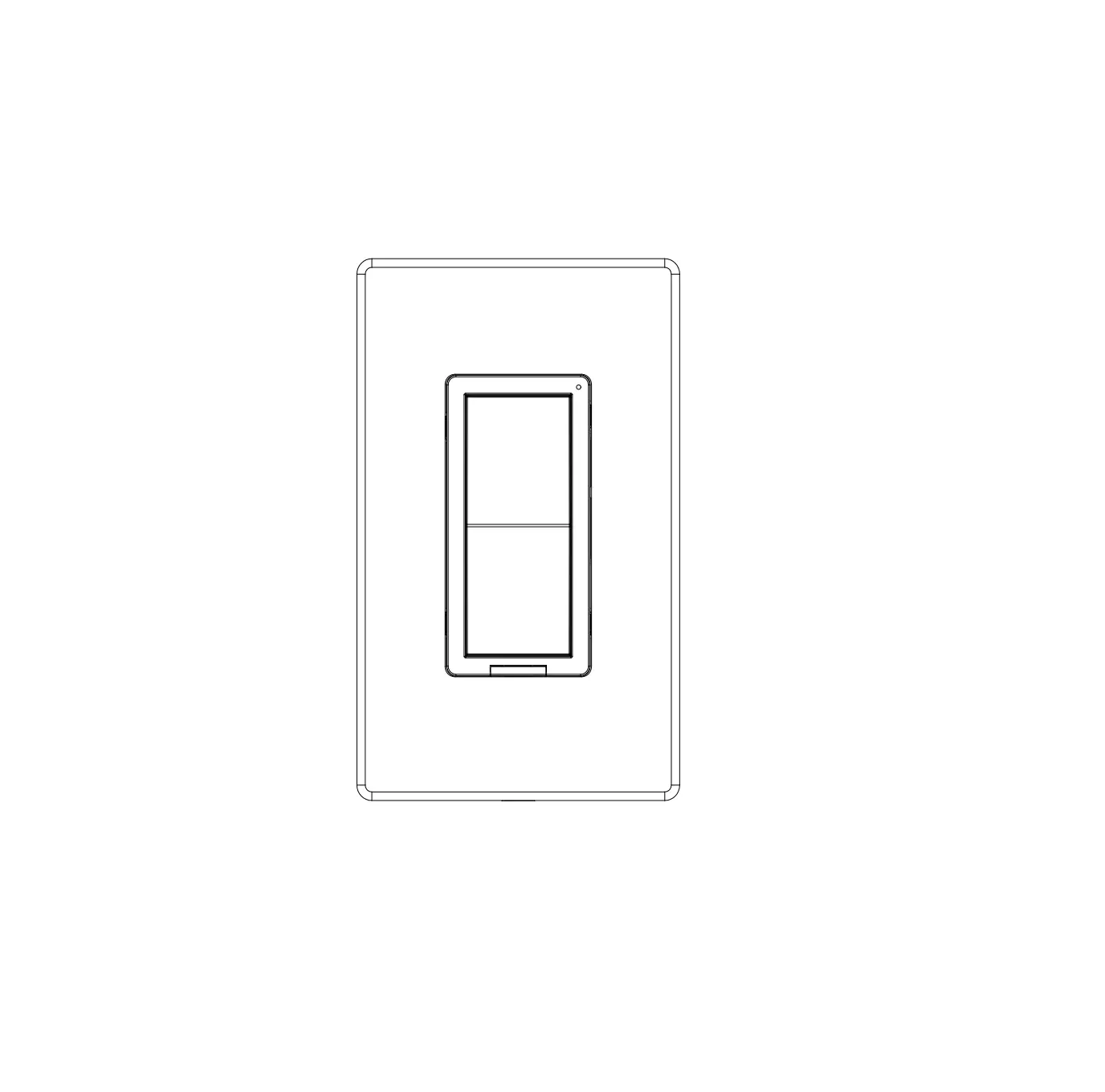
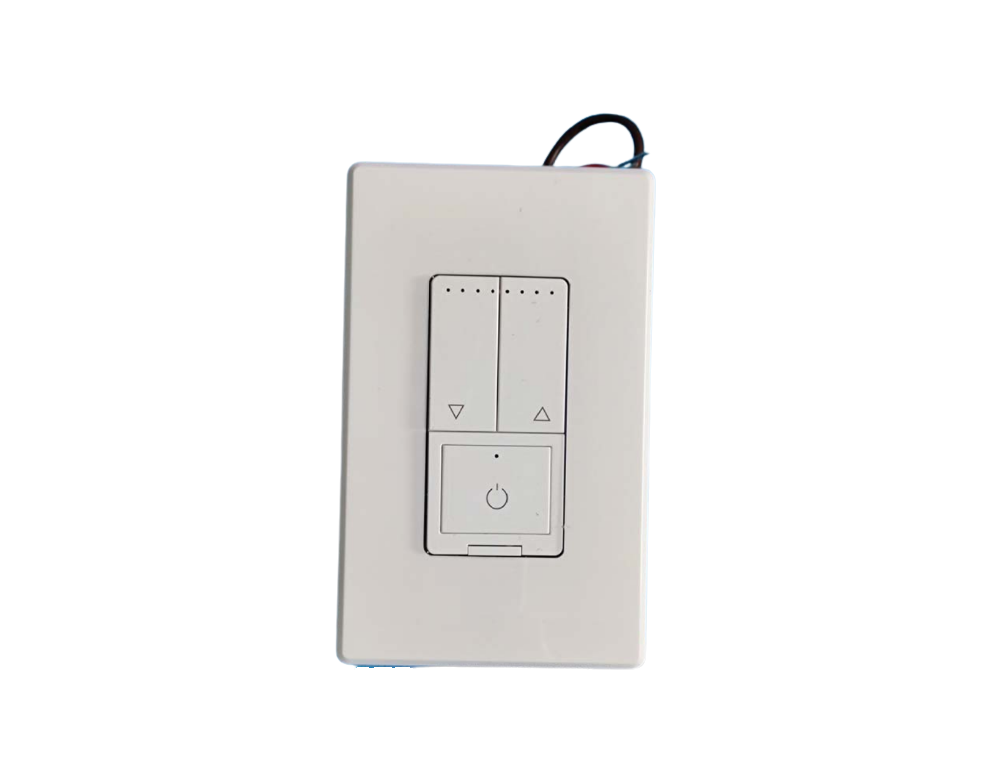
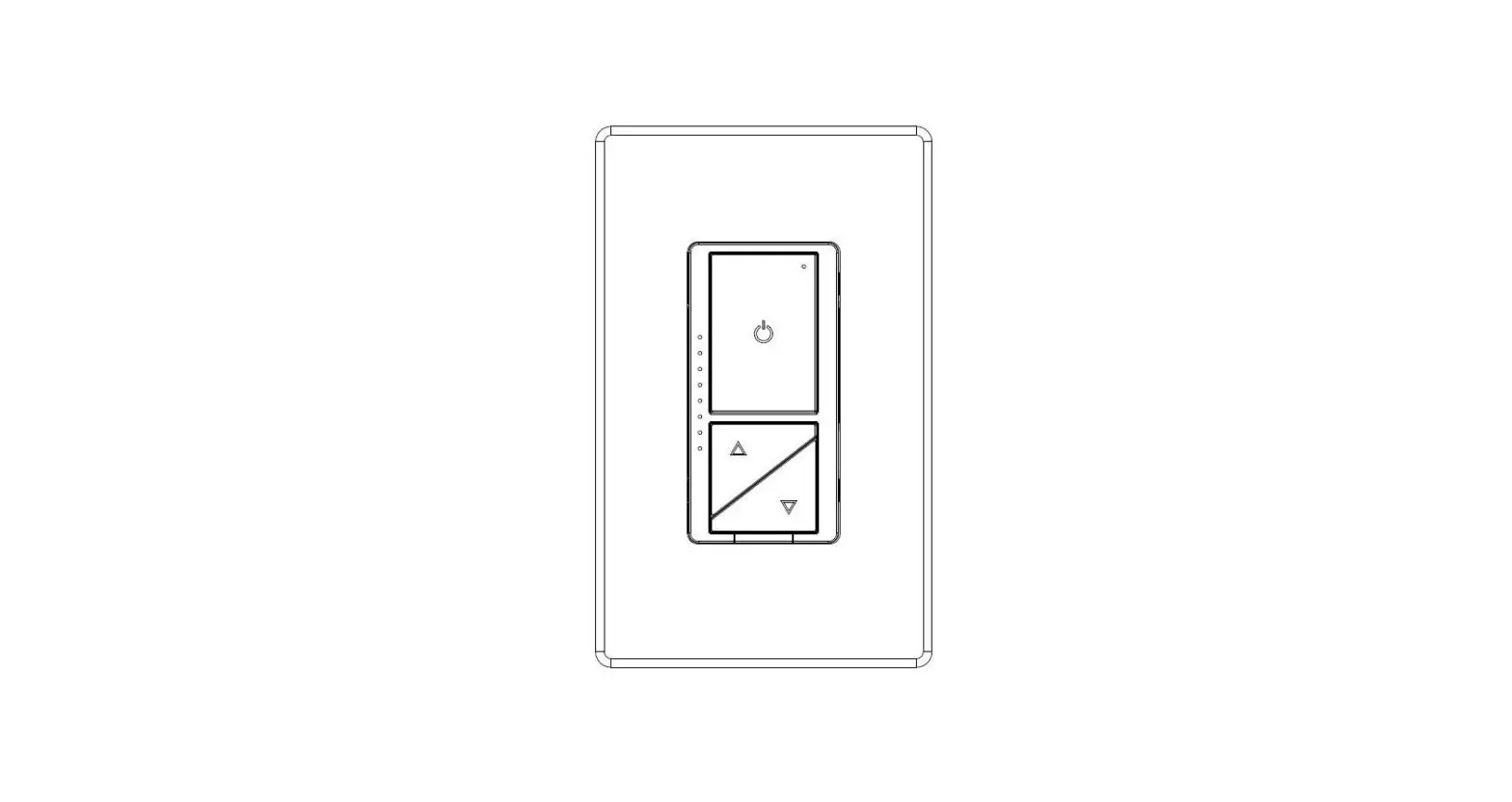
Function Parts Information
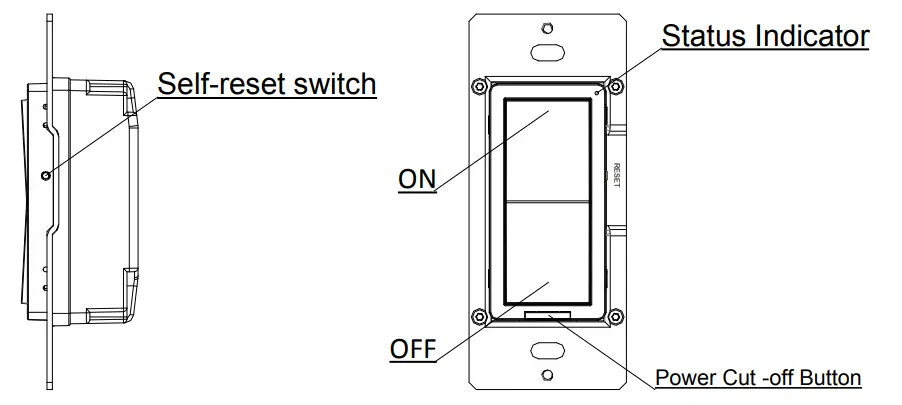
Short press: Within 0.5s .
Long press: Over 5s.
Status Indicator
- Indicator lights red: OFF status.
- Indicator lights green: ON status.
- Green Indicator flashing: enter distribution network mode.
ON/OFF
- Load power ON: When the load is powered off, press the ON button once.
- Load power OFF: When the load is powered on, press the OFF button once.
- Network mode: when the light is on, Long press ON or OFF for 5 seconds. After the status indicator blinks quickly, the phone can be connected to the smart switch. (if it is not connected, exit the network mode after 3 minutes).
Self-reset Switch
- Network mode: when the light is on, Long press the reset switch for 3 seconds. After the status indicator blinks quickly, the phone can be connected to the smart switch. (if it is not connected, exit the network mode after 3 minutes).
Power Cut -off Button
- Put in the power cut-off button to connect the power.
- Put out the power cut-off button to cut off the power.
Parts Information
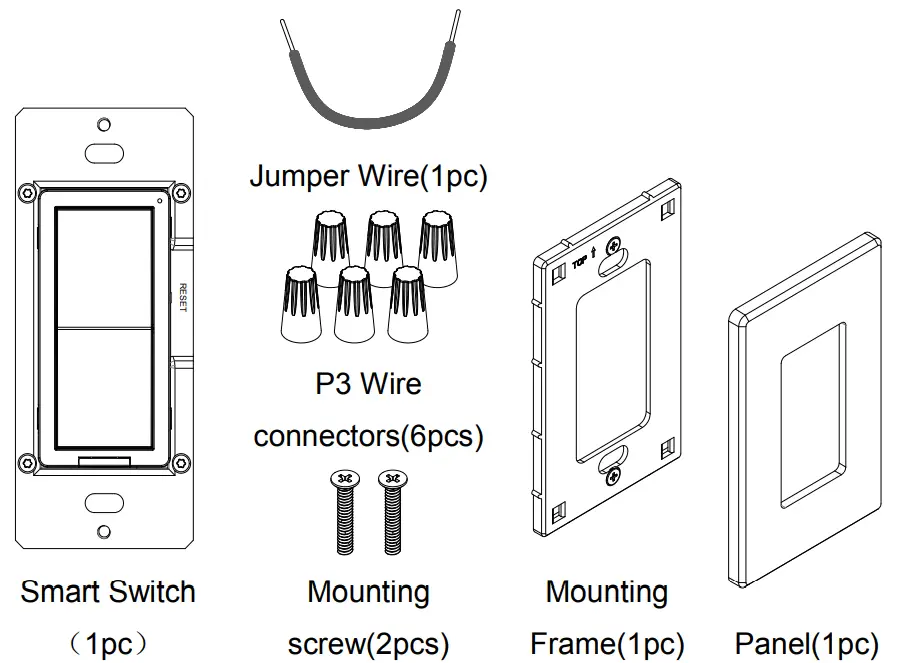
Tools needed to install your smart switch
| Φ3mm Slotted Screwdriver | Φ5mm Philips Screwdriver | Electrical Tape | Cutters |
| Pliers | Test Pencil | Ruler |
Installation and testing
Step 1 WARNING: To avoid fire and electrical shock,TURN OFF POWER at circuit breaker or fuse and test that power is off before wiring.
Step 2 Removing existing switch: Remove existing wall plate and switch mounting screws. Carefully pull switch from wall box, identify and take out the wires attached to the switch, then remove the switch. DO NOT remove wires which are taken out from the switch at this time.(If new configuration is without this step)
Step 3 Identifying your wiring application
NOTE: If the wiring in the wall box does not resemble any of these configurations, consult an electrician.
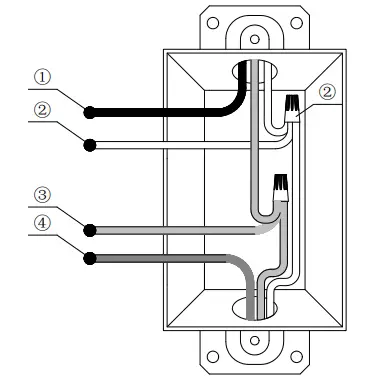
Single-Pole
①Line (Hot)
②Neutral
③Ground
④Load
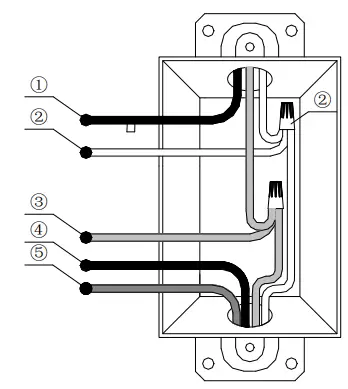
3-Way
①Line or Load
(See note below)
②Neutral
③Ground
④Traveler 1
⑤Traveler 2
Please note that for 3-way application,there have a power cord from the original switch be a different color (Black) or marked Common. Finding this power cord from both the Smart Switch’s junction box and 3-way junction box and marking as common (live or load).
Step 4 Typical wiring application
Power supply mode: Live wire or Neutral and Live wire.
(Note: If there is Neutral and Live wire condition, please connect to Neutral and Live wire for better compatibility.)
Step 4a Single-Pole
Note: the Smart Switch can also work normally if N wire is not connected.
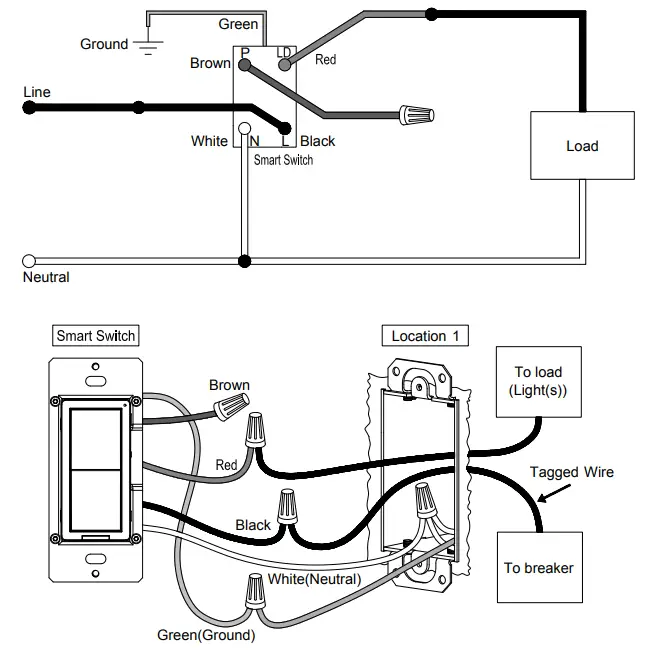
Location 1 wiring:
- Connect the green wire on the smart switch with the green or bare copper ground wire on the wall box and tighten it by screwing the P3 wiring nut.
- Connect the black wire on the smart switch with the live wire of the circuit breaker or load wire and tighten it by screwing the P3 wiring nut.
- Connect the white wire on the smart switch with the neutral wire, and tighten it by screwing the P3 wiring nut. (Note: the Smart Switch can also work normally if N wire is not connected.)
- Connect the red wire on the smart switch with the live wire of the circuit breaker or load wire and tighten it by screwing the P3 wiring nut.
- Protect the remaining brown wire on the smart switch by screwing the P3 wiring nut.
Step 4b-1 3-Way(3-way Switch)
Wiring scheme 1
Note: the Smart Switch can also work normally if N wire is not connected.
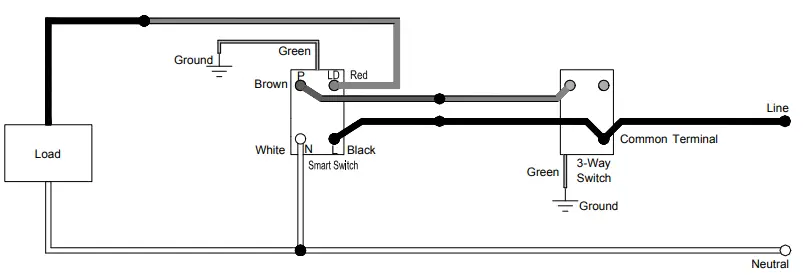
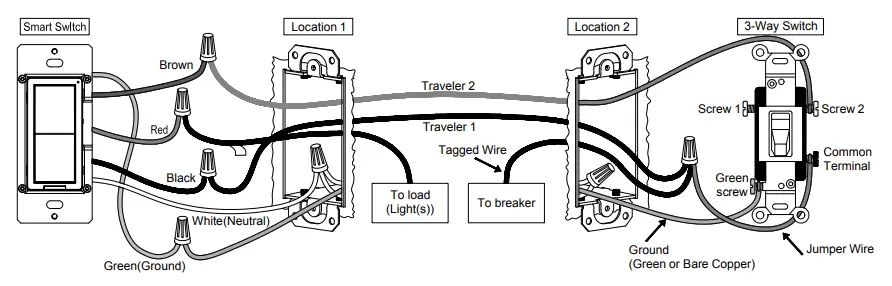
Location 1 wiring:
- Connect the green wire on the smart switch with the green or bare copper ground wire on the wall box and tighten it by screwing the P3 wiring nut.
- Connect the black wire on the smart switch with Traveler 1 and tighten it by screwing the P3 wiring nut.
- Connect the white wire on the smart switch with the neutral wire and tighten it by screwing the P3 wiring nut.
(Note: the Smart Switch can also work normally if N wire is not connected.) - Connect the brown wire on the smart switch with Traveler 2 and tighten it by screwing the P3 wiring nut.
- Connect the red wire on the smart switch with the labeled wire (load w ire)and tighten it by screwing the P3 wiring nut.
Location 2 wiring:
- Connect Traveler 2 with Screw 1 or Screw 2 of the 3-way Switch.
- Connect the 3-way Switch Common Terminal with the Jumper wire, then connect Traveler 1 with the Jumper wire, as well as the live wire of the circuit breaker and tighten it by screwing the P3 wiring nut.
Step 4b-2 3-Way(Toggle Switch)
Wiring scheme 2
Note: the Smart Switch can also work normally if N wire is not connected.
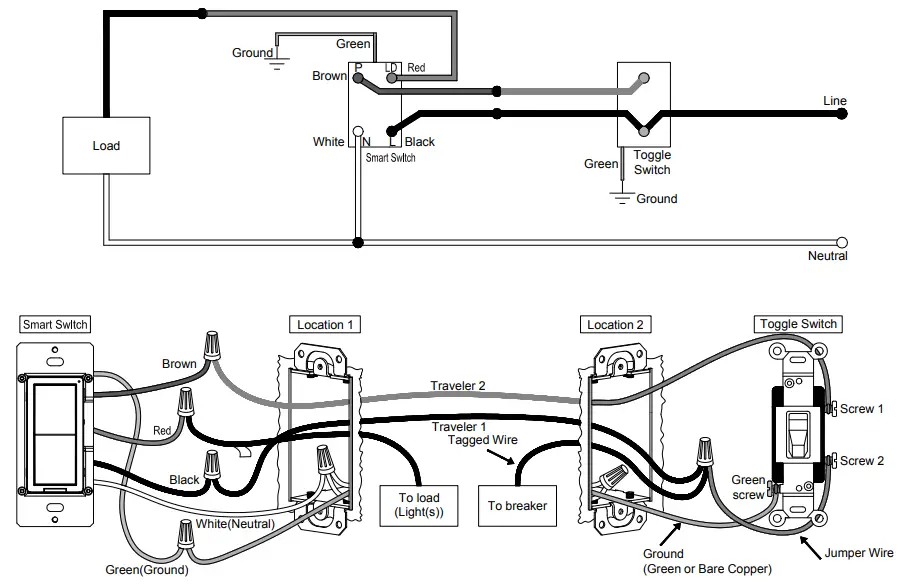
Location 1 wiring:
- Connect the green wire on the smart switch with the green or bare copper ground wire on the wall box and tighten it by screwing the P3 wiring nut.
- Connect the black wire on the smart switch with Traveler 1 and tighten it by screwing the P3 wiring nut.
- Connect the white wire on the smart switch with the neutral wire and tighten it by screwing the P3 wiring nut.
(Note: the Smart Switch can also work normally if N wire is not connected.) - Connect the brown wire on the smart switch with Traveler 2 and tighten it by screwing the P3 wiring nut.
- Connect the red wire on the smart switch with the labeled wire (load wire)and tighten it by screwing the P3 wiring nut.
Location 2 wiring:
- Connect Traveler 2 with Screw 1 of the Toggle Switch.
- Connect the Toggle Switch Screw 2 with the Jumper wire,then connect Traveler 1 with the Jumper wire, as well as the live wire of the circuit breaker, and tighten it by screwing the P3 wiring nut.
Step 5 Installing smart switch
- Carefully position all wires inside the wall-box, leaving enough space to insert the smart switch and tighten with the matched screws.
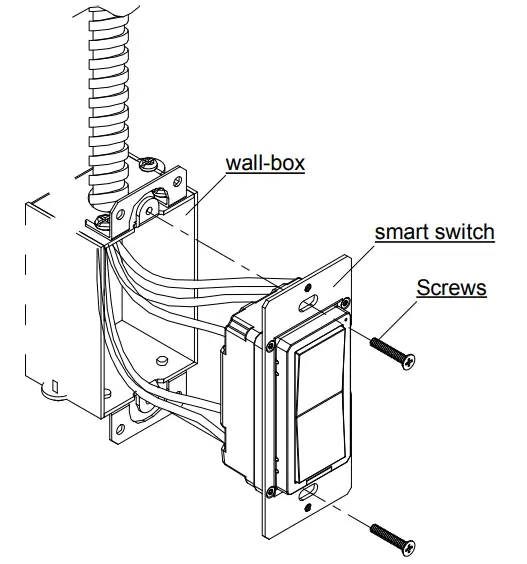
Step 6 Install the panel
Step 6a Split panel
- Install the mounting frame on the smart switch and secure it with the supporting mounting screws.
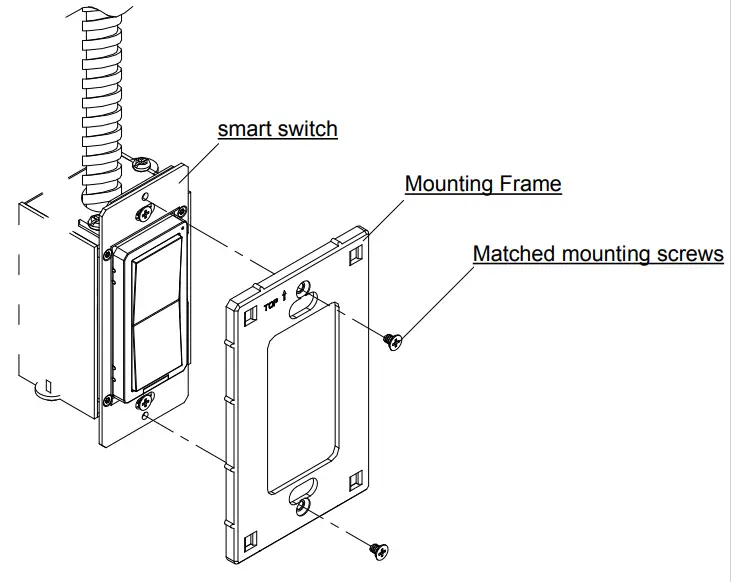
- Put the panel and mounting frame together, press gently to make sure it is be installed firmly.
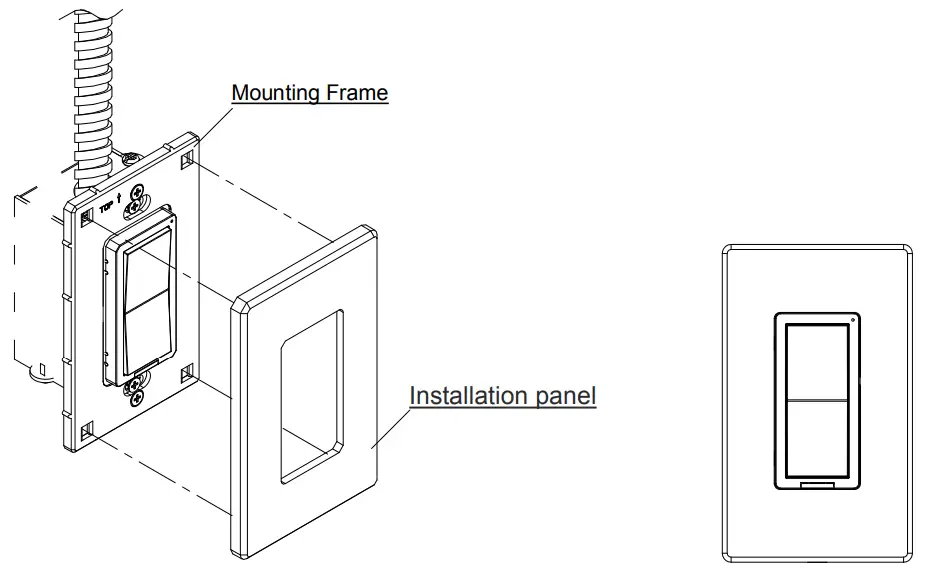
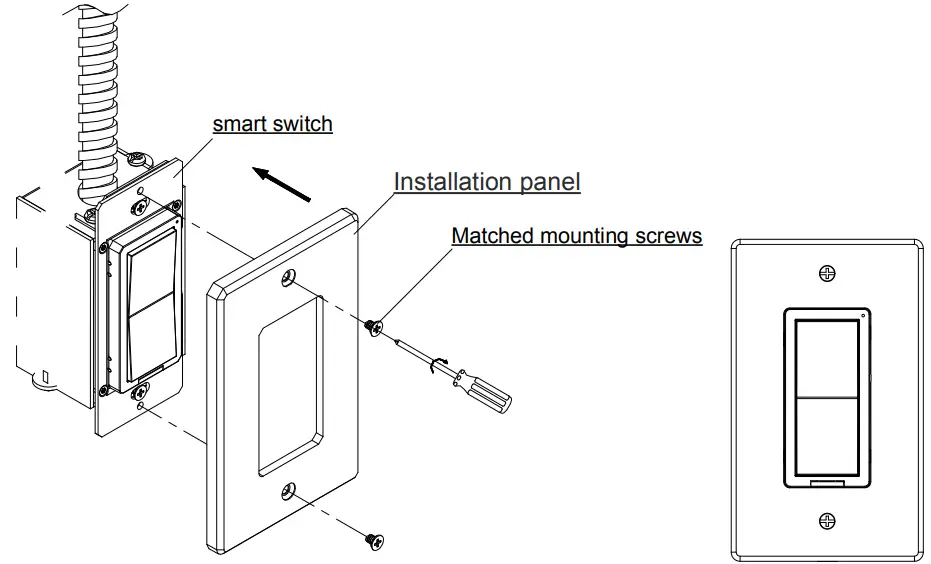
Step 6b Integrated panel
- Place the panel on the mounted smart switch and secure it with the matching mounting screws.
Using instruction
Table 1 Single – Pole Function table
| Function | smart switch Operation Way | smart switch Operation | APP Operation |
| Distribution network mode | Long press ON or OFF for 5 seconds | x | |
| Long press the reset switch for 5 seconds | |||
| ON | Press the ON button once | √ | √ |
| OFF | Press the OFF button once | J | √ |
| Time switch on/off | NOT | x | √ |
| Shared device | NOT | x | √ |
| group control | NOT | x | √ |
Table2 3 – way Function table
| Function | smart switch Operation Way | smart switch Operation | 3-way Switch or Toggle Switch Operation | APP Operation |
| Distribution network mode | Long press ON or OFF for 5 seconds | √ | x | x |
| Long press the reset switch for 5 seconds | ||||
| ON | Press the ON button once | √ | √ | √ |
| OFF | Press the OFF button once | |||
| Time switch on/off | NOT | x | x | √ |
| Shared device | NOT | x | x | √ |
| group control | NOT | x | x | √ |
Troubleshooting
| Problems | Possible Cause | Solution |
| Lights flickering | Lamp has a bad connection. | Reconnect and fix the wires. |
| Lamps can’t be turn on | Circuit breaker has tripped. | Turn power on |
| Fuse bum out | Change fuse | |
| Lamp burned out | Change lamp | |
| Lamp neutral connection is not wired | Reconnect the lamp neutral | |
| Lights out of control or unable to connect to the network | abnormal | Pull out the power cut-off switch and disconnect the power supply; Insert the power cut-off switch and turn on the power again; |
Distribution network
- Network mode: when the light is on, Long press ON or OFF for 3 seconds. After the status indicator blinks quickly, the phone can be connected to the smart switch. (if it is not connected, exit the network mode after 3 minutes).
- Supports Amazon Echo Plus and Philips Hue control.
Mobile app operation
Step 1 Download the ‘Smart Life’ App
- Use your mobile device to scan the QR code below or search for “Smart Life” in the App Store or Google play to download and install the app.
 https://smartapp.tuya.com/tuyasmart
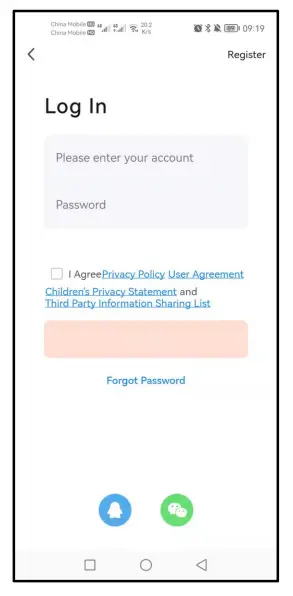
Step 2 Register an account and Login
- Open the Smart Life app,click Register to create an account and login.
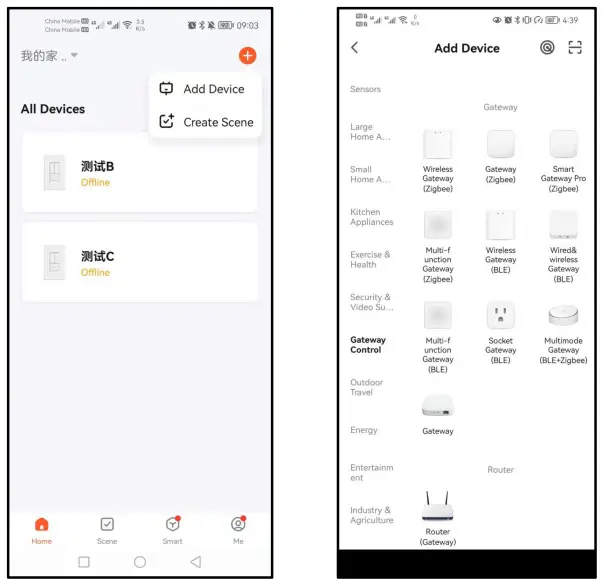
Step 3 Add the ZigBee gateway
- Click on the top right
 , click Add Device;
 - Click Gateway Control and then click
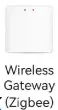 ,to enter the device connection interface.
- Make sure the App control indicator LED1 is blinking, click Confirm the indicator is blinking…,click
 。
。 - Enter your home Wi-Fi password,click Next, and wait for the connection.
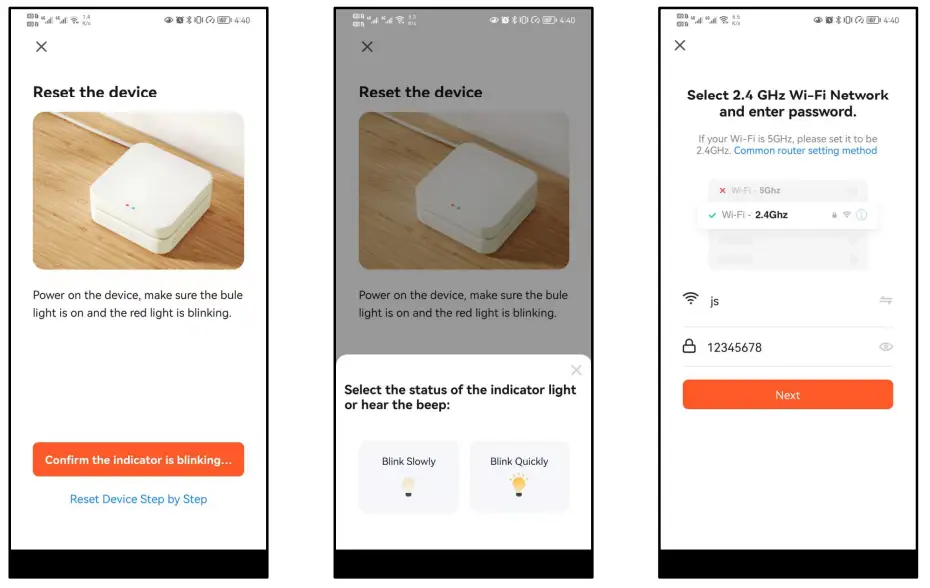
Step 4 Add the Smart Switch
- Network mode: when the light is on, Long press ON or OFF for 5 seconds. After the status indicator blinks quickly, the phone can be connected to the smart switch. (if it is not connected, exithe network mode after 3 minutes).
- Click
 ,Click Add subdevice,Click LED already blink,and wait for connection.
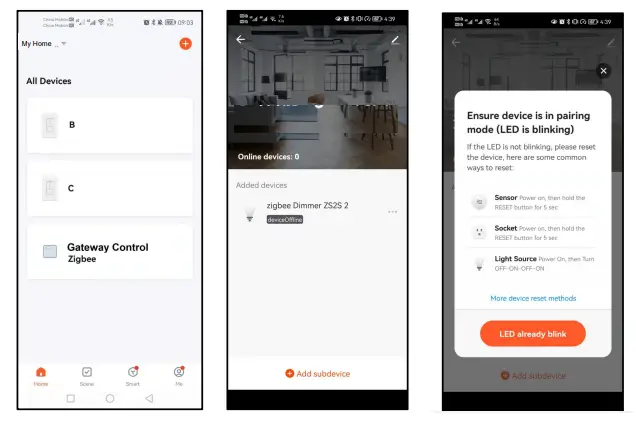
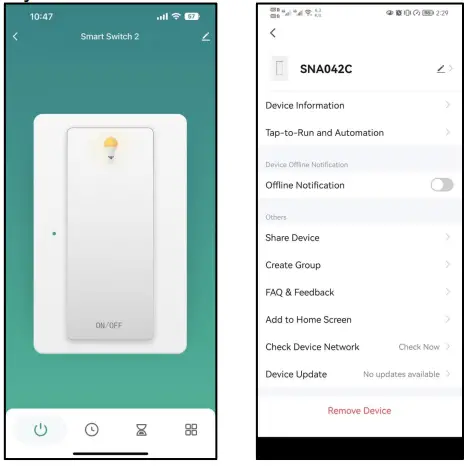
Step 5 Use the phone App to control smart switch
- Click
 ,control the light on and off function of the smart switch.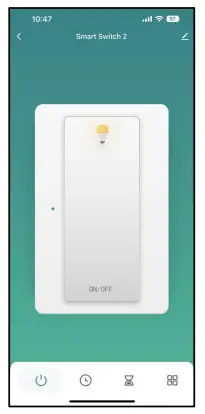
- Click
 ,to set the timer light on and off function of the smart switch.
 - Add timing and save.
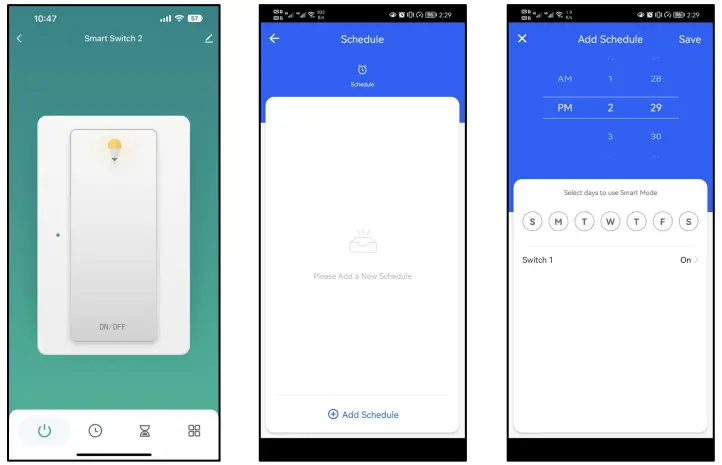
- After the smart switch is connected, it can be shared with multiple people, that is, one smart switch can be controlled by multiple apps.
- Click the upper right corner to
 ,enter the device details interface.
 - Click Share Device,to enter the Device sharing interface and add family members.