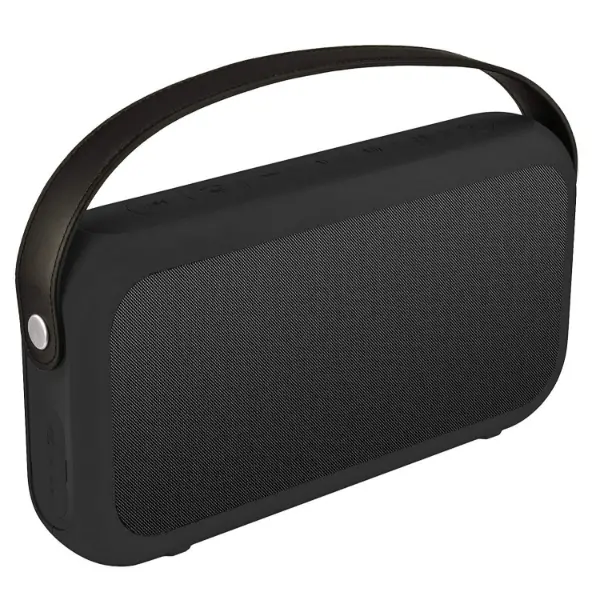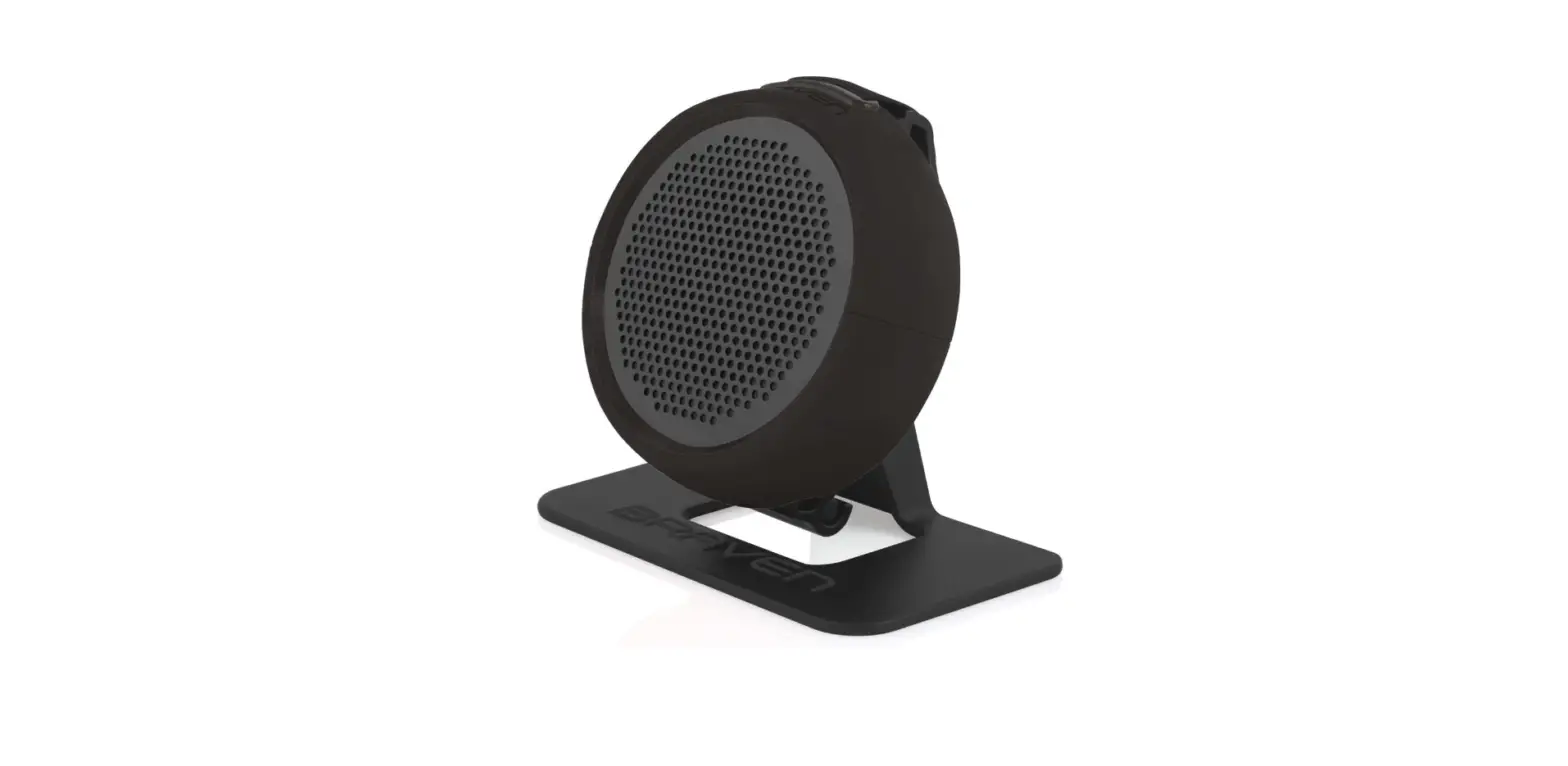
 Braven B105BBB 105 Wireless Portable Bluetooth Speaker
 Braven B105BBB 105 Wireless Portable Bluetooth Speaker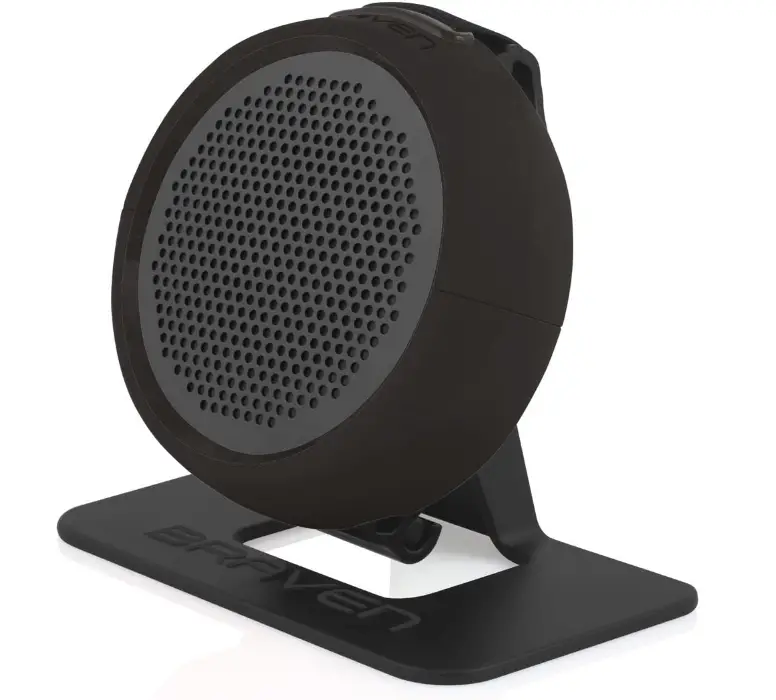
Specifications
- PRODUCT DIMENSIONS: 8 x 3.8 x 1.3 inches
- ITEM WEIGHT: 7 ounces
- BATTERIES: 1 Lithium Ion batteries
- BRAND: Braven
Introduction
The disc-shaped Braven 105 is a portable Bluetooth speaker that is lightweight and robust. The Braven 105 is completely waterproof, pocket-sized, and equipped with an adaptable elastic strap that can be used to hang or connect to almost anything. Use Bluetooth to stream music wirelessly, and the in-built loudspeaker with noise-canceling technology to take calls while remaining hands-free. The Braven 105 Bluetooth speaker, a member of Braven’s highly regarded active Series, also includes a flexible action mount accessory that may be used as a stand or a mount.
GET TO KNOW YOUR BRAVEN
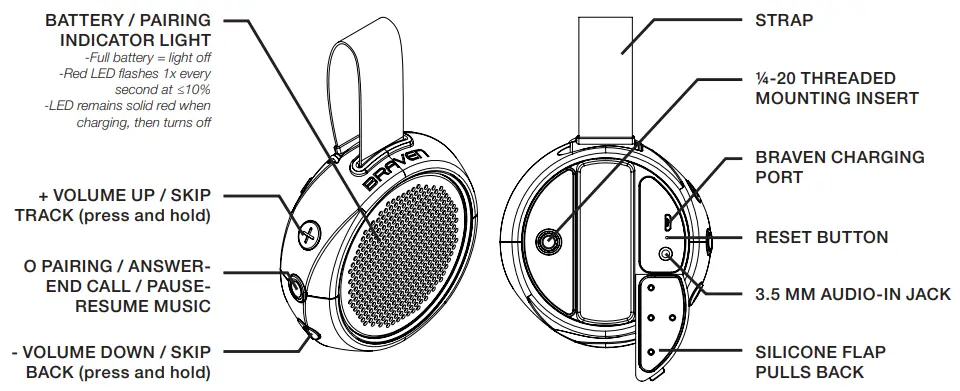
TURN ON & BLUETOOTH® AUTO-PAIRING
- Long press on “O” button powers on 105 and automatically begins pairing mode. LED behind grill will blink rapidly.
- Activate Bluetooth® on the phone or device you are pairing with (see your device’s instruction manual for information on activating its Bluetooth® settings).
- Go to your phone or device’s Bluetooth® settings and select “BRAVEN 105” from the list.
- If asked for a passcode, enter “0000”
- You will hear a single beep when BRAVEN 105 is paired with your device. NOTE: Braven 105 only remembers 1 device.
NOTE
If your BRAVEN does not have an active Bluetooth® connection and is left on, it will shut itself off after 30 minutes. To restart your BRAVEN you will need to press and hold the power button for 2-3 seconds.
NEW DEVICE PAIRING
- If you’d like to pair BRAVEN 105 to a new device, long press “O” to turn off speaker. Once speaker is off, long press “O” until you hear the speaker power on and hear the pairing sound.
- Activate Bluetooth® on the phone or device you are pairing with (see your device’s instruction manual for information on activating its Bluetooth® settings). NOTE: Speaker can ONLY go into paring mode or be put into pairing mode when the speaker is first turned on.
- Go to your phone or device’s Bluetooth® settings and select “BRAVEN 105” from the list.
- If asked for a passcode, enter “0000”
- You will hear a single beep when BRAVEN 105 is paired with you device.
SPEAKERPHONE
- Press the “O” button to answer a call over the speaker. Press the “O” button again to end the call.
CHARGING YOUR BRAVEN
- Before using your BRAVEN for the first time, charge the unit until the LED battery indicator light behind the grill turns off.
- To charge your BRAVEN, plug the included USB-to-Micro- USB cable into a wall power adapter (not included) or into a powered USB port on a computer. Plug the Micro-USB connector end of the cable into the BRAVEN charging port.
WATERPROOF FEATURES
- The BRAVEN 105 is IPX7 waterproof and is designed to withstand rainfall, waterjets, water splashing, and dunk in the pool.
- IMPORTANT To ensure your BRAVEN 105 speaker is prepared for use in a wet environment, remove all cable connections and tightly close the silicone flap which guards the charging port and AUX input on the back of the speaker. If this flap is not securely fastened to the speaker, BRAVEN 105 will not be waterproof.
ATTACHING AND MOUNTING YOUR BRAVEN
- The integrated strap allows you to attach your BRAVEN 105 to a backpack, or bar.

- Included Action Mount allows you to attach BRAVEN 105 to most GoPro* mounting systems.

- ¼-20 threaded mounting insert is compatible with tripods, and other mounts with ¼-20 posts.

- Use included desk stand at the office, dorm, or next to the kitchen sink.

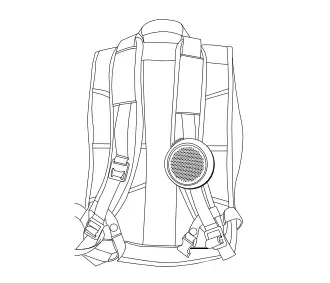
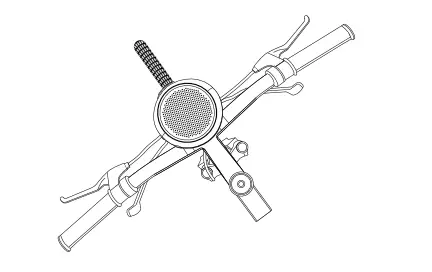
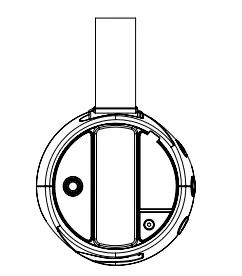
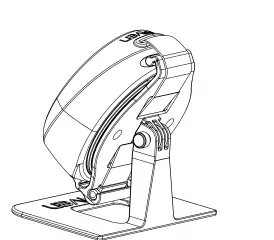
REMOVING 105 FROM STAND
- Locate pin
- Remove pin
- Separate from stand
Note
Store stand in safe place.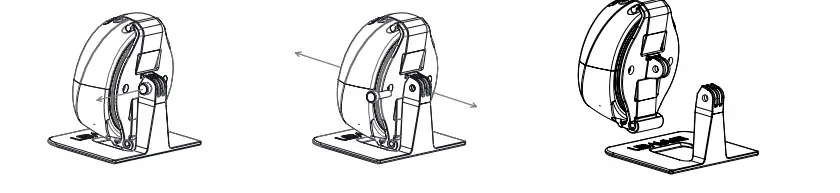
REMOVING ACTION MOUNT FROM 105
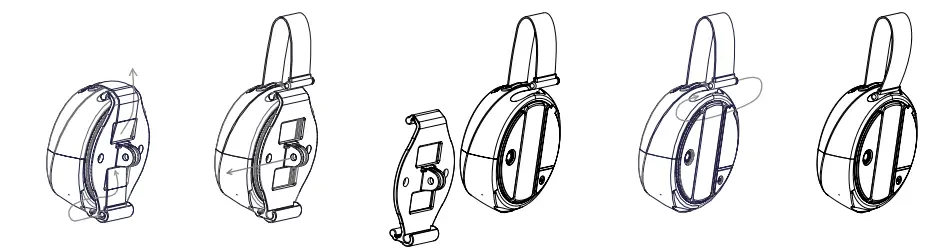
- Slide out strap end and thread through action mount
- Slide out action mount
- Store action mount safely
- Slide in
- Enjoy!
ATTACHING 105/ACTION MOUNT TO STAND
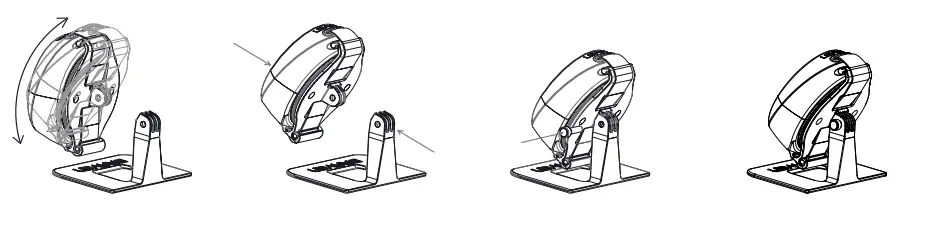
- Select preferred angle
- Line action mount with stand
- Insert pin to secure to stand
- Rock out
WARNINGS, CAUTION & LEGAL INFORMATION
To reduce the risk of fire or electric shock, do not expose the BRAVEN to rain or moisture while charging. The BRAVEN should not be exposed to dripping or splashing, and objects filled with liquids, such as vases, should not be placed on or near it while being charged or charging other devices. As with any electronic product, use care not to spill liquids into any part of the product. Liquids can cause a failure and/or a fire hazard. The power supply must be used indoors only. Make no modifications to the product or accessories. Unauthorized alterations may compromise the safety, regulatory compliance, and system performance, and will void the warranty. Do not place any flame sources, such as lighted candles, on or near the BRAVEN. The BRAVEN contains small parts that may be a choking hazard and is not suitable for children under age 3. Do not continue charging the battery if it does not reach full charge within the specified charging time. Overcharging may cause the battery to become hot, rupture, or ignite. If you see any heat deformation or leakage, properly dispose of the battery. Do not attempt to charge the battery in temperatures outside the range of 32°-104°F (0°-40°C). If the battery begins to leak, do not allow the liquid to come in contact with your skin or eyes.
If contact has been made, wash the affected area with plenty of water and seek medical attention immediately. Do not expose the product or battery to excessive heat, including direct sunlight or fire and storage or use inside cars in hot weather, where it can be exposed to temperatures in excess of 115°F (60°C). Doing so may cause the battery and power supply to generate heat, rupture, or ignite. Using the product in this manner also may result in a loss of performance and a shortened life expectancy. Extended exposure to direct sunlight may damage the external appearance and material qualities. Do not step on, throw, or drop batteries or the power supply or device, or expose them to a strong shock. Do not pierce, crush, dent, or deform the batteries or power supply in any way. If either becomes deformed, properly dispose of it. Do not short-circuit batteries. Do not attempt to service the BRAVEN yourself. Opening or removing covers may expose you to dangerous voltages or other hazards and will void the manufacturer’s warranty. To prevent risk of fire or electric shock, avoid overloading wall outlets, extension cords, or integral convenience receptacles.
Your Bluetooth device (mobile phone, music player, tablet, laptop, etc.) must support the A2DP Bluetooth profile in order to work wirelessly with your new BRAVEN speaker. The A2DP profile is supported by most recent mobile products with built-in Bluetooth capability. Please refer to your device’s user manual for details and instructions regarding the Bluetooth profiles it supports. This device complies with part 15 of the FCC Rules. Operation is subject to the following two conditions:
- This device may not cause harmful interference, and
- this device must accept any interference received, including interference that may cause undesired operation.
NOTE: This equipment has been tested and found to comply with the limits for a Class B digital device, pursuant to part 15 of the FCC Rules. These limits are designed to provide reasonable protection against harmful interference in a residential installation. This equipment generates, uses and can radiate radio frequency energy and, if not installed and used in accordance with the instructions, may cause harmful interference to radio communications. However, there is no guarantee that interference will not occur in a particular installation. If this equipment does cause harmful interference to radio or television reception, which can be determined by turning the equipment off and on, the user is encouraged to try to correct the interference by one or more of the following measures:
- Reorient or relocate the receiving antenna.
- Increase the separation between the equipment and receiver.
- Connect the equipment into an outlet on a circuit different from that to which the receiver is connected.
- Consult the dealer or an experienced radio/TV technician for help.
CAUTION
Any changes or modifications not expressly approved by the party responsible for compliance could void the user’s authority to operate the equipment.
FCC RADIATION EXPOSURE STATEMENT
This device complies with FCC radiation exposure limits set forth for an uncontrolled environment.
This device complies with Industry Canada license-exempt RSS standard(s). Operation is subject to the following two conditions:
- this device may not cause interference, and
- this device must accept any interference, including interference that may cause undesired operation of the device.
Under Industry Canada regulations, this radio transmitter may only operate using an antenna of a type and maximum (or lesser) gain approved for the transmitter by Industry Canada. To reduce potential radio interference to other users, the antenna type and its gain should be so chosen that the equivalent isotropically radiated power (e.i.r.p.) is not more than that necessary for successful communication.
The lithium Battery installed is not intended to be replaced by the USER.
CAUTION
The danger of explosion if the battery is incorrectly replaced. Replace only with the same or equivalent type.
Where the MAINS plug is used as the disconnect device, the disconnect device shall remain readily operable.
The device meets the exemption from the routine evaluation limits in section 2.5 of RSS 102 and compliance with RSS-102 RF exposure, users can obtain Canadian information on RF exposure and compliance.
Correct Disposal of this product. This marking indicates that this product should not be disposed with other household wastes throughout the EU. To prevent possible harm to the environment or human health from uncontrolled waste disposal, recycle
It responsible to promote the sustainable reuse of material resources. To return your used device, please use the return and collection systems or contact the retailer where the product was purchased.
Frequently Asked Questions
Did yours come with the stand? Ordered 2 and neither came with the stand as shown.
Should have a stand. I have two and both came with the stand brackets
Can it be used while it is charging?
Yes
Can I connect 2 speakers together?
No
Can this speaker be used in a shower?
I have used it surfing, paddle boarding, in salt water and fresh water…submerged it, left in out in the rain…still works fine. I think it would handle the shower just fine.
Mine makes a beeping noise periodically while im playing music thru it. When it does the music pauses. Why?
I am unsure why it would do this. It might be because the battery is low. Have you tried making sure it’s charged up.
Is there Velcro on the back to be able to wrap around things or just a solid strap?
on the back, it got elastic tape that can wrap thing and hook with speaker. more detail you can search “braven 105” in youtube
I had already purchased 2 of these speakers and like them a lot but did not come with the stand. Where can I buy the stands?
The ones we sell come with the stand. I am unsure where to get them, I would suggest looking online for them, if Amazon doesn’t sell them ebay may.
Where can i find the desk mount stand for the Braven 105 speaker?
The mount is included with the speaker.
Can you connect another Braven 105 at the same time to play concurrently?
Cannot, it standalone
Does my BRAVEN 105 speaker need to be charged?
Use the supplied USB-to-Micro-USB cable to charge your BRAVEN by connecting it to a powered USB port on a computer or a wall power adapter (not provided). Connect the cable’s Micro-USB connection end to the BRAVEN charging port.
How can I make my BRAVEN speaker function?
Your device’s Bluetooth should be enabled. When you hear the BRAVEN pairing sound, press and hold the Play Button on your BRAVEN. Choose “BRAVEN BRV-XXL” from the list in the Bluetooth® settings on your phone or device. In order to activate the speaker, press and hold the “” button until a tone prompt appears.
Where is the BRAVEN speaker’s reset button?
Press and hold the reset button behind the device’s back cap to restart it. Be aware that wiping the device’s memory will erase all previously linked devices.
Why won’t the Bluetooth on my BRAVEN speaker pair?
Verify that your external device’s Bluetooth is turned on. Turn on Bluetooth from the settings menu on your device to access this. On the list, look for “Braven BRV-HD” and then choose to couple the devices.
What is the charging time for a BRAVEN speaker?
The speaker can produce sound for roughly ten hours on a full charge, and recharging the device takes two to three hours. The speaker’s controls and connectors for charging it or using it as an iPhone charger are conveniently situated on the ends of the gadget.
Where is the speaker’s charging port on a BRAVEN?
Your BRAVEN’s full-sized USB port, which is hidden beneath the I/O port cover, can be used to charge USB devices that require 0.3A to 1A of current.