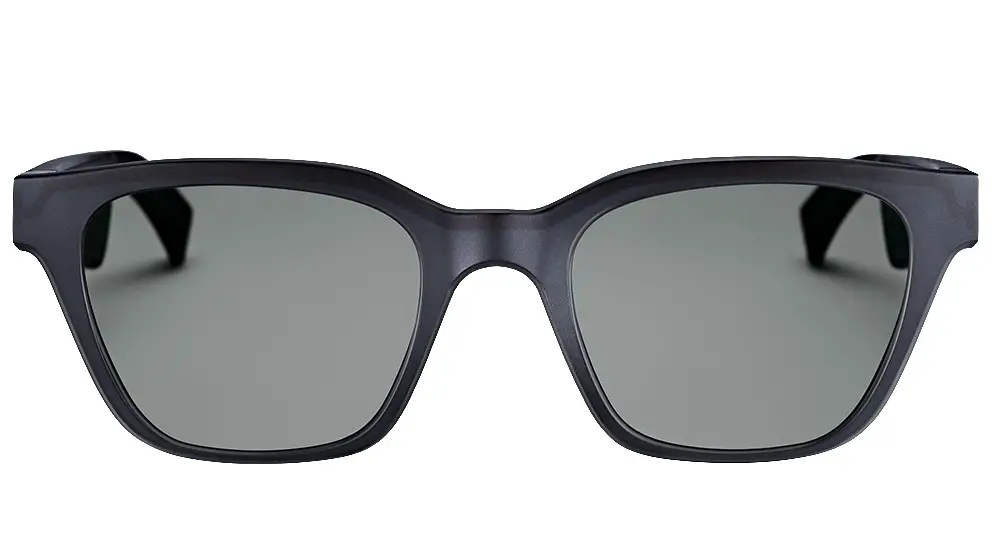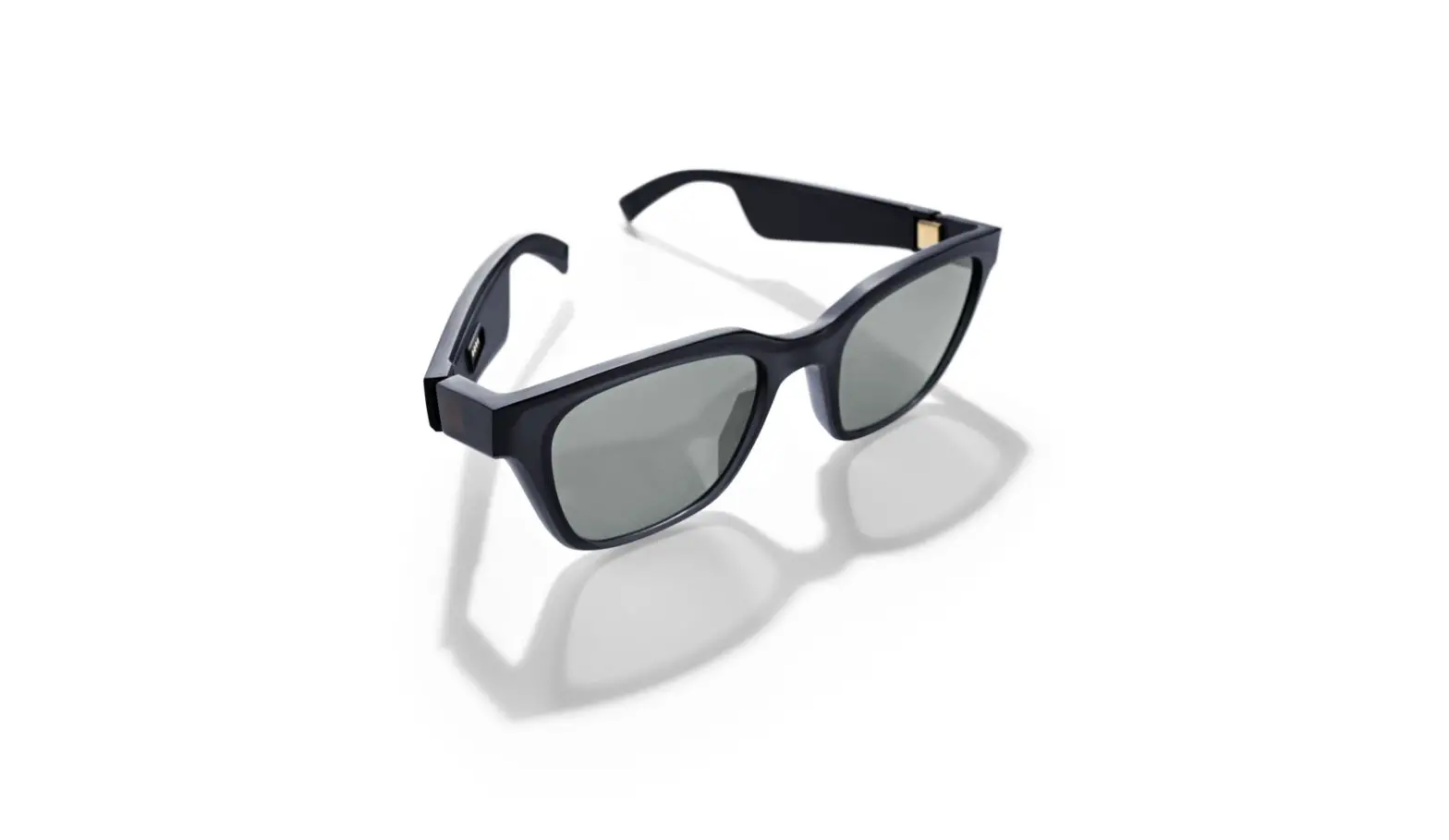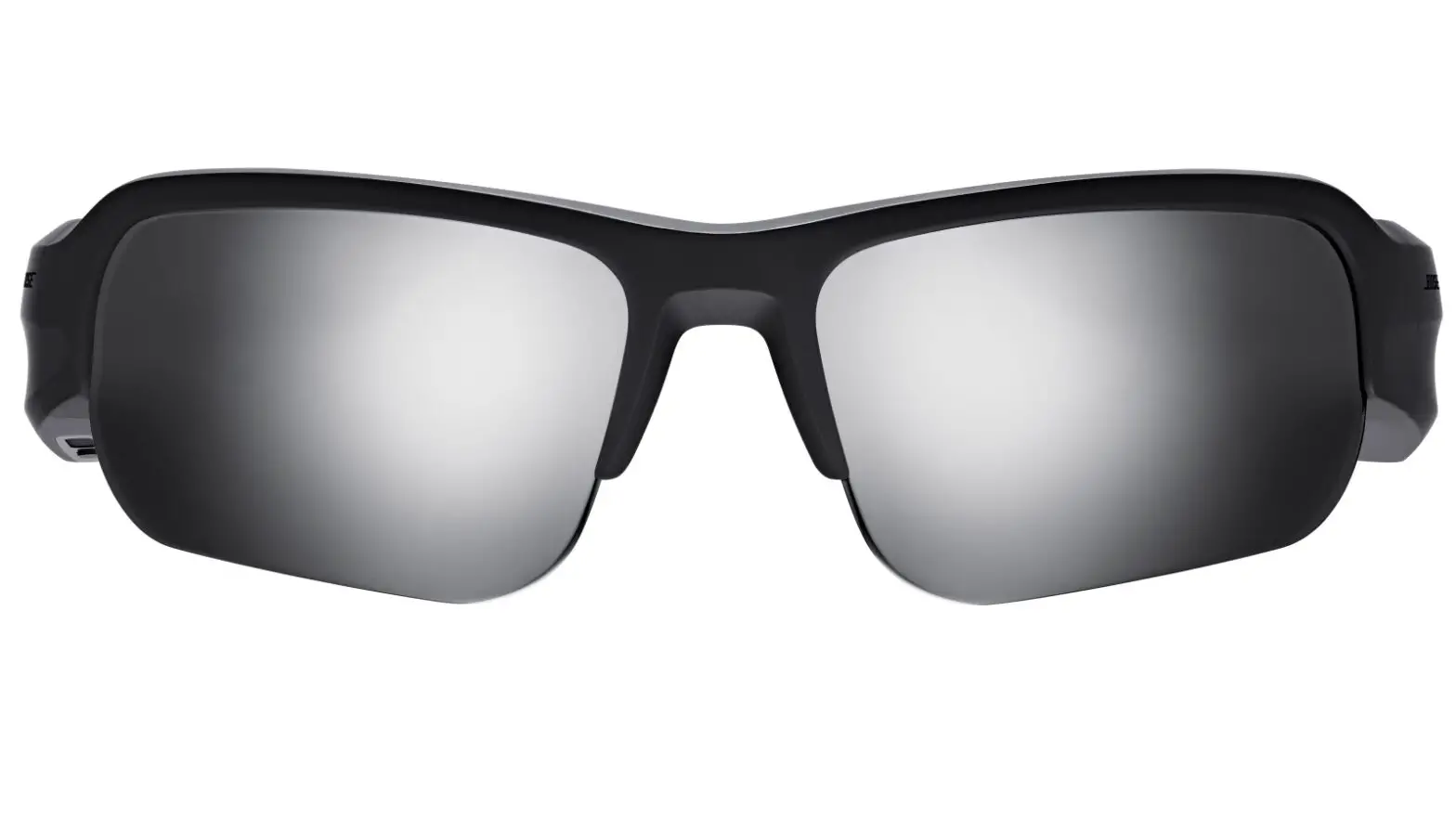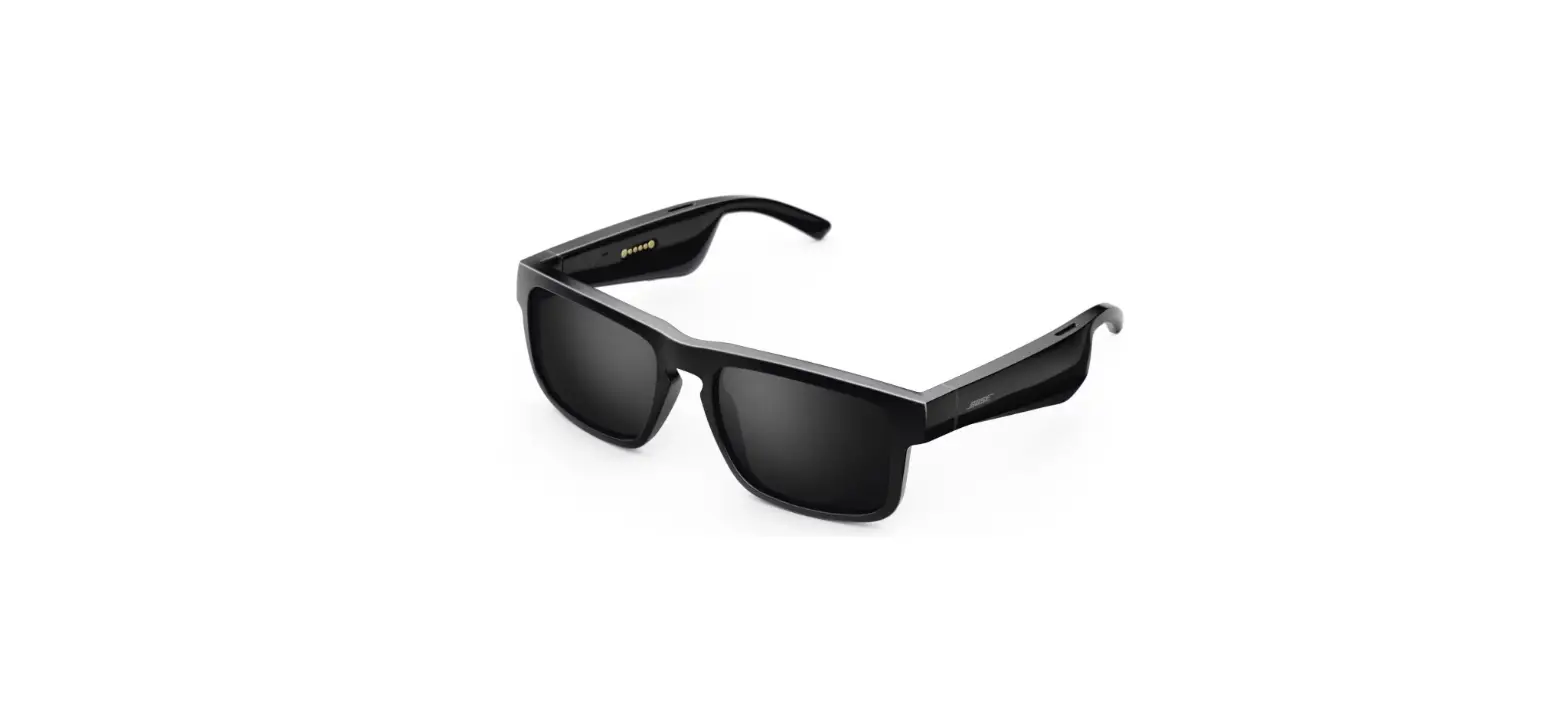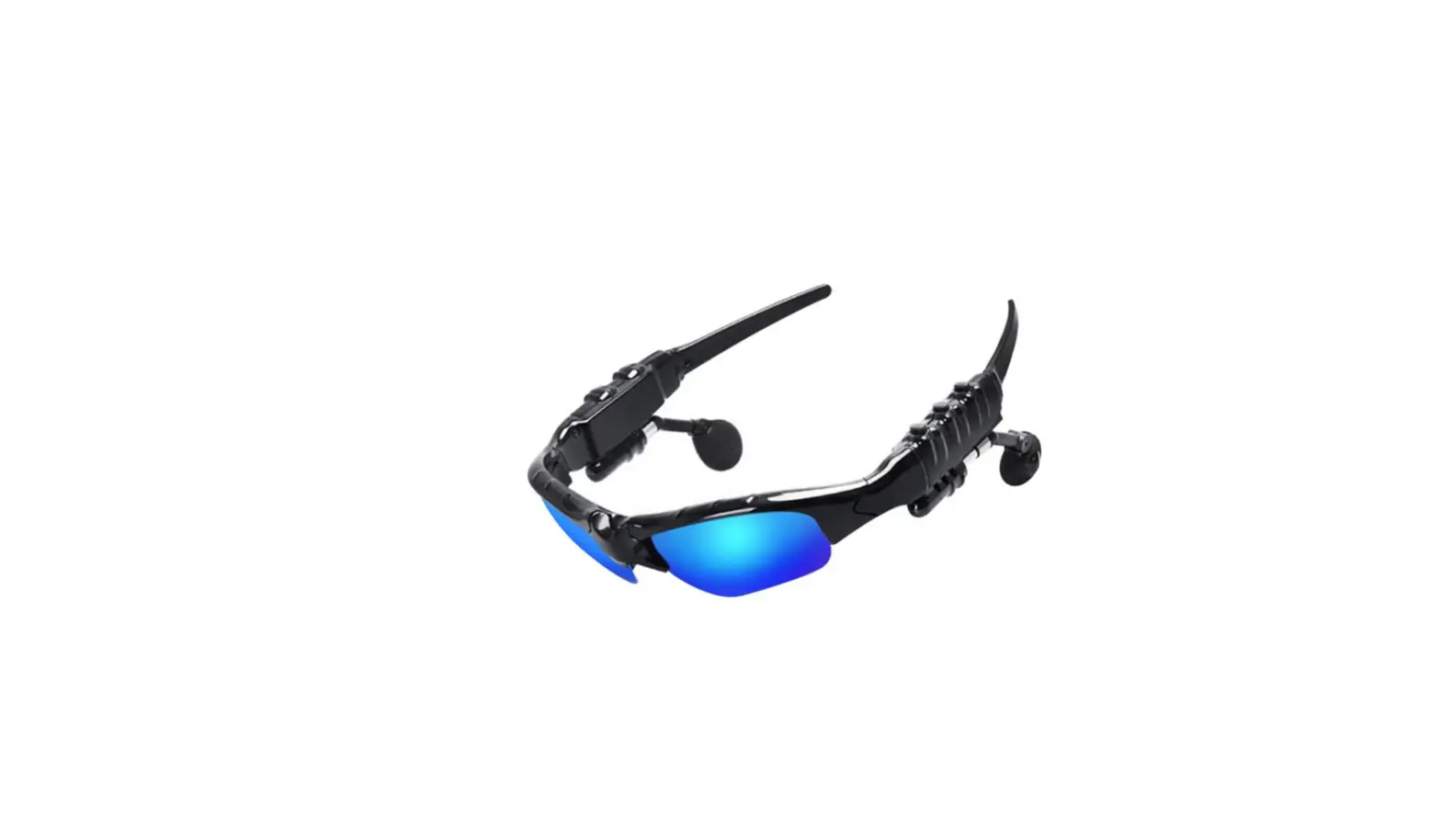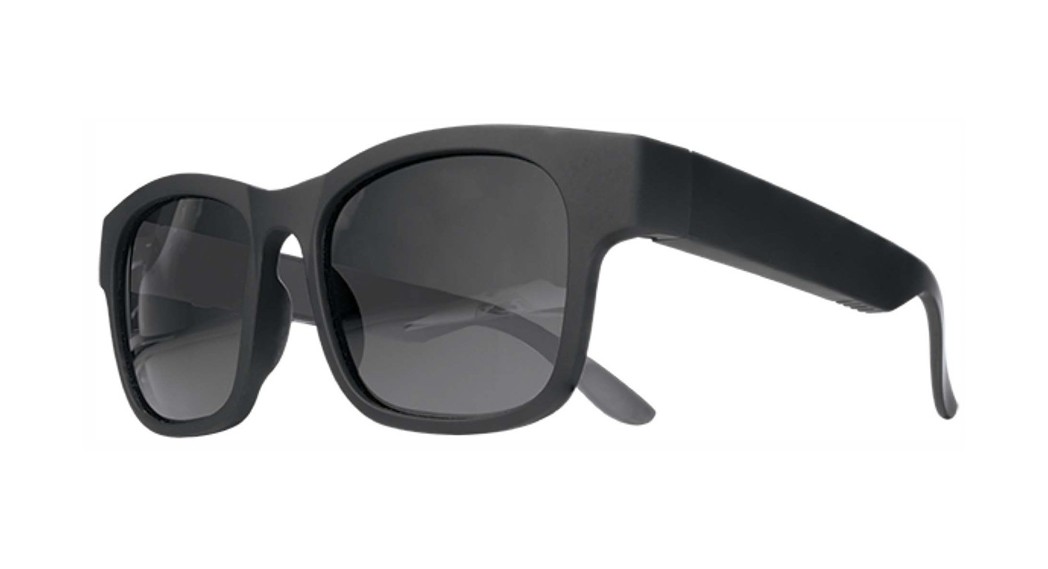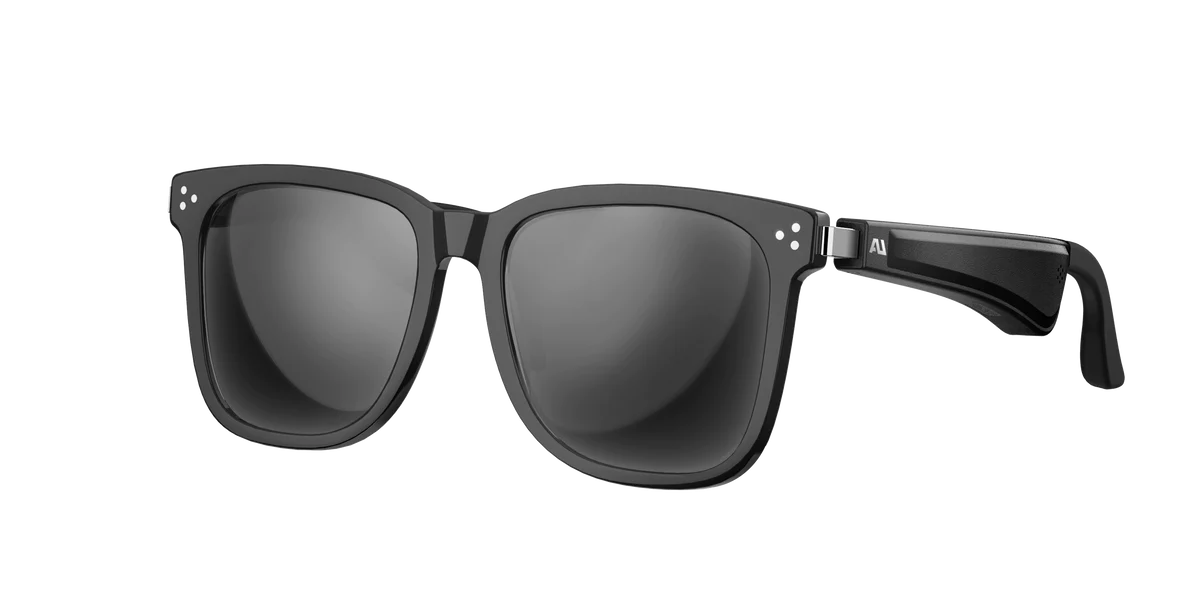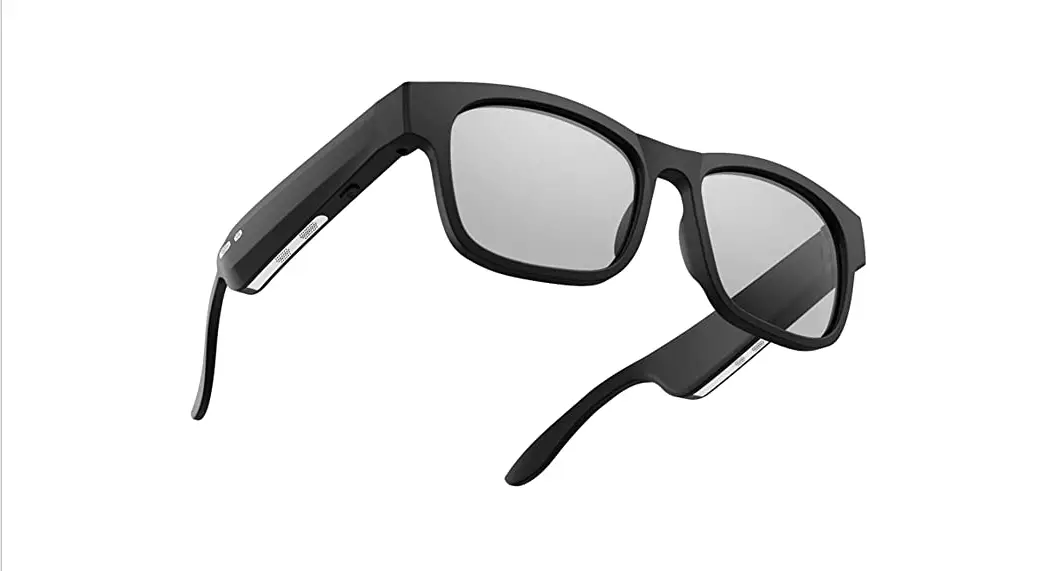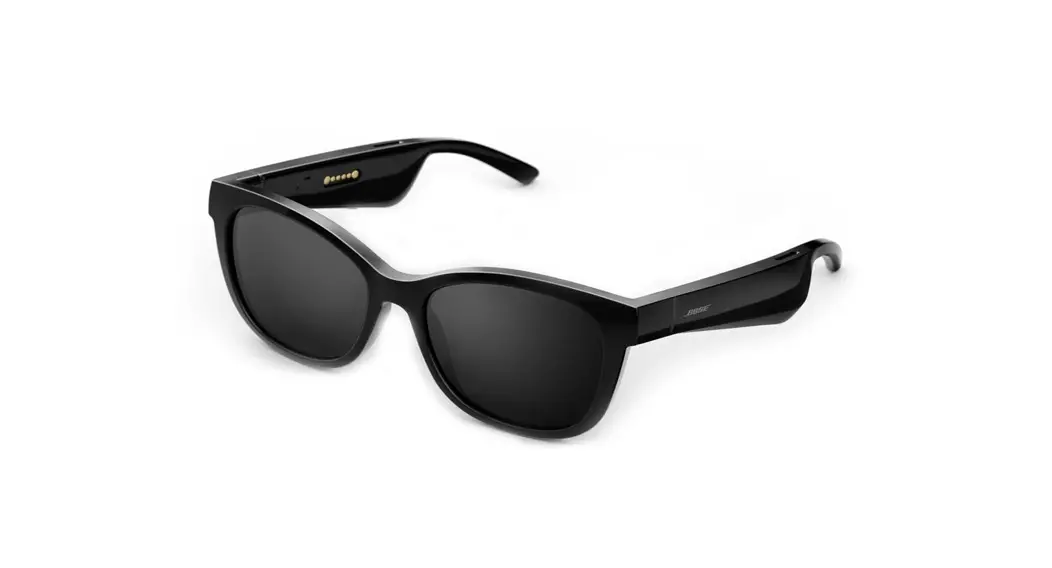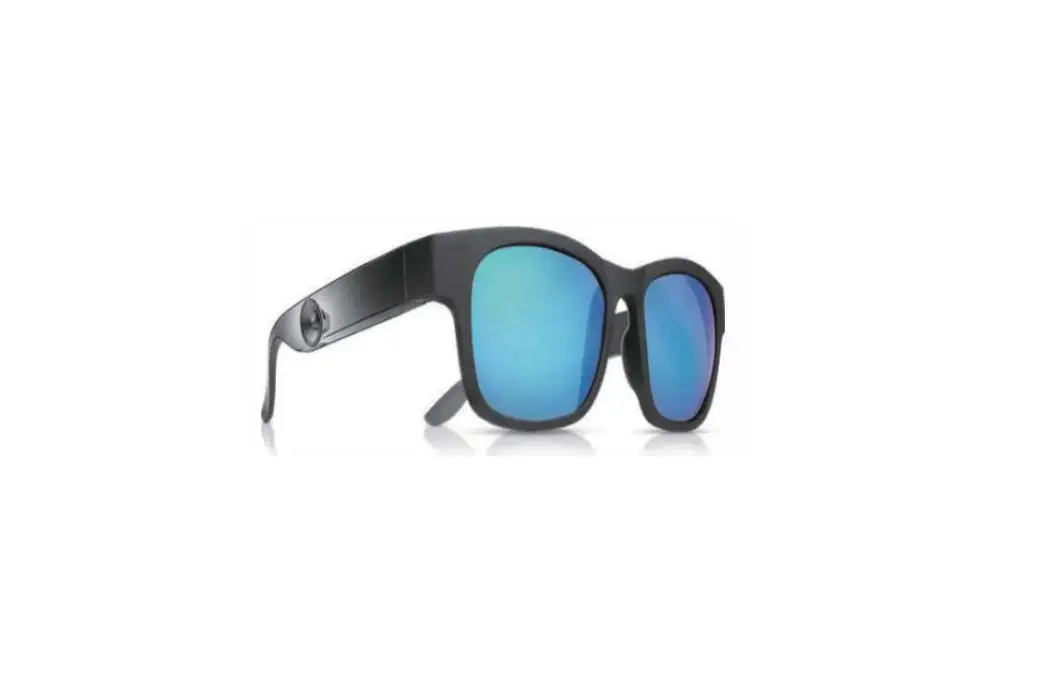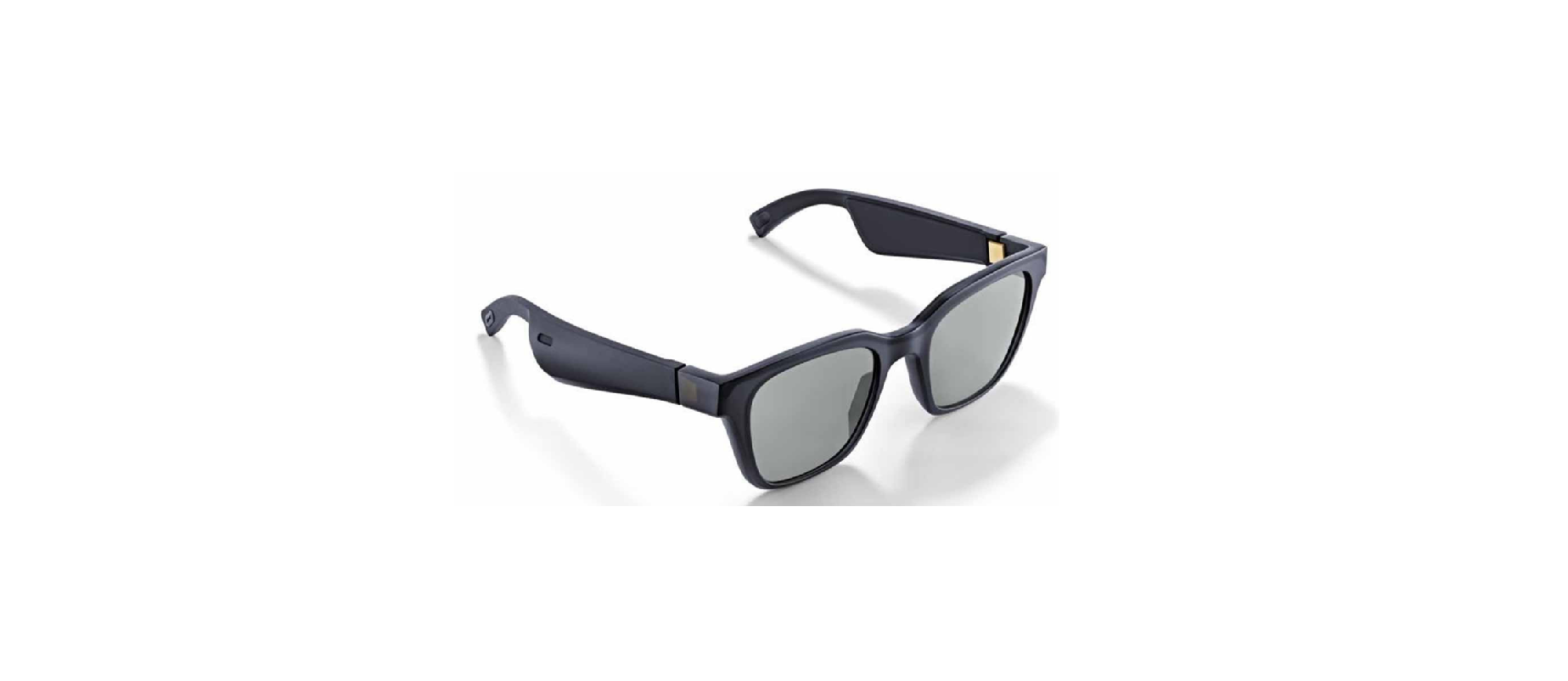

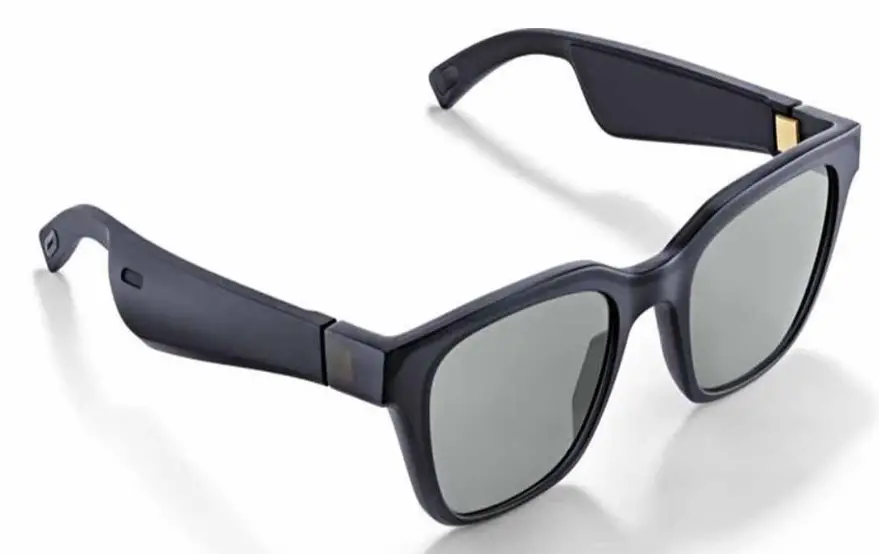
Bose Frames Alto M/L Audio Sunglasses with Open Ear Headphones
Indications for Use
Sunglasses (nonprescription) are devices that consist of spectacle frames or clips with absorbing, reflective, tinted, polarizing, or photosensitized lenses intended to be worn by a person to protect the eyes from bright sunlight but not to provide refractive corrections. This device is available for over the counter sale.
Important Safety Instructions
Bose Corporation hereby declares that this product is in compliance with the essential requirements and other relevant provisions of Directive 2014/53/EU and all other applicable EU directive requirements. The complete declaration of conformity can be found at: www.Bose.com/compliance
- Read these instructions.
- Keep these instructions.
- Heed all warnings.
- Follow all instructions.
- Do not use this apparatus near water.
- Clean only with a dry cloth.
- Only use attachments/accessories specified by the manufacturer.
- Unplug this apparatus during lightning storms or when unused for long periods of time.
- Refer all servicing to qualified personnel.
Servicing is required when the apparatus has been damaged in any way, such as power-supply cord or plug is damaged, liquid has been spilled or objects have fallen into the apparatus, the apparatus has been exposed to rain or moisture, does not operate normally, or has been dropped.
WARNINGS/CAUTIONS
- Do NOT use the frames at a high volume for any extended period.
- To avoid hearing damage, use your frames at a comfortable, moderate volume level.
- Turn the volume down on your device before wearing the frames or placing them near your ears, then turn the volume up gradually until you reach a comfortable listening level.
- Use caution while driving and follow applicable laws regarding use of a mobile phone.
- Focus on your safety and that of others if you use the frames while engaging in any activity requiring your attention, e.g., while riding a bicycle or walking in or near traffic, a construction site or railroad, etc. Remove the frames or adjust your volume to ensure you can hear surrounding sounds, including alarms and warning signals.
- Do NOT use the frames if they emit any loud unusual noise. If this happens, turn the frames off and contact Bose customer service.
- Do NOT submerge or expose the frames for extended period to water, or wear while participating in water sports, e.g., swimming, waterskiing, surfing, etc.
- Remove frames immediately if you experience a warming sensation or loss of audio
IMPORTANT SAFETY INSTRUCTIONS
- Contains small parts which may be a choking hazard. Not suitable for children under age 3.
- This product contains magnetic material. Consult your physician on whether this might affect your implantable medical device.
- To reduce the risk of fire or electrical shock, do NOT expose this product to rain, liquids or moisture.
- Do NOT expose this product to dripping or splashing, and do not place objects filled with liquids, such as vases, on or near the product.
- Keep the product away from fire and heat sources. Do NOT place naked flame sources, such as lighted candles, on or near the product.
- Do NOT make unauthorized alterations to this product.
- Use this product only with an agency-approved power supply that meets local regulatory requirements (e.g., UL, CSA, VDE, CCC).
- Do not expose products containing batteries to excessive heat (e.g. from storage in direct sunlight, fire or the like).
- Do NOT wear the frames while charging.
- After each use, wipe both sides of the lenses and all parts of the frame with the cloth provided or a dry cloth.
REGULATORY AND LEGAL INFORMATION
QTY: 1 EA
 Manufactured For: Bose Corporation, 100 The Mountain Road, Framingham, MA 01701
 Do not use if package is damaged
 Do not use if package is damaged
This product complies with the ANSI Z80.3 and ISO 12312-1 standards. Lenses meet applicable government impact resistance requirements but ARE NOT SHATTERPROOF. Tinted eyewear is not recommended to be worn for night driving. The product is designed to block greater than 99% UVA and UVB light energy. This product is in compliance with ANSI Z80.3:2015. Only lenses approved by Bose should be used with the Alto or Rondo products.
LEGAL INFORMATION
Security Information
This product is capable of receiving security updates from Bose automatically when connected to the Bose Connect app. In order to receive security updates via the mobile application, you must complete the product setup process in the Bose Connect app. If you do not complete the setup process, you will be responsible for installing security updates that Bose makes available via btu.bose.com
Apple, the Apple logo, iPad, iPhone, iPod, and Siri are trademarks of Apple Inc., registered in the U.S. and other countries. The trademark “iPhone” is used in Japan with a license from Aiphone K.K. App Store is a service mark of Apple Inc. Use of the Made for Apple badge means that an accessory has been designed to connect specifically to the Apple product(s) identified in the badge, and has been certified by the developer to meet Apple performance standards. Apple is not responsible for the operation of this device or its compliance with safety and regulatory standards. The Bluetooth® word mark and logos are registered trademarks owned by Bluetooth SIG, Inc. and any use of such marks by Bose Corporation is under license. Google and Google Play are trademarks of Google LLC. Bose, Bose Frames, and Bose Music are trademarks of Bose Corporation. Bose Corporation Headquarters: 1-877-230-5639 ©2020 Bose Corporation. No part of this work may be reproduced, modified, distributed, or otherwise used without prior written permission.
 BMD0011
CONTENTS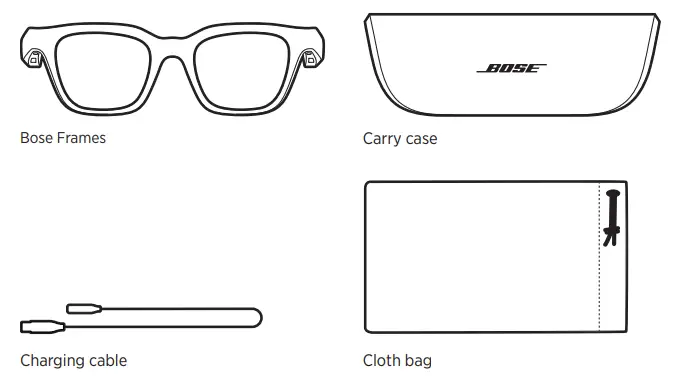
NOTE: If any part of the product is damaged, do not use it. Contact your authorized Bose dealer or Bose customer service. Visit: worldwide.Bose.com/Support/Frames
FRAME CONTROLS
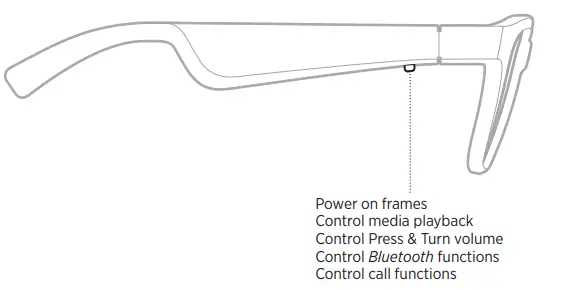
POWER ON
Press the button on the right temple.
The status light blinks white twice then glows according to the Bluetooth connection status (see page 22). A voice prompt announces the battery level and Bluetooth connection status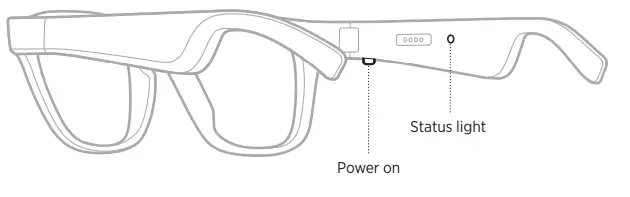
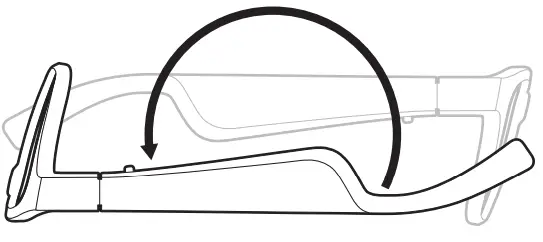
POWER OFF
- Flip the frames upside down for 2 seconds.
- The status light glows solid white then fades to black.

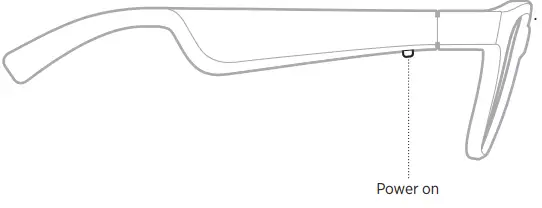
AUTO-OFF
- Auto-off conserves the battery when the frames are not being used. The frames power off when audio has stopped and you have not moved the frames for 5 minutes.
- To power on the frames, press the button on the right temple

FRAME FUNCTIONS
Media playback functions
The button on the right temple controls media playback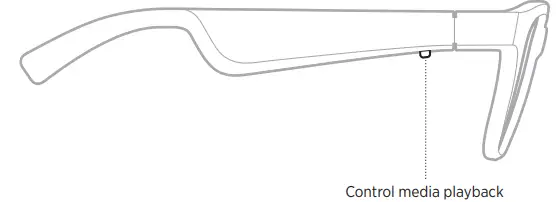
| Play/Pause | Press once. |
| Skip forward | Double-press. |
| Skip backward | Triple-press. |
Volume functions
You can adjust the volume by using Press & Turn volume control or by using the volume controls on your mobile device.
NOTES:
- To use Press & Turn volume control, make sure the frames are up to date.
- Make sure Press & Turn volume control is on in the Bose Connect app.
Use Press & Turn volume control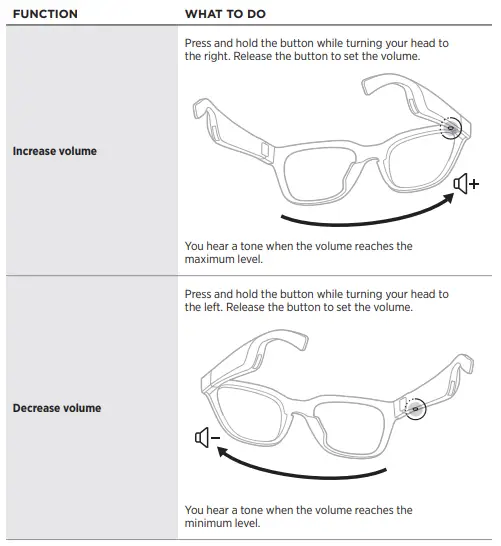
Call functions
The button for call functions and the microphone are located on the right temple.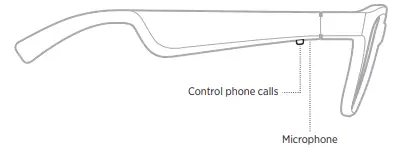
| Answer a call | Press once. |
| End a call | Press once. |
| Decline an incoming call | Press and hold for 1 second. |
| Answer a second incoming call and put the current call on hold | While on a call, press once. |
| Decline a second incoming call and stay on current call | While on a call, press and hold for 1 second. |
| Switch between two calls | With two active calls, double-press. |
| Create a conference call | With two active calls, press and hold for 1 second. |
Access voice control
The frames microphone acts as an extension of the microphone in your mobile device. Using the button on the right temple, you can access the voice control capabilities on your device to make/take calls or ask Siri or your Google Assistant to play music, tell you the weather, give you the score of a game, and more. Press and hold the button to access voice control on your device. You hear a tone that indicates voice control is active.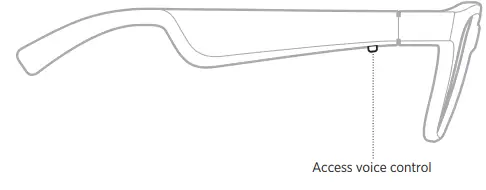
CHARGE THE FRAMES
- Align the pins on the charging cable with the charging port on the right temple.
NOTE: The pins must be correctly oriented with the charging port to successfully charge the frames.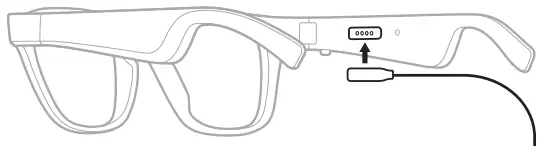
- Lightly press the pins against the charging port until they magnetically snap into place.
- Connect the other end to a USB-A wall charger (not provided).
CAUTION:
- Use this product only with an agency-approved power supply that meets local regulatory requirements (e.g., UL, CSA, VDE, CCC).
- While charging, the status light blinks white. When the battery is fully charged, the status light glows solid white (see page 23).
- The frames status light is located on the inside of the right temple.
NOTES:
- The frames do not play audio while charging.
- Do NOT wear the frames while charging.
The status light is located on the right temple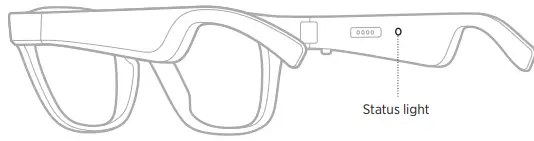
BLUETOOTH CONNECTION STATUS
| Slow blinking white | Ready to connect/Connecting |
| Fast blinking white | Connected |
CHARGING STATUS
Shows the battery charge level when the frames are connected to power.
| Solid white | Full charge |
| Blinking white | Charging |
VOICE PROMPT NOTIFICATIONS
Call notifications
A voice prompt announces incoming callers and call status.
Battery notifications
Each time you power on the frames, a voice prompt announces the battery level. When you’re using the frames and the battery is low, you hear “Battery low, please charge now.”
DISABLE VOICE PROMPTS
Use the Bose Connect app to disable/enable voice prompts.
NOTE: Disabling voice prompts disables notifications.
Bluetooth wireless technology lets you stream audio from mobile devices such as smartphones, tablets, and laptop computers. Before you can play audio from a device, you must connect the device to the frames.
CONNECT YOUR MOBILE DEVICE USING THE BOSE CONNECT APP (RECOMMENDED)
Download the Bose Connect app and follow the app instructions
CONNECT USING THE BLUETOOTH MENU ON YOUR MOBILE DEVICE
- Power off the frames (see page 10).
- Press and hold the button on the right temple until you hear “Ready to connect,” and the status light slowly blinks white.

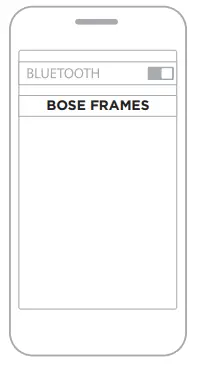
- On your device, enable the Bluetooth feature.
- TIP: The Bluetooth feature is usually found in the Settings menu.

- Select your frames from the device list.
- TIP: Look for the name you entered for your frames in the Bose Connect app.
- If you didn’t name your frames, the default name appears
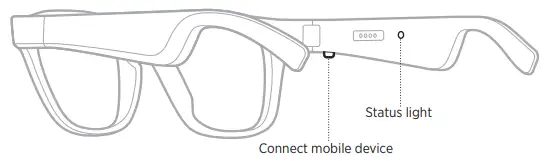
DISCONNECT A MOBILE DEVICE
Use the Bose Music app to disconnect your mobile device.
TIP: You can also use Bluetooth settings to disconnect your device. Disabling the Bluetooth feature disconnects all other devices.
RECONNECT A MOBILE DEVICE
When powered on, the frames try to connect with the most recently-connected device.
NOTE: The device must be within range (30 ft or 9 m) and powered on.
CLEAR THE FRAMES DEVICE LIST
- Power off the frames (see page 10).
- Press and hold the button on the right temple for 10 seconds until you hear
- “Bluetooth device list cleared,” and the status light slowly blinks white.
- Delete your frames from the Bluetooth list on your device.
- All devices are cleared, and the frames are ready to connect.
STORE THE FRAMES
The frames collapse for easy, convenient storage.
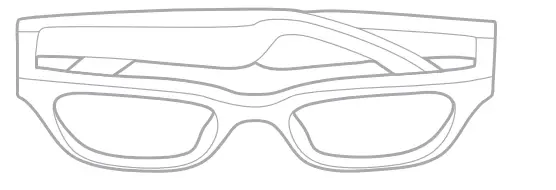
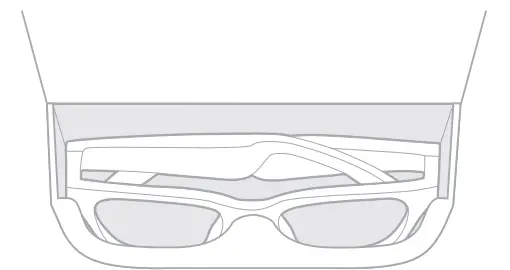
- Fold the temples inward towards the lenses so the temples lay flat.

- Place the frames in the case with the lenses facing towards the front of the case.

NOTES:
- Make sure to power off the frames when not in use.
- Before storing the frames for more than a few months, make sure the battery is fully charged.
MAINTAIN THE FRAMES
The frames and cloth bag may require periodic care.
|
Frames | After each use, wipe both sides of the lenses and all parts of the frame with the cloth bag provided or a dry cloth. CAUTIONS: • Do NOT use any sprays, solvents, chemicals, or cleaning solutions containing alcohol, ammonia or abrasives. • Do NOT allow liquids to spill into any openings. |
| Cloth bag | 1. Launder by hand with cold water. 2. Hang to dry. |
REPLACEMENT PARTS AND ACCESSORIES
Replacement parts and accessories can be ordered through Bose customer service. Visit: worldwide.Bose.com/Support/Frames
LIMITED WARRANTY
The frames are covered by a limited warranty. Visit our website at global.Bose.com/warranty for details of the limited warranty. To register your product, visit global.Bose.com/register for instructions. Failure to register will not affect your limited warranty rights.
SERIAL AND MODEL/REFERENCE NUMBER LOCATIONS
The serial number is located on the inner left temple, and the model/reference number is located on the inner right temple.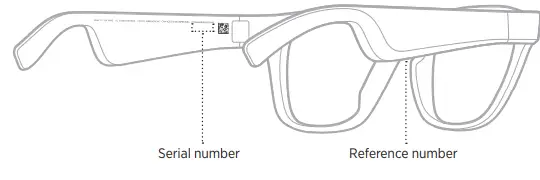
TRY THESE SOLUTIONS FIRST
If you experience problems with the frames:
- Power on the frames
- Connect the frames to power for 2 seconds and then disconnect
- Charge the battery
- Check the state of the status lights
- Make sure your mobile device supports Bluetooth connections.
- Download the Bose Music app and run available software updates.
- Increase the volume on the frames, your mobile device, and/or your audio/streaming app.
- Connect another mobile device
OTHER SOLUTIONS
If you could not resolve your issue, see the table below to identify symptoms and solutions to common problems. If you are unable to resolve your issue, contact Bose customer service.
|
Frames don’t connect with mobile device | On your device: • Turn the Bluetooth feature off and then on. • Delete the frames from the Bluetooth list on your device. Connect again (see page 18). Move your device closer to the frames and away from any interference or obstructions. Connect a different mobile device (see page 18). Visit: worldwide.Bose.com/Support/Frames to see how-to videos. Clear the frames device list (see page 20). Connect again. |
| Bose Connect app doesn’t work on device | Make sure the Bose Connect app is compatible with your device. Visit: worldwide.Bose.com/Support/Frames Uninstall the Bose Connect app on your device then reinstall the app (see page 18). |
|
No sound | Press play on your mobile device to make sure audio is playing. Move your device closer to the frames and away from any interference or obstruction. Use a different music source. Connect a different device (see page 18). |
|
Poor sound quality | Use a different music source. Connect a different device. Move the device closer to the frames and away from any interference or obstructions. Turn off any audio enhancement features on the device or music app. |
|
Frames don’t charge | Make sure the pins on the charging cable are correctly aligned with the charging port on the frames and magnetically snapped into place. Secure both ends of the charging cable. If the frames have been exposed to high or low temperatures, let the frames return to room temperature and then try charging again. Disconnect the charging cable from the frames and from your USB wall charger or computer. Wait 10 seconds then reconnect the charging cable (see page 15). Try a different USB wall charger or computer. |
|
Microphone isn’t picking up sound | Make sure the microphone opening on the right temple is not blocked. Try another phone call. Try another compatible device. |
| Device not responding to button presses | For multi-press functions: vary speed of presses. |
|
Can’t adjust volume using the frames | Make sure the frames are up to date. Download the Bose Connect app. In the Bose Connect app, make sure Press & Turn volume control is on. You can access this option from the Settings menu. To avoid accessing voice control (see page 14), make sure you turn your head while pressing the button. |
SYMBOLS AND DESCRIPTIONS
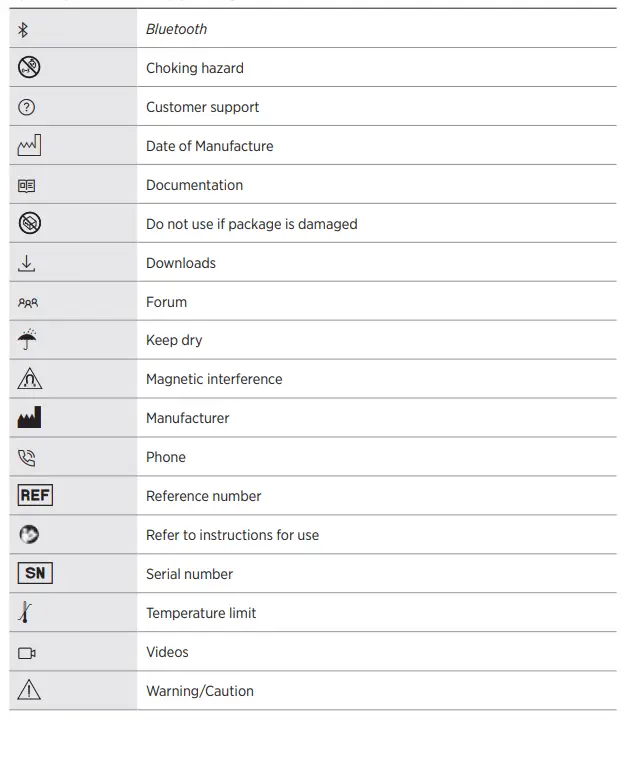
FCC
NOTE: This equipment has been tested and found to comply with the limits for a Class B digital device, pursuant to Part 15 of the FCC Rules. These limits are designed to provide reasonable protection against harmful interference in a residential installation. This equipment generates, uses, and can radiate radio frequency energy and, if not installed and used in accordance with the instructions, may cause harmful interference to radio communications. However, there is no guarantee that interference will not occur in a particular installation. If this equipment does cause harmful interference to radio or television reception, which can be determined by turning the equipment off and on, the user is encouraged to try to correct the interference by one or more of the following measures:
- Reorient or relocate the receiving antenna.
- Increase the separation between the equipment and receiver.
- Connect the equipment into an outlet on a circuit different from that to which the receiver is connected.
- Consult the dealer or an experienced radio/TV technician for help.
Changes or modifications not expressly approved by Bose Corporation could void the user’s authority to operate this equipment.
This device complies with part 15 of the FCC Rules and with ISED Canada license-exempt RSS standard(s).
- Operation is subject to the following two conditions: (1) This device may not cause harmful interference, and
- this device must accept any interference received, including interference that may cause undesired operation.
This device complies with FCC and ISED Canada radiation exposure limits set forth for general population. This transmitter must not be co-located or operating in conjunction with any other antenna or transmitter.
FAQS
The bass it was very low
Yes. Works great. You can also take calls from them
The Tenor Frames are IPX2 rated. They have protection against dripping water. They are not meant to be submerged in water, such as use during swimming or other water sports.
Did you keep the original lenses? If not, perhaps order another non prescription pair and swap out your lenses with the new lenses and return defective. Amazon is great at standing behind their sales. I am confident that you will be able to work to a quick and satisfactory resolution. Good luck!
Only If you have it max volume , and even then its faint.
No, sound is also adjustable so even quiet mode is still auditable.
it can be easily be retro fitted with prescription lenses
There is a company named. FUSE LENSES that you can order clear from.
Works like iPods
Yes you Can
The Bose Frames Tenor have stainless steel hinges.
Plastic, and you can purchase different lenses for it to .
yes, it pauses the music and plays the phone call in both ears. works nice
Probably yes, these are sport style glasses, I personally would not fit clear lenses.