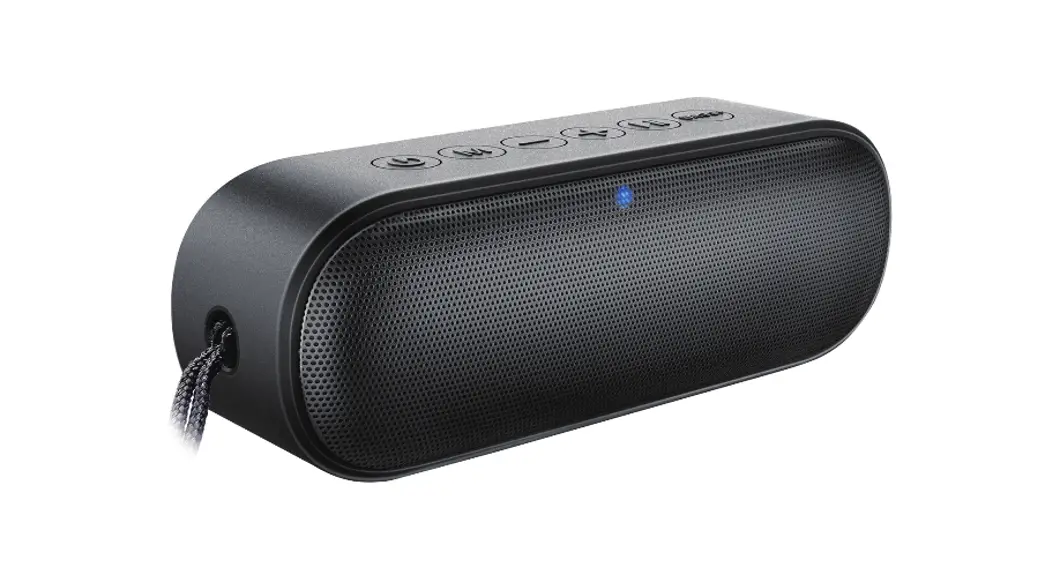
AUDEN Aluminum Wireless Speaker
Product Information
The Auden Aluminum Wireless Speaker-Silver is a
Bluetooth-enabled speaker that offers high-quality sound output. It
has a compact size of 87*87*80mm and weighs 90g, making it easy to
carry around. The speaker has a battery capacity of 3.7V/1800mAh
6.66Wh with a playback time of 4 hours and a charging time of 2.5
hours. It has Bluetooth version 5.0 with a transmission distance of
up to 10m. The speaker has a power output of 5W*1 and a frequency
range of 80-18KHZ. The package includes a USB cable for charging
the speaker.
Product Usage Instructions
- Power On/Off / Play/pause: Press and hold the
Power On/Off button for more than 3 seconds to turn on the speaker.
The indicator light will turn blue, and you will hear a beep. Press
once to play/pause music. - Next track/Vol +: Press and hold to change
music to the next track. Quickly press to increase volume. - Previous track/Vol -: Press and hold to change
music to the previous track. Quickly press to decrease volume. - Charging and Bluetooth LED indicator: Plug the
included USB cable into an adapter (adapter not included) to charge
the speaker. The LED indicator light will display a solid red light
when charging. When fully charged, the red indicator light will
turn off. - Type C input: Use this input to charge the
speaker using the included USB cable. - RESET: Use this button to reset the speaker to
its default settings. - Aux input: Plug a 3.5mm audio cable into the
back of the speaker to play music from a non-Bluetooth enabled
device. (3.5mm audio cable not included).
Pairing: Once the speaker is turned on, search
for Bluetooth devices using your mobile device and select Bluetooth
ID ‘GEMLINE SPKR.’ The speaker will pair automatically.
Attention:
- Please enjoy music with an appropriate volume to avoid damage
to your hearing and sound system. - Avoid exposure to rain, water droplets, and prolonged exposure
to high-temperature, high humidity environments. - During use, keep the speaker away from heat, high pressure, and
prevent children from playing with the product. - If the music volume becomes smaller or distorted, slow, silent,
it may indicate that the lithium battery power is low and needs to
be charged. - Use the power that meets the requirements.
- Do not drop or bump or apply heavy pressure to avoid damage to
the product. - Do not disassemble the product to avoid danger.
- Long-term not using, turn off the power and unplug the charger
power cable.
4C 1. 2. 76.2X76.2mm 3. 90g 4. 123… 5.
AUDEN ALUMINUM WIRELESS SPEAKER-SILVER
IC ID: 2AGR4-101792 FCC ID: 21530-101792
2 1 3 4
1. Power ON/OFF / Play/pause 2. Next track/Vol + 3. Previous track/ Vol4. Charging and Bluetooth LED
indicator 5. Type C input 6. RESET 7. Aux input
1
5 67
DC-5V RESET AUX IN
Bluetooth specifications : Bluetooth version 5.0 Transmission distance: up to 10m (This may vary based on environmental factors or the type of Bluetooth device being used )
Product dimensions:87*87*80mm Battery capacity: 3.7V/1800mAh 6.66Wh Input: DC 5V / 1A Speaker power4 5W*1 Frequency80-18KHZ Input5V / 1A Playback time4 Hours Charging time2.5 Hours
Speaker
2
Operation Instructions
1. Power On: Press and hold the Power On/Off button for more than 3 seconds to turn on the speaker. The indicator light will turn blue and you will hear a beep.
2. Pairing: Once speaker is turned on, using your mobile device, search for Bluetooth devices and select Bluetooth ID ‘GEMLINE SPKR’. The speaker will pair automatically.
3. Power Off: Press and hold the Power On/Off button for more than 3 seconds to turn off the speaker.
4. Play/Pause: When listening to music, press once to play/ pause music.
5. Next track/Vol +: Press and hold to change music to the next track. Quickly press to increase volume.
6. Previous track/Vol -: Press and hold to change music to the previous track. Quickly press to decrease volume.
7. AUX: Plug a 3.5mm audio cable into the back of the speaker in order to play music from a non-Bluetooth enabled device. 3.5mm audio cable not included.
8. Charging: To charge the speaker, plug the included USB cable into an adapter (adapter not included). The LED indicator light will display a solid red light when charging. When fully charged, the red indicator light will turn off.
3
Attention:
1. Please enjoy music with an appropriate volume, which will avoid to damage your hearing and sound system.
2. Please avoid exposure, rain, water droplets, avoid prolonged exposure to high temperature, high humidity environment.
3. During use, please make it away from heat, high pressure, and prevent children from playing with this product.
4. When the music volume becoming smaller or distorted, slow, silent, may indicate that the lithium battery power is shortages, need to be charged.
5. Please use the power which meets the requirements. 6. Do not drop or bump and applied heavy pressure to avoid
damage to the product. 7. Please do not disassemble the product to avoid danger. 8. Long-term not using, please turn off the power and unplug
the charger power cable.
This device complies with I ndustry Canada licence-exempt RSS standard(s). Operation is subject to the foll owing two conditions: (1)this device may not cause interference, and(2) this device must accept any interference, includinginterference that may cause undesired operation of the device. Le présent appareil est conforme aux CNR d’Industrie Canada applicables auxappareils radio exempts de licence. L’exploitation est autorisée aux deux conditions suivantes :(1) l’appareil ne doit pas produire de brouillage, et(2) l’utilisateur de l’appareil doit accepter tout brouillage radioélectrique subi, même si le brouillage est susceptible d’en compromettre lefonctionnement.
NOTE: This equipment has been tested and found to comply with the limits for a Class B digital device, pursuant to part 15 of the FCC Rules. These limits are designed to provide reasonable protection against harmful interference in a residential installation. This equipment generates uses and can radiate radio frequency energy and, if not installed and used in accordance with the instructions, may cause harmful interference to radio communications. However, there is no guarantee that interference will not occur in a particular installation. If this equipment does cause harmful interference
to radio or television reception, which can be determined by turning the equipment off and on, the user is encouraged to try to correct the interference by one or more of the following measures: – Reorient or relocate the receiving antenna – Increase the separation between the equipment and receiver.. – Connect the equipment into an outlet on a circuit different from that to which the receiver is connected. – Consult the dealer or an experienced radio/TV technician for help
Changes or modifications not expressly approved by the party responsible for compliance could void the user’s authority to operate the equipment. This device complies with Part 15 of the FCC Rules. Operation is subject to the following two conditions: (1) this device may not cause harmful interference, and
(2) this device must accept any interference received, including interference that may cause undesired operation.
Radiation Exposure Statement The device has been evaluated to meet general RF exposure requirement. The device can be used installed and operated with minimum distance 0mm between the radiator and your body.
L’appareil a été évalué pour répondre aux exigences générales d’exposition aux RF.Cet équipement doit être installé et utilisé avec une distance minimale de 0 mm entre le radiateur et votre corps.
4
5
6