CANYON PS4 User Guide
Dear Customer!
Congratulations on purchasing the premium quality CANYON product!
We are happy to present you our gaming accessories, which are the combination of new technology and fresh design.
Our own design bureau implements the latest trends in fashion and design, while our scrupulous quality control system ensures a long life of CANYON products.
To take full advantage of this product, we recommend you to read this manual completely.
Have a good time with our product!
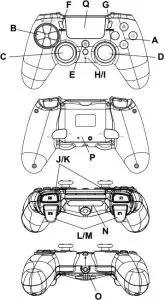
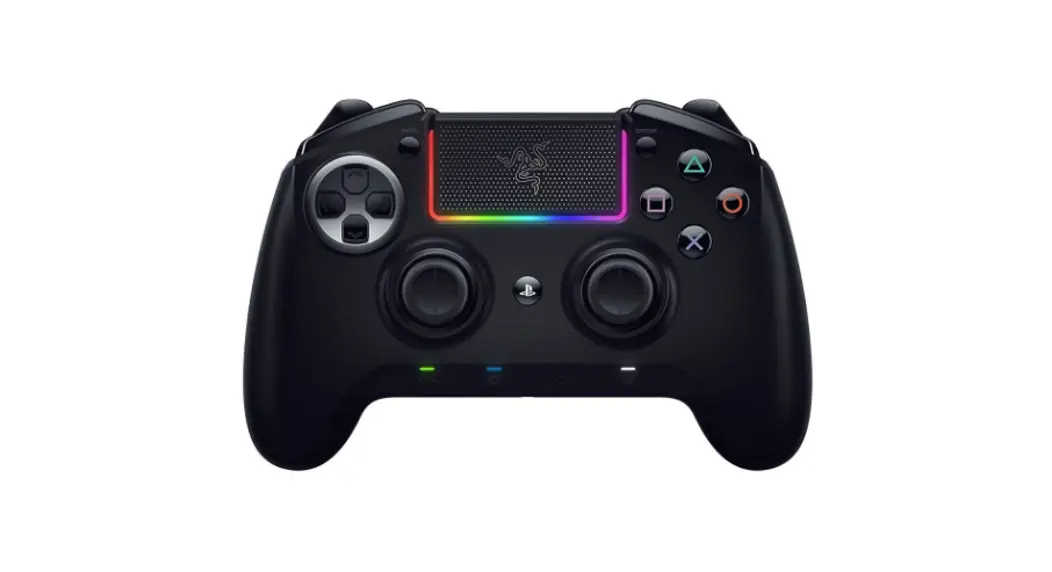
| Function on PS4 | |
| A | Command buttons  |
| B | 8 D Direction pad |
| C/D | Left analog stick Right analog stick |
| E | Home button (to menu when console power on; wake up console; switch working program) Long time pressing: shut down PS4 console/program |
| F/G | Share (To share in internet) / Option (to setting option menu) |
| H/I | Turbo button/Turbo LED indicator |
| J/K | R1/L1 buttons/triggers |
| L/M | R2/L2 buttons/triggers |
| N | Smart light bar (7 available colors) |
| 0 | Audio output 3.5 mm (support the standard headsets / game sound /voice chat) |
| P | Remapping/macro buttons M(1-4) (patented technology) / default settings are command buttons |
| Q | Touch panel |
Turbo function
- Hold the key which you want to apply the turbo function not release, press turbo button one time.
- Hold the key with turbo function not release, and then press turbo key to cancel the function.
- If turbo function is active, Turbo LED will blink.
ProgrammingM1-M4buttons
M1 – M4 is Remapping Buttons and they can remap maximum 10 buttons. Their default settings are same to command buttons.
Mode A Remapping:
- Press M(1-4) first and holding it not release and then press «Share», turbo LED will stay on, now gamepad is in setting status and please release former two buttons.
- Holding any button you want to set function, e.g. L1, R3 etc. one by one, press M(1-4) again to confirm setting, and then turbo LED will be off, and the setting is successfully completed.
- M(1-4) with memory function after setting, it will keep setting function.
If you want to clear function of M(1-4), then please reset this button per above step to realize function you need.
If you want to set M1 to blank value, then please press M1+share+M1. Same setting to M2, M3 and M4 if you want to set them to blank value.
Mode B Macro:
- Press M(1-4) first and holding it not release and then press «Option», turbo LED will stay on, now gamepad is in setting status and please release former two buttons.
- Press any buttons you want to set macro function (one by one), e.g. L1+R1+L2 , press M1 again to confirm setting, turbo LED will be off, and the setting is successfully completed
- The sequence of actions depends on the order of the selected buttons. If you press M(1-4), then it will act L1 first, and then act as R1 and then L2 one by one. This is decided on which button press first.
- M(1- 4) with memory function, after setting, it will keep setting function.
If you want to change function of M(1-4) to other, then please reset this button per above step to realize function you need.
If you want to set M1 to blank value, then please press M1+Option+M1. Same setting to M2, M3 and M4 if you want to set them to blank value.
Device Connection
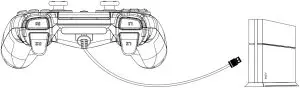
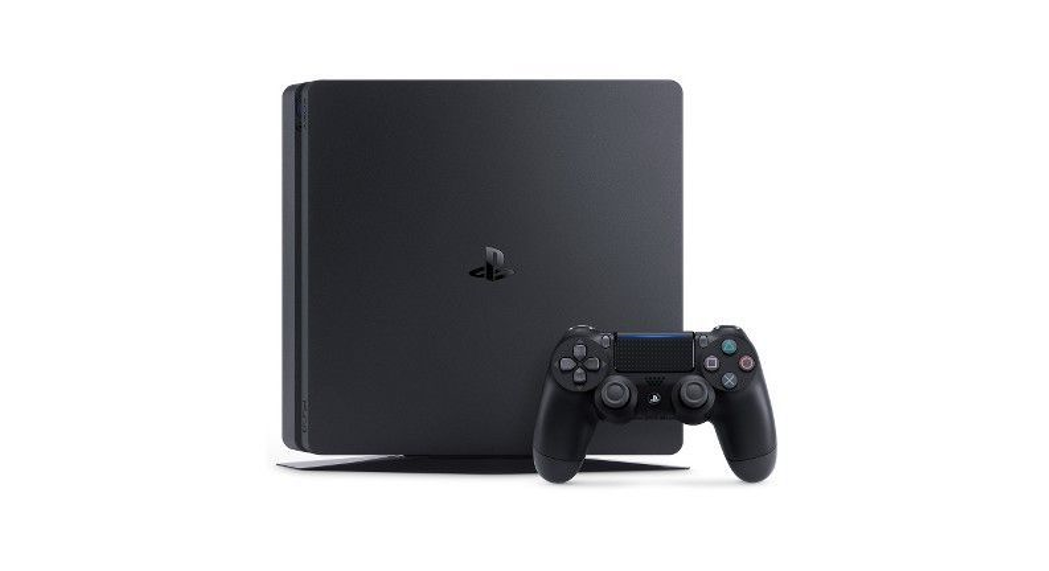
Use on PS4
Compatible with PS4 console, to support plug and play, no need to install any driver
Technical specifications
Support | PS4 console, PC |
Connection | wired 3M USB cable |
| Compatible | USB2.0&USB 3.0 |
Motor | Dual vibration |
| Voice | Support the game sound and voice chat |
Working voltage | 5V |
| Working current | MAX:250mA |
Dimensions | 162mm*106mm*62mm |
| Weight | 295g±10g |
Operating temperature | -5°C ~ 45°C |
| Operation humidity | 25%-85% |
Troubleshooting
The gamepad does not work
- Check the USB connection.
- Try plugging the gamepad into a different USB port.
- Restart the PS4 console.
- Gamepad works well when plugging into a full powered USB port. If you use USB HUB, it must have its own power supply
The gamepad is detected disconnection when playing game
- Check your console system is latest version or not, if you updated your system, please download our updating software.
Warranty
- This product comes with 24-months limited warranty.
- For more information about usage and warranty, please refer to www.canyon.eu/support
Manufacturer: Asbisc Enterprises PLC, Cyprus, Limassol 4103. Diamond Court, 43 Kolonakiou Street. Agios Athanasios. http://canyon.eu/
 Canyon | Mobile and Computer Accessories
 Tech Support - Canyon