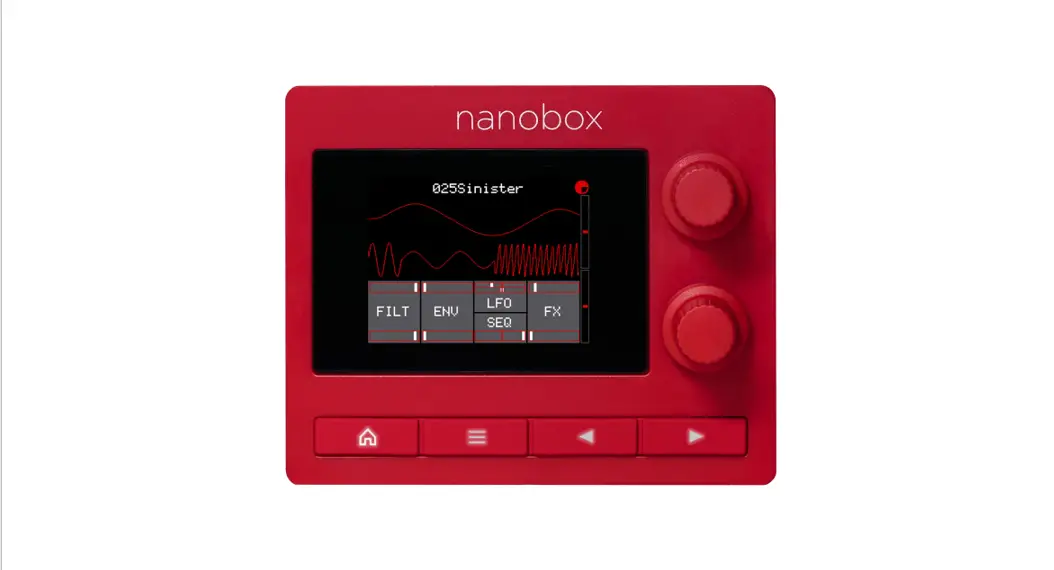

Nanobox Fireball Quick Start Guide
GET SET UP
- Insert the microSD card. The card must be in the slot for the fireball to load. The card is springloaded. Push to eject when needed, but leave it in for now.
- Connect the Line Out to your mixer, speakers, or headphones.
- Connect an optional MIDI controller to the MIDI IN jack. TRS Type A and B are supported.
- Connect the USB power cable.
- Play notes on the MIDI controller or the Grid Keyboard screen and you are making music!
FIND YOUR WAY AROUND
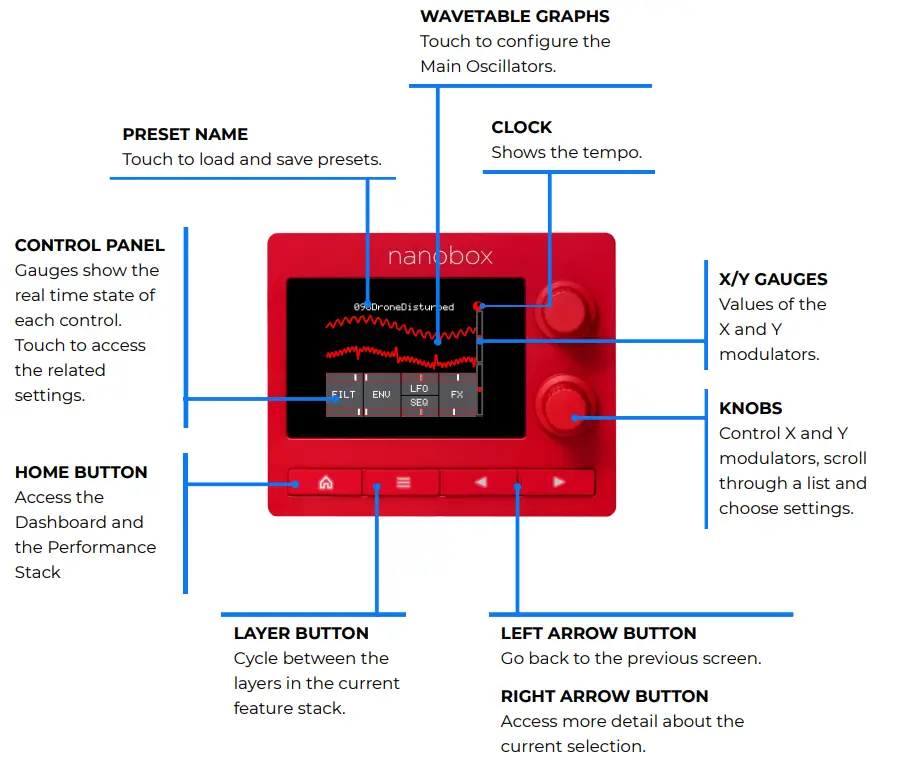
ACCESS THE DASHBOARD AND PERFORMANCE CONTROLS
Performance Stack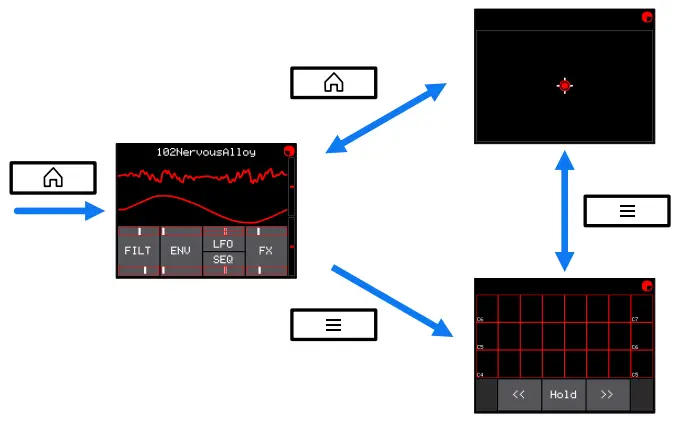
DASHBOARD
Watch the oscillators and controls react to Note Triggers. Touch the waves or a button to configure the related parameters. Turn the knobs to control the Macro X and Macro Y Modulators.
X/Y MODULATOR
Touch the screen and turn the knobs to adjust the sound in real-time.
GRID KEYBOARD
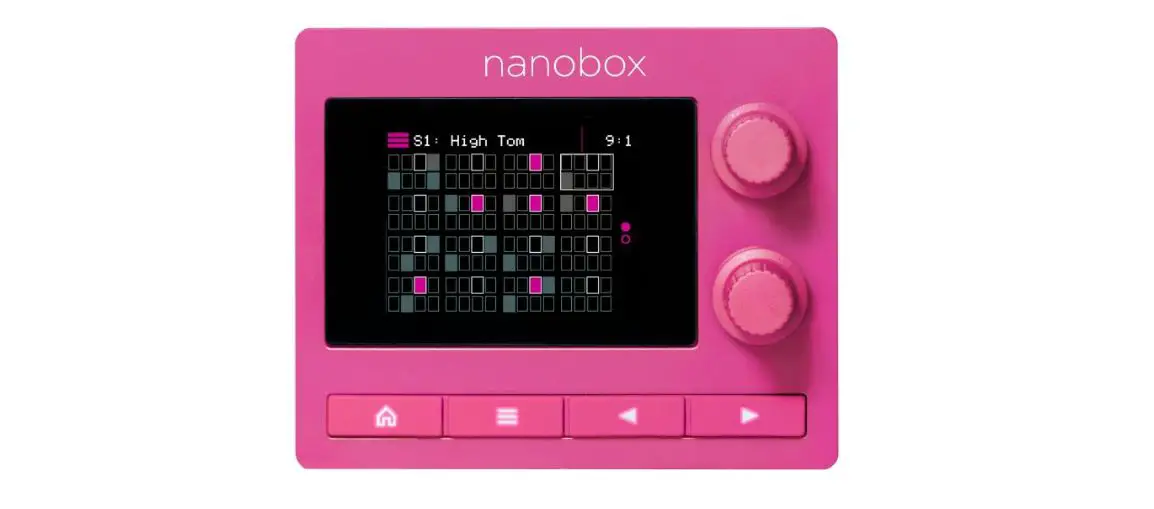
Trigger notes by touching the grid. Touch the Hold button to use note toggle mode. Touch << or >> to change octaves. Push the Right Arrow to select the scale.
Touch the graphs or buttons on the Dashboard to access feature stacks.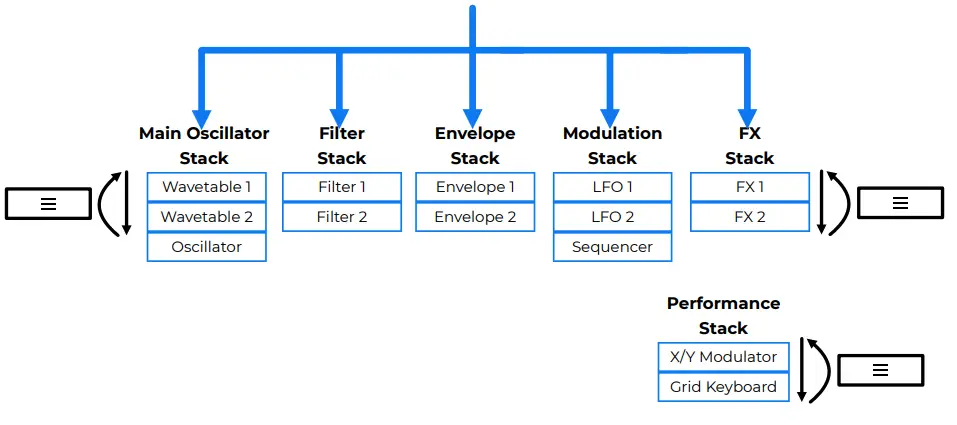
Push the Layer Button to cycle through a stack.
SET THE CONTROLS
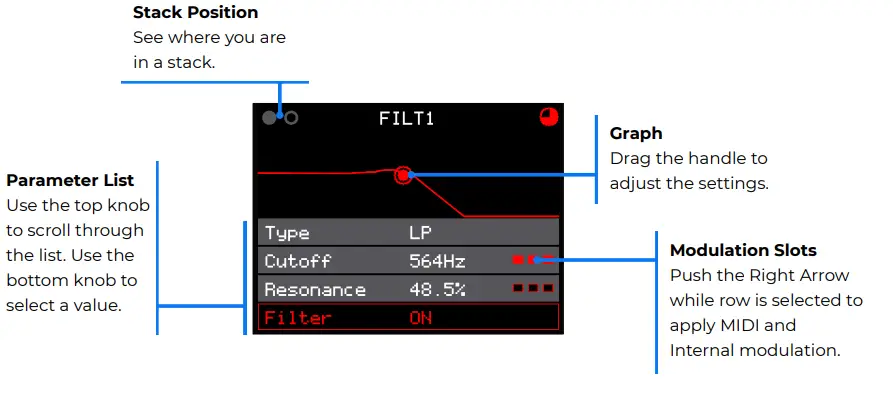
ACCESS HIGH-LEVEL CONFIGURATION OPTIONS
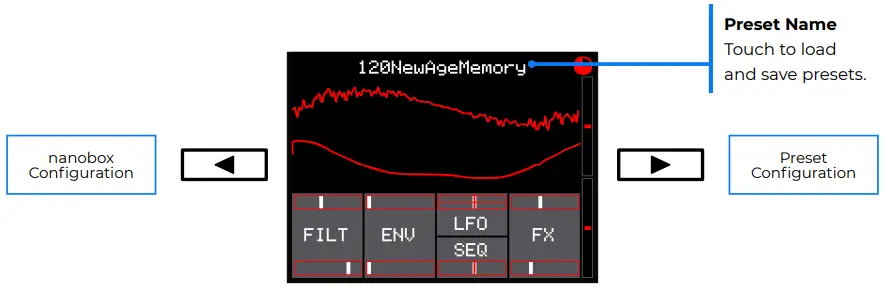
Push the Left Arrow and Right Arrow buttons from the Dashboard to configure settings at the nano box level and at the preset level.
EXPLORE THE SOUNDS
- Try the Modulation Wheel on your MIDI Controller with different presets to add sometimes subtle, sometimes surprising effects.
- Turn the knobs on the dashboard and drag your finger on the X/Y Modulation Grid to explore how each preset uses the Macro X and Macro Y modulators.
- Set the Line Thru amount on the nano box Configuration screen to control how much of the Line Input signal is sent to the FX engine.
FIND OUT MORE

https://1010music.com/fireballdocs
Full User Guide and More Download the User Guide PDF to get more in-depth information. Find links to more information about the product. 1010music.com/fireballdocs
Firmware Updates and Community
Find firmware updates with new features and bug fixes for your nano box fireball. Scroll down to the Product Downloads header where you will find updating instructions. Connect with other users. forum.1010music.com
Contact Us
 Are you loving your nano box fireball? Have questions? You can contact us through our website. 1010music.com/contact-us
Social Media News Look for how-to videos, new product releases, firmware updates, and contests on YouTube, Instagram, and Facebook.