 www.jbctools.com
INSTRUCTION MANUAL 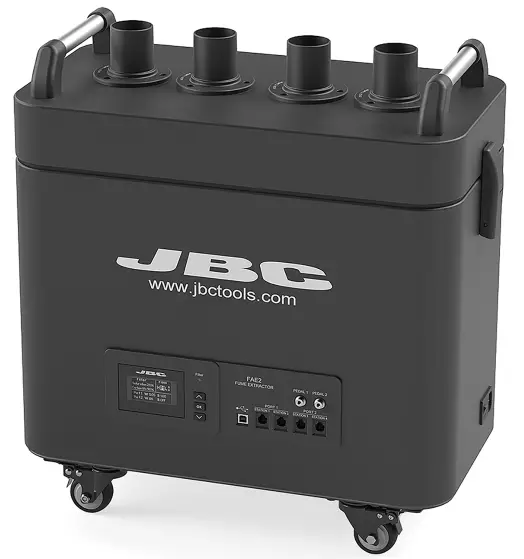 FAE2
FAE2
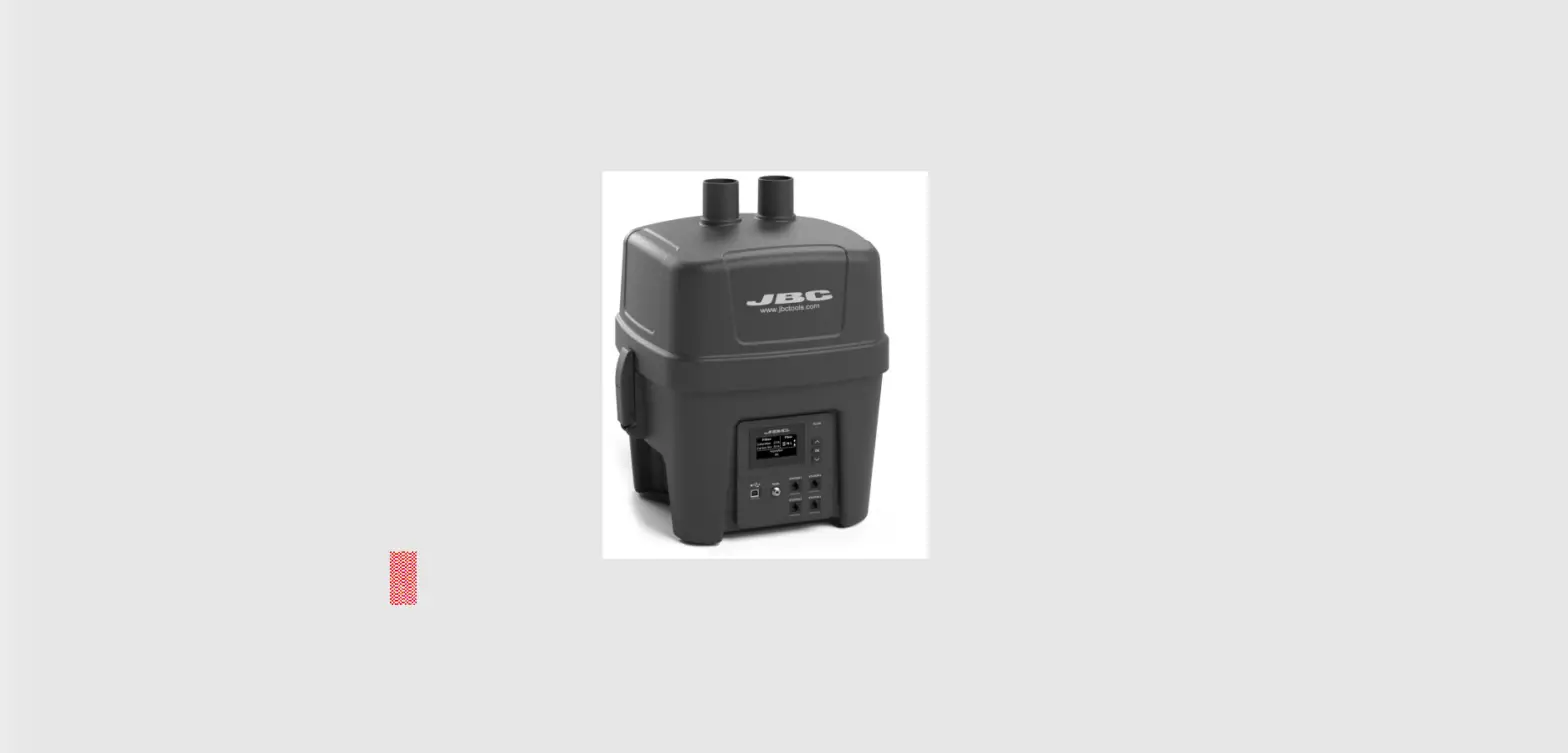
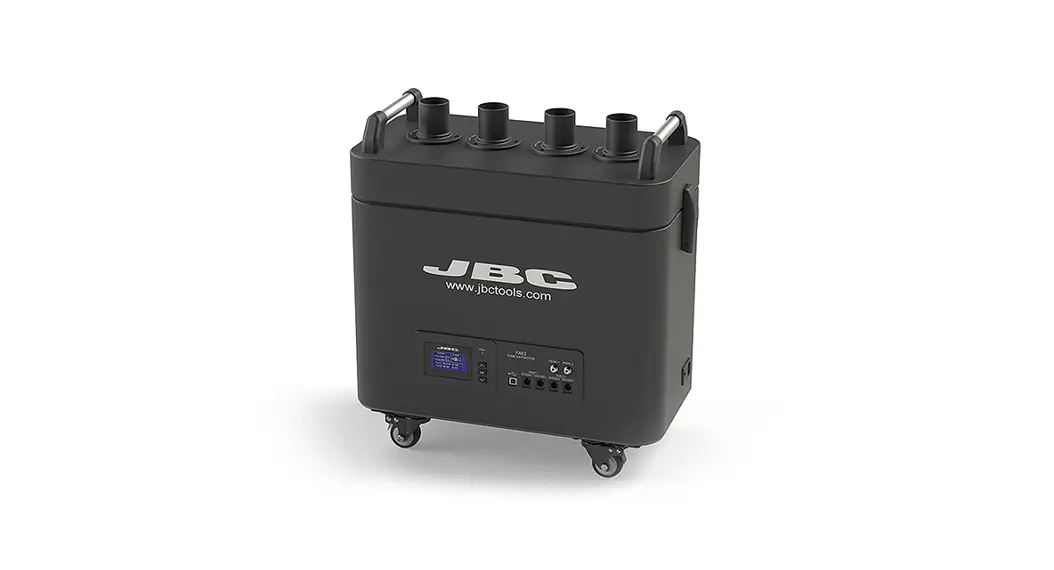
Fume Extractor for 2 Workbenches
This manual corresponds to the following references:
FAE2-5B (100V/120V/230V)
Packing List
The following items are included:
 Unseal the filter and remove its bottom protection before its first use
| Fume Extractor for 2 Workbenches …1 unit |
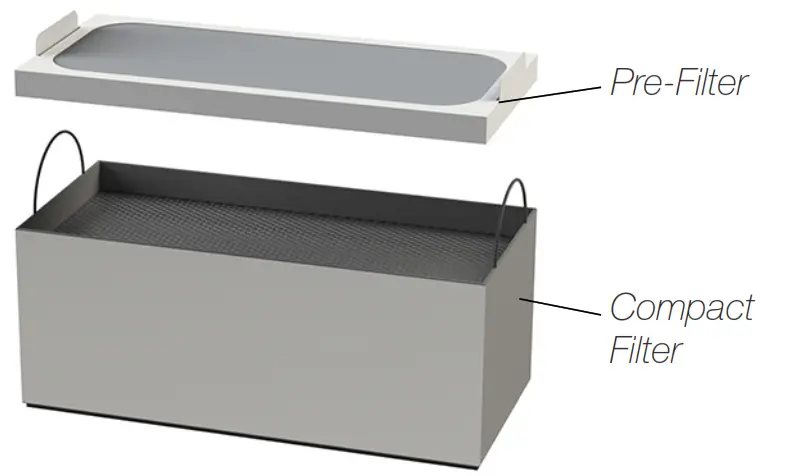 | Filter for FAE2 ………………………………. 1 unit Ref. FAE2-100 (already assembled) |
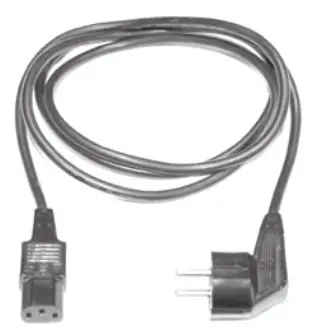 | Power Cable ……………. 1 unit Ref. 0023715 (100V/120V) 0023714 (230V) |
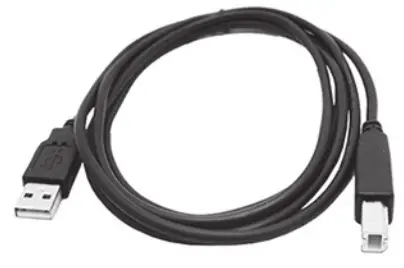 | Compact Station Cable (USB A/B) ………………. 2 units Ref. 0021042 |
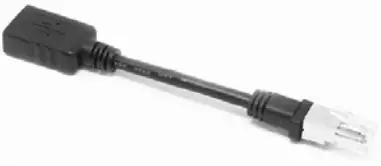 | Compact Station Adapter (RJ12 to USB A) ……… 2 units Ref. 0023504 |
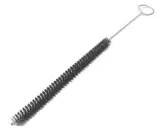 | Cleaning Stick ………… 1 unit Ref. 0004009 |
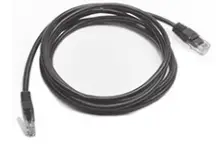 | Premium Station Cable (RJ12) …………. 2 units Ref. 0019751 |
 | Manual …………………… 1 unit Ref. 0028160 |
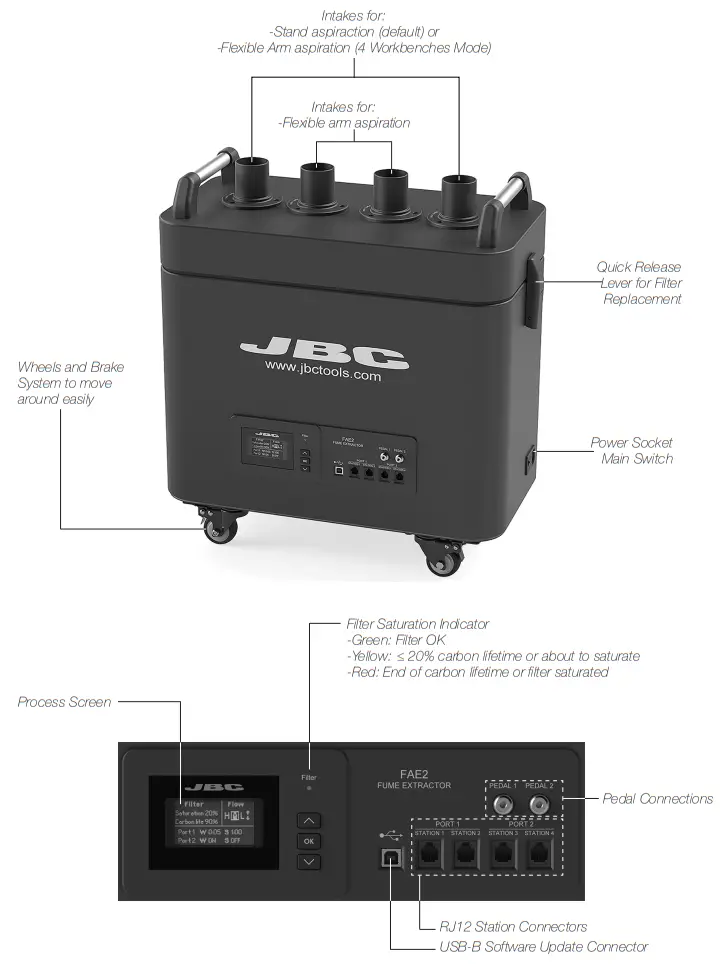
Features and Connections
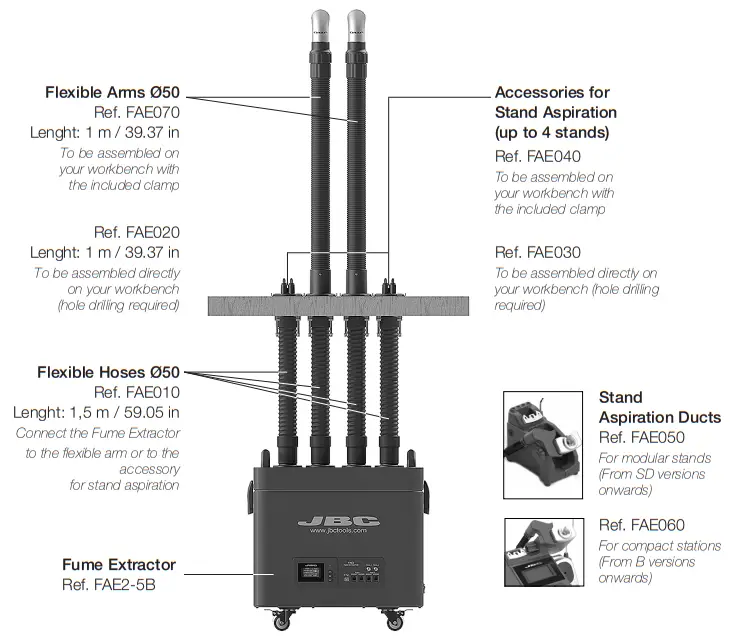
Assembly Options
2 Workbenches Configuration (default)
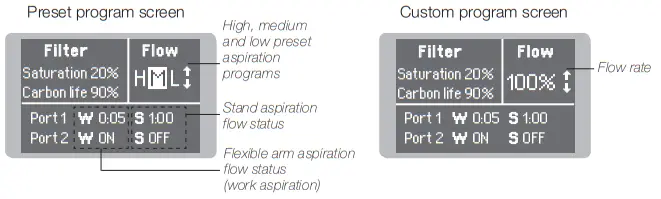
Main Screen
Access by and
and to change the aspiration program.
Workbenches Configuration (optional)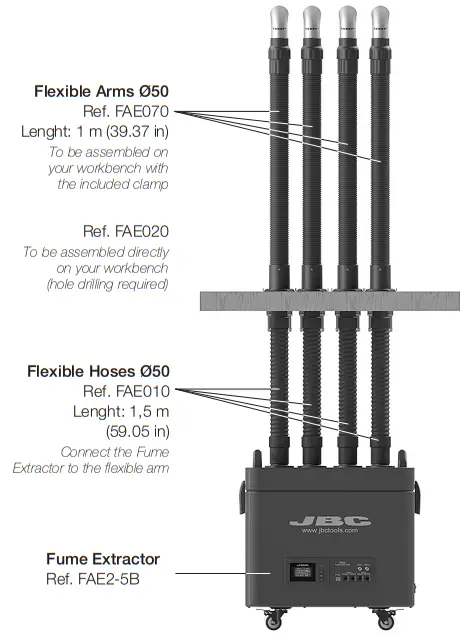
In order to set this configuration, change the workbench parameter to 4 (see page 7).
In this configuration stand aspiration is not available. Aspiration flow is set to a high level.
Note: Suction force per intake decreases compared to “2 workbenches configuration“ (see page 14).
Main Screen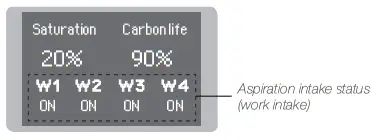
Station Connections for Premium Range
JBC Soldering Stations feature a robot port to the fume extractor in order to automatically activate Premium Station Cable Connection.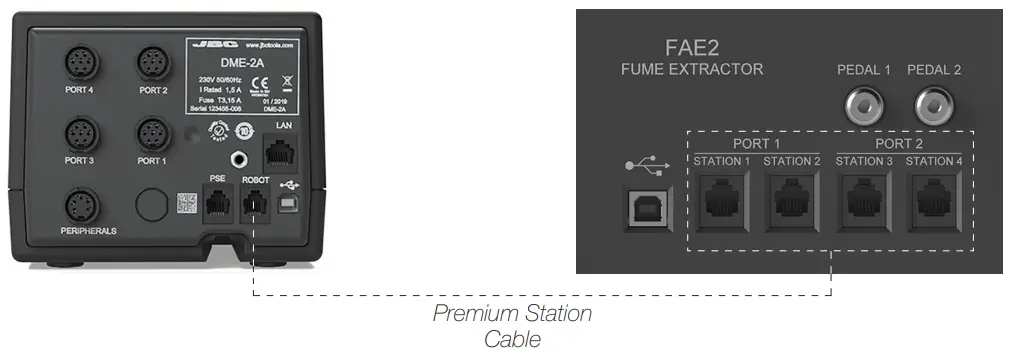 up to 4 stations directly to a fume extractor through the soldering station robot port. Every tool connected to a station can control the aspiration system.
Each Station detects the fume extractor as “FAE_a”. The tool that should activate the fume extraction need to be configured through the peripheral menu option on the station menu.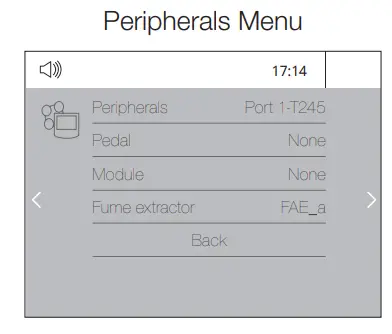 Note: For a correct operation constantly update soldering stations with the latest available software
version. The minimum required version is 8886160 for DDE, HDE, and NAE stations and 8886162 for
DME stations. the extraction when the tools are in use. Use the Premium Station Cable (included) for the connection.
Station Connections for Compact Range
Use the Compact Station Cable and the Adapter cable to connect JBC Soldering Stations. They feature a USB-B port to the fume extractor in order to automatically activate the extraction when the tools are in use.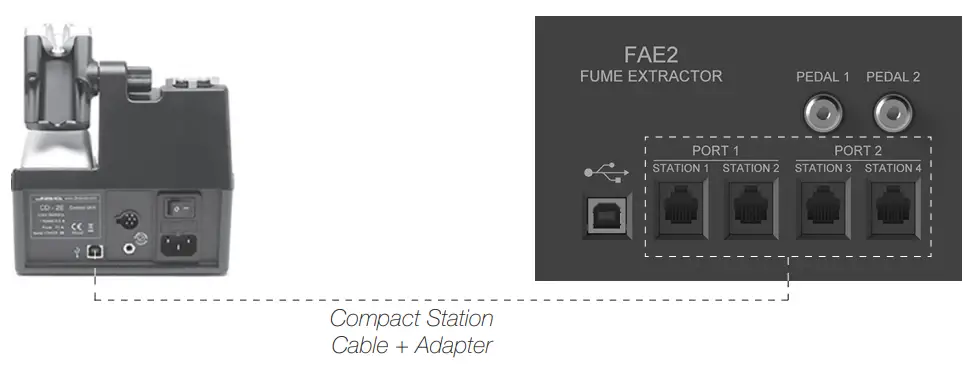
For 2 Workbenches Configuration:
Stations (Excellence or Advanced range) connected to RJ12 connectors station1 and station2 can control flexible arm1/stand1 aspiration intakes, whereas those which are connected to station3 and station4 can control flexible arm2/stand2 aspiration intakes.
For 4 Workbenches Configuration:
Each station connected to RJ12 connector stationX can control flexible armX aspiration intake (e.g. station2 controls aspiration arm2).
Continuous mode
When the continuous mode is enabled the 4 aspiration intakes are opened and fume extractor suction is activated. Aspiration remains active until the continuous mode is disabled or the equipment is powered off. (See details on page 9).
Equipment Software Update
JBC Updater
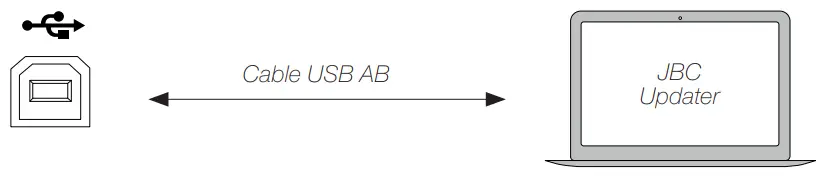
The fume extractor can be updated via the USB-B connection by means of JBC Updater software.
Download software from: www.jbctools.com/software.html.
Note: For the updating process the Premium Station Cable (RJ12) has to be disconnected. If a station is connected to the RJ12 connector the update process will not start.
Main Menu Parameters
Original Pin: 0105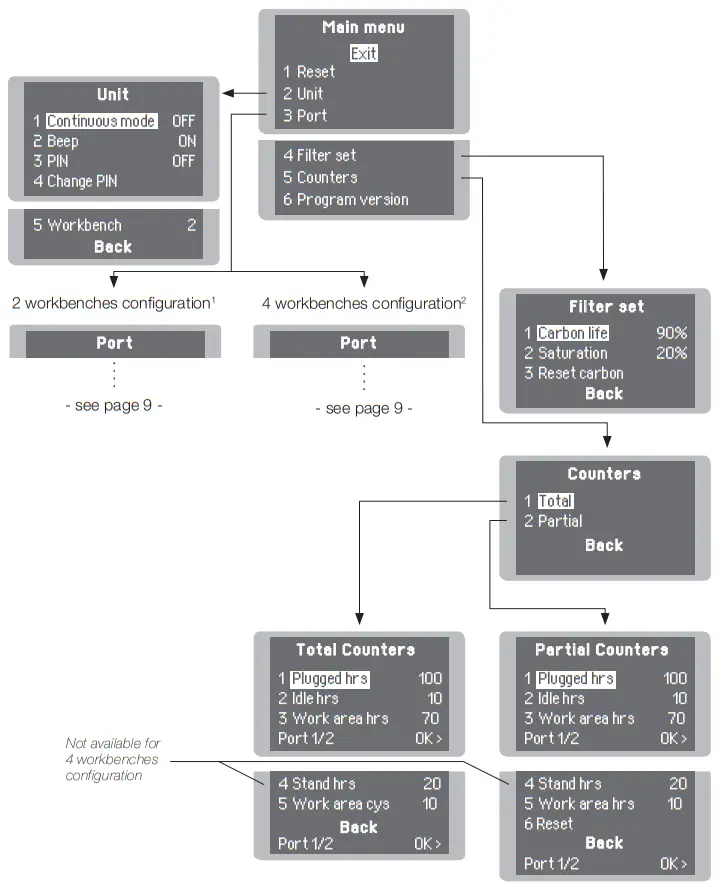
Port Menu for 2 Workbenches Configuration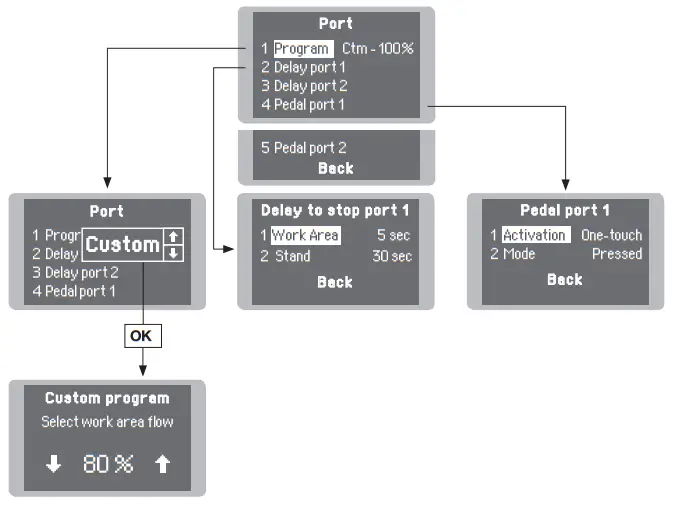
²Port Menu for 4 Workbenches Configuration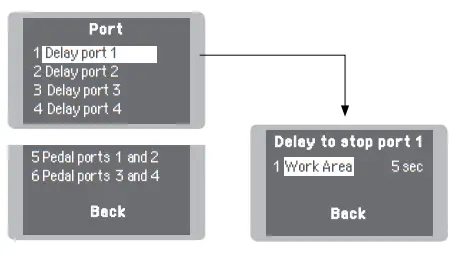
Fume Extractor Activation
Once the fume extractor is switched on, the display shows a similar screen as the following one and the filter saturation indicator is green if the carbon lifetime is higher than 20%.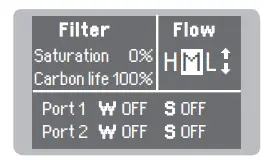
If the display shows STOP#4 or STOP#7, power off the fume extractor, remove the cover, place it back and secure it using the quick release levers.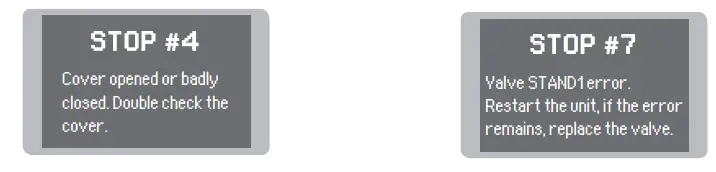
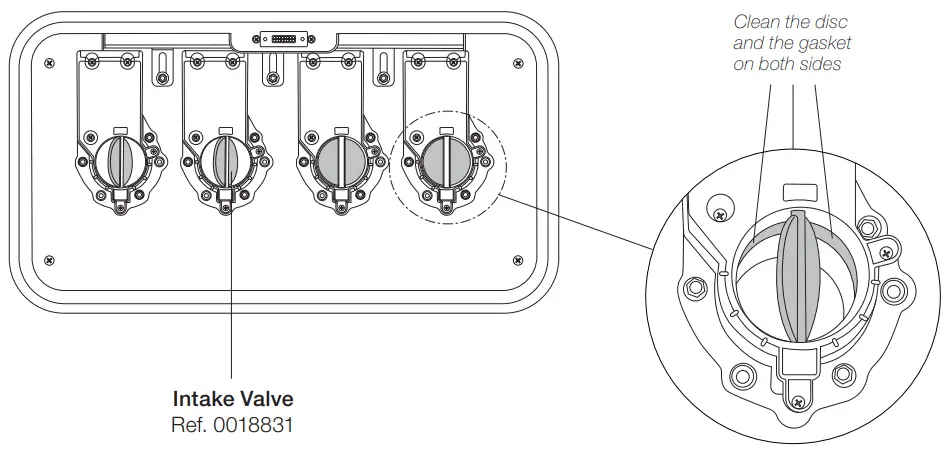
If STOP#7 remains, replace the valve (ref. 0018831).
Parameters
Important: Power off any station or device connected to the fume extractor before modifying any parameter.
Unit
| Parameter | Description |
| Continuous mode | Enable/disable continuous aspiration. When enabled the 4 aspiration intakes are opened and fume extractor suction is activated. Aspiration remains active until the continuous mode is disabled or the equipment is powered off. By default Continuous mode is OFF. |
| Beep | Enable/disable the sound of the keypad. By default, Beep is ON. |
| PIN | Enable/disable PIN requests when modifying parameters. By default, PIN is ON. |
| Change PIN | Change the default security PIN code. By default, the PIN is 0105. |
| workbench | Select working mode for 2 or 4 workbenches. By default, the workbench is 2. |
Port
| Parameter | Description |
| Program | It sets the fume extractor aspiration flow. You can select between preset and custom aspiration programs. H (High), M (Medium), or L (Low) are the three preset options available.Use up and down keys to switch between them while being on the main screen. Up to ten aspiration levels between H (High) and L (Low) can be selected for the custom program (range 10-100%). If a custom aspiration program is selected, the selected aspiration level can be changed on main the screen. By default M (Medium) aspiration program is selected. |
| Delay to stop / Stand | It sets the time that a fume extractor keeps aspirating fumes at the stand once the tool is turned to it (range 0-999 seconds). By default stand, the time is 60 seconds. |
| Delay to stop / Work area | It sets the time that a fume extractor keeps aspirating fumes at the work area once the tool is returned to the stand (range 0-300 seconds). |
| Pedal / Activation | It sets the pedal activation mode. One-touch: Press the pedal once to activate aspiration. Press again to stop aspiration. Pressed: (for activation mode must be selected “pressed”) aspiration is active as long as the pedal is kept pressed. By default activation mode is “pressed”. |
| Pedal / Mode | When the activation parameter is set to pressed, the mode parameter can be configured to released mode. In this mode, aspiration is always active until the pedal is pressed. By default mode is pressed. |
Filter Set
| Parameter | Description |
| Carbon life | It shows the remaining activated carbon lifetime expressed in %. It is also displayed on the main screen. When 0% is reached the system will show a popup message STOP#1 to replace the filter. 100 mm |
| Saturation | It shows the saturation status of the HEPA + carbon filter set, expressed in %. It is also displayed on the main screen. When 00% is reached the system will show a pop-up message TOP#2 to replace the filter. |
| Reset carbon | Perform this action after replacing the HEPA + carbon filter set. The carbon lifetime counter will not start until the filter is detected for the first time. After executing that function Carbon ife will be 100%. 50 mm |
Extraction Control
Fume extractor aspiration may be controlled by:
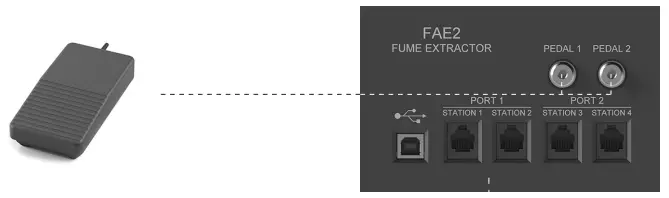
Pedal Connection
By means of the pedal connection, fume extractor aspiration may be activated/deactivated by a P-005/P-405 pedal. (See pedal activation modes on page 10)
Fume Extractor Configurations
Some parameters, features, and performance vary depending on the fume extractor’s working model, see the following table:
| Mode: 2 Workbenches | Mode: 4 Workbenches | |
| Flexible Arm Aspiration Intakes | 2 | 4 |
| Stand Aspiration Intakes | 2 | Not available |
| Flow per Flexible Arm Intake | 76 m3 / h (44.73 cfm) | 52 m3 / h (30.6 cfm) |
| Flow per Stand Intake | 4 ma / 11(2.35 cfm) | Not available |
| Preset Aspiration Programs | 3 | 1 |
| Custom Aspiration Programs | 9 | Not an available |
| Power Consumption | 400 W | 500 W |
Maintenance – Filter Replacement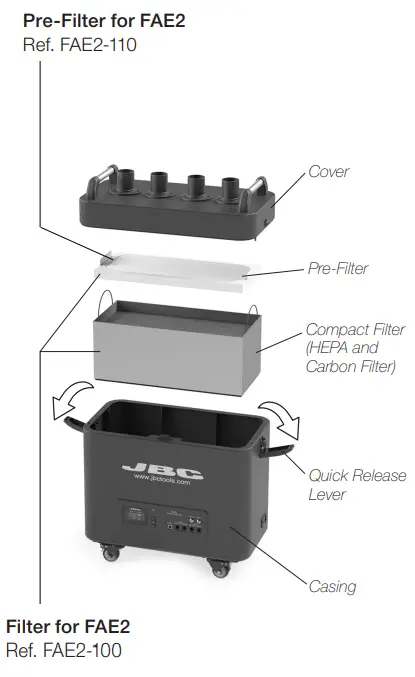
- The unit notifies through both the display and the LED when filters need maintenance.
- To replace the filters, first, turn the fume extractor off. Then remove the cover by opening the quick release lever of the casing (1).
- Once the pre-filter has been changed and the saturation indicator is on, means that the compact filter is already saturated and must be replaced too.
- The duration of the compact filter is 1-year maximum once its packaging is opened.
- Once the compact filter has been replaced, the filter counter must be reset. (Main
Menu > Filter Set > Reset Carbon) – If the display shows an error when the equipment is switched on, the cover and casing connectors are probably dirty (2) and making false contact. Remove the cover and clean both connectors. - If the filter is changed while the fume extractor is on, once the cover is placed the equipment starts an automatic filter detection process: the work valves open, the stand valves close and the fume extractor suctions for a few seconds.
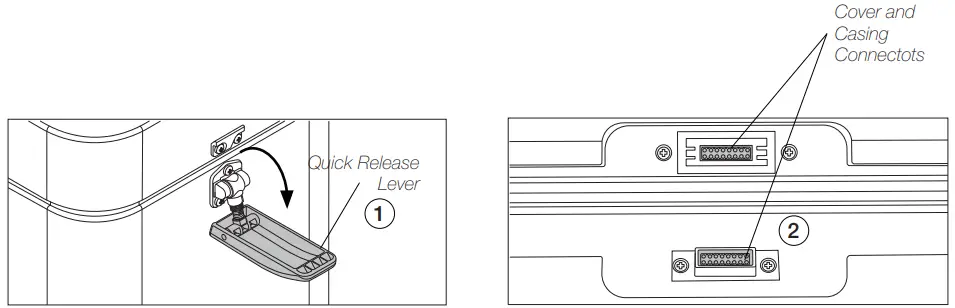
Read the safety guidelines to do the equipment maintenance safely.
Maintenance – Valves
- Check the status of the valves when replacing the pre-filter or the compact filter.
- Use the cleaning stick if necessary and clean with alcohol to remove dirt residues.
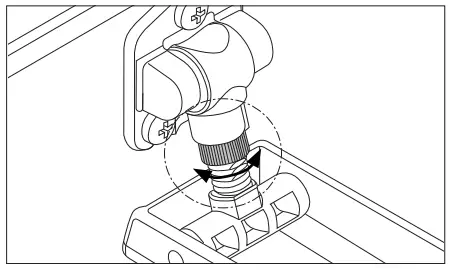
Quick Release Lever Adjustment
- The locking force between casing and cover can be adjusted by turning the knurled nut of the locking mechanism.
- Turn clockwise to loosen and counterclockwise to tighten.
Read safety guidelines to do the equipment maintenance safety.
Safety
Follow safety guidelines to prevent electric shock, injury, fire, or explosion.
- The equipment is designed to filtrate only the fumes generated by soldering.
- Do not use the units for the filtration of combustible, explosive, or corrosive gasses. Incorrect use may cause a fire.
- The power cord must be plugged into approved bases. Be sure that it is properly grounded before use. When unplugging it, hold the plug, not the wire.
- Do not leave the appliance unattended when it is on.
- Do not cover the ventilation grills. Heat can cause inflammable products to ignite.
- This appliance can be used by children over the age of eight and persons with reduced capabilities or lack of experience provided that they have been given adequate supervision or instruction concerning the use of the appliance and understand the hazards involved.
- Maintenance must not be carried out by children unless supervised.
- Keep your workplace clean and tidy. Wear an appropriate protective mask, glasses, and gloves when handling dirt filters or pre-filter.
- The quick-release levers of the casing are only for handling the cover, not the complete equipment.
- Do not use the equipment without the filters.
- Saturated filters can not be cleaned and reused.
- Avoid blowing the filter or the dirty parts of the equipment, if necessary it is advisable to vacuum.
- Avoid losing particles in the filter during handling it.
- Treat the saturated filters as waste depending on the filtered contaminant and the applicable standards in each country. This is the European Waste Catalog classification: 15 02: absorbents, filter materials, wiping cloths, and protective clothing.
15 02 02: Absorbents, filter materials (including oil filters not otherwise specified, wiping cloths, protective clothing contaminated by dangerous substances.
15 02 03: Absorbents, filter materials, wiping cloths, and protective clothing. - In case of not complying with the filter change recommendations, the maximum particle and gas concentrations established in each country could be exceeded.
Notes
Specifications
| FAE2 Fume Extractor for 2 Workbenches Ref.: FAE2-5B 120V 50/60Hz. Input power: 500W Ref.: FAE2-5B 230V 50/60Hz. Input power: 500W Ref.: FAE2-5B 100V 50/60Hz. Input power: 320W | |
| – Max. Flow Rate: – Max. Vacuum:- BlowerType: -Working Areas (Workbenches): -Noise: -Pre-Filter: -Compact Filters:-Fuse: -Connections: -Fume Extractor dimensions / Weight: (L x W x H) -Total Package Dimensions / Weight: (L x W x H) Complies with CE standards. ESD safe. | 290 m³/h / 10241.25 f³/h 6,1 KPa / 0.88 psi brushless 2 or 4 54 dB Medium dust filter M5 (EN 779) H13 article filter (EN 1822) Activated carbon filter 8 AT USB-B (to PC) RJ12 (to stations) 560 x 320 x 590 mm / 3,6 kg 22.05 x 12.59 x 23.23 in / 74.08 lb 725 x 485 x 760 mm / 36 kg 28.54 x 19.09 x 29.92 in / 79.37 lb |
Warranty
JBC’s 2 year warranty covers this equipment against all manufacturing defects, including the replacement of defective parts and labour.
The warranty does not cover product wear or misuse. In order for the warranty to be valid, equipment must be returned, postage paid, to the dealer where it was purchased.
Get 1 extra year of JBC warranty by registering here:
https://www.jbctools.com/productregistration/within 30 days of purchase.
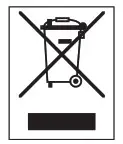 This product should not be thrown in the garbage.
In accordance with the European directive 2012/19/EU, electronic equipment at the end of its life must be collected and returned to an authorized recycling facility.
 0028160-200622
www.jbctools.com
 DOWNLOAD SOFTWARE