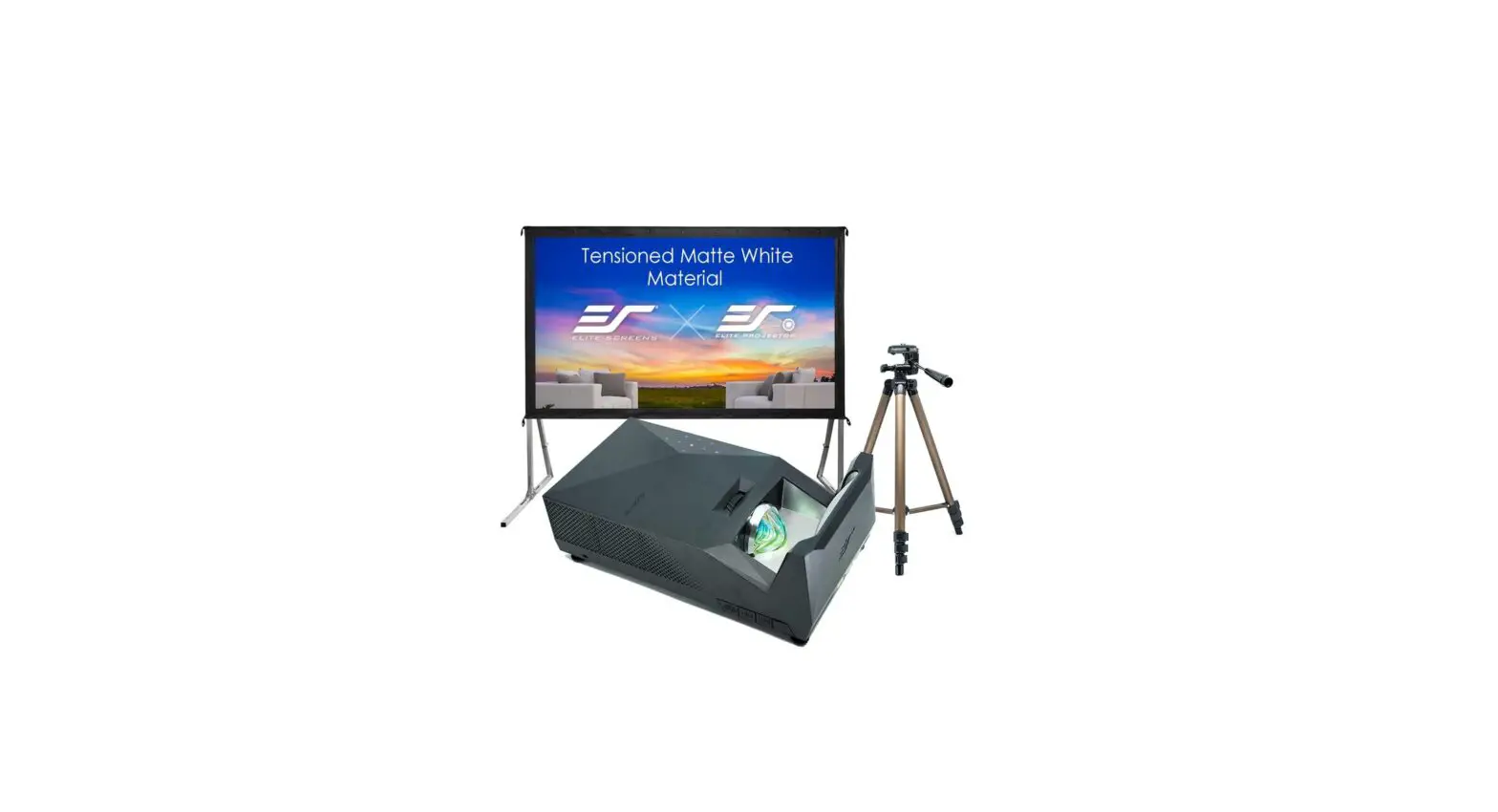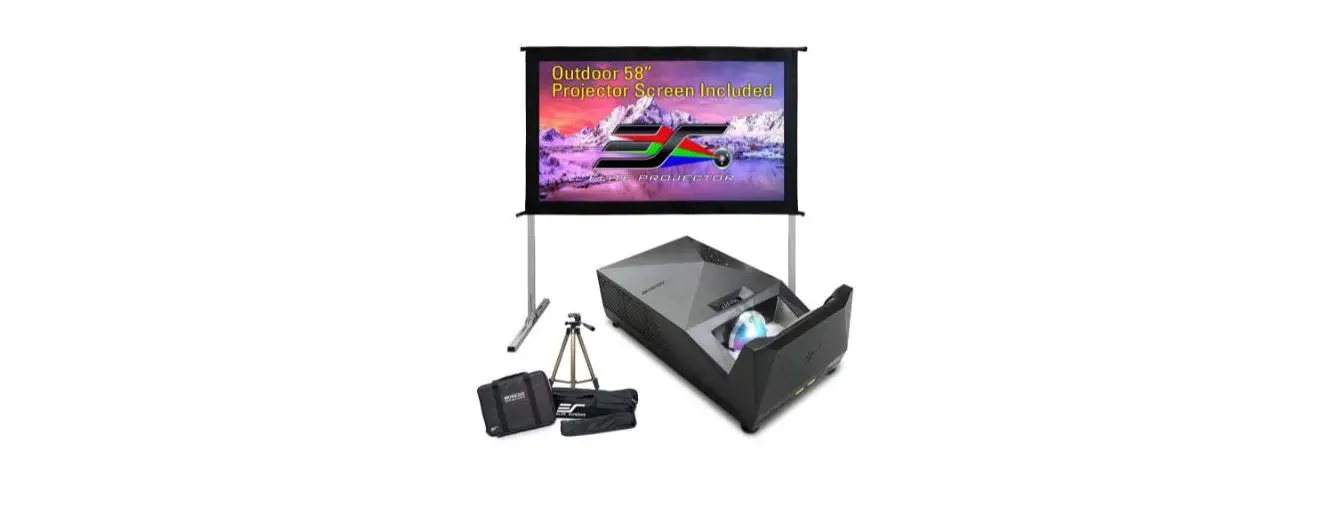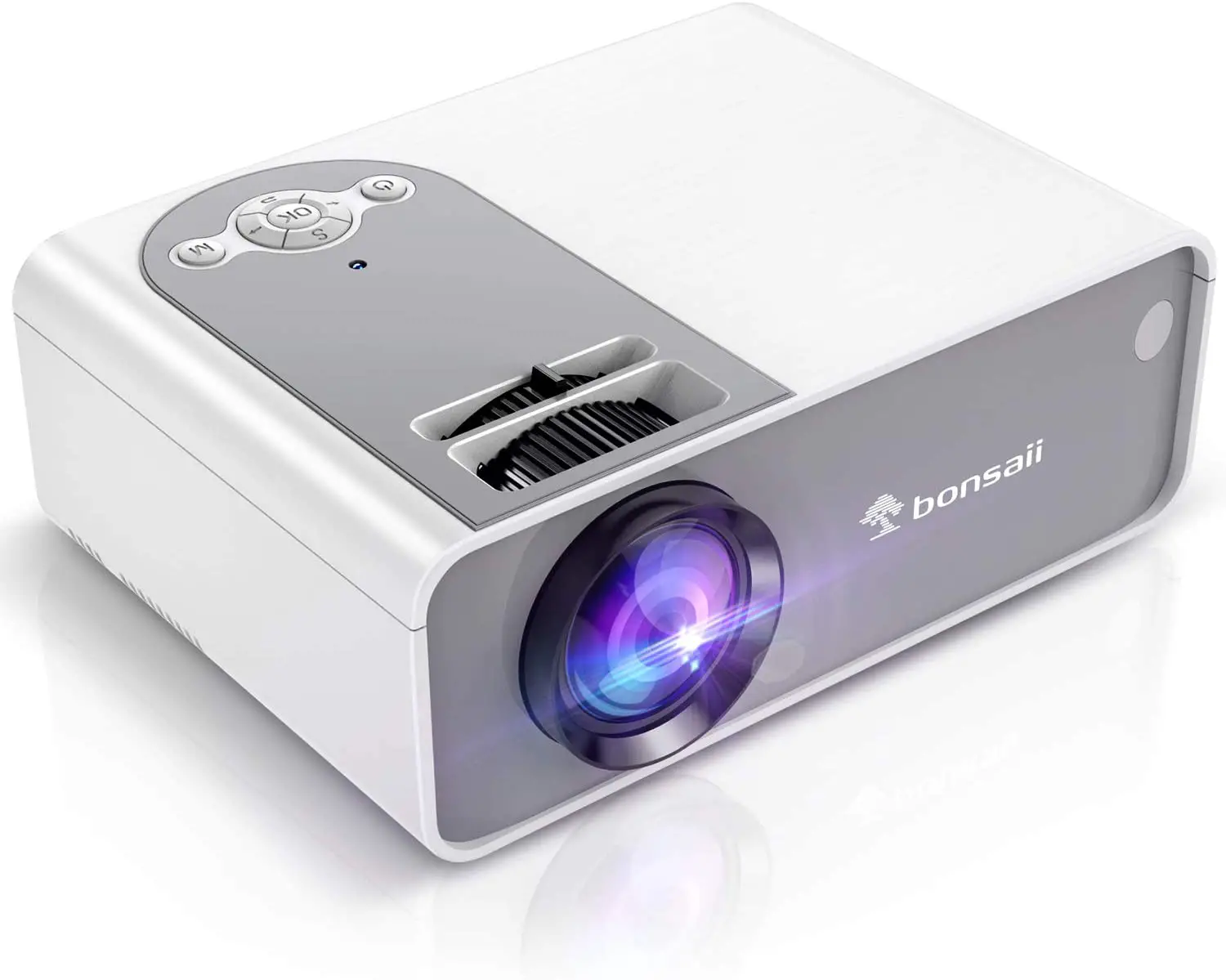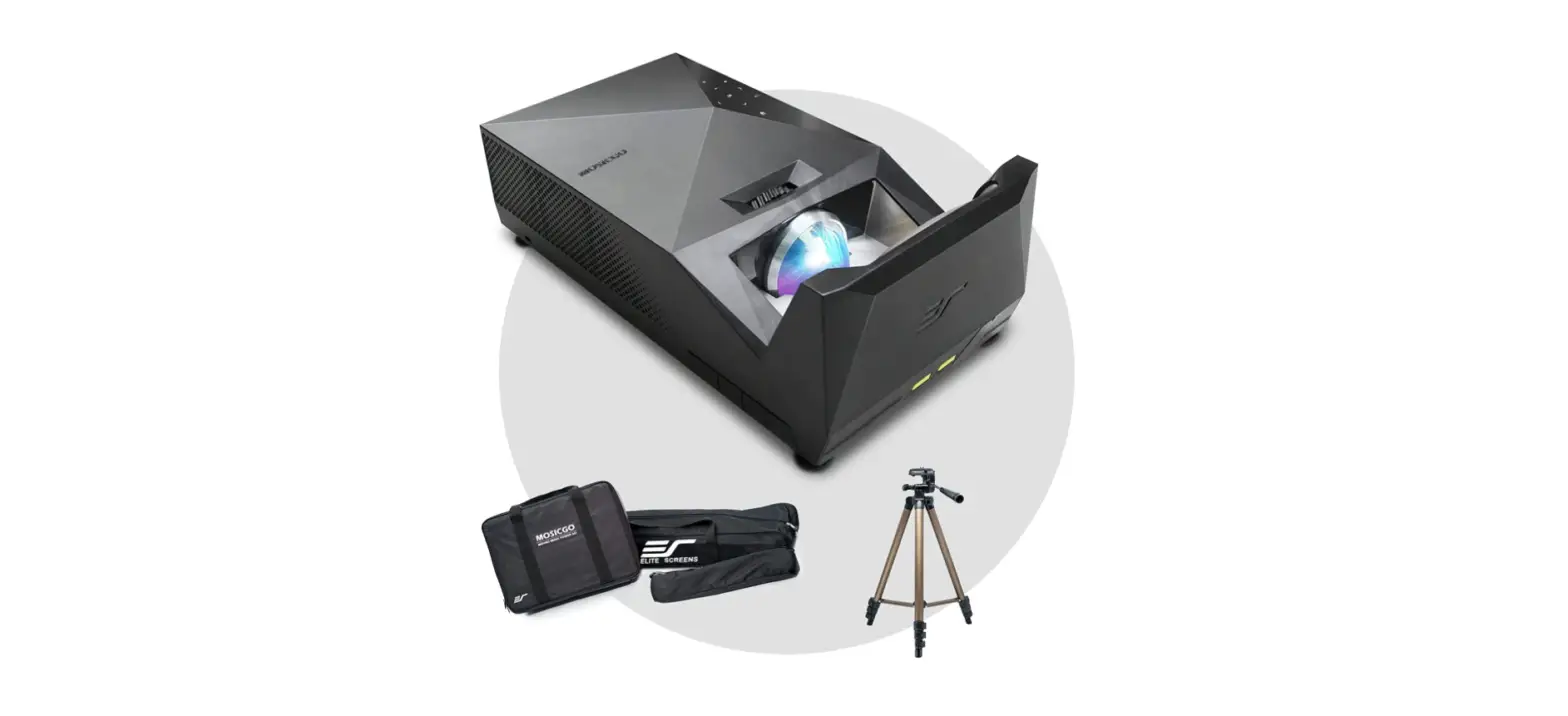

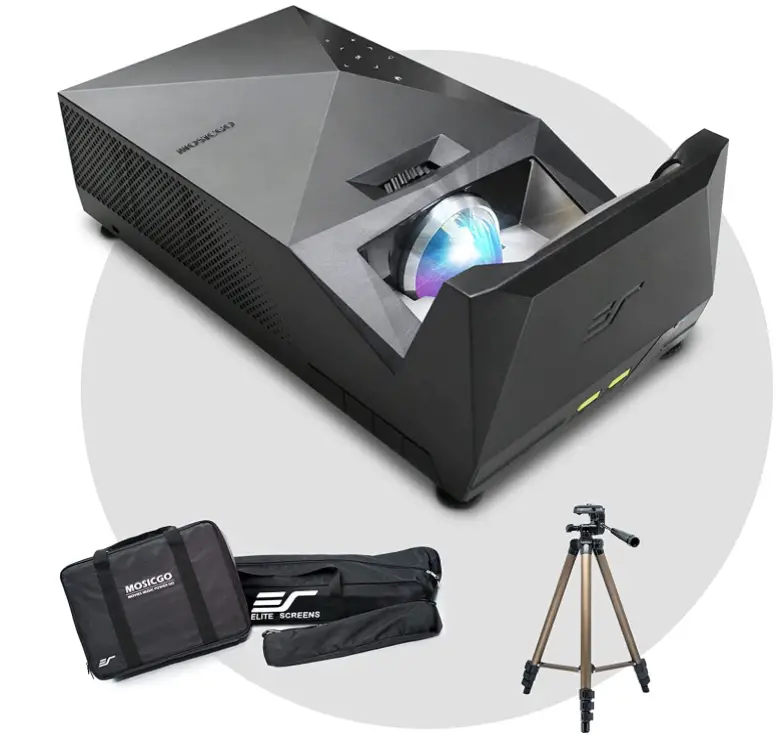
EliteProjector MGFU-S1-FBA Portable Outdoor Movie Projector
EYE SAFETY WARNINGS
- To avoid retinal damage, do not stare directly or indirectly into the projector’s light beam.
- Rather than stand in the projector’s light beam to point on the screen, use a laser pointer or pointer stick instead.
- Make sure that students and other viewers observe the eye safety warnings and stay out of the direct light beam.
- Use window blinds and turn down interior light sources to reduce the washout glare of ambient light.
IMPORTANT SAFETY INSTRUCTIONS
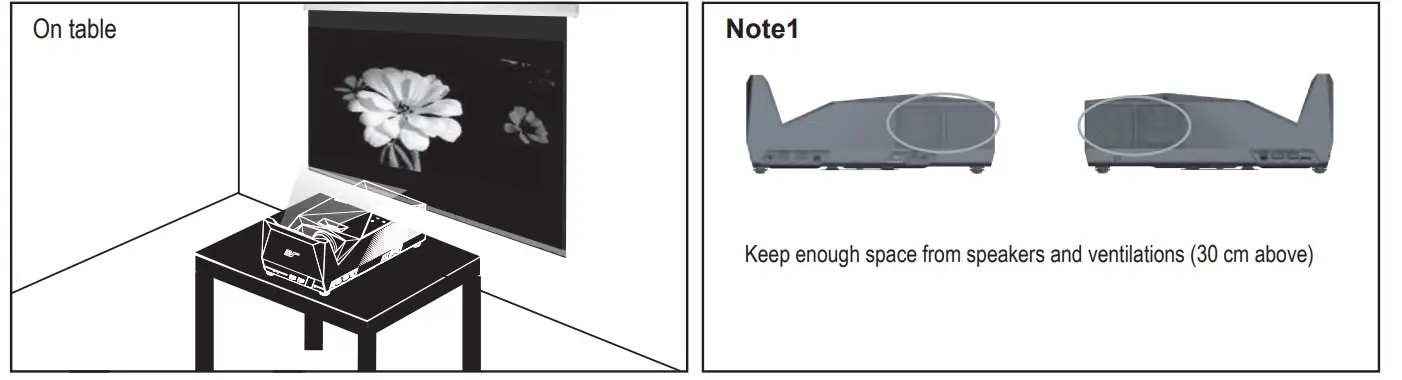
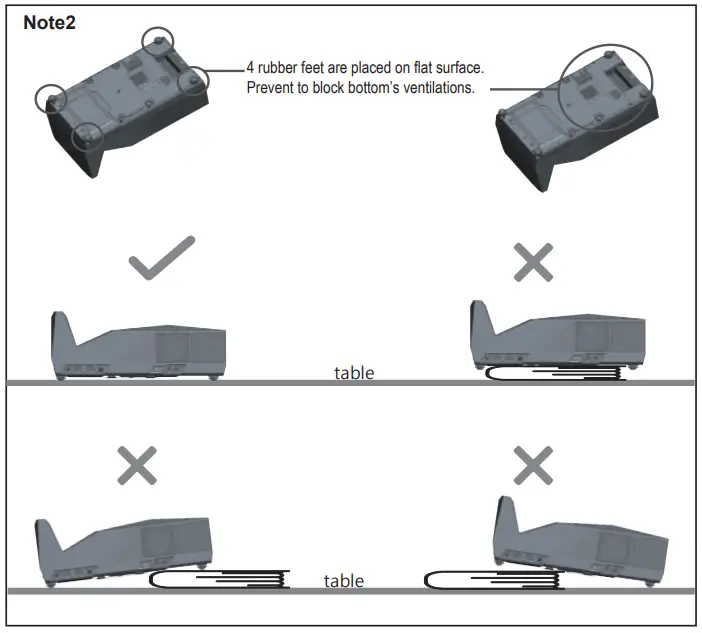
- The ventilation ports prevent overheating. Never block these ports located on the sides and bottom of the projector. (See page 12) Direct obstruction, confined spaces or placing on a cluttered surface restricts airflow, and ruins the projector.
- To reduce risk of fire or electric shock, do not expose the projector to any liquids, rain, snow or airborne moisture.
- Do not use the projector in direct sunlight.
- Do not use the projector in areas susceptible to excessive dust and dirt.
- Turn off the product before cleaning.
- Disconnect the power cord if the product is not being used for a long period of time.
- Ensure that the ambient room temperature is within 0- 40°C (32-104°F).
- Ensure that relative humidity is 5 – 35°C (41- 95°F), 80% (Max.), non-condensing.
- Do not drop, throw or try to bend your product. explosion.
- Clean only with dry cloth.
- Only use attachments/accessori
- Do not use the unit if it has been physically damaged or abused. Physical damage/abuse would be (but not limited to):
- Unit has been dropped.
- Charger or plug has been damaged.
- Liquid has been spilled on the projector.
- Projector has been exposed to rain or moisture.
- Something has fallen into the projector or something is loose inside.
Do not attempt to service the unit yourself. Opening or removing covers may expose you to dangerous voltages or other hazards. Please contact your local reseller or service center before you send the unit for repair.
- Follow all warnings and cautions in this manual and on the projector.
- The unit should only be repaired by appropriate service personnel.
- Projector lamps generate a lot of heat. This causes much of the projector’s surface area to heat up. If the projector seems to be excessively hot, turn it off so that it can cool down and then call customer service.
CAUTION
RISK OF BATTERY EXPLOSION IF INCORRECT TYPE IS USED MAKE SURE TO PROPERLY DISCARD USED BATTERIES ACCORDING TO LOCAL REGULATIONS
PRODUCT OVERVIEW
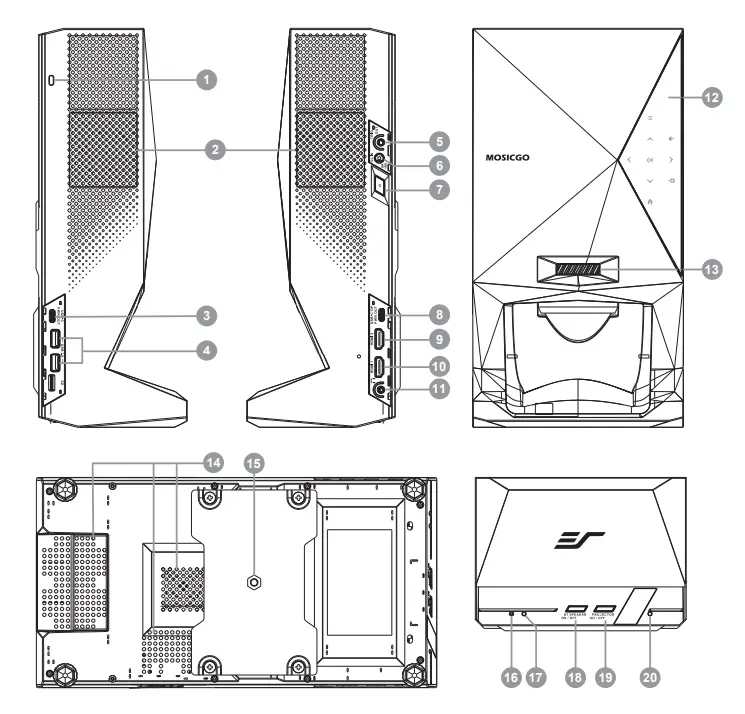
- Kensington Lock Slot
- Ventilation Port
- USB Type C POWEROUT
- USB
- 12V Trigger Out
- DC IN 19V
- Power On/Off Switch
- USB Type C Display Port (DPUSB Type C POWER OUT
- HDMI 2
- HDMI 1
- Earphone Jack
- Touch Keypad
- Focus Ring
- Ventilation Port
- Tripod Mount Hole
- Wireless Speaker Indicator
- Projector Indicator
- Wireless Speaker On/Off Button
- Projector On /Off Button
- Battery/ Power Status Indicator (Battery indicator only for MGFU-S model)
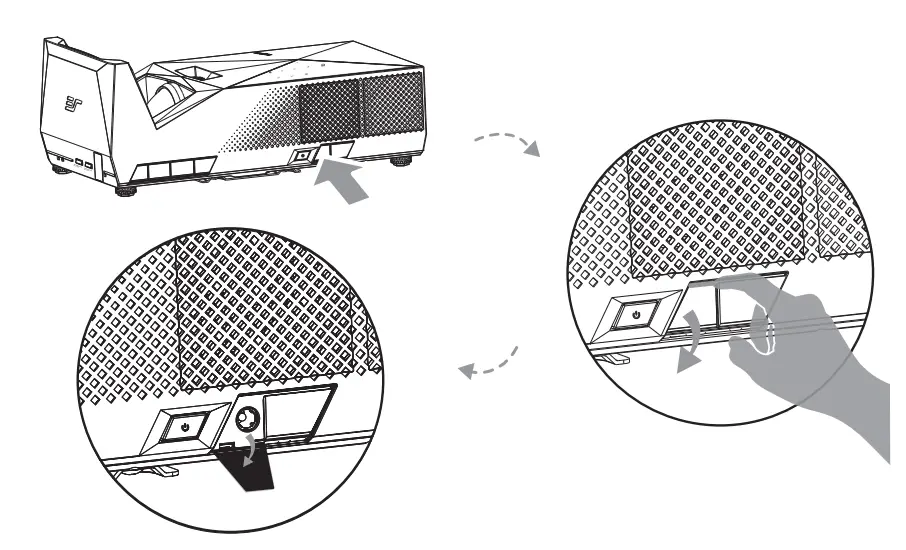
*Note:
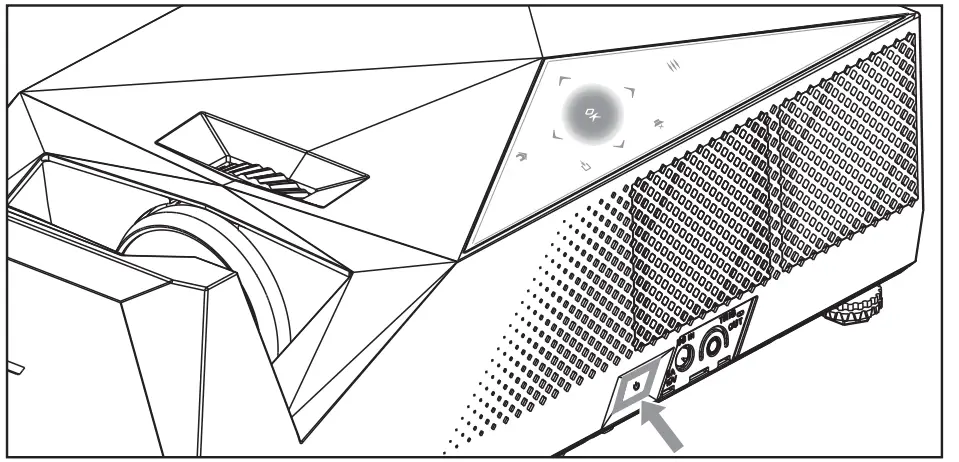
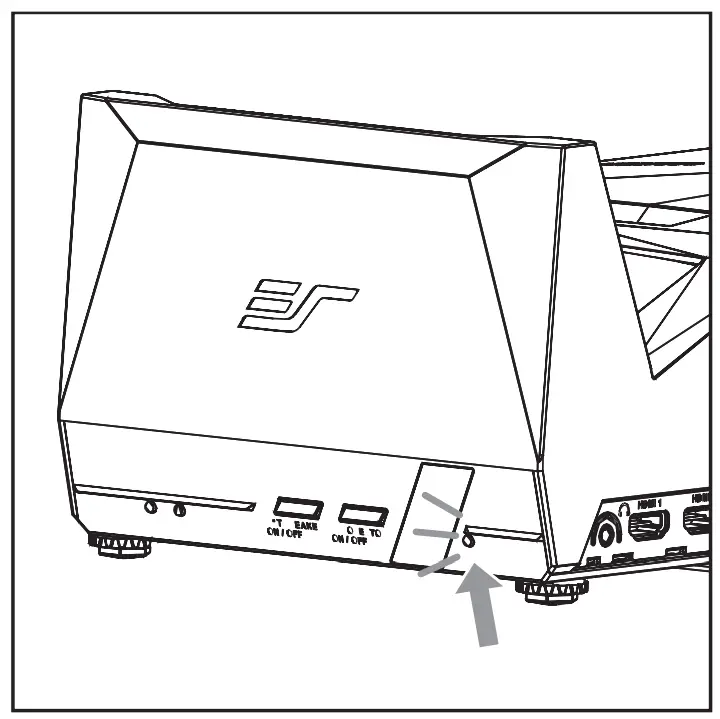
Follow the steps to open I/O cover.
Touch Keypad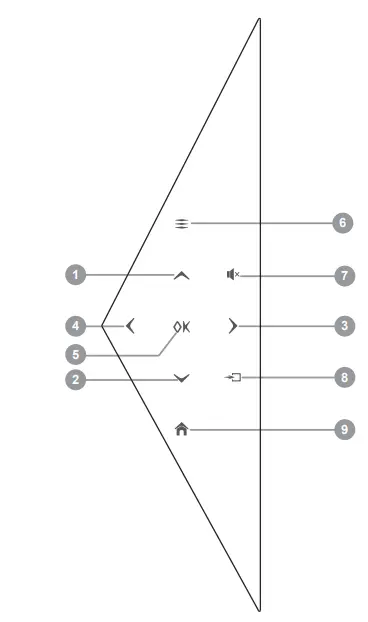
- Up (adjust keystone up)
- Left
- Right
- Down (adjust keystone down)
- OK/Enter
- input Source Selection
- Menu
- home
- Mute
Remote Control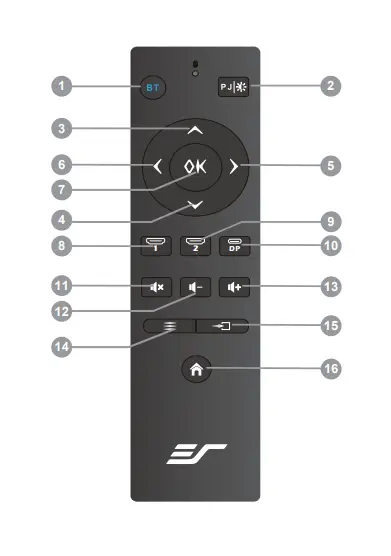
- Wireless Speaker On/Off, Audio Source Selection(Note)
- Projector On/O Brightness Adjustment (Note)
- Up (adjust keystone up)
- Left
- OK/Enter
- right
- Down (adjust keystone down)
- Home
- HDMI1
- HDMI2
- DP
- Menu
- Mute
- Volume down
- Volume up
- Video Source Search
*Note:
When projector is off, short press PJ button on remote control to turn on projector.
When projector is ON, short pressing the PJ button on the remote control will cycle through the following brightness modes: MAX, ECO, and MIN.
When projector is on, long press PJ button on remote control over 1 second , after prompt messageand then short press PJ button again to turn off projector.
When Wireless Speaker is off, short press BT button on remote control to turn on Wireless Speaker.
When Wireless Speaker is on, long press BT button on remote control over 1 second to turns off Wireless Speaker.
When both of projector and wireless speaker are ON, short pressing the BT button will cycle through the source of speaker between projector and wireless audio source.
PRODUCT ACCESSORIES LIST
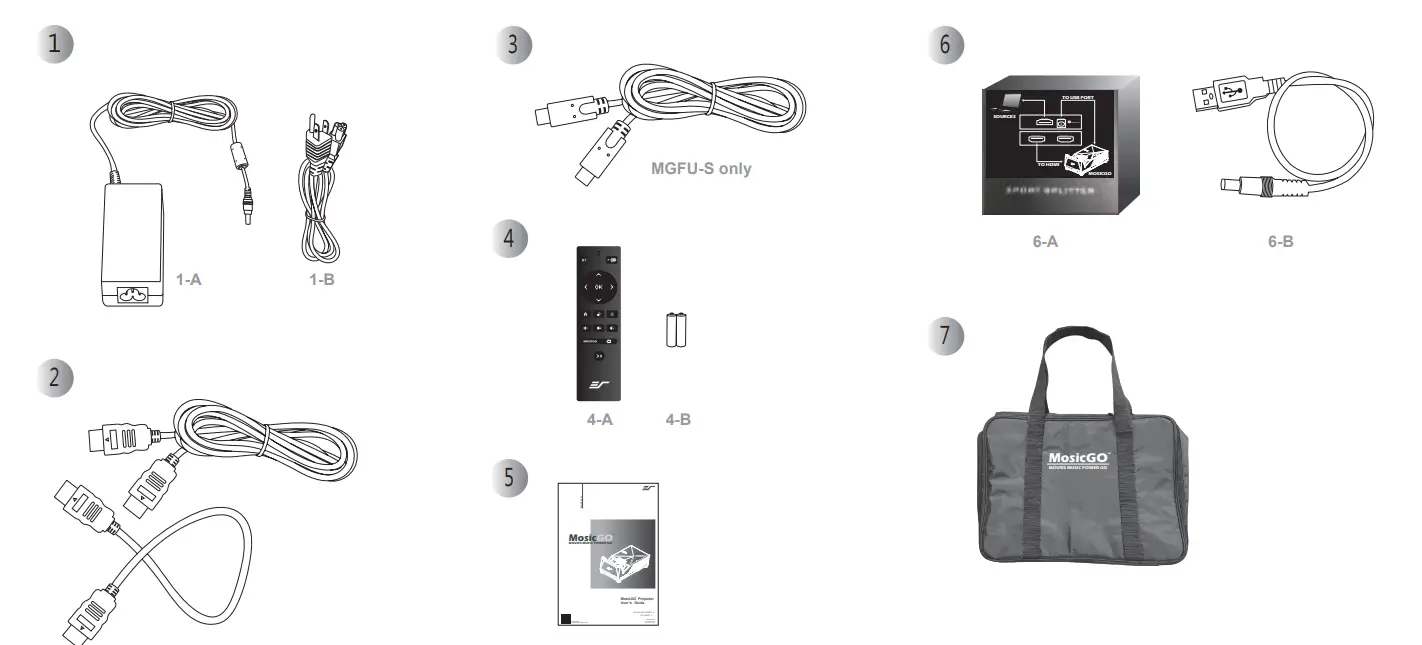
- 1-A AC Adaptr 1-B Power Cord
- HDMI Cable x2
- USB Type C Cable
(*Note: only apply for Sport MGFU-S model) - A Remote Control
B Battery (AAAx2) - A HDMI SPLITTER
B 5V Power Cable - Carrying bag
- User’s Guide (with Warranty Card)
POWER ON/OFF
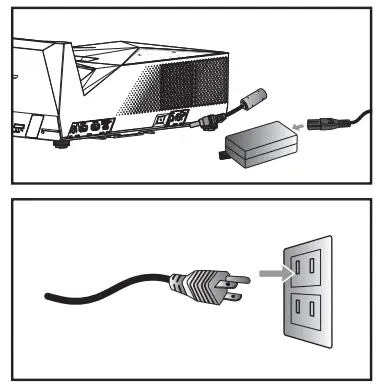
- Connect the power cord to the DC input jack.

- Insert the plug into power outlet.
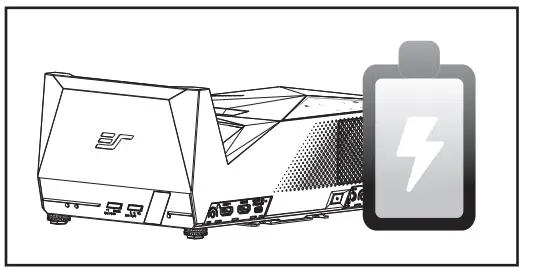
- MosicGO TM has an internal battery pack.
Please fully charge the battery before using the projector.
(*Note: Only Sport MGFU-S model has a battery pack)
- Press the Power On/Off Switch. The OK icon on the touch keypad will illuminate.

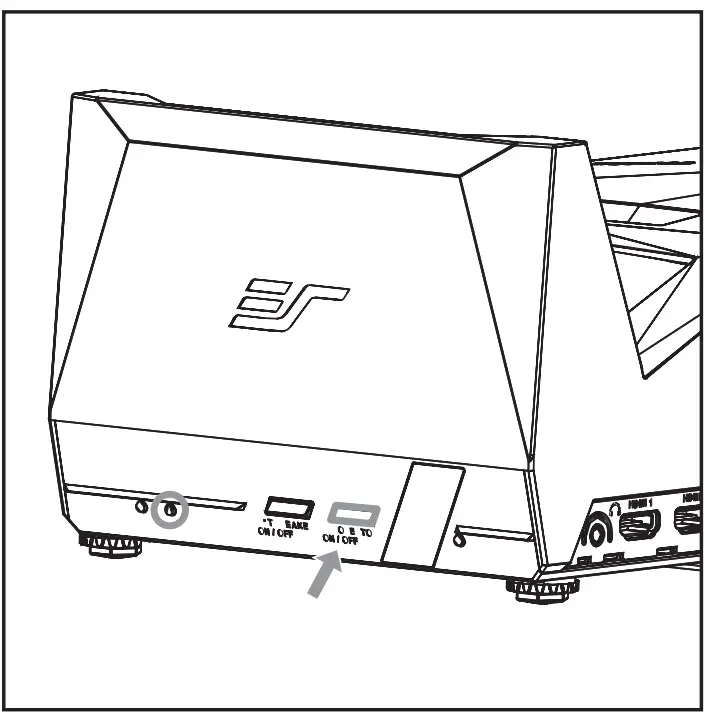
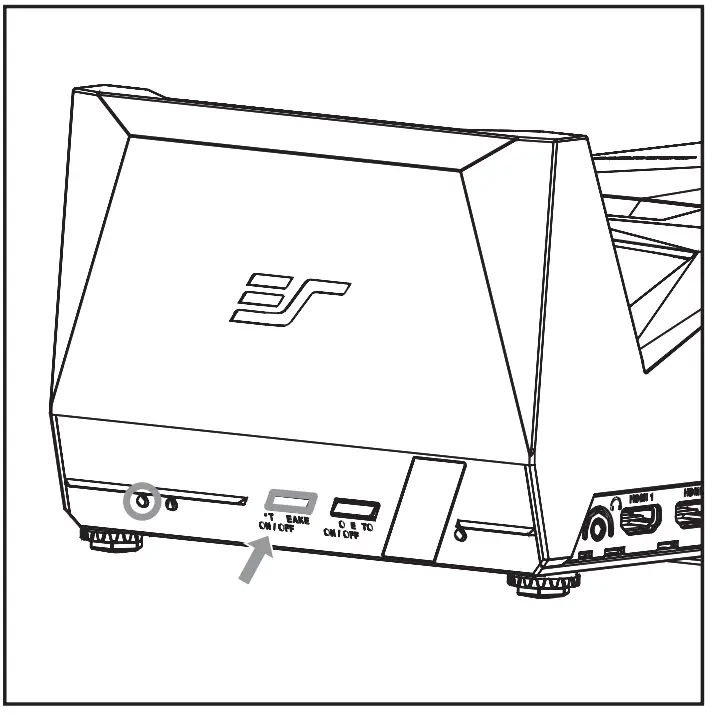
BT SPEAKER / PROJECTOR ON/OFF
- Press the PJ button to turn the projector on and the status LED indicator will light up. To turn off the projector, press and hold the PJ button for over 1 second. After seeing prompt message, short press PJ button again to confirm. The MosicGOTM logo will show briefly before the device powers off.The status LED indicator light will be flashing as the projector powers down.When projector is ON, short pressing the PJ button on the remote control will cycle through the following brightness modes: MAX, ECO, and MIN.

- Press the Wireless Speaker button to activate this feature.It’s blue LED lamp will flash when the Wireless Speaker is in pairing mode. Check “MosicGOTM” on your device to connect to MosicGOTM Wireless Speaker . When device is connected successfully, the blue LED lamp will light persistently.To turn off the Wireless Speaker, press down and hold the BT button for over 1 second.When both projector and Wireless Speaker are ON, short pressing the Wireless Speaker button on the remote control will switch audio source between projector and Wireless Speaker.
 *Note:
An audible tone sounds when the Wireless Speaker powers on/off, or when the projector connects/disconnects to a device.
 *Note:
*Note:
Press the Wireless Speaker button / PJ button to turn off Wireless Speaker / projector before press power off switch. Avoid press power off switch directly when projector / Wireless Speaker still on
BATTERY STATUS INDICATOR
LEDs indicate battery and charging status as following table.
| Adapter Mode | Battery Mode | |
| Geen(100%) | Solid | Solid |
| Green (80% ~) | Flash | Solid |
| Orange(15%~79%) | Flash | Solid |
| Red(~14%) | Flash | Solid |
In battery mode, MosicGOTM will be forced to power off if battery capacity is under 10% Suggest charging the battery immediately if LED indicator is Red.
*Note:
There is no battery in Lite MGFU-L verion. Power LED is green solid when DC adapter is inserted.)
BATTERY FO R POWER SOURCE
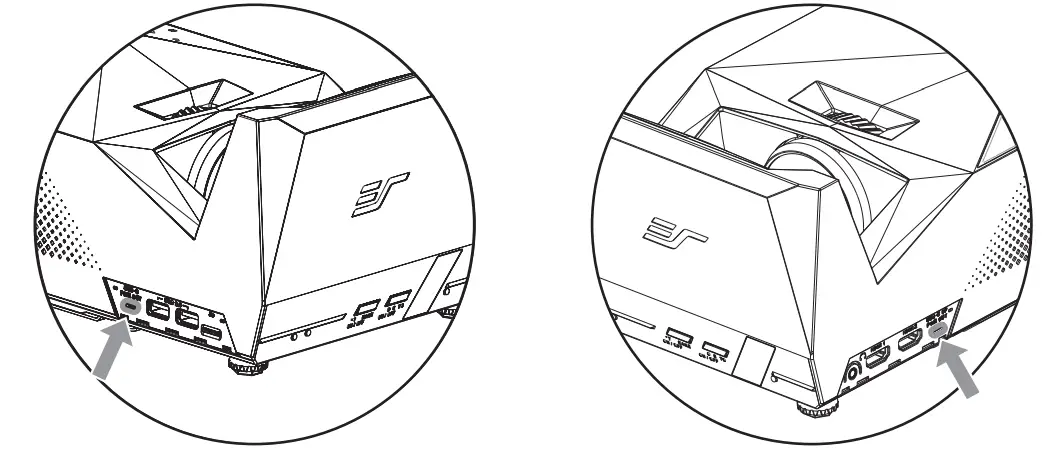
- USB Type C power Delivery:
Type C support PD function. Please refer specification section for details.
*Note:
When projecting video content, USB type C ports automatically switch to a lower (5V1A) power rail. - USB Type A :
Provide 5V/1A max power.
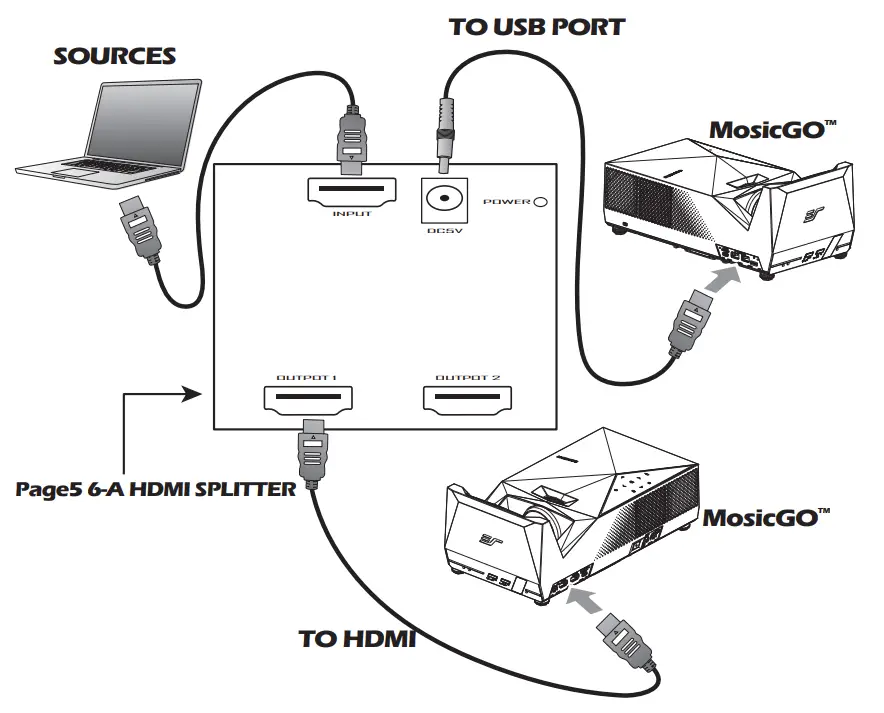
CONNECT INPUT SOURCE HDMI BY HDMI SPLITTER (6-A)
*Note:
Please always use the splitter to connect to any source (Laptop, PC, DVD…) and the projector.
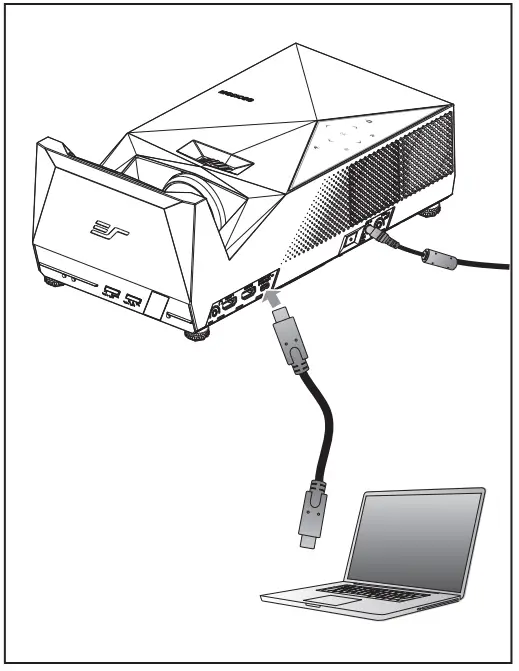
CONNECT INPUT SOURCE : USB Typ e C Display Port  ADJUST PROJECTION IMAGE TILT
 ADJUST PROJECTION IMAGE TILT
Adjust the focus until the image is clear.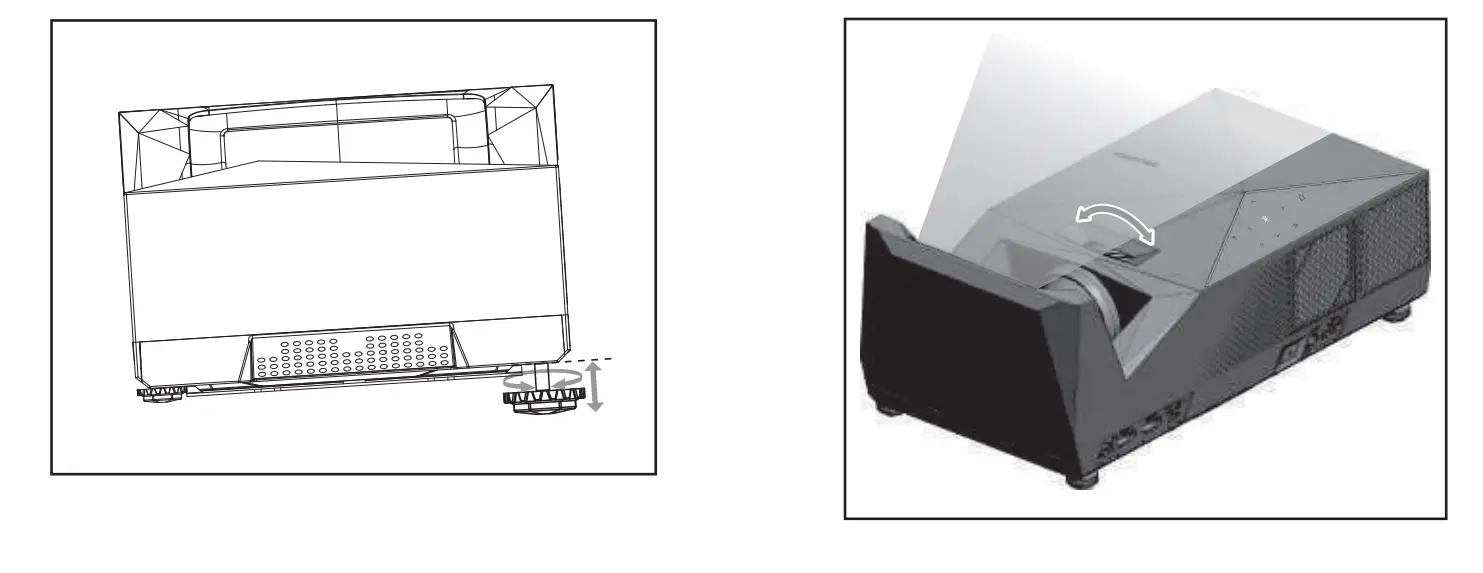
The projector is equipped with four elevator feet for adjusting the projected image tilt.
To adjust the tilt:
Turn the elevator feet to adjust the projected image position to the desired tilt.
ADJUST THE PROJECTION IMAGE SIZE
| A | B | C | D | E |
Note |
| Projector Front Edge Distance to Screen | Screen lower edge
to projector table | Projector Screen diagonal | Projector Screen width | Projector Screen height | |
| inch | inch | inch | inch | inch | |
| 3.82 | 9.41 | 60 | 52.3 | 29.4 | |
| 6.42 | 10.75 | 70 | 61.0 | 34.3 | |
| 9.17 | 11.89 | 80 | 69.7 | 39.2 | |
| 11.97 | 13.35 | 90 | 78.4 | 44.1 |
*Note |
| 14.53 | 14.37 | 100 | 87.2 | 49.0 |
| A | B | C | D | E |
Note |
| Projector Front Edge Distance to Screen | Screen lower edge
to projector table | Projector Screen diagonal | Projector Screen width | Projector Screen height | |
| cm | cm | cm | cm | cm | |
| 9.7 | 23.9 | 152 | 133 | 75 | |
| 16.3 | 27.3 | 178 | 155 | 87 | |
| 23.3 | 30.2 | 203 | 177 | 100 | |
| 30.4 | 33.9 | 229 | 199 | 125 |
*Note |
| 36.9 | 36.5 | 254 | 221 | 112 |
*Note:
The MosicGOTM (Lite MGFU-L & Sport MGFU-S) portable UST (ultra-short throw) projectors are specifically designed for creating 60-80” imagery in a 16:9 aspect ratio.
Throwing larger (90”-100”) images will have corner distortion and is more recommended for videos than in still shot / training presentations.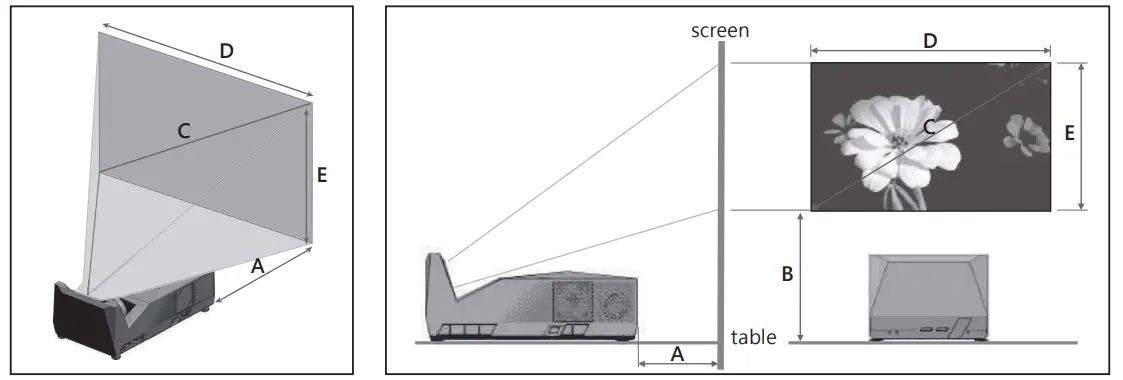 *Note:
The tolerance is around 5% .
EARPHONE
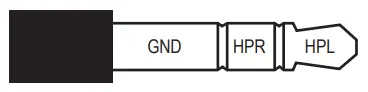
Earphone, 3.5mm Jack Pin assignment
- HPL : Left Channel Audio Signal
- HPR : Right Channel Audio Signal
- GND : Signal Ground
12V TRIGGER
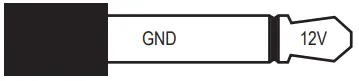
12V Trigger Port, 3.5mm Jack Pin assignment
- 12V: 12V trigger signal for screen rolling up/down
- GND: Signal Ground

 Warning : Don’t plug in earphone to 12V trigger port, that can cause damage to the earphone.
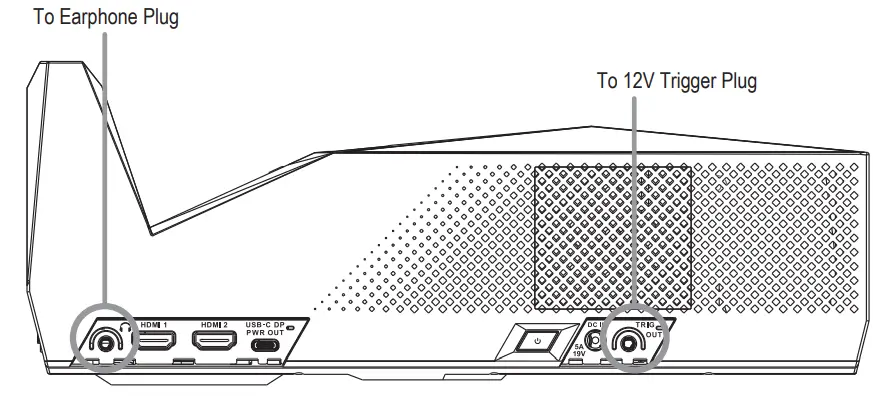
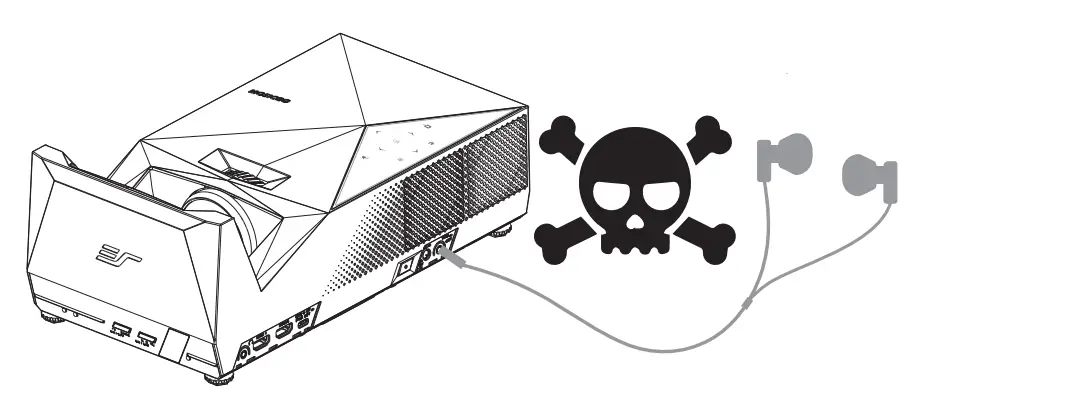 Warning : Don’t plug in earphone to 12V trigger port, that can cause damage to the earphone.
MOUNT THE PRO JECTOR
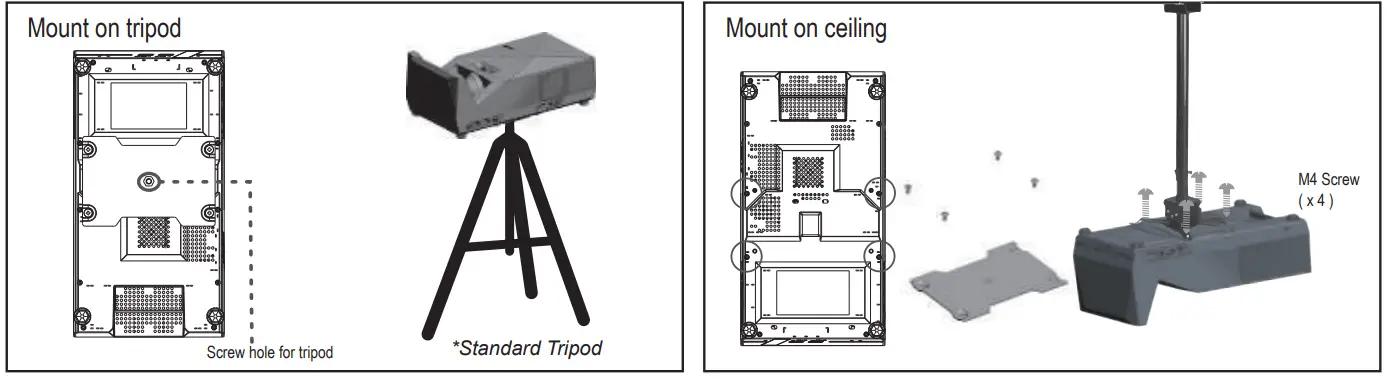
Screw a standard tripod into the screw hole on the projector.
- Loosen 4 screws metal plate from MosicGOTM.

- Fasten screws to ceiling mount kits.
*Note:
Tripod should support loading above 3Kg, and mounting screw spec is 1/4”
 *Note:
Please keep air vents opend for heat ventilation. Otherwise, projector will be turned off if it’s over heat.
 *Note:
OSD
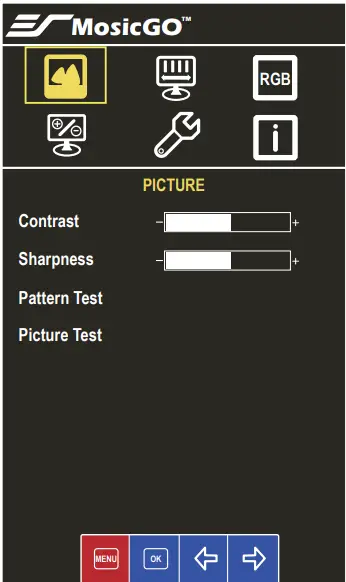
- Contrast: adjust color contrast.
- Sharpness: adjust picture sharpness.
- Pattern Test: present pattern picture to verify focus and color situation of display. Press “OK” will return to current video port.
- Picture Test: circularly present red, green, blue, and white screen to verify picture color. Press “OK” will return to current video port.
*Note:- Contrast and Sharpness can be configured only when video signal is ready.
- Reset to default setting by selecting ‘Menu’->’Other’->’Reset

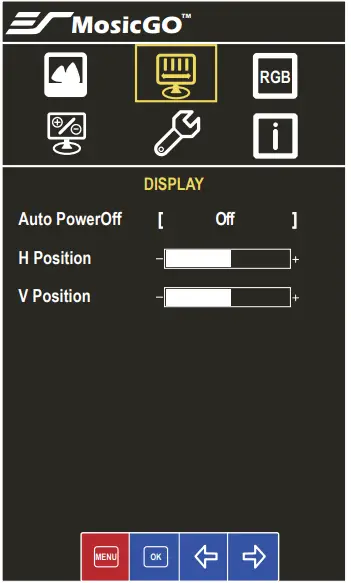
- Auto PowerOff: Configure the time before power off if there is no signal to projector.
- H / V Position: Adjust the display position
*Note:- H Position and V Position can be configured only when video signal is ready.
- Reset to default setting by selecting ‘Menu’->’Other’->’Reset’
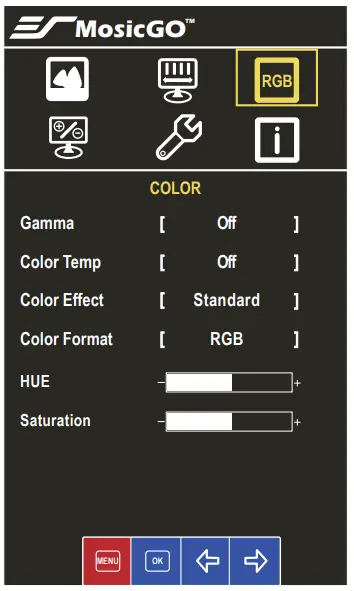
- Configure color properties.

*Note:- All COLOR Menu can be configured only when video signal is ready.
- Some features might not be supported in current model.
- Reset to default setting by selecting ‘Menu’->’Other’->’Reset’
- Set other configuration.
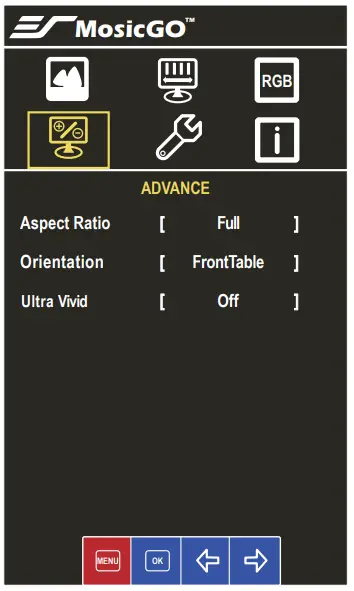
- Aspect Ratio: configure ratio of display area.
- Orientation: according to your projector installation, configure the orientation of display.
- Ultra vivid:enable/disable supporting vivid color.
*Note:- Aspect Ratio and Ultra Vivid can be configured only when video signal is ready
- Some features might not be supported in current model.
- Reset to default setting by selecting ‘Menu’->’Other’->’Reset’
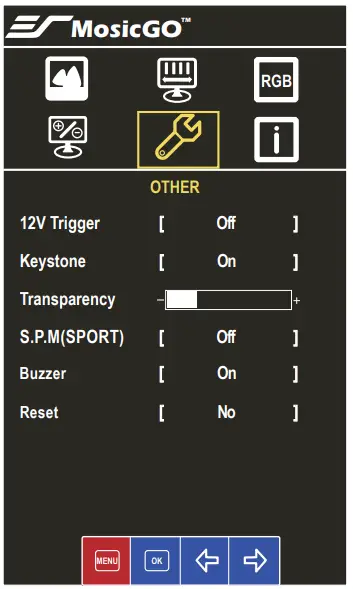
- 12V Trigger: Enable/disable the output of 12VTrigger Out.
- Keystone: adjust the rectangle shape of display.
- Transparency: configure the transparency of OSD(on-screen display).
- S.P.M: enable/disable Smart Projector Mode. If enable, MosicGOTM will automatically adjust brightness according current battery and power situation.
- Buzzer: enable/disable “beep” alert sound.
- Rest: reset to default setting
 *Note:
- Brightness cyclic MAX/ECO/MIN will be disabled when S.P.M is ON.
- If Keystone is enabled , the projector will automatically adjust the image display within 2-3 seconds. Press up/down key to adjust slightly also.
- Reset to default setting by selecting ‘Menu’->’Other’->’Reset’
- Present current video signal information.

 *Note: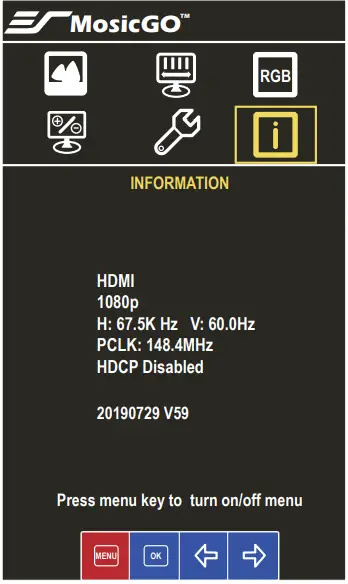
SPECIFICATIONS
| Item | Description |
| Imager | DLP |
| Native Resolution | 1 x 1080 |
| Projection Distance | 0. -0. m (1′ ” – 2’2″) (from screen to lens) |
| Projection
Size | 1.52-2.54 m ( ” – 100″) |
| Focus | Manual |
| Throw Ratio | 0. (80″@0.5m) |
| Keystone | Vertical keystone |
| Projection Modes | Front Table, Rear Table, Front Ceiling, Rear Ceiling |
| Standard Input | Up to (1920 x 1080) |
| SDTV/EDTV/ HDTV | 480i, 480p, 576i, 576p, 720p, 1080p |
| Horizontal Frequency | 30.5 – 91.1kHz |
| Vertical Frequency | 50 – 85Hz |
| Operating Temperature | 0 – 40°C |
| Dimensions (WxHxD) | (back) / 127(front)mm |
| AC adapter | 100 – 240V, 50 – 60Hz |
| Power Input | 19V DC, 6.3A |
| Power Consumption | Less than 120W |
| Lamp | RGB LED |
| Lamp Life | 20,000 Hours |
| Speakers | 8W x 2 music power |
| Battery Capacity | 37200mAH (135 Watt-Hours) (only for MGFU-S model) |
|
Input/Output Ports | Alt-DP (USB type C connector) x 1 |
| HDMI 1.4 x 2 | |
| USB type A poewr charging port (5V1A) x 2 | |
| USB type C PD power source port x 2 (Note) | |
| Earphone out | |
| 12V Trigger Out (0.1A output max.) | |
| Wireless Speaker audio in x 1 | |
| Waterproof | IPX2 |
| Security | Kensington Slot |
*Note:
Power Delivery (PD): maximum 5V/3A,9V/3A,15V/3A,20V/4.35A for port USB type-C port maximum 5V/3A,9V/3A,15V/2A,20V/1.5A for port 3 USB type-C port
TROUBLESHOOTING
If you experience a problem with your projector, please refer to the following information. If a problem persists, please contact your local retailer or service center.
No image appears on screen
- Ensure the power cord is correctly and securely connected.
- Ensure the cable is fine. Make sure the projector is switched on.
- Be aware that the projector does NOT support HDCP (High-Bandwidth Digifal Content Protection).
Image is out of focus
- Make sure the projection distance is in the valid range (refer to page 10).
- Projecting test patten (“Menu’> “Picture” press “OK> “Pattern Test press ‘OK’)
- Adjust the focus ring, make the line pattern on four corners and center clear.Exit “Pattern’by press “OKagain.
Image is too small or too large
- Move the projector closer to or further from the screen.
No sound
- During music playback, press
 on the remote control
 on the remote control
*Note:
When the projector’s temperature is too high, the projector automatically shuts down due to the built-in temperature protection. This is not a malfunction. Let the projector cool down before switching it on again.
*Note:
MGFU-S/MGFU-L is splash resistant and was tested under controlled laboratory conditions with a rating of IPX2 under IEC standard 60529. Splash resistance are not permanent conditions and resistance might decrease as a result of normal wear. Do not attempt to charge a wet MGFU-S/MGFU-L; Liquid damage not covered under warranty.
Supported HDMI input video signal
| Resolution | Horizontal Frequency (kHz) | Vertical Frequency (Hz) |
| 640 x 350 | 31.468 | 70.09 |
| 720 x 400 | 31.469 | 70.08 |
| 640 x 480 | 31.469 | 59.94 |
| 800 x 600 | 37.879 | 60.31 |
| 1024 x 768 | 48.363 | 60.00 |
| 1152 x 864 | 54.348 | 60.053 |
| 1360 x 768 | 47.712 | 60.015 |
| 1280 x 1024 | 63.981 | 60.020 |
| 1920 x 1080 | 67.5 | 60 |
* If an invalid signal is input into the projector, it will not be displayed properly on the screen or a message such as ‘not support’ will be displayed.
* To provide the best picture quality, 1920 x 1080 (1080p) resolution is recommended
TROUBLESHOOTING
3 continuous beep sound
You may hear 3 continuous beep sound accompany following icon on the screen
 Low battery: projector is turned off immediately. Please plug power adapter to charge the battery. You can turn on the projector during charging.
 Battery fail: if the power adapter is plugged. You can turn on and use projector. If you pull out the power adapter, the projector may be turned off without any warning. If the problem still occurs, please check your vendor.
 Over heat: projector is turned off immediately. Suggest to let projector be off for a while before it is turned on again.
 Fan error: projector is turned off immediately. If the problem still occurs, please check your vendor.
*Note:
Projector may be over heat and turned off immediately. Suggest to let projector be off for a while before it is turned on again.
 Low battery: projector is turned off immediately. Please plug power adapter to charge the battery. You can turn on the projector during charging.
 Battery fail: if the power adapter is plugged. You can turn on and use projector. If you pull out the power adapter, the projector may be turned off without any warning. If the problem still occurs, please check your vendor.
 Over heat: projector is turned off immediately. Suggest to let projector be off for a while before it is turned on again.
 Fan error: projector is turned off immediately. If the problem still occurs, please check your vendor.
13 Months Warranty Card
Customer’s name:
Phone number:
Email:
Date of purchase: (M) (D) (Y)
Address:
Model No:
S/N:
*To ensure your right, please ask the Dealer to fill in the information above, and have Dealer’s stamp on this card.
*If date of purchase cannot be provided with dealer’s stamp, the manufacture date as recorded will be deemed to be the start of the Warranty Period.
FAQS
Our projector can automatically or manually adjust vertical keystone. This means top or bottom two corners but not four corners individually
Yes, you can connect to Apple TV and use the Audio out from it. We have the exact same setup in our meeting room.
this proyector is wonderful,the battery life help on any condition in or out side elite projector has 2 version ac only and a 1
battery
The title uses the terms 8k 4k hd. i’d love to know what you mean by 8k and especially what you mean by 4k. is this purposeful deception?
Throw Ratio 0.3 (80″@0.5m)
You can use HDMI cable to connect the Apple TV 4K with MosicGO projector’s. For audio, you can use earphone out put on the projector connect to your stereo system. However, you need to get a Ground Loop Noise isolator to eliminate the ground noise. You can get one from Amazon for around 10.
we will need you to provide us serial number of your unit. This might be a firmware issue and we are more than happy to assist you.
You will need to buy a two way blue tooth transmitter and plug it into the earphone jack in the MosicGO projector.
Yes, it can be use on rear projection screens.
the unit provides 25,000 hours of lamp life.
if you use the screen that comes with the unit or a fixed frame screen the white matereial provided a 1.1 gain meaning a 10% reflectivity gain will be bounced back to you.