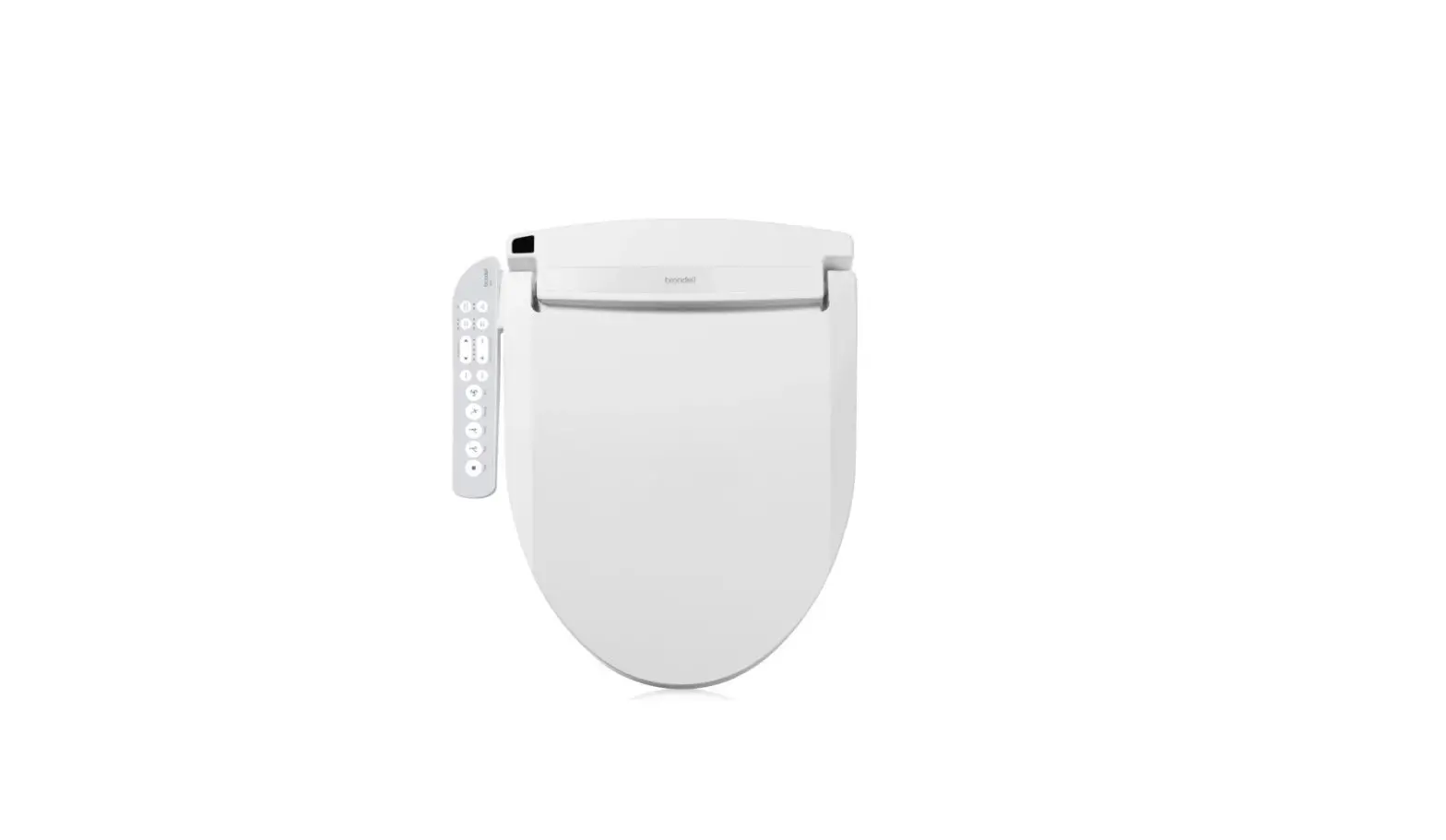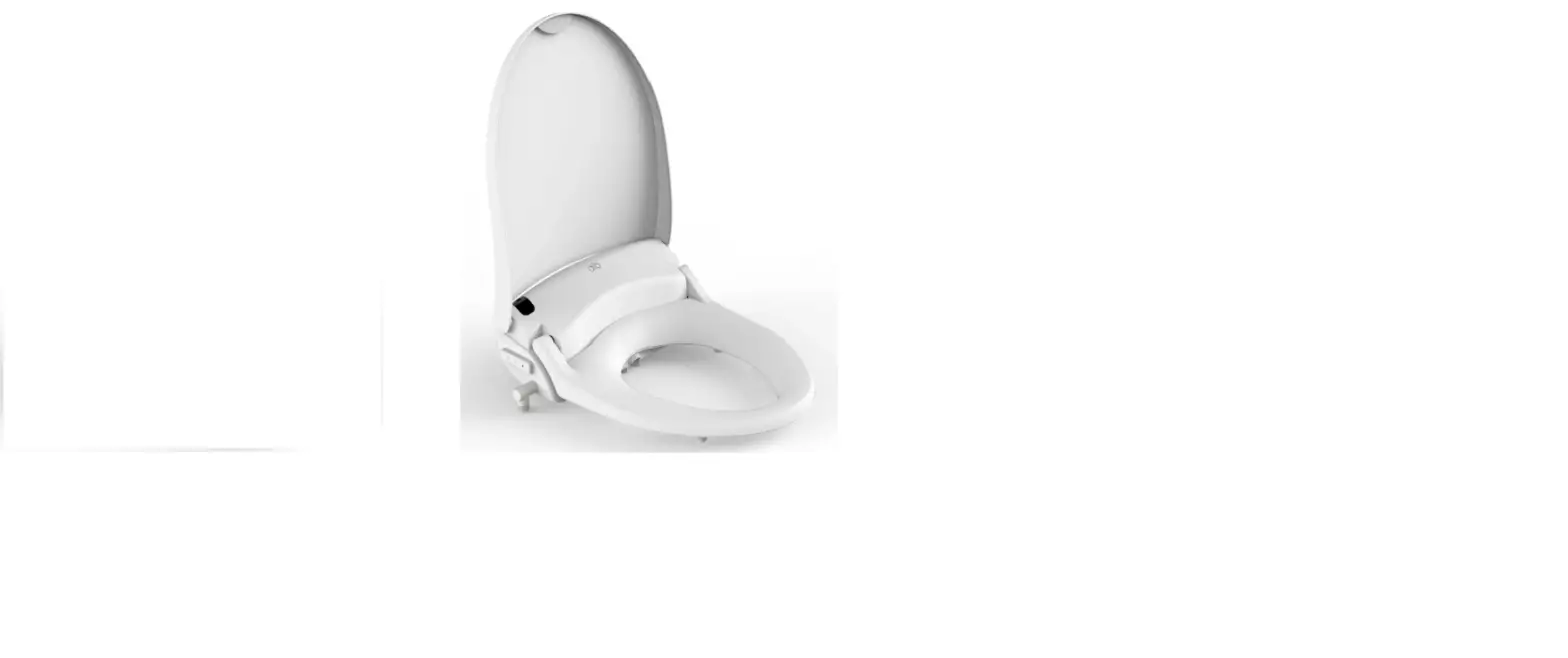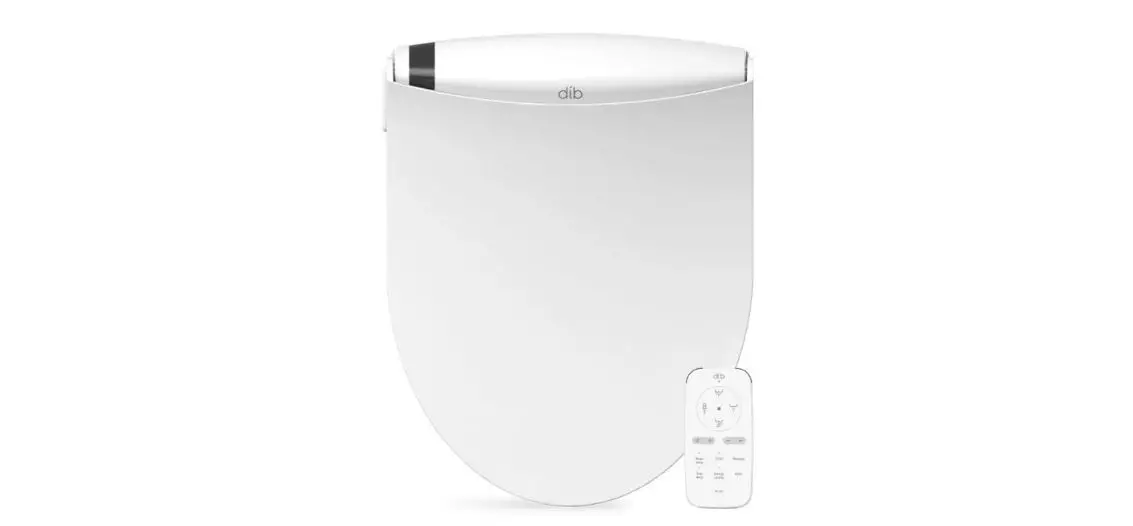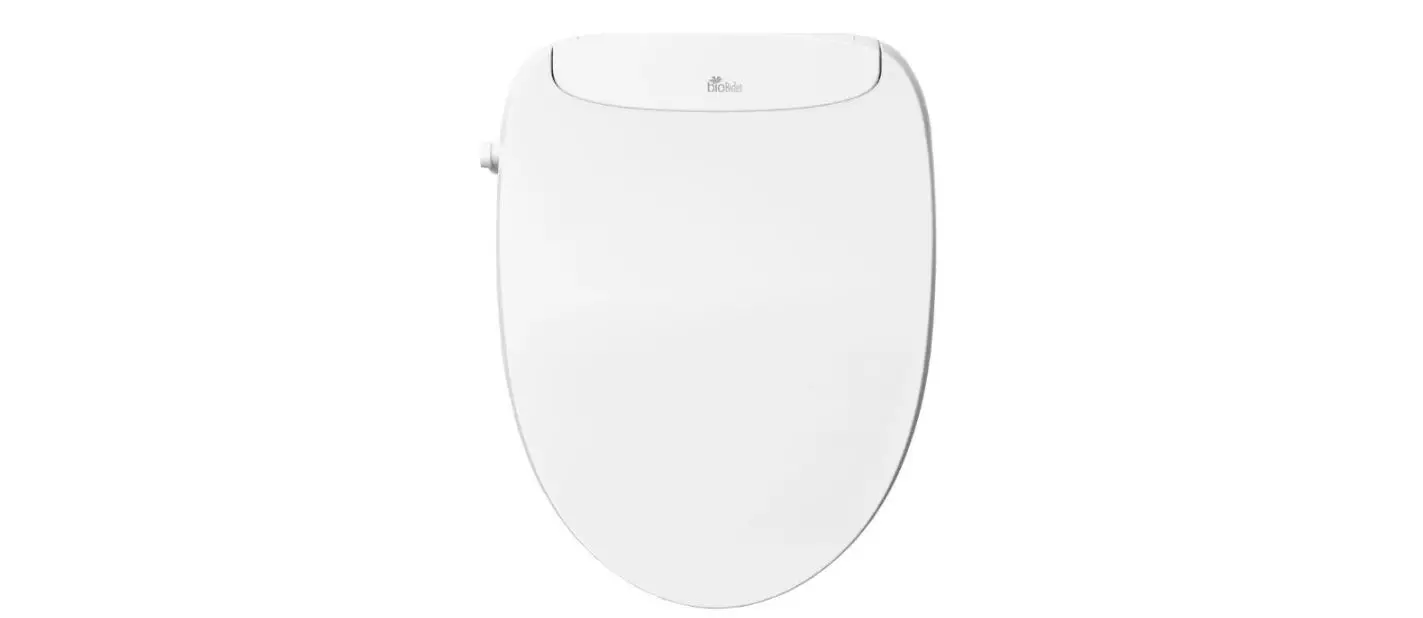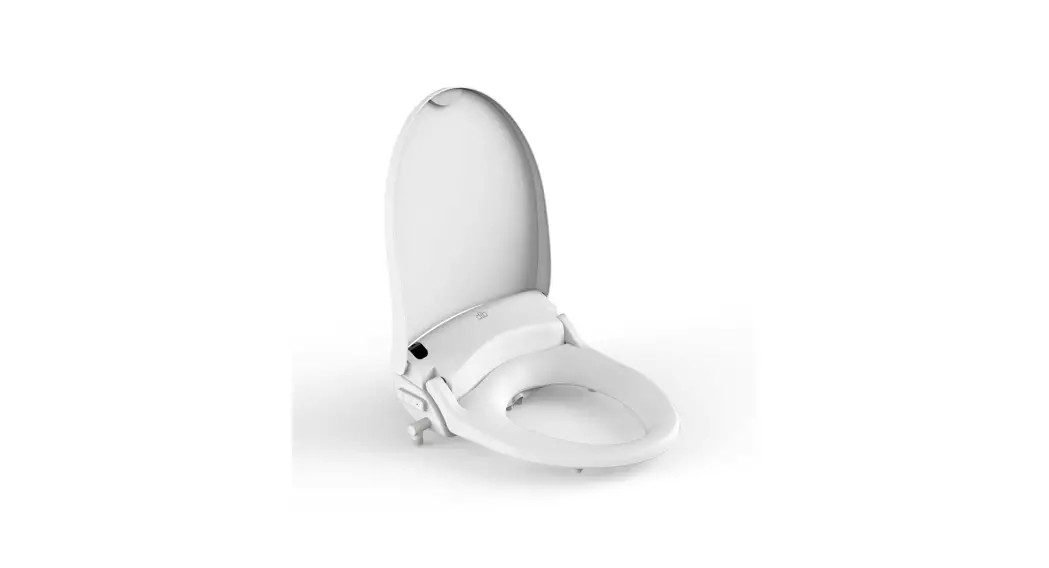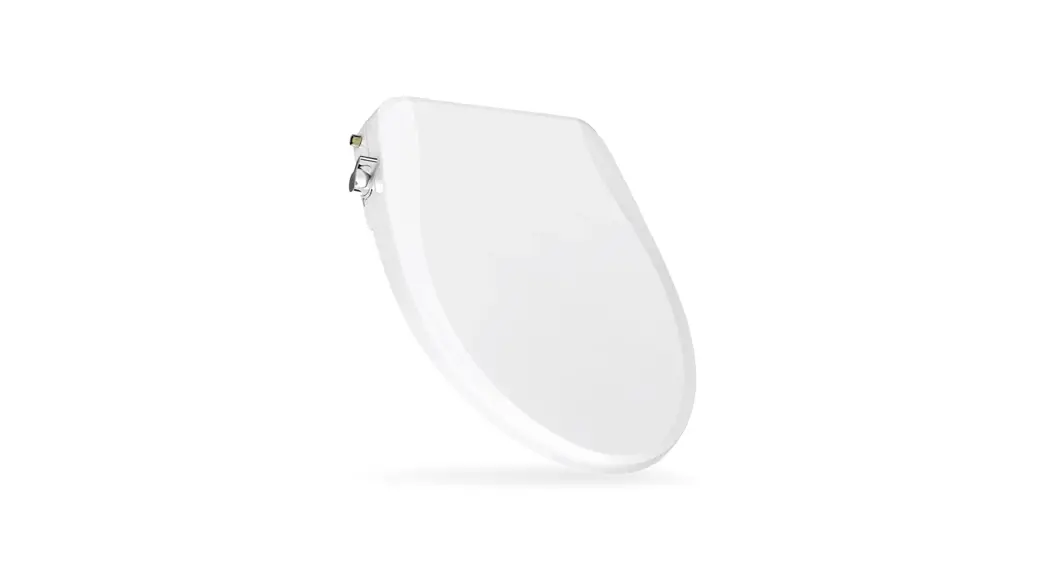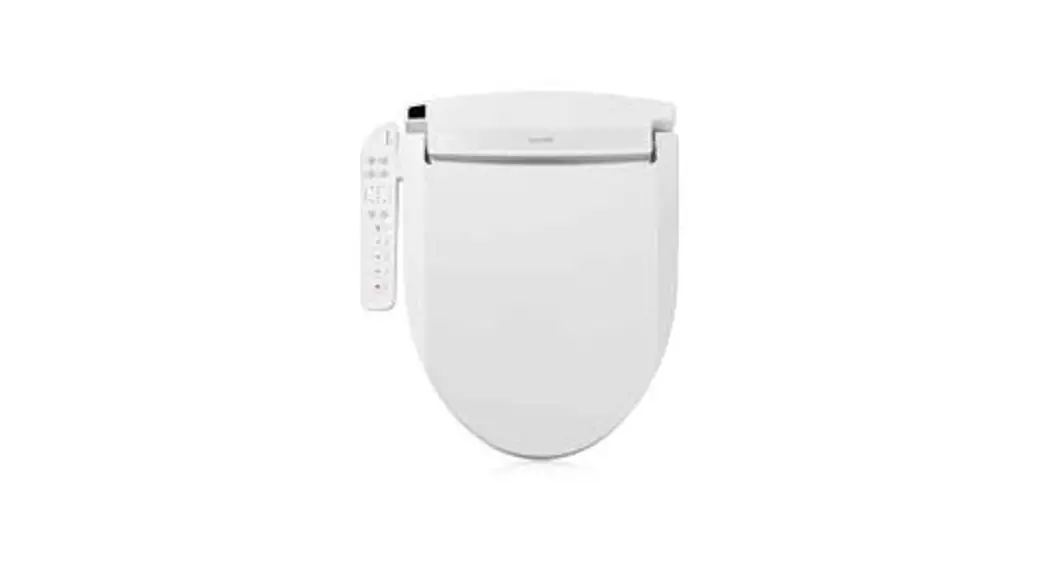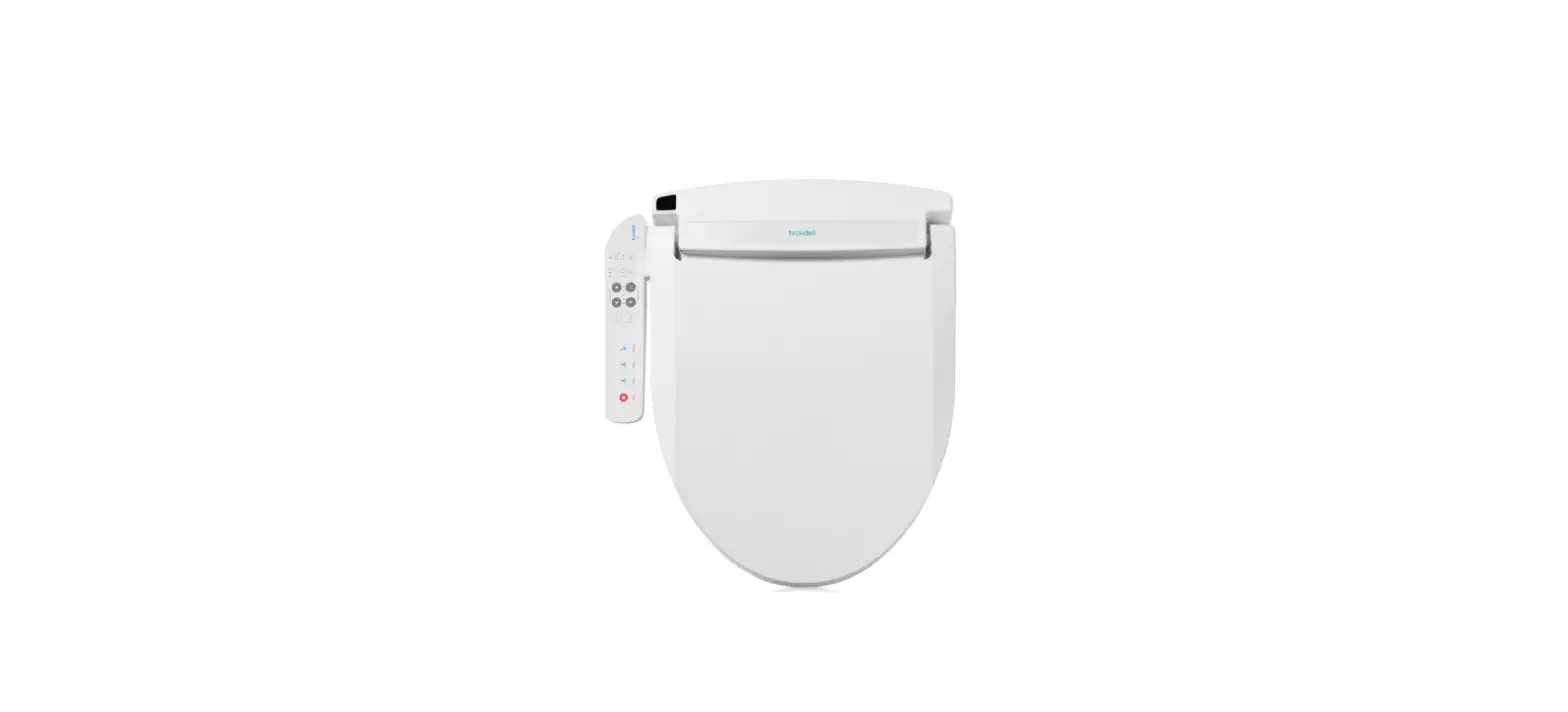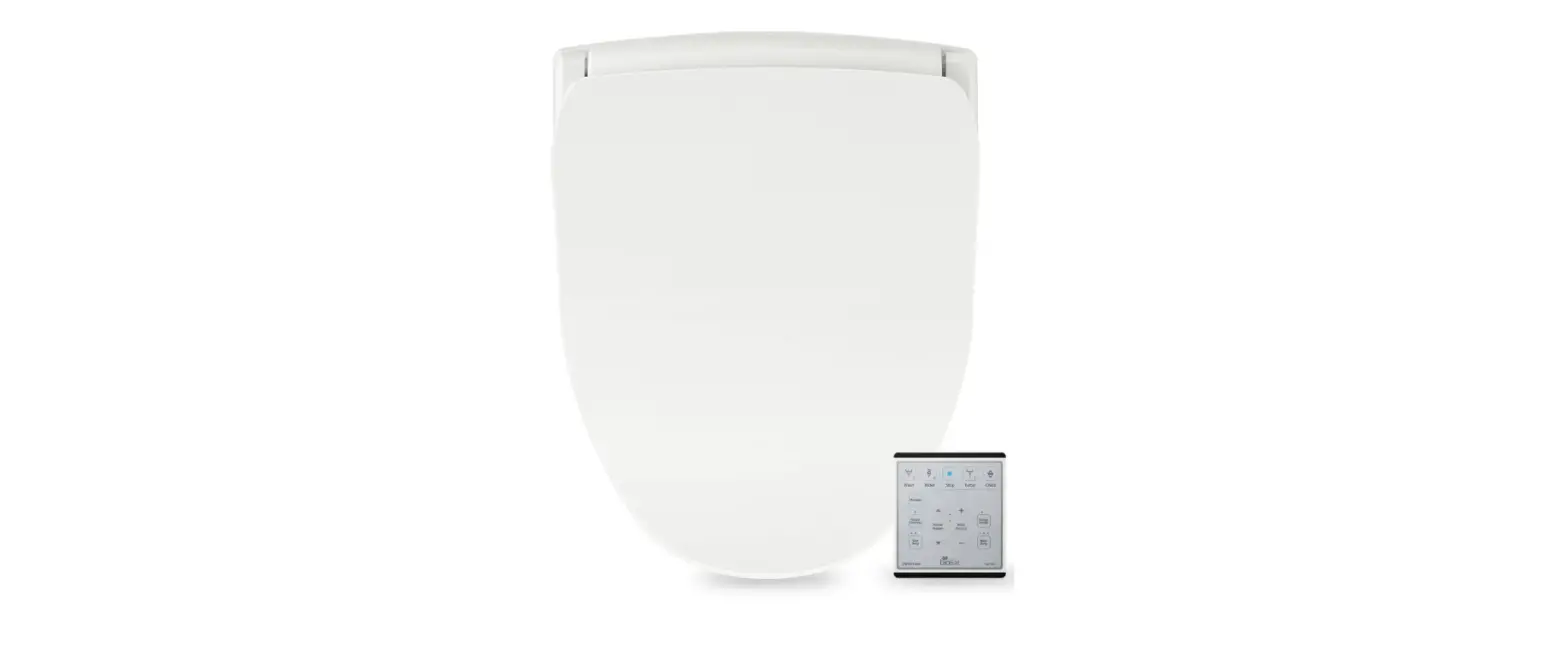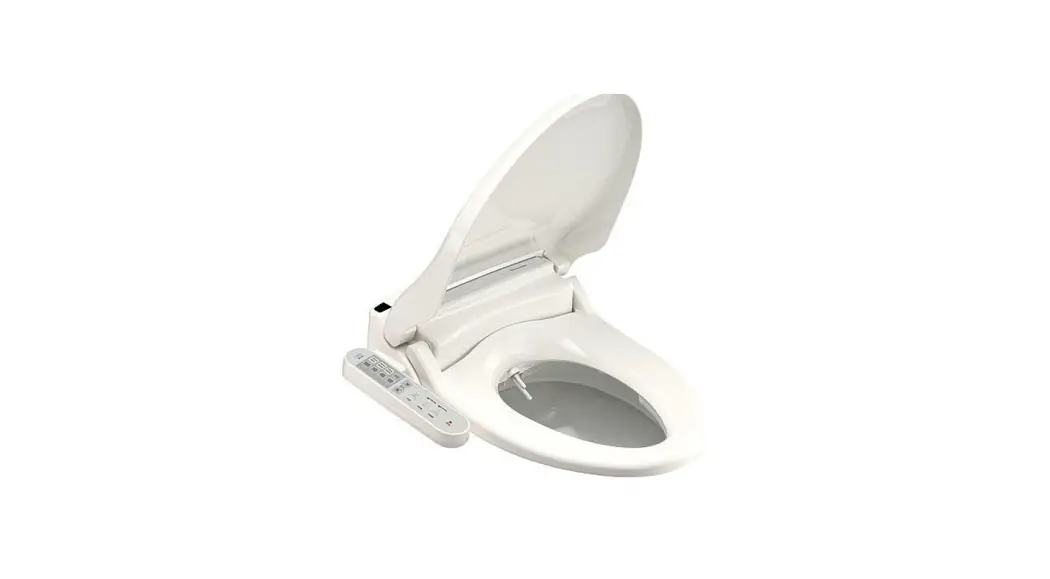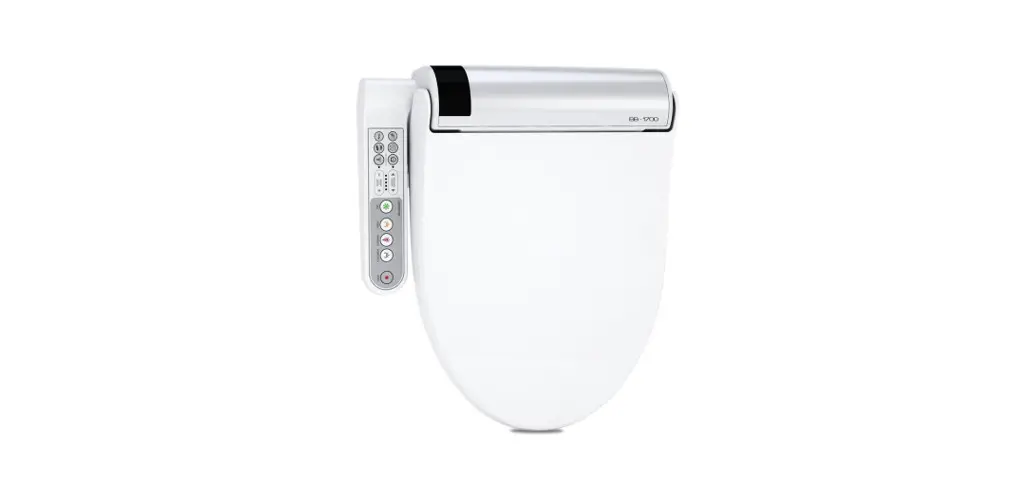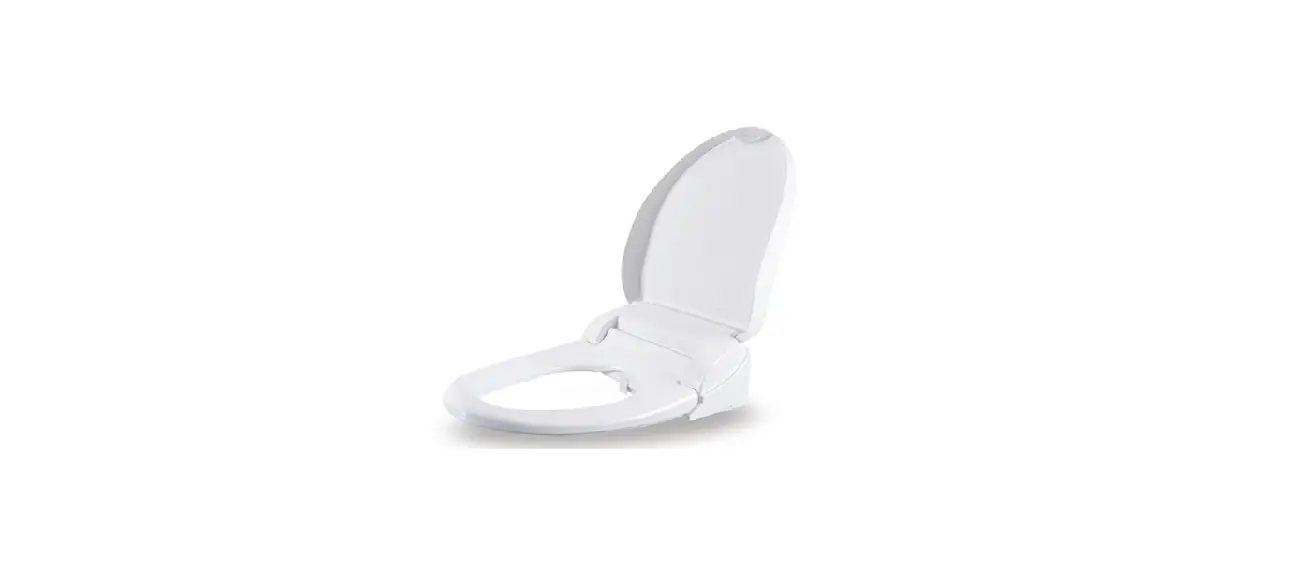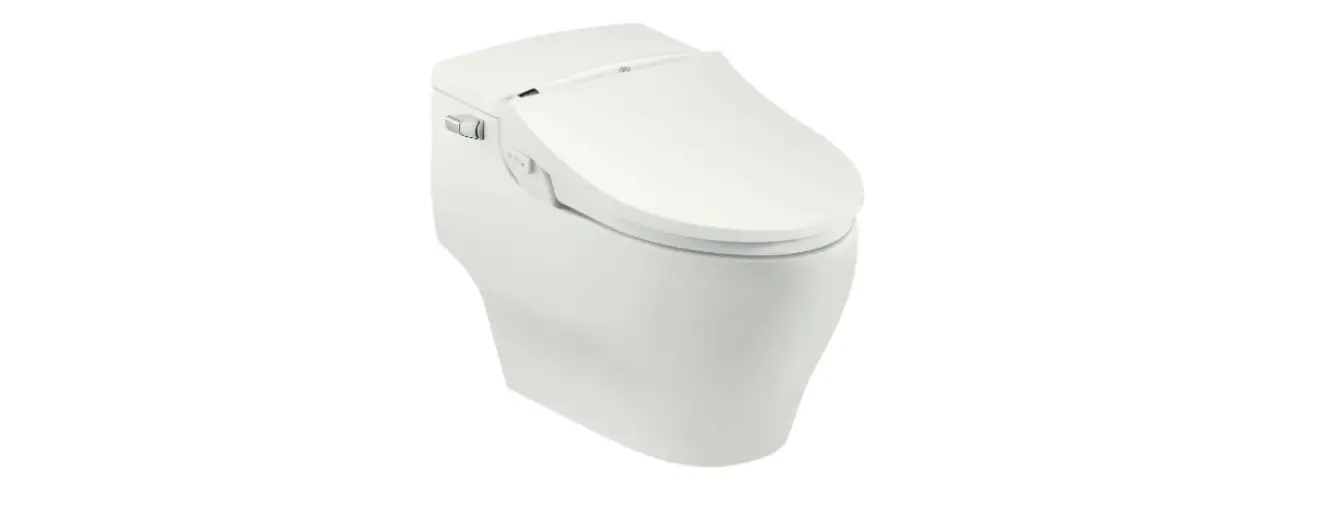

dib Special Edition Bidet Seat
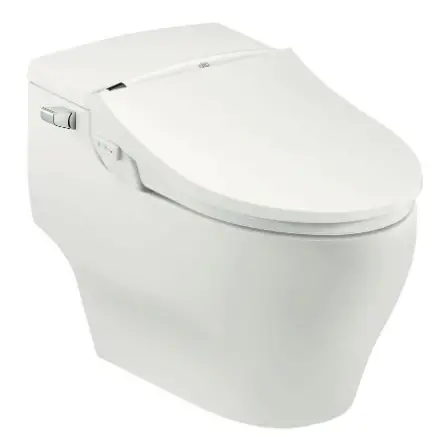
PRODUCT INFORMATION
SAFETY PRECAUTIONS
THIS UNIT WAS MANUFACTURED FOR HOUSEHOLD USE ONLY. READ ALL OPERATING INSTRUCTIONS BEFORE INSTALLATION.
- This product should be installed according to this manual.
- Please read this manual carefully and install properly.
- Please save this manual and place in easily accessible location.
- Do not attempt to service this appliance yourself.
IMPORTANT SAFETY GUARDS
- In the case 120V 60 Hz: Power supply must be a 15 Amp GFCI outlet.
- The electrical cord must be connected to a GFCI outlet.
- The GFCL outlet should be 1ft. above the floor.
- Install only in well-ventilated areas to avoid excess humidity.
- Do not install in narrow toilet stalls or in shower stalls.
- Install only where direct contact with water is minimized.
- Do not install near any heat source.
- Avoid using extension cords if possible. Consult with a certified electrician where extension cords are necessary.
DANGER – TO REDUCE THE RISK OF ELECTROCUTION
- Do not use while bathing.
- Do not place or store product where it can fall
or be pulled into a tub or sink - Do not place in or drop into water or other liquid.
- Do not reach for a product that has fallen into water. Unplug immediately.
WARNING – TO REDUCE THE RISK OF BURNS, ELECTROCUTION, FIRE, OR INJURY TO PERSONS
- Close supervision is necessary when this product is used by, on, or near children or invalids.
- Use this product only for its intended use as described in this manual. Do not use attachments not recommended by the manufacturer.
- Never operate this product if it has a damaged cord or plug, if it is not working properly, has been dropped or damaged, or dipped into water. Return the product to a service center for examination and repair.
- Keep the cord away from heated surfaces.
- Never drop or insert any objects into any opening or hose.
- Do not use outdoors or operate where aerosol (spray) products are being used or where oxygen is being administered.
- Connect this product to a properly grounded outlet only.
See grounding instructions. - Unplug this product before filling. Fill (reservoir) with water only.
GROUNDING INSTRUCTIONS
DANGER – IMPROPER USE OF THE GROUNDING PLUG CAN RESULT IN A RISK OR ELECTRIC SHOCK
This product has a three-prong grounding plug, which must be plugged into an outlet that is properly installed and rounded. In the event of an electrical short circuit, grounding reduces the risk of electric shock by providing an escape wire for the electric current. If repair or replacement of the cord or plug is necessary, do not connect the grounding wire to either flat blade terminal. The wire with insulation having an outer surface that is green with or without yellow stripes is the grounding wire. Check with a qualified electrician or service person if the grounding instructions are not completely understood, or if in doubt as to whether the product is properly grounded.
This product is for use on a nominal 120V circuit, and has a grounding plug that looks like the plug illustrated in sketch A in Figure 1. A temporary adapter, which looks like he adapter illustrated in sketches Band C, may be used to connect this plug to a 2-pole receptacle as shown in sketch B if a properly grounded outlet is not available.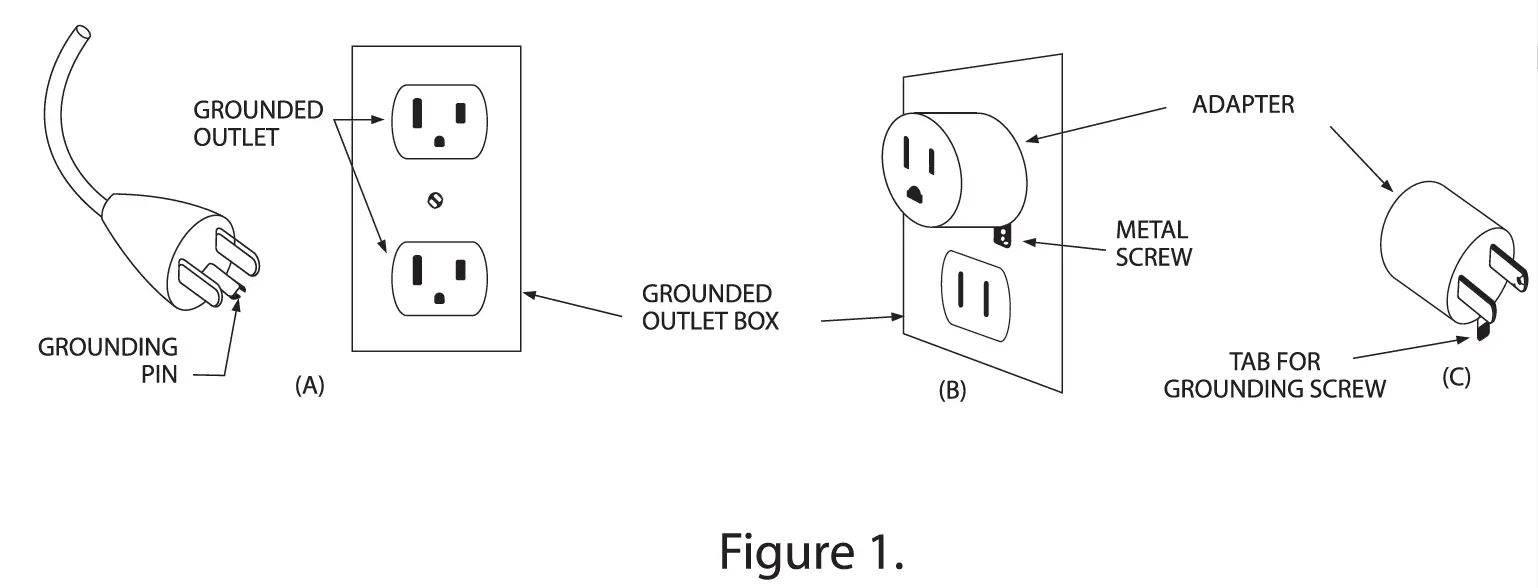 The temporary adapter should be used only until a properly grounded outlet (sketch A) can be installed by a qualified electrician. The green colored
rigid ear, lug, or the like extending from the adapter must be connected to a permanent ground such as a properly grounded outlet box cover. Whenever the adapter is used, it must be held place by the screw.
OPTIONAL GROUNDING INSTRUCTIONS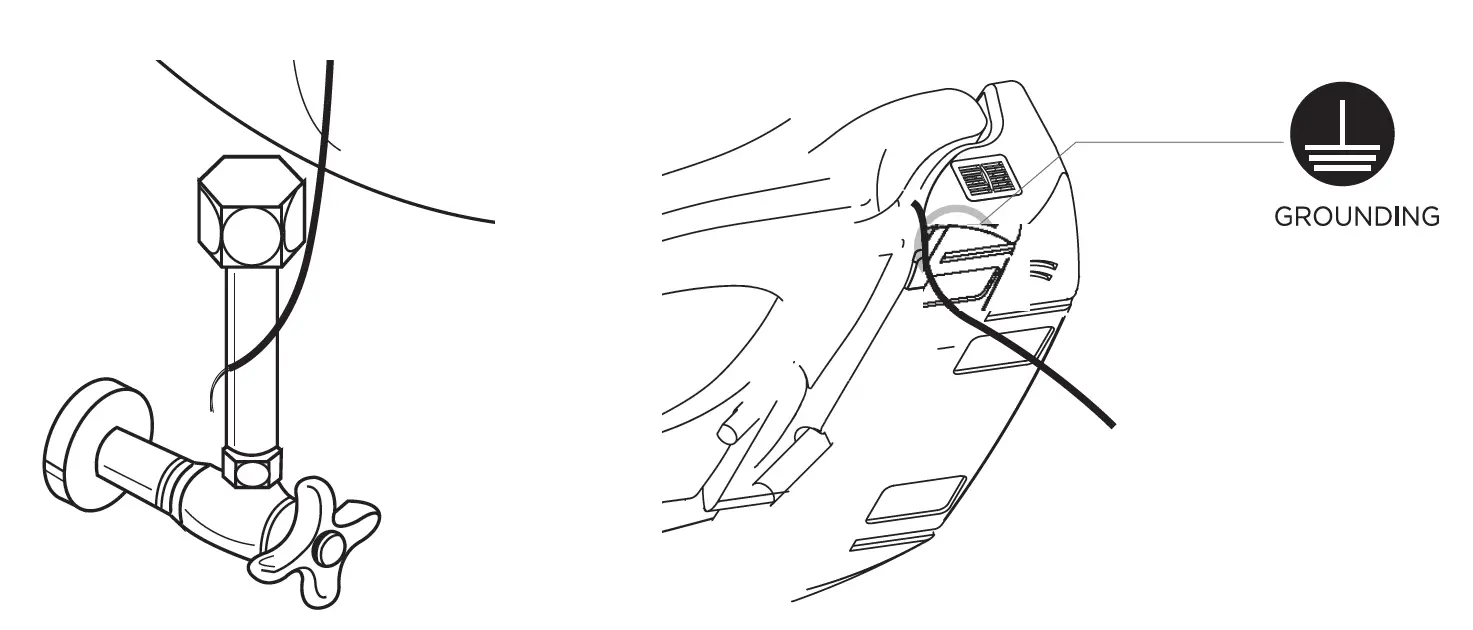
PRODU T FEATURES
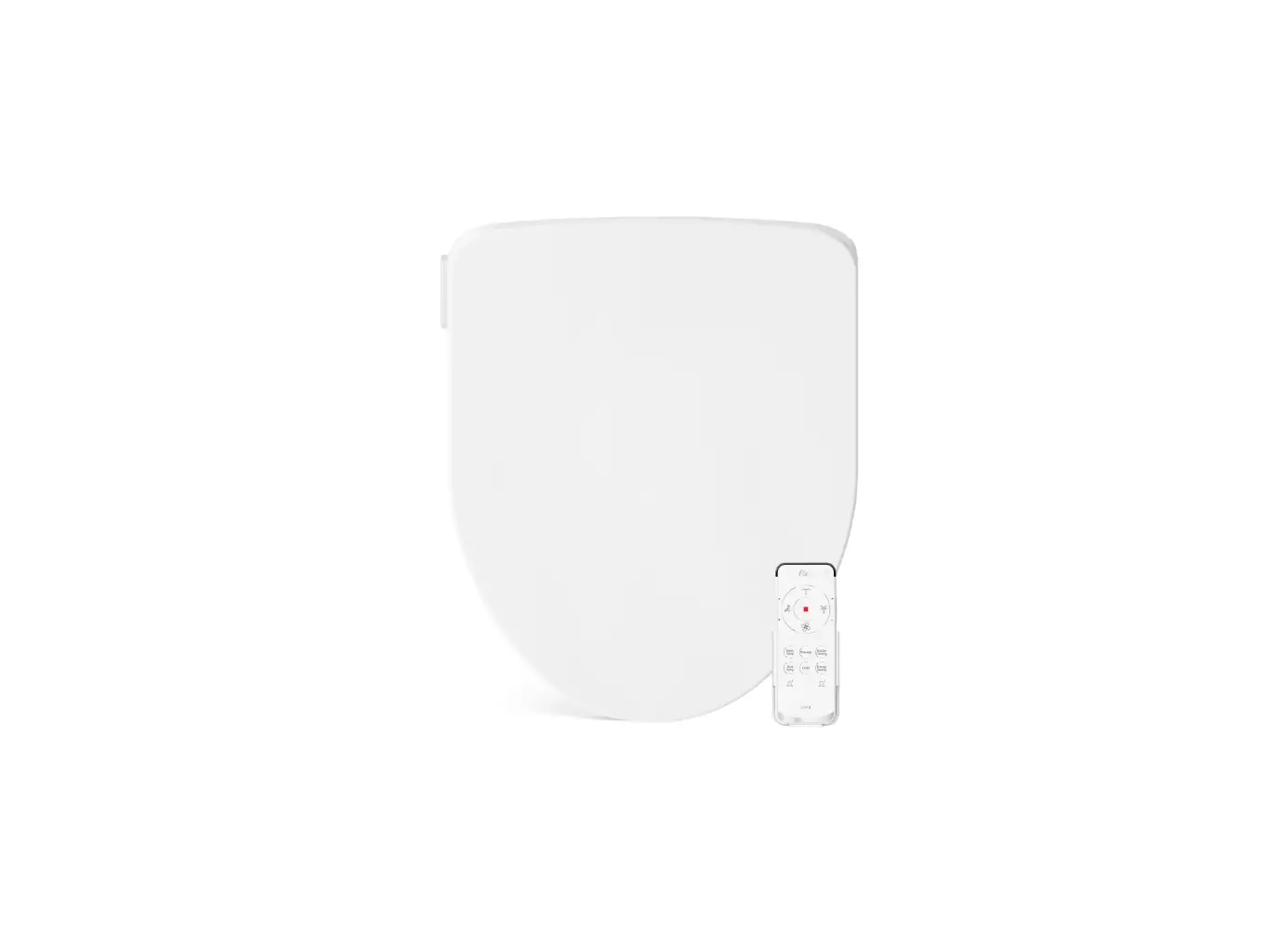
DIB Bidet has the following characteristics:
Continuous Warm Water Supply
Enjoy continuous warm water throughout the wash cycle.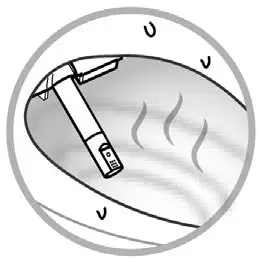 Bubble Wash
Aerated water wash adds cleaning comfort.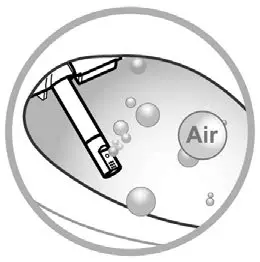
Pulse & Oscillate
Pulsating wash repeatedly cycles from weak to strong. Nozzle moves back and forth for massage effect.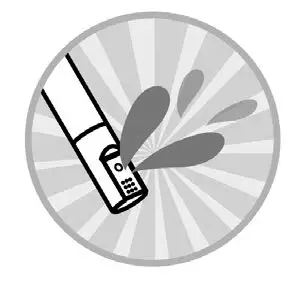
Energy Saving Function
When activated, Energy Saving Mode will set the heaters to a lower temperature to reduce energy consumption.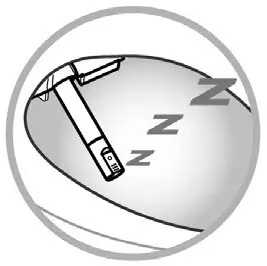
Touch Panel Remote Control
Convenient touch screen remote control provides easy user interface.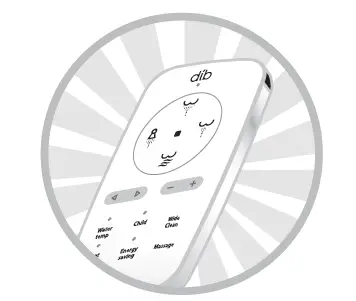 Vortex Wash
Soft but powerful water wash for added cleansing benefit.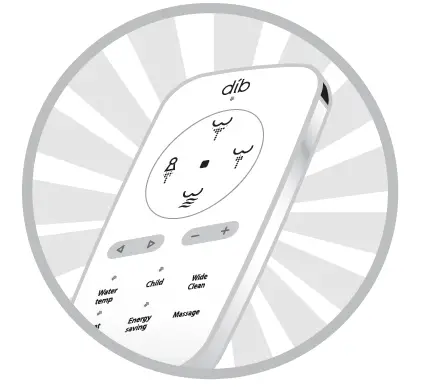 Stainless Steel Nozzle
For better hygiene, a stainless steel nozzle is applied.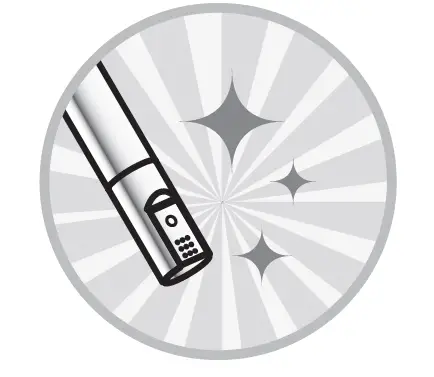 Deodorization Function
Deodorizing filter eliminates odors efficiently. Child Settings
Optimized nozzle position and water pressure for children. User Preset
User can preset and store the memory for control settings.
UNIT & PARTS
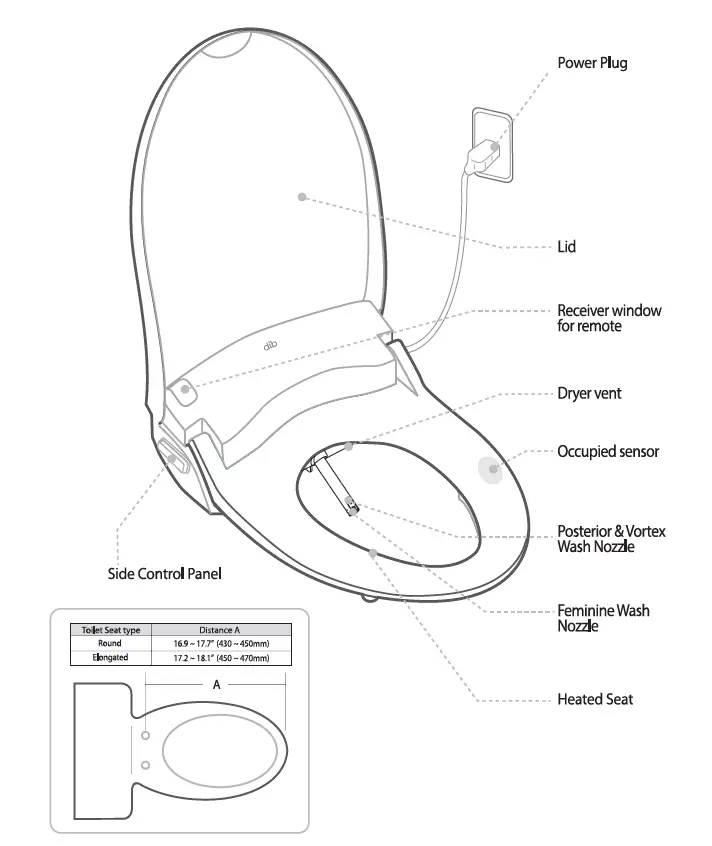
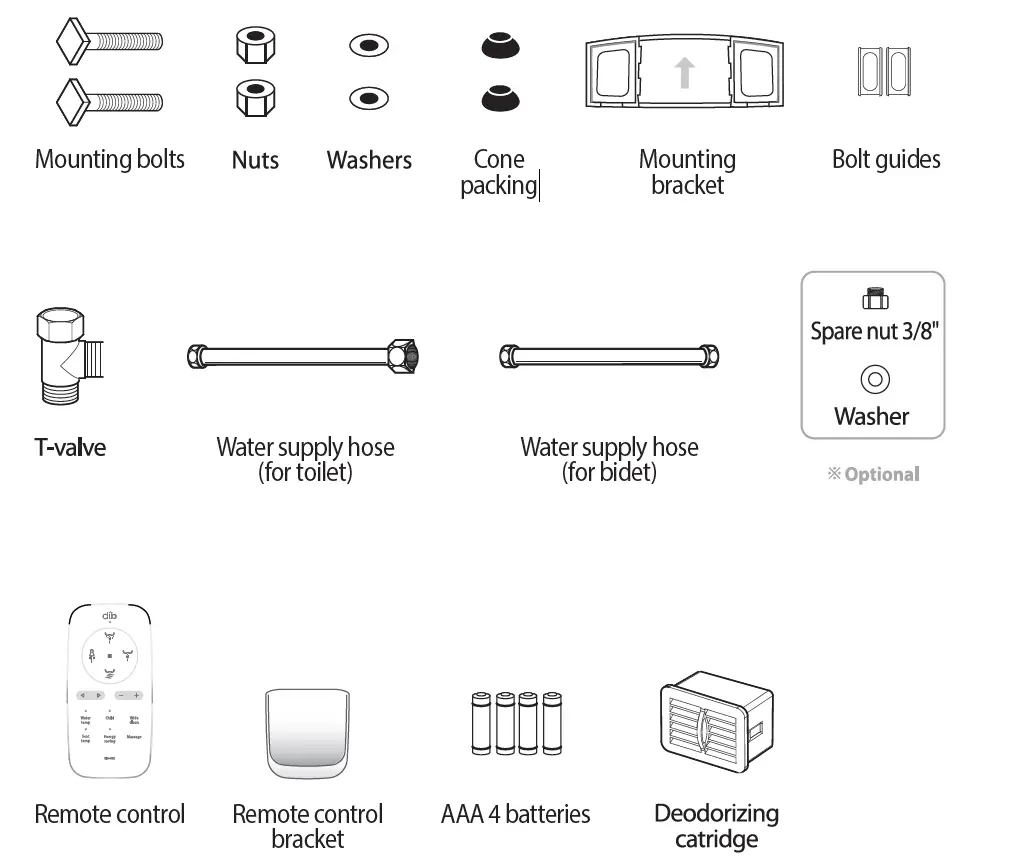
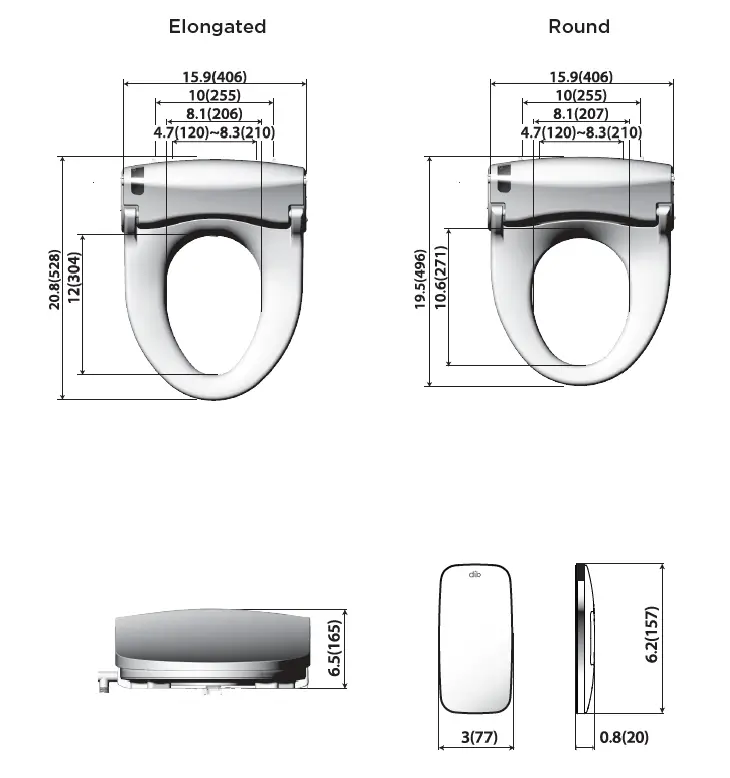
DIMENSIONS
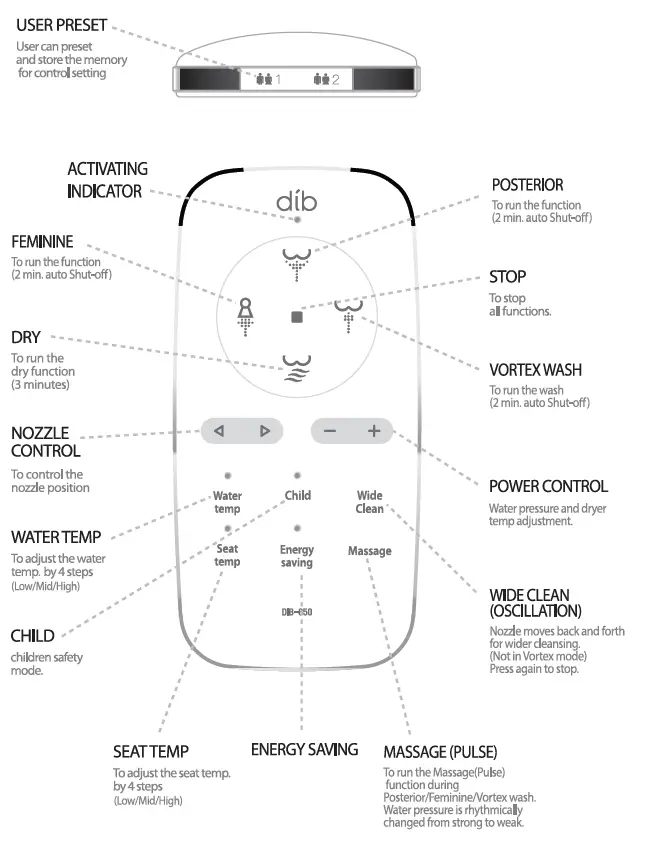
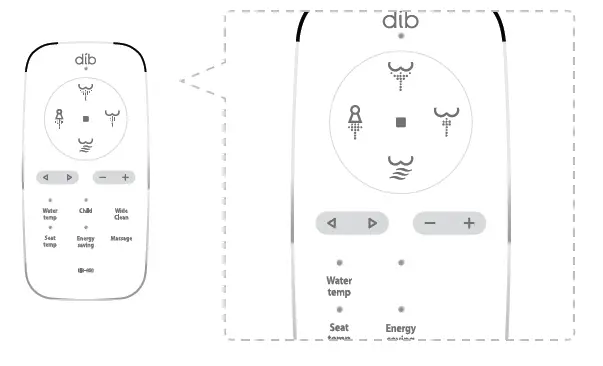
REMOTE CONTROL
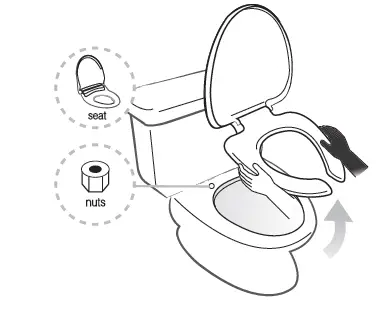
INSTALLATION
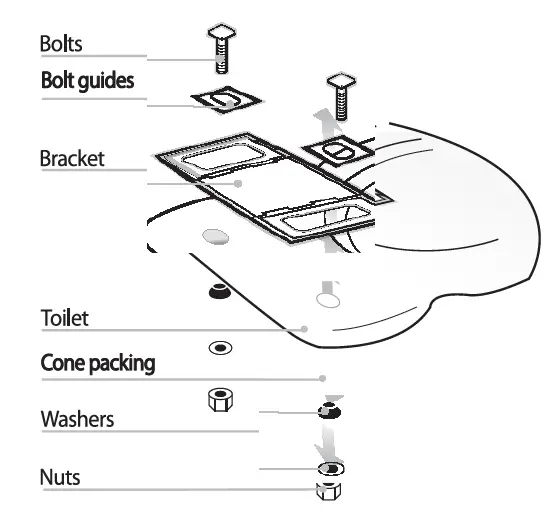
- Toilet Seat Removal

- Lift hinge covers and use a screwdriver to remove the mounting bolts.
- Remove the toilet seat. Steps may vary by type of seat.
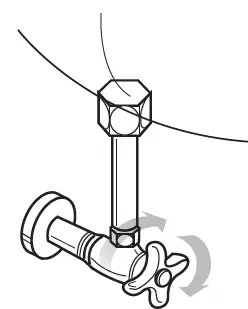
- Turn Off Shut-Off Valve

- Turn shut-off valve completely.
- Flush toilet and hold down handle to completely empty tank.
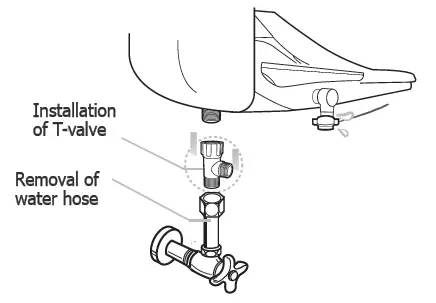
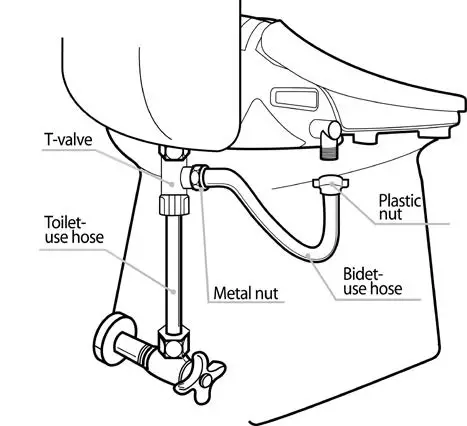
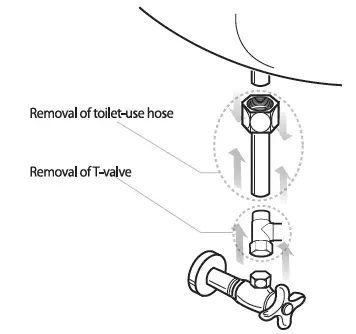
- Install T-Valve

- Remove the existing water hose and then install T-valve to the bottom of the toilet tank. Ensure the rubber washer is properly seated and attach the original water hose to the T-Valve.
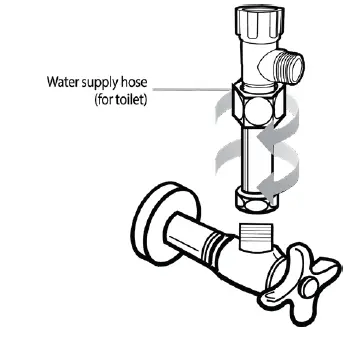
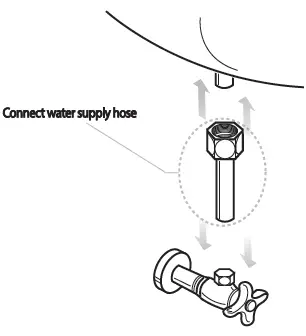
- Water Supply Hose

- Connect water supply hose for toilet.
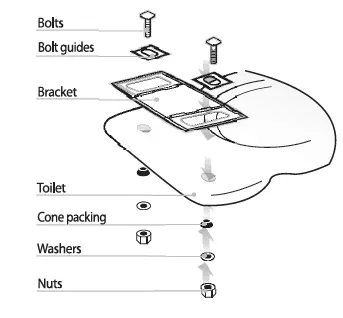
- Install Mounting Bracket

- Place adjustable mounting plate over mounting holes on toilet, flat side down, rubber side off mounting plate should be closet to the toilet tank.
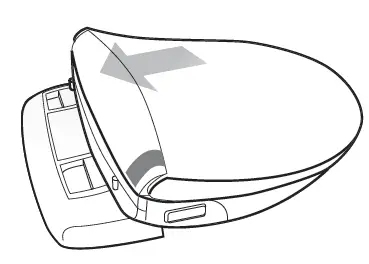
- Slide Seat onto Plate

- Slide seat onto plate until it is secure and “clicks” into place.
- Connect Bidet hose

- Connect bidet hose, making sure the hose is firmly connected.
- Do not twist bidet hose, excessively bend it, or strip the plastic screw threads.
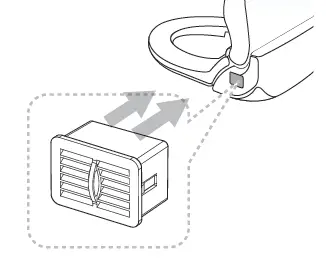
- Insert Deodorizing Cartridge

REMOTE CONTROL INSTALLATION
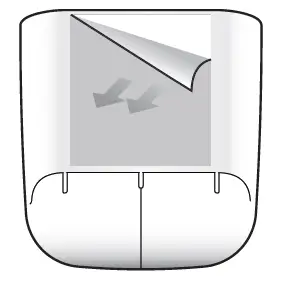
- Remove Adhesive

- Remove the adhesive protection to attach the remote control bracket to the wall or other surfaces.
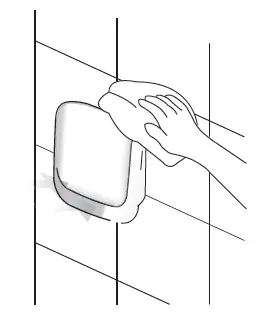
- Clean Area

- Clean the area thoroughly before attaching the bracket.
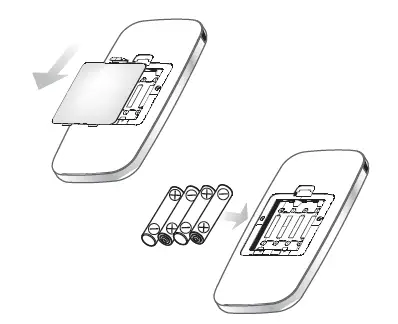
- Batteries

- Turn remove over and open the battery compartment. Inset four “AAA” type batteries (included) as indicated inside battery compartment and replace battery cover.
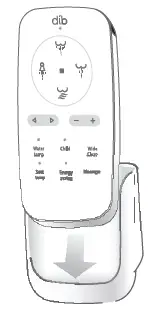
- Mount Remote (Optional)

- Identify a location in the bathroom for the remote control that is visible and reachable from the toilet and mount remote using double stick tape (included).
- Battery Life

- When the batteries have reached the end of service life, all LEDs will blink. Replace the batteries with new AAA size (4pcs).
- CAUTION – Do not use old and new batteries together. This could cause damage or failure of the remote control.
- Unplug If Unit Does Not Work

- If the unit does not work after replacing the batteries, unplug and wait for 3 seconds. Plug in again.
- After replacing the batteries, ID of the unit will be initialized as “00” and its
ID will be equalized ID of the remote control that reaches the unit first. This ID assigning function will be needed to prevent signal interruption if more than 2 units are used at one place. In case of using one unit only, no setting is needed.
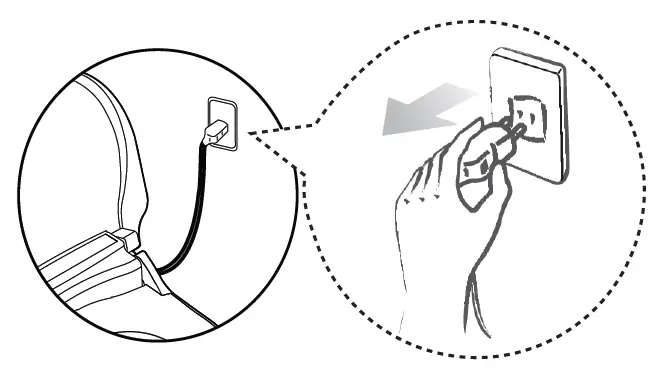
TRIAL OPERATION
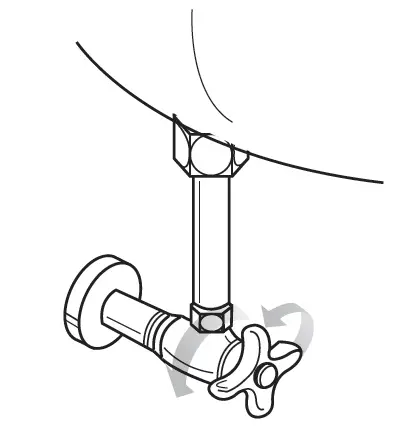
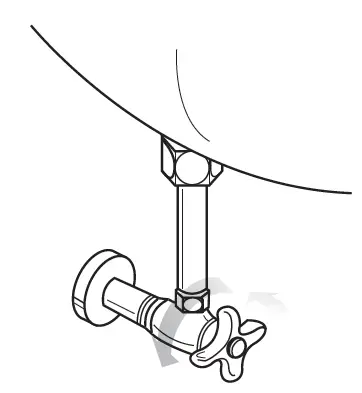
- Open Water Supply

- Open the water supply valve by turning it counterclockwise.
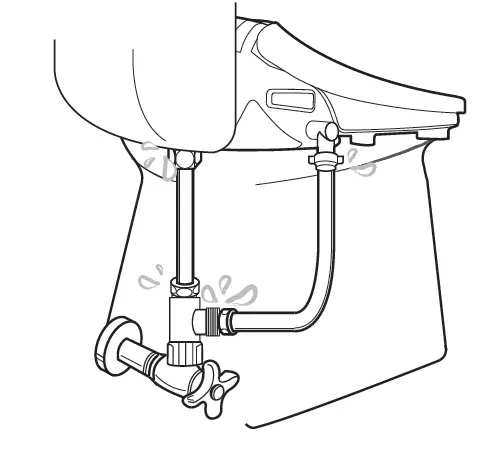
- Check For Leaks

- Check that there are no leaks around the hose connection.
- Nozzle

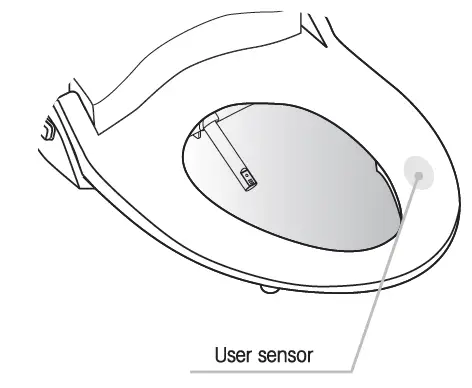
- Be sure that the nozzle comes out and retracts when powered on.
- Don’t plug the power cord with wet hands. Risk of electric shock.
- Test

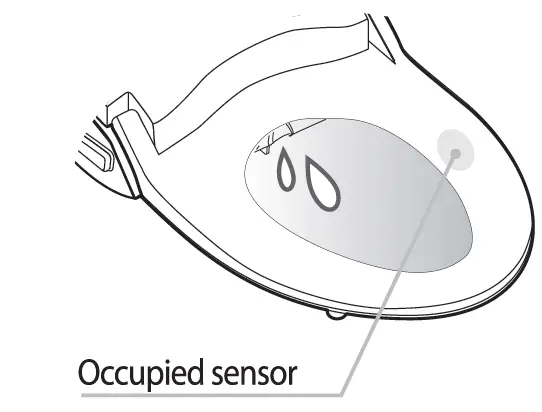
- Place your hand on the occupied sensor of the seat. The unit will fill with water. Check if water comes out from drain hold next to the nozzle for 1-2 seconds.
PRODUCT DISASSEMBLY
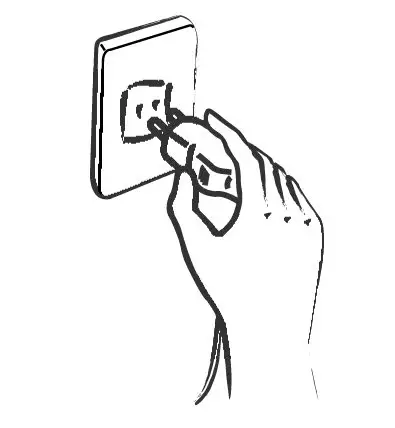
- Unplug Power

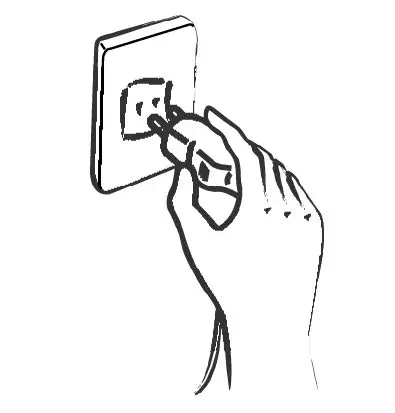
- Unplug the power plug from the outlet.
- Close Water Supply Valve

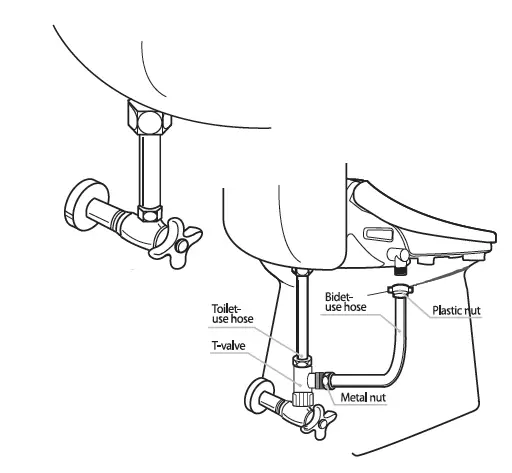
- Close the water supply valve by turning it clockwise. Completely drain out the toilet water tank, release the nuts at bidet body of the bidet hose, and then remove them from the main body.
- Drain Water

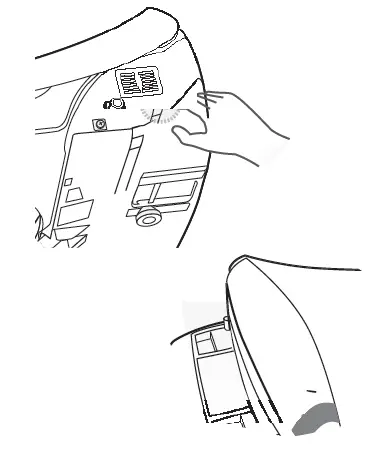
- Press and release/drain button on the side of bidet. Completely drain the water out of the main body. While pressing the button, pull the main body forward and then remove it from the toilet.
- Release & Remove

- Release the nuts, and then remove the brackets from the toilet.
- Remove Bidet Hose

- Remove the bidet hose, toilet hose and T-Valve.
- Connect Water Supply Hose

- Connect the water supply hose that was removed when the bidet was installed.
- Open Water Supply Valve

- Open the water supply valve by turning it counterclockwise.
- Attach Toilet Seat

- Attach the toilet seat and cover that were removed when the bidet was installed.
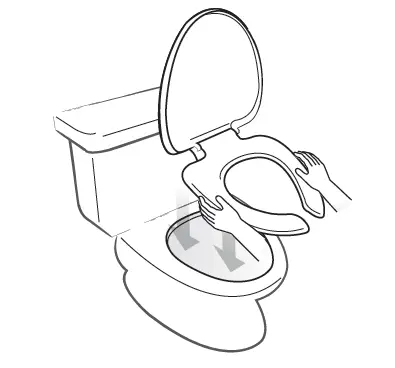
OPERATION
- Sit On Toilet Seat

- Deodorization function starts automatically.
- Press Posterior, Feminine, and Vortex Wash Buttons

- Selected function can be used as described. When selecting VORTEX WASH function, Oscillate function cannot be used). When selecting Child function, VORTEX WASH function may not operate).
- Dib’s specialized water spray in VORTEX WASH function enters into rectum, and then helps relieve constipation and fecal stasis.
- Unless STOP button is pressed after Posterior and Feminine function, the dryer will start automatically.
- Press Dry Button

- Dryer temperature is adjustable. (5 levels)
- Selected function may be used for up to 3 minutes.
- Dryer effect will be improved if you wipe the moisture lightly before operating the drying function.
- Press STOP Button

- Selected functions stop.
- Press STOP on the side control panel for 3 seconds to turn off the unit.
- Wide Clean (Oscillation)

- When pressing the Wide Clean button during the operation of Posterior and Feminine, nozzle will move back and forth to wash a wider range.
- When pressing the Child button during the operation of Wide Clean, the nozzle position can be adjusted in 5 positions.
- Wide Clean function will not operate during the operation of Vortex wash.
- Massage (Pulse)

- When pressing Massage button during operation of Posterior, Feminine, and Vortex wash, water pressure will repeat high and low for smooth pulsating wash.
- Water Pressure Control

- Nozzle Position Control

- During the operation of Posterior, Feminine, and Vortex wash, nozzle position can be adjusted by pressing < or >.
- Child Function
- Press the Child button to activate.
- Nozzle position will be one level move forward than normal.
- Water pressure will be one level weaker than normal.
- Seat temperature will be one level lower than normal.
- Vortex wash will not operate while Child mode is activating.
- Seat Temperature Control
- Temperature of seat can be adjusted to the desired level by pressing Seat temp. button.
- Room temp Low – Middle – High
- Water Temperature Control
- Temperature of water can be adjusted to the desired level by pressing Seat temp. Button.
- Room temp= Low – Middle – High
- Energy Saving Modes
Automatic Energy Save Mode- This mode will be activated by pressing the Energy Saving button until yellow LED lamp lights on.
- Seat will be kept at 320C.
Smart Energy Save Mode - This mode will be activated by pressing the Energy Saving button until green LED lights on.
- Seat temperature will be kept at 320C when it is not occupied and raised back to preset level according to memorized time of use.
- It may take 5-7 days to let the unit memorize the usage pattern.
Cancel Energy Save Mode - Press the Energy Saving Button until LED is off to release the energy save modes.
This unit adopts the instant heating technology for water heating and does not consume energy for water heating when it is in stand by mode.
- Deodorizing Function
- When sitting on the seat, deodorizing function starts automatically.
- Speed of deodorizing fan can be controlled. (Refer to the User setting facilities).
- After leaving the seat, the deodorizing function will operate for 1 additional minute.
- Low Temperature Burn Protection
- To reduce the chance of low temperature buns, the seat has a seat heater auto adjustment function which turns on low temperature (320C, 900F) when user sits on the seat for more than 15 minutes consecutively.
- User Preset
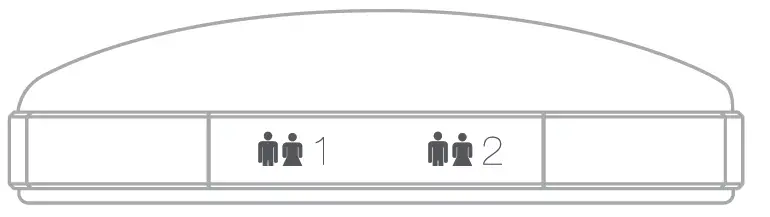
- Nozzle position, water pressure, dry/water/seat temperature can be present and stored for 2 different users.
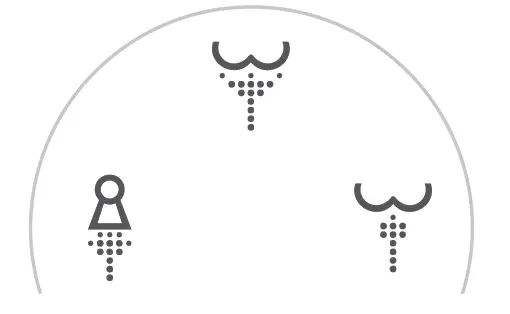
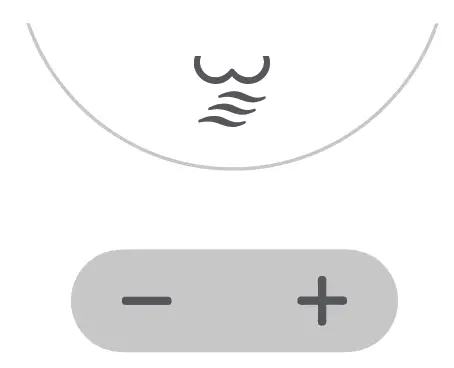





How to Preset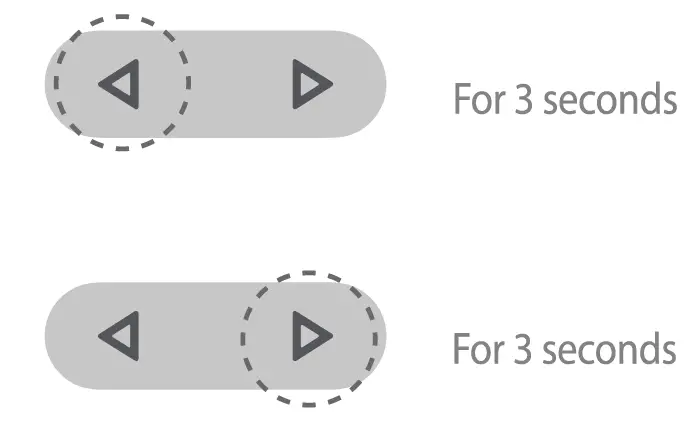
- Adjust nozzle position, water pressure, dry/water/seat temperature to your preference.
- Press the STOP button or wait. Red activating indicator will blink for 5 seconds when setting is completed.
Using the Preset Feature
- Press selected preset button
- Preset nozzle position, water pressure, and temperatures will be activated.

SETTINGS
User Setting With Remote Control
| Function | Seat Status | Switch Operation | |
|
1 |
On/Off Automatic Deodorizer Fan |
| Press the “Stop” and “Energy Saving” for 3 seconds. Then adjust the fan speed by pressing “-” or “+” button. Leave the remote control alone for 5 seconds to complete the setting. |
|
2 |
Setting the ID of Remote Control |
| Press the “Wide Clean” button for 3 seconds. Then set the ID 0-3 by pressing “-” or “+”. Leave the remote control alone for 5 seconds to set the ID. |
| 3 | On/Off Night Light |  | Press “+” button for seconds. |
| Description | Initial Status | ||||
|
Level | Fan Speed | Display of activating indicator | Energy saving (blinking) |
High Speed in Both Modes | |
| Occu. | Unocc. | ||||
| default | High | High | Blinking | Red | |
| 0 | Off | Off | Blinking | Off | |
| 1 | Low | Low | Blinking | Blue | |
| 2 | Low | High | Blinking | Purple | |
| 3 | High | High | Blinking | Red | |
| Level | Display of activating indicator | Display of Seat temperature (blinking) |
ID “0” | ||
| default | – | – | |||
| 0 | Blinking | Off | |||
| 1 | Blinking | Blue | |||
| 2 | Blinking | Purple | |||
| 3 | Blinking | Red | |||
| Night light can be turned on and off by pressing “+” button on the remote. | Night Light is turned on | ||||
Extra Functions With Side Control Panel
| Function | Seat Status | Switch Operation | Description | |
| 1 | Manual Nozzle Cleaning |
| Press “Posterior” for longer than 3 second | Nozzle will move forward for cleaning |
| 2 |
Power Off | 
|
Press “STOP” | Nozzle will retract and clean itself |
| 3 | Factory Default Setting |
| Press “STOP” for longer than 5 seconds | Press one of “Stop”, “Posterior”, or“Feminine” to power on |
| 4 | Selecting/ Canceling Silent Mode |
| Press “Feminine” for longer than 3 seconds | To on/off the chime sound. |
Using Inline Carbon Filter
Use of external water filter is only recommended in areas with known hard water issues. If a filter is used, it must be replaced every 3 months. This product is designed and intended for use exclusively with Bio Bidet DIB water filters. The purchase or use of any other water filter is not the responsibility of BBC Innovation LLC. As such, any use of non DIB water filters is prohibited and will void the warranty for those Bio Bidet products. Bio Bidet will not
be responsible for any resulting damages or claims related to the misuse or distribution of non Bio Bidet DIB filters.
MAINTENANCE & CLEANING
Manual Nozzle Cleaning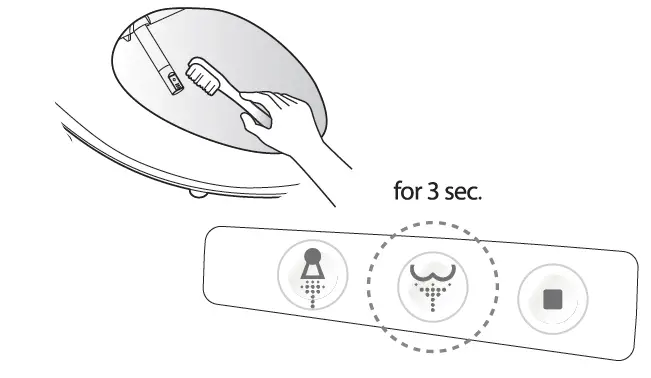
- Press Posterior for longer than 3 seconds, and then nozzle will extract and stop (for 2 minutes).
- Clean the nozzle with an unused toothbrush, etc., and press STOP. Nozzle will retract.
Cleaning of Bidet Body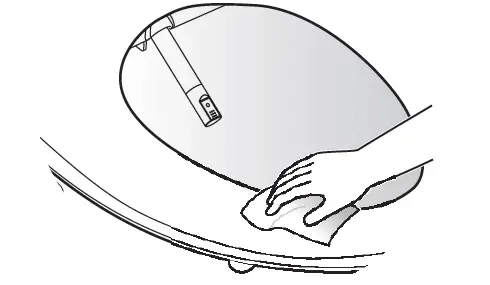
- Exterior surface of bidet is made of plastic material, which may be damaged by scrubber, chemicals, etc.
- Wipe the surface with a soft damp cloth. Do not spray water directly onto surface.
- Clean the body after removing the power plug from the outlet. Be sure no water plashes onto the power plug or outlet.
- Do not touch the power outlet with wet hands. Risk of electric shock.
Drain Remaining Water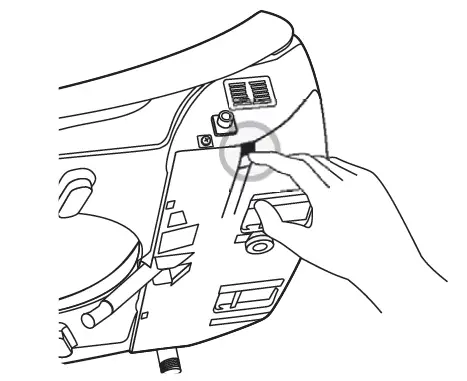
- Remove the power plug from the outlet.
- Close the water feed valve by turning it counterclockwise.
- Press the button on the side of the main body to drain the water.
Maintenance During Winter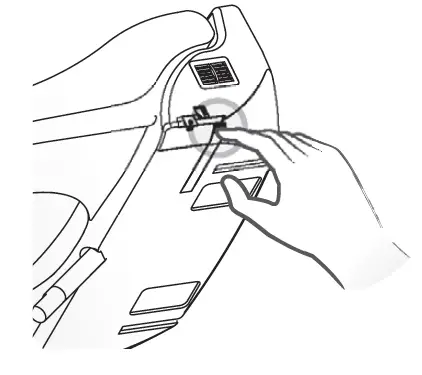
- Insert the power plug into the outlet and be sure if the power is supplied.
- When the dib will not be used for a long time (more than a few days), close the water shut off valve and drain the water from the bidet.
SPECIFICATIONS
| ITEM | DIB-850 | ||
| Rated Voltage | AC 120V, 60Hz | ||
| Max. Consumption Power | 1270W | ||
| Power Cord Length | 4ft. | ||
| Water Feed Method | Directly Connected to Water Pipe | ||
| Water Pressure | 9.9 – 106.6 psi | ||
|
Wash | Feeding Volume | Posterior | 0.16 gal/min |
| Feminine | 0.16 gal/min | ||
| Vortex | 0.16 gal/min | ||
| Water Pressure Control | 5-Step Control | ||
| Temp. Control | Room Temp. ~ 1000F | ||
| Heat Capacity | 1200 W | ||
| Safety Device | Temp. Fuse, Thermo Switch | ||
| Heated Seat | Temp. Control | Room Temp. ~ 1070F | |
| Heater Capacity | 55W | ||
| Safety Device | Temp. Fuse | ||
| Dry | Temp. Control | Room Temp. ~ 1220F | |
| Heater Capacity | 250W | ||
| Safety Device | Temp. Fuse, Bi-metal | ||
| Deodorization | Catalytic Deodorization | ||
| Product Dimension inch (mm) | Elongated | 15.9” (406) x 20.8” (528) x 6.5” (165) | |
| Round | 15.9” (406) x 19.5” (496) x 6.5” (165) | ||
| Product Weight/ Gross Weight lb (kg) | Elongated | 10.8 (4.9 kg)/17.4 (7.9 kg) | |
| Round | 10.6 (4.9 kg)/17.2 (7.8 kg) | ||
TROUBLESHOOTING
Please check the following points before requesting the repair of the product.
| Problem | Check List |
| The bidet is not working | Check if the power plug is not connected. Check for power failure. |
| Water does not spray | Check if the water supply is suspended. Check if the water supply is suspended. Check if the nozzle is locked by foreign materials. Check if connection hose is bent. |
| Water pressure is low | Check if the water pressure is set at too low level |
| Water is not warm enough | Check if its temperature is set at ‘off’ or ‘low’ Check if energy save mode is on. |
| Seat is not warm enough | Check if its temperature is set at ‘off’ or ‘low’ Check if energy save mode is on. |
| Vortex wash is not operated | Check if it is set on CHILD mode. Check if energy save mode is on. |
WARRANTY
3 YEAR WARRANTY
Bio Bidet warrants its products to be free from manufacturing defects under normal use and service for a period of 3 year from the date of purchase. This warranty is extended only to the original purchaser.
For full warranty details, visit www.biobidet.com
Contact Bio Bidet customer support with any questions you may have.
847.458.2334
[email protected]
www.biobidet.com
Technical Support/Customer Service 7900 S Route 31 Crystal Lake, IL 60014 T: 847.458.2334
U.S. TOLL FREE: 877.339.5214
[email protected]
www.biobidet.com