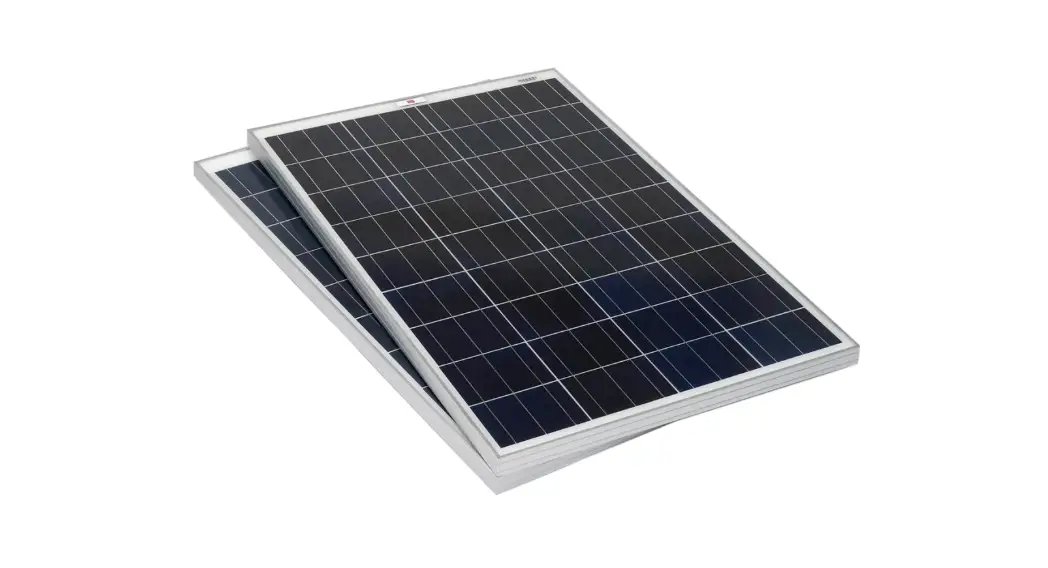
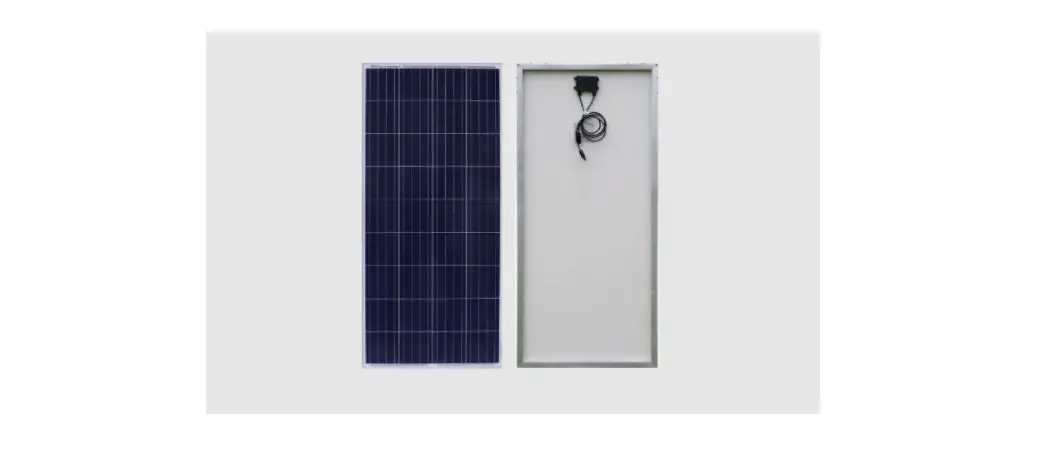
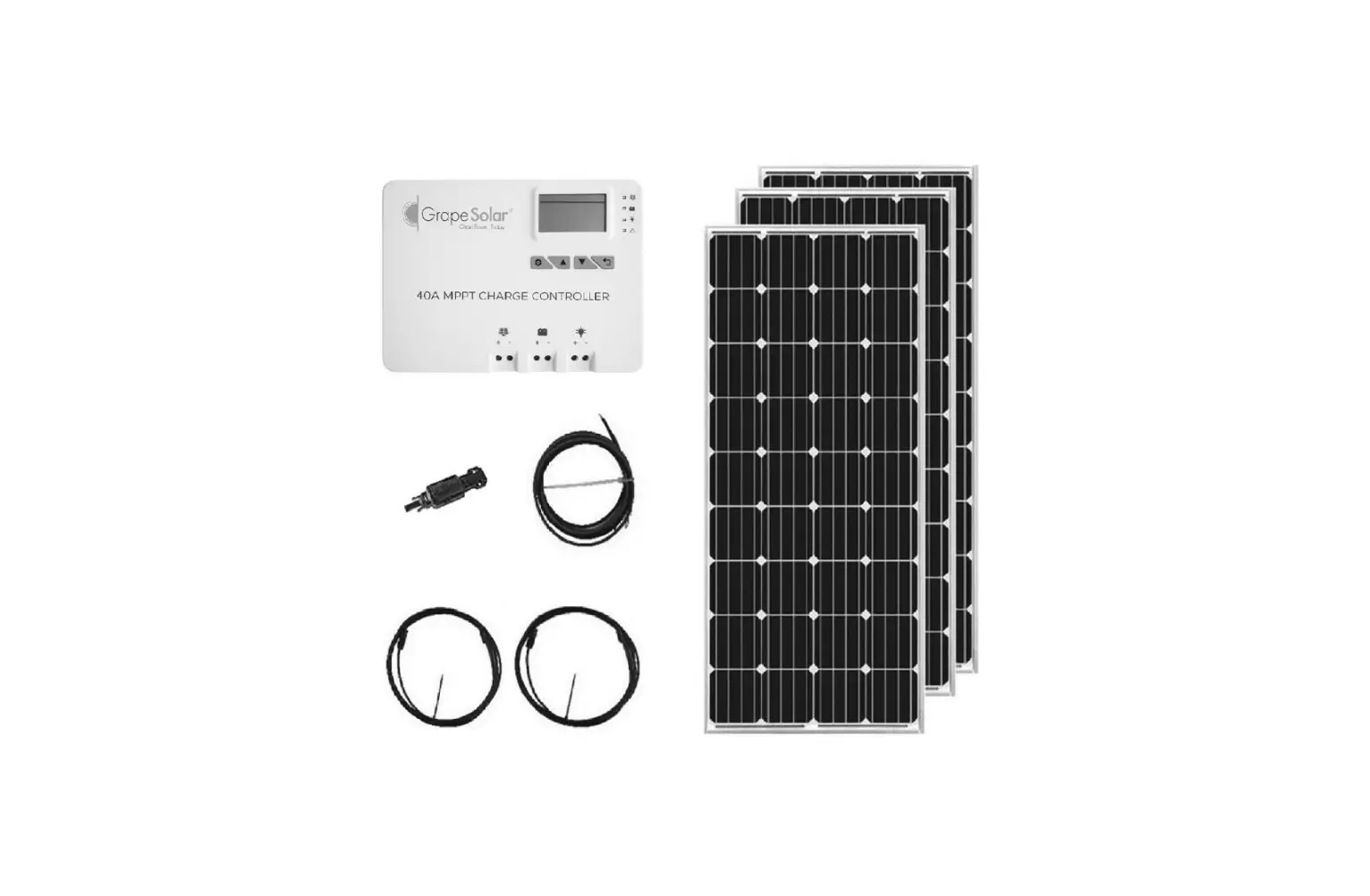
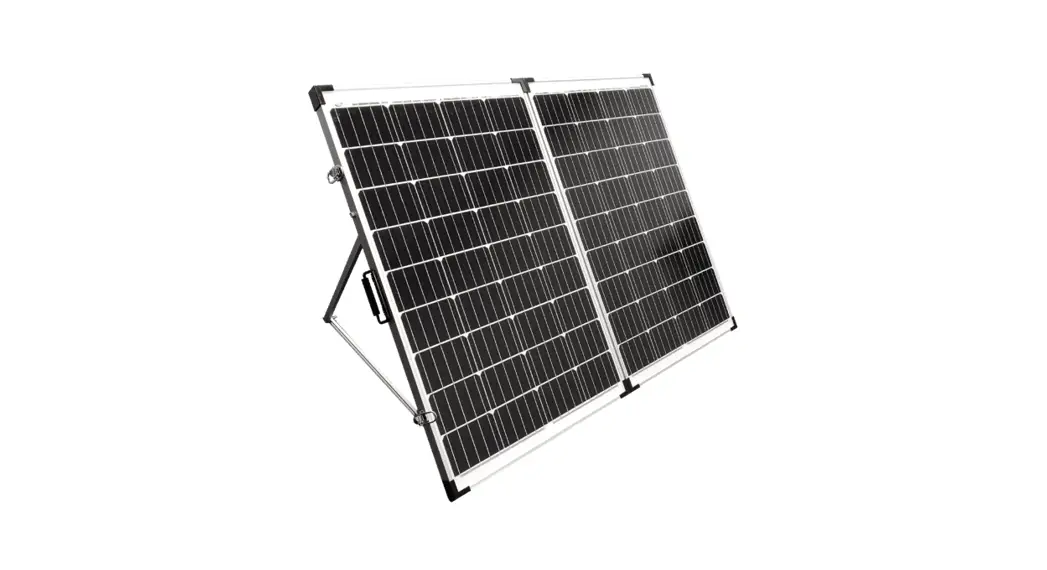
PG-GSP200W Solar Set 200 W Off Grid Solar System
Product Information: 200W 12V Off-Grid Solar System
The 200W 12V Off-Grid Solar System is a complete package that
includes a glass solar panel, controller, inverter, battery, and
cables. The solar panel has a power output of 200W/19.8V, while the
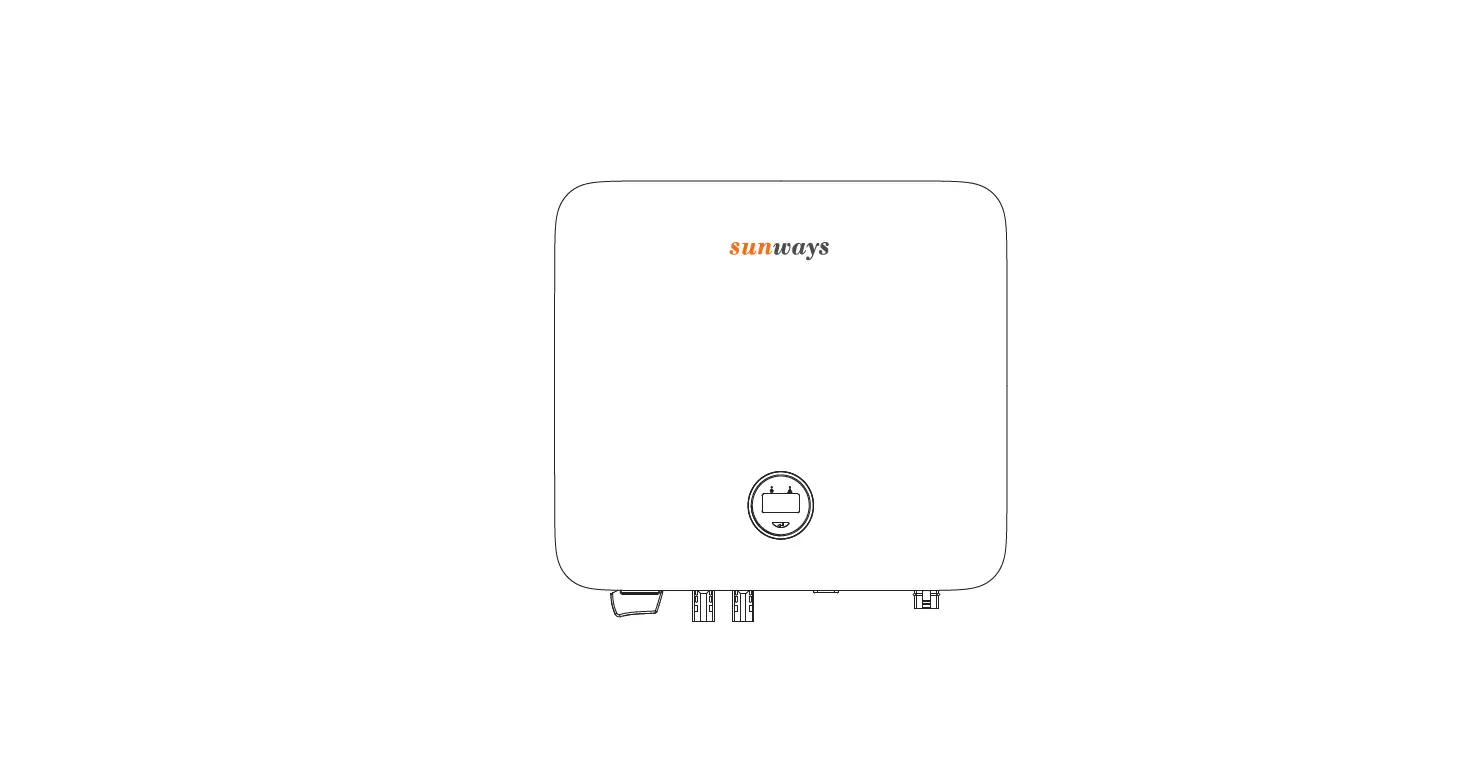
controller has a capacity of 12/24V and 30A. The inverter has a
power output of 1200W/230V, and the battery has a capacity of
12V/100AH. The system is designed for off-grid use and is suitable
for powering small appliances and devices.
Component List:
| Item | Specification | Quantity | Remark |
|---|---|---|---|
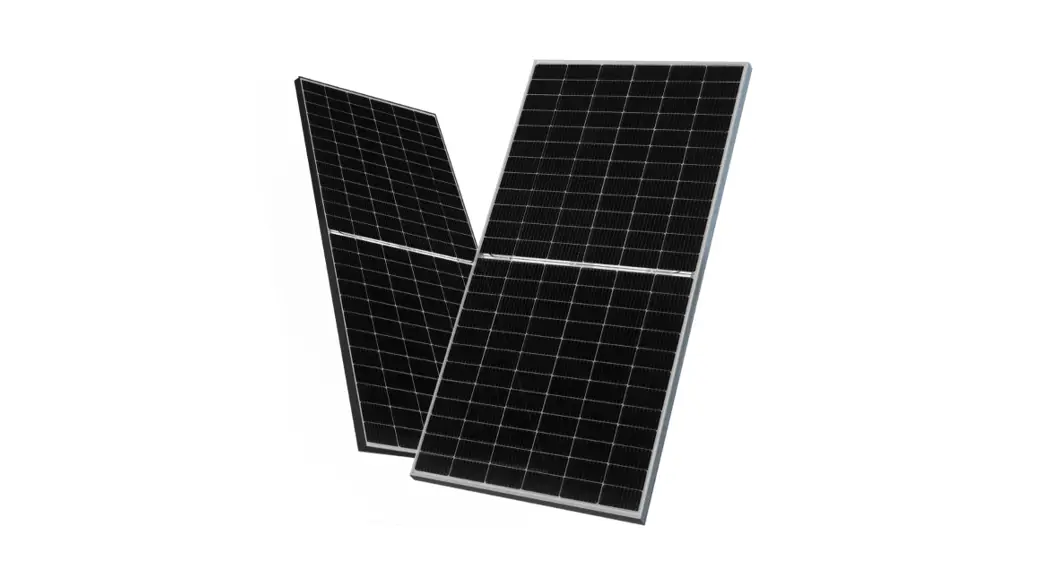
| Glass Solar Panel | 200W/19.8V | 1PC | Connect Solar Panel to controller |
| Controller | 12/24V,30A | 1PC | Connect controller to battery |
| Inverter | 1200W/230V | 1PC | Connect battery to inverter |
| Battery | 12V/100AH | 1PC | |
| Cable | NA | 1set | |
| Module No | PG-GSP200W | ||
| Controller | YJSS30 | ||
| Inverter | MSI-1200 | ||
| Battery | 6-GFM-100 |
Explanation of Symbols:
- The lightning symbol inside a triangle indicates a potential
risk of personal injury, such as electric shock. - An exclamation mark in a triangle indicates important
instructions in this operating manual that absolutely have to be
observed. - The arrow symbol indicates special advice and notes on
operation. This symbol marks a connection terminal for ground
potential on the inverter.
Product Usage Instructions:
Diagram:
A diagram is not provided in the user manual.
Installation Instructions:
- Step 1: Connect the controller to the
battery. - Step 2: Connect the DC load to the controller
(if you don’t have DC load, skip this step directly). - Step 3: Connect the solar panel to the
controller. - Step 4: Connect the battery to the
inverter.
Manual:
The user manual provides detailed instructions on battery
installation and storage. The instructions include checking and
temporary storage after receiving the battery, battery lifting and
handling, and battery installation program.
Battery Installation And Storage:
- Battery Installation And Storage:
- Checkup and Temporary Storage after Receiving – Battery after
arrival shall be checked at once for the following steps: - Battery lifting and handling – Note: Moving the terminal wire
part of the battery will make the seal crack, so please absolutely
do not lift the terminal wire for handling!
- Checkup and Temporary Storage after Receiving – Battery after
- Table 1 Transportation and temporary lifting methods of
fixed batteries:Unit weight range (kg/ piece) Below 25kg 25kg-75kg 75kg or more Temporary lifting, hoisting Support the bottom of the battery case with both hands. Support the bottom of the battery case with both hands. If there is no lifting hole, hang the bottom of the battery
case with a strap. If there is a lifting hole, hang the lifting
hole on the battery shell with a hook.Transportation Support the bottom of the battery case with both hands. Use manual hoist and other tools to carry. Use manual hoist and other tools to carry. - Battery installation program:
- Select the appropriate location and conditions according to the
actual situation to install, according to ground load, ventilation
environment, sunlight exposure, organic solvent corrosion, computer
room layout, and convenient maintenance, etc. - According to the transportation attention points, when moving
the batteries on the battery rack or into the battery cabinet, a
ventilation and heat dissipation gap of 8mm or more should be
reserved between the batteries (subject to the specific design
drawing). - It is forbidden to mix old and new batteries, and don’t mix
different types and brands of batteries. - According to Connection example or the drawing of series and
parallel line, connect the batteries of different columns,
inter-layers, panels, and terminals. Before installing the end
connection and conducting the whole system, measure and record the
single static voltage one by one and each group the total voltage
and the system voltage, and carefully check the polarity. - Note: Under the premise of meeting the designed cross-sectional
area, the lead wire should be as short as possible to reduce the
voltage drop during.
- Select the appropriate location and conditions according to the
200W 12V Off-Grid Solar System Install Guide & Manual
1. Component List
Item Glass Solar Panel
Controller Inverter Battery
Cable
Module No PG-GSP200W
YJSS30 MSI-1200 6-GFM-100
NA
Specification
Quant ity
200W/19.8V
1PC
12/24V,30A
1PC
1200W/230V
1PC
12V/100AH
1PC
5M 2.5mm² cable,with MC4 connector at one end
1set
3M 2.5mm² cable, with O shape connector at one end
1set
2M 16mm² cablewith O shape connector at both ends
1set
Remark
Connect Solar Panel to controller
Connect controller to battery
Connect battery to inverter
2. Diagram
3. Explanation of symbols
The lightning symbol inside a triangle is used when there is a potential risk of personal injury, such as electric shock. An exclamation mark in a triangle indicates important instructions in this operating manual that absolutely have to be observed.
The “arrow” symbol indicates that special advice and notes on operation are provided. This symbol marks a connection terminal for ground potential on the inverter.
1
4. Install instruction
(1) Step 1: Connect controller to battery (2) Step 2: Connect DC load to controller (If you don’t have DC load, skip this step directly) (3) Step 3Connect solar panel to controller
(4) Step 4: Connect battery to inverter
2
5. Manual
(1) Battery Manual
A. Battery Installation And Storage 1) Checkup and Temporary Storage after Receiving
Battery after arrival shall be checked at once for the following steps:
a. Open the battery packing box near the installation site , check the number and appearance of thebattery , and check whether there is any abnormality in the appearance. Check whether the systemcomponents, product certifications, mountings and accessories are complete against the invoice. b. According to the drawings, mount inventory beams, columns and connected contact parts, check their sizes and specifications ; c. The battery should be kept upright during storage, and the poles should be protected. The surface of the battery should not be compressed, the safety valve should not be loosened, short circuit is strictly prohibited, and batteries without outer packaging should not be stacked. d. The battery should be kept upright during moving. Handle gently. It’s forbidden to place upside down, roll, throw, hit, put under the blazing sun,expose to rain and so on. e. Temporary storage of batteries: New Batteries with full capacity before leave the factory, can be temporarily stored for 3 months, please install batteries and on-line charging in 3 months , if stored for more than 3 months, need to use charging equipment to recharge, otherwise, there will be irreversible battery sulfation, seriously affecting the life of the battery, the company promised warranty period is no longer valid.
2) Battery lifting and handling
a. Hoisting, handling notes: in order to make the smooth movement of the battery, for precise position adjustment, to use tap water lubrication, do not use anti-rust agent or detergent. Otherwise, it may cause the battery case to crack, resulting in electrolyte leakage. b. When moving the battery to another location, do not grab the battery terminal, lead wire or safety valve exhaust plug, as this can cause battery damage. c. As the battery is very heavy, you should be very careful when handling it. d. When handling the battery, be careful not to hit the battery, for example: the battery hit a hard object or fall to the ground. Otherwise, the battery may be damaged. e. In principle, the handling of the battery should force the bottom of the battery shell, and usually the short-time lifting and handling methods should be carried out according to the method described in Table 1.
Note: Moving the terminal wire part of the battery will make the seal crack, so please absolutely donot lift the terminal wire for handling!
Table 1 Transportation and temporary lifting methods of fixed batteries
Unit weight range (kg/ piece) Below 25kg 25kg-75kg
75kg or more
Temporary lifting, hoisting Support the bottom of the battery case with
both hands. Support the bottom of the battery case with
both hands. If there is no lifting hole , hang the bottom
of the battery case with a strap. If there is a lifting hole, hang the lifting
hole on the battery shell with a hook.
Transportation Support the bottom of the battery case
with both hands. Use manual hoist and other tools to
carry.
Use manual hoist and other tools tocarry.
3) Battery installation program
a. Battery installation program
Select the appropriate location and conditions according to the actual situation to install, according to ground load, ventilation environment, sunlight
exposure, organic solvent corrosion , computer room layout and convenient maintenance, etc.;
According to the transportation attention points, when moving the batteries on the battery rack or into the battery cabinet, a ventilation and heat
3
dissipation gap of 8mm or more should be reserved between the batteries (subject to the specific design drawing).
An forbidden to mix old and new batteries, and don’t mix different types and brands of batteries;
According to Connection example or the drawing of series and parallel line, connect the batteries of different columns,inter-layers, panels and
terminals. Before installing the end connection and conducting the whole system, measure and record the single static voltage one by one and each group
the total voltage and the system voltage , and carefully check the polarity.
Note: Under the premise of meeting the designed cross-sectional area, the lead wire should be as short as possible to reduce the voltage drop during
high-current discharging; when two or more batteries are connected in parallel, the cables from each battery to the load should be of equal length to facilitate
the current balance of each group during battery charging and discharging;
When the battery connection, the screws must be fastened, otherwise, may spark and / or terminal damage, or even fire and explosion accident,But
also to prevent the twist force is too large but damaged copper wire; the handle of wrench and other tools must be tightly wrapped with insulating tape.
At the end of the installation, the system voltage and the battery positive and negative electrode direction should be checked again, to ensure that
the battery is placed correctly, and resolutely prevent the phenomenon of reverse connection;
Cleaning after installation. Generally, the new battery does not need to be cleaned. If the pollution is serious, use a soft cloth soaked in soapy water
to clean the battery case, panel and connecting wire. Do not use organic solvents to clean it to avoid corrosion of the case and other parts to do bad to
performance;
The temperature probe of power switch should be pasted on the one side between two cells to ensure the accuracy of the data.
b. Replacement Procedures
Check whether the appearance of the newly arrived battery is intact and whether the voltage is normal.
Remove the faulty battery from the battery pack:
Turn off the charger, if possible, remove the connection of the positive and negative connection cables and the entire power system , turn off the
isolation switch.
Before disassembling the battery , untie all the battery connecting bars and connecting cables in adjacent rows and columns to avoid accidental
short circuits.
Connect the new battery to the battery pack according to the original wiring method and charge it.
Connect the battery pack and the charger, float charge in accordance with the number of series-connected batteries and ambient temperature.
Note for battery replacement:
Turn off the equipment and disconnect it from the mains before replacing the battery ;
Operators are not allowed to wear metal objects such as rings to avoid short circuits;
It is normal for small sparks to appear at the connector when connecting the battery cable, and will not cause harm to personal safety and UPS ;
Remember! Do not short-circuit or reverse the battery’s positive and negative poles.
4) Safety instructions
This safety measures must be taken during installation work (using handling tools, wearing clothes, safety helmets, and safety shoes, paying attention to safety signs, etc.) to ensure safety and avoid accidents. Since the battery has been charged, do not use metal tools or similar tools to cause short-circuit of the battery .Wear insulating gloves and keep the torque wrench, wrench, or other similar metal tools insulated from the body and handle. Install the battery and store it in well ventilated, away from heat and direct sunlight. Do not install and store batteries close to transformers and other heating equipment and close to switches, fuses, and other places where a spark may occur, which creates a danger of fire or explosion. Install the battery as specified in the layout drawing, and take care to ensure that the positive (+) negative (-) polar connection of the terminals is correct. Otherwise, it may cause a fire or cause battery or charger damage. Tighten the battery terminal nuts and bolts to the specified torque. Otherwise, there may cause sparks and / or terminal damage, even fire and explosion accidents. Although the battery is sealed, stay away from the fire. Never use ignition sources (such as lit cigarettes, electric drills, and other tools that can cause sparks) in the battery rooms (near the battery equipment)
4
The battery case and battery cover are made of synthetic material. Therefore, when wiping the battery, avoid using organic solvents (such as benzene, gasoline and diluent), oil, detergent, chemical fiber cloth, but use waste cotton cloth soaked with tap water or warm water. Do not clean with dry cloth or wool duster; when covering batteries, use anti-static film, electrostatic charge accumulation, may cause the risk of fire or explosion. Be careful not to let films containing plasticizers (e. g., soft polyvinyl chloride or benzene), diluent, gasoline, alcohol, and other organic solvents, rust resistance, or detergents contact the battery shell and the battery cover, otherwise, the battery shell may crack and cause electrolyte leakage. If the battery is accidentally damaged and the electrolyte splashes on your eyes, skin, or clothing, rinse with plenty of water. If you splash into your eyes or accidentally swallow the electrolyte, ask your doctor to check it immediately.
B. Debugging and Operation
1) Debugging after installation and replacement
a. Inspection : Check whether the insulation of the charging equipment is good.
Specific method: use 500V meg-ohmmeter to measure DC charging and the screen bus bar is notless than 10M .
b. Confirm total battery open circuit voltage.
U Total = U(average voltage) × the number of battery connected in series Test and confirm that all bolts are tightened.
c. Float voltage: typically 25, the single float voltage is 2.25V±0.02V. Principles of setting float voltage :
The floating charge current is sufficient to compensate the loss of the self-discharging;
After discharging, it is sufficient to compensate the lost power by float charging and make it reach a fully charged state;
If the float charge voltage was set to low, it’s difficult to meet the demands mentioned before;if too high, it will accelerate the corrosion of the positive
electrode plate and the loss of the electrolyte. The selecting of float charge voltage affects the cycle life of batteries.
The setting of float voltage should fully consider the electrolyte density, alloy composition, and electrode plate additives.
d. Equalizing charge voltage: Principles of setting equalizing charge voltage :
Before the battery pack is officially put into use, if the battery has been stored for more than 6 months (more than 3 months in summer ), it should be
equalizing charged once.
When the battery runs for 3 months, the difference of the floating charge pressure exceeds the standard requirement, and an equalizing charge
should be performed.
The discharge capacity is beyond 70%, then equalizing charge the battery once.
Charge Method : at 25 , equalizing charge the cell in a mode of constant voltage and restricted-current for 10-15 hours with a voltage of 2.35V.
e. Temperature compensation
The current and voltage in this measure are set as the standard values at the ambient temperature of 25 . If the working ambient temperature of
the battery exceeds the range of 20 -30 , the voltage of floating and equalizing charging should be changed accordingly, and the correcting cell
voltage should be changed according to the formula: Vcorrecting = V(at 25 )-0.003×(Tactual -25)
For every 1 increase in temperature, floating charge voltage decreases by 3mV(if equalizing charge, it will be 4mV ). For every 1 decrease, floating charge
voltage increases by 3mV(if equalizing charge, it will be 4mV )
2) Normal Operation
a. For a new battery ,set the float voltage in accordance with the actual ambient temperature. If there is the need of equalizing charge all batteries, transfer to floating charge and officially put into use after equalizing charge ending. Measure the float voltage of the battery one by one and make a record. b. After normal operating, the float voltage should be measured regularly once a month. c. Online products, when the power is normal, the battery has been in a floating charging state, when the power is cut off, the battery supplies the load through the control device (UPS, switch power supply, inverter, etc.), to achieve the purpose of using the battery d. Off-grid products, generally solar wind power generation, power to the load, while charging the battery, when the solar wind power is insufficient, the
5
battery power to the load. e. If there is no power failure for more than half a year, a check discharge can be carried out. If conditions permit, the mains can be directly disconnected by battery mode. generally discharge about 30%, record the voltage when the discharge is terminated. f. After two years, a checking discharge should be conducted and discharge with external load for safety
3) Precautions for operation
Charging: constant voltage and limited current (floating or equalizing charge ) Don’t overcharge or over-discharge. Avoid direct sunlight. The temperature of the installation site should be controllable by air conditioner or heating. 5.The distance between batteries should be kept above 8mm for ventilation. Good ventilation, to ensure that the internal temperature difference of the battery is not higher than 3. Don’t install batteries in a fully enclosed occasion in order to avoid explosion caused by accumulation of hydrogen explode. Regular inspect the floating charge of the battery pack, and equalizing charge if necessary. Time of equalizing charging at room temperature= (2×Capacity/Maximum Charging Current)+3 If the battery is stored or the equipment stops for 3 months, the battery must be recharged once in a balanced charging mode
C. Maintenance 1) System Description
a. VRLA Gel Battery need no maintenance of electrolyte and free of make-up wate
2) Safety Instruction Battery maintenance and operation must be implemented by battery-familiar personnel. Payattention to the safety of persons and equipment.
Electrical safety : the battery system has a high risk of electric shock and short-circuit. Battery System is at risk of corrosion, fire, explosion and thermal accident. Don’t discard batteries causally. Batteries must be recycled, discarded and handled by the special recycling agency. The battery should be handled carefully to avoid damage; at the same time, be careful not to hurt yourself.
3) Periodic maintenance requirementsExcept discharge capacity, maintain at least once a quarter; discharge capacity test can be conducted once a year.
Items
System Stability
Battery Appearance
Connection Uniformity of Voltage and Internal Resistance System Input AC
Discharge Capacity
Battery storage or equipment to stop
Review Contents
Completely install the entire battery, the iron frame is stable and does not shake.
Whether there are traces of liquid leakage on the surface of the battery , whether the connecting parts are corroded , whether there are stains, cracks, and deformation.
Tighten the screws of each conductive part, 2V series torque 15N.M ; 12V series torque 10N.M
Tools and Methods
Visual inspection Visual inspection
Special wrench, torque wrench
After float charging for 24 hours later, whether the voltage of each cell and resistance meet the demand.
Inner resistance meter
The balance of current discharge 30% battery capacity
Caliper Multimeter
Discharge load Multimeter The newly installed battery can adopt the offline test of discharge load; Recommend to discharge equipment.
The battery needs to be recharged once in three months
Charger or device charging system
6
4) Cleaning & Caution Batteries that become dirty should be cleaned with a lint-free shop cloth that is clean, dry, and free of oil. If the battery has caked-on dirt or grime , use a cloth dampened with tap water, then wipe dry.Do not use any tape of solvent to clean the battery. Solvents may damage the battery.
D. Highlight and Features 1) Highlight:
a. Long life design(up to 12 years) b. Reliably sealed c. High specific energy,low IR & self discharge d. Higher reaction efficiency and conformity
2) Features
a. Float charging life prolonged by our proprietary corrosion resistant alloy; b. High-purity electrolytes and special agents reduce water loss; c. Impacts from earthquakes are reduced by compact seismic ABS jars and covers; d. Delicate seal technologies protect the battery from electrolyte leakage and creepage; e. The delicate construction of self-relief valves can avoid bulges and cracks.
E. Specifications
1) Technical Data Model
Design Life Voltage
Number of cells
Nominal Capacity
20HR (5.4A, 1.80V) 10HR(10A, 1.80V) 3HR(27A, 1.80V) 1HR(55A.1.80V)
6-GFM-100 12 years 12 V 6 pieces
108Ah 100Ah 81Ah 55Ah
Internal Resistance
4.8m(Full Charge)
Self Discharge
3% per month
Cycle Use
Charge Voltage
2.35V/Cell (-4mV/°C/Cell) Max. Charge Current:15A
Note: Data contained herein are measured at 25°C.
Standby Use
2.25V/Cell (-3mV/°C/Cell))
2) Constant Current Discharge Rate(A,25
Model
F.V.
Minute
(V/Cell) 5 10 15 20 30 45
1
2
3
Hour
4
5
6
8 10 20
1.85 194 158 134 117 89.3 65.8 54.5 33.5 24.8 20 16.9 14.9 12.0 9.90 5.23
1.8 228 180 149 128 95 68.6 56.1 34.2 25.3 20.5 17.3 15.2 12.2 10.1 5.34
6-GFM-100
1.75 1.7
252 189 157 134 99.3 71.4 58.1 34.9 25.9 20.9 17.7 15.4 12.4 10.3 5.41 269 201 164 142 104 74 59.9 35.9 26.4 21.2 18 15.7 12.6 10.4 5.47
1.67 281 212 174 150 107 76.3 61.4 36.7 26.9 21.7 18.4 16.1 12.7 10.5 5.54
1.60 293 224 182 154 112 78.3 63.9 37.3 27.6 22.2 18.8 16.3 12.9 10.6 5.60
7
3) Constant Power Discharge Rate(Watt/Cell,25
Model
F.V.
Minute
(V/Cell) 5 10 15 20 30 45 1
2
3
Hour
4
5
6
8 10 20
1.85 362 292 260 223 169 126 105 67.3 51.8 40.8 34.6 30.5 24.7 20.1 11.9
1.80 417 321 280 238 178 131 108 69.8 53.6 42 35.4 31.2 25.2 20.5 12.0
1.75 442 338 293 249 186 136 111 71.3 54.4 42.8 36.0 31.7 25.6 20.8 12.1 6-GFM-100 1.70 464 352 305 259 193 137 115 72.5 55.5 43.8 36.1 32.1 26 21.1 12.3
1.67 480 371 309 264 199 144 117 73.9 56.6 44.2 36.2 32.5 26.4 21.4 12.5
1.60 501 389 320 274 205 147 119 75.2 57.7 44.4 36.3 33.0 26.5 21.5 12.6
4) Performance
Disposal
Battery that has reached the end of their service life should be returned to a local or regional collection center for recycling. All local regulations and ordinances must be followed. Never discard the AGM battery in the trash or in a landfill.
Distributed by Conrad Electronic SE, Klaus-Conrad-Str. 1 D-99240 Hirschau
8
(2) Controller Manual A. Connect battery to controller : The controller will detect the battery voltage automatically. B. Safety instructions
Make sure your battery has enough voltage for controller to recognize the battery type before first installation. The battery cable should be as short as possible to minimize the loss. The charge regulator is only suitable for lead acid batteries(Flood, AGM, GEL) and lithium ions, it is not suited for nickel metal hydride or other batteries. The controller will be hot when it is working. Please install the controller on a smooth, well ventilated surface.
C. Controller – LCD Display / Key
D. Controller – Display / Setting
E. Attention: Press the [DOWN] button to on/off load manually at main display.
The work mode is working as below:
[24H] Load output 24 hours[1-23H] Load on after sunset and closed after, setting hours
[0H] Dusk to dawn9
F. Trouble Shooting
Situation
Charge icon not on when sunny
Load icon off
Load icon slow flashing Load icon flast flashing
Power off
G. Technical Data
Model System Voltage Charge Current Discharge Current Max Solar Input
Battery Type Equalization Float Charge Discharge Stop Discharge Reconnect
Probable Cause
Solar panel opened or reversed Mode setting wrong Battery low Over load
Short circuit protection Battery too low / Reverse
Solution
Reconnect Set again Recharge Reduce load watt Auto reconnect Check battery / Connection
b01 Sealed
14.4V
YJSS30
12V/24V AUTO 30A 30A < 50V
b02 GEL
14.2V 13.7V(default,adjustable) 10.7V(default,adjustable) 12.6V(default,adjustable)
b03 Flood
14.6V
Battery Type
b04 Iron lithium 4 Strands
b05 Iron lithium 5 Strands
b06 Iron lithium 3 Strands
b04 Iron lithium 4 Strands
Constant Charging Voltage Recovery Charge Voltage
Low Voltage Protection Low Voltage Recovery
USB Output Self-consume Operating Temperature
3.6V*4/*5 3.4V*4/*5 2.6V*4/*5 2.9V*4/*5
b04 ~b07 Parameters can not be set
5V/2A < 10mA -35~+60
Size/Weight
133*70*34mm/154g
*All bold voltage*2,*4 while using 24V/48 system.
*Product specifications are subject to charge without prior notice.
4.2V*3/*4 4.0V*3/*4 3.1V*3/*4 3.7V*3/*4
Disposal
The product does not belong in the household waste. Dispose of the product according to the applicable statutory provisions at the end of its service life once it has become useless.
Distributed by Conrad Electronic SE, Klaus-Conrad-Str. 1 D-99240 Hirschau
10
(3) Solar Panel Manual
A. Install solar panel
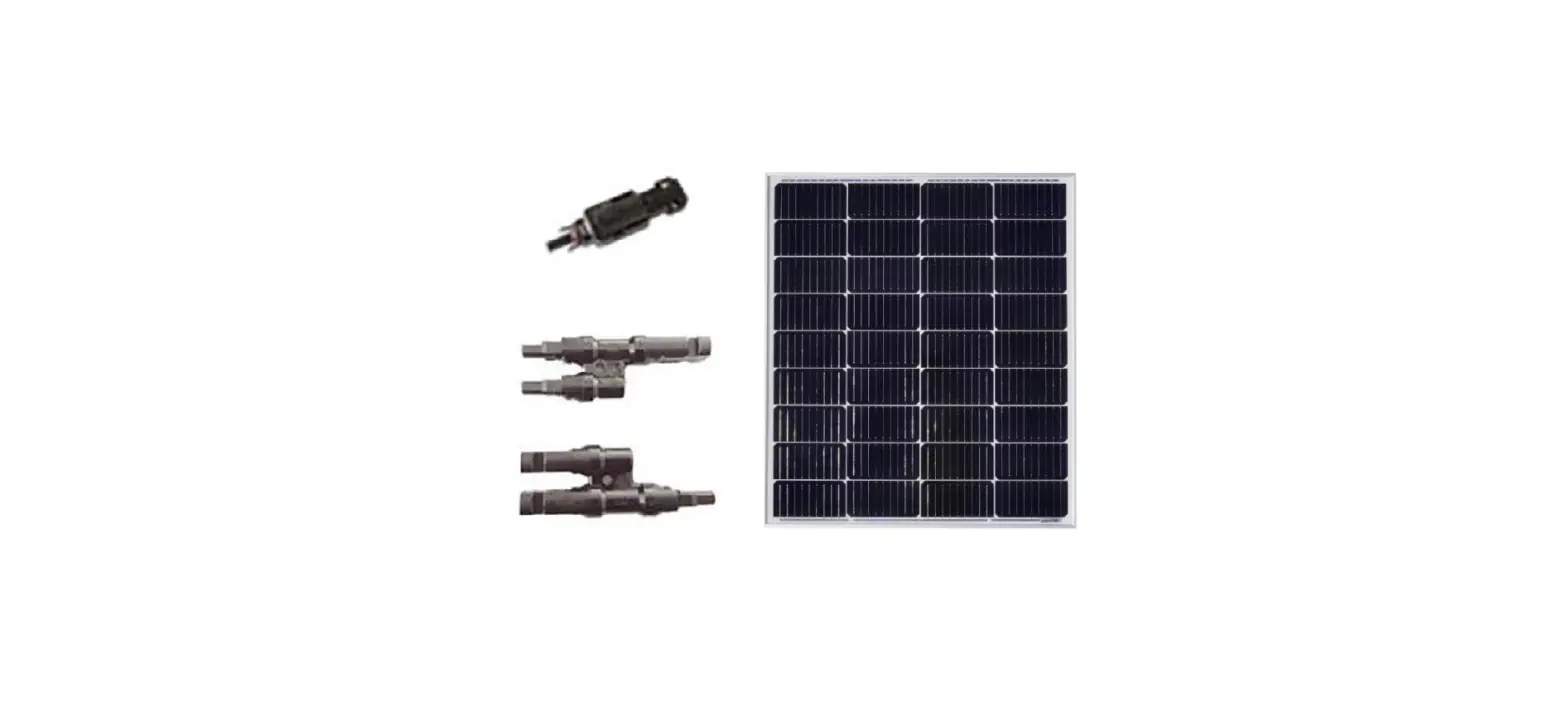
Plan the installation position, place the solar panel on the installation area, and fix the solar panel with screws so that it will not shake. Start the wires connection after solar panel is fixed.
B. Safety instructions
Read the operating instructions carefully and especially observe the safety information. If you do not follow the safety instructions and information on proper handling in this manual, we assume no liability for any resulting personal injury or damage to property. Such cases will
invalidate the warranty/guarantee.
The device is not a toy. Keep it out of the reach of children and pets. Do not leave packaging material lying around carelessly. This may become dangerous playing material for children. Protect the product from extreme temperatures, strong jolts, high humidity, moisture, flammable gases, vapours and solvents. Do not place the product under any mechanical stress. If it is no longer possible to operate the product safely, take it out of operation and protect it from any accidental use. Safe operation can no longer be
guaranteed if the product:
– is visibly damaged, – is no longer working properly, – has been stored for extended periods in poor ambient conditions or – has been subjected to any serious transport-related stresses. Please handle the product carefully. Jolts, impacts or a fall even from a low height can damage the product. Also observe the safety and operating instructions of any other devices which are connected to the product. The solar module performance can vary depending on weather conditions. Keep this in mind when operating a device with this product. Do not touch the terminal points during operation. Use suitable extension cables and adaptor plugs approved for outside operation . Do not use bare wires or other uninsulated objects to connect the product. Always ensure correct polarity when connecting a device. Avoid direct contact with the surface. The surface is sensitive and can be easily scratched or destroyed through contamination. solar module may only be used in a temperate climate. The solar module is a device which is not secured against explosions. Thus, it may not be installed in the vicinity of highly inflammable gases and vapours. If this solar module is used in a system consisting of multiply solar modules, all modules used must have the same amperage. Only solar modules with identical amperage may be used when connected in series. Only solar modules with identical voltage may be used when connected in parallel. Consult an expert when in doubt about operation, safety or connection of the device. Maintenance, modifications and repairs are to be performed exclusively by an expert.
C. Attention and cleaning
Regularly clean the solar module, as its performance would otherwise decrease and the surface could be irreversibly damaged. Please read the user guide before using this product. The solar panel will generate voltage when it was exposed in the sun, so please avoid installing the solar system in the sun. If it must be installed in the sun, insulation protection is required. Before assembling, pay attention to the positive and negative signs, the positive and negative poles cannot be reversed. Do not step on, or disassemble the solar panel. Do not place the solar panel in shading places such as trees and buildings. Do not soak the solar panel in water or any other liquid.
11
Do not use or store solar panels near open flames or flammable materials.
Do not scratch the solar panel with sharp objects.
Do not put corrosive substances on the solar panel.
When using the solar panel the circuit must be correctly connected to the equipment and check the
connection status of each component each wire and
plug.
Due to the material characteristics of the product it is strictly forbidden to drop it, otherwise it will cause the internal damage of the solar panel and make the
product unusable.
Use a soft brush or damp cloth to clean the dust on the surface of the product If there is bird droppings or other sticky objects on the surface of the product it
should be cleaned up immediately.
What should I do if there is no output from the solar panel?
Please put the solar panel in a sunny environment and check the connection status of each component, each wire and plug. You can try to replace the data
cable or charging device to check whether the solar panel is working.
D. Specification
Model Maximum power Maximum Power Voltage Maximum Power current Open Circuit Voltage Short Circuitcurrent
Size Operating temperature
Weight
PG-GSP200W 200W 19.8V 10.1A 23.76V 11.11A
1045*1030*25mm -20-85
11kg
Disposal Electronic devices are recyclable waste and must not be disposed of in the household waste. At the end of its service life, dispose of the product according to the relevant statutory regulations.You thus fulfil your statutory obligations and contribute to the protection of the environment.
Distributed by Conrad Electronic SE, Klaus-Conrad-Str. 1 D-99240 Hirschau
12
(4) Inverter- Manual
A. Intend Use
1) The inverter produces a sine-like alternate voltage of 230 V/AC, 50 Hz from a direct voltage 2) Since the mains voltage is, however, only sine-like, but not precisely sine-shaped, we cannot guarantee that all electrical consumers can be operated via the
inverter without problems. 3) The maximum output of the inverter and other important indices can be found in chapter “Technical Data” at the end of these operating instructions. 4) Electrical consumers with a higher rated power intake than the maximum permanent output of the inverter must not be connected. 5) When connecting electrical consumers (e.g. drill, refrigerator, etc.), to the inverter, observe that they often need a higher output than indicated on the rating plate of
the consumer for a short period when switching on or starting up. The Inverter therefore briefly supplies a higher output. 6) The inverter switches off on its own when the input voltage drops below a specific value. This protects a car battery from harmful deep discharge. 7) The safety notes and all other information in these operating instructions always have to be observed! Read these operating instructions with care before
connection and commissioning. Keep these operating instructions or pass them on to a third party only together with this product. 8) Any use other than that described above can damage the product and may involve additional risks such as short circuit, fire, electric shock, etc. No part of this
product must be modified or converted! 9) This product complies with the statutory national and European requirements.
B. Safety Information
The guarantee/warranty will expire if damage is incurred resulting from non- compliance with the operating instructions! We do not assume any liability for consequential damage! We do not assume any liability for damage to property or personal injury caused by improper use or the failure to observe the safety instructions! In such cases the warranty/guarantee is voided.
Dear Customer, the following safety instructions are intended not only for the protection of your health but also for the protection of the product. Therefore, read the following items very carefully before connecting the product and taking it into operation. a) General information · The unauthorized conversion and/or modification of the product is inadmissible for safety and approval reasons (CE). Never dismantle the product. · Maintenance, adjustments and repair work may only be carried out by a specialist / specialised workshop. The installed device fuse must only be exchanged by a specialist. · The product is not a toy and must be kept out of reach of children. · Do not leave packaging material unattended. It may become a dangerous toy for children. · Never touch the inverter or any cables with wet or damp hands; danger to life from electric shock! · Protect all cables from damage. Damaged cables must not be used anymore. Replace them at once · Place the cables where no one can trip over them. · Never touch the inverter or any cables of the connected consumer if they are damaged; danger to life from electric shock! First switch off the inverter and disconnect it from the voltage/current supply. · Handle the product with care. It can be damaged by impact, blows or when dropped even from a low height. · Observe the operating instructions of all devices that are connected to the inverter. · If you are not sure about the correct connection or use of the inverter, or if questions which are not covered by these operating instructions arise, please do not hesitate to contact us or another qualified specialist. b) Site of setup · Keep children away from the product. Choose the site of setup so that children cannot reach it. Children may try to stick objects into the device. There is danger to life from electric.
13
· The product is only suitable for operation in dry, closed rooms. The entire product must never become moist or wet. There is a fatal danger from electric shock! · Choose a solid, flat, clean and sufficiently large surface for the product. · Avoid the following unfavourable ambient conditions at the site of setup, during storage or when transporting:
– Dampness or too-high humidity – Cold or heat, direct solar radiation – Dust or flammable gases, fumes or solvents – Strong vibration, impact or blows – Strong magnetic fields such as those near machines or speakers · Do not place the product next to a radiator, fan, air conditioning or similar. Keep the product away from dust and dirt. · The product has an installed fan. Place the product so that the fan cannot suck in any loose objects, curtains, etc. This not only poses a danger of damage to the product, but also a danger of fire. · Never place the product on a flammable surface (e.g. carpet, tablecloth). Always use a suitable, non-flammable, heatproof surface. · Do not place the product on any valuable furniture surfaces without using suitable protection. Heat may cause colour or material changes. Scratches of pressure points on the furniture surface are possible as well. · Keep the product away from easily inflammable materials (e.g. curtains, paper), liquids (e.g. petrol) or gases. There is a risk of fire and explosion! · This specifically applies to gases escaping from rechargeable batteries (e.g. for lead batteries). Therefore, observe the corresponding ventilation and do not place the inverter and the rechargeable battery in the same room . · Keep the inverter away from sources of open fire (e.g. candles), and do not place them on the inverter. · The product must be easily accessible so that it can be switched off or disconnected from the voltage source and the connected consumer quickly in case of error. · Avoid operation in direct proximity of strong magnetic or electromagnetic fields, transmitter aerials or HF generators. This can affect the control electronics. · Do not place any containers filled with liquid, e.g. vases or plants, on or next to the product. Liquids entering the inverter will destroy it. There also is the utmost risk of poten- tially fatal electric shock. In this case, disconnect the product from the voltage/current supply at once. No longer operate the product. Have the product inspected by a specialist workshop or dispose of it environmentally compatibly. · Secure or attach the inverter and all cables, e.g. when using them in a vehicle, so that proper operation of the vehicle is ensured and the inverter cannot come loose. c) Connection to a direct voltage source · Do not wear any metal or conductive materials, such as jewellery (necklaces, bracelets, rings, etc.). A short circuit at the rechargeable battery or inverter causes a danger of injury, fire and explosion. · Use a suitable connection cable with a sufficiently large line cross-section. If the line cross-section is too small, the connection cable may grow hot. There is a danger of fire! · Keep the connection cable as short as possible. · The longer the connection cable, the larger the line cross-section has to be. · Before the inverter is connected to the direct voltage source, it must be switched off. · Always observe the correct polarity (plus/+ and minus/-) for connection. The red clamp of the inverter is the plus pole (+), the black clamp is the minus pole (-). · The inverter should never be directly connected to a direct voltage source (e.g. a car battery), but only via an accordingly sized fuse. This fuse should be
14
placed as close as possible to the direct voltage source.
· Depending on the power taken from the inverter, the direct voltage source (e.g. a car battery) must be able to supply the corresponding current strength.
· Check all connections for tight fit and good electrical contact at regular intervals. High transfer resistances not only reduce the performance of the inverter but also may cause overheating and fire.
· The inverter must not be connected to electrical systems (e.g. a motor vehicle) where the plus pole is grounded or connected to the chassis of the vehicle.
d) Mains voltage output
· Do not pull the mains plug from the mains socket of the inverter by pulling the cable.
· Never connect the 230 V output of the inverter to another 230 V source (e.g. a mains socket). The inverter must not be used to feed mains voltage into an electrical building installation.
· If devices with protective ground plugs are connected to the mains socket of the inverter, the inverter may need to be earthed.
For this, there is a corresponding connection at the inverter available (marked with the earthing symbol, see symbol on the right)
.
The earthing line used (green/yellow cable) must have a cross-section of at least 6 mm².
e) Operation
· Do not operate the inverter unsupervised.
· Never touch the blank live contacts, connection terminals or cable lugs on the input side of the inverter.
· Even after triggering the internal protective device, parts of the inverter may still be live!
· The housing of the inverter will heat up in operation (depending on the output). Therefore, always observe sufficient ventilation of the inverter; never cover it in operation. Never close the ventilation slots of the inverter.
· Keep a minimum distance of 5 cm from other devices around the housing of the inverter.
· Never operate the inverter immediately after it has been taken from a cold room to a warm room. The resulting condensation may lead to malfunctions or dam- age! Moreover, there is the risk of a fatal electric shock!
· Let the inverter reach room temperature before connecting and operating it. This may take several hours!
· Only operate the inverter in a moderate climate, never in a tropical climate. For more information on acceptable environmental conditions, see the chapter “Technical data”.
· Never overload the inverter. In spite of comprehensive protective circuits, a defect or damage to the inverter or the connected devices cannot be fully excluded.
· The inverter is not approved for operation in connection with life-supporting medical devices.
· Deactivate the inverter and disconnect it from the voltage/current supply when you do not need it anymore.
· In schools, training centers centres, hobby and self-help workshops, the use of the product must be supervised by responsible trained personnel.
· In commercial institutions, the accident prevention regulations of the Employer’s Liability Insurance Associations for Electrical Systems and Operating Materials are to be observed.
· Deactivate the product and disconnect it from the voltage/current supply when you do not need it anymore. Keep it in a clean, dry, cool place that is inaccessible to children.
C. Connection to the Voltage Source
Before connecting the inverter and taking it into operation, read the entire operating instructions; specifically observe the chapter “Safety notes”. Switch off the inverter (switch position “O”). 1) If the inverter is to be connected in a vehicle, switch off the vehicle’s ignition. 2) Check if the input voltage indicated on the inverter matches the voltage source (e.g. a car battery) used by you.
15
3) If this is not the case, the inverter must not be connected to the voltage source. 4) Depending on the power taken from the inverter, the direct voltage source (e.g. a car bat- tery) must be able to supply the corresponding current strength.
Observe that the actually required current is higher due to conversion loss in the inverter (approx. by 20%).
Example:
A consumer with a power consumption of 120 W is connected to the inverter.
For a inverter with an input voltage of 12 V/DC, a current of 10 A results. Due to the conversion loss, the input current is 10 A + 20% = 12 A.
a. First connect the black connection terminal of the inverter to the minus pole (-) of the voltage source via the enclosed connection cable.
b. Then connect the red connection terminal of the inverter to the plus pole (+) of the voltage source via the enclosed connection cable.
When connecting the inverter, always ensure correct polarity; never swap the connections!
Red connection terminal = plus pole (+) Black connection terminal = minus pole (-)
The inverter should never be directly connected to a direct voltage source (e.g. a car battery), but only via an accordingly sized fuse. This fuse should
be place as close as possible to the direct voltage source.
A short circuit between the poles of a rechargeable battery may not only cause light arc and welding of the connection cables, but also explosion! This
not only poses a danger of fire, but also severe danger of injury (e.g. from the acid in a lead battery).
Therefore, proceed very carefully when connecting the connection cables between inverter and rechargeable battery.
Observe that the cables cannot get into any rotating parts of the vehicle (fans, V-belt, etc.).
Use only the enclosed cables or at least equal cables with a sufficient line cross- section and suitable cable lugs for connection.
If you want to use longer cables, you may need to use cables with a larger line cross-section. The following applies: The larger the line cross-section
and th shorter the cable, the lower the voltage drop on the line.
A too-high voltage drop on the line may cause premature undervoltage deactivation of the inverter.
Suitable ring cable lugs are needed to connect the lines to the terminals of the inverter. Clamping in of the open cable ends or even soldering on is not
permitted.
Tighten the screw terminals by hand; do not use any tools, to not apply any force.
Secure or attach the inverter and all cables, e.g. when using them in a vehicle, so that proper operation of the vehicle is ensured and the inverter
cannot come loose.
D. Operation
1) Which consumers that are operated with mains voltage (230 V/AC, 50 Hz) can be connected to a inverter?
a. Generally, all consumers can be operated on a inverter.
b. However, many consumers have a higher power consumption at the moment of switching on than their rating plate says. This does not have any great
importance
c. when connecting to the public mains, since there are always the corresponding power reserves.
d. The inverter is limited in its output. However, it may supply a peak output briefly to balance out the high consumption at the moment of activation of the
consumer.
e. If the consumption at the moment of activation of the consumer is higher than the peak output of the inverter (or if it takes too long), the overload
protection of the inverter will be activated. The consumer cannot be connected and operated at the inverter.
f. Examples:
A small compressor-operated refrigerator with a rated power of approx. 50 W may have ten times the power consumption (500 W) for three seconds
after activation, since the electrical motor starts.
A light bulb rated power of approx. 60 W may have ten times the power consumption (600 W) for one second after activation, since the low-impedance
spiral-wound filament heats up. Only as the temperature rises will the electrical impedance increase as well so that the power consumption drops to rated output.
g.
Due to the many different electrical consumers, it is not possible to provide a precise list of where problems are to be expected.
For example, consumers with integrated electrical motor, capacitors in mains units, devices with inductive load or light bulbs or heating radiators are
problematic.
16
2) After connection of the inverter to the voltage source (e.g. a car battery), you may take the inverter into operation. a. The inverter offers two mains sockets so that two consumers can be connected directly.
b.
The combined power intake of the two consumers (see rating plates on the consumer or in their operating instructions) must not exceed the output of the
inverter.
c. Switch the inverter on via the on/off switch (switch position “I”).
d. If connected correctly, the “Power” LED will now light up and thus indicate correct operation of the inverter. The two connected consumers are ready for
operation.
e. The “Fault” LED will light up at overload, over temperature or under voltage recognition.
f. To switch off the inverter, put the on/off switch in the “O” position.
3) Using a USB output socket:
a. This connection may be used, e.g., to charge a smart phone or tablet computer.
b.
The USB output socket supplies a voltage of 5 V/DC and a current of up to 500 mA. For this, the inverter must be switched on (“Power” LED lit)
E. Protective Functions
1) Undervoltage protection
a. The inverter emits an alarm sound when the input voltage drops below a specific value:
b. 12 V inverter: Voltage drops below 10.5 V/DC (tolerance ±0.5 V/DC)
c. If the input voltage drops further, the inverter and the connected consumer are switched off. This protects, e.g., a car battery that is used to operate the
inverter, from harmful deep discharge.
d. 12 V inverter: Voltage drops below 10.0 V/DC (tolerance ±0.5 V/DC)
e.
The “Fault” LED will light up if the inverter recognises undervoltage. In this case, switch off the inverter via the on/off switch.
f. If the undervoltage protection is activated, the USB output may not switch off in some circumstances. Disconnect thus the load which is connected to the
USB output from the inverter after activating the undervoltage protection.
2) Overvoltage protection
a. The inverter switches itself and the connected consumer off once the input voltage is too high.
b. 12 V inverter: Voltage rises over 15.0 V/DC (tolerance ±0.5 V/DC).
c.
The “Fault” LED will light up if the inverter recognises undervoltage. In this case, switch off the inverter via the on/off switch. Check the voltage
source.
3) Overload protection
The inverter switches itself off temporarily if the consumers connected to the two outputs draw too much power. If the power consumption is
reduced, the inverter will switch on again automatically.
The “Fault” LED will light up at overload. Switch the inverter off via the on/off switch and remove the cause of the overload.
4) Overtemperature protection
a. Conversion of input voltage to mains voltage and the resulting conversion loss produces heat due to the working principle. An integrated fan helps to cool
the electronics of the inverter.
b. Depending on the power intake of the connected consumers or the ambient temperature, the inverter may overheat.
c. In this case, the inverter will switch itself off. After the inverter has cooled off sufficiently, it will switch on again.
d.
The “Fault” LED will light up if the inverter recognises overtemperature.
17
5) Polarity reversal protection a. If the polarity of the input is swapped when connecting, the inverter will not work and cannot be switched on. b. Always observe the correct polarity (plus/+ and minus/-) for connection. Red ·terminal = plus pole (+) Black connection terminal = minus pole (-)
F. Maintenance and Cleaning
1) The product does not require any maintenance. You should never take it apart.
2) The product should only be repaired by a specialist or specialist workshop or it may be dam- aged. Furthermore, the CE
approval and the
guarantee/warranty will expire.
3) The installed device fuse must only be exchanged by a specialist.
4) Before cleaning, switch off the product and disconnect it from the voltage/current supply. Disconnect the connected consumers as well.
5) Only clean the product with a soft, clean, dry and lint-free cloth. Never use any cleaning agents, since this might damage the surface of the casing and label.
6) Dust can be removed using a clean, soft brush and a vacuum cleaner.
G. Trouble Shooting
1) Inverter cannot be switched on, “Power” LED is not lit. a. The rechargeable battery used for operation is flat. Connect the inverter to another, fully charged rechargeable battery. b. The polarity was swapped at connection. Check the wiring. c. The cable connections with the rechargeable battery are not correct; e.g. the connection cable is not screwed on. Tighten the screws of the terminal clamps.
2) The inverter works only with a consumer with a lower power consumption. a. The connection cable to the rechargeable battery is too long or the line cross-section is too small. Replace the connection cable by a shorter one; use a cable with a larger line cross- section. b. The connected consumers’ power consumption is too high for the inverter. c. The connected consumers’ power consumption at activation is too high.
3) The connected consumers are not working and the “Fault” LED is lit. a. The consumers’ power consumption is too high for the inverter; overload protection has been activated. b. The consumers’ power consumption is too high when starting up; overload protection has been activated.
4) An alarm sounds. a. Undervoltage recognition has been activated. The rechargeable battery that is used for voltage/current supply of the inverter is flat. Connect the inverter to another, fully charged rechargeable battery. b. The overtemperature protection has been activated. Switch the inverter off and let it cool off sufficiently. Check if the inverter is sufficiently ventilated. Operate the inverter in a cooler environment. Connect a consumer with lower power consumption. With one consumer each connected to the two outputs of the inverter, try disconnecting one of them from the inverter.
18
5) The operating time is too short. a. Use a rechargeable battery with higher capacity. b. The rechargeable battery is not fully charged. Disconnect the rechargeable battery from the inverter and charge it entirely. c. The rechargeable battery is old/flat; replace it by a new one.
H. Technical Data
Item no. Rated input voltage
Output voltage Signal output form Permanent output power Peak output power Effectiveness at rated load Power intake without load
Cooling Inputs
Outputs
MSI-1200 12 V/DC 230 V/AC, 50 Hz Modified sine wave 1200 W 2400 W (short-term)
>85% <0.6 A Two installed fans Screw connectors
2x power socket with protective ground (230 V/AC, 50 Hz) 1x USB (5 V/DC, max. 500 mA)
Cable cross-section Undervoltage alarm Undervoltage deactivation Overvoltage deactivation Overload protection Overtemperature protection Protection against wrong Polarity Short-circuit protection
Ambience conditions
Dimensions Weight
10.5 mm2 10.5 ±0.5 V/DC 10.0 ±0.5 V/DC 15.0 ±0.5 V/DC
yes yes yes yes Temperature: 0 °C to +60 °C,
10.5 mm2 21.0 ±0.5 V/DC 20.0 ±0.5 V/DC 30.0 ±0.5 V/DC
humidity 20% to 85% relative, non-condensing
335 x 155 x 70 mm (L x W x H) approx. 2400 g
Disposal
The product does not belong in the household waste. Dispose of the product according to the applicable statutory provisions at the end of its service life once it has become useless.
Distributed by Conrad Electronic SE, Klaus-Conrad-Str. 1 D-99240 Hirschau
19