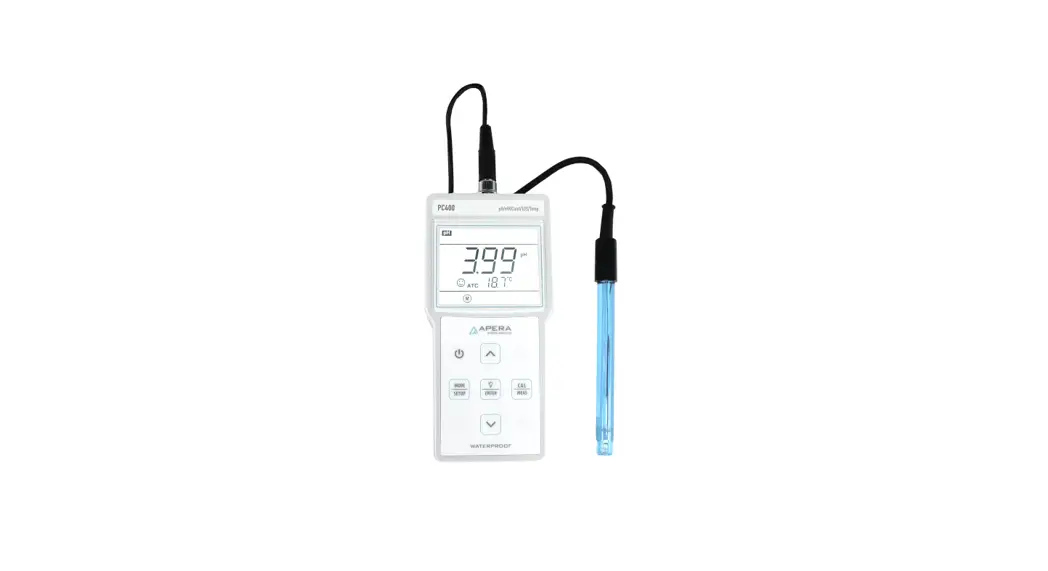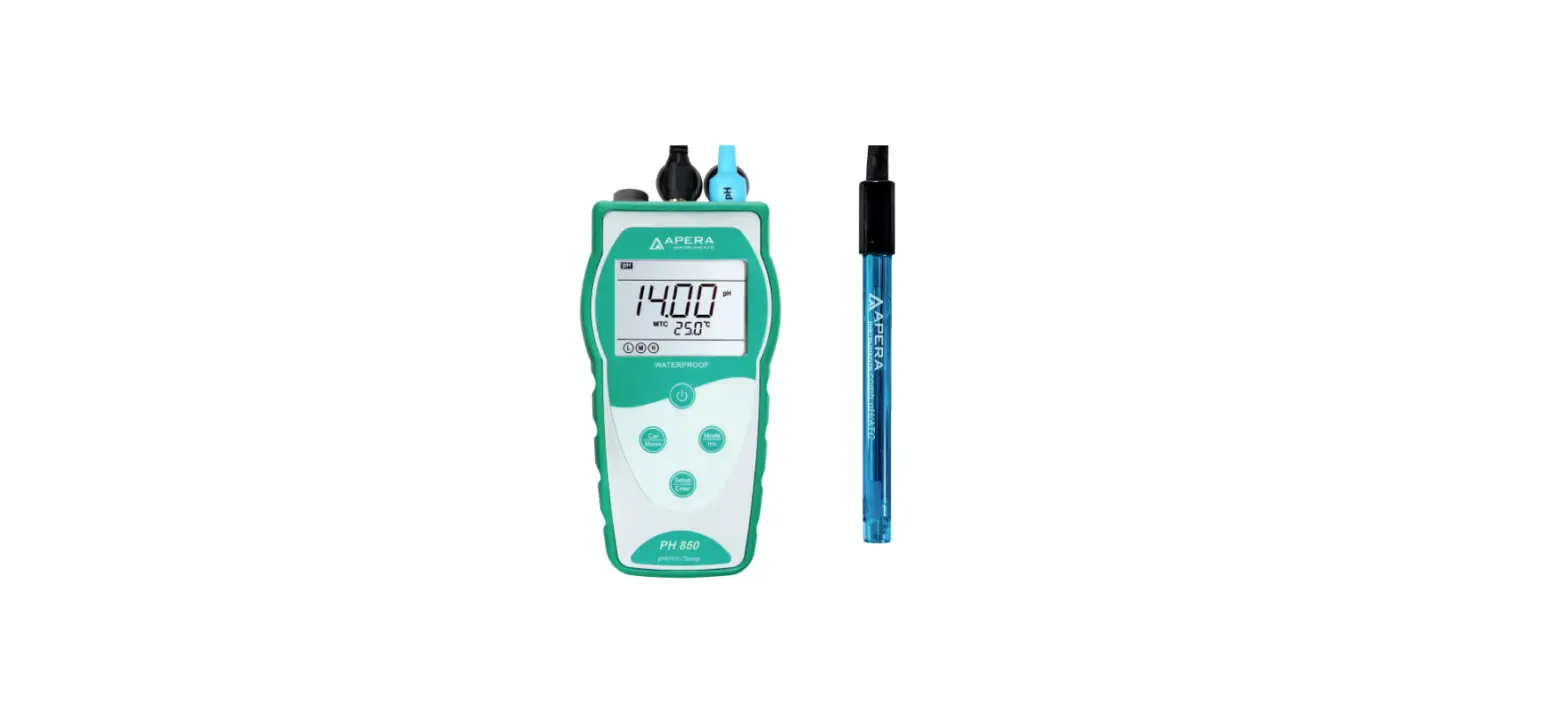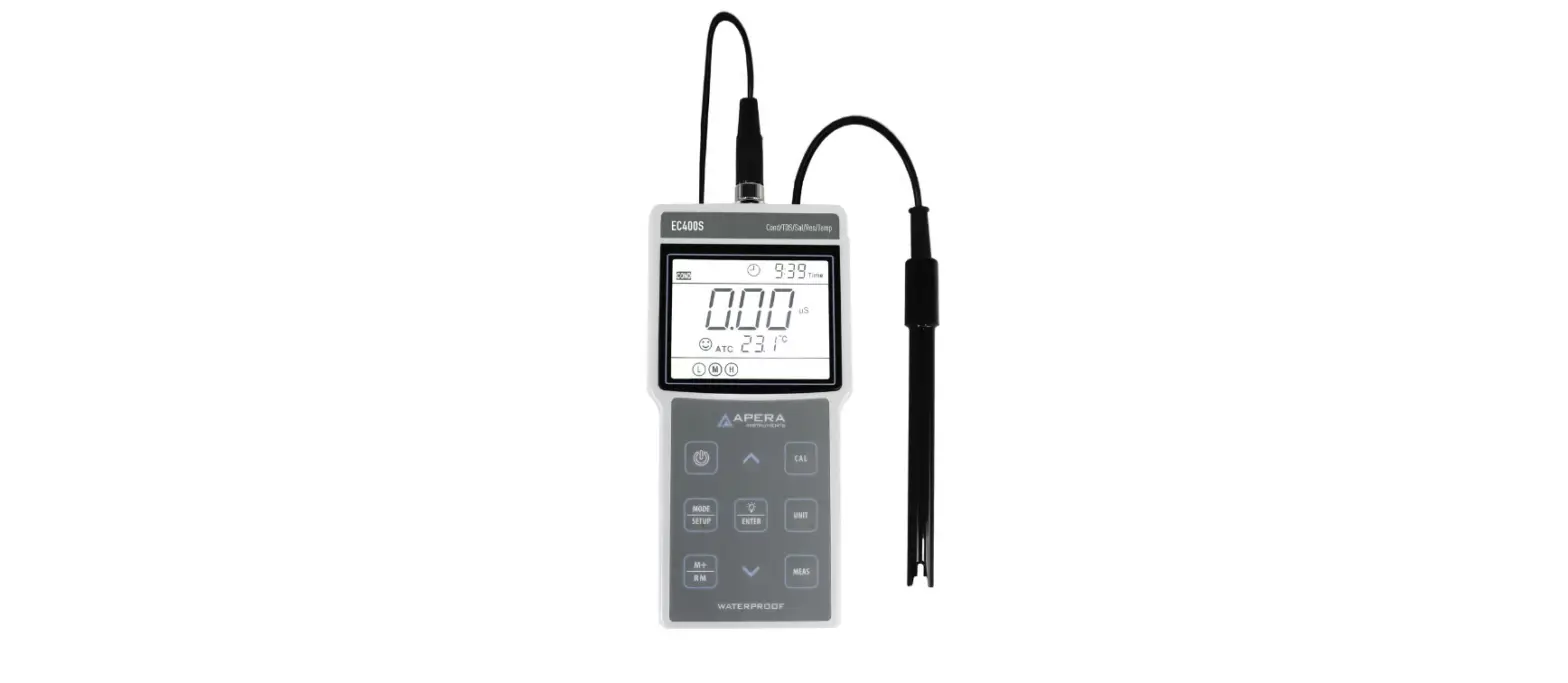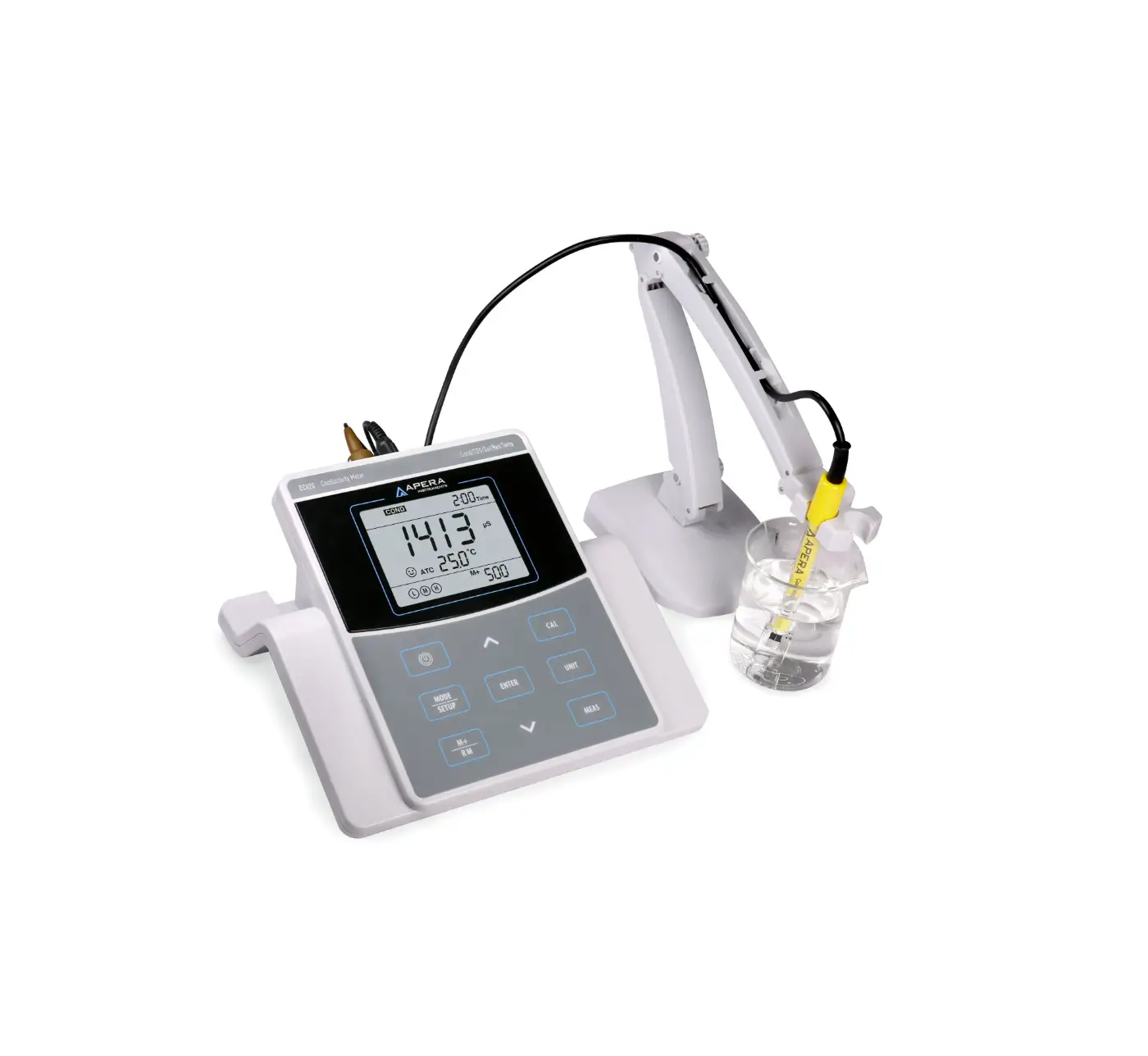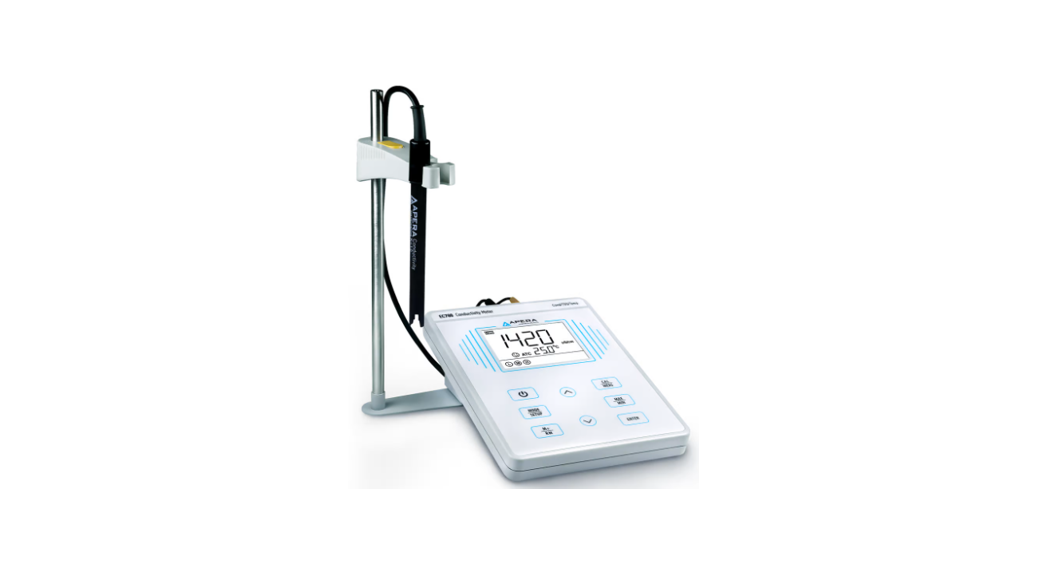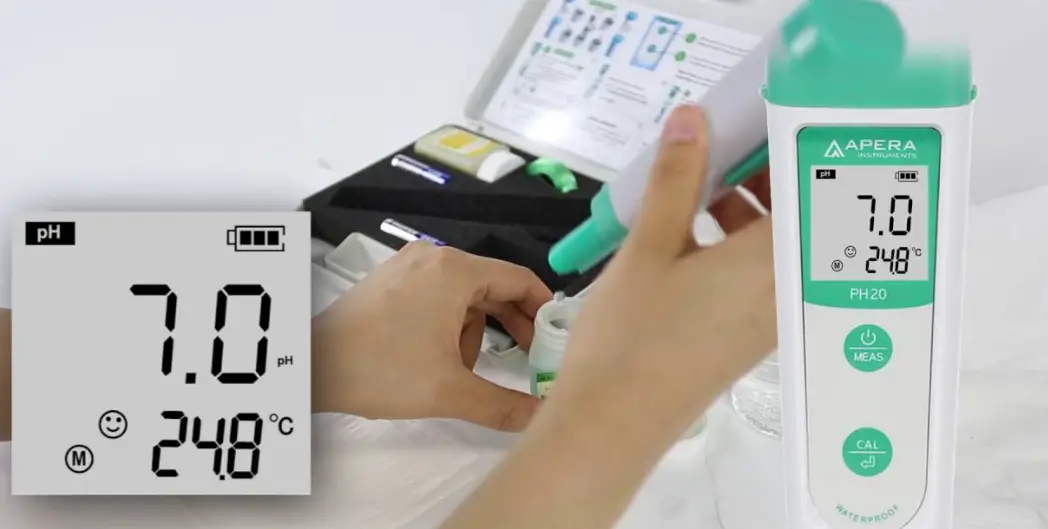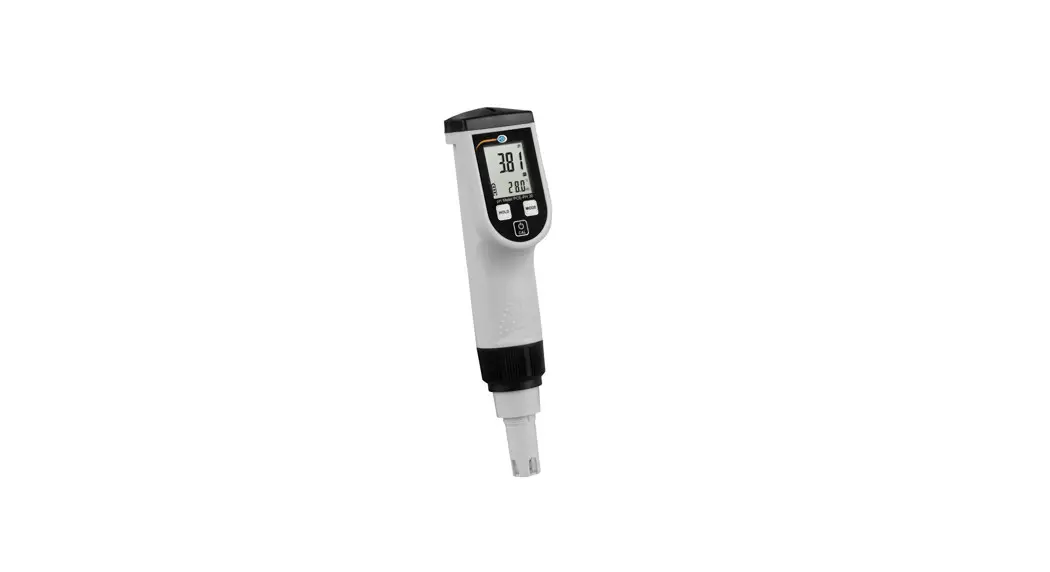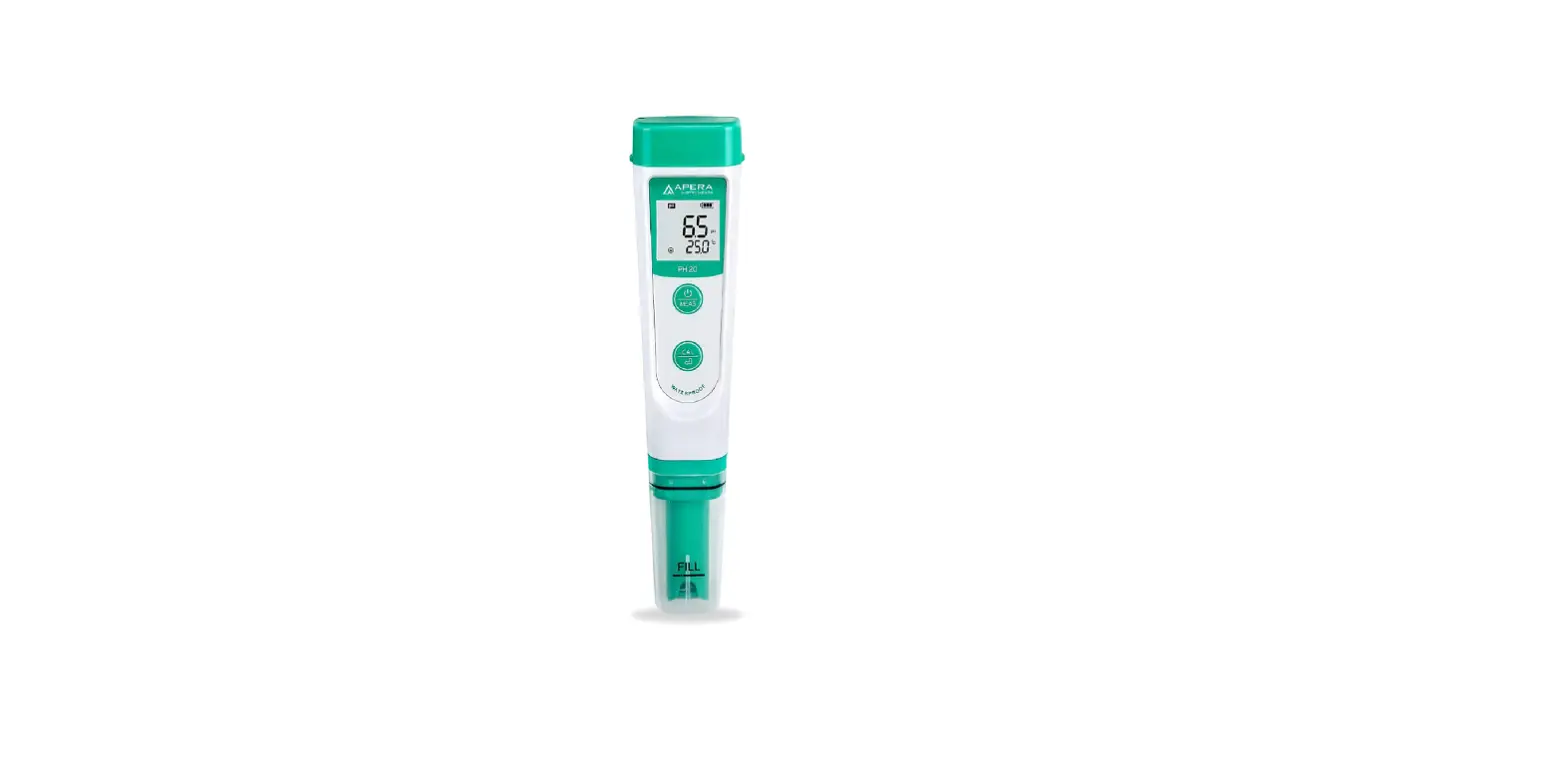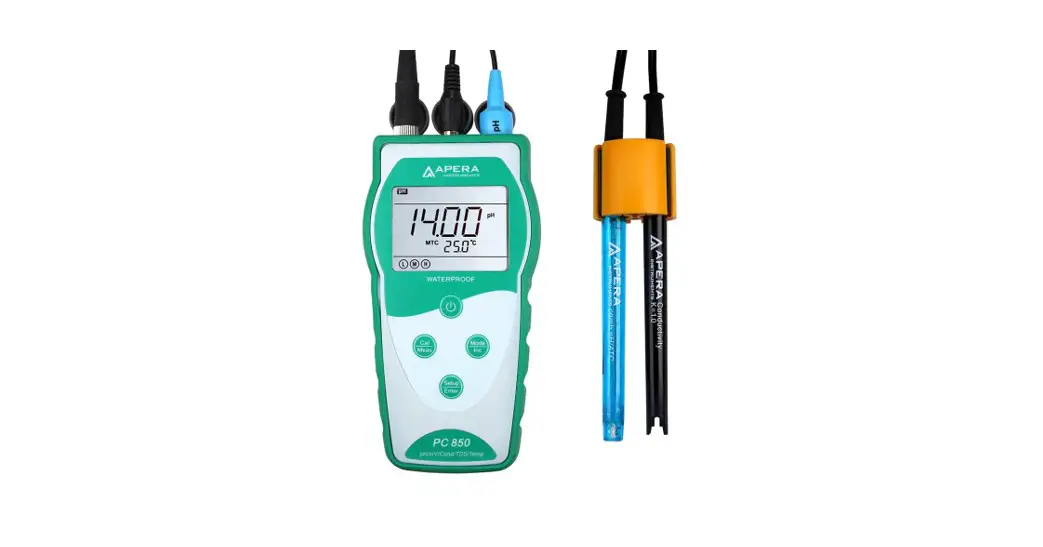

PC850
Portable pH/Conductivity Meter
Manual
| PH850 Portable pH Meter |  |
| EC850 Portable Cond. Meter | |
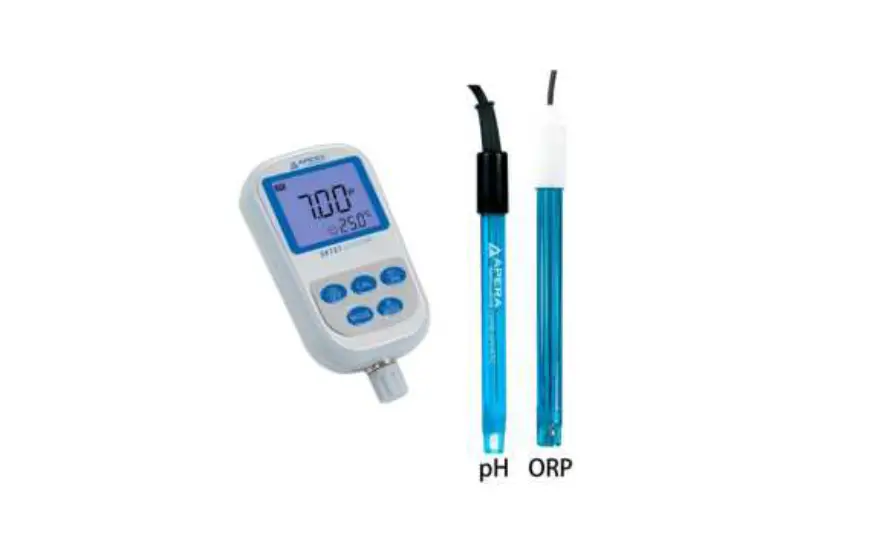
| PC850 Portable pH/Cond. Meter |  |
 APERA INSTRUMENTS (Europe) GmbH
www.aperainst.de
PC850 Version1.0
Introduction
Thanks for purchasing PC850 portable pH/Conductivity meter.
This meter is a perfect combination of the most advanced electronics technology, sensor technology, and software design, and is the most cost-effective portable electrochemical meter designed for industrial and mining enterprises, power plants, water treatment engineering, environmental protection industry, etc., especially ideal for general field use.
In order to use and maintain the instrument properly, please read the manual thoroughly before use.
(To improve instrument performance constantly, we reserve the right to change the manual and accessories without giving notice in advance.)
1.1. Measurement Parameters
| Measurement parameters | PH850 | EC850 | PC850 |
| pH/mV | √ | √ | |
| Conductivity | √ | √ | |
| Temperature | √ | √ | √ |
1.2. Basic Features
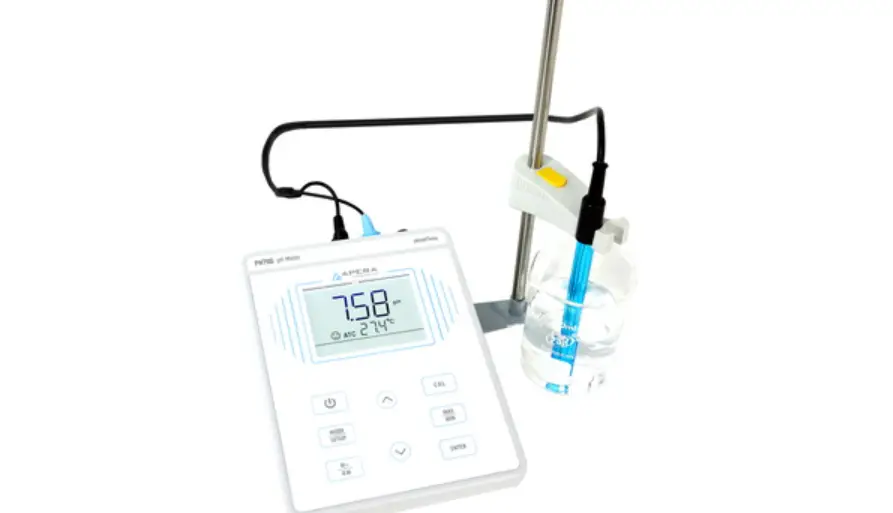
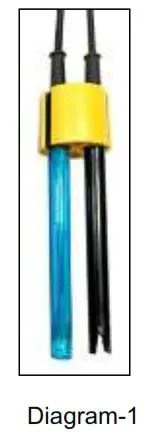
- The microprocessor-based portable meter features automatic calibration, automatic temperature compensation, function setup, self-diagnostics, automatic power-off and low voltage display. PC850 meter is able to measure up to 3 parameters simultaneously and switch displays effortlessly. Please see Diagram -1: two electrodes at most can be fit into the clip to measure 3 parameters simultaneously.

- The meter’s digital filter improves measurement speed and accuracy. There is a stable reading indication on the display.
- The package includes a portable case, a meter, electrodes, standard solutions and all accessories, which is convenient to use in field.
- The meter is dust proof and waterproof, meeting the IP57 rating.
1.3. pH Measurement Features (for Model PH850 and PC850)
- 1-3 points automatic calibration, the meter provides calibration guide and automatic checking function.
- The meter is able to recognize pH standard buffer solutions automatically. USA series and NIST series buffer solutions can be selected.
- The meter provides three types of reading stability criteria.
1.4. Conductivity Measurement Features (for Model EC850 and PC850)
- 1-4 points automatic calibration, the meter provides calibration guide and automatic checking function.
- The meter is able to switch between conductivity and TDS.
- The meter is able to recognize conductivity standard solutions automatically.
Specifications
2.1. Main specifications
| Specifications | Models | ||
| pH | Range | (0.00-14.00) pH | PI-1850 PC850 |
| Resolution | 0.1/0.01 pH | ||
| Accuracy | ±0.01 pH ±1 digit | ||
| Temperature compensation | (0-100)`C (manual or automatic) | ||
| mV | Range | ±1,000 mV | |
| Resolution | 1 mV | ||
| Accuracy | ±0.2% F.S ±1 digit | ||
| Conductivity | Range | Conductivity: 0-200 mS/cm (divided into five ranges): (0.00-19.99) pS/cm; (20.0-199.9) pSlcm; (200-1999) pS/cm; (2.00-19.99) mS/cm; (20.0-199.9) mSlcm TDS: (0-100) g/1 | EC850 PC850 |
| Resolution | 0.01/0.1/lpS/cm 0.01/0.1 mS/cm | ||
| Accuracy | ±1.0% F.S ±1digit | ||
| Temperature compensation | (0 -50)4C (manual or automatic) | ||
| Electrode constant | 0.1 / 1 / 10 cm.’ | ||
| Temperature | Range | 0-100-C | PI-1850 EC850 PC850 |
| Resolution | 0.1-C | ||
| Accuracy | ±0.5t ±1 digit | ||
2.2. Other specifications:
| Power | AAA batteries x 3 (1.5Vx3) | |
| IP rating | IP57 | |
| Dimension & Weight | Meter: (86x196x33) mm / 335 g | |
| Portable case:(330x270x82)mm/1.3kg | PH850, EC850 | |
| Portable case:(370x270x77)mm/1.8kg | PC850 | |
Instrument Description
3.1. LCD Display: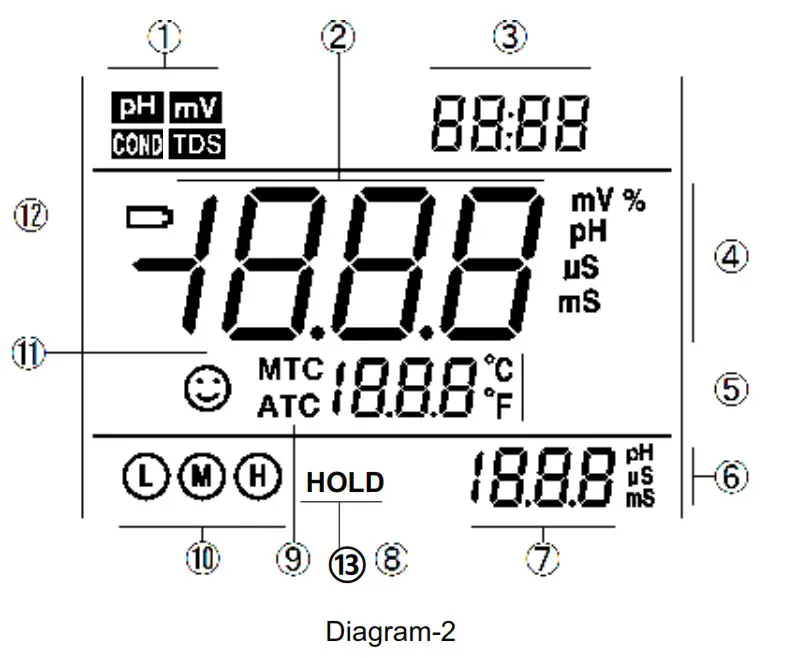
- — Parameter mode icons
- — Measurement reading
- — Prompts of special display mode
- — Units of measurement
- — Temperature units (°C and °F)
- — Units of pH and conductivity calibration value
- — pH and conductivity calibration value, and prompts of special display mode
- — Temperature value, and prompts of special display mode
- — Temperature compensation icons
ATC — automatic temperature compensation, MTC — manual temperature compensation - — Calibration guide icon
- — Stability icon of readings
- — Low battery icon, when this icon appears, please replace the battery
- — Automatic reading hold icon
3.2. Keypad functions
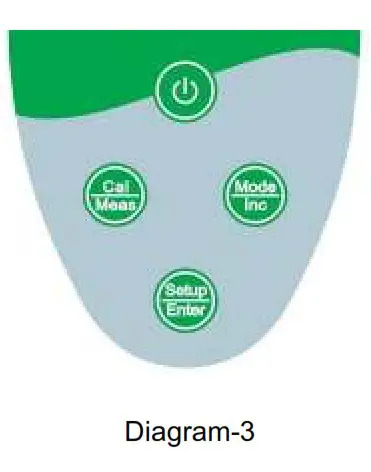
3.2.1. Keypad operations
Short press —– <1.5 seconds; Long press —– >1.5 seconds.
Turn on the meter: Press to turn on the meter.
Turn off the meter: In the measurement mode, press and hold for 2 seconds to turn off the meter.
Note: In the calibration mode or the parameter setup mode, pressing is invalid. Please press  key to return to the measurement mode, then press to turn off the meter.
Chart -1 Keypad operations and descriptions
| Keypad | Operations | Descriptions |
| Short press | •In the power-off mode, press this key to turn on the meter |
| Long press | •In the measurement mode, press and hold this key for 2 seconds to turn off the meter. | |
 | Short/long press | Select measurement parameters: •pH 850 pH meter:  •EC 850 Conductivity meter:  •PC 850 pH/Conductivity meter:  •In the measurement mode: long press to enter manual temperature compensation mode, then long press or momentary press this key to change the temperature value (only one direction). •In the parameter setup mode, press this key to change the serial number of the main menu and the submenu (only one direction) •In the submenu mode, press this key to change parameters and setup (only one direction) |
 | Short press | •In the measurement mode, press this key to enter in the calibration mode •In the calibration mode or the parameter setup and auto lock-up (HOLD) mode, press this key to return to the measurement mode |
 | Short press | •In the measurement mode, press this key to enter in the parameter setup main menu •In the calibration mode, press this key to make calibration •In the parameter setup mode, press this key to select programs |
3.3. Meter socket
Chart-2 Sockets for Meters
| Models | Photos | Description |
| pH 850 pH meter | 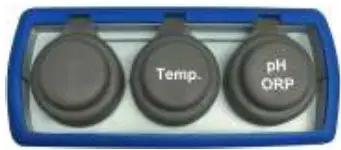 | • BNC socket (right) — connect • pH electrode or ORP electrode, • RCA socket (middle) — connect temperature probe |
| EC 850 Conductivity meter | 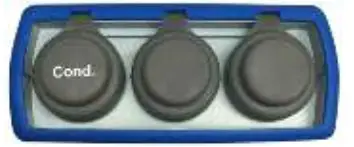 | • Eight-pin socket (left) — connect conductivity electrode |
| PC 850 pH/Conductivity meter | 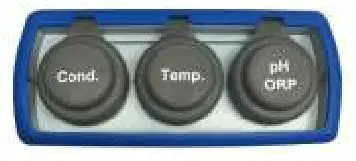 | • BNC socket (right) — connect pH electrode or ORP electrode, • RCA socket (middle) — connect temperature probe • Eight-pin socket (left) — connect conductivity electrode |
3.4. Reading Stability Display Mode
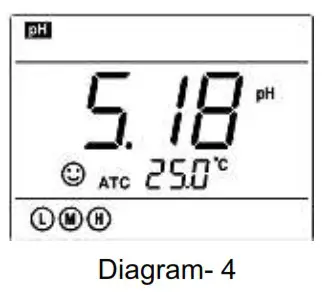
When the measuring value is stable, smiley icon appears on LCD, see
Diagram – 4. If the smiley icon does not appear or flash, please do not get the reading value or make calibration until the measuring value is stable.
Per parameter P1.3, there are 3 criteria for stability standard: (Normal),
  (High), and
  (Low). The factory default is set “Normal”. “High” is set for stability for longer time, “Low” is set for stability for shorter time. User can select suitable stability criteria according to different testing requirement.
  3.5. Automatic Lock-Up Display Mode
Select On from parameter P4.6 to turn on automatic lock-up display function.
When the reading value stabilizes more than 10 seconds, the meter locks the measuring value automatically and displays HOLD icon, see Diagram – 5. In the HOLD mode, press to release lock-up.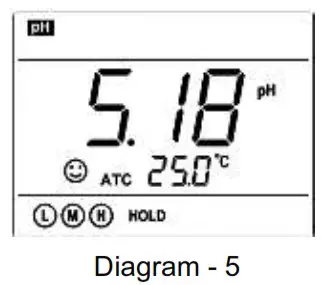
3.6. Automatic Power-off
The meter will be power-off if there is no operation for 20 minutes. The time of auto power-off can be set in parameter setting P3.2
3.7. Temperature Adjustment
When the temperature probe does not connect to the meter, long press key, temperature value flashes, then long press key or short press key to change the temperature value in one way, and press key to make confirmation.
4. pH Measurement
4.1. pH Electrode Information
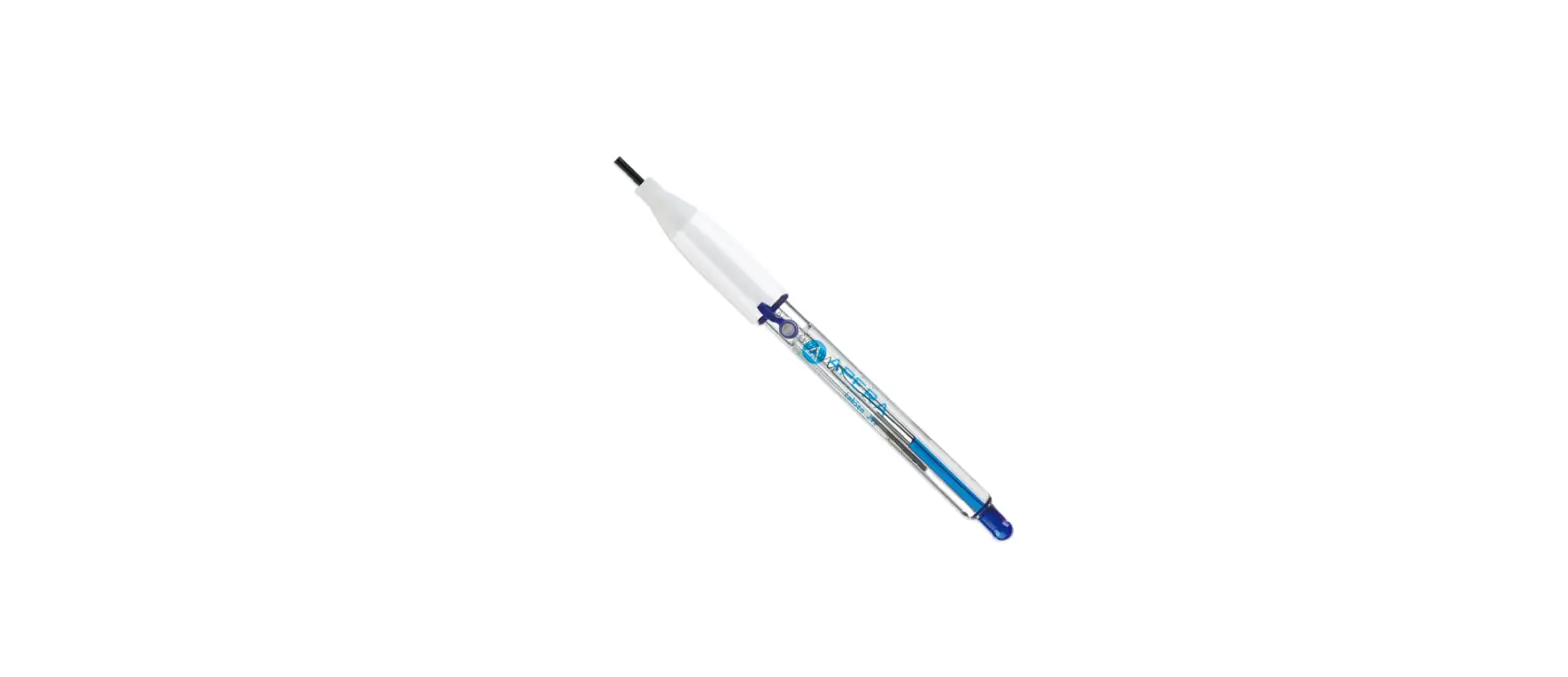
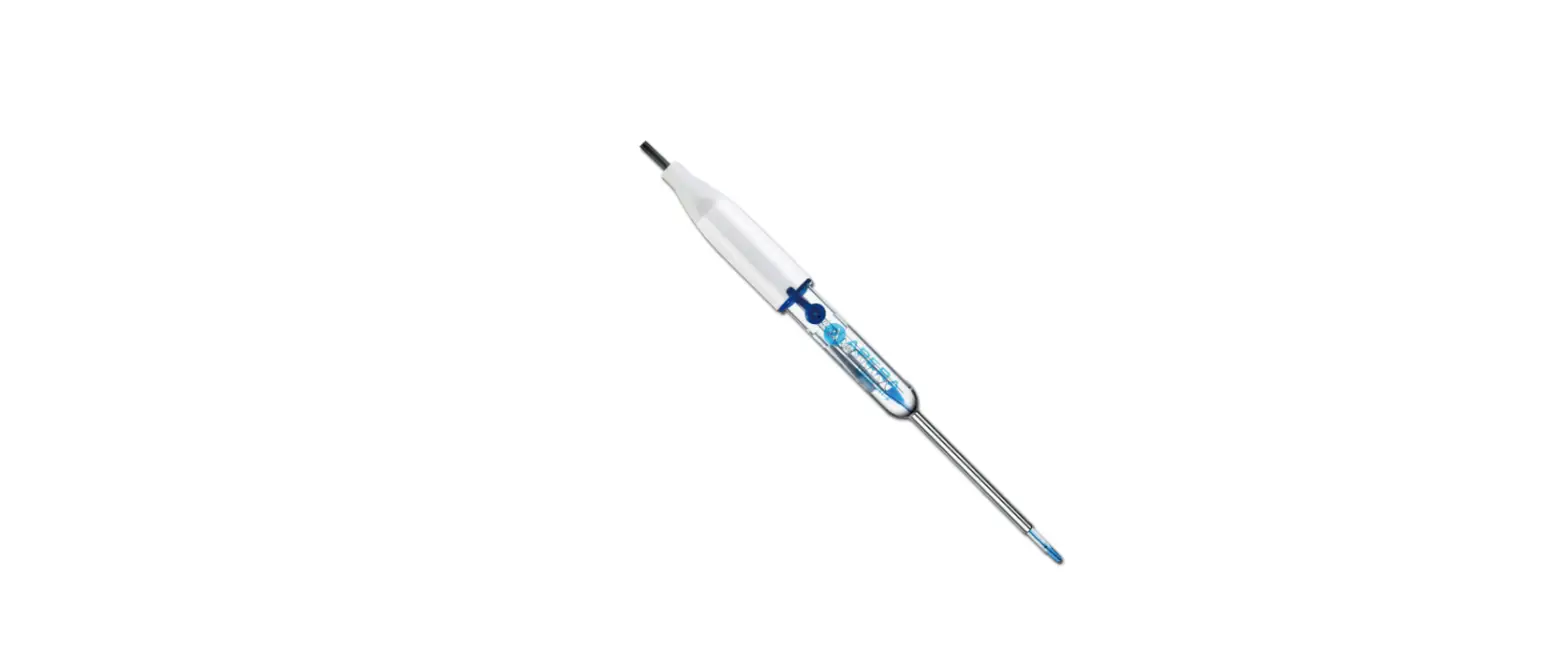
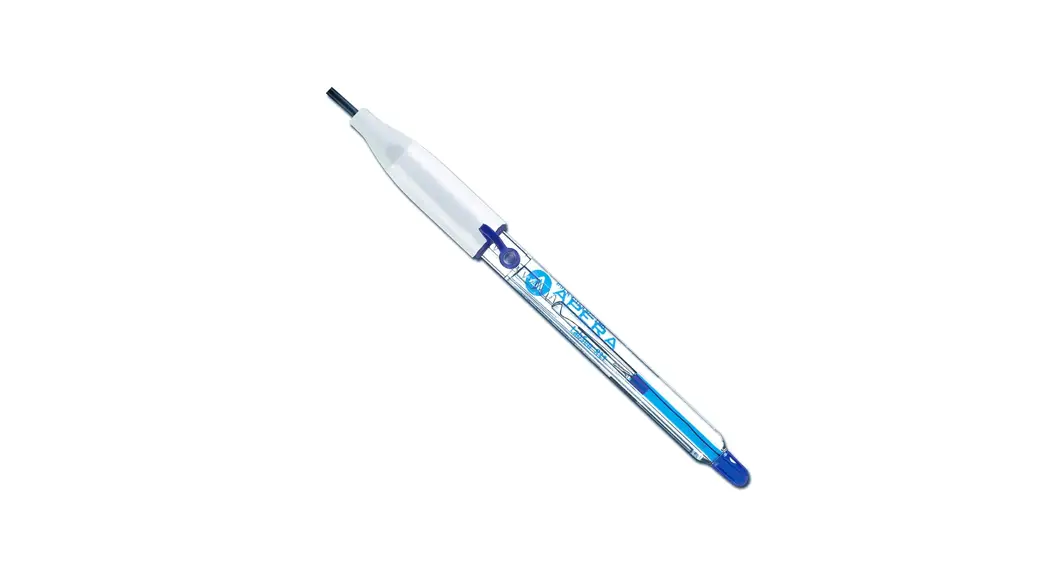
The meter matches 201T-F plastic three-in-one combination pH electrode with built-in temperature sensor to realize automatic temperature compensation. Electrode housing adopts polycarbonate engineering plastics which is corrosion and impact resistant. The BNC socket of electrode connects pH socket; RCA socket connects temperature socket. When dip the electrode in the solution, please stir the solution briefly and allow it to stay in the solution until a stable reading is reached.
4.2. pH Calibration Consideration
4.2.1. Standard buffer solution
The meter uses two series of standard buffer solution: USA series and NIST series, 3 solutions for each series which are corresponding to calibration indication icons. Please see Chart – 3 for the two series of standard buffer solution.
Chart – 3 pH standard buffer solution series
| Icons | pH standard buffer solution series | ||
| USA series | NIST series | ||
| Three-point calibration | L | 4.00 pH | 4.01 pH |
 | 7.00 pH | 6.86 pH | |
H | 10.01 pH | 9.18 pH | |
4.2.2. Three-point calibration
The instrument can perform 1-3 points calibration. The first point calibration must use 7.00 pH (or 6.86 pH) standard solution, then select other standard solution to perform the second and the third point calibration. See chart – 4.
Chart – 4 Three-point calibration mode
| USA standard | NIST standard | Icons | Suited range | |
| One-point calibration | 7.00 pH | 6.86 pH |
| Accuracy ≥ ±0.1pH |
| Two-point calibration | 7.00 pH → 4.00 pH | 6.86 pH → 4.01 pH | 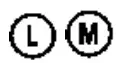 | Range< 7.00pH |
| 7.00 pH → 10.01 pH | 6.86 pH → 9.18 pH | 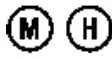 | Range> 7.00pH | |
| Three-point calibration | 7.00→4.00→10.01 pH | 6.86→4.01→ 9.18 pH | | Large Range |
4.2.3. Calibration intervals
Calibration intervals depend on the sample, the electrode performance, and the required accuracy. For high accuracy measurements (≤ ±0.03pH), the meter should be calibrated immediately before taking a measurement. For general accuracy (≥±0.1pH), the meter can be calibrated and used for approximately one week before the next calibration.
The meter must be recalibrated in the following situations:
(a) New probe or probe that has not been used for a long time
(b) After measuring acid (pH<2) or alkaline solutions (pH>12)
(c) After measuring a solution that contains fluoride or a concentrated organic solution
(d) If the solution’s temperature differs greatly from the calibration solution temperature
4.3. pH Meter Calibration (with an example of three-point calibration)
4.3.1. First point calibration
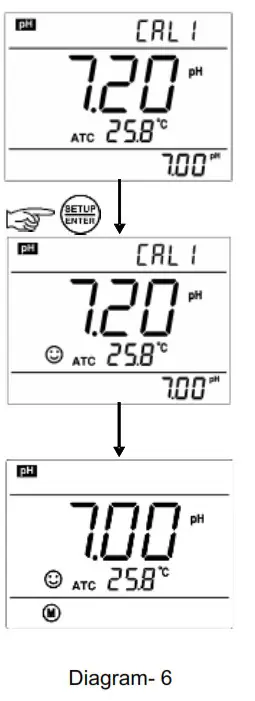
(a) Press key to enter into the calibration mode, “ CAL 1 ” blinks at the top right of LCD and “7.00 pH” blinks at the bottom right of LCD, indicating using pH 7.00 buffer solution to make the 1 st point calibration.
(b) Rinse pH electrode in pure water, allow it to dry, and submerge it in pH7.00 buffer solution. Stir the solution briefly and allow it to stay in the buffer solution until a stable reading is reached. When stable icon displays on LCD, presskey to calibrate, then 1 st point calibration is finished, the meter enters in measurement mode of one-point calibration. Calibration guide icon displays at the bottom left of LCD. See Diagram-6.
4.3.2. Second point calibration
Press key to enter into the calibration mode, “ CAL 2 ” blinks at the top right of LCD indicating to make the 2 nd point calibration. Rinse pH electrode in pure water, allow it to dry, and submerge it in pH4.00 buffer solution. Stir the solution briefly and allow it to stay in the buffer solution until a stable reading is reached. The meter’s display will show scanning and locking process of calibration buffer solution at the bottom right of LCD. When the meter locks 4.00 pH, stable icon displays on LCD, press key to calibrate the meter. LCD will display electrode slope of acidity range, then 2 nd point calibration is finished, the meter enters in measurement mode of two-point calibration. Calibration guide icons display at the bottom left of LCD.
4.3.3. Third point calibration
Press key to enter into the calibration mode, “ CAL 3 ” blinks at the top right of LCD indicating to make the 3 rd point calibration. Rinse pH electrode in pure water, allow it to dry, and submerge it in pH10.01 buffer solution. Stir the solution briefly and allow it to stay in the buffer solution until a stable reading is reached. The meter’s display will show scanning and locking process of calibration buffer solution at the bottom right of LCD. When the meter locks 10.01pH, stable icon displays on
LCD, press key to calibrate the meter. LCD will display electrode slope of alkalinity range, then rd 3 point calibration is finished, the meter enters in measurement mode of three-point calibration. Calibration guide icons 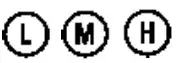 display at the bottom left of LCD.
Notes:
(a) The meter can perform 1-3 points calibration. When the 1 st point calibration is done, the meter will enter in measurement mode of one-point calibration. Two-point and three-point calibration are in the same manner.
(b) During the calibration process, if measuring value is not stable yet (when does not appear and the key is pressed, then Er 2 displays. See chart – 5.
(c) To exit from the calibration mode, press key.
4.4. Sample Test
4.4.1. Rinse pH electrode in pure water, allow it to dry, and submerge it in tested solution. Stir the solution briefly and allow it to stay in the tested solution until icon appears on LCD and a stable reading is reached, which is the pH value of tested solution. Diagram – 7 is the calibration and measurement process of pH meter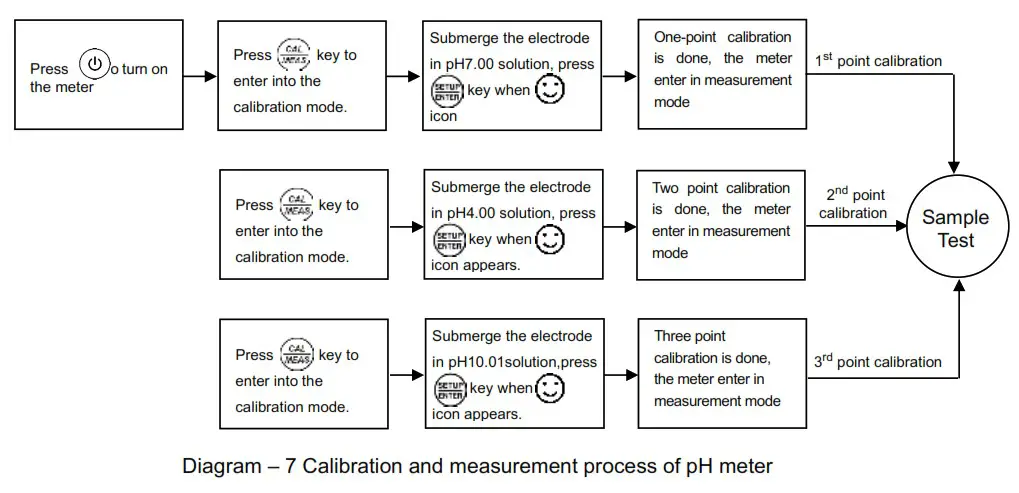
4.4.2. Self-diagnosis information
During the process of calibration and measurement, the meter has self-diagnosis functions, indicating the relative information as below, please refer to chart – 5.
Chart – 5 Self-diagnosis information of pH measurement mode
| Display Icons | Contents | Check and Fix |
 | Wrong pH buffer solution or the recognition of calibration solution out of range | 1. Check whether pH buffer solution is correct. 2. Check whether the meter connects the electrode well. 3. Check whether the electrode is damaged. |
 | Press  key when measuring value is not stable during calibration. key when measuring value is not stable during calibration. | Press key after icon appears |
 | During calibration, the measuring value is not stable for ≥3min. | 1. Check whether there are bubbles in glass bulb. 2. Replace with new pH electrode. |
 | pH electrode performance error zero potential <-60mV or >60mV, slope <75% | 1. Check whether there are bubbles in glass bulb. 2. Check whether pH buffer solution is correct. 3. Replace with new pH electrode. |
4.4.3. pH temperature principle
Please note that the closer the temperature of the sample solution to the calibration solution, the more accurate the readings.
4.4.4. Factory default setting
For factory default setting, please refer to parameter setting P1.4 (Item 7.3). All calibration data is deleted and the meter restores to the theory value (zero electric potential of pH is 7.00, the slope is 100%). Some functions restore to the original value (refer to appendix -1). When calibration or measurement fails, please restore the meter to factory default setting and then perform re-calibration or measurement. Please note once set the factory default, all the data deleted will be irretrievable.
4.5. pH Electrode Maintenance
4.5.1. Daily maintenance
The soaking solution contained in the supplied protective bottle is used to maintain activation in the glass bulb and junction. Loosen the capsule, remove the electrode and rinse in pure water before taking a measurement. Insert the electrode and tighten the capsule after measurements to prevent the solution from leaking. If the soaking solution is turbid or moldy, replace the solution. (Preparation: 26g KCL dissolved in 100ml pure water).
The electrode should not be soaked in pure water, protein solution or acid fluoride solution for long periods of time. In addition, do not soak the electrode in organic silicon lipids.
For best accuracy, always keep the meter clean and dry, especially the and electrode connectors.
Clean with medical cottons and alcohol if necessary.
4.5.2. Calibration buffer solution
For calibration accuracy, the pH of the standard buffer solution must be reliable. The buffer solution should be refreshed often, especially after heavy use.
4.5.3. Protect glass bulb
The sensitive glass bulb at the front of the combination electrode should not come in contact with hard surfaces. Scratches or cracks on the electrode will cause inaccurate readings. Before and after each measurement, the electrode should be washed with pure water and dried. Do not clean the glass bulb with a tissue for it will affect the stability of the electrode potential and increase the response time. The electrode should be thoroughly cleaned if a sample sticks to the electrode. Use a solvent if the solution does not appear clean after washing.
4.5.4. Renew glass bulb
Electrodes that have been used over a long period of time will become aged. Submerge the electrode in 0.1mol/L hydrochloric acid for 24 hours, then wash the electrode in pure water, then submerge it in soaking solution for 24 hours.
The method to prepare 0.1mol/L hydrochloric acid: dilute 9mL hydrochloric acid in pure water to 1000mL. For serious passivation, submerge the bulb in 4% HF (hydrofluoric acid) for 3-5 seconds, and wash it in pure water, then submerge it in the soaking solution for 24 hours to renew it.
4.5.5. Clean contaminated glass bulb and junction (please refer to Chart-6) Chart – 6 Clean contaminated glass bulb and junction
| Contamination | Cleaning Solutions |
| Inorganic metal oxide | Dilute acid less than 1mol/L |
| Organic lipid | Dilute detergent (weak alkaline) |
| Resin macromolecule | Dilute alcohol, acetone, ether |
| Proteinic haematocyte sediment | Acidic enzymatic solution (saccharated yeast tablets) |
| Paints | Dilute bleacher, peroxide |
Note: The electrode housing is polycarbonate. When use cleaning solutions, take cautions on carbon tetrachloride, trichlorethylene, tetrahydrofuran, acetone, etc., which will dissolve the housing and invalidate the electrode.
mV Value Measurement
5.1. Press key, and switch the meter to mV measurement mode. Connect ORP electrode (need to purchase separately) and dip it in sample solution, stir the solution briefly and allow it to stay in the solution until icon appears and get the reading, which is the ORP value. ORP stands for Oxidation Reduction Potential. The unit is mV.
5.2. Notes
5.2.1. ORP measurement does not require calibration. When the user is not sure about ORP electrode quality or measuring value, use ORP standard solution to test mV value and see whether ORP electrode or meter works properly.
5.2.2. Clean and Activate ORP Electrode
After the electrode has been used over long period of time, the platinum surface will get polluted, which causes inaccurate measurement and slow response. Please refer to the following methods to clean and activate ORP electrode:
(a) For inorganic pollutant, submerge the electrode in 0.1mol/L dilute hydrochloric acid for 30 minutes, then wash it in pure water, then submerge it in the soaking solution for 6 hours.
(b) For organic or lipid pollutant, clean the platinum surface with detergent, then wash it in pure water, then submerge it in the soaking solution for 6 hours.
(c) For heavily polluted platinum surface on which there is oxidation film, polish the platinum surface with toothpaste, then wash it in pure water, then submerge it in the soaking solution for 6 hours.
Conductivity Measurement
6.1. Conductivity Electrode Information
6.1.1. Conductivity electrode
Model 2301T-S plastic conductivity electrode with constant K=1.0 and built-in temperature sensor, can realize automatic temperature compensation. The electrode housing is POM plastic which is corrosion resistant and impact resistant. When submerge the conductivity electrode in solution, stir the solution briefly to eliminate the air bubbles and improve response and stability.
6.1.2. Conductivity electrode constant
The meter matches conductivity electrodes of three constants: K=0.1, K=1.0 and K=10.0. Please refer to chart-7 for measuring range. Set constant in parameter setting P2.1 and refer to clause 7.4
Chart – 7 Electrode constant and measuring range
| Range | <20 μS/cm | 0.5 μS/cm~100 mS/cm | >100mS/cm | ||
| Conductivity electrode constant | K=0.1 cm-1 | K=1.0 cm-1 | K=10 cm-1 | ||
| Standard solution | 84μS/cm | 84 μS/cm | 1413 μS/cm | 12.88 mS/cm | 111.9 mS/cm |
6.2. Conductivity Calibration
6.2.1. Conductivity calibration solutions
The meter uses conductivity standard solution of 84 μS/cm, 1413 μS/cm, 12.88 mS/cm and 111.9 mS/cm. The meter can recognize the standard solution automatically, can perform one-point or multipoint calibration (the maximum is four-point calibration). The calibration indication icons correspond to the four standard values (H icon corresponds to two standards). See chart – 8:
Chart – 8 Conductivity standard solution series
| Calibration guide icons | Calibration solution series | Range |
L | 84 μS/cm | 0-200 μS/cm |
| 1413 μS/cm | 200-2,000 μS/cm |
| H | 12.88 mS/cm | 2-20 mS/cm |
| 111.9 mS/cm | 20-200 mS/cm |
6.2.2. Calibration intervals
(a) The meter is calibrated before leaving the factory and can generally be used right out of the box.
(b) Normally perform calibration per month.
(c) For high accuracy measurements or large temperature deviation from the reference temperature (25°C), perform calibration per week.
(d) Use conductivity standard solution to check whether there is error. Perform calibration for large error.
(e) For new electrode or factory default setting, perform 3-point or 4-point calibration. Choose closer standard solution to the sample solution to perform 1- point or 2-point calibration.
6.2.3. Reference temperature
Reference temperature of factory default is 25°C. Other reference temperature can also be set for range 15°C – 30°C. Select per parameter setting P2.2 and see clause 7.4.
6.2.4. Temperature coefficient
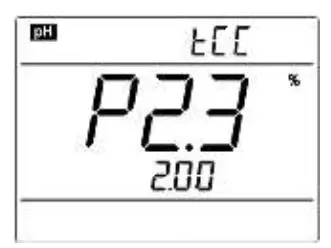
The temperature compensation coefficient of the meter setting is 2.0%/°C. However, the conductivity temperature coefficient is different from solutions and concentration. Please refer to chart – 9 and the data collected during testing. Set per parameter setting P2.3. and see clause 7.4.
Note: When the coefficient for the temperature compensation is set to 0.00 (no compensation), the measurment value will be based on the current temperature. Chart -9 Temperature compensation coefficient of special solutions
| Solution | Temperature compensation coefficient |
| NaCl solution | 2.12%/°C |
| 5% NaOH solution | 1.72%/°C |
| Dilute ammonia solution | 1.88%/°C |
| 10% hydrochloric acid solution | 1.32%/°C |
| 5% sulfuric acid solution | 0.96%/°C |
6.2.5. Avoid contamination of standard solution
Conductivity standard solution has no buffer. Please avoid being contaminated during usage.
Before submerging the electrode in standard solution, please wash the electrode and allow it dry.
Please do not use the same cup of conductivity standard solution repeatedly, especially for standard solution of low concentration (84μS/cm). The contaminated standard solution will affect accuracy.
6.3. Conductivity Calibration (take 1413μS/cm as an example)
6.3.1. Rinse the electrode in pure water, allow it to dry, wash with a little of standard solution and submerge it in standard solution. Stir the solution briefly and allow it to stay in the solution until a stable reading is reached.
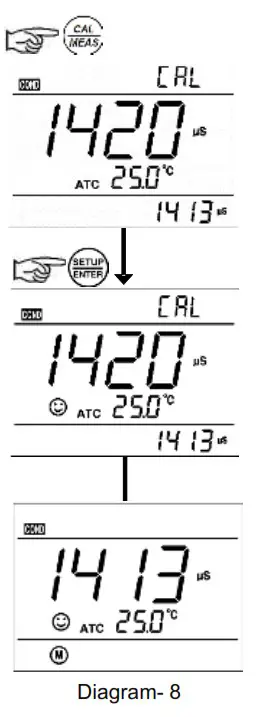
6.3.2. Press key to enter into the calibration mode.
The meter’s display will show blinking “CAL” at the top right, and scanning and locking process of calibration solution at the bottom right. When the meter locks 1413 mS, stable icon will display on LCD. Press key to complete calibration.
The meter will return to measuring mode and is displayed on bottom left of the LCD screen. See diagram-8.
6.3.3. For multi-point calibration, please repeat clause 6.3.1-6.3.2 until all the calibration is done. The meter can repeat calibration in the same calibration solution until the stable value is reached.
6.3.4. Notes:
a) If press key before stable icon appeared on LCD screen, Error indication icon Er 2 will be shown. See Chart -11.
b) Press key to exit calibration mode.
6.4. Relations between TDS and Conductivity
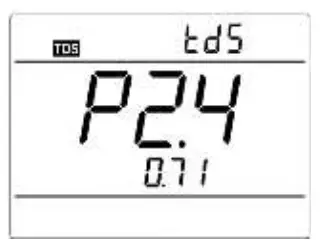
6.4.1. TDS and conductivity is linear related. The conversion factor is 0.40-1.00. Adjust the factor from parameter P2.4. The factory default setting is 0.71 and please refer to Item 7.4. The meter only needs to be calibrated in Conductivity mode, then after calibration of conductivity, the meter can switch from conductivity to TDS or salinity.
6.4.2 Adjust TDS conversion factor in parameter setting P2.4 according to the data collected during testing and experience. Chart – 10 lists some common use Conductivity and TDS conversion factors.
This is for your reference only.
Chart – 10 Conductivity and TDS conversion factors
| Conductivity of solution | TDS conversion factor |
| 0-100 μS/cm | 0.6 |
| 100-1,000 μS/cm | 0.71 |
| 1-10 mS/cm | 0.81 |
| 10-100 mS/cm | 0.94 |
6.5. Sample test
6.5.1. Rinse conductivity electrode in pure water, allow it to dry, and submerge it in the sample solution. Stir the solution briefly and allow it to stay in the sample solution until a stable reading is reached and icon appears on LCD, then get the reading value, which is the conductivity value of the solution.
6.5.2. Press key to switch to TDS.
6.5.3. During the process of calibration and measurement, the meter has self-diagnosis functions, indicating the relative information as below: chart – 11.
Chart – 11 Self-diagnosis information of conductivity measurement mode
| Display Icons | Contents | Checking |
| Wrong conductivity calibration solution or the meter recognition of calibration solution out of range | 1. Check whether conductivity calibration solution is correct. 2. Check whether the meter connects the electrode well. 3. Check whether the electrode is damaged. |
| Press key when measuring value is not stable during calibration. | Press key after icon appears |
| During calibration, the measuring value is not stable for ≥ 3 min. | 1. Shake the electrode to eliminate bubbles in electrode head. 2. Replace with new pH electrode. |
6.5.4 Factory default setting
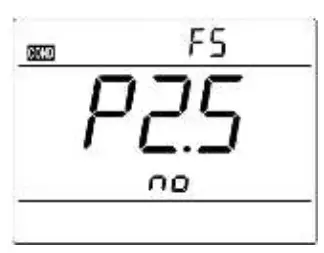
For factory default setting, please refer to parameter setting P2.5 (Item 7.4). With this function, all calibration data is deleted and the meter restores to the theory value. Some functions restore to the original value (refer to appendix -1). When calibration or measurement fails, please restore the meter to factory default setting and then perform re-calibration or measurement. Please note once set the factory default, all the data deleted will be irretrievable.
6.6. Conductivity electrode maintenance
6.6.1. Always keep the conductivity electrode clean. Before taking a measurement, rinse the electrode in pure water and better to rinse it again in the sample solution. When submerge the electrode in solution, stir the solution briefly to eliminate air bubbles and allow it to stay until a stable reading is reached. For conductivity electrode which is drily stored, soak the electrode in pure water for 5-10 minutes. Rinse the electrode in pure water after measurement.
6.6.2. The interaction rod of Model 2301T-S conductivity electrode is coated with platinum black to minimize electrode polarization and expand measuring range. The platinum black coating adopted our special processing technology which improves the electrode performance and the firmness ofthe coating. If the platinum black electrode is stained, gently clean the electrode with soft brush in warm water containing detergent or alcohol.
Parameter setting
7.1. Main menu
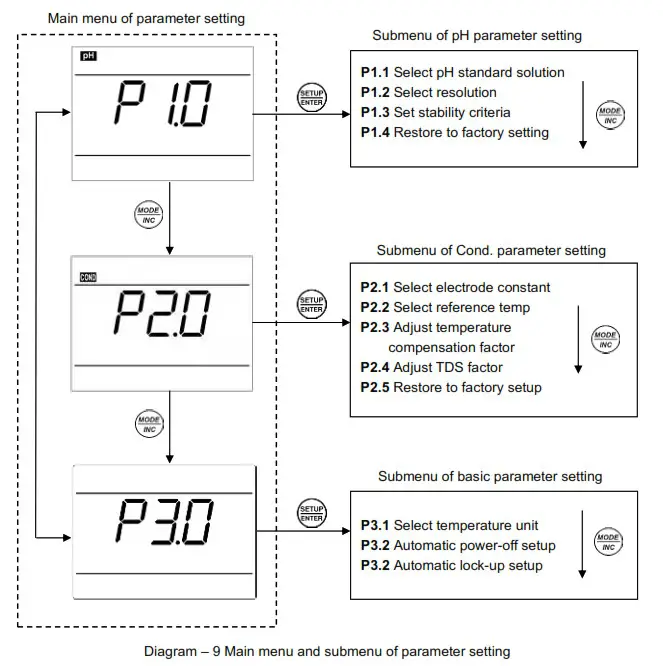
In the measurement mode, press key to enter in P1.0, then press to switch to main menu:
P1.0→P2.0→P3.0. Please refer to diagram – 9.
P1.0: pH parameter setting menu,
P2.0: Conductivity parameter setting menu,
P3.0: Basic parameter setting menu.
7.2. Submenu
7.2.1. In P1.0 mode, press key to enter in submenu P1.1 of pH parameter setting, then press key to switch among submenu: P1.1→P1.2→P1.3→P1.4, see Diagram – 9.
7.2.2. In P2.0 mode, press key to enter in submenu P2.1 of conductivity parameter setting, then press key to switch among submenu: P2.1→P2.2→P2.3→P2.4→P2.5, see Diagram– 9.
7.2.3. In P3.0 mode, press key to enter in submenu P3.1 of basic parameter setting, then press key to switch among submenu: P3.1→P3.2→P3.3, see Diagram – 9.
7.3. Submenu of pH parameter setting (press key to switch)
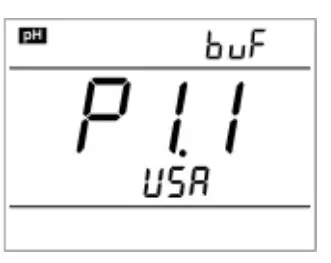
| P1.1. – Select pH standard solution (USA-NIST) 1. In measurement mode, press 2. When press 3. After confirm parameter, press |
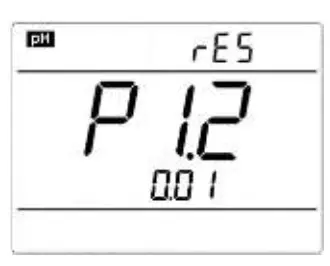 | P1.2. – Select resolution (0.01 – 0.1) 1. Press 2. After confirm parameter, press |
|
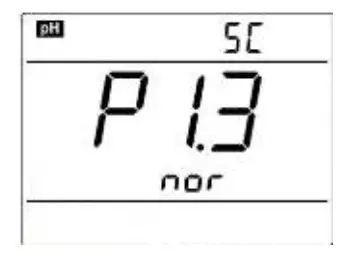
| P1.3. – Set reading stability criteria (Normal – High – Low) 1. Press – Low. 2. After confirm parameter, press |
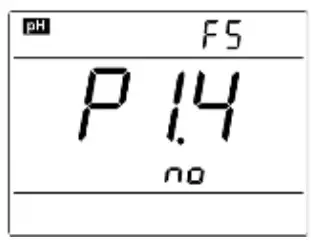
| P1.4. –Restore factory setting (No – Yes) 1. Press 2. If don’t select Yes, press mode. |
7.4. Submenu of conductivity parameter setting (press key to switch)
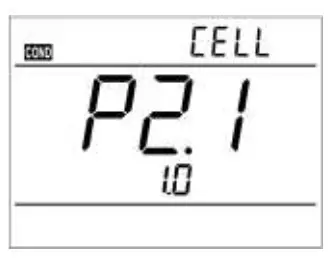 | P2.1. – Select electrode constant (1.0-10.0-0.1) 1. In P2.0 mode, press key to enter in P2.1 mode, please refer to the left Diagram.2. Press key, 1.0 blinks, then press key to select 1.0→10.0→0.1, press key to confirm.3. After confirm the parameter, press key to enter in P2.2 mode, or press key to return to the measurement mode. |
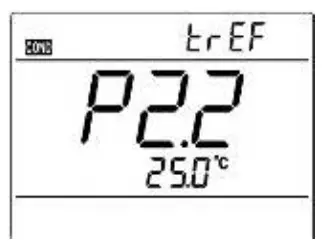
| P2.2. – Select reference temperature (15.0°C-30.0°C) 1. Press 2. After confirm parameter, press |
| P2.3. – Adjust temperature compensation coefficient (0.00-9.99%) 1. Press 2. After confirm the parameter, press |
| P2.4. – Adjust TDS factor 1. Press 2. After confirm the parameter, press |
| P2.5. –Restore factory setting (No – Yes) 1. Press 2. If don’t select Yes, press mode. |
7.5. Submenu of basic parameter setting (press key to switch)
|
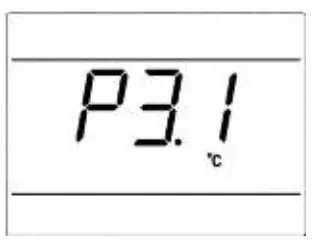
| P3.1. Select temperature unit (°C—°F). 1. In P3.0 mode, press 2. Press 3. When parameter is confirmed, press |
|
| P3.2 – Automatic power-off setup (10→20→30→On) 1. Press On – turn off automatic power-off; Time unit is minutes. 2. After confirm the parameter, press |
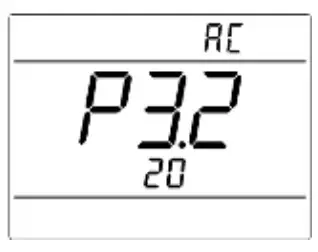
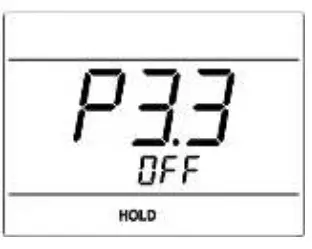 | P3.2 – Automatic lock-up setup (Off→On) 1. Press 2. When Parameter is confirmed, press |
Meter Kits
| No. | Include | Quantity | PH850 | EC850 | PC850 |
| 1. | PH 850 portable pH meter | 1 set | √ | ||
| 2. | EC 850 portable conductivity meter | 1 set | √ | ||
| 3. | PC 850 portable pH/conductivity meter | 1 set | √ | ||
| 4. | 201T-F plastic three-in-on pH electrode | 1 pc | √ | √ | |
| 5. | 2301T-S plastic conductivity electrode | 1 pc | √ | √ | |
| 6. | pH standard buffer solution (4.00 pH /7.00pH/50mL) | 1 bottle each | √ | √ | |
| 7. | Conductivity calibration solution (1413 μS/12.88 mS/50mL) | 1 bottle each | √ | √ | |
| 8. | Combined electrode clip | 1 pc | √ | ||
| 9. | Portable case | 1 pc | √ | √ | √ |
| 10. | Manual | 1 book | √ | √ | √ |
Warranty
We warrant this instrument to be free from defects in material and workmanship and agree to repair or replace free of charge any malfunctioned or damaged product attributable to the responsibility of APERA INSTRUMENTS for a period of THREE YEARS for the instrument and SIX MONTHS for the probe from the delivery.
This limited warranty does NOT cover any issues due to:
- Accidental damage, Improper use
- Normal wear and tear
- Transportation, Storage
- Failure to follow the product instructions
- Unauthorized maintenance, modifications, combination or use with any products, materials or other matter, Unauthorized repair
- External causes such as accidents, abuse, or other actions or events beyond our reasonable control.
Appendix I: Parameter setting & Factory default setting
| Modes | Prompts | Parameter setting items | Abbreviation | Description | Restore to factory default |
|
P1.0 pH | P1.1 | Select pH buffer solution |  | USA-NIST | USA |
| P1.2 | Select resolution |  | 0.01-0.1 | 0.01 | |
| P1.3 | Set reading stability criteria |  | Normal—High—Low | Normal | |
| P1.4 | Restore to factory default setting |  | No-Yes | No | |
|
P2.0 Cond. | P2.1 | Select electrode constant |  | 1.0-10.0-0.1 | 1.0 |
| P2.2 | Select reference temperature |  | 15~30℃ | 25℃ | |
| P2.3 | Adjust temperature compensation coefficient |  | 0.00~9.99 | 2.00 | |
| P2.4 | Adjust TDS factor |  | 0.40~1.00 | 0.71 | |
| P2.5 | Restore to factory default setting | | No-Yes | No | |
|
P3.0 Basic Parameters | P3.1 | Select temperature unit | / | °C – °F | °C |
| P3.2 | Automatic Power-off setup |  | 10-20-30-On | 20 | |
| P3.3 | Automatic Lock-up setup | / | / | Off |
Appendix II: Abbreviation Glossary
| Modes | Prompts | Code and abbreviation | In English | Description |
|
P1.0 pH | P1.1 |  | Standard buffers | Standard buffer solution |
| P1.2 | | Resolution | Resolution | |
| P1.3 | | Stability criteria | Set up reading stability criteria | |
| P1.4 | | Factory default setting | Factory default setting | |
|
P2.0 Conductivity | P2.1 | | Cell | Constant Cell |
| P2.2 | | Reference temperature | Reference temperature | |
| P2.3 | | Temperature compensation coefficient | Temperature ompensation coefficient | |
| P2.4 | | Total dissolved solid | TDS | |
| P2.5 | | Factory default setting | Factory default setting | |
|
P3.0 Basic parameters | P3.1 | / | / | / |
| P3.2 | | Auto close | Automatic Power-off | |
| P3.3 | / | / | / |
Appendix III: Self-diagnosis information
| Icons | Self-diagnosis information | pH | Conductivity |
| Wrong pH buffer solution or the meter recognition of calibration solution out of range | √ | √ |
| Press key when measuring value is not stable during calibration | √ | √ |
| During calibration, the measuring value is not stable for ≥ 3min. | √ | √ |
| pH electrode performance error (zero potentia<-60mV or>60mV, slope < 75%) | √ |
APERA INSTRUMENTS (Europe) GmbH
Address: Wilhelm-Muthmann-Str.18
42329 Wuppertal Germany
Email: [email protected]
Website: www.aperainst.de
Tel. +49 202 51988998
 Apera Instruments