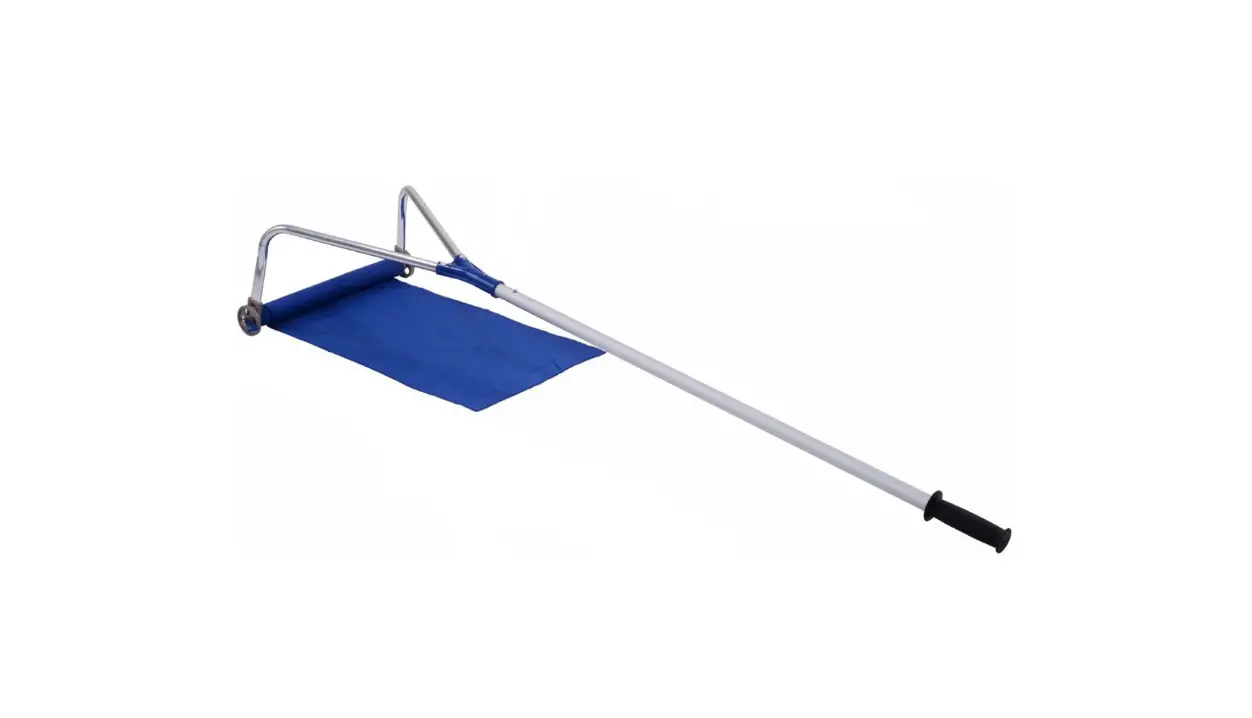
NP-HPY-10216 Sectional Aluminum Snow Roof Rake with Built-in Wheels
Product Information: Roof Rake
The roof rake is a tool designed to remove snow and debris from
roofs. It consists of a rake head, roller wheels, metal braces,
pole adapter, handle grip, pole handle, pole extensions, bolts,
nuts, hex wrench, and open wrench. The roller wheels help to
prevent damage to the roof while removing snow and debris.
Know Your Roof Rake
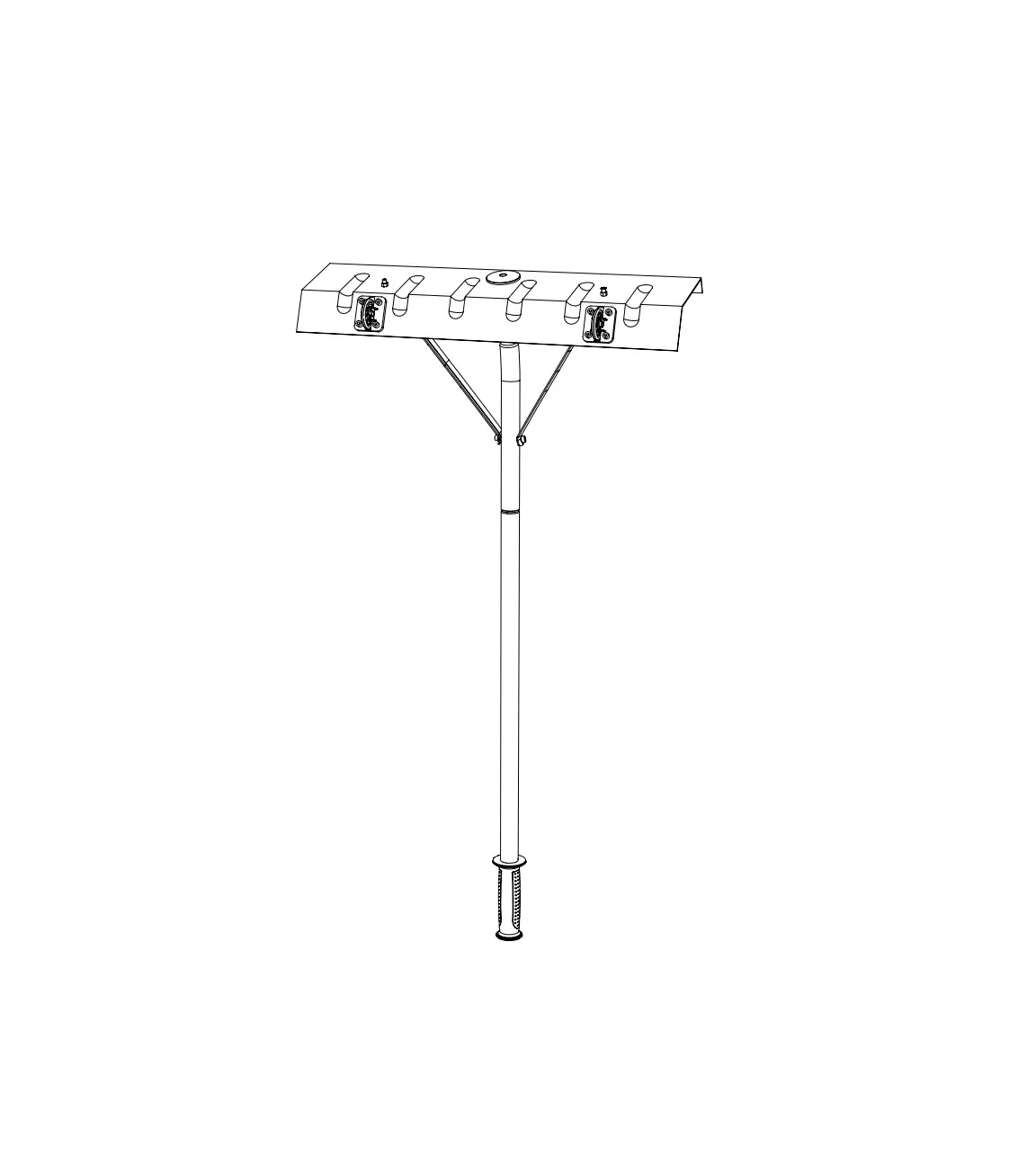
1. Roof rake head 2. Roller wheels (2) 3. Metal braces (2) 4.
Pole adapter 5. Handle grip 6. Pole handle 7. Pole extensions (4)
8. Long bolt 9. Short bolts (2) 10. Nuts (3) 11. Hex wrench 12.
Open wrench
Product Usage Instructions
Roof Rake Head Assembly
- Insert the pole adapter into the connector on the back of the
roof rake head by depressing the small buttons on the pole adapter.
Push firmly until the two small buttons pop up in the holes on the
connector. - Align the holes of the metal braces with the hole on the end of
the pole adapter. Secure with the long bolt and one nut. - Connect the metal braces to the rake head with 2 small bolts
and the remaining nuts.
Connecting the Poles
- To connect the roof rake head assembly with the pole handle,
depress the small button at the end of the pole handle and insert
it into the end of the pole adapter. Make sure the small button
pops up in the hole on the pole adapter so the assembly is
secured. - If additional reach is needed, connect the provided pole
extensions between the pole handle and the rake head assembly. Make
sure the small buttons pop up in the hole on the pole so the
assembly is secured. - Make sure the pole handle is the last piece of the
assembly. - Only connect the minimum number of pole extensions needed to
reach the roof. This will minimize the weight of the roof rake and
reduce the effort required.
2 7
3 4
8
9 10 11 12
Know Your Roof Rake
1. Roof rake head 2. Roller wheels (2) 3. Metal braces (2) 4. Pole adapter 5. Handle grip 6. Pole handle 7. Pole extensions (4) 8. Long bolt 9. Short bolts (2) 10. Nuts (3) 11. Hex wrench 12. Open wrench
02
1
Roof Rake Head Assembly
The assembly of the roof rake head requires hardware (nuts and bolts) included in the pack. Use the equipped open wrench for nuts and the hex wrench for bolts. Make sure to tighten the hardware connections for a secure assembly.
6
Fig. 1 Rake head
Connector
Pole adapter
5
Small buttons
1. Depress the small buttons on the pole adapter and insert the pole adapter into the connector on the back of the roof rake head. Push firmly until the two small buttons pop up in the holes on the connector (Fig. 1).
03
2. Align the holes of the metal braces with the hole on the end of the pole adapter. Secure with the long bolt and one nut (Fig. 2).
Fig. 2
Metal braces Nut
Long bolt
3. Connect the metal braces to the rake head with 2 small bolts and the remaining nuts, as shown (Fig. 3).
Fig. 3
Nuts Metal braces
Short bolts
04
Connecting the Poles
1. To connect the roof rake head assembly with the pole handle, depress the small button at the end of the pole handle and insert it into the end of the pole adapter. Make sure the small button pops up in the hole on the pole adapter so the assembly is secured (Fig. 4).
Fig. 4
Small button
Roof rake head assembly Pole handle
2. If additional reach is needed, connect the provided pole extensions between the pole handle and the rake head assembly. Make sure the small buttons pop up in the hole on the pole so the assembly is secured (Fig. 5).
Fig. 5
Roof rake head assembly
Pole Extensions Pole handle
NOTE: Make sure the pole handle is the last piece of the assembly. NOTE: Only connect the minimum number of pole extensions needed to reach the roof. This will minimize the weight of the roof rake and reduce the effort required.
05