 Operating Instructions
Charging
Charge the watch before first use. Plug the included power cable into a USB charger or the USB port on your computer. The other end then magnetically attaches to the pins on the bottom of the watch. When the charger is connected, the charging status is shown on the display. The battery takes approx. 2 hours to fully charge. Always charge under constant supervision.
Caution: Do not use fast charging adapters or chargers exceeding 5V/1A. Controls The watch is touch operated. Wake up the watch by pressing the side button. Touching the screen then takes you to the home screen. Swipe your finger on the screen to the right or left to navigate the main menu. For vertical menus, scroll by swiping up or down.
| Operation | Method |
| Power on | Press and hold the side button. |
| Power off | Turned the watch off in the Settings menu. |
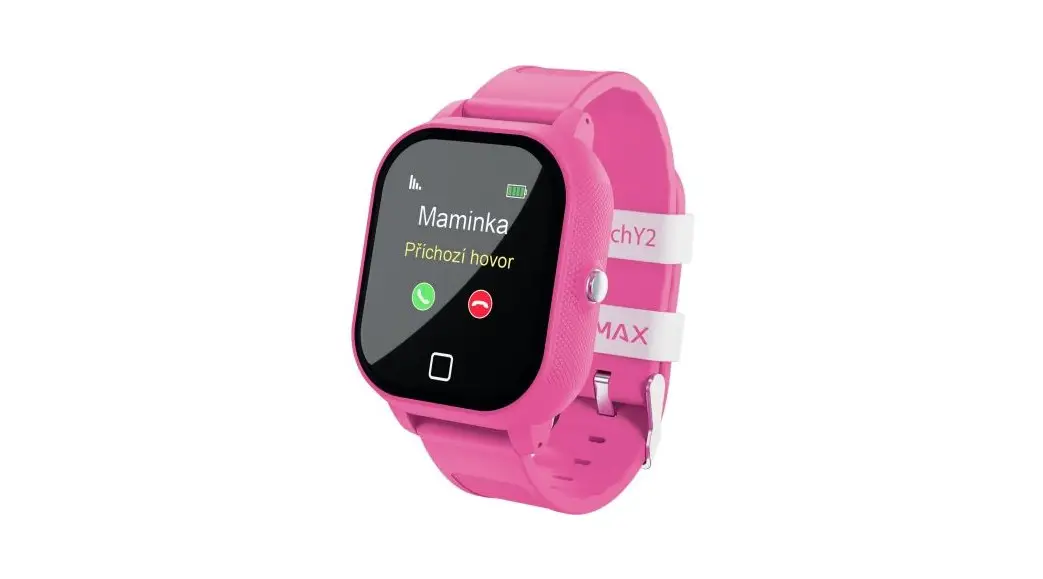
| Back button | Press the green phone icon below the watch display. |
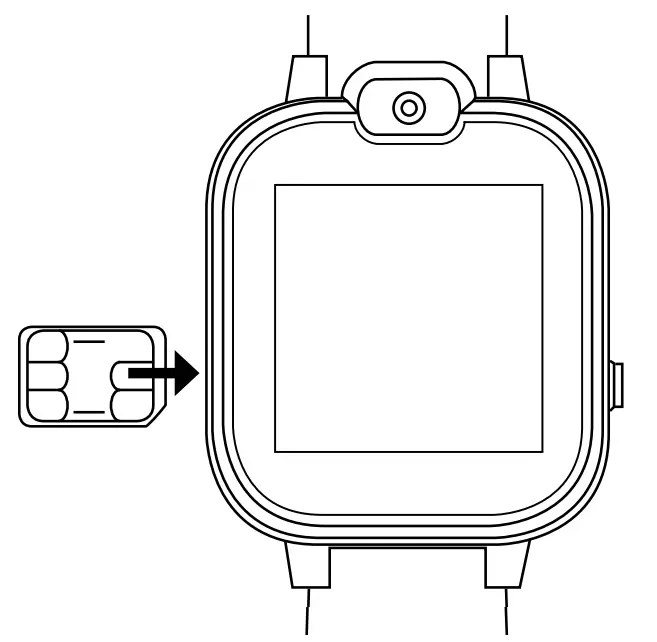
Inserting the SIM card
Remove the screw on the side of the watch that secures the nano SIM card door. Carefully open the door so as not to damage the seal.
Insert the nano SIM card with the chip facing up towards the display and the cut-out tip facing inwards. Push the SIM card into the device. It should snap and lock into place. Press the SIM card to remove it.
Warning: Do not use sharp or metallic objects to remove the SIM card, as they may damage the device. To prevent liquid from entering the device, make sure that the SIM card cover on the watch is properly attached. The nano SIM card must have its PIN disabled. This can be done after inserting the SIM card into a mobile phone. This option is commonly found in the settings in the security section.
Watch functions
| Contacts | Assign a phone number for the father, mother, and 8 other contacts. To set the number, press “Set number” under the contact. Touching the contact itself then makes the call. Touch the number or the contact name to change them. |
| Directory | Dial any phone number directly. |
| Call list | Incoming and outgoing call history. |
| SMS | List of SMS to browse through. Text messages can only be received, not replied to. |
| Camera | Photos can be taken with the front camera by pressing the camera icon at the bottom of the screen. |
| Photos | View photos were taken. |
| Audio Player | A music player comes pre-loaded on the device. |
| Audio recorder | Record an audio file using the microphone by pressing the microphone icon. These recordings can be played back. |
| Calculator | Touchscreen calculator with basic functions. |
| Alarm clock | Set up to three alarms or alerts. Using the edit option, you can set up one-time or repeated alerts on selected days. |
| Games | Choice of eight simple games. |
| Video recorder | Shoot video using the front camera. Videos can be played back directly on the watch’s video player. |
| Video player | Playback footage was taken. |
| SOS Call | Press and hold the side button and the watch will automatically start calling the first number in the contacts. If the call is rejected or not answered, the watch will automatically start dialing the second contact. Only the first two contacts serve as SOS contacts. |
| Settings | |
| Language | Select the system language of the watch. |
| Date and time settings | Set the date, time, and format. |
| Silent mode | Silent mode deactivates the ringtone which is especially useful during lessons. The watch can still be operated and called in silent mode. |
| Turn off | Switch off the device. |
| Restore factory settings | Performs a factory reset of the device. It will be restored to the original language and settings. All photos, videos, and audio files will be deleted. |
| IP65 resistance | The device is resistant to the ingress of dust and has enhanced water resistance. This means it is resistant to rain and sweat. However, do not directly expose the watch too liquid, do not shower with it or immerse it in liquids. |
Box contents
- Watch
- Magnetic USB charging cable
- Small screwdriver
- Manual
- SIM card tool
Specifications
| Display | 1.44″ 128 x 128 px |
| Camera | 0.08 MP |
| Battery | 400 mAh Li-Po, lasts up to 5 days depending on use |
| SIM format | Nano |
| Internal memory | 512 MB |
| 2G network | GSM 850 / 900 / 1800 / 1900 |
| Water resistance | IP 65 |
| Charging | Recommended USB adapter max 5V / 1A |
| Weight | 45 g |
| Dimensions (with strap) | 227 x 43 x 14 mm |
| Wrist circumference | 115 mm – 185 mm |
The latest version of the manual can be found here:


 LAMAX Electronics | EN