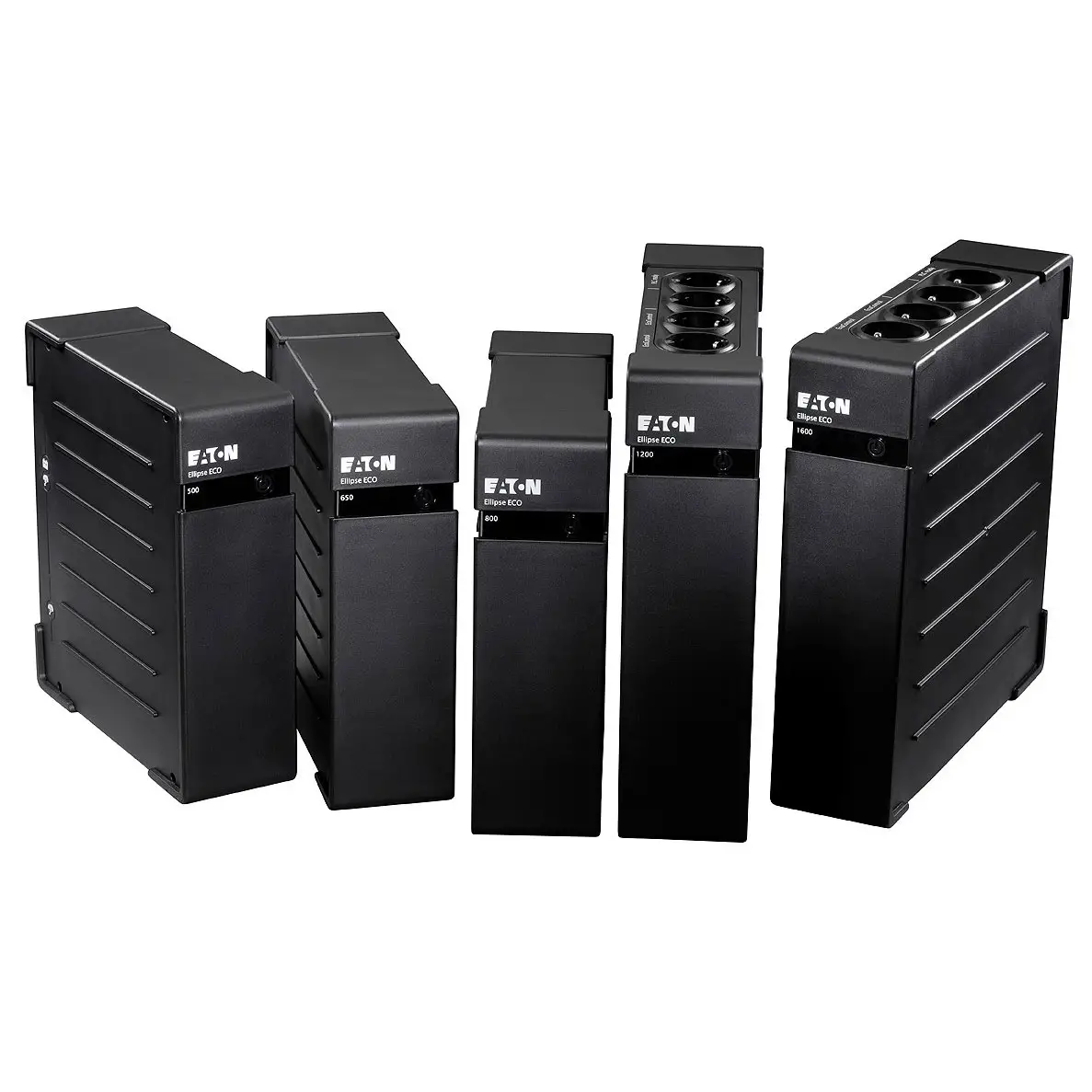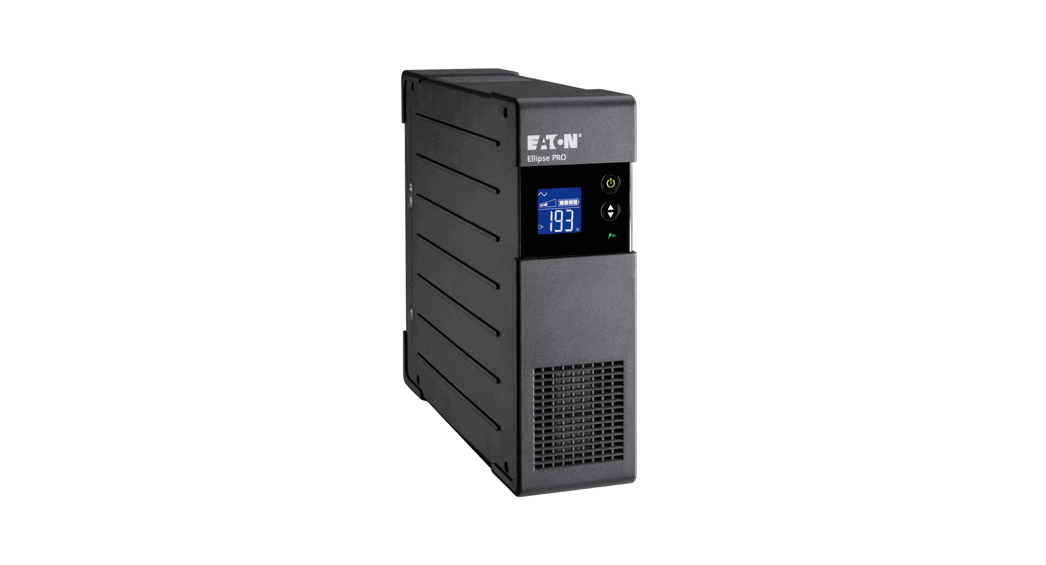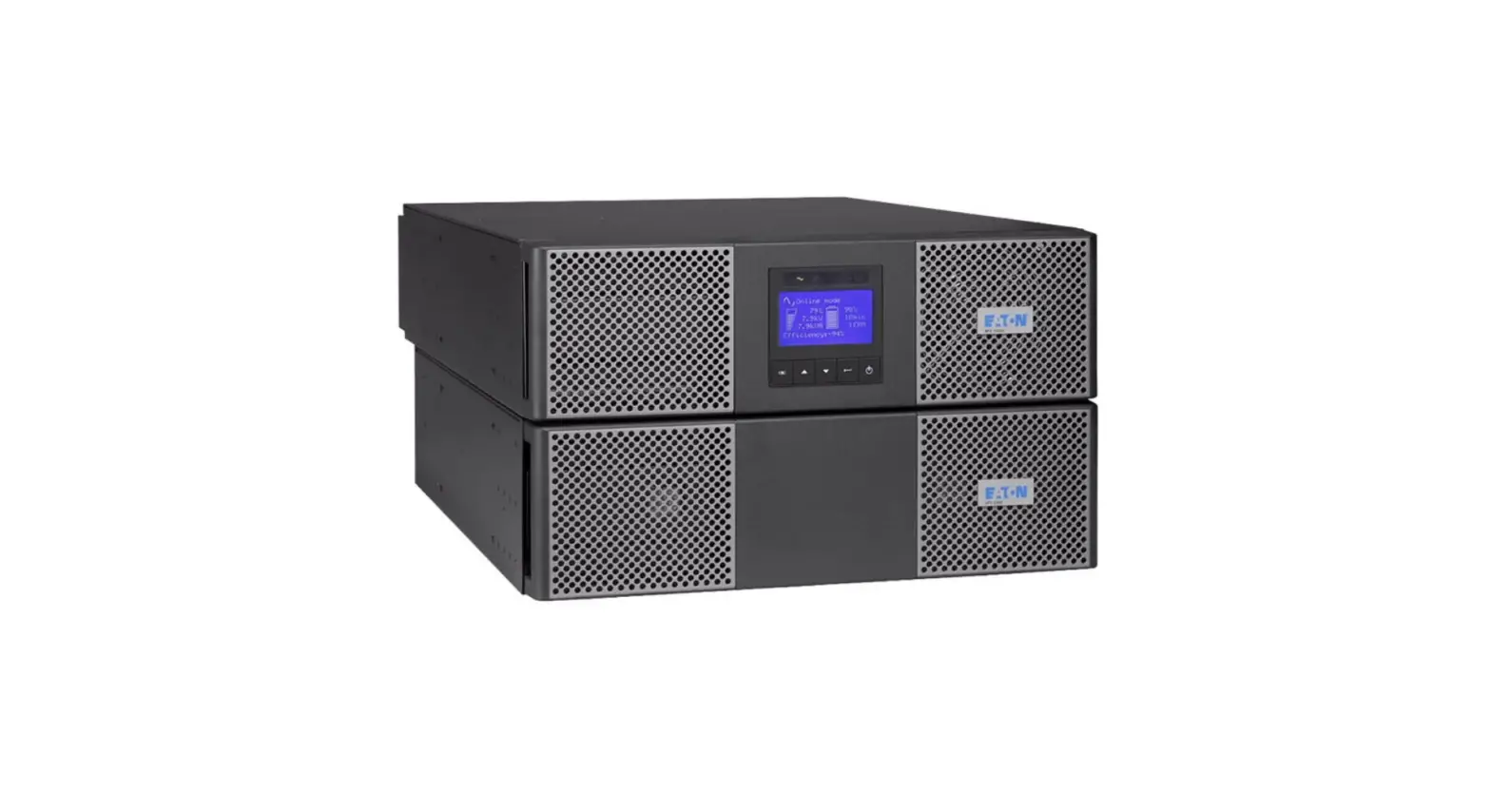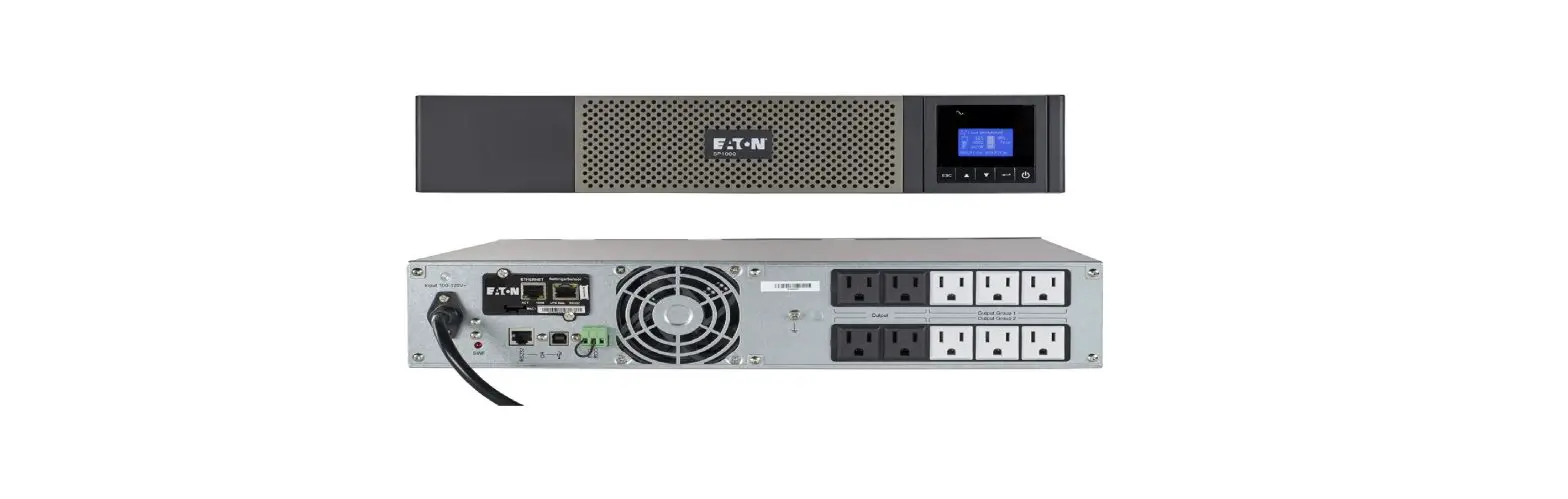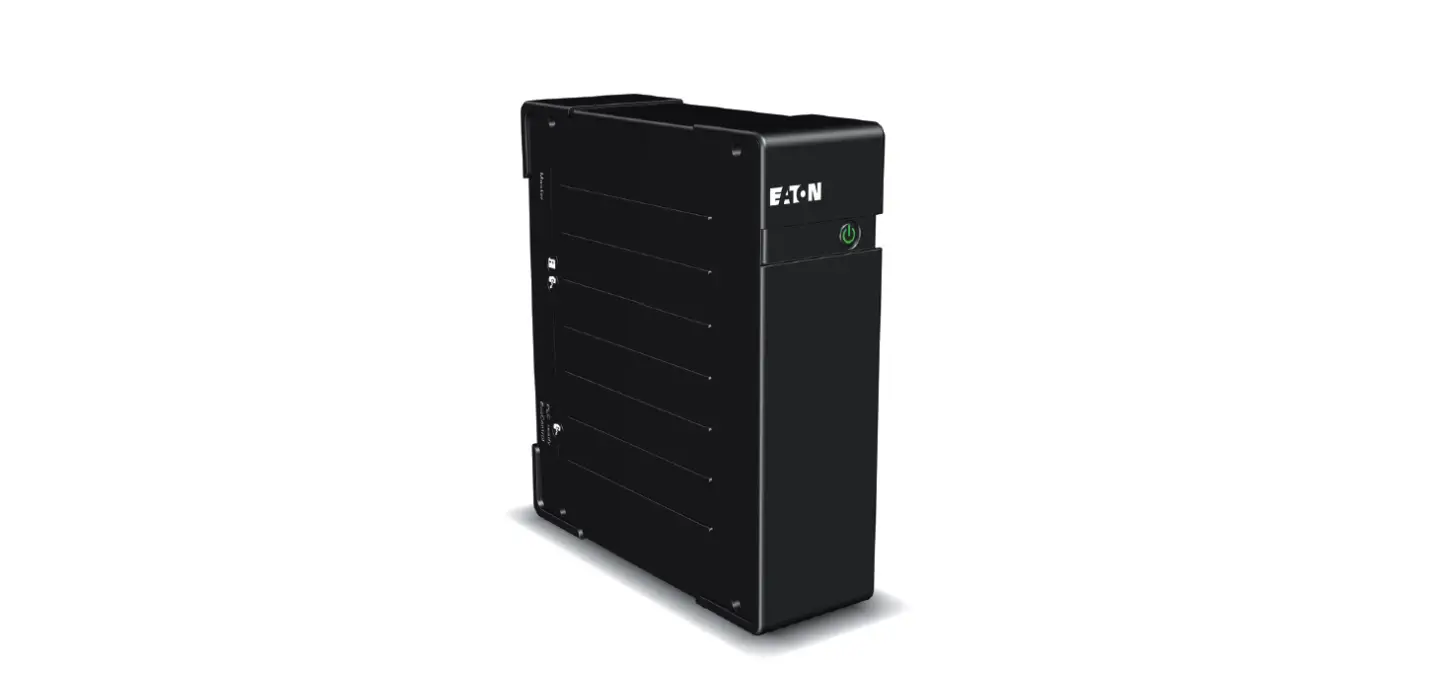

EATON Ellipse ECO UPS 500
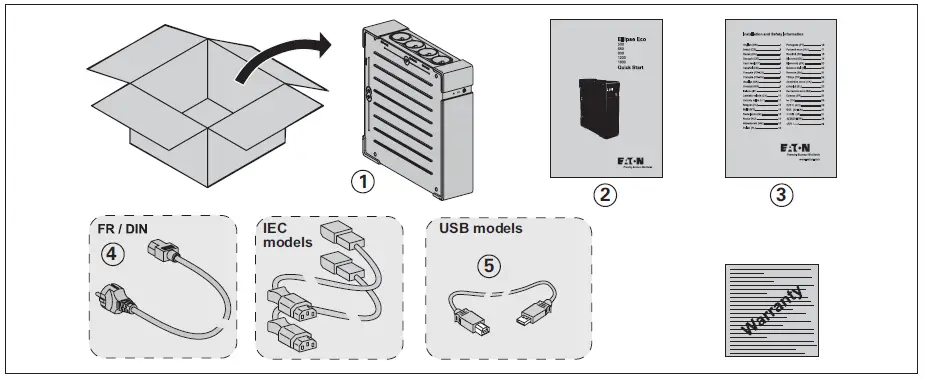
Packaging
Caution
Before installing the Ellipse, read the booklet 3 containing the Instruction and Safety Information to be respected. Then follow the instructions given in the Quick Start 2 .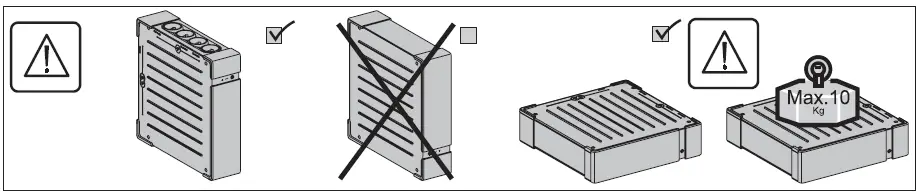
Quick start
Battery disposal and safety
Caution. Battery service life is reduced by 50 % for every ten degrees above 25 °C.
The battery elements must be replaced exclusively by qualified personnel (risk of electrocution), with new elements approved by EATON to ensure correct operation of the UPS.
The battery must be disposed of in accordance with applicable regulations. To remove the battery elements, shut down the UPS (button 12 OFF), remove the power cord and proceed as indicated in page 4 “Battery change”.
Battery change
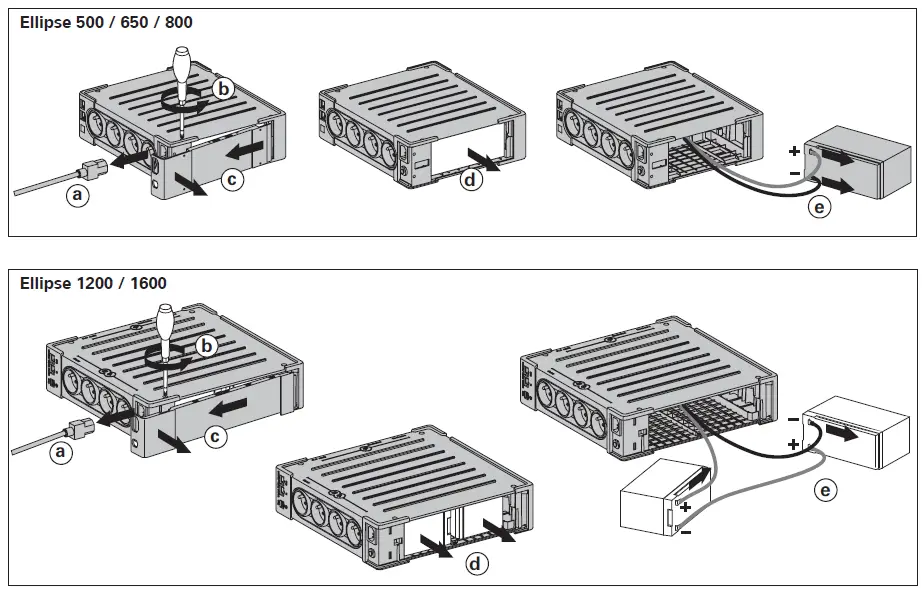
Warning: take care not to inverse the polarity + (red) and – (black) when connecting the batteries as this will destroy the device.
Technical characteristics
| Ellipse ECO | 500 | 650 | 800 | 1200 | 1600 |
| UPS power | 500 VA / 300 W | 650 VA / 400 W | 800 VA / 500 W | 1200 VA / 750 W | 1600 VA / 1000 W |
| Nominal input voltage | 184 V – 264 V, adjustable to 161 V – 284 V | ||||
| Input frequency | 50/60 Hz (46 – 70 Hz working range) | ||||
| Voltage/frequency of battery backup outlets 9 in battery mode | 220 V / 230 V / 240 V +15 % -20 % (50/60 Hz ± 1 %) | ||||
| Total output current for all outlets | 10 A max | ||||
| Output current of battery backup outlets 9 | 2.3 A max | 3 A max | 3.6 A max | 5.5 A max | 7.3 A max |
| Leakage current | 0.4 mA | ||||
| Input protection | 10 A resettable circuit breaker | ||||
| Transfer time | 5 ms typical | ||||
| Telephone surge protection | Tel, ISDN, ADSL, Ethernet | ||||
| Sealed lead-acid battery | 12 V, 4.5 Ah | 12 V, 7 Ah | 12 V, 9 Ah | 2x12V, 7 Ah | 2x12V, 9 Ah |
| Automatic battery test | Once a week | ||||
| Average battery life | 4 years typical, depending on temperature and amount of discharge cycles | ||||
| Operating temperature | 0 to 35 °C | ||||
| Storage temperature | -25 °C to +55 °C | ||||
| Operating relative humidity | 0 to 85 % | ||||
| Operating elevation | 0 to 2000 m | ||||
| Safety standards | IEC 60950-1, IEC 62040-1, CE certified, EAC certified | ||||
| Electromagnetic compatibility standards | IEC 62040-2, C1* | ||||
| Warranty | 2 years | ||||
| Dimensions (mm) | 263 x 81 x 235 | 305x81x312 | |||
| Weight (Kg) | 2.9 | 3.6 | 6.7 | 7.8 | |
Warning: Output cables should not exceed 10m length.
Performances tested according to IEC 61643-1 (class 3) standard for 8/20 µs surge wave
| AC input source protection, Ellipse ECO: | 500 | 650 | 800 | 1200 | 1600 |
| Uoc (common mode/differential mode) | 6 kV / 2 kV | 6 kV / 1.8 kV | |||
| Up (common mode/differential mode) | 1.8 kV / 0.7 kV | 1.5 kV / 1 kV | |||
| In | 3 kA | ||||
| Dielectric isolation | |||||
| AC Ground | 1500 Vac, 50 Hz | ||||
| AC / TEL | 3000 Vac, 50 Hz | ||||
| Tel / Ground | 1000 Vac, 50 Hz | ||||
| Temporary overvoltage (TOV) | |||||
| Uc | 250 Vac | ||||
| Ut | 430 Vac | ||||
| Energy dissipation | 461 Joules | ||||
Operating conditions
- This product is an Uninterruptible Power Supply (UPS) for computers and their peripherals, television sets, stereo systems and video recorders… It must not be used to supply other electrical equipment (lighting, heating, household appliances, etc.).
- UPS can be installed in horizontal, vertical position, or placed in Rack 2U (optional kit).
UPS connections
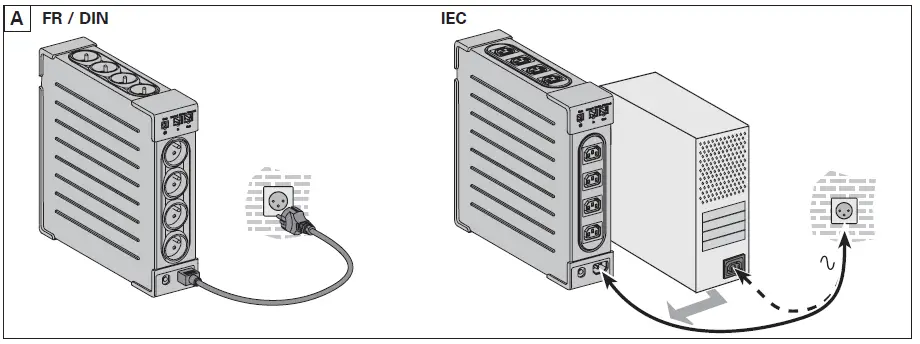
- Connect the UPS 1 to the AC-power system via a wall outlet with an earth connector, using the supplied cord 4 for a UPS with FR/DIN sockets or with the supply cord of your computer for a UPS with IEC sockets (see figure A).
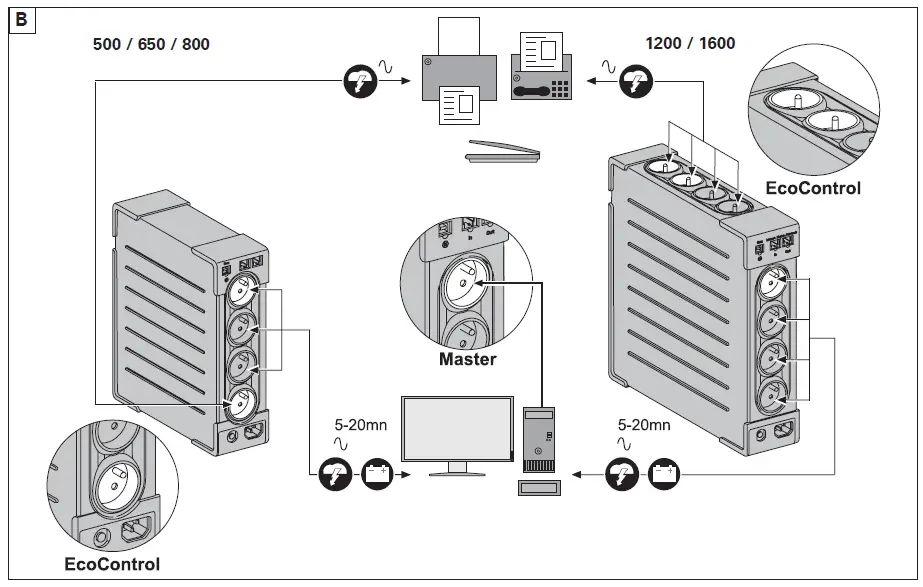
- Plug critical equipment (computer, monitor, modem, etc.) into the outlets 9 providing battery backup power and surge protection (see figure B), taking care not to exceed the rated current indicated in amperes.
- Other devices (printer, scanner, fax, etc.) can be connect to the filtered outlets 8 that provide surge protection (see figure B). The filtered outlets are not backed up by battery power in the event of a power outage.
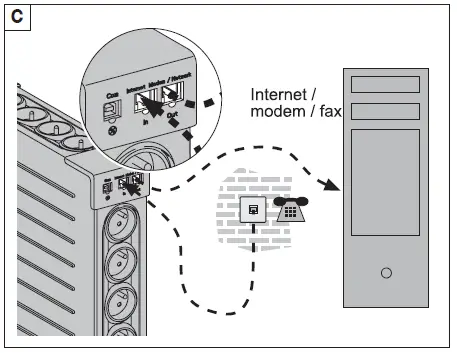
- Optional Internet modem / Network connection:
A modem or Ethernet data line can be protected against surges by connecting it via the UPS. Connect the existing device cable between the wall outlet and the UPS, and use a similar cable between the UPS and the device, as indicated in figure C (cable not supplied). - Optional USB connection:
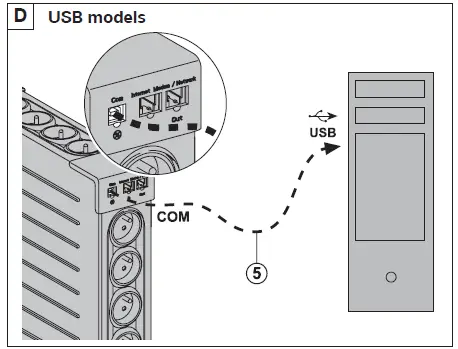
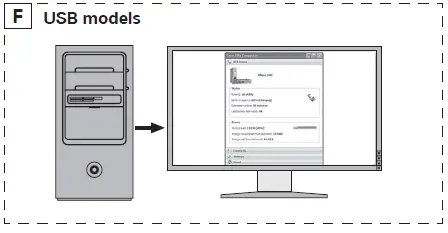
The UPS device can be connected to the computer using the USB cable 5 supplied. The software is downloadable from powerquality.eaton.com (see figures D and F).
Register for the warranty on powerquality.eaton.com.
Master and EcoControl outlets operating procedure
In order to limit energy consumption of peripherals (scanner, printer) in standby mode, the Ellipse ECO is equipped with EcoControl outlets that are dependent on the Master outlet. When the main application supplied by the Master outlet (computer) is shut down, the EcoControl outlets are automatically deactivated and the peripherals shut down.
This function (deactivated by default) is validated and configured using the configuration tool integrated in the software.
Note: When the function is activated, do not connect critical applications to EcoControl outlets.
Threshold setup
A default setup ensures the correct operation of the EcoControl function. However, depending on the consumption of the main load, the trigger threshold of the EcoControl function may have to be modified using the configuration software:
- First, make sure that the function is activated in the “EcoControl Function” tab of the configuration tool.
- If the peripherals connected to the EcoControl outlets do not switch off when the main load is not in normal operation (ex: when in standby mode), the detection threshold value must be set to High.
- If the rated consumption level of the main load is low and the EcoControl outlets shut down when the main load is operating normally, the detection threshold value must be set to Low.
Operation
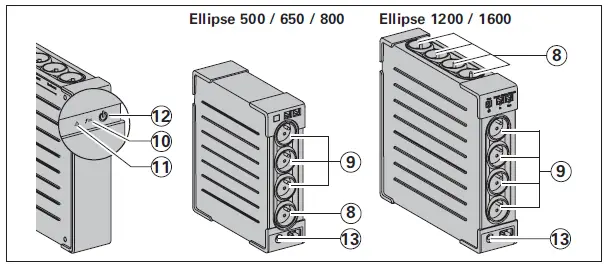
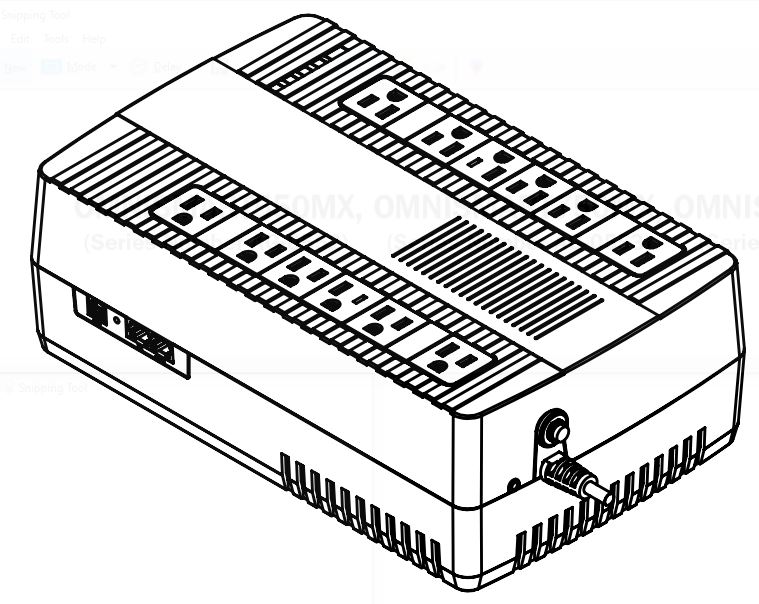
8 : Filtered outlets.
9 : Battery backup outlets.
10 : LED ON indicate that surge protection is active.
11 : LED ON indicate a UPS fault.
12 : ON/OFF button for the battery backup outlets.
13 : Protection circuit breaker.
- Battery charge: The UPS charges the battery as soon as it is connected to the AC outlet, whether button 12 is pressed or not. When used for the first time, the battery will only provide its maximum autonomy after it has been charged for 8 hours. It is recommended that the UPS be permanently connected to the AC power supply to ensure the best possible autonomy.
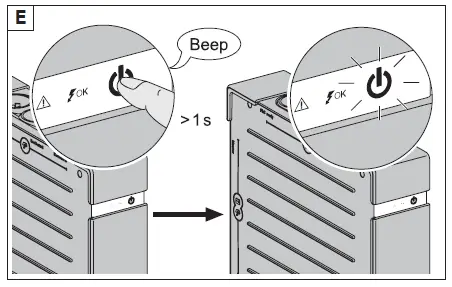
- Switching-on the UPS: press button 12 for about 1 second.
- Filtered outlets 8 without battery backup: Equipment connected to these outlets is supplied as soon as the AC cord 4 is plugged in. They are not affected by button 12 .
- Battery backup outlets 9 : Equipment connected to these outlets is supplied as soon as button 12 turns green (see figure E). These outlets can be turned on even if the UPS is not connected to AC power (button 12 flashes).
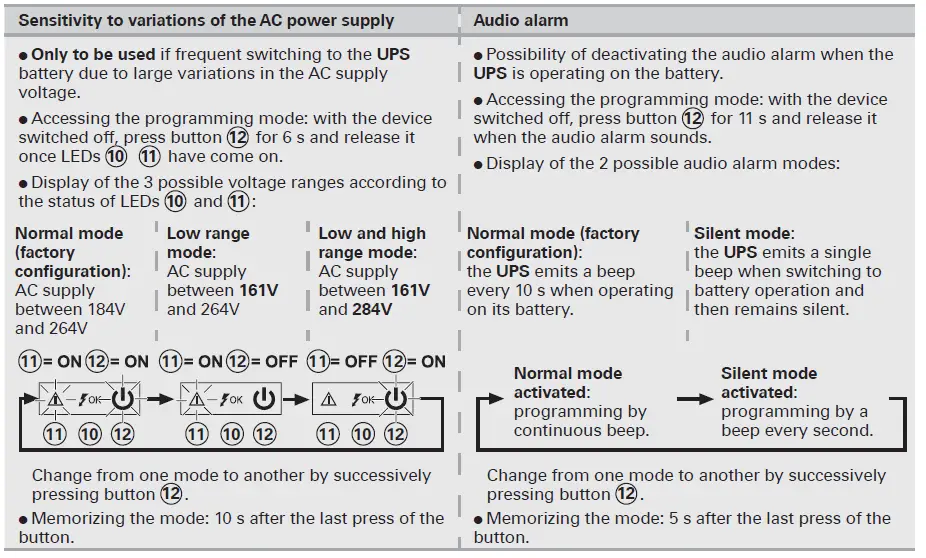
- AC-power disturbance: If AC power is disturbed or fails, the UPS continues to operate on battery power. Button 12 flashes green. In normal mode, the audio alarm beeps every ten seconds, then every three seconds when the end of battery backup time is near. In silent mode (see the section on settings), the audio alarm simply beeps once when the UPS transfers to battery power.
- If the power outage lasts longer than the battery backup time, the UPS shuts down and automatically restarts when power is restored. Following a complete discharge, a few hours are required to recharge the battery back to full backup time.
- To save battery power, it is possible to press button 12 to cut the supply of power to the devices connected to the battery backup outlets.
- Lightning protection: All outlets, whether backed up or simply filtered, include surge protection, whatever the position of button 12 .
- Shutdown of the battery backup outlets 9 : Press button 12 for more than two seconds.
Troubleshooting
(For further information, visit the www.powerquality.eaton.com site or contact after-sales support.)
| Problem | Diagnostic | Solution | |
| 1 | The battery backup outlets 9 are not supplied with power. | Button 12 is not lighted on. | Press button 12 and check that it turns green. |
| 2 | The connected devices are not supplied when AC power fails. | The devices are not connected to the battery backup outlets 9 . | Connect the devices to the battery backup outlets 9 . |
| 3 | AC power is available, but the UPS operates on battery power. | Circuit breaker 13 , located under the UPS, has been tripped by an overload on the UPS output. | Disconnect excess equipment and reset the circuit breaker 13 by pressing the corresponding button. |
| 4 | The filtered outlets 8 are not supplied. | The wall outlet is not supplied. Circuit breaker 13 , located under the UPS, has been tripped by an overload on the UPS output. | Supply power to the wall outlet. Disconnect excess equipment and reset the circuit breaker 13 by pressing the corresponding button. |
| 5 | Green button 12 flashes frequently and audio alarm beeps. | The UPS frequently operates on battery power because the AC power source is of poor quality. | Have the electrical installation checked by a professional or use another wall outlet. |
| 6 | Green button 12 flashes and audio alarm beeps continuously. | The UPS battery backup outlets 9 are overloaded. | Disconnect excess equipment connected to the battery backup outlets 9 . |
| 7 | Red LED 11 is on and the audio alarm beeps every 30 seconds. | A fault has occurred on the UPS. The battery backup outlets 9 are no longer supplied. | Call after-sales support. |
| 8 | Green LED 10 is off and the filtered outlets 8 are supplied. | Surge protection is no longer provided. | Call after-sales support. |
| 9 | The telephone line is disturbed or modem access is not possible. | Surge protection on the telephone line is no longer provided. | Disconnect the telephone line from the wall outlet. Call after-sales support. |
| 10 | Red LED 11 flashes. | The battery has reached the end of its service life. | Have the battery replaced. |
| 11 | EcoControl outlets keep powered when main application (Master outlet) is stopped. | EcoControl function is not activated or not properly set. | Activate or set properly EcoControl function using the software provided with the product. |
Advanced customizing of your UPS
 Electrical and Industrial | Power management solutions | Eaton
 Electrical and Industrial | Power management solutions | Eaton