
The University Of Winnipeg Graduation App User Guide

The University Of Winnipeg Graduation App User Guide

THE-UNIVERSITY-OF-WINNIPEG-Graduation-App-logo

THE UNIVERSITY OF WINNIPEG Graduation App

THE-UNIVERSITY-OF-WINNIPEG-Graduation-App-product

Introduction

Congratulations on successfully completing your program! To complete your graduation form, please follow the steps below. We hope to see you at Convocation in October.
Step 1: Log in to WebAdvisor
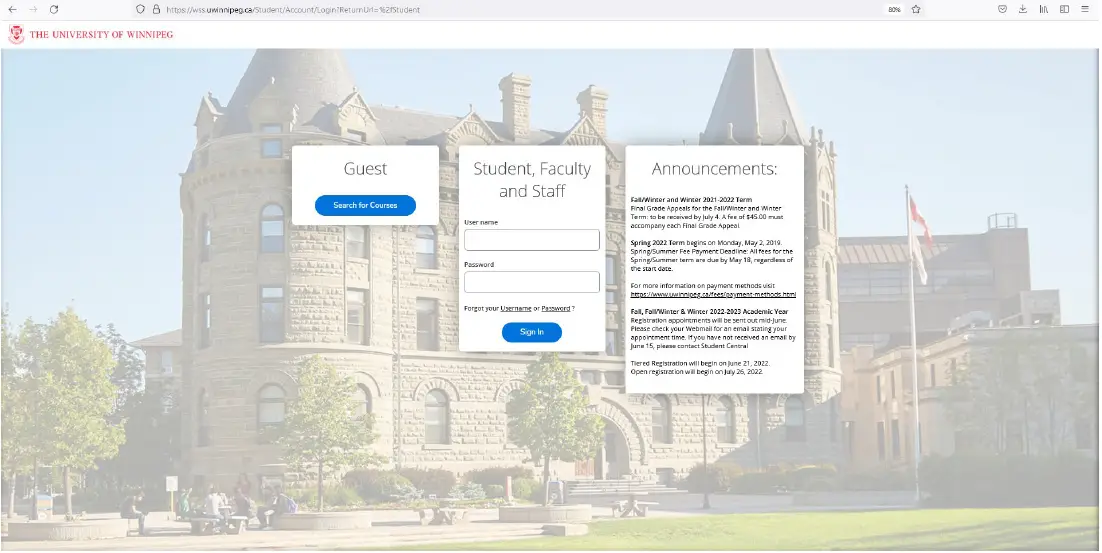
THE-UNIVERSITY-OF-WINNIPEG-Graduation-App-fig-1

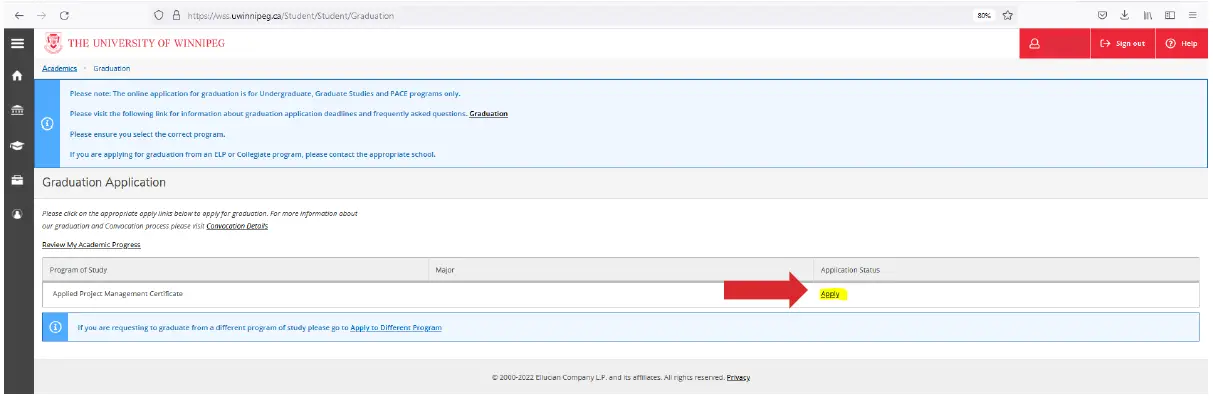
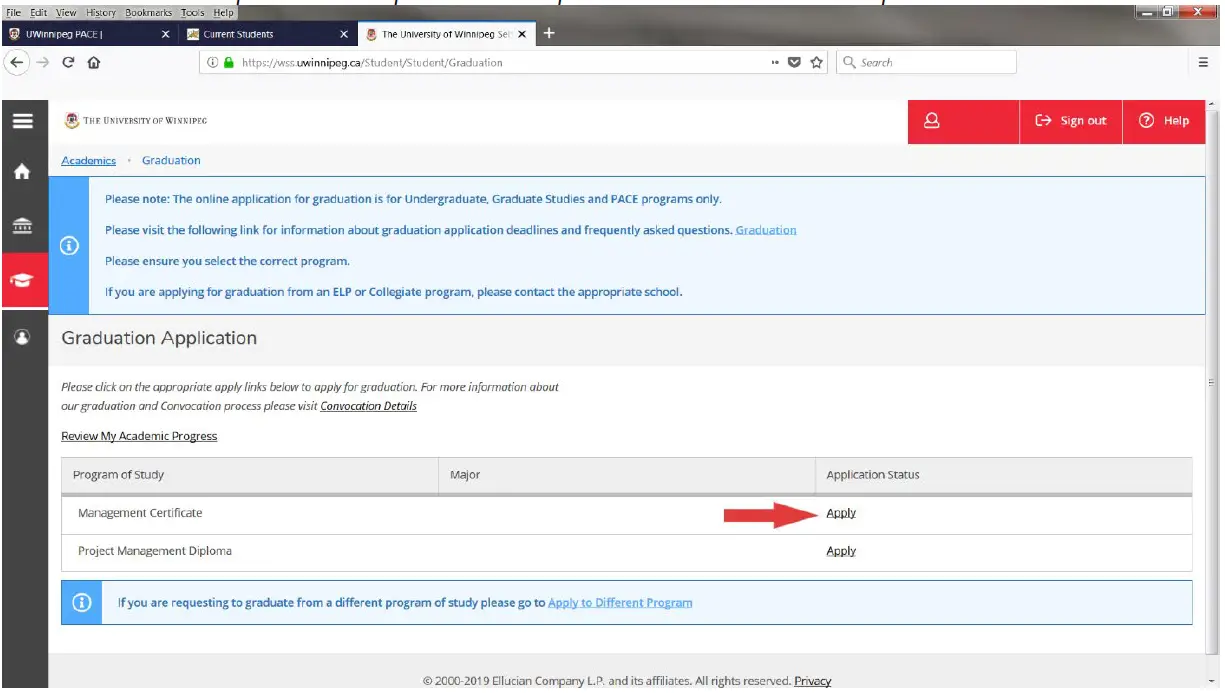
Step 2 Choose: Graduation 

THE-UNIVERSITY-OF-WINNIPEG-Graduation-App-fig-3

Step 3 Click: Apply 

THE-UNIVERSITY-OF-WINNIPEG-Graduation-App-fig-3

Step 4 Fill out the form and then click Submit
Note: You must repeat this step for each Diploma or Certificate completedTHE-UNIVERSITY-OF-WINNIPEG-Graduation-App-fig-4
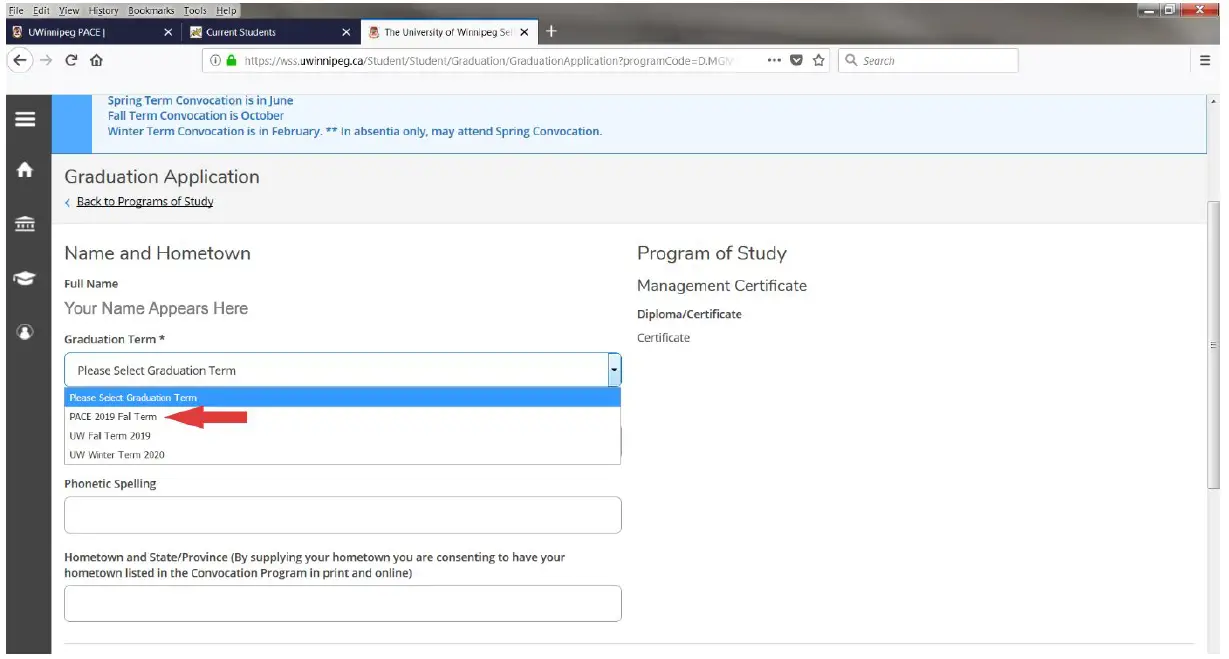
Step 5 Select: PACE Graduation Term 

THE-UNIVERSITY-OF-WINNIPEG-Graduation-App-fig-5

Step 6 Fill our Legal Name & Phonetic Spelling 
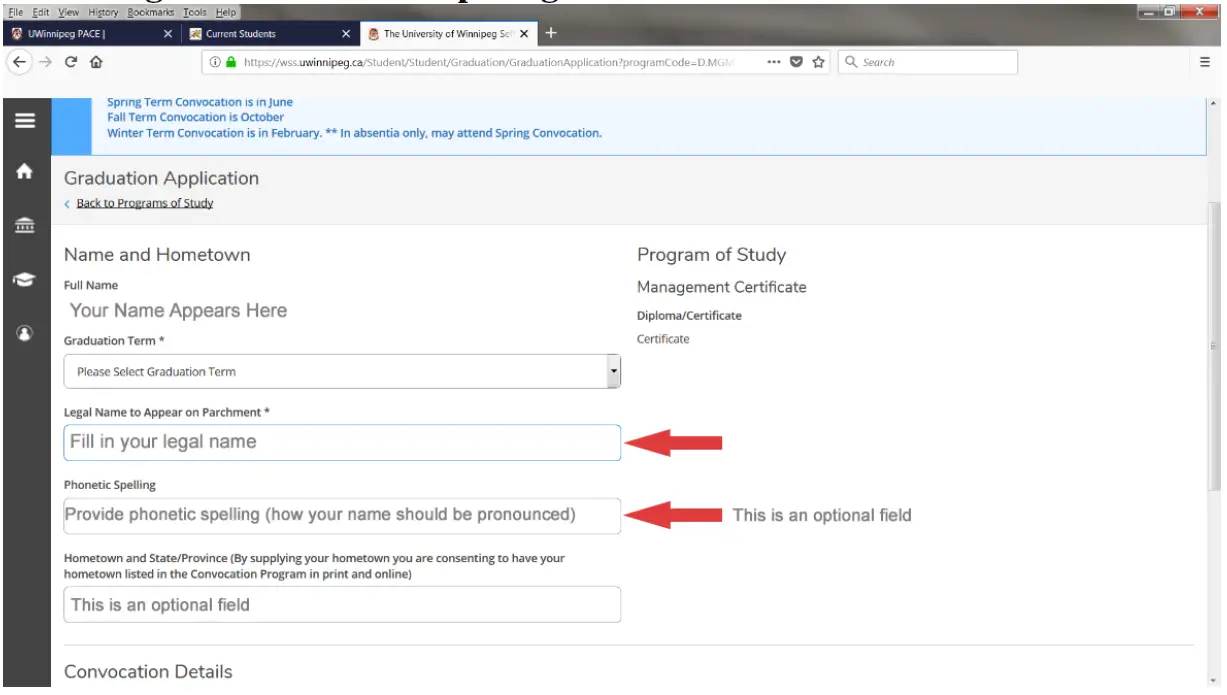
THE-UNIVERSITY-OF-WINNIPEG-Graduation-App-fig-6

Step 7 Confirm or Update Current Address 
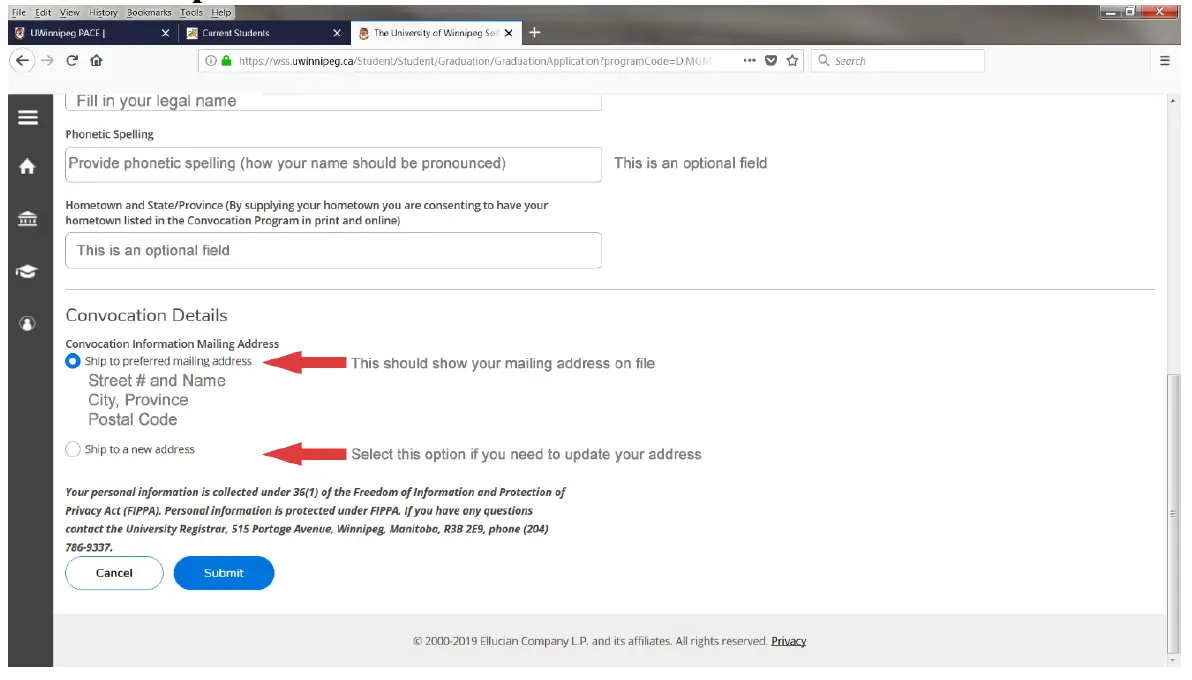
THE-UNIVERSITY-OF-WINNIPEG-Graduation-App-fig-7.

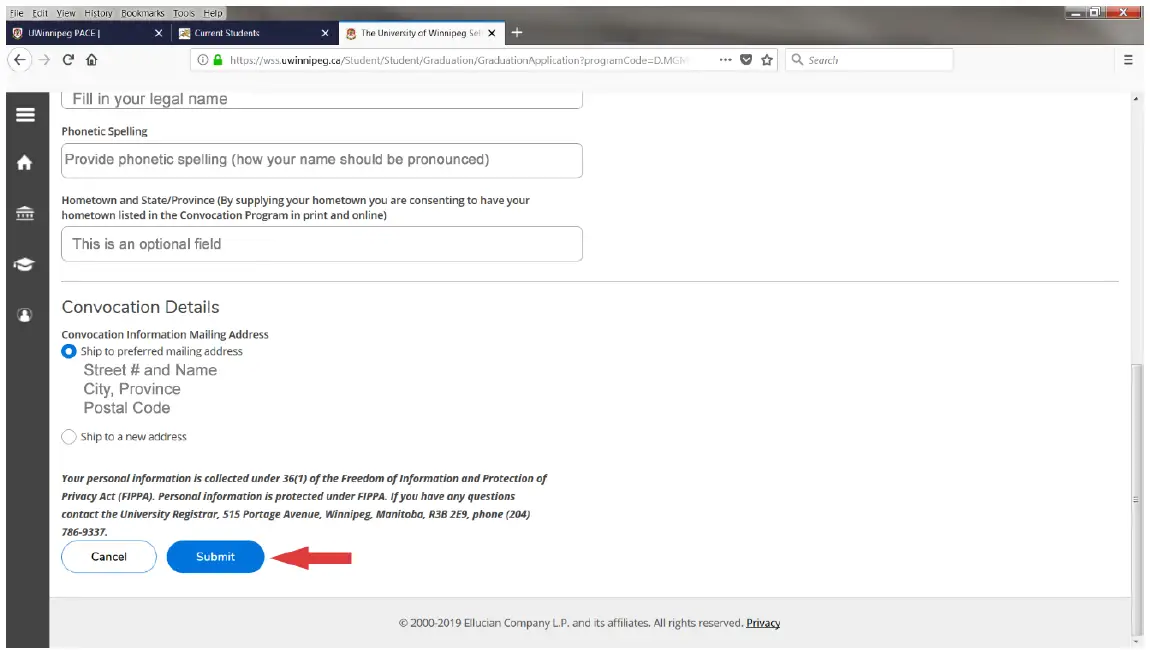
Step 8 Submit
You must repeat this step for each Diploma or Certificate completed (return to Step 4 and repeat).THE-UNIVERSITY-OF-WINNIPEG-Graduation-App-fig-8
Documents / Resouces

Download manual
Here you can download full pdf version of manual, it may contain additional safety instructions, warranty information, FCC rules, etc.


Related Manuals