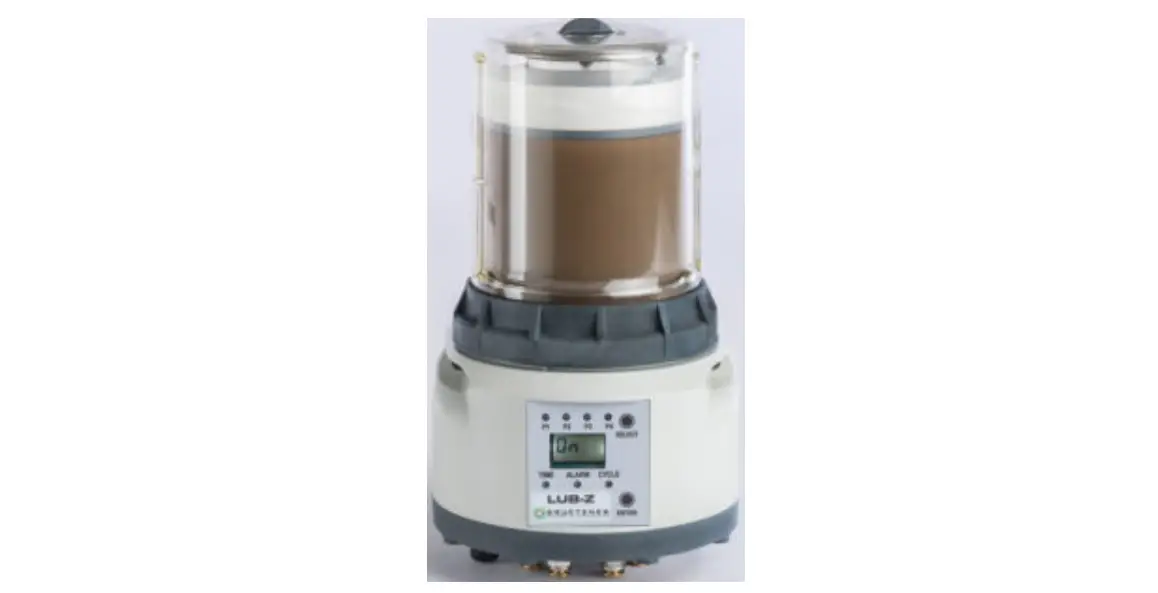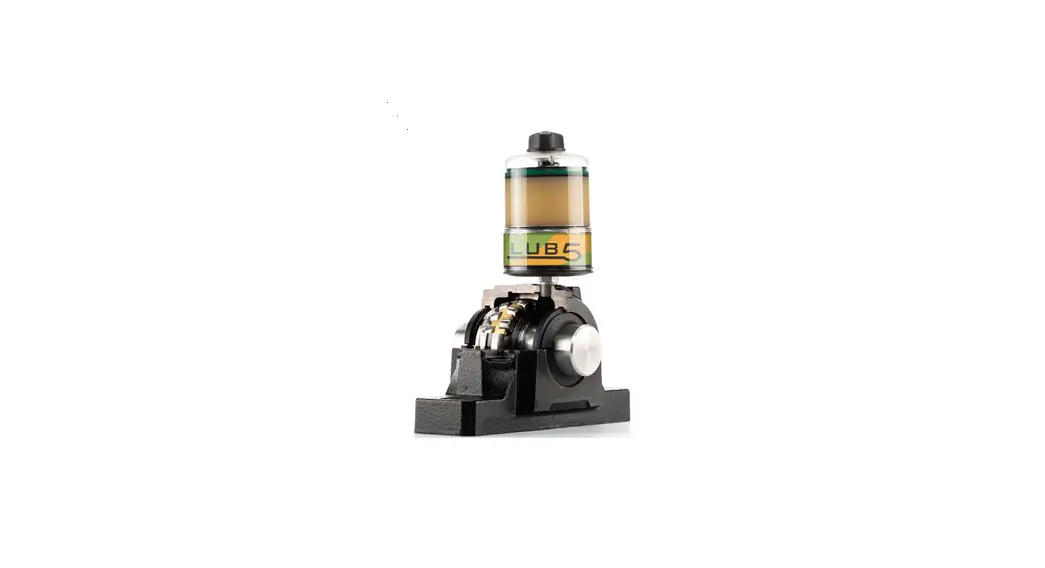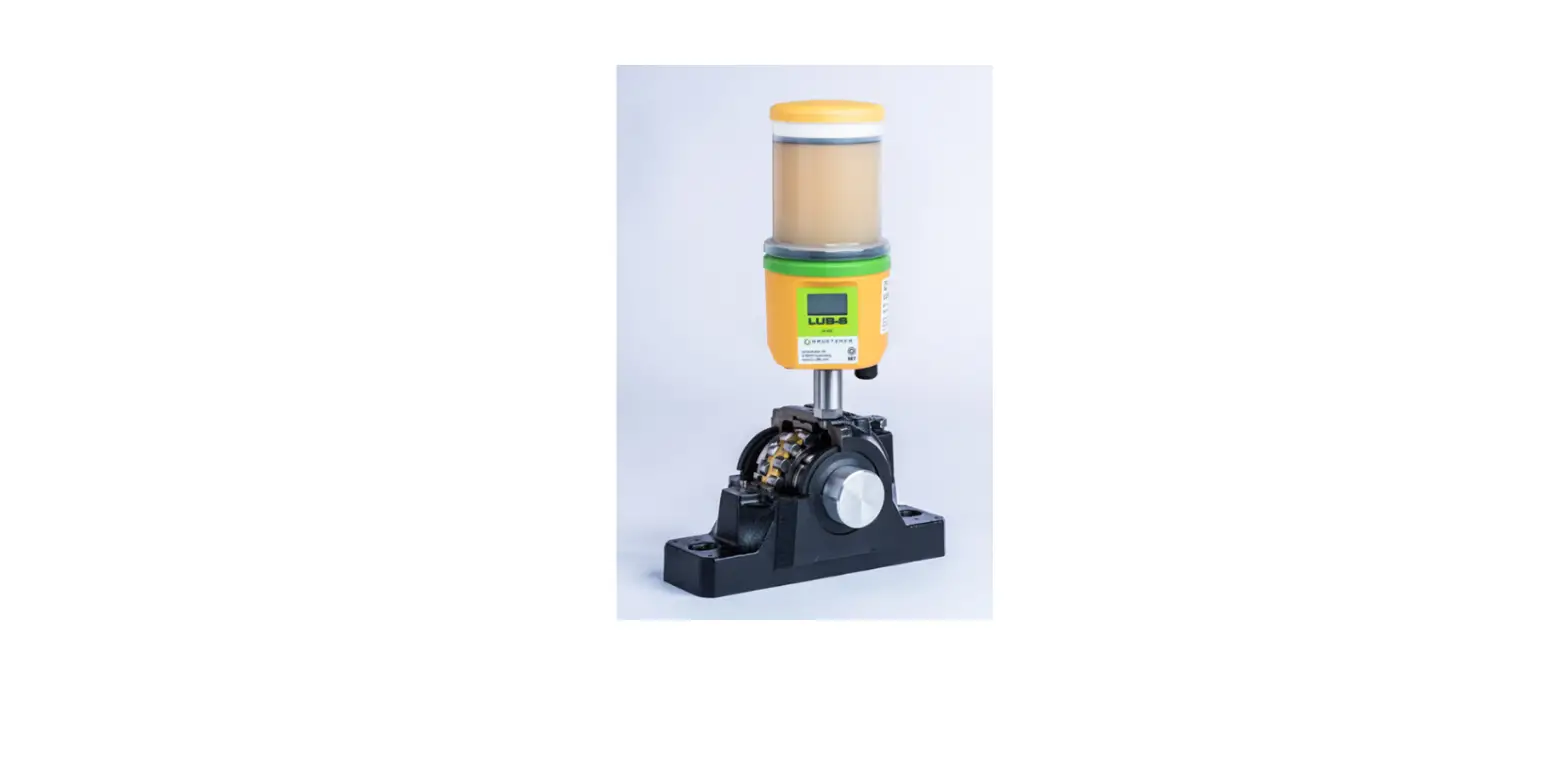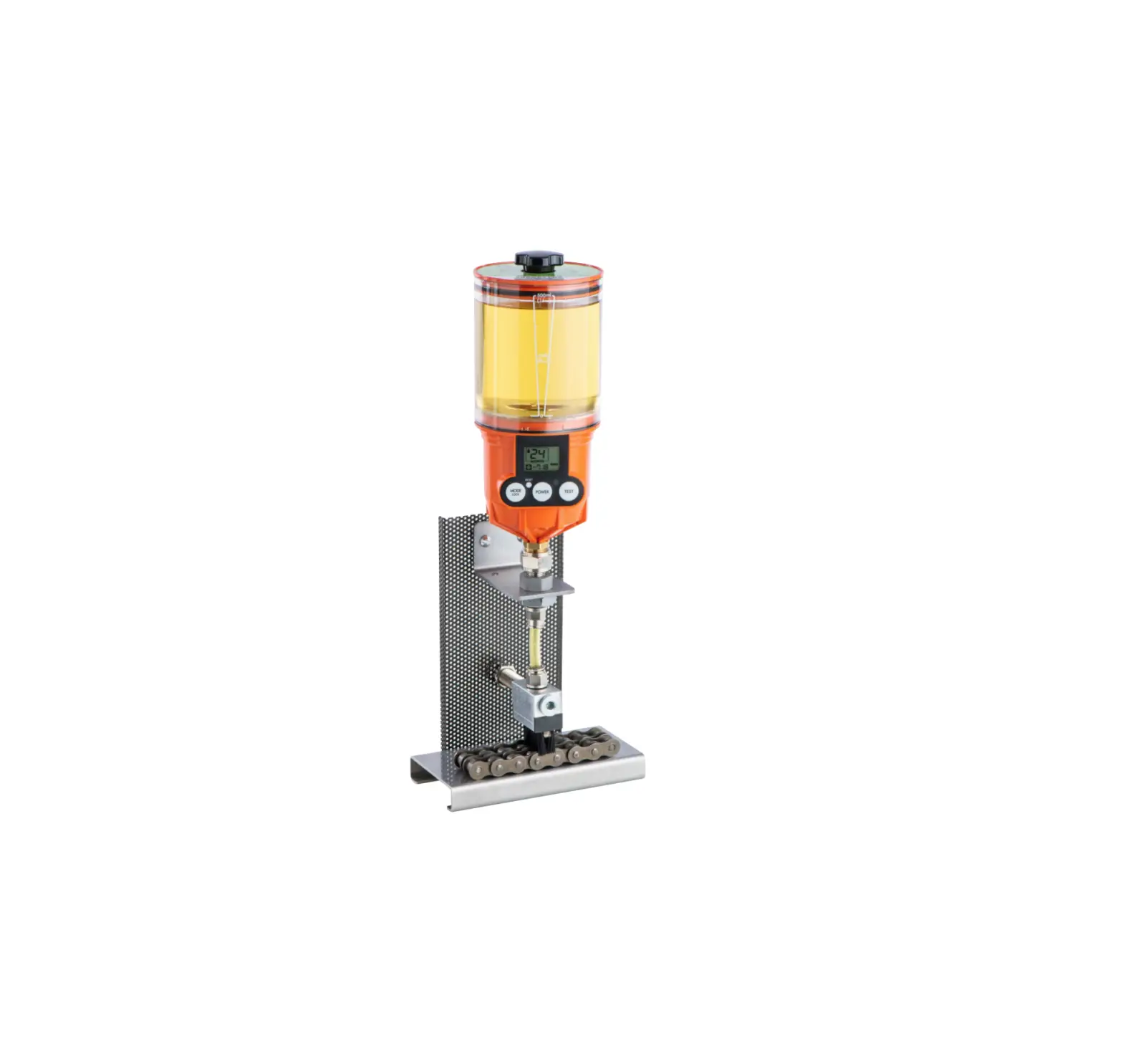
GRUETZNER LUB-B Auto Lubricator User Guide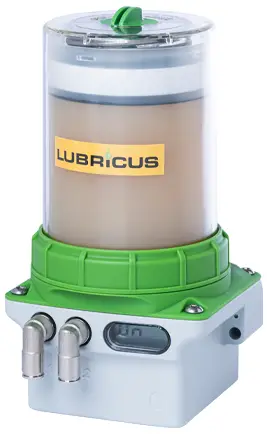
This brief instruction of mounting LUB-B addresses to experienced users. Please visit www.G-LUBE.com to download the complete user manual including all safety instructions.
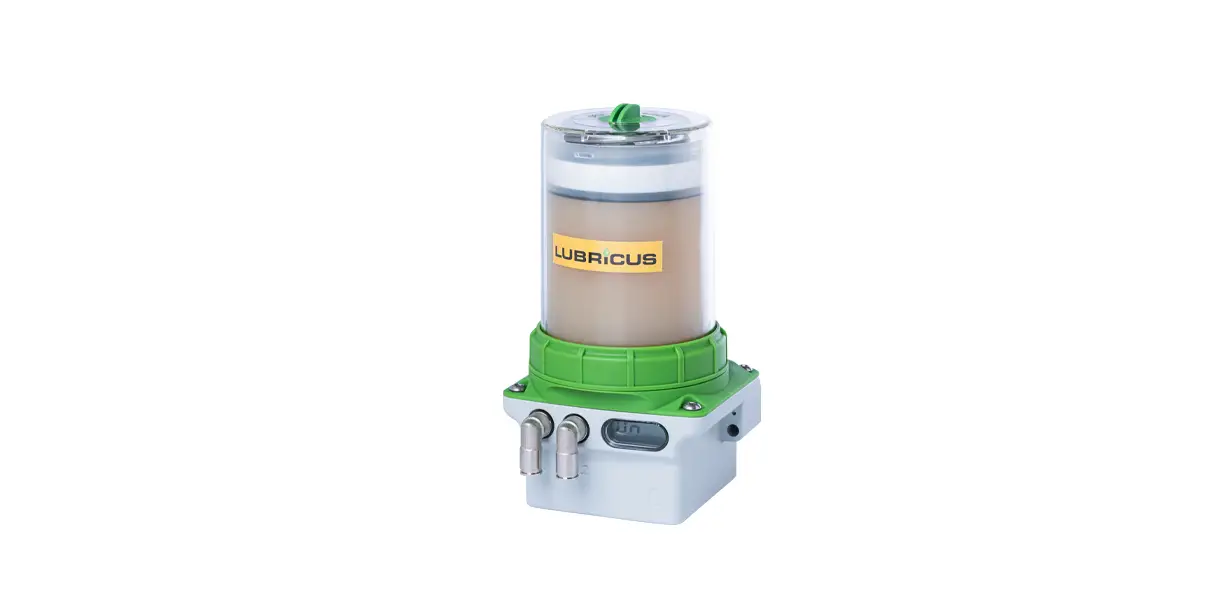
Overview LUB-B
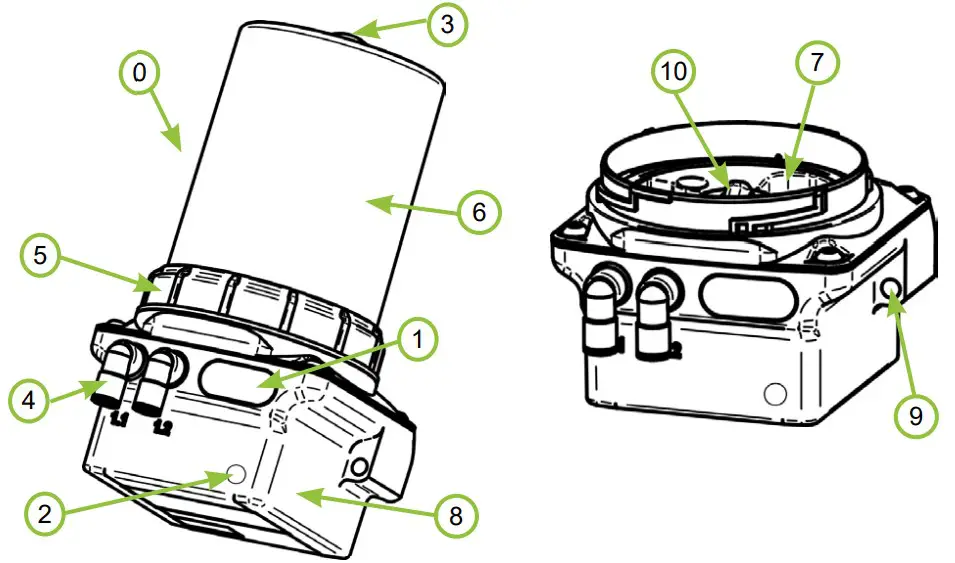
| No. | Description |
| 0 | Lubricus B (LUB-B) |
| 1 | LCD |
| 2 | Action area (for actions with the activation and programming key) |
| 3 | Activation and programming key |
| 4 | Lubricant outlet, outlets (different versions possible) |
| 5 | Retaining ring |
| 6 | Housing (different versions possible) |
| 7 | Battery compartment |
| 8 | Nameplate with designation, CE mark and serial number |
| 9 | Through hole for assembly |
| 10 | Lubricant inlet with thread for cartrid |
Technical data
| Housing | |||
| Mounting options | holes for screw M6 | ||
| Mounting position | upright | ||
| Operating temperature | Alcaline battery: +15 … +60Lithium battery: -15 … +60 | °C | |
| Lubricant and hydraulics | |||
| Lubricant outlets | 1 / 2 | ||
| Max. Pressure | 70 bar / 1015 psi (-10%/+15%) | ||
| Steady state pressure | 50 bar / 725 psi | ||
| Grease delivery | Per stroke | 0.15 | ml |
| Electrics | |||
| Operating voltage | 6 | V | |
| Protection class | IP 54 | ||
Mounting
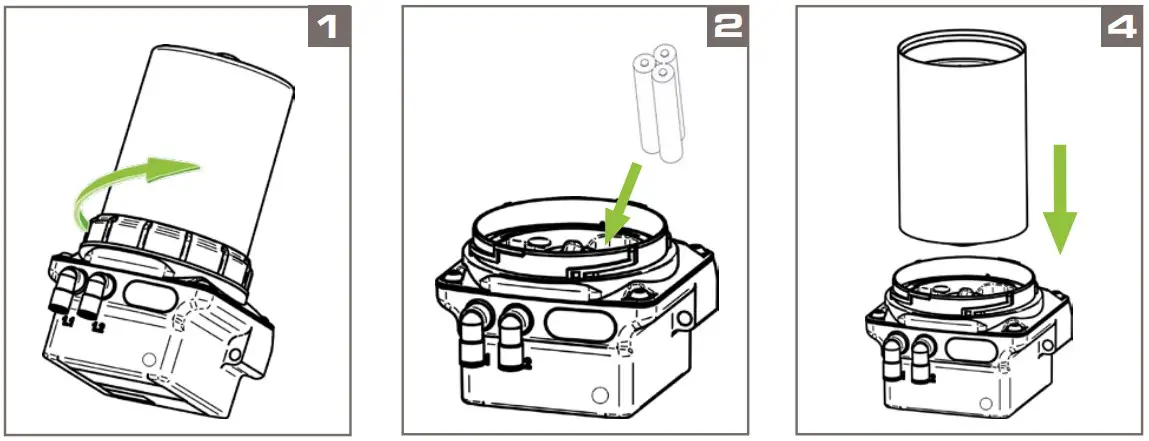
- Separate the housing from the power unit by turning the retaining ring counterclockwise.
- Connect the battery to the battery cable using the plug.
- Turn the cap on the lubricant cartridge counterclockwise and pull it off.
- Place the full lubricant cartridge on LUB-B (label facing front). Turn the lubricant cartridge clockwise onto LUB-B.
- Place the dismantled housing on LUB-B. Fasten the housing to the power unit by turning the retaining ring clockwise.
Commissioning
- Mechanical fastening
Fix LUB-B mechanically. Pay particular attention to the maximum tightening torques permissible! - Power on
- Execute FIL function
- Hydraulic connection
Connect the consumer hydraulically to LUB-B. If you connect tubes to LUB-B make sure that tubes and connectors are installed tightly, cleanly and correctly.
The tube length shall not exceed 5 meters, the inner tube diameter shall not be lower than 4 mm.- Ideally, use tubes prefilled with the appropriate lubricant.
- Check settings on LUB-B
Check the required values for the lubrication point at the factory settings of LUB-B and adjust them if necessary.
Factory settings: operating mode=hour mode.
Operation and settings
Two operating modes can be selected.
The hour mode-h- allows setting the number of cycles (c) within an dispensing time (h) in hours. The cycles are evenly distributed over the dispensing time. Dispensing times between 1…240 hour(s) and cycles between 1…30 can be set.
The empty time mode Et allows the emptying time of the cartridge to be set in months. Emptying times between 1…36 month(s) can be set.
Default settings operating mode hour mode -h
Dispensing time h = 3: The dispensing time is 3 hours.
Number of cycles c = 1: The number of cycles is one (1) stroke during the dispensing time.
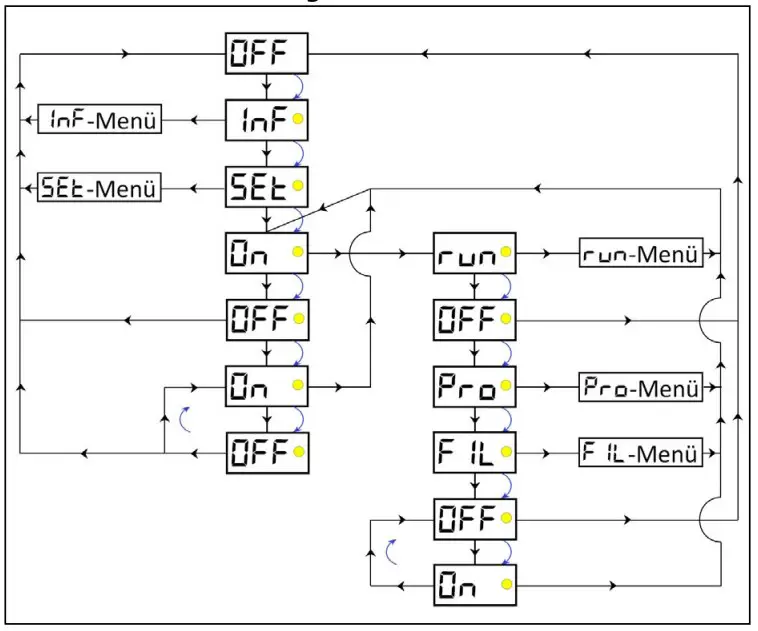
The graphic above illustrates the unchangeable basic flowchart of the LUB-B menu navigation as well as the options for branching to submenus.
- LUB-B can be switched on and off at several points in the menu navigation.
- The INF menu provides you with an informative overview of the current LUB-B settings.
- The SET menu allows you to make changes to the operating mode.
- The RUN menu allows you to manually trigger a single dispense at LUB-B.
- The PRO menu allows you to make changes to the LUB-B settings – and thus to its dispensing behavior.
- The FIL menu allows you to manually trigger a fixed number of dispenses at LUB-B.
| Display in LCD | Meaning | |
| Errors | ||
| E1 | Error E1 (empty cartridge) | |
| E2 | Error E2 (overload / overpressure) | |
| E3 | Error E3 (battery empty) | |
| E4 | Error E4 (fatal error) | |
| Submenus | ||
| INF | INF menu | |
| n01 | Firmware version of LUB-B | |
| h03 | Currently set value of dispensing time h | |
| c01 | Currently set value of number of strokes c | |
| 6 | Currently set value of emptying time Et | |
| SET | SET menu | |
| -h- | Operating mode: hour mode | |
| Et | Operating mode: empty time mode | |
| RUN | RUN menu | |
| 01…70 | During the manually triggered active RUN command („quick check“/extra dispense), the LCD displays the approximate back pressure in bar. In addition, the green LED lights up. | |
| PRO | PRO menu | |
| h1…240 | Adjustable setting of dispensing time h | |
| c1…30 | Adjustbale setting of number of strokes c | |
| 01…36 | Adjustabe setting of emptying time Et | |
| FIL | FIL menu | |
| 01…70 | During the manually triggered active FIL command, the LCD displays the approximate back pressure in bar. In addition, the green LED lights up. | |
| Clr | If the process is aborted during the FIL command, Clrappears at first. | |
| Additional characters on the LCD | ||
| 1 / 2 | During a dispensing process LUB-B indicates from which outlet lubricant is being pumped. | |
| MAX | After each cycle the maximum back pressure is displayed in bar. | |
Actions with the activation and programming key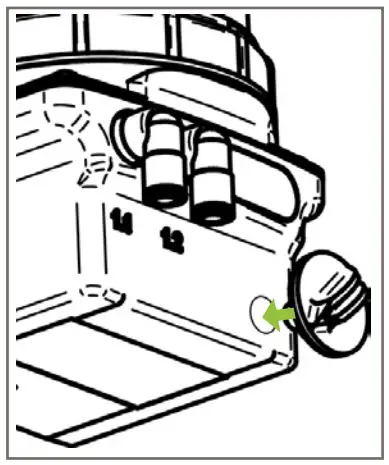
- Turn the activation and programming key to the OPEN position and remove it from the housing of LUB-B.
- Place the key on the action area on the front of LUB-B.
- Remove the key from the action area as long as the desired menu item is displayed in the LCD.
SET menu
The SET menu allows you to change the operating mode of LUB-B. You can switch between hour mode -h- and empty time mode -Et-.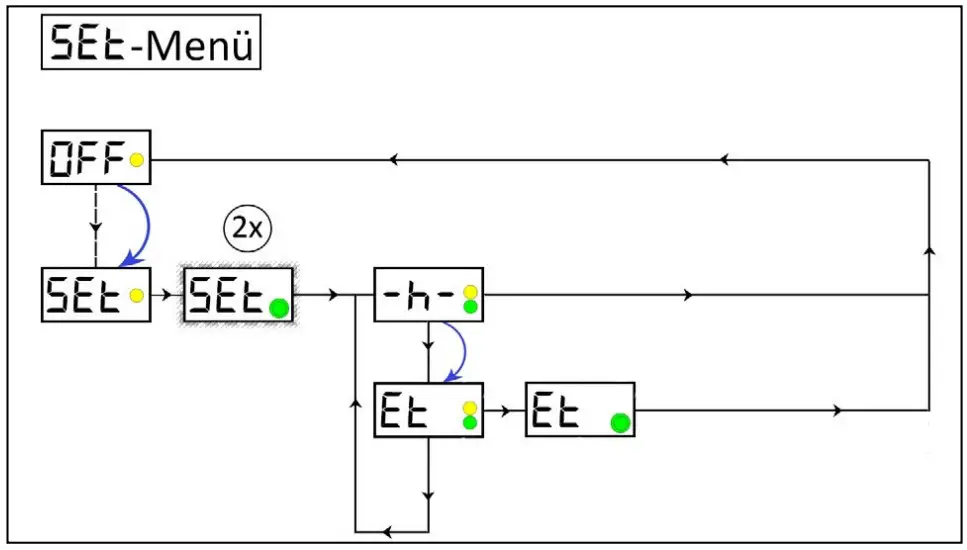
-h- Operating mode: hour mode –
hEt Operating mode: empty time mode Et
If you would like to change the operating mode, move the activation and programming key back to the action area.
When your desired operating mode is displayed on the LCD, remove the activation and programming key from the action area.
PRO menu
Being in operating mode hour mode -h-, you can change the dispensing time h as well as the number of cycles c (number of strokes). Being in PRO menu the first step is to set the dispensing time h and afterwards the number of cycles c; direct access to the number of cycles c is not possible. Being in empty time mode Et, you can change the emptying time Et in months.
FIL menu
This function enables you to prefill connected accessories (tubes, distributors,…) with the lubricant contained in the lubricant cartridge, especially during the initial start-up of LUB-B. However, the process can also be aborted manually at any time.
Maintenance
NOTICE
It is not possible to refill empty or opened lubricant cartridges.
NOTICE
The battery of LUB-B must be replaced at the same time as the lubricant cartridge.
Support
Gruetzner GmbH
Dagobertstr. 15 90431 Nuremberg, Germany
tel. +49 911 277 399 0
[email protected]
www.G-LUBE.com

 Automatic Lubrication since 1993 | GRUETZNER - Automatic Lubrication