 00186396/00186397
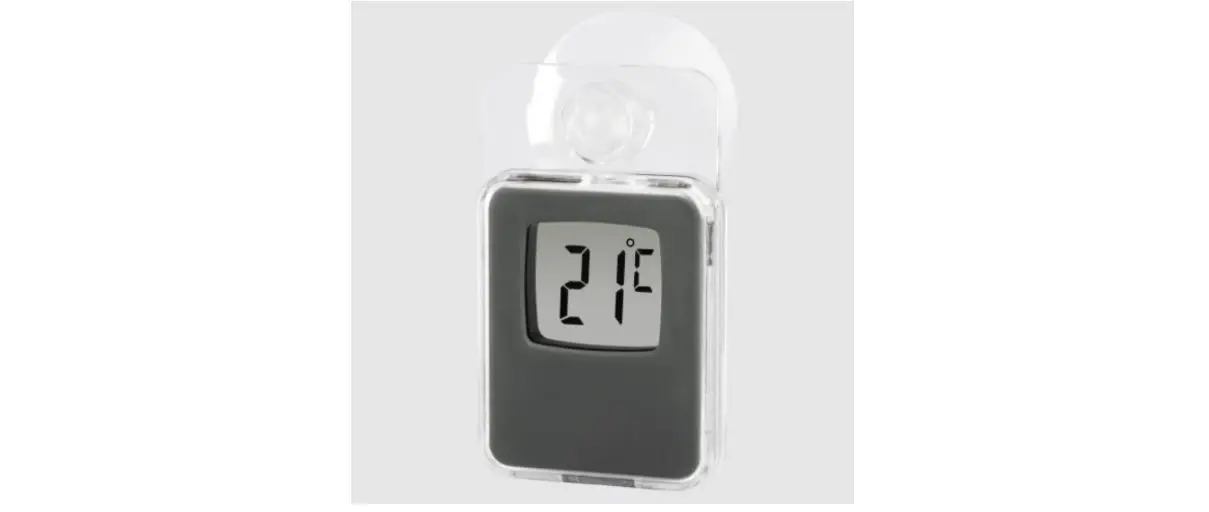
Window Thermometer
Fensterthermometer
Operating instruction
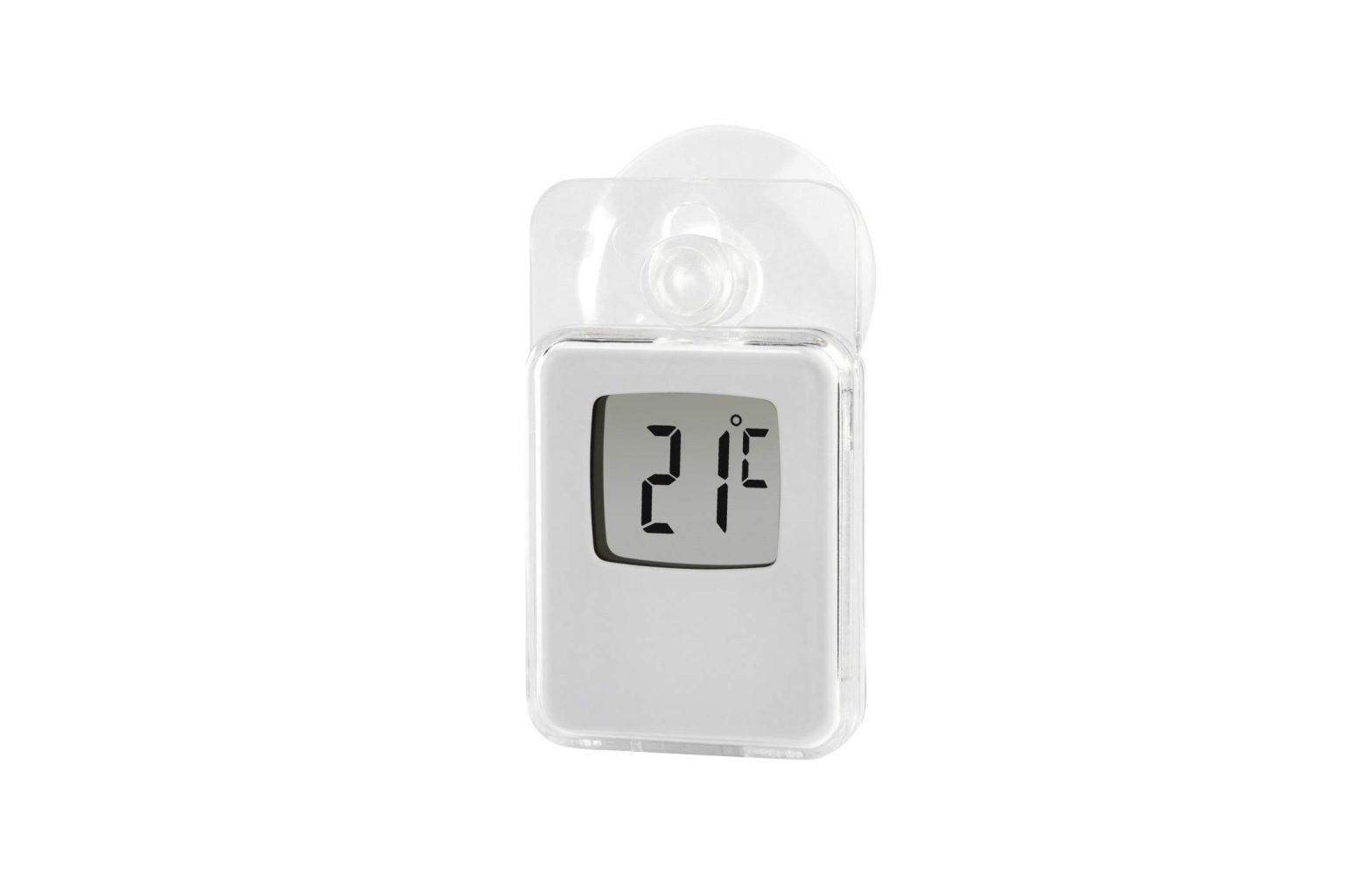
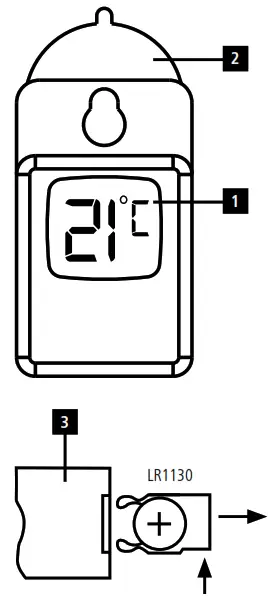
Controls and displays
- Display
- Suction cup
- Battery compartment
Explanation of Warning Symbols and Notes Warning
This symbol is used to indicate safety instructions or to draw your attention to specific hazards and risks. Note
Note
This symbol is used to indicate additional information or important notes.
Package Contents
- Indoor/outdoor window thermometer
- 1 x LR1130 button cell battery
- These operating instructions
Safety Notes
- The product is intended for private, noncommercial use only.
- Do not operate the product outside the power limits given in the specifications.
- Do not use the product in the immediate vicinity of heaters or other heat sources or in direct sunlight.
- Do not drop the product and do not expose it to any major shocks.
- Do not modify the product in any way. Doing so voids the warranty.
- Do not attempt to service or repair the product yourself. Leave any and all service work to qualified experts.
- Keep the packaging material out of the reach of children due to the risk of suffocation.
- Dispose of packaging material immediately according to locally applicable regulations.
- Use the product for its intended purpose only.
- Protect the product from dirt, moisture and overheating, and only use it in a dry environment.
- Do not use the product in areas where the use of electronic devices is not permitted.
- Do not open the device or continue to operate it if it becomes damaged.
- Keep this product, as all electrical products, out of the reach of children!
- Use the item only in moderate climatic conditions.
Warning – Batteries
- When inserting batteries, note the correct polarity (+ and – markings) and insert the batteries accordingly. Failure to do so could result in the batteries leaking or exploding.
- Only use batteries (or rechargeable batteries) that match the specified type.
- Before you insert the batteries, clean the battery contacts and the polar contacts.
- Do not allow children to change batteries without supervision.
- Do not mix old and new batteries or batteries of a different type or make.
- Remove the batteries from products that are not being used for an extended period (unless these are being kept ready for an emergency).
- Do not short-circuit batteries.
- Do not charge batteries.
- Do not throw batteries in a fire.
- Keep batteries out of the reach of children.
- Never open, damage or swallow batteries or allow them to enter the environment. They can contain toxic, environmentally harmful heavy metals.
- Immediately remove and dispose of dead batteries from the product.
- Avoid storing, charging or using the device in extreme temperatures and extremely low atmospheric pressure (for example, at high altitudes).
Warning – Button cells
- Do not ingest battery, risk of burns due to dangerous substances.
- This product contains button cells. If swallowed, the button cell can cause severe internal burns within just two hours and lead to death.
- Keep new and used batteries out of the reach of children.
- If the battery compartment does not close securely, stop using the product and keep it out of the reach of children.
- If you think that batteries were swallowed or are in a part of the body, seek medical assistance immediately.
Getting started
- Open the battery compartment (3) on the back of the thermometer.
- Remove the protective film from the button cell.
- When inserting the battery, ensure that the polarity is correct (+ to the top, – to the bottom).
- Close the battery compartment. Make sure that the cover closes easily and tightly.
- The thermometer is automatically activated.
Operation
- The current temperature is shown on the display (1) after activation of the thermometer.
- Use the suction cup (2) to attach the thermometer to a smooth surface such as a window pane.
- The thermometer can be fitted both indoors and on the outside of buildings.
- Make sure that the suction cup (2) and the surface to which it is to adhere are clean and free of dust and grease.
- If you would like to remove the thermometer, simply lift the edge of the suction cup (2).
Note – Attaching the product outdoors
- Remove the suction cup (2) on the back of the thermometer.
- Attach the suction cup to the front of the thermometer. The displayed temperature can now be read from inside.
- The international standard height for measuring air temperature is 1.23 m (4 ft) above ground.
Replacing the batteries
- If the display (1) becomes dimmer, you must replace the battery.
- Replace the battery as described in 5. Getting started.
Care and Maintenance
- Only clean this product with a slightly damp, lint-free cloth and do not use aggressive cleaning agents.
- Make sure that water does not get into the product.
Warranty Disclaimer
Hama GmbH & Co KG assumes no liability and provides no warranty for damage resulting from improper installation/mounting, improper use of the product or from failure to observe the operating instructions and/or safety notes.
Technical Data
| Indoor/outdoor window thermometer | |
| Power supply | 1.5 V, 1 x LR1130 battery |
| Temperature measuring range | -20°C to +50°C |
Hama GmbH & Co KG 86652 Monheim /Germany
Service & Support www.hama.com
 +49 9091 502-0
All listed brands are trademarks of the corresponding companies.
Errors and omissions excepted, and subject to technical changes.
Our general terms of delivery and payment are applied.
00186396_97/10.22
 hama.com