GIGABYTE How to Configure ErP Lot 9 in BIOS Setup User Guide
How to Configure ErP Lot 9 in BIOS Setup
Follow the instructions to enable the ErP Lot 9 function.
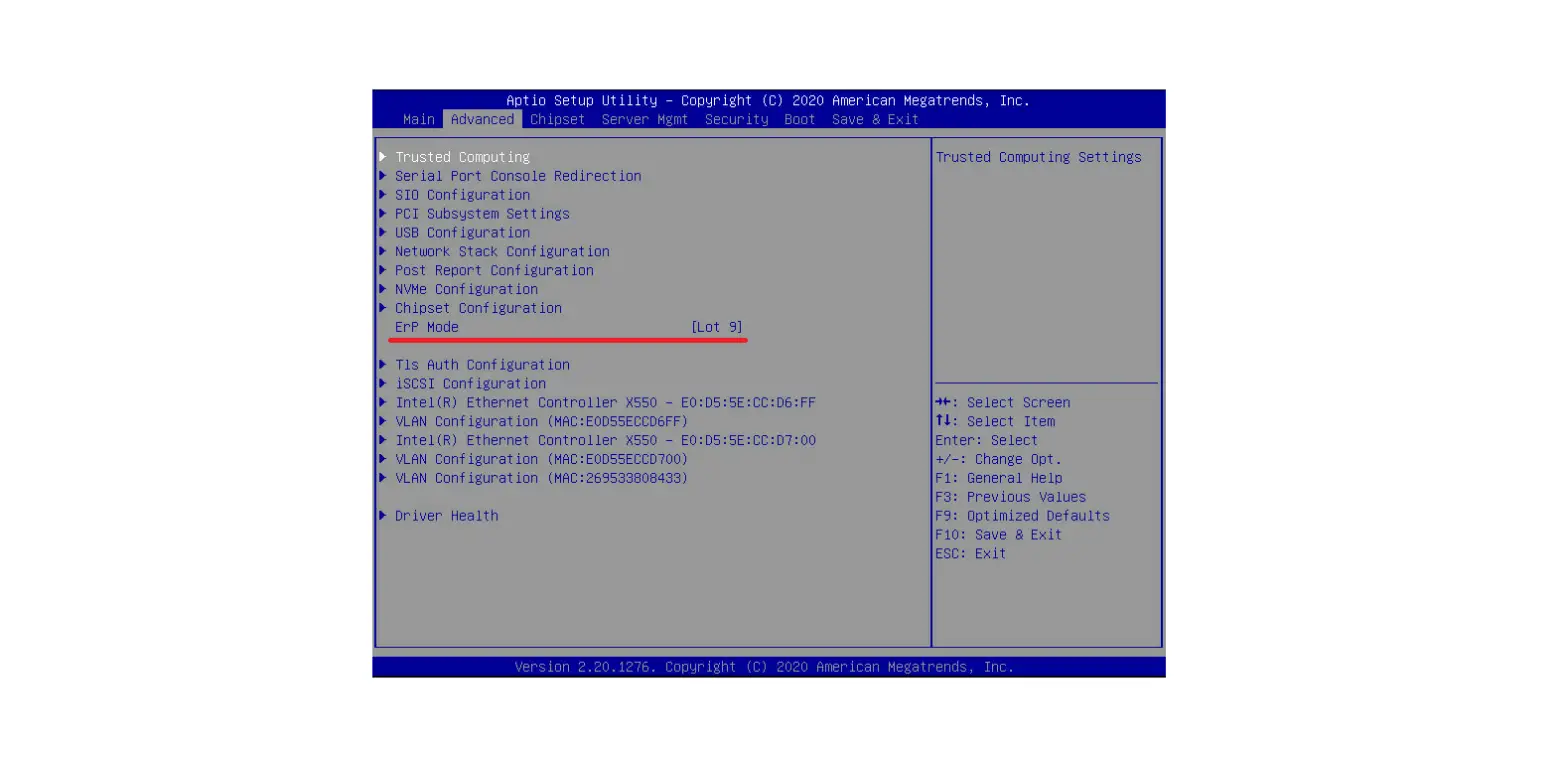
- Access the BIOS Setup program by pressing the <DEL> key during the POST when the power is turned on.
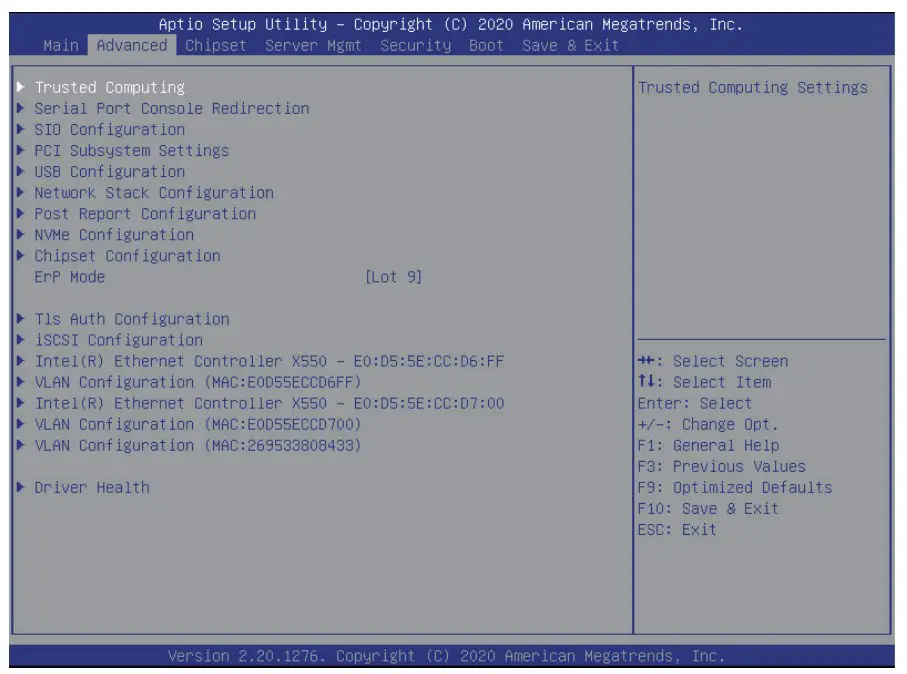
- Go to Advanced Page.
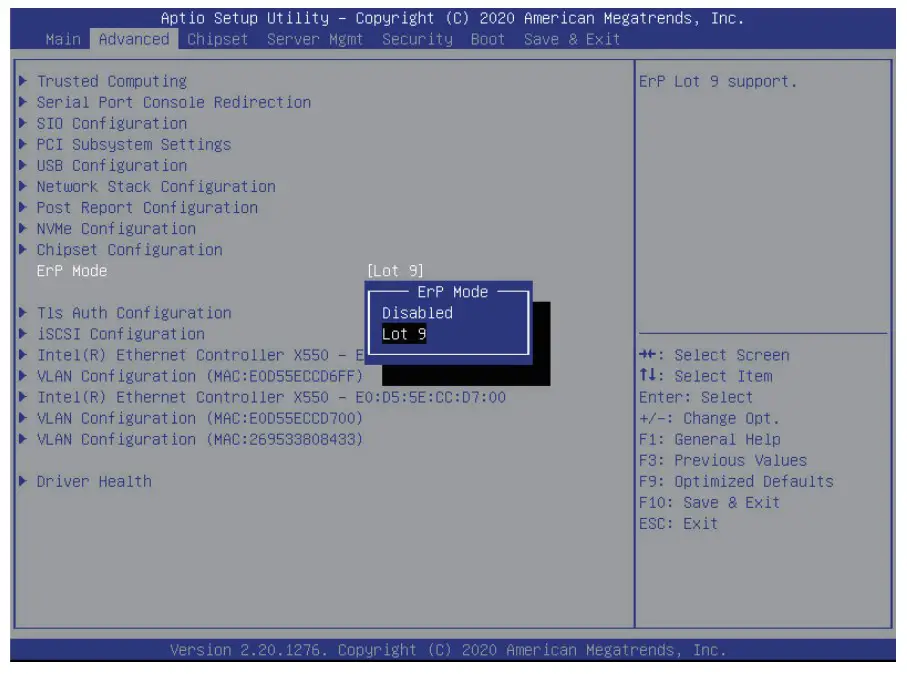
- Select ErP Mode and select Lot 9.
- Go to Save & Exit Page to save the configuration.

- When ErP Mode is enabled, fan speed will be adjusted and any redundant PSU will be placed into a standby state (“Cold Redundancy”) in order to decrease power consumption when the server is in idle mode.
 NOTE!
NOTE!
ErP mode will be enabled only when no add-on cards are installed in the server or motherboard, and BMC firmware has also been updated to the latest version with ErP mode support.