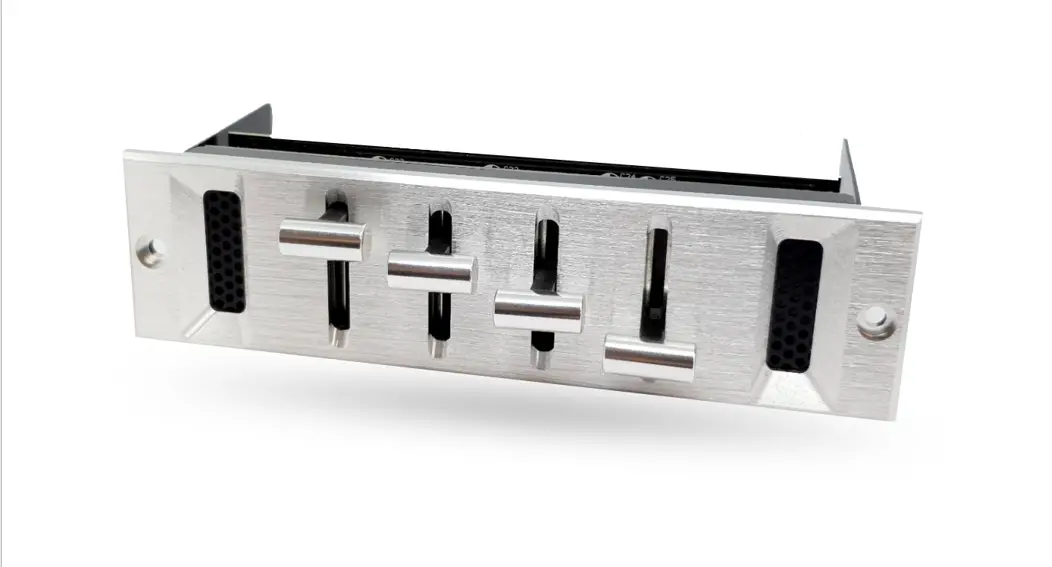
 THERMAL FAN CONTROLLER CHM36
User’s manual
AUTOTERM CHM36
AUTOTERM CHM36 is a programmable thermal fan controller with heating/cooling functions. It can be used for controlling heaters, A/C compressors, fans and solenoid valves.
The controller has four power outputs of 12 or 24V, to which externally controlled devices can be connected directly or via relay. Power is supplied to all four outputs at the same time, allowing up to four relays to be connected.
The controller can operate in either heating or cooling mode. It allows adjusting the start-up and switch-off temperatures for controlling external devices, start delay, and correction of the temperature sensor readings.
This thermal fan controller is an excellent addition to the AUTOTERM BALTICA-S heating system for automatic room heating. The CHM36 can be powered by any 12V/24V DC power supply.
The CHM36 controller must be mounted indoors where the humidity level doesn’t exceed 65%.
For mounting the CHM36 controller, make an 76×34 mm opening and drill two ø3mm holes as shown in Figure 1. Insert the controller in the opening and fasten the front panel with the self-tapping screws from the kit.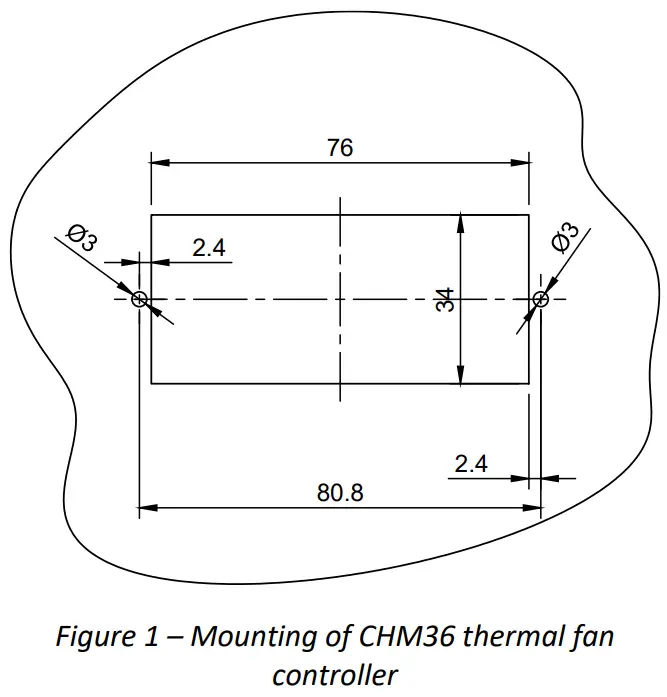
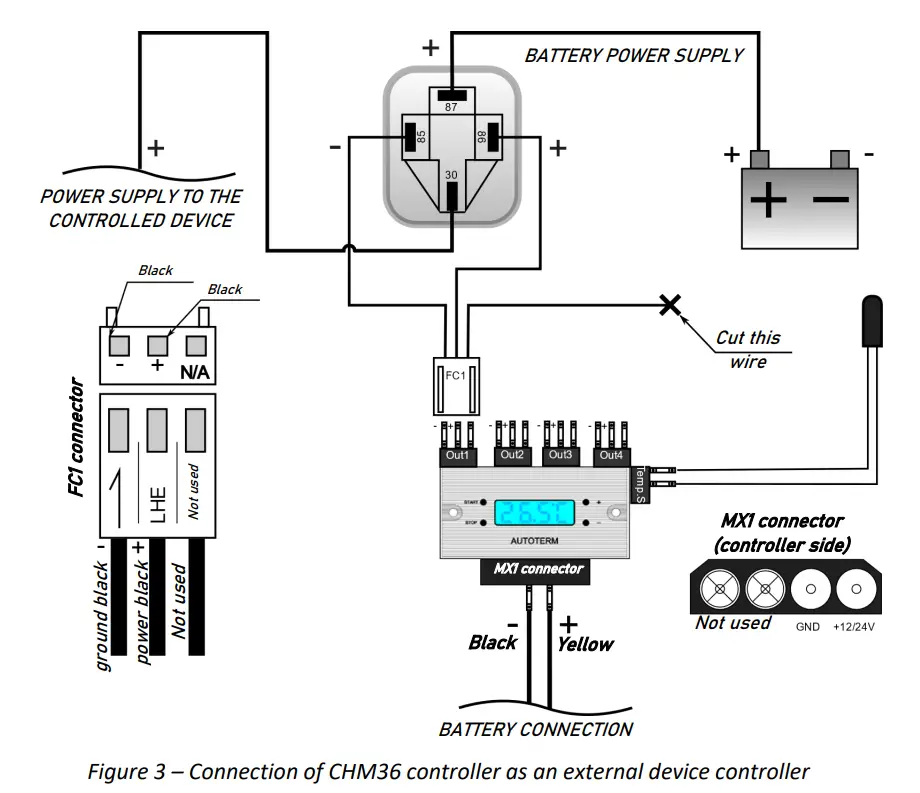
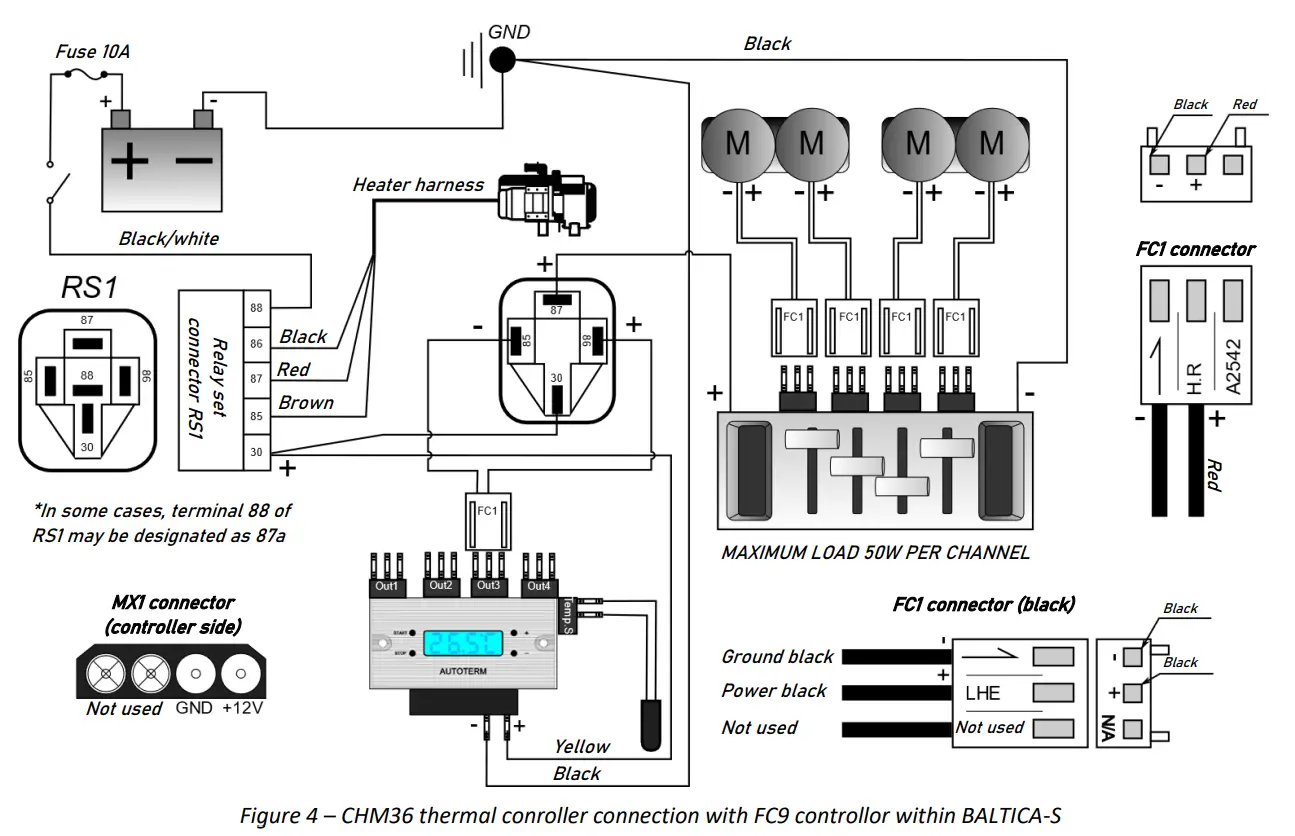
For connecting CHM36 controller see electrical connection diagrams Figure 2 and Figure 3. For connection with FC9 controller within the BALTICA-S system see Figure
The CHM36 controller comes with four-wire extenders (50mm). There is a 3-pin connector (FC1) at the controller end and a 4-pin connector at the other. The 4-pin connector allows to directly connection the fans of the CHX heater matrices.To extend the wires or to connect other devices, cut the 4-pin connector and connect the wires according to the connection diagrams.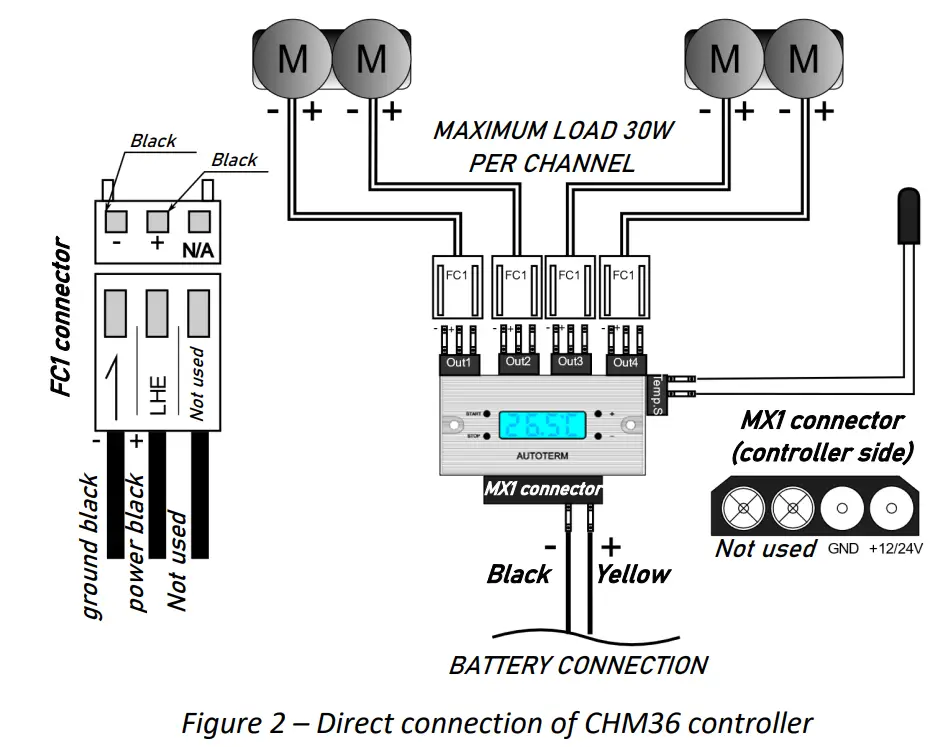
Programming the CHM36
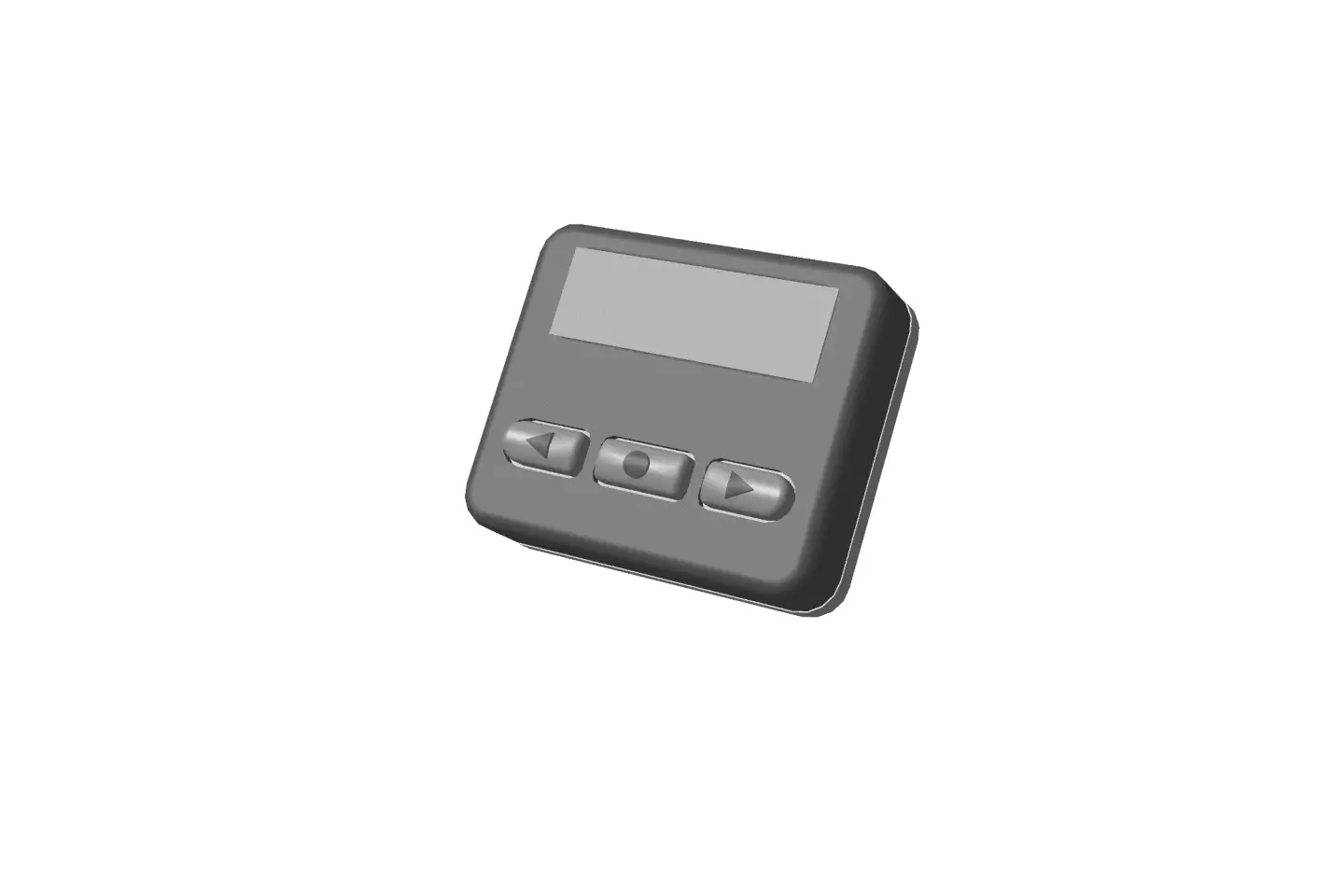
The CHM36 is controlled by four buttons:
START: for entering menu (long press 3 seconds) and selection;
STOP: for turning off the controller (long press 3 seconds) and exiting the menu;
+: to increase value/navigation up;
_: to decrease value/navigation down.
The CHM36 has six programming options:
| No | Description | Value | Factory setting | Recommendations when using with BALTICA-S |
| PO | Temperature unit | C / F | C | – |
| P1 | Cooling / Heating mode | C / H | C | H for heating |
| P2 | Upper-temperature limit | 99 °C | 45 °C | The desired temperature at which the CHX fans shuts off |
| P3 | Lower temperature limit | 0.9 °C | 25 °C | The desired temperature at which the CHX fans turns on again |
| P4 | Temperature correction | ± 10 °C | 0 | Temperature correction required to adjust the temperature sensor to the real room temperature, when the sensor is placed in the location with low air circulation |
| P5 | Fan start time delay | 0 —10 min | 0 | It’s recommended to set at least a 2-minute delay to avoid false start of the fans due to room temperature fluctuations |
Programming instructions:
For entering menu long press START for 3 seconds, for navigation use + / – buttons, then follow the table below:
| No | Instructions |
| P0 | Select P0 then press START | Select C for Celsius, F for Fahrenheit | Press STOP to exit. |
| P1 | Select P1 then press START | Select C for Cooling, H for Heating | Press STOP to exit. |
| P2 | Select P2 then press START | Set the desired upper temperature by pressing | Press STOP to exit. |
| P3 | Select P3 then press START | Set desired lower temperature by pressing | Press STOP to exit. |
| P4 | Select P4 then press START | Set the temperature correction value | Press STOP to exit. |
| P5 | Select P5 then press START | Set the desired time delay | Press STOP to exit. |