LED FLOOR LAMP
User Manual
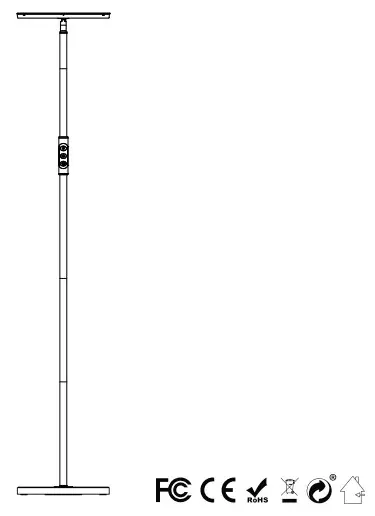
LED floor lamp user manual
Thank you for your choice. Please read the user manual carefully and keep it for future reference.
Correct installation is required, please follow the instructions step by step. After installation, this LED floor lamp can be controlled by remote control or a touch-sensitive button on the lamp.
Specification
Model | FLD-024-F2-058-K1-ee-fff |
Wattage | 24W |
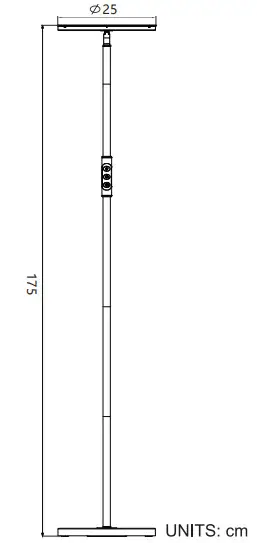
Dimension | ∅25× 175cm |
Input Voltage | 100-240VAC,50/60Hz |
Color Temperature | 2700K-6500K |
Max Luminous Flus | 2000 Im |
Beam Angle | 120 deg |
Protection Rating | Remote control |
Controlled By | remote control/Touch |
Color | 2700146500K White |
Material | Plastic; Cast Iron hardware |
Before Assembly
- Inspect the lamp before beginning assembly. Wire connections have been made at the factory and the lamp is ready for assembly.
- Remove all packing materials from the lamp.
- To prevent bad connections, avoid pulling wiring connections when removing contents from the package or during installation.
- Layout all the parts on a flat surface.
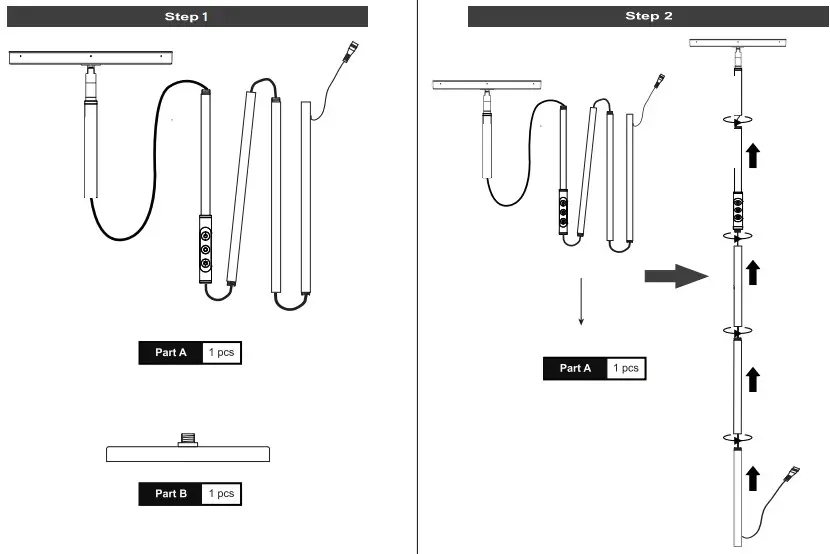
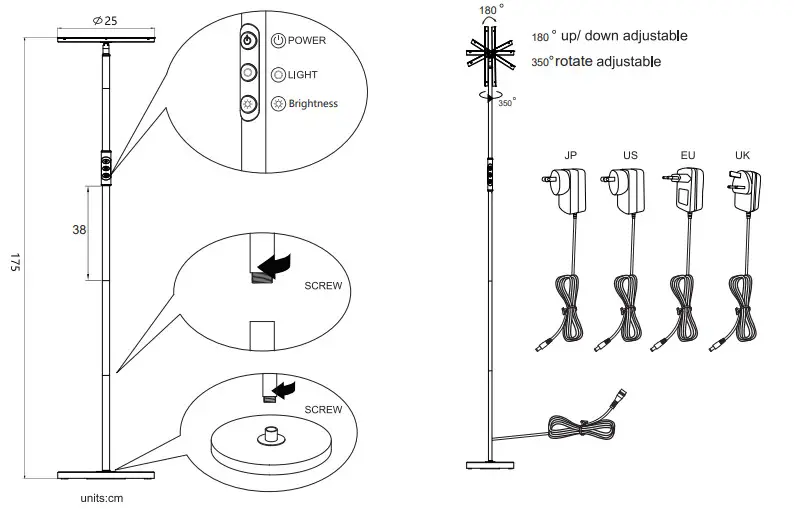
- The floor lamp consists of seven parts:1 xLamp Head,4xPole.1xLamp Base,1 xRemote controlj xElectric Wire with Adapter(Refer to illustration).
Assembly Instruction
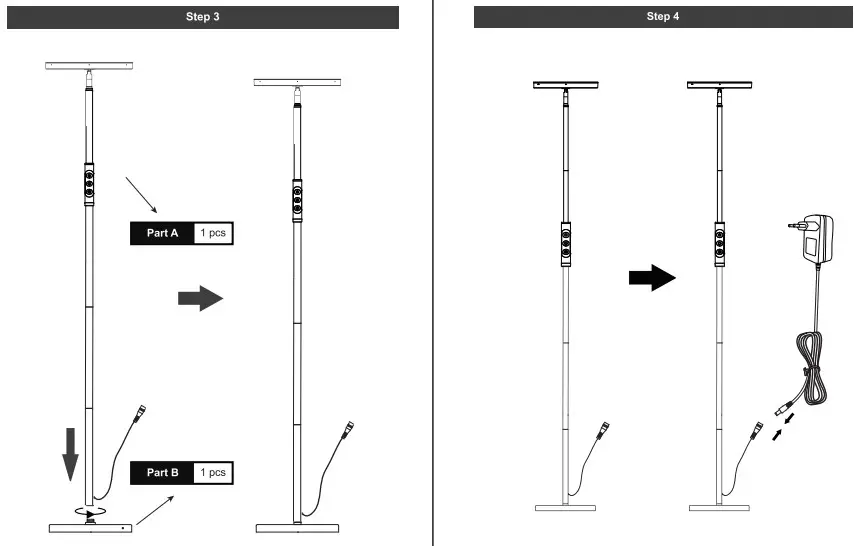
1. Place the lamp base on a flat surface, then screw every two parts clockwise in order.
Note:
- Please take care not to pinch or damage the wires.
- For better installation, please tighten the bottom pole and lamp base firstly.
- Make sure each section of the tubes is tightened.
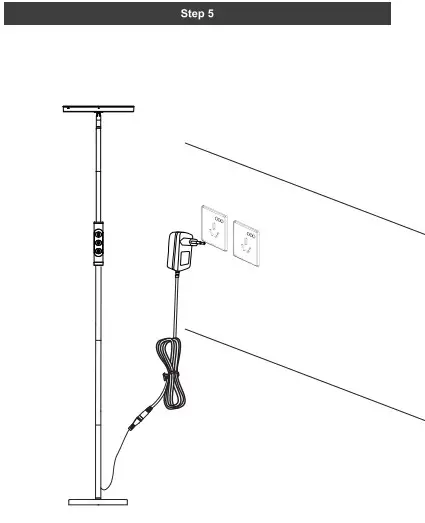
2. Plug the adapter into an outlet and now the lamp is ready for use.
Adjustment
For best performance .please adjust the lamp position to directly above your area of reading/working.
Remote control code matching
Long press ON/OFF on the remote control and turn on the light, the light flashes, indicating Code the remote control and light Remote controller instruction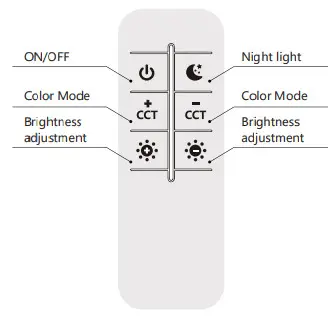
| Order Button Number | Function |
| ON/OFF | Press to ON/OFF |
| NightLight | NightLight Mode |
| Color Mode | Brightness invariant, Short press to display 4 colors. From Warm color to Cool color in turn; Long press color from Warm to Cool in 0%-100%. |
| Color Mode | Brightness invariant Short press to display 4 colors. From Cool color to Warm color in turn: Long press color from Cool to Warm in 0%-100% |
| Brightness adjustment | Color invariantShort press to display 10 Brightness, From 10% to 100% Long press Brightness from 10% to 100% brightness SI 0%-100%. |
| Brightness adjustment | Color invariantShort press to display 10 Brightness. From 100% to 10% Long press Brightness from 10% to 100% brightness in 0%-100%. |
 Key Function
 Power button
Short touch: Power ON or OFF
 Color button
Function | |
Short press | Brightness invariant. Short press to display 4 colors. From Warm color to Cool color in turn loop |
long press | Brightness invariant. Long press color from Warm to Cool in 0%-100%.call off and Long press again color from Cool to Warm in 0%400% |
 Brightness button
Function | |
| Short press | Color invariant Short press to display 4 Brightness in tum loop. |
| long press | Color invariant. Long press Brightness from 10% to 100% brightness in 0%-100% call off and Long press again from 100% to 10% brightness in 0%-100% |
Tips
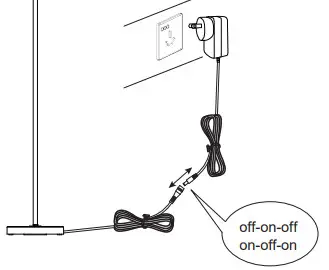
- If you want to cancel the pairing with the lamp, the Tun off-on-off-on-off-on lamp flashes when the lamp is working, and the pairing is cleared successfully
- There is a magnet on the back of the remote control, which can be adsorbed on any iron metal surface such as a floor lamp pole.
WARNING:
 Cut off the power before installation.
Keep it away from flammables and fire sources.
Replacing and cleaning to avoid electricity touched.
The lamp is operated in a dimming circuit
Keep it away from water.
Assemble the lamp according to the instructions and do not rebuild. Do not stare at the lamp for a long time.
Assemble take apart or move the lamp gently.
Please do not cover anything on the lamp head and avoid bending and bumping the lamp pole.
Keep it away from children.