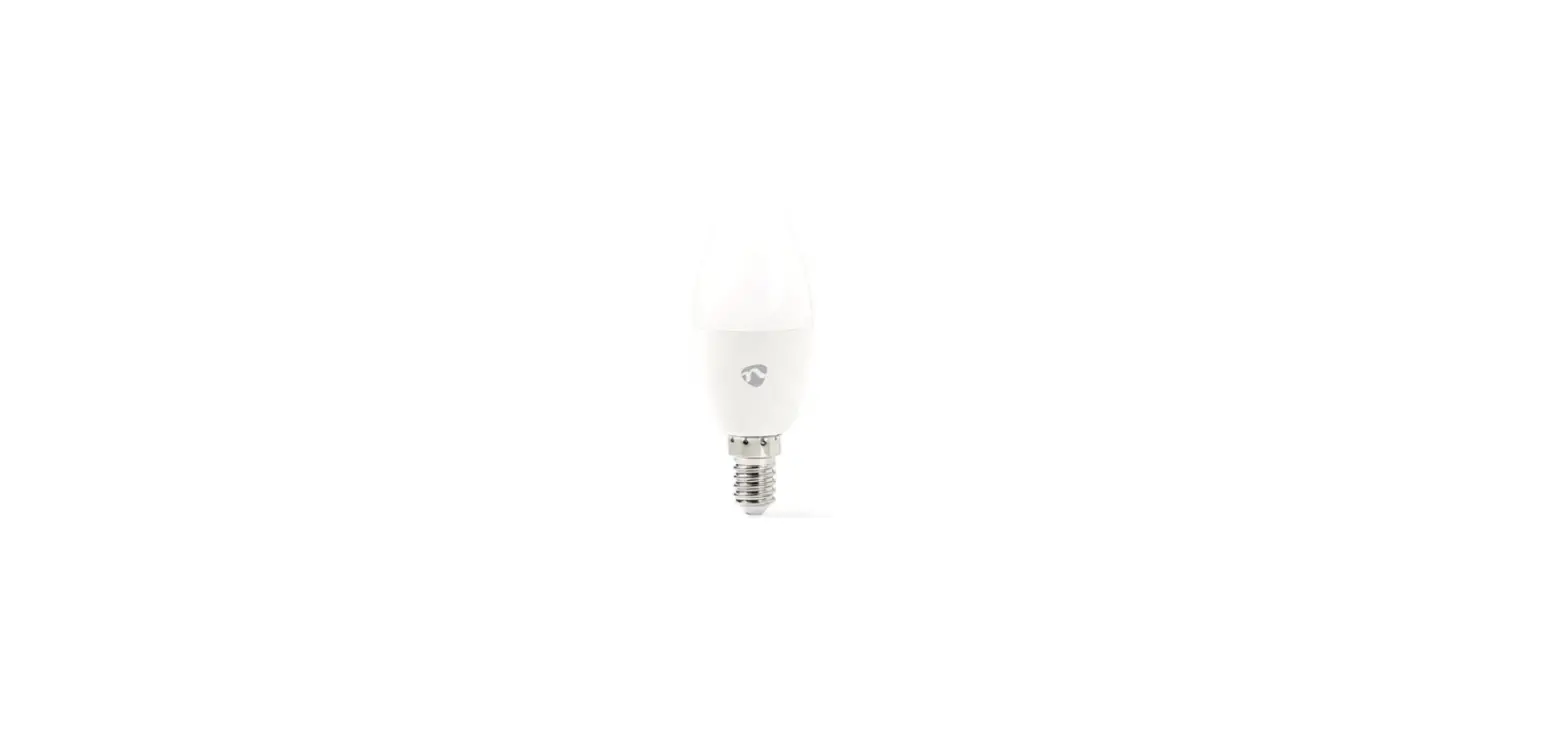
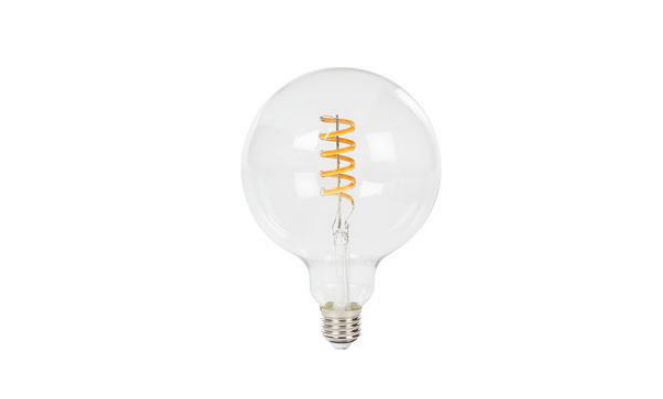
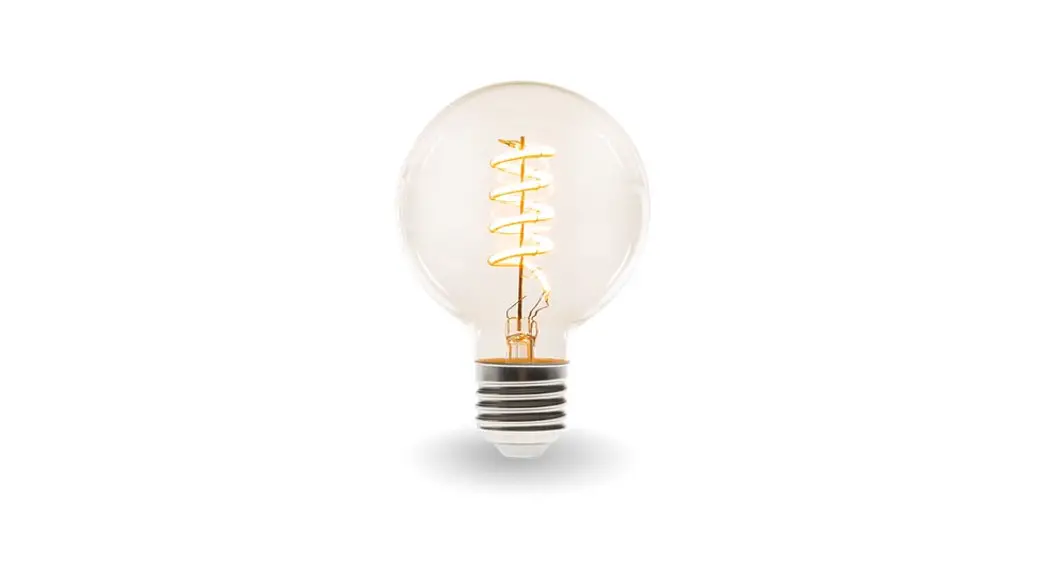
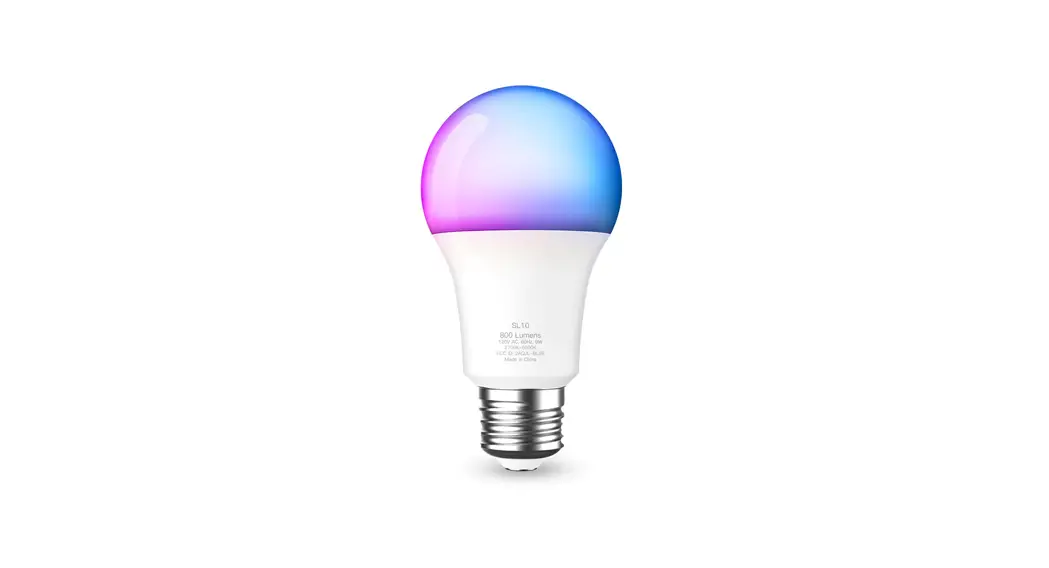
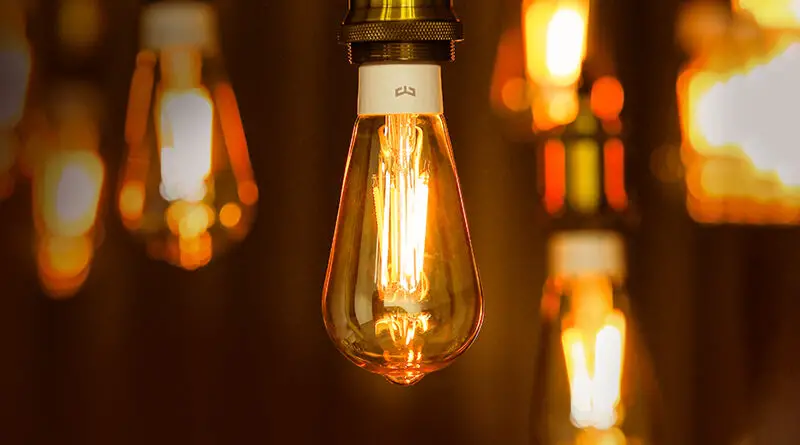
WIFILT10GDA60 Smart LED Bulb
Product Information: Smart LED Bulb
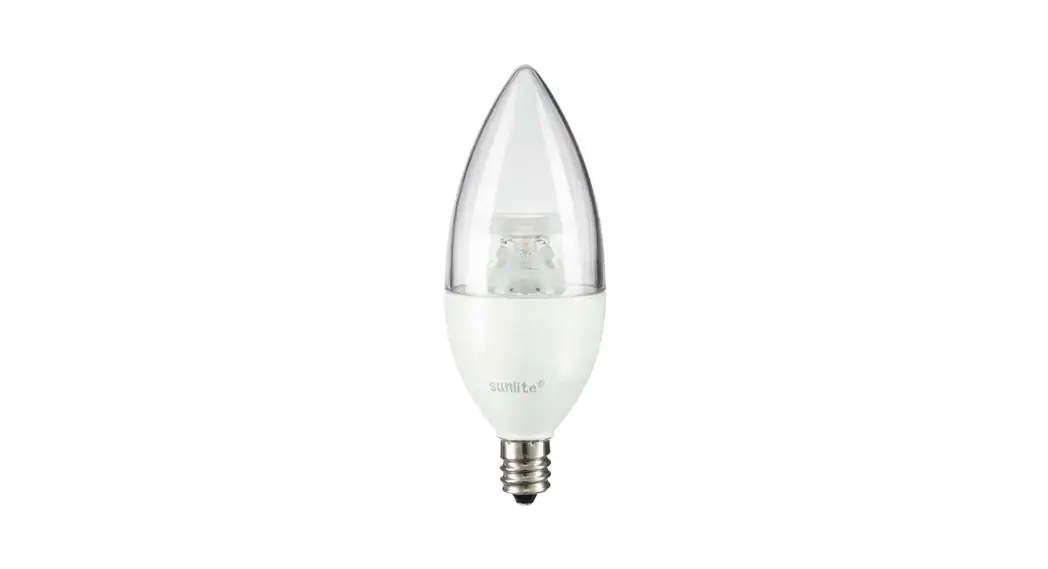
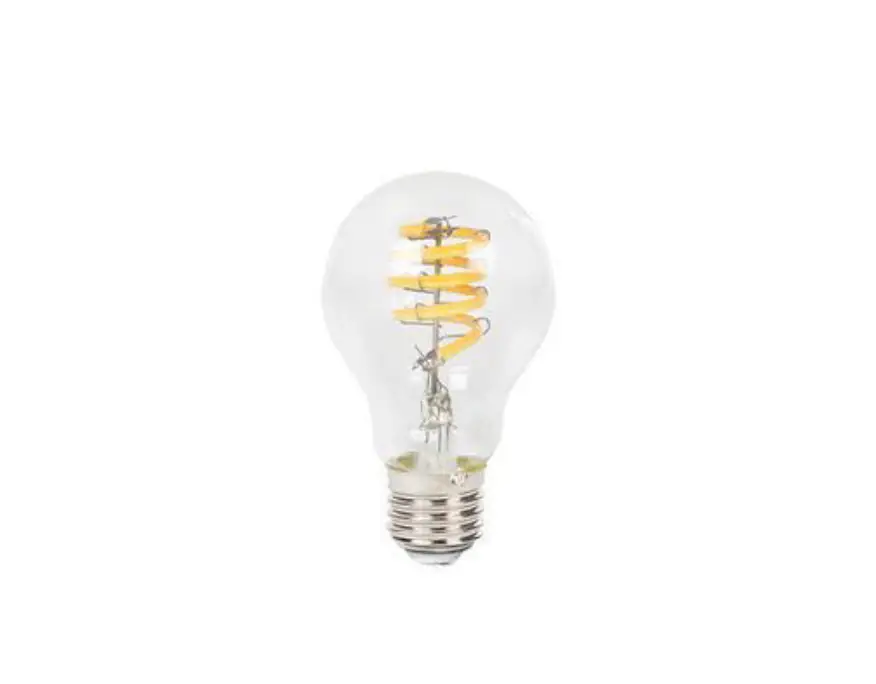
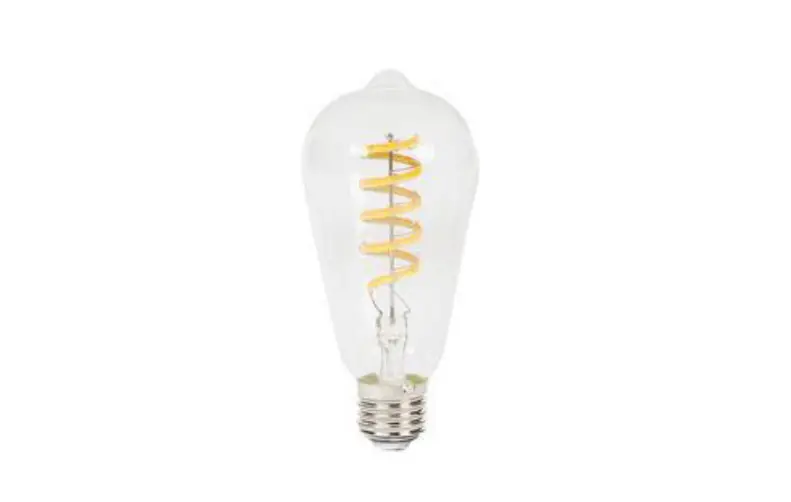
The Smart LED Bulb is available in three variants:
WIFILT10GDA60, WIFILT10GDST64, and WIFILT10GDG125. It is intended
for lighting indoor or outdoor environments and is exclusively
controlled through the Nedis SmartLife app. Any modification to the
product may affect its safety, warranty, and functionality.
The product consists of a bulb, a filament, and an electric
contact. It can be connected to a 2.4 GHz Wi-Fi network and
controlled using the Nedis SmartLife app from any distance.
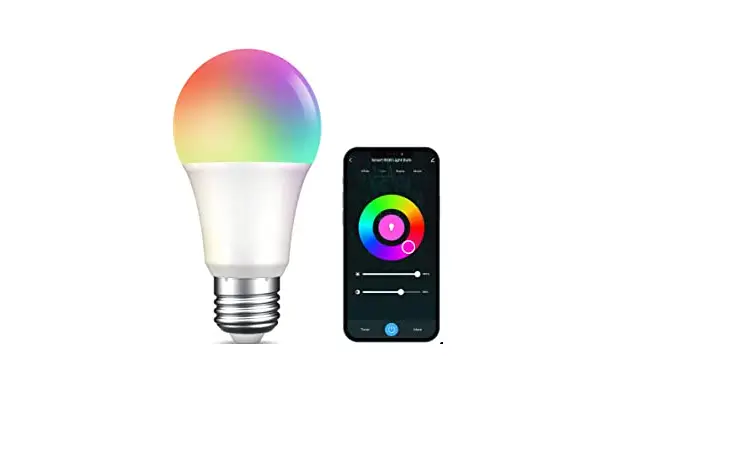
The bulb’s brightness, light color, and temperature can be
customized according to user preferences.
For more information on the product’s specifications and
compliance, customers can contact Nedis customer service through
their website, email, or phone.
Product Usage Instructions
Installation of the Nedis SmartLife app
- Download the Nedis SmartLife app for Android or iOS from Google
Play or the Apple App Store. - Open the app and create an account using your mobile phone
number or email address. - Enter the verification code received and create a
password. - Create a SmartLife Home by adding your location and choosing
the rooms you want to connect with.
Installation of the SmartLife lamp
- Screw the lamp into an E27 fitting and turn it on.
- In the Nedis SmartLife app, tap + B3 and select the lamp from
the list of available devices under Search Device. - If the lamp is blinking, tap to confirm. If not, turn the lamp
off and on three times and check again. - Enter the password of the 2.4 GHz Wi-Fi network your phone is
connected to and tap Confirm. The app will search for the lamp and
add it. - Rename the lamp after it has been found and added.
- If regular connection fails, connect the lamp using AP mode by
tapping + B3, selecting Smart Bulb under Add Manually, and
following steps 3-5 of the regular connection method.
Using the SmartLife lamp
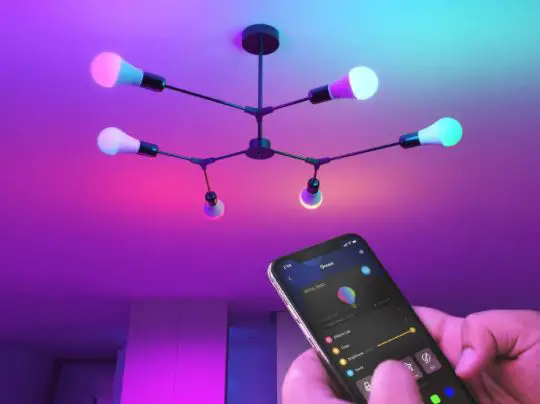
The SmartLife lamp can be controlled using the Nedis SmartLife
app:
- The home menu shows a control tile for each connected lamp or
group. - Tap B4 to turn a lamp on or off.
- Tap B2 to show the current settings of the lamp or group on the
tile. - Tap the control tile B1 to access the controls of the lamp or
group.
a Quick start guide
Smart LED Bulb
WIFILT10GDA60 WIFILT10GDST64 WIFILT10GDG125
For more information see the extended manual online: ned.is/wifilt10gda60 | ned.is/wifilt10gdst64 | ned.is/wifilt10gd125
Intended use The product is exclusively intended for lighting an indoor or outdoor environment. The product is intended to be controlled exclusively via the Nedis SmartLife app. Any modification of the product may have consequences for safety, warranty and proper functioning.
Main parts (image A)
1 Bulb 2 Filament
3 Electric contact
Safety instructions -WARNING · Only use the product as described in this
manual. · Do not use a damaged product. · Do not expose the product to water or
moisture. · Do not drop the product and avoid bumping.
Installation of the Nedis SmartLife app 1. Download the Nedis SmartLife app for Android
or iOS on your phone via Google Play or the Apple App Store. 2. Open the Nedis SmartLife app on your phone. 3. Create an account with your mobile phone number or your e-mail address and tap Continue. 4. Enter the received verification code. 5. Create a password and tap Done. 6. Tap Add Home to create a SmartLife Home. 7. Set your location, choose the rooms you want to connect with and tap Done.
Installation of the SmartLife lamp 1. Screw the lamp into an E27 fitting. 2. Turn on the lamp. 3. In the Nedis SmartLife app, tap + B3. 4. Under Search Device, select the lamp from the
list of available devices. 5. Check if the lamp is blinking. If so, tap to
confirm.
4If the lamp does not blink, turn the lamp off
and on 3 times and check again. 6. Enter the password of the 2,4 GHz Wi-Fi
network to which your phone is connected and tap Confirm. The Nedis SmartLife app will now search for the lamp. 7. Rename the lamp after it has been found and added.
4If the regular connection method fails, the lamp
can be connected using AP mode: 1. Tap + B3. 2. Under Add Manually, tap Smart Bulb. 3. Tap AP Mode in the top right corner. 4. Follow steps 5 till 7 of the regular connection
method.
Using the SmartLife lamp (image B) The SmartLife lamp can be controlled from any distance using the Nedis SmartLife app. The home menu of the Nedis SmartLife app shows a control tile for each connected lamp and/or group. 1. Tap B4 to turn a lamp on or off. 2. Tap B2 to show the current settings of the
lamp or group on the tile. 3. Tap the control tile B1 to access the controls
of the lamp or group.
4See our support webpage to discover all
possibilities of the Nedis® SmartLife lamp.
Specifications
Product Power supply
Wireless technology Frequency Range Max. radio transmit power Fitting Material Brightness Light colour Temperature
Smart LED Bulb 220 – 240 V/AC 5.5 W Wi-Fi 2412 – 2472 MHz 18 dBm E27 Glass 350 lm 1800 – 6500 K Max. 40 °C
Article number WIFILT10GDA60 WIFILT10GDST64 WIFILT10GDG125
Dimensions Ø 60 x 110 mm Ø 64 x 142 mm Ø 125 x 170 mm
Weight 35 g 50 g 100 g
Declaration of Conformity We, Nedis B.V. declare as manufacturer that the product WIFILT10GDA60 | WIFILT10GDST64 | WIFILT10GDG125 from our brand Nedis®, produced in China, has been tested according to all relevant CE standards and regulations and that all tests have been passed successfully. This includes, but is not limited to the RED 2014/53/EU regulation. The complete Declaration of Conformity (and safety datasheet if applicable) can be found and downloaded at http://webshop.nedis.com.
For additional information regarding the compliance, contact the customer service: Web: www.nedis.com E-mail: [email protected] Phone: +31 (0)73-5991055 (during office hours) Nedis B.V., de Tweeling 28 5215 MC ‘s-Hertogenbosch, the Netherlands
c Kurzanleitung
Smart LED-Glühbirne
WIFILT10GDA60 WIFILT10GDST64 WIFILT10GDG125
Weitere Informationen finden Sie in der erweiterten Anleitung online: ned.is/wifilt10gda60 | ned.is/wifilt10gdst64 | ned.is/wifilt10gd125
Bestimmungsgemäße Verwendung Das Produkt ist allein zur Beleuchtung von Innenoder Außenbereichen gedacht. Das Produkt darf ausschließlich über die Nedis SmartLife-App gesteuert werden.
Jegliche Modifikation des Produkts kann Folgen für die Sicherheit, Garantie und ordnungsgemäße Funktionalität haben.
Hauptbestandteile (Abbildung A)
1 Birne 2 Glühfaden
3 Elektrischer Kontakt
Sicherheitshinweise -WARNUNG · Verwenden Sie das Produkt nur wie in dieser
Anleitung beschrieben. · Verwenden Sie keinesfalls ein beschädigtes
Produkt. · Setzen Sie das Produkt keinem Wasser oder
Feuchtigkeit aus. · Lassen Sie das Produkt nicht herunterfallen und
vermeiden Sie Kollisionen.
Installation der Nedis SmartLife-App 1. Laden Sie die Nedis SmartLife-App für Android
oder iOS aus dem Google Play Store oder dem Apple App Store auf Ihr Smartphone. 2. Öffnen Sie die Nedis SmartLife-App auf Ihrem Smartphone. 3. Erstellen Sie ein Konto mit Ihrer Mobiltelefonnummer oder Ihrer E-Mail-Adresse und tippen Sie auf Continue (Fortsetzen). 4. Geben Sie den erhaltenen Bestätigungscode ein. 5. Erstellen Sie ein Passwort und tippen Sie auf Done (Fertigstellung). 6. Tippen Sie auf Add Home (Familie hinzufügen), um ein SmartLife-Zuhause zu erstellen. 7. Legen Sie Ihren Standort fest, wählen Sie die Räume aus mit denen Sie eine Verbindung herstellen möchten, und tippen Sie auf Done (Fertigstellung).
Installation der SmartLife Lampe 1. Schrauben Sie die Lampe in eine E27 Fassung. 2. Schalten Sie die Lampe ein. 3. Tippen Sie in der Nedis SmartLife-App auf +
B3. 4. Wählen Sie unter Search Device (Gerät suchen)
die Lampe aus der Liste der verfügbaren Geräte aus. 5. Überprüfen Sie ob die Lampe blinkt. Wenn ja, tippen Sie zur Bestätigung.
4Falls die Lampe nicht blinkt, schalten Sie sie
3-mal aus und wieder ein und überprüfen Sie es erneut. 6. Geben Sie das Kennwort des 2,4-GHz-WLANNetzwerks ein mit dem Ihr Telefon verbunden ist und tippen Sie auf Confirm (Bestätigen). Die Nedis SmartLife-App sucht nun nach der Lampe. 7. Benennen Sie die Lampe um, nachdem sie gefunden und hinzugefügt wurde.
4Wenn die normale Verbindung fehlschlägt,
kann die Lampe im AP-Modus verbunden werden: 1. Tippen Sie auf + B3. 2. Tippen Sie unter Add Manually (Manuell hinzufügen) auf Smart Bulb. 3. Tippen Sie oben rechts auf AP Mode (AP-Modus). 4. Befolgen Sie die Schritte 5 bis 7 des Verfahrens für die normale Verbindung.
Verwenden der Lampe SmartLife Lampe (Abbildung B) Die SmartLife Lampe kann mit der Nedis SmartLife-App aus jeder Entfernung gesteuert werden. Das Startmenü der Nedis SmartLife-App zeigt eine Steuerungskachel für jede angeschlossene Lampe und/oder Gruppe. 1. Tippen Sie auf B4, um eine Lampe ein- oder
auszuschalten. 2. Tippen Sie auf B2, um die aktuellen
Einstellungen der Lampe oder Gruppe auf der Kachel anzuzeigen. 3. Tippen Sie auf die Steuerungskachel B1, um auf die Steuerung der Lampe oder Gruppe zuzugreifen.
4Besuchen Sie unsere Support-Webseite, um alle
Möglichkeiten der Nedis® SmartLife Lampe zu entdecken.
Spezifikationen
Produkt Stromversorgung
Funktechnologie Frequenzbereich Max. Funksendeleistung Fassung Material Helligkeit Lichtfarbe Temperatur
Smart LED-Glühbirne 220 – 240 V/AC 5,5 W WLAN 2412 – 2472 MHz 18 dBm E27 Glas 350 lm 1800 – 6500 K Max. 40 °C
Artikelnummer WIFILT10GDA60 WIFILT10GDST64 WIFILT10GDG125
Abmessungen Ø 60 x 110 mm Ø 64 x 142 mm Ø 125 x 170 mm
Gewicht 35 g 50 g 100 g
Konformitätserklärung Wir, Nedis B.V., erklären als Hersteller, dass das Produkt WIFILT10GDA60 | WIFILT10GDST64 | WIFILT10GDG125 unserer Marke Nedis®, produziert in China, nach allen geltenden CE-Standards und Vorschriften getestet wurde und alle diese Tests erfolgreich bestanden hat. Dies gilt unter anderem auch für die Richtlinie RED 2014/53/EU. Die vollständige Konformitätserklärung (und das Sicherheitsdatenblatt, falls zutreffend) steht zum Download zur Verfügung unter http://webshop. nedis.com.
Weiterführende Informationen zur Compliance erhalten Sie über den Kundenservice: Web: www.nedis.com E-Mail: [email protected] Telefon: +31 (0)73-5991055 (zu den Geschäftszeiten) Nedis B.V., de Tweeling 28 5215 MC ‘s-Hertogenbosch, Niederlande
b Guide de démarrage rapide
Ampoule LED intelligente
WIFILT10GDA60 WIFILT10GDST64 WIFILT10GDG125
Pour plus d’informations, consultez le manuel détaillé en ligne : ned.is/wifilt10gda60 | ned.is/wifilt10gdst64 | ned.is/wifilt10gd125
Utilisation prévue Le produit est exclusivement destiné à l’éclairage d’un environnement intérieur ou extérieur. Le produit est destiné à être contrôlé exclusivement via l’application Nedis SmartLife. Toute modification du produit peut avoir des conséquences sur la sécurité, la garantie et le bon fonctionnement.
Pièces principales (image A)
1 Ampoule 2 Filament
3 Contact électrique
Consignes de sécurité -AVERTISSEMENT · Utilisez le produit uniquement comme décrit
dans le présent manuel. · Ne pas installer ou utiliser un appareil
endommagé. · Ne pas exposer le produit à l’eau ou à
l’humidité. · Ne pas laisser tomber le produit et éviter de le
cogner.
Installation de l’application Nedis SmartLife 1. Téléchargez l’application Nedis SmartLife pour
Android ou iOS sur votre téléphone via Google Play ou l’App Store d’Apple. 2. Ouvrez l’application Nedis SmartLife sur votre téléphone. 3. Créez un compte avec votre numéro de téléphone mobile ou votre adresse e-mail et appuyez sur Continue (Continuer). 4. Entrez le code de vérification reçu. 5. Créez un mot de passe et appuyez sur Done (Terminé). 6. Appuyez sur Add Home (Ajouter les familles) pour créer une maison SmartLife. 7. Définissez votre emplacement, choisissez les pièces avec lesquelles vous souhaitez vous connecter et appuyez sur Done (Terminé).
Installation de la Lampe SmartLife 1. Vissez la lampe dans un culot E27. 2. Allumer la lampe. 3. Dans l’application Nedis SmartLife, appuyez
sur + B3. 4. Sous Search Device (Rechercher un appareil),
sélectionnez la lampe dans la liste des appareils disponibles. 5. Vérifiez si la lampe clignote. Si tel est le cas, appuyez pour confirmer.
4Si la lampe ne clignote pas, éteignez-la et
allumez-la 3 fois, puis vérifiez à nouveau. 6. Entrez le mot de passe du réseau Wi-Fi 2,4
GHz auquel votre téléphone est connecté et appuyez sur Confirm (Confirmer). L’application Nedis SmartLife va maintenant rechercher la lampe. 7. Renommez la lampe après l’avoir trouvée et ajoutée.
4Si la méthode de connexion normale échoue, la
lampe peut être connectée en mode AP : 1. Appuyez sur + B3. 2. Sous Add Manually (Ajouter manuellement),
appuyez sur Smart Bulb (Ampoule intelligente). 3. Appuyez sur Mode AP dans le coin supérieur
droit. 4. Suivez les étapes 5 à 7 de la méthode de
connexion normale.
Utiliser la Lampe SmartLife (image B) La Lampe SmartLife peut être contrôlée à n’importe quelle distance via l’application Nedis SmartLife. Le menu d’accueil de l’application Nedis SmartLife affiche une tuile de contrôle pour chaque lampe et/ou groupe connecté. 1. Appuyez sur B4 pour allumer ou éteindre une
lampe. 2. Appuyez sur B2 pour afficher les paramètres
actuels de la lampe ou du groupe sur la tuile. 3. Appuyez sur la tuile de contrôle B1 pour
accéder aux contrôles de la lampe ou du groupe.
4Consultez notre page Web d’assistance pour
découvrir toutes les possibilités de la Lampe SmartLife Nedis®.
Spécifications
Produit
Source d’alimentation
Technologie sans fil Gamme de fréquences Puissance max. de transmission radio Culot Matériau Luminosité Couleur claire Température
Ampoule LED intelligente 220 – 240 VCA 5,5 W Wi-Fi 2412 – 2472 MHz 18 dBm
E27 Verre 350 lm 1800 – 6500 K 40 °C maxi
Article numéro WIFILT10GDA60 WIFILT10GDST64 WIFILT10GDG125
Dimensions Ø 60 x 110 mm Ø 64 x 142 mm Ø 125 x 170 mm
Poids 35 g 50 g 100 g
Déclaration de conformité Nous, Nedis B.V., déclarons en tant que fabricant que le produit WIFILT10GDA60 | WIFILT10GDST64 | WIFILT10GDG125 de notre marque Nedis®, produit en Chine, a été testé conformément à toutes les normes et réglementations CE en vigueur et que tous les tests ont été réussis. Cela inclut, sans toutefois s’y limiter, la directive RED 2014/53/UE. La Déclaration de conformité complète (et la fiche de sécurité le cas échéant) peut être trouvée et téléchargée via http://webshop.nedis.com.
Pour plus d’informations sur la conformité, contactez le service client : Site Web : www.nedis.com E-mail : [email protected] Téléphone : +31 (0)73-5991055 (pendant les heures de bureau)
Nedis B.V., de Tweeling 28 5215 MC ‘s-Hertogenbosch, Pays-Bas
d Verkorte handleiding
Slimme ledlamp
WIFILT10GDA60 WIFILT10GDST64 WIFILT10GDG125
Zie voor meer informatie de uitgebreide handleiding online: ned.is/wifilt10gda60 | ned.is/wifilt10gdst64 | ned.is/wifilt10gd125
Bedoeld gebruik Het product is uitsluitend bedoeld voor het verlichten van een omgeving binnens- of buitenshuis. Het product is bedoeld om uitsluitend met de Nedis SmartLife-app bediend te worden. Elke wijziging van het product kan gevolgen hebben voor veiligheid, garantie en correcte werking.
Belangrijkste onderdelen (afbeelding A)
1 Gloeilamp 2 Gloeidraad
3 Oplaadcontact
Veiligheidsvoorschriften -WAARSCHUWING · Gebruik het product alleen zoals beschreven in
deze handleiding. · Neem een beschadigd product niet in gebruik. · Stel het product niet bloot aan water of vocht. · Laat het product niet vallen en voorkom stoten.
Installatie van de Nedis SmartLife-app 1. Download de Nedis SmartLife-app voor
Android of iOS op uw telefoon via Google Play of de Apple App Store. 2. Open de Nedis SmartLife-app op uw telefoon. 3. Maak een account aan met uw mobiele telefoonnummer of e-mailadres en tik op Continue (Verder). 4. Voer de ontvangen verificatiecode in. 5. Maak een wachtwoord aan en tik op Done (Voltooid). 6. Tik op Add Home (Huis toevoegen) om een SmartLife-huis aan te maken. 7. Stel je locatie in, kies de ruimtes waar je mee wilt verbinden en tik op Voltooid.
Installatie van de SmartLife-lamp 1. Draai de lamp in een E27-fitting. 2. Zet de lamp aan. 3. In de Nedis SmartLife-app, tik op + B3. 4. Onder Search Device (Apparaat zoeken),
selecteer de lamp uit de lijst van beschikbare apparaten. 5. Controleer of de lamp knippert. Zo ja, tik erop om te bevestigen.
4Als de lamp niet knippert, zet de lamp 3 keer uit
en aan en controleer opnieuw. 6. Voer het wachtwoord in van het 2.4 GHz
WiFi-netwerk waar je telefoon mee verbonden is en tik op Confirm (Bevestigen). De Nedis SmartLife-app gaat nu naar de lamp zoeken. 7. Hernoem de lamp nadat deze is gevonden en toegevoegd.
4Als de normale verbindingsmethode niet werkt
kan de lamp m.b.v. de AP-modus verbonden worden: 1. Tik op + B3. 2. Onder Add Manually (Handmatig toevoegen), tik op Smart Bulb (Slimme Gloeilamp). 3. Tik op AP-modus in de rechterbovenhoek. 4. Volg stappen 5 tot 7 van de normale verbindingsmethode.
Gebruik van de SmartLife-lamp (afbeelding B) De SmartLife-lamp kan op elke afstand met de Nedis SmartLife-app bediend worden. Het thuismenu van de Nedis SmartLife-app toont een bedieningstegel voor elke verbonden lamp en/of groep. 1. Tik op B4 om een lamp aan of uit te zetten. 2. Tik op B2 om de huidige instellingen van de
lamp of groep op de tegel te tonen. 3. Tik op de bedieningstegel B1 om tot de
detail-instellingen van de lamp of groep toegang te krijgen.
4Zie onze ondersteunings-webpagina om alle
mogelijkheden van de Nedis® SmartLife-lamp te ontdekken.
Specificaties
Product Voeding
Draadloze technologie Frequentiebereik Max. radio zendvermogen Fitting Materiaal Helderheid Lichtkleur Temperatuur
Slimme ledlamp 220 – 240 V/AC 5,5 W Wifi 2412 – 2472 MHz 18 dBm E27 Glas 350 lm 1800 – 6500 K Max. 40 °C
Artikelnummer WIFILT10GDA60 WIFILT10GDST64 WIFILT10GDG125
Afmetingen Ø 60 x 110 mm Ø 64 x 142 mm Ø 125 x 170 mm
Gewicht 35 g 50 g 100 g
Verklaring van overeenstemming Wij, Nedis B.V. verklaren als fabrikant dat het product WIFILT10GDA60 | WIFILT10GDST64 | WIFILT10GDG125 van ons merk Nedis®, geproduceerd in China, is getest conform alle relevante CE-normen en voorschriften en dat alle tests met succes zijn doorstaan. Dit omvat, maar is niet beperkt tot de richtlijn RED 2014/53/EU. De volledige conformiteitsverklaring (en het blad met veiligheidsgegevens indien van toepassing) kan worden gevonden en gedownload via http:// webshop.nedis.com.
Voor andere informatie met betrekking tot de naleving neemt u contact op met de klantenservice: Web: www.nedis.nl Email: [email protected] Telefoon: +31 (0)73-5991055 (tijdens kantooruren)
Nedis B.V., de Tweeling 28 5215 MC ‘s-Hertogenbosch, Nederland
j Guida rapida all’avvio
Lampadina LED intelligente
WIFILT10GDA60 WIFILT10GDST64 WIFILT10GDG125
Per maggiori informazioni vedere il manuale esteso online: ned.is/wifilt10gda60 | ned.is/wifilt10gdst64 | ned.is/wifilt10gd125
Uso previsto Il prodotto è inteso esclusivamente per l’illuminazione di ambienti interni o esterni. Il prodotto è inteso per essere controllato esclusivamente tramite l’app Nedis SmartLife. Eventuali modifiche al prodotto possono comportare conseguenze per la sicurezza, la garanzia e il corretto funzionamento.
Parti principali (immagine A)
1 Lampadina 2 Filamento
3 Contatto elettrico
Istruzioni di sicurezza -ATTENZIONE · Utilizzare il prodotto solo come descritto nel
presente manuale. · Non utilizzare un prodotto danneggiato. · Non esporre il prodotto all’acqua o all’umidità. · Non far cadere il prodotto ed evitare impatti.
Installazione dell’app Nedis SmartLife 1. Scaricare l’app Nedis SmartLife per Android o
iOS sul telefono tramite Google Play o l’Apple App Store. 2. Aprire l’app Nedis SmartLife sul telefono. 3. Creare un account con il proprio numero di telefono cellulare o indirizzo e-mail e toccare Continua. 4. Immettere il codice di verifica ricevuto. 5. Creare una password e toccare Fatto. 6. Toccare Aggiungi Casa per creare una casa SmartLife. 7. Impostare la propria posizione, scegliere gli ambienti a cui collegarsi e toccare Fatto.
Installazione di Lampada SmartLife 1. Avvitare la lampada in una presa E27. 2. Accendere la lampada. 3. Nell’app Nedis SmartLife, toccare + B3. 4. In Ricerca dispositivo (Search Device),
selezionare la lampada dall’elenco dei dispositivi disponibili. 5. Controllare se la lampada lampeggia. In caso affermativo, toccare per confermare.
4Se la lampada non lampeggia, spegnerla e
riaccenderla 3 volte e controllare nuovamente. 6. Immettere la password della rete Wi-Fi a 2,4
GHz a cui è collegato il telefono e toccare Confermare (Confirm). Ora l’app Nedis SmartLife cerca la lampada. 7. Dare un nuovo nome alla lampada una volta che è stata trovata e aggiunta.
4Se il metodo di collegamento normale non
riesce, la lampada può essere collegata in modalità AP: 1. Toccare + B3. 2. In Add Manually, toccare Smart Bulb. 3. Toccare Mode AP nell’angolo in alto a destra. 4. Seguire i passaggi da 5 a 7 del normale metodo di collegamento.
Utilizzo di Lampada SmartLife (immagine B) Lampada SmartLife può essere controllato da qualsiasi distanza utilizzando l’app Nedis SmartLife. Il menu home dell’app Nedis SmartLife mostra una casella di controllo per ciascuna lampada e/o gruppo collegati. 1. Toccare B4 per accendere o spegnere una
lampada. 2. Toccare B2 per mostrare le impostazioni
attuali della lampada o del gruppo sulla casella. 3. Toccare la casella di controllo B1 per accedere
ai controlli della lampada o del gruppo.
4Vedere la nostra pagina web di supporto per
scoprire tutte le possibilità di Nedis® Lampada SmartLife.
Specifiche
Prodotto
Alimentazione
Tecnologia wireless Intervallo di frequenza Potenza di trasmissione radio max Presa Materiale Luminosità Colore della luce Temperatura
Lampadina LED intelligente 220 – 240 V/AC 5,5 W Wi-Fi 2412 – 2472 MHz 18 dBm
E27 Vetro 350 lm 1800 – 6500 K Max. 40 °C
Numero articolo WIFILT10GDA60 WIFILT10GDST64 WIFILT10GDG125
Dimensioni Ø 60 x 110 mm Ø 64 x 142 mm Ø 125 x 170 mm
Peso 35 g 50 g 100 g
Dichiarazione di conformità Noi sottoscritti, Nedis B.V., dichiariamo, in quanto fabbricanti, che il prodotto WIFILT10GDA60 | WIFILT10GDST64 | WIFILT10GDG125 con il nostro marchio Nedis®, prodotto in Cina, è stato collaudato ai sensi di tutte le norme e i regolamenti CE pertinenti e che tutti i collaudi sono stati superati con successo. Questo include, senza esclusione alcuna, la normativa RED 2014/53/UE. La Dichiarazione di conformità completa (e le schede di sicurezza, se applicabili) sono disponibili e possono essere scaricate da http://webshop. nedis.com.
Per ulteriori informazioni relative alla conformità, contattare il servizio clienti: Sito web: www.nedis.com E-mail: [email protected] Telefono: +31 (0)73-5991055 (in orario d’ufficio) Nedis B.V., de Tweeling 28 5215 MC ‘s-Hertogenbosch, Paesi Bassi
h Guía de inicio rápido
Bombilla LED inteligente
WIFILT10GDA60 WIFILT10GDST64 WIFILT10GDG125
Para más información, consulte el manual ampliado en línea: ned.is/wifilt10gda60 | ned.is/wifilt10gdst64 | ned.is/wifilt10gd125
Uso previsto por el fabricante El producto está diseñado exclusivamente para iluminar un entorno interior o exterior. El producto está diseñado para ser controlado exclusivamente a través de la aplicación Nedis SmartLife. Cualquier modificación del producto puede tener consecuencias para la seguridad, la garantía y el funcionamiento adecuado.
Partes principales (imagen A)
1 Bombilla 2 Filamento
3 Contacto eléctrico
Instrucciones de seguridad -ADVERTENCIA · Utilice el producto únicamente tal como se
describe en este manual. · Nunca utilice un producto dañado. · No exponga el producto al agua o a la
humedad. · No deje caer el producto y evite que sufra
golpes.
Instalación de la aplicación Nedis SmartLife 1. Descargue la aplicación Nedis SmartLife para
Android o iOS en su teléfono a través de Google Play o Apple App Store. 2. Instale la aplicación Nedis SmartLife en su teléfono móvil. 3. Cree una cuenta con su número de teléfono móvil o su dirección de correo electrónico y toque Continuar. 4. Introduzca el código de verificación recibido. 5. Cree una contraseña y toque Hecho. 6. Toque Añadir hogar para crear un hogar SmartLife. 7. Establezca su ubicación, escoja las habitaciones que quiera conectar y toque Hecho.
Instalación de la Lámpara SmartLife 1. Atornille la lámpara en un casquillo E27. 2. Encienda la lámpara. 3. En la aplicación Nedis SmartLife, toque + B3. 4. Dentro de Search Device, seleccione la lámpara
de la lista de dispositivos disponibles. 5. Compruebe si la lámpara está parpadeando. Si
es así, toque para confirmar.
4Si la lámpara no parpadea, apáguela y
enciéndala 3 veces y compruebe de nuevo. 6. Introduzca la contraseña de la red Wi-Fi de
2,4 GHz a la que esté conectado su teléfono y toque Confirm (Confirmar). La aplicación Nedis SmartLife buscará ahora la lámpara. 7. Cambie el nombre de la lámpara una vez que haya sido encontrada y agregada.
4Si falla el método de conexión regular, la
lámpara se puede conectar utilizando el modo AP: 1. Toque + B3. 2. Dentro de Add Manually, toque Smart Bulb. 3. Toque AP Mode en la esquina superior derecha. 4. Siga los pasos 5 hasta el 7 del método de conexión regular.
Utilización de la Lámpara SmartLife (imagen B) La Lámpara SmartLife se puede controlar desde cualquier distancia utilizando la aplicación Nedis SmartLife. El menú de inicio de la aplicación Nedis SmartLife muestra un recuadro de control para cada lámpara y/o grupo conectado. 1. Toque B4 para encender o apagar una
lámpara. 2. Toque B2 para mostrar la configuración actual
de la lámpara o grupo en el recuadro. 3. Toque el recuadro de control B1 para acceder
a los controles de la lámpara o grupo.
4Visite nuestra página web de asistencia para
descubrir todas las posibilidades de la Nedis® Lámpara SmartLife.
Especificaciones
Producto
Suministro eléctrico
Tecnología inalámbrica Rango de frecuencia Potencia máx. de radiotransmisión Casquillo Material Brillo Color de la luz Temperatura
Bombilla LED inteligente 220 – 240 V/CA 5,5 W Wi-Fi 2412 – 2472 MHz 18 dBm
E27 Vidrio 350 lm 1800 – 6500 K Máx. 40 °C
Número de artículo WIFILT10GDA60 WIFILT10GDST64 WIFILT10GDG125
Dimensiones Ø 60 x 110 mm Ø 64 x 142 mm Ø 125 x 170 mm
Peso 35 g 50 g 100 g
Declaración de conformidad Nosotros, Nedis B.V., declaramos como fabricante que el producto WIFILT10GDA60 | WIFILT10GDST64 | WIFILT10GDG125 de nuestra marca Nedis®, producido en China, ha sido probado de acuerdo con todas las normas y regulaciones relevantes de la CE y que se han superado todas las pruebas con éxito. Esto incluye, entre otras, la directiva europea sobre equipos radioeléctricos RED 2014/53/UE. La declaración de conformidad completa (y la hoja de datos de seguridad, si procede) se puede encontrar y descargar en http://webshop.nedis. com.
Para más información sobre el cumplimiento, póngase en contacto con el servicio de atención al cliente: Página web: www.nedis.com Correo electrónico: [email protected] Teléfono: +31 (0)73-5991055 (en horas de oficina) Nedis B.V., de Tweeling 28 5215 MC ‘s-Hertogenbosch (Países Bajos)
i Guia de iniciação rápida
Lâmpada Smart LED
WIFILT10GDA60 WIFILT10GDST64 WIFILT10GDG125
Para mais informações, consulte a versão alargada do manual on-line: ned.is/wifilt10gda60 | ned.is/wifilt10gdst64 | ned.is/wifilt10gd125
Utilização prevista O produto destina-se exclusivamente a iluminar ambientes interiores ou exteriores. O produto destina-se a ser controlado exclusivamente através da aplicação Nedis SmartLife. Qualquer alteração do produto pode ter consequências em termos de segurança, garantia e funcionamento adequado.
Peças principais (imagem A)
1 Lâmpada 2 Filamento
3 Contacto elétrico
Instruções de segurança -AVISO · Utilize o produto apenas conforme descrito
neste manual. · Não utilize um produto danificado. · Não exponha o produto à água ou humidade. · Não deixe cair o produto e evite impactos.
Instalação da aplicação Nedis SmartLife 1. Faça o download da aplicação Nedis SmartLife
para Android ou iOS no seu telefone através do Google Play ou da Apple Store. 2. Abra a aplicação Nedis SmartLife no seu telefone. 3. Crie uma conta com o seu número de telemóvel ou o seu endereço de e-mail e prima Continuar. 4. Introduza o código de verificação recebido. 5. Crie uma palavra-passe e prima Concluído. 6. Toque em Adicionar Casa para criar uma Casa SmartLife. 7. Defina a sua localização, escolha as divisões com que pretende estabelecer ligação e prima Concluído.
Instalação do Lâmpada SmartLife 1. Aparafuse a lâmpada numa ligação E27. 2. Ligue a lâmpada. 3. Na aplicação Nedis SmartLife, toque em + B3. 4. Em Search Device, selecione a lâmpada na lista
de dispositivos disponíveis. 5. Verifique se a lâmpada está a piscar. Se sim,
toque para confirmar.
4Se a lâmpada não estiver a piscar, desligue-a e
ligue-a 3 vezes, verifique novamente. 6. Introduza a palavra-passe da rede Wi-Fi de
2,4 GHz à qual está ligado o seu telefone e toque em Confirm (Confirmar). A aplicação Nedis SmartLife vai começar a procurar a lâmpada. 7. Altere o nome da lâmpada depois de ter sido encontrada e adicionada.
4Se o método de ligação normal falhar, a
lâmpada pode ser ligada utilizando o modo AP: 1. Toque em + B3. 2. Em Add Manually, toque em Smart Bulb. 3. Toque em AP Mode (Modo AP) no canto
superior direito. 4. Siga os passos 5 a 7 do método de ligação
normal.
Utilizar o Lâmpada SmartLife (imagem B) O Lâmpada SmartLife pode ser controlado de qualquer distância utilizando a aplicação Nedis SmartLife. O menu inicial da aplicação Nedis SmartLife mostra um bloco de controlo para cada lâmpada e/ou grupo ligado. 1. Toque em B4 para ligar ou desligar a
lâmpada. 2. Toque em B2 para mostrar as definições
atuais da lâmpada ou grupo no bloco. 3. Toque no bloco de controlo B1 para aceder
aos controlos da lâmpada ou grupo.
4Consulte a nossa página de assistência para
descobrir todas as possibilidades do Nedis® Lâmpada SmartLife.
Especificações
Produto Alimentação
Tecnologia sem fios Gama de frequências Potência de transmissão de rádio máx. Equipamento Material Brilho Cor da luz Temperatura
Lâmpada Smart LED 220 – 240 V/AC 5,5 W Wi-Fi 2412 – 2472 MHz 18 dBm
E27 Vidro 350 lm 1800 – 6500 K Máx. 40 °C
Número de artigo WIFILT10GDA60 WIFILT10GDST64 WIFILT10GDG125
Dimensões Ø 60 x 110 mm Ø 64 x 142 mm Ø 125 x 170 mm
Peso 35 g 50 g 100 g
Declaração de conformidade A Nedis B.V. declara, na qualidade de fabricante, que o produto WIFILT10GDA60 | WIFILT10GDST64 | WIFILT10GDG125 da nossa marca Nedis®, produzido na China, foi testado em conformidade com todas as normas e regulamentos CE relevantes e que todos os testes foram concluídos com sucesso. Os mesmos incluem, entre outros, o regulamento RED 2014/53/UE. A Declaração de conformidade completa (e a ficha de dados de segurança, se aplicável) pode ser consultada e descarregada em http://webshop. nedis.com.
Para informações adicionais relativas à conformidade, contacte a assistência ao cliente: Site: www.nedis.com E-mail: [email protected] Telefone: +31 (0)73-5991055 (durante as horas de expediente) Nedis B.V., de Tweeling 28 5215 MC ‘s-Hertogenbosch, Países Baixos
e Snabbstartsguide
Smart LED-lampa
WIFILT10GDA60 WIFILT10GDST64 WIFILT10GDG125
För ytterligare information, se den utökade manualen online: ned.is/wifilt10gda60 | ned.is/wifilt10gdst64 | ned.is/wifilt10gd125
Avsedd användning Denna produkt är endast avsedd för belysning i inom- eller utomhusmiljö. Produkten är endast avsedd för styrning via appen Nedis SmartLife. Modifiering av produkten kan medföra konsekvenser för säkerhet, garanti och korrekt funktion.
Huvuddelar (bild A)
1 Lampa 2 Glödtråd
3 Elektrisk kontakt
Säkerhetsanvisningar -VARNING · Använd produkten endast enligt anvisningarna
i denna bruksanvisning. · Använd inte en skadad produkt. · Exponera inte produkten till vatten eller fukt. · Tappa inte produkten och skydda den mot slag.
Installation av appen Nedis SmartLife 1. Ladda ner appen Nedis SmartLife för Android
eller iOS till den telefon via Google Play eller Apple App Store. 2. Öppna appen Nedis SmartLife på din telefon. 3. Skapa ett konto med ditt mobiltelefonnummer eller din E-postadress och tryck på Continue. 4. Skriv in den mottagna verifieringskoden. 5. Skapa ett lösenord och tryck på Done. 6. Tryck på Add Home för att skapa ett SmartLife Home. 7. Ställ in din ort, välj det rum du önskar ansluta med och tryck på Done.
Installation av SmartLife lampa 1. Skruva in lampan i en E27-armatur. 2. Tänd lampan. 3. I appen Nedis SmartLife vidrör + B3. 4. Under Search Device, välj lampan från listan
med tillgängliga enheter. 5. Kontrollera att lampan blinkar. Om så är fallet,
vidrör för att bekräfta.
4Om lampan inte blinkar, släck och tänd lampan
3 gånger och försök igen. 6. Skriv in lösenordet för det nätverk 2,4 GHz Wi-Fi
till vilket din telefon är ansluten och vidrör Confirm (Bekr.). Appen Nedis SmartLife kommer nu att söka efter lampan. 7. Ge lampan ett nytt namn när den hittats och lagts till.
4Om den normala anslutningsmetoden
misslyckas kan lampan anslutas med användning av AP-läge: 1. Vidrör + B3. 2. Under Add Manually, vidrör Smart Bulb. 3. Vidrör AP Mode (AP-läge) i övre högra hörnet. 4. Följ stegen 5 till 7 för den normala anslutningsmetoden.
Att använda SmartLife lampa (bild B) SmartLife lampa kan fjärrstyras med användning av appen Nedis SmartLife. Appens Nedis SmartLife huvudmeny visar en styrknapp för varje ansluten lampa och/eller grupp. 1. Vidrör B4 för att tända eller släcka lampan. 2. Vidrör B2 för att visa nuvarande inställningar
för lampan eller gruppen på knappen. 3. Vidrör styrknappen B1 för att öppna lampans
eller gruppens styrningar.
4Besök vår supportwebbsida för att upptäcka
alla möjligheter med Nedis® SmartLife lampa.
Specifikationer
Produkt Strömförsörjning
Trådlös teknologi Frekvensområde Radions maximala sändeffekt Armatur Material Ljusstyrka Färgtemperatur Temperatur
Smart LED-lampa 220 – 240 VAC 5,5 W Wi-Fi 2412 – 2472 MHz 18 dBm E27 Glas 350 lm 1800 – 6500 K Max 40 °C
Artikelnummer WIFILT10GDA60 WIFILT10GDST64 WIFILT10GDG125
Dimensioner Ø 60 x 110 mm Ø 64 x 142 mm Ø 125 x 170 mm
Vikt 35 g 50 g 100 g
Försäkran om överensstämmelse Vi, Nedis B.V., försäkrar som tillverkare att produkten WIFILT10GDA60 | WIFILT10GDST64 | WIFILT10GDG125 från vårt varumärke Nedis®, tillverkad i Kina, har testats i enlighet med alla relevanta CE-standarder och föreskrifter och att alla tester genomförts med godkänt resultat. Detta inkluderar, men är inte begränsat till, radioutrustningsdirektivet 2014/53/EU. Den fullständiga försäkran om överensstämmelse (och säkerhetsdatabladet, om tillämpligt) kan läsas och laddas ned från http://webshop.nedis.com.
För ytterligare information om överensstämmelse, var god kontakta vår kundtjänst: Webbplats: www.nedis.com E-post: [email protected] Telefon: +31 (0)73-5991055 (under kontorstid) Nedis B.V., de Tweeling 28 5215 MC ‘s-Hertogenbosch, Nederländerna
g Pika-aloitusopas
Smart LED -lamppu
WIFILT10GDA60 WIFILT10GDST64 WIFILT10GDG125
Katso tarkemmat tiedot käyttöoppaan laajemmasta verkkoversiosta: ned.is/wifilt10gda60 | ned.is/wifilt10gdst64 | ned.is/wifilt10gd125
Käyttötarkoitus Tuote on tarkoitettu yksinomaan sisä- ja ulkotilojen valaistukseen. Tuote on tarkoitettu ohjattavaksi pelkästään Nedis SmartLife -sovelluksen kautta.
Smart LED Bulb
to control with your phone
WIFILT10GDA60 WIFILT10GDST64 WIFILT10GDG125
Nedis BV De Tweeling 28, 5215 MC ‘s-Hertogenbosch The Netherlands
ned.is/wifilt10gda60
10/19
ned.is/wifilt10gdst64
ned.is/wifilt10gdg125
A
1 2
3
B
3
1
4
2
Obsah je uzamcen
Dokoncete, prosím, proces objednávky. Následn budete mít pístup k celému dokumentu.
Proc je dokument uzamcen? Nahnvat Vás rozhodn nechceme. Jsou k tomu dva hlavní dvody: 1) Vytvoit a udrzovat obsáhlou databázi návod stojí nejen spoustu úsilí a casu, ale i financní prostedky.
Dlali byste to Vy zadarmo? Ne*. Zakoupením této sluzby obdrzíte úplný návod a podpoíte provoz a rozvoj nasich stránek. Teba se Vám to bude jest nkdy hodit. *) Mozná zpocátku ano. Ale vzte, ze dotovat to dlouhodob nelze. A rozhodn na tom nezbohatneme. 2) Pak jsou tady ,,roboti”, kteí se pizivují na nasí práci a ,,vysávají” výsledky naseho úsilí pro svj prospch. Tímto krokem se jim to snazíme pekazit. A pokud nemáte zájem, respektujeme to. Urgujte svého prodejce. A kdyz neuspjete, rádi Vás uvidíme!
References
 Nedis | Your wholesaler of consumer electronics
-
Smart solutions for your daily needs | Nedis
-
Smart solutions for your daily needs | Nedis
-
Smart solutions for your daily needs | Nedis
 Nedis | Your wholesaler of consumer electronics
-
Nedis | Your wholesaler of consumer electronics
-
Nedis | Your wholesaler of consumer electronics
-
Nedis | Your wholesaler of consumer electronics
 Nedis | Your wholesaler of consumer electronics
 Nedis | Your wholesaler of consumer electronics
 Nedis | Your wholesaler of consumer electronics
 Nedis | Your wholesaler of consumer electronics
 Nedis | Your wholesaler of consumer electronics