
TURN IT UP!
WIRELESS HEADPHONES
QUICKSTART GUIDE
PKHP100
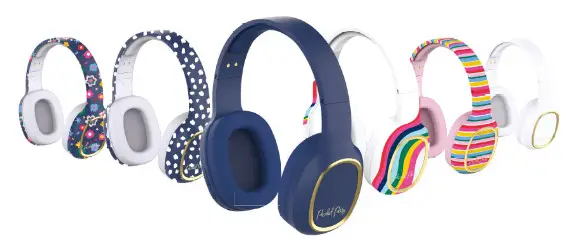
What’s in the Box?
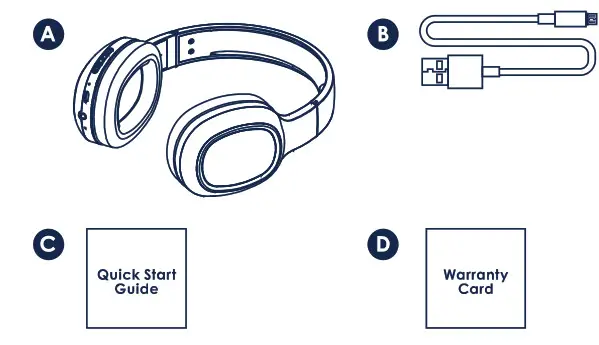
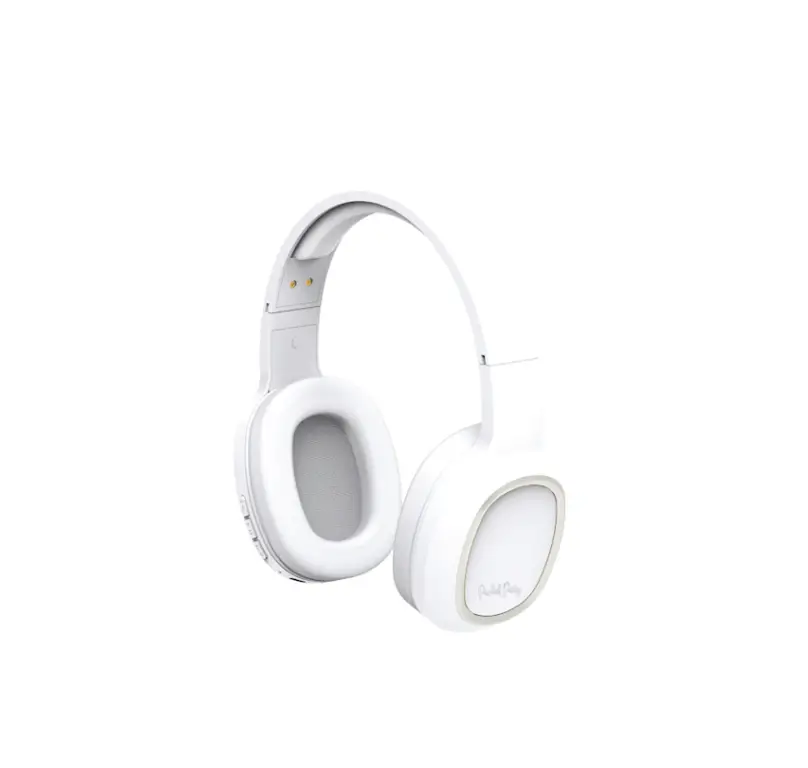
A. 1 pair wireless headphones
B. 1 micro USB charging cable
C. 1 quick start guide
D. 1 warranty card
Initial Setup
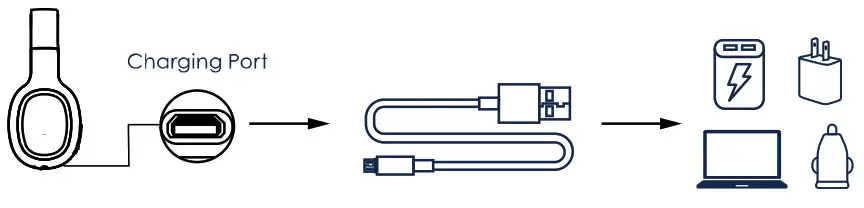
- Use the included micro USB charging cable to connect your headphones to a power source and charge your device for 1-2 hours.

 Press & Hold to Power On
 - Once your headphones are fully charged, press and hold the POWER button for 2 seconds until the indicator light blinks red and blue. Your headphones are now in pairing mode.
- On your smartphone or tablet, search for the Bluetooth device named “Turn It Up Wireless Headphones” and tap to connect. A blinking blue indicator light will confirm successful pairing.
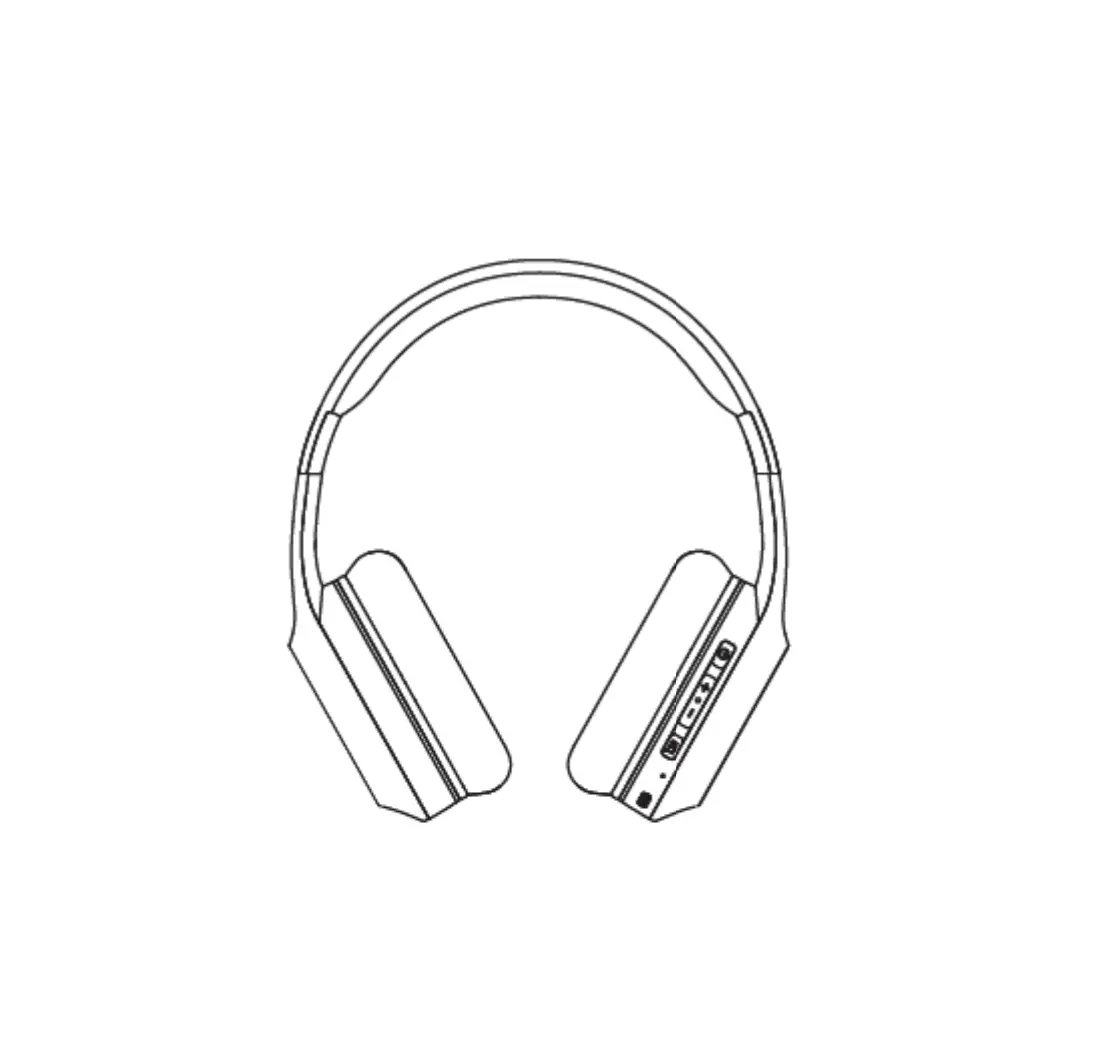
 PREVIOUS/VOLUME-
Press once to decrease volume.
Press and hold for 2 seconds to play the previous track.
 POWER
POWER
Press and hold for 2 seconds to turn on your device.
Press and hold for 4 seconds to turn off your device.
Press and hold for 5 seconds for Bluetooth® pairing.
Press once to PLAY. Press again to PAUSE.
Press 2x for Siri® / Google assistant.
 NEXT/VOLUME+
Press once to increase volume.
Press and hold for 2 seconds to play the next track.
Answering Phone Calls
PREVIOUS/VOLUME-
Press once to decrease volume. POWER
Press once to answer a call. Press again to hang up. Press and hold to reject a call. NEXT/VOLUME+
Press once to increase volume.
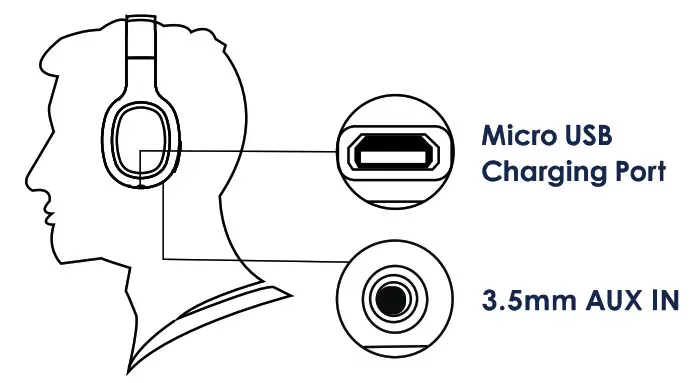
Ports
Bluetooth® Pairing
After initial Bluetooth® pairing, your headphones will automatically connect to the previously paired device when turned on.
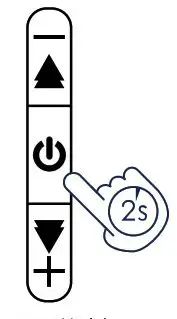
Press & Hold for Bluetooth® Pairing
To pair your headphones to a new device:
- Disable Bluetooth on your previously connected device.
- Press and hold the POWER button on your headphones for 5 seconds to enter Bluetooth® pairing mode. The LED light on your headphones will blink red and blue, indicating that the pairing mode is active.
- On the new device, you wish to pair, search for the Bluetooth device named “Turn It Up Wireless Headphones” and tap to connect. A blinking blue light will confirm successful pairing.
The Specs
| Model | PKHP100 |
| Bluetooth®’ | Bluetooth” 5.0 |
| Rated Input Power | 15 MW |
| Impedance | 16 ohms |
| Sensitivity | 100 dB+/- 3 dB |
| Frequency Response | 20 Hz – 20 kHz |
| Play Time | Over 14 hours (50% volume) |
| Power Charge | 2 hours |
| Battery | Rechargeable Lithium-ion 3.7 V, 200 mAh |
| Microphone | Built-in |
| Transmission Distance | 32.8 ft (10 meters) |

WARNING: Listening to loud audio for extended periods of time may damage your hearing permanently.
Need Help?
For customer support regarding your device, please submit a request by emailing [email protected]. You will be provided a ticket number regarding your inquiry, which you can refer to when contacting us further. You may also reach a DPAV customer service representative by calling 1-833-909-2673. We are available Monday – Friday, gam -Sam PST, except for major holidays. DPAV strongly urges customers to email their inquiry prior to calling, as this will enable us to better assist you. Please make sure to note the model number and a description of your inquiry.
Thank you for purchasing a Packed Party product.
Designed in Austin, Texas. Made in China. All designs 0 2022 Packed Party. Inc. 0 2022 OP Audio Video LLC. All Rights Reserved. 0 2022 Bluetooth SIG. Inc. All rights reserved. The Bluetooth® trademarks-including the BLUETOOTH wordmark, the figure mark (the runic “B” and oval design). and the combination mark (Bluetooth word mark and design)—are owned by the Bluetooth SIG. USB is used to solely describe the compatibility of our technology and in no way is intended to infringe on any intellectual property rights of any respective protected marks. Sire is a registered trademark of Apple Inc. Google Assistant is a trademark of Google LLC. 1 year warranty from date of purchase, 90 days only on labor. Manufactured/imported by DP Audio Video LLC. Distributed by DP Audio Video LLC. Los Angeles. CA. 3205 Industrial Terrace. Suite 200. Austin. Texas 78758. Packed Party is a registered trademark of Packed Party. Inc.
This device complies with Part 15 of the FCC Rules. Operation is subject to the following two conditions: (1) this device may not cause harmful interference and (2) this device must accept any interference received, including interference that may cause undesired operation.
Caution: Changes or modifications to this product not expressly approved by the party responsible for compliance could void the user’s authority to operate the equipment.
This equipment has been tested and found to comply with the limits for a Class B digital device, pursuant to part 15 of the FCC Rules. These limits are designed to provide reasonable protection against harmful interference in a residential installation. This equipment generates, uses, and can radiate radio frequency energy and, if not installed and used in accordance with the instructions, may cause harmful interference to radio communications. However, there is no guarantee that interference will not occur in a particular installation. If this equipment does cause harmful interference to radio or television reception, which can be determined by turning the equipment off and on, the user is encouraged to try to correct the interference by one or more of the following measures:
– Reorient or relocate the receiving antenna.
– Increase the separation between the equipment and receiver.
– Connect the equipment into an outlet on a circuit different from that to which the receiver is connected.
– Consult the dealer or an experienced radio/TV technician for help.
The device has been evaluated to meet general RF exposure requirements. The device can be used In portable exposure conditions without restriction.
SCAN ME WITH YOUR SMARTPHONE FOR EXCLUSIVE DOWNLOADS, & MORE!
FOLLOW THE PARTY @PACKEDPARTY