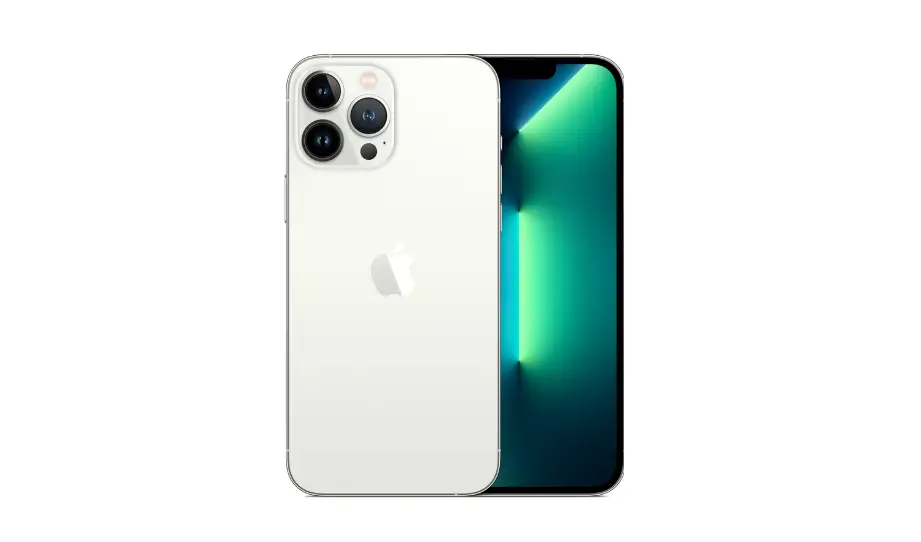

Apple iPhone 12 Pro Max Access voicemail
About This Guide
Apple Recycler Guides provide guidance for electronics recyclers on how to disassemble products to maximize recovery of resources. The guides provide step-by-step disassembly instructions and information on the material composition to help recyclers direct fractions to the appropriate material recycler. To conserve important resources, we work to reduce the materials we use and aim to one day source only recycled or renewable materials in our products. A key path to reaching that goal is resource recovery from end-of-life electronics. Disassembly procedures are intended to be performed only by trained electronics recycling professionals. The recycler is responsible for independently evaluating and ensuring compliance with all applicable environmental, health, and safety laws related to the work. These include but are not limited to laws relating to the management, handling, shipping, and disposal of the outputs of this work as waste and laws in place to ensure the health and safety of all employees who support this work. For questions or feedback about this guide, email [email protected].
Identification
You can find the model number of the iPhone inside the SIM tray slot.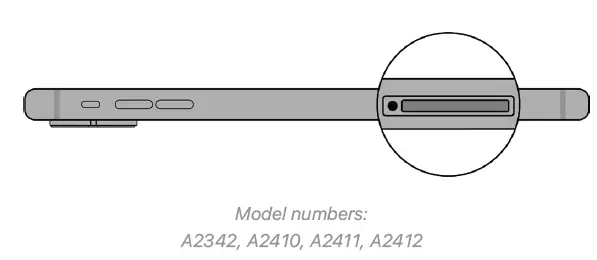
Directive 2012/19/EU Annex VII Components
Directive 2012/19/EU Annex VII requirements apply to the following substances and components.
| Substance/Component | Location | Removal Instructions |
| Printed circuit board if the surface is greater than 10 square centimeters | Main logic board | Follow steps 1–11 |
| External electric cables | Power adapter | Follow step 1 |
| Battery | iPhone enclosure | Follow steps 1–5 |
| Cover glass and organic light-emitting diode (OLED) display if the surface is greater than 100 square centimeters | OLED display | Follow steps 1–4 |
| No further substances or components as listed in Annex VII |
Safety Considerations
The recycler is responsible for independently evaluating all activities undertaken by its employees to perform or support the work and ensuring compliance with all applicable health and safety laws related to the work. These include but are not limited to laws relating to the health and safety of all employees who perform or support this work. The recycler is also responsible for evaluating the workspace and ensuring that the area in which the work is to be undertaken is designed using ergonomic best practices and meets all ergonomic requirements to ensure the protection of its employees.
Personal Protective Equipment
Personal protective equipment should be worn during the entire recycling process.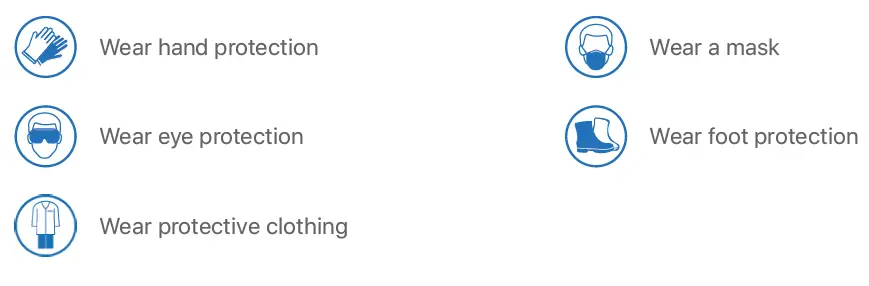
Battery Safety
This product uses a lithium-ion polymer battery. Follow these steps for safe removal and disposal of the battery:
- Discharge the battery to less than 25 percent before beginning any disassembly. Thermal runaway is less likely to occur in a discharged battery.
- Remove anything from your person that could conduct energy, such as jewelry and watches, to avoid electric shock to yourself or the logic board.
- To avoid the potential for thermal runaway and the release of potentially noxious fumes, don’t puncture, strike, or crush lithium-ion polymer batteries or devices powered by them.
- Don’t throw, drop, or bend the battery.
- Don’t expose the battery to excessive heat or sunlight.
- Use only tools that are not sharp and do not conduct electricity.
- Keep your workspace clear of foreign objects and sharp materials.
- Dispose of batteries according to local environmental laws and guidelines.
Workspace safety guidelines
- Use heat-resistant gloves and safety glasses.
- Keep a sand dispenser within arm’s reach (2 feet or 0.6 m) on either side of the workstation, not above the workstation. The dispenser should be a wide-mouthed, quick-pour metal container with a flip-top lid or tray that contains 8–10 cups (1.9–2.4 L) of clean, dry, untreated sand.
- Keep the battery at least 2 feet (0.6 m) from paper and other combustible materials.
- Work in an area with adequate ventilation.
Handling a thermal runaway
If you notice any of the following signs, a thermal runaway is likely underway, and you should act immediately:
- The lithium-ion polymer battery or a device containing one begins to smoke or emit sparks or soot.
- The battery pouch suddenly and quickly puffs out.
- You hear hissing or popping sounds.
- Don’t use water or an ABC/CO2 fire extinguisher on a thermal runaway battery or a device containing one. Water and ABC/CO2 fire extinguishers will not stop the reaction.
- Do smother the battery or device immediately with plenty of clean, dry sand, dumped all at once. Timing is critical; the faster you pour all the sand, the faster the thermal runaway will stop.
- Do leave the room for 30 minutes if the thermal runaway causes any irritation.
- Do wait 30 minutes before touching the battery. Wear heat-resistant gloves and safety glasses to remove the battery from the sand, or use a touchless thermometer to measure the battery temperature. Only touch the battery when the event has finished.
- Do dispose of the damaged battery or device (including any debris removed from the sand) according to local environmental laws and guidelines.
OLED Safety
Broken OLEDs must be handled properly to ensure the safety of your employees and mitigate any hazards. Package broken OLEDs in an appropriate container to properly manage the hazards associated with the materials and store only with compatible materials. All waste must be properly classified, packaged, and labeled in accordance with all relevant laws and regulations.
Hazard Warnings
- Broken glass hazard
- Chemical inhalation hazard
- Rechargeable battery hazard
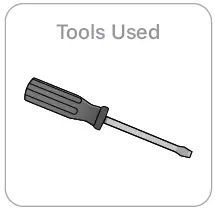
Recommended Tools
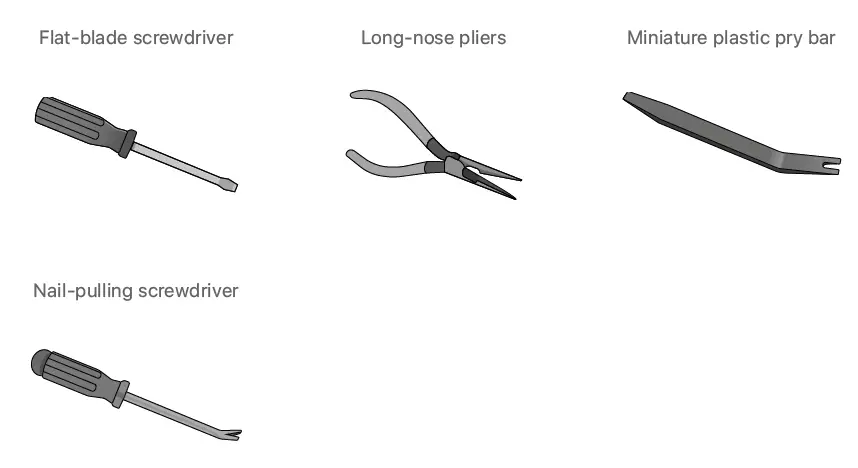
Disassembly Instructions
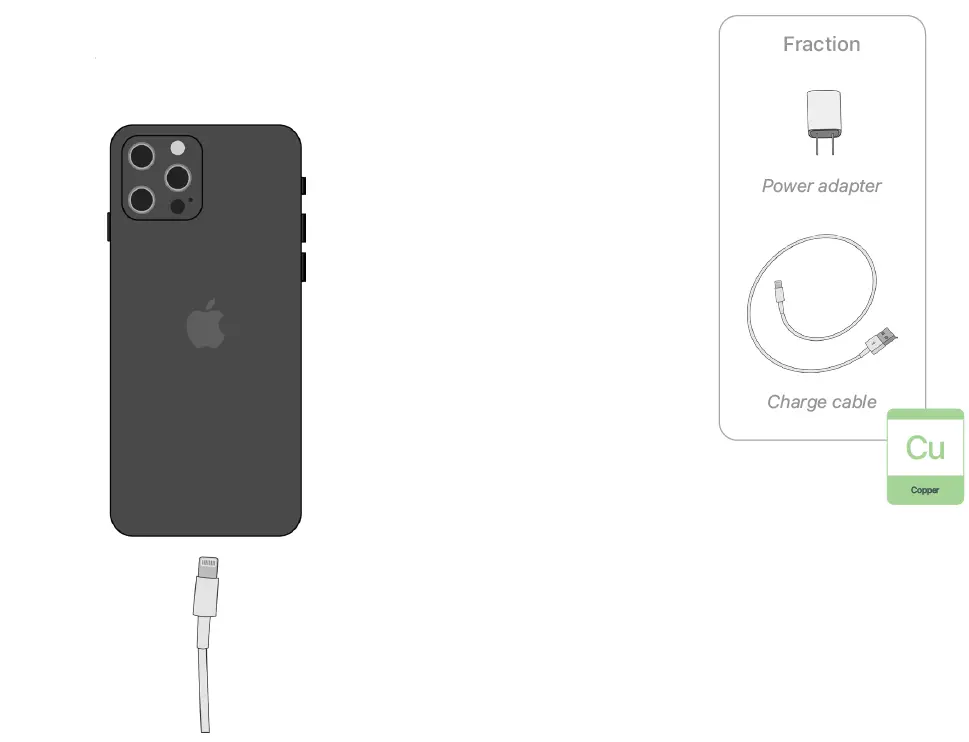
- Remove the power adapter and charge cable.
- Turn off the iPhone.

- Unplug the power adapter. Disconnect both ends of the charge cable.

- Turn off the iPhone.
- Remove the display.

- Broken glass hazard
- Chemical inhalation hazard
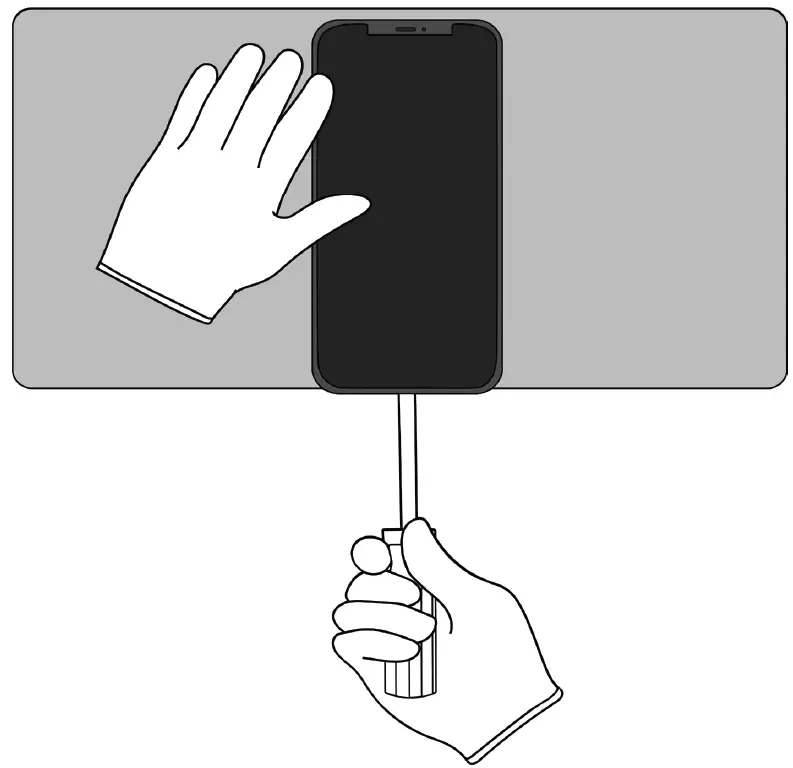
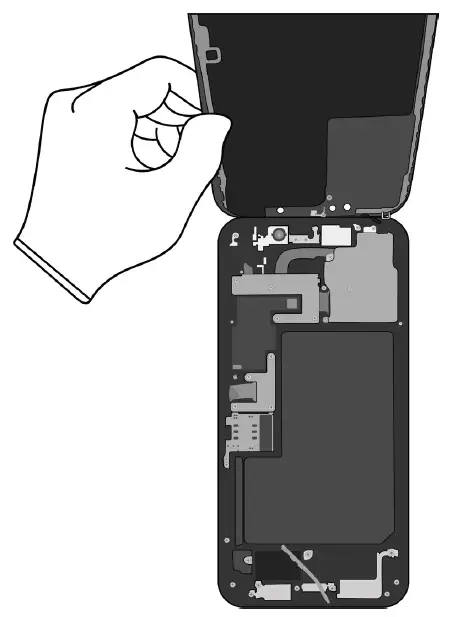
- Hold the iPhone at the edge of a counter with the display face up and the Lightning connector toward the counter edge.
- Insert the tool tip into the Lightning connector. Push the handle down to pry the display from the enclosure.

Remove the display by hand. Set the enclosure aside.
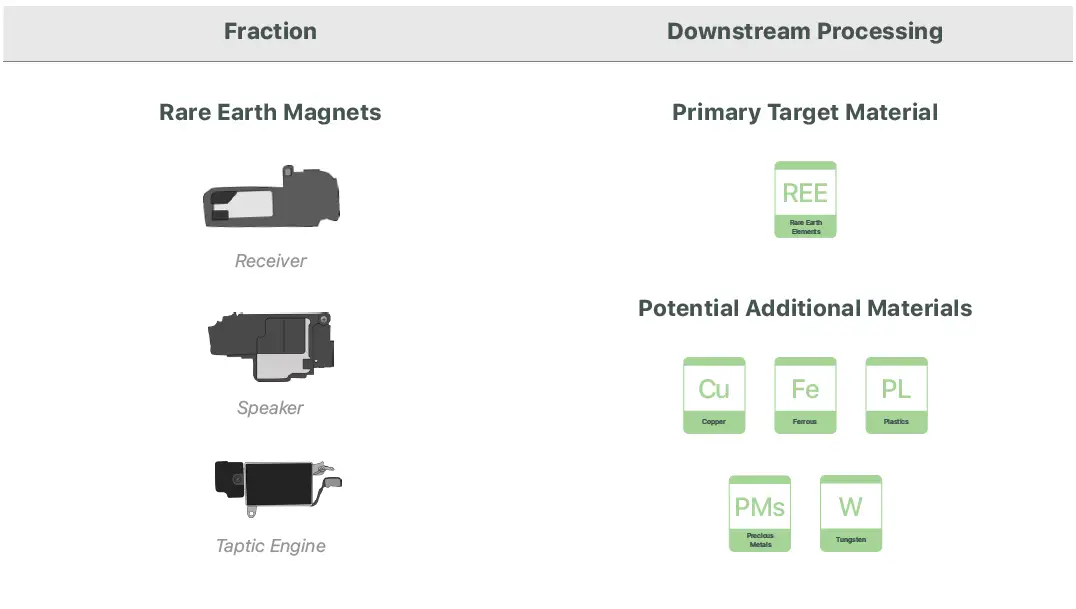
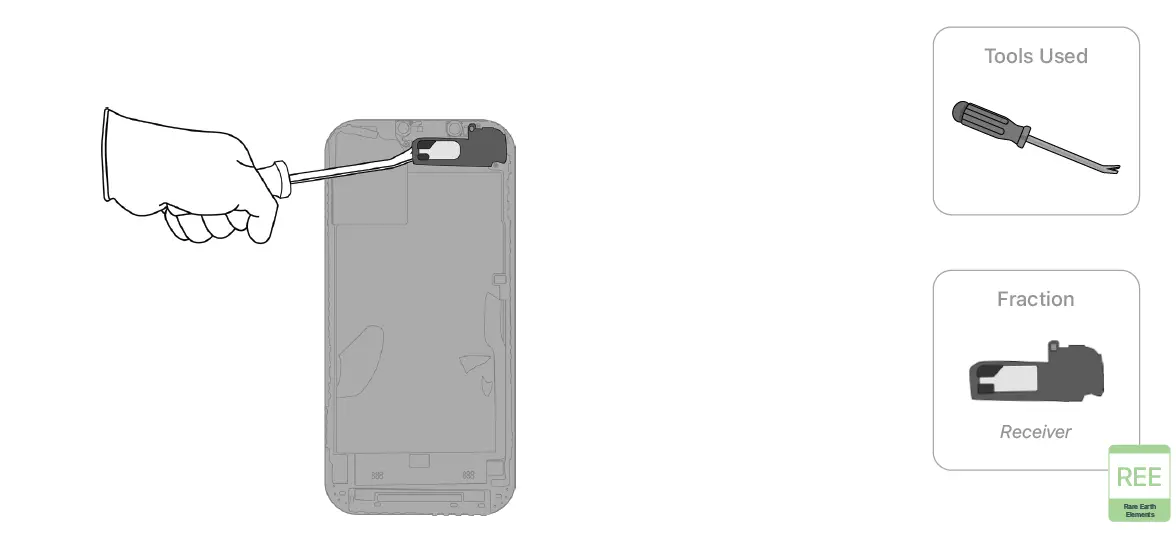
- With the display facing down, pry off the receiver.

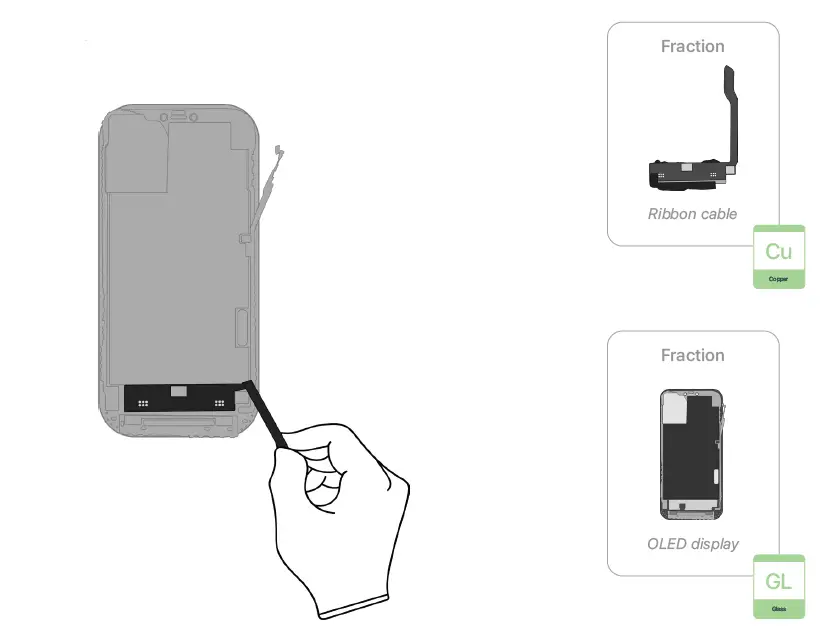
- Pull the ribbon cable off the OLED display by hand.

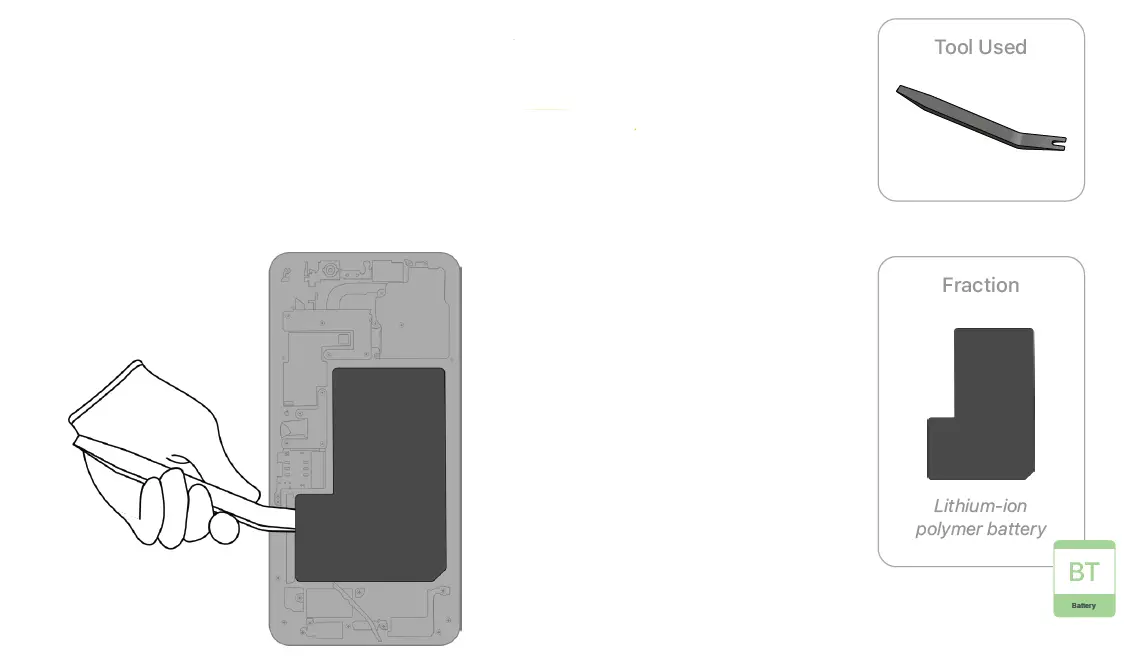
- Inside the enclosure, carefully remove the lithium‑ion polymer battery.
Rechargeable battery hazard
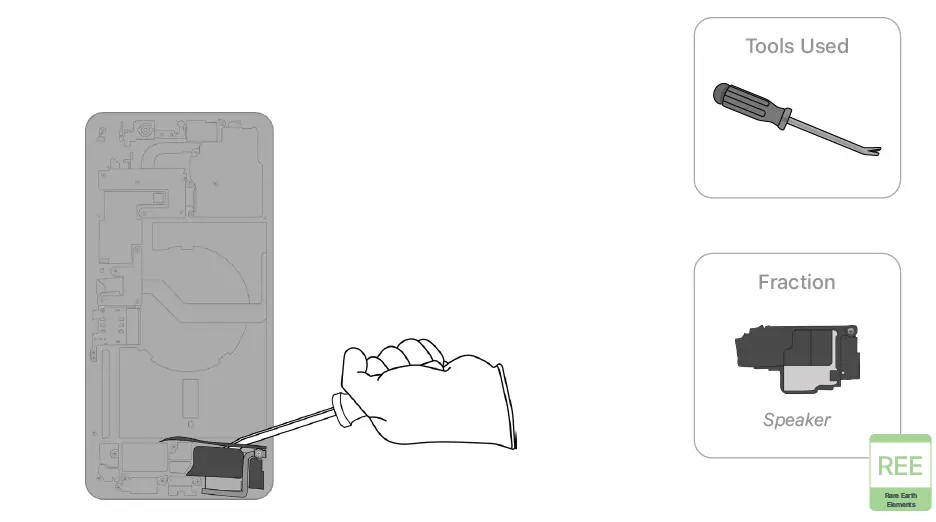
- Pry off the speaker.

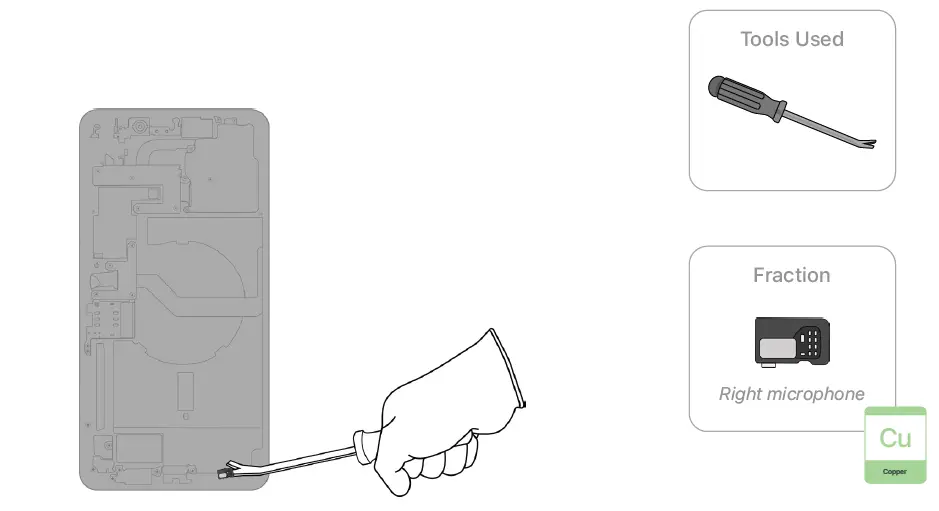
- Pry off the right microphone.

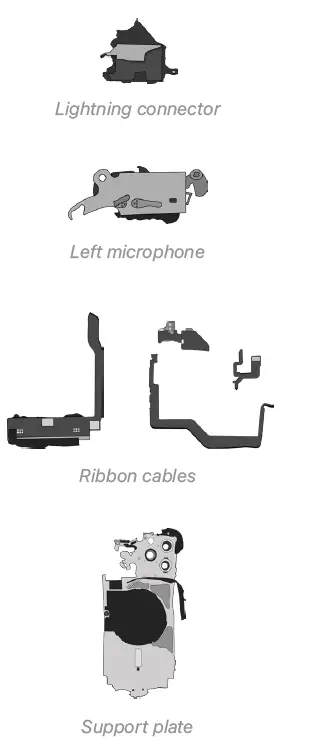
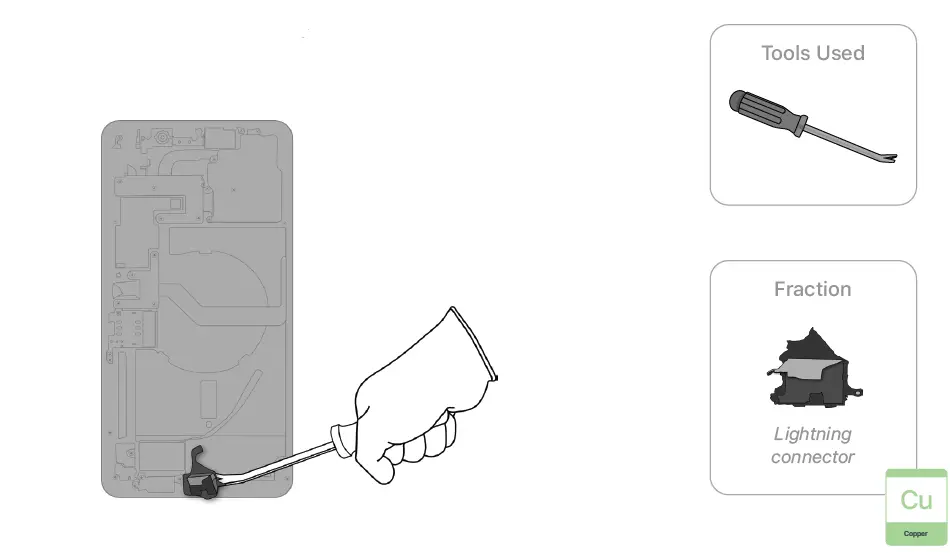
- Pry off the Lightning connector.

- Pry off the Taptic Engine.
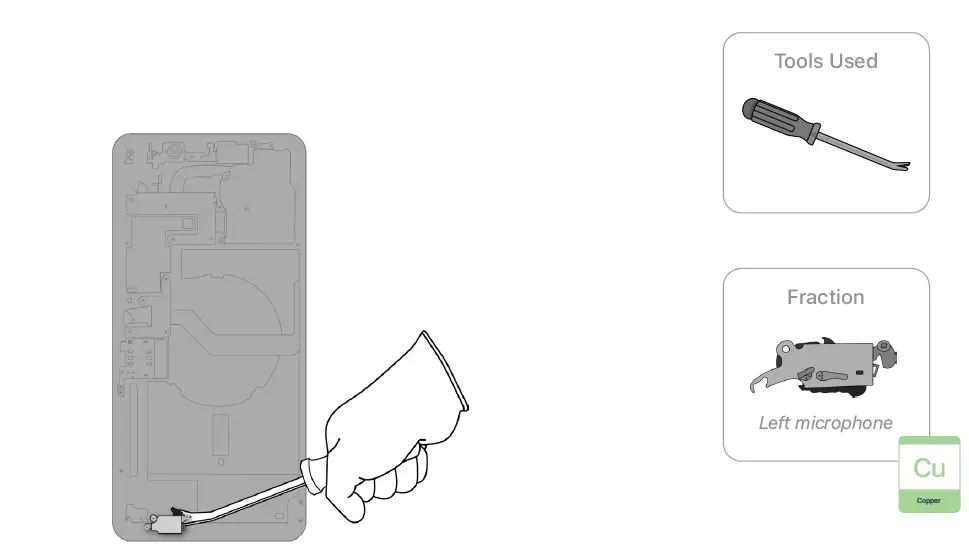
- Pry off the left microphone.

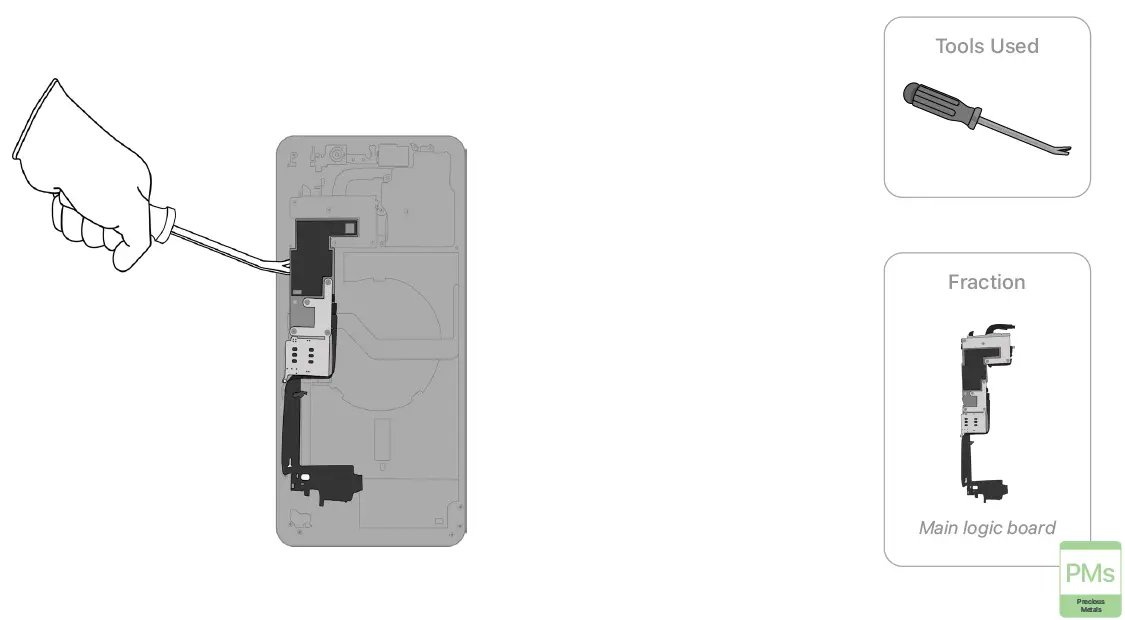
- Pry off the main logic board.

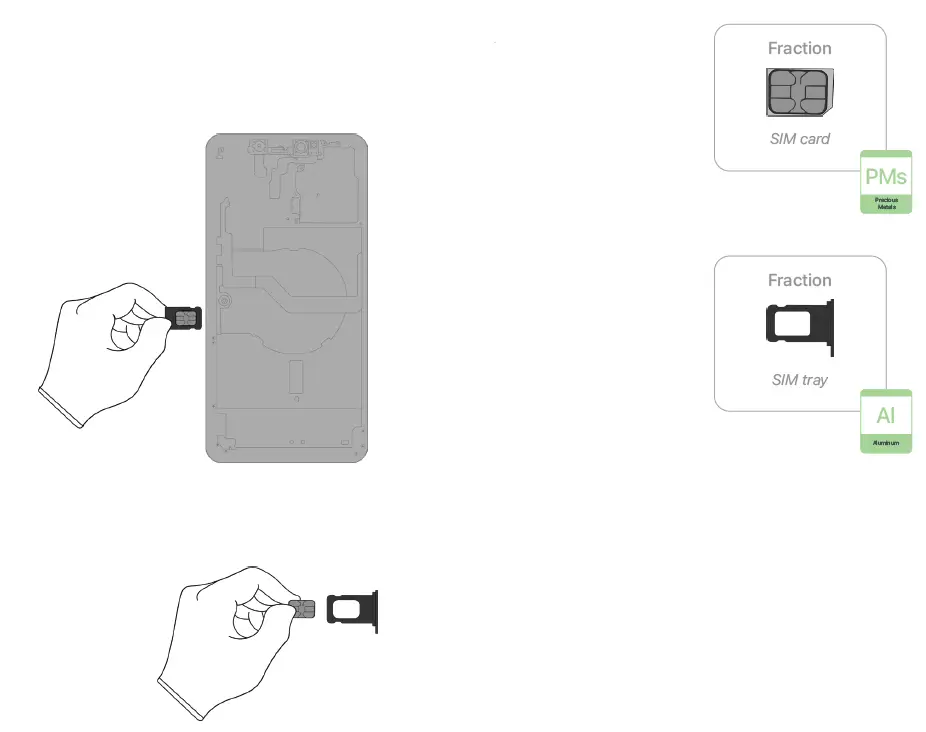
- Remove the SIM card and SIM tray by hand. Separate the SIM card from the SIM tray.

- Pry off the front camera.

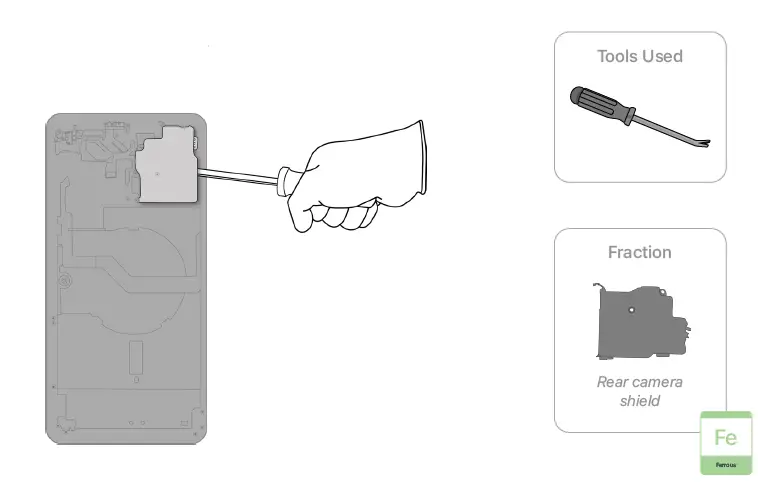
- Pry off the rear camera shield.

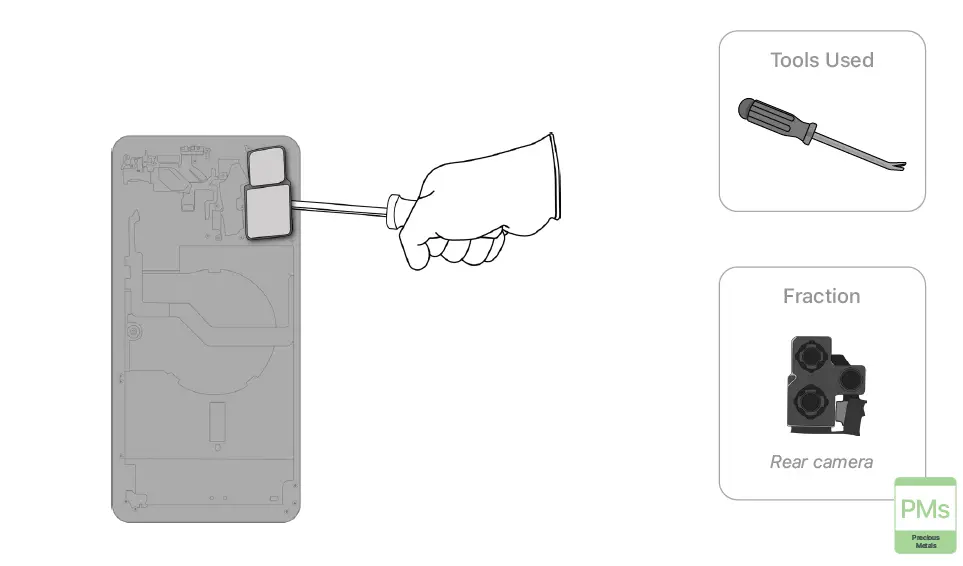
- Pry off the rear camera.

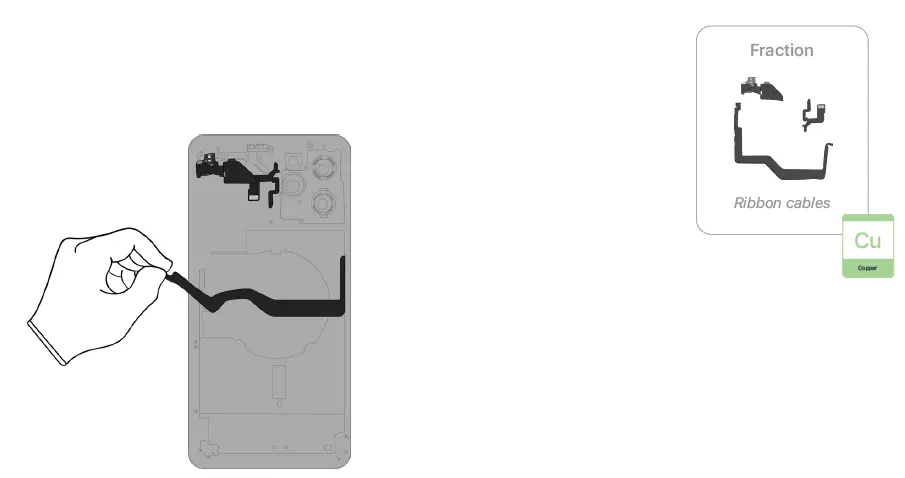
- Pull the remaining ribbon cables off the enclosure by hand.
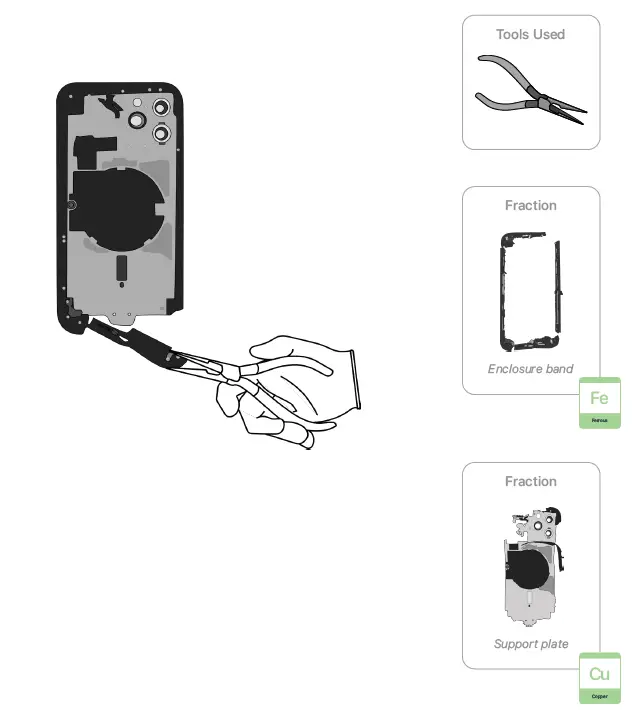
- Pull the enclosure band off the support plate.


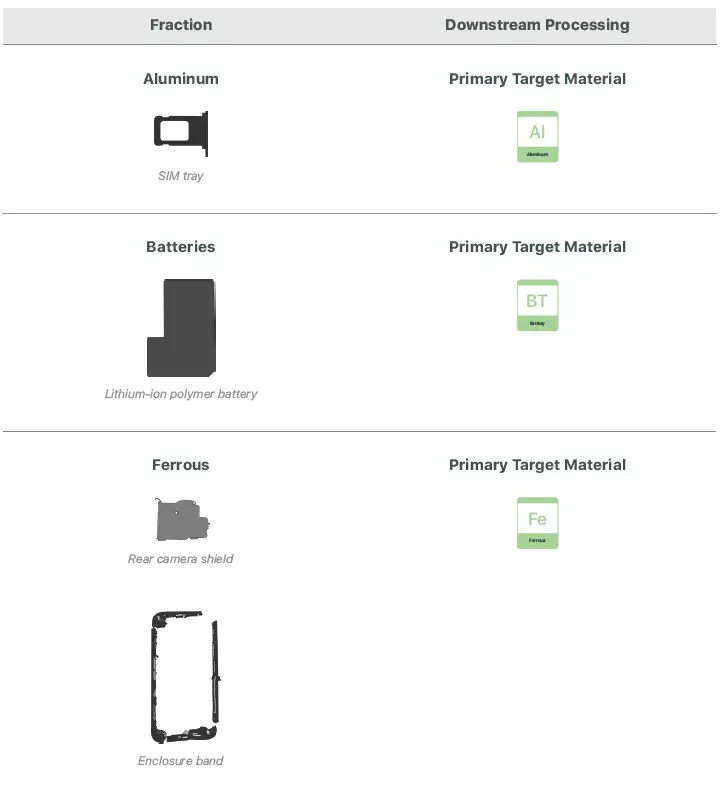
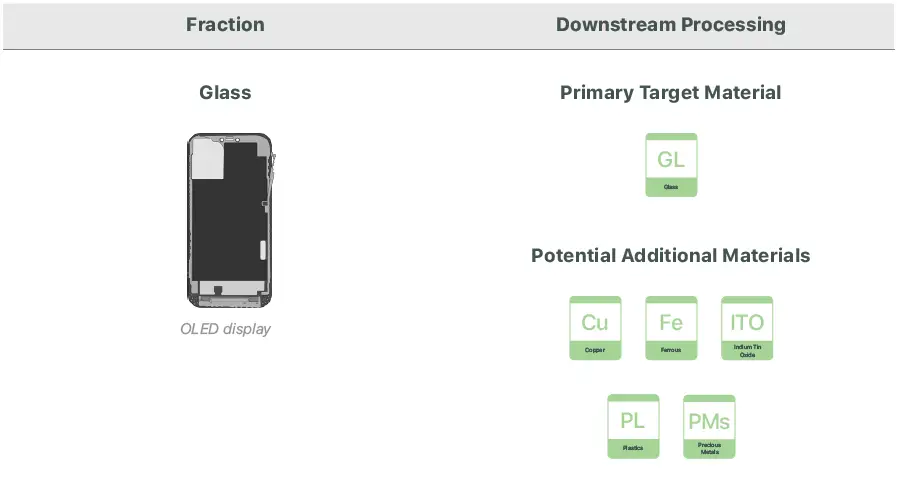
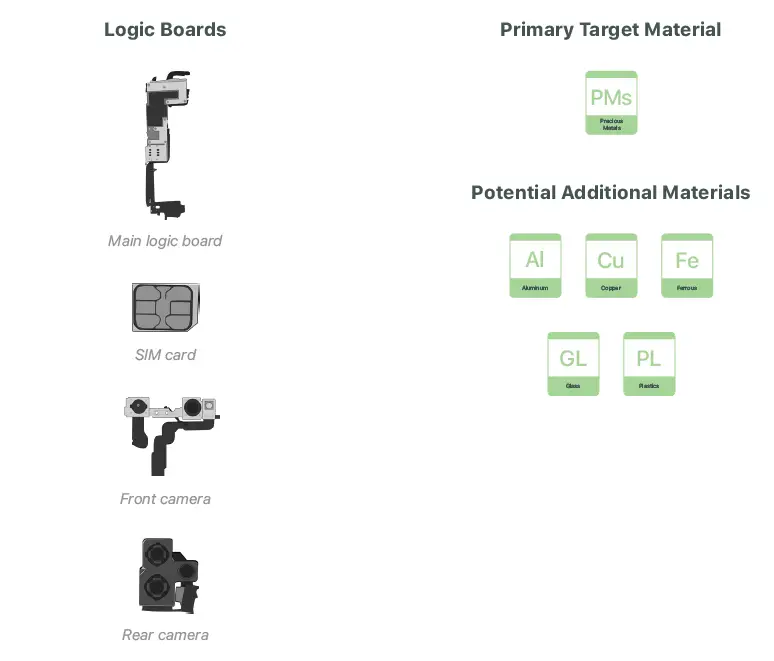
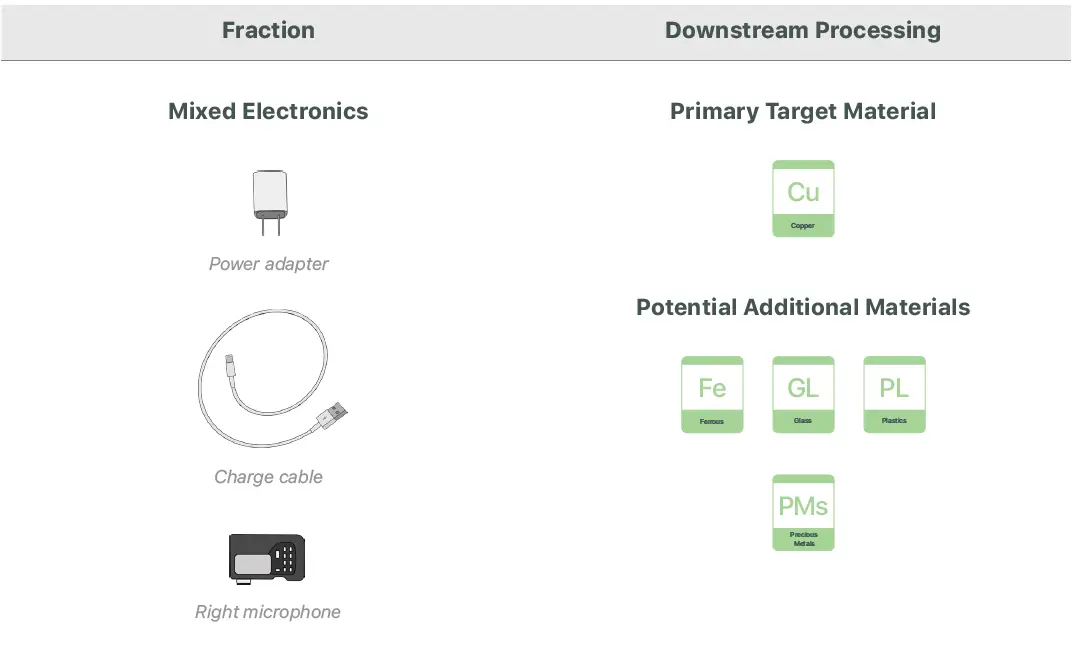
Material Categorization of Output Fractions
All outputs from this process must be managed, handled, and disposed of in accordance with applicable waste laws and regulations, including but not limited to the Waste Framework Directive and its national enactments in Europe.