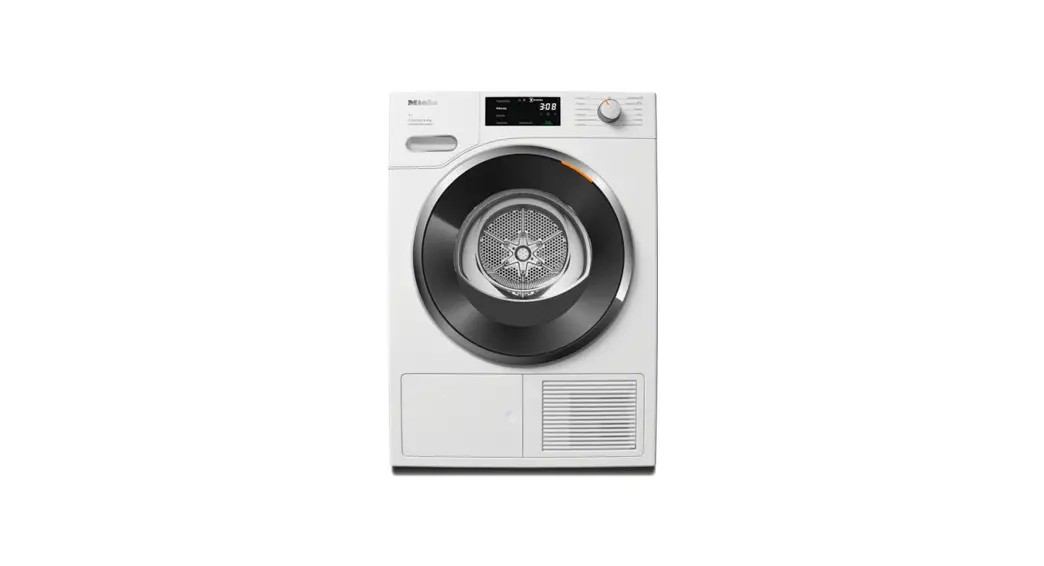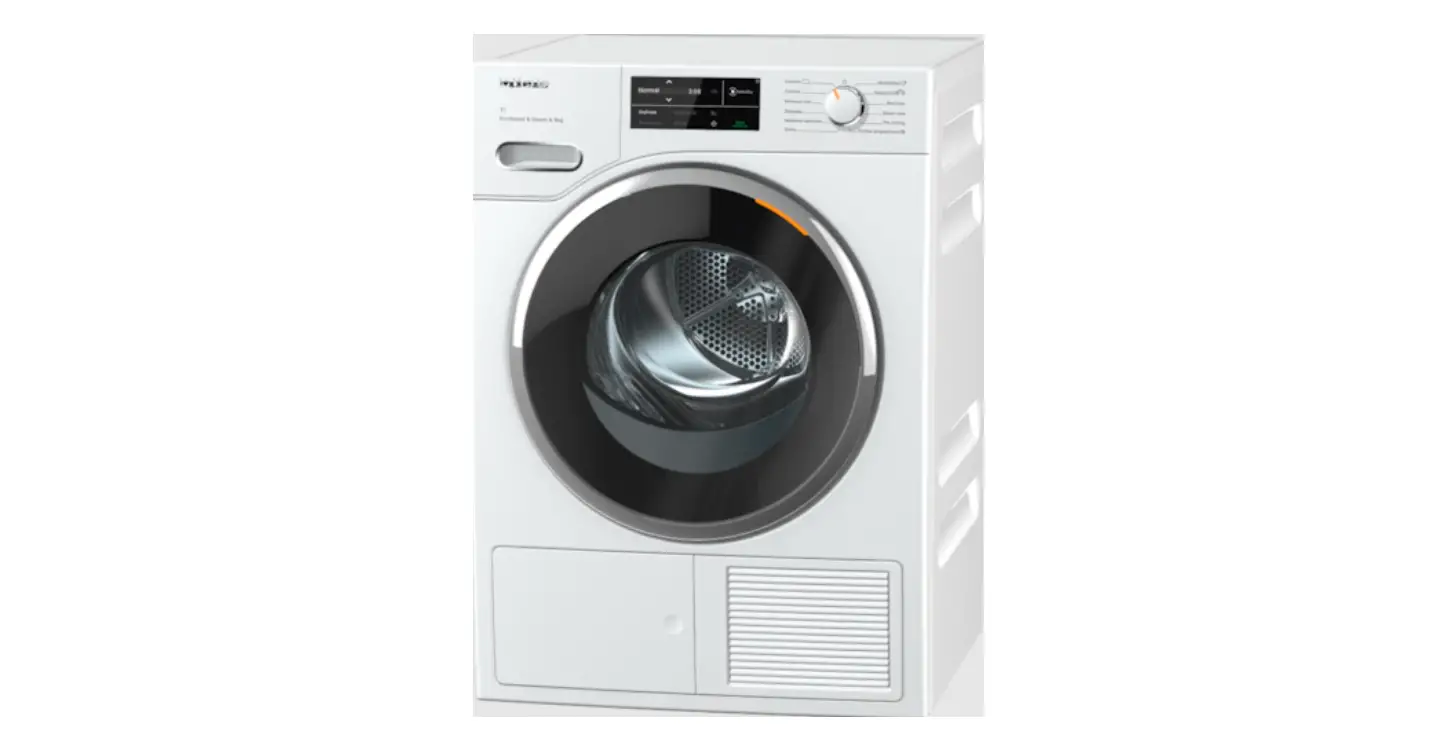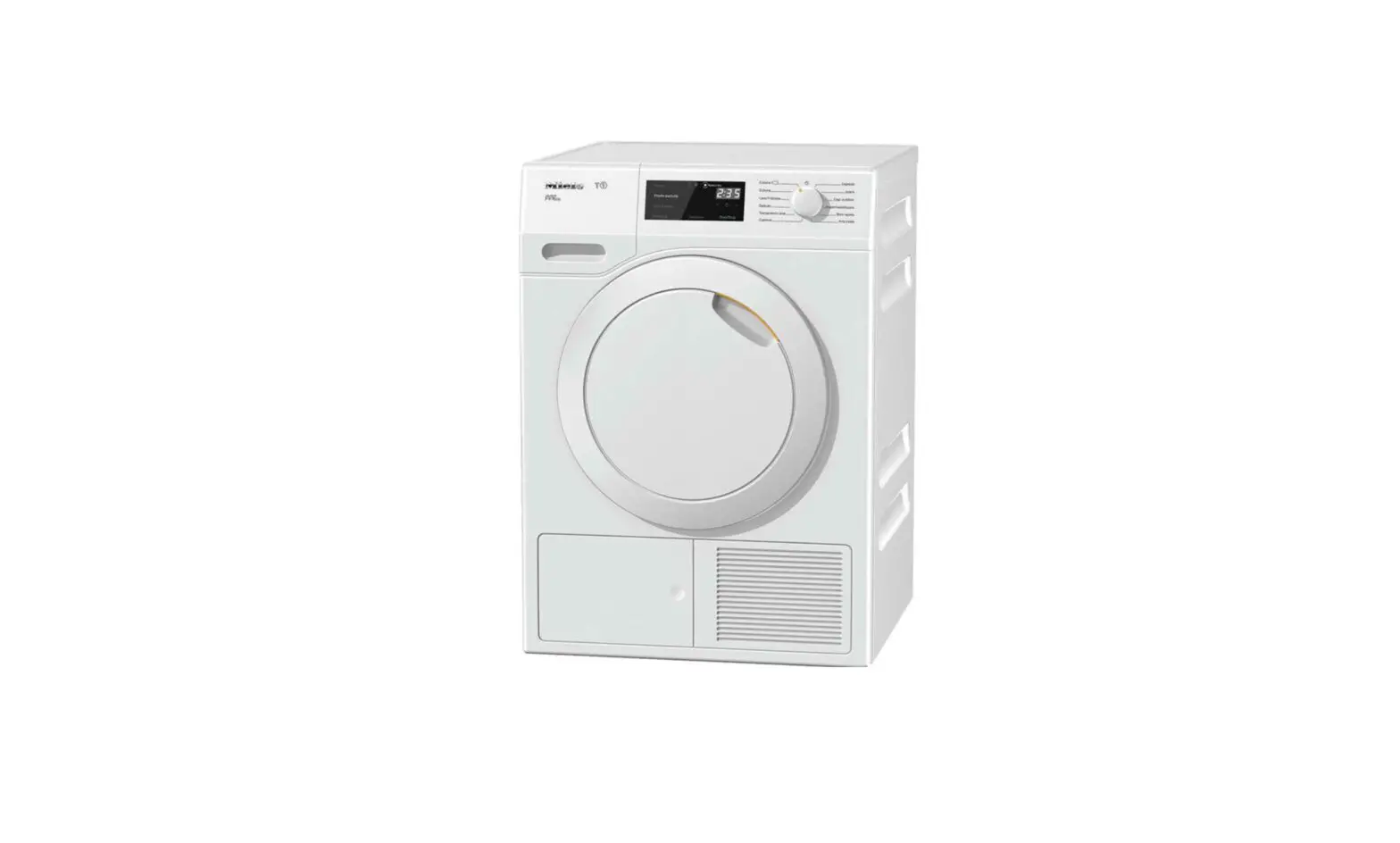

Miele 11 631 560 / 00 Heat Pump Dryer
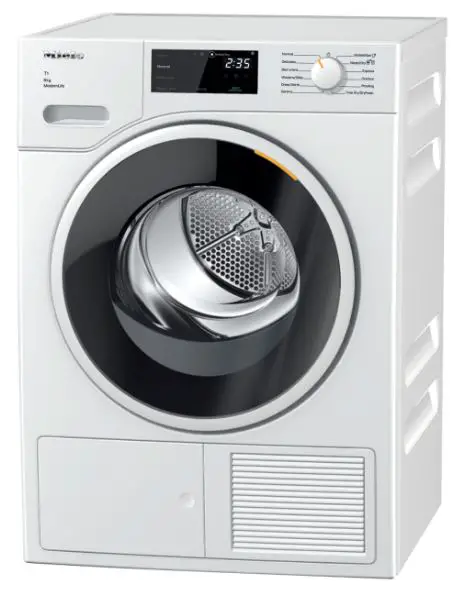
Before the first use
Before commissioning the tumble dryer for the first time, make sure it has been installed correctly. Connect it correctly.
Please read the separate operating in-structions supplied with the appliance.
Damage caused by switching the appliance on too soon.
The heat pump can be damaged.
After installing the tumble dryer, wait for at least one hour before starting a drying program.
Switching on the tumble dryer
- Turn the program selector to a program.
The tumble dryer is switched on when you select a program and switched off by turning the program selector to the position.
 position.
Operation
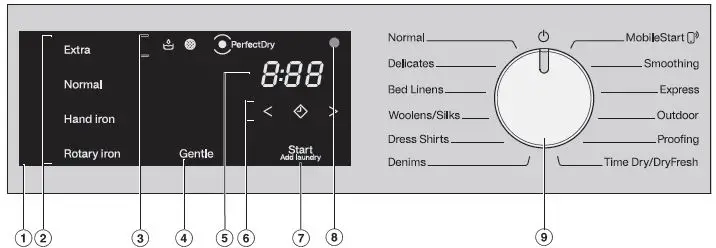
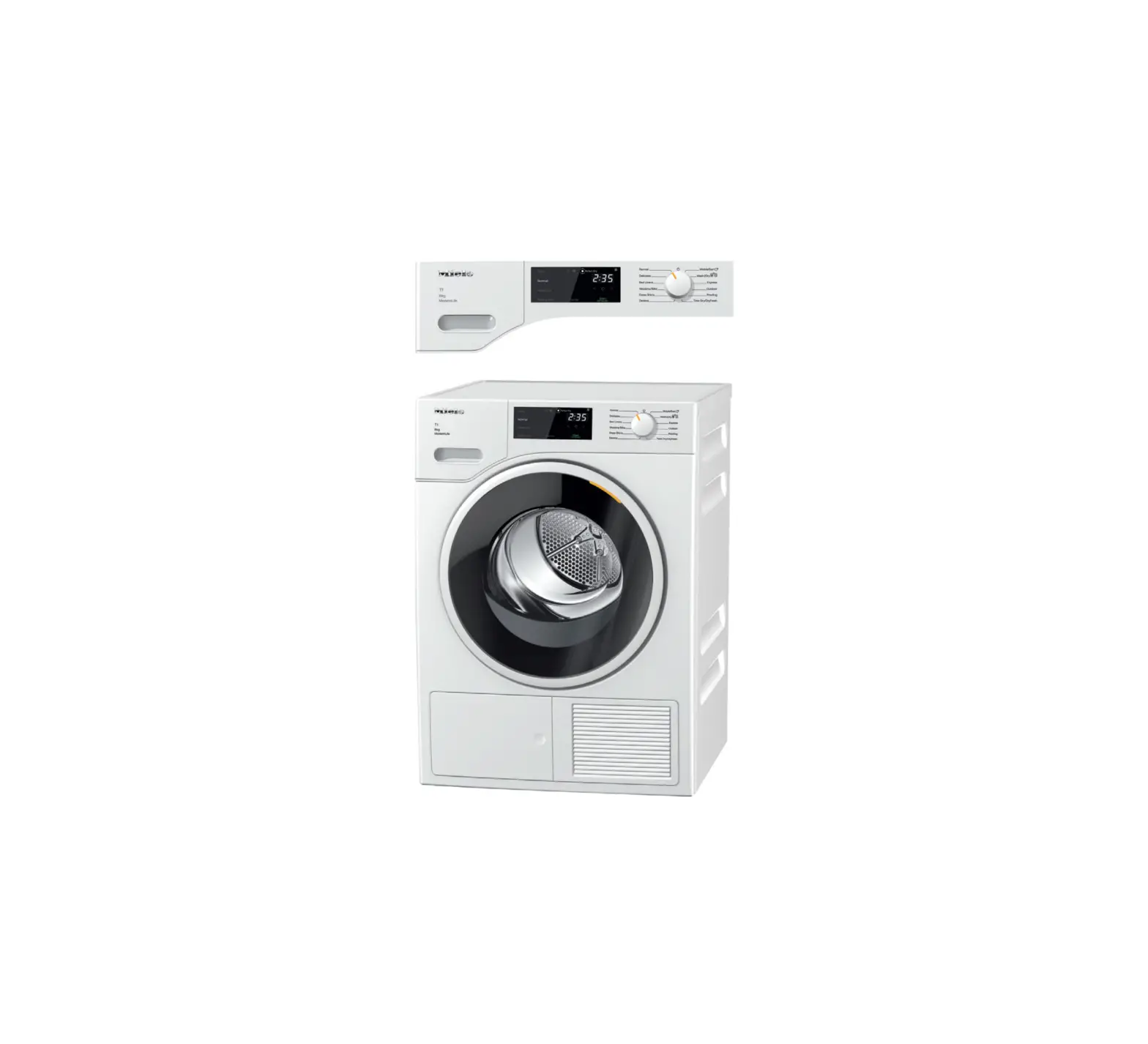
- Control field
The 2, 4, 6, and 7 sensor buttons react to fingertip contact. Selection is possible as long as the respective sen-sor button is lit.- If a sensor button is brightly lit, this means it is currently selected.
- If a sensor button is dimly lit, this means it can be selected.
- Sensor buttons for the drying levels
After selecting a drying-level program with the program selector, touch one of the sensor buttons to select a drying level. - Indicator lights
 Empty the condensed-water container
 Clean the plinth filter/lint filters
 PerfectDry for drying-level programs
- Gentle sensor button
For temperature-sensitive fabrics with the symbol.
 - Time display
The remaining program duration will be displayed in hours and minutes. - Sensor buttons
 for the Delay start function
 for the duration of the Delay start function or the Time Dry/DryFresh program cycle time
- Start/Add laundry sensor button
Touching the Start/Add laundry sensor button starts the selected program. The current program can be interrupted to add laundry. The program can be started as soon as the sensor button is flashing on and off. The sensor button lights up constantly once the program has started. - Optical interface
For Service. - Program selector
The program selector can be turned clockwise and counterclockwise. MobileStart: remote control via the app.
 PerfectDry for drying-level programs
 for the Delay start function
 for the duration of the Delay start function or the Time Dry/DryFresh program cycle time
 MobileStart: remote control via the app.
Energy savings
There are various steps you can take to avoid unnecessarily long drying times and high energy consumption:
- Make sure your laundry is spun at the maximum spin speed before drying.
- Load according to the optimum amount of laundry recommended for the drying program. This will mean that the energy consumption for the amount of laundry is at its most economical.
- Clean the lint filters after every drying cycle.
- Make sure the room temperature is not too high.
If there are other heat-producing appliances in the room in which the tumble dryer is located, make sure the room is well ventilated and switch the other appliances off.
Drying
Preparing the laundry
Damage due to foreign objects which were not removed from the laundry.
Foreign objects can melt, burn, or explode.
- Ensure that any foreign objects (e.g., detergent dispensing balls, loose bra wires, lighters) have been removed from the laundry.
- Fasten duvet covers and pillowcases to prevent small items from being rolled up inside them.
Loading the tumble dryer
Do not overload the drum. Overloading can give a disappointing drying result and cause unnecessary wear and tear to the laundry. It can also cause more creasing.
- Loosen the laundry.
- Open the tumble-dryer door.
- Check that the drum is empty.
- Load the laundry in the drum.
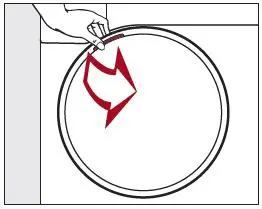
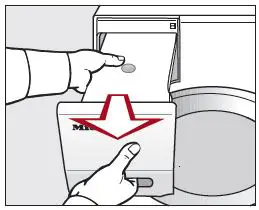
- Insert the fragrance flacon.
If you are drying without a fragrance flacon, close both sockets.
Push the tabs on both covers to the bottom (see arrows).
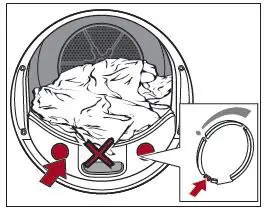
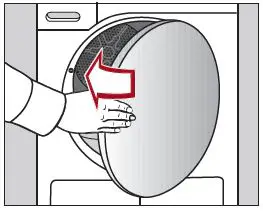
- Shut the tumble-dryer door gently.
Risk of damaging laundry.
When closing the door, make sure that laundry does not get trapped in the door opening.
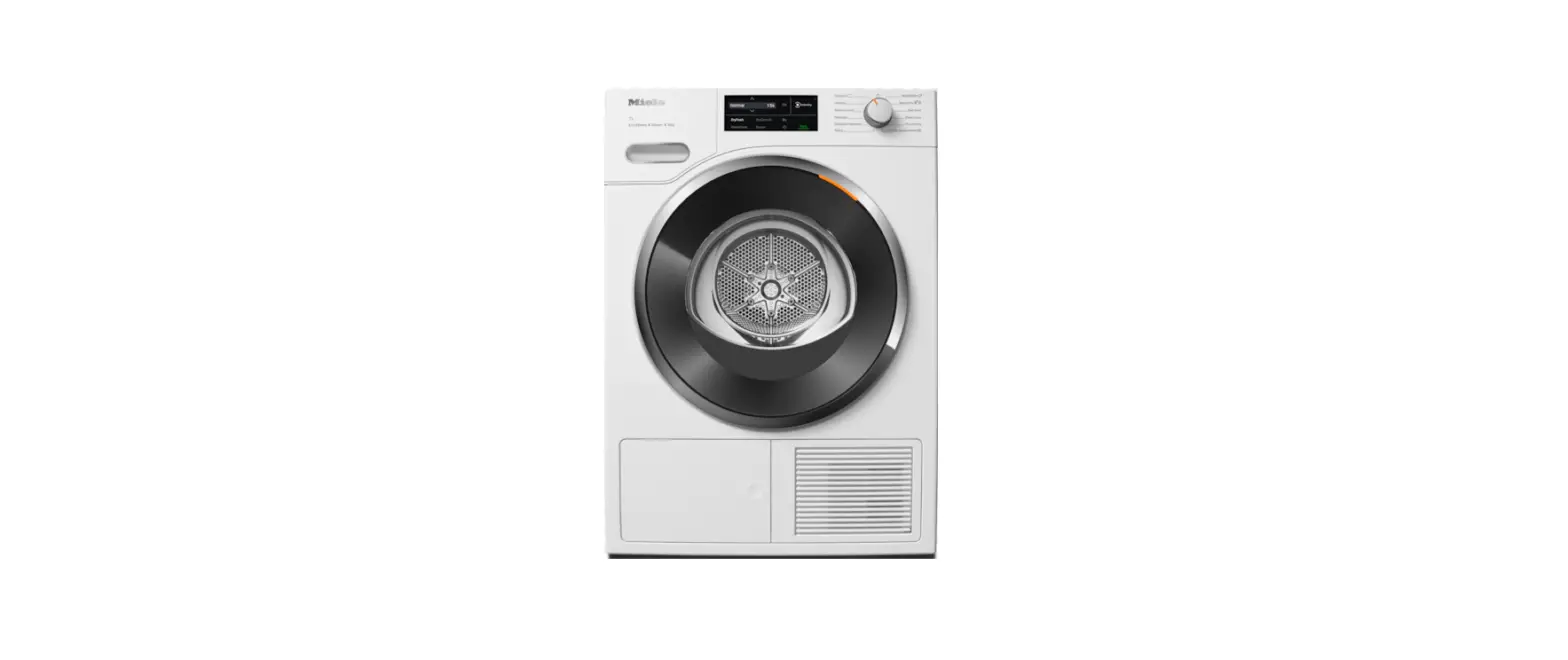
Overview
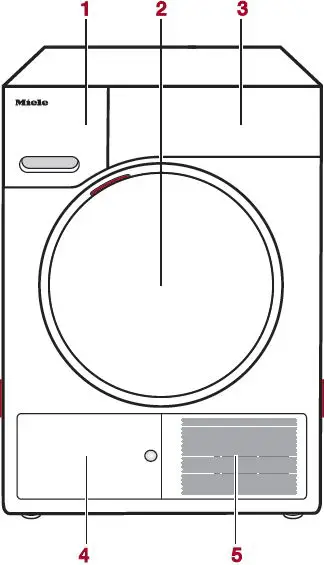
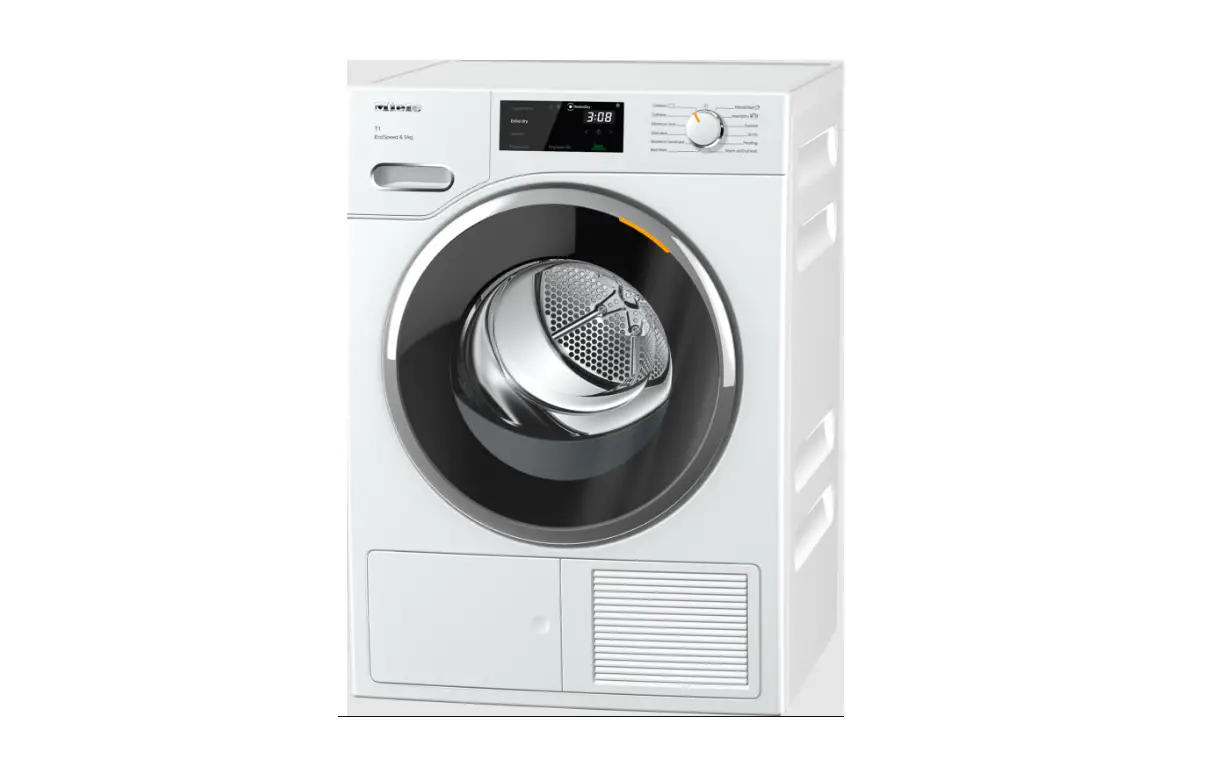
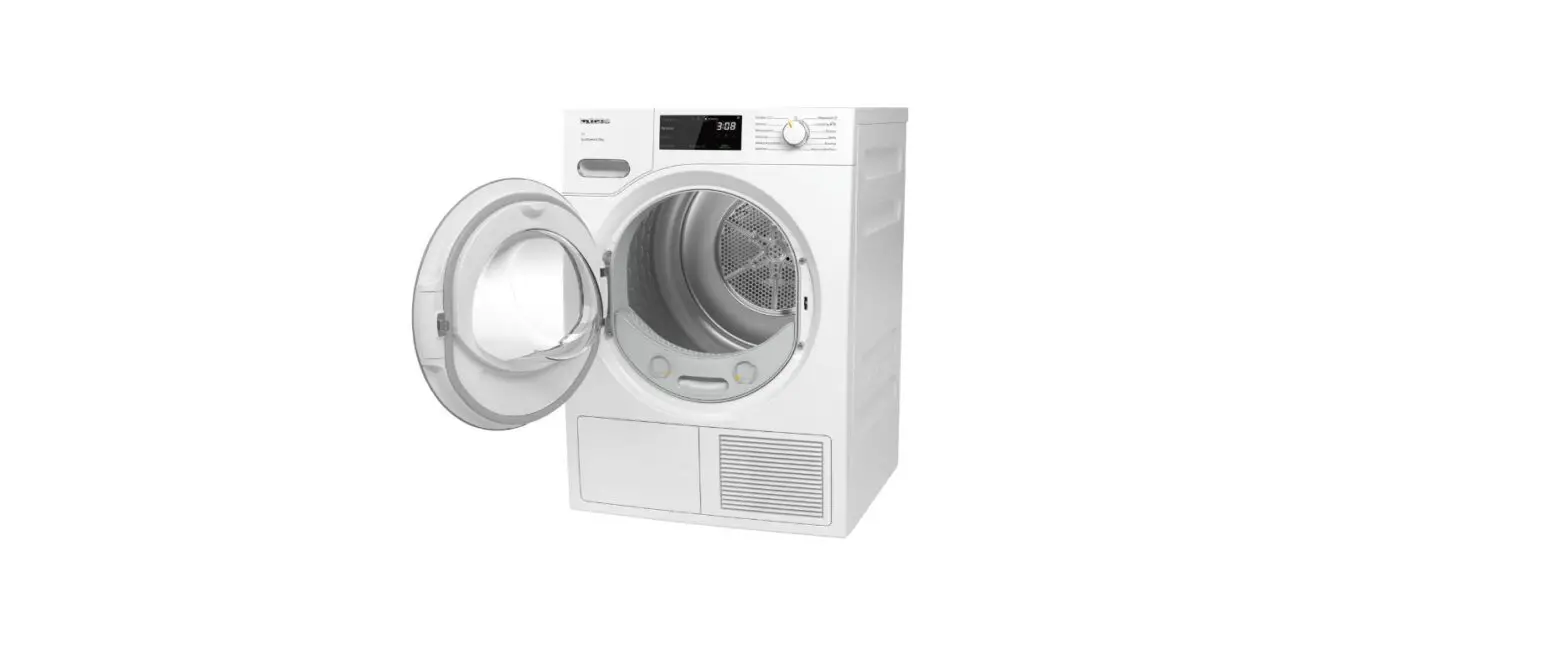
- Condensed-water container
- Door
- Control panel
- Plinth-filter flap
- Grille for coldair intake
INSTRUCTION
Selecting a program
- Turn the program selector to a program. The drum lighting will come on.
2 possible ways to select a program:- Selecting the standard programs with the program selector
- Turn the program selector to the required program.
A suggested drying level may also light up brightly and durations will appear.
- Turn the program selector to the required program.
- Selecting programs via the MobileStart program-selector position
- Turn the program selector to the MobileStart position.
- Touch the Start/Add laundry sensor button.
The tumble dryer can now be operated via a mobile device together with the Miele app.
- Turn the program selector to the
- Selecting the standard programs with the program selector
Selecting program settings
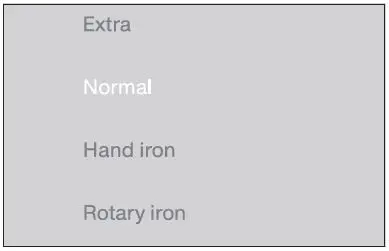
Selecting the drying level
Drying levels can be selected for certain programs as per the “Program guide” table.
- Touch the sensor button for the drying level you want. It then lights up brightly.
Selecting the program cycle time
You can select a program cycle time for the Time Dry/DryFresh program.
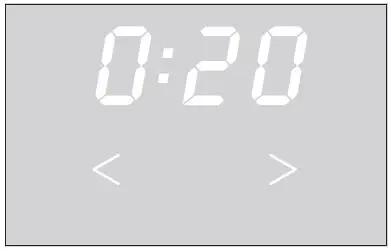
- Touch the
 sensor button repeatedly until the required time lights up.
 - You can reduce the time with the
 sensor button.
 sensor button repeatedly until the required time lights up.
 sensor button.
Gentle
Delicate fabrics with the symbol on the care label, e.g., acrylic garments, are dried at a lower temperature.
- Touch the sensor button. It then lights up brightly.
Delay start/SmartStart
Delay start
With the Delay start function, you can delay the start of the program. The start of the program can be delayed from 30 minutes up to a maximum of 24 hours.
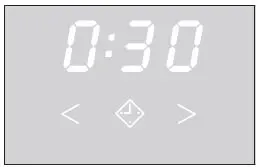
- Touch thesensor button. It then lights up brightly.
- Touch the or sensor button to delay the start of the program.
SmartStart
The SmartStart function lets you define a time period during which your dryer will start automatically.
Starting a program
- Touch the flashing Start/Add laundry sensor button.
The Start/Add laundry sensor button lights up and the program starts.
Adding or removing laundry
You have forgotten an item of laundry, but the program has already started.
- Touch the Start/Add laundry sensor button.
 will light up* on the time display.
 - Open the tumble-dryer door.
- Add or remove laundry items.
- Close the door.
- Touch the Start/Add laundry sensor button.
The program starts.
Exceptions
In some cases – for example, during the cooling phase or the Proofing program – it is not possible to add laundry items.  does not light up in this case.
Canceling the current program
You cannot change to another program once a program has started. This prevents the appliance being operated unintentionally.
If you adjust the program selector, the  symbol will light up in the time display.
This indicator goes out when you select the original program.
- Turn the program selector to the position.
The program is canceled. You can now select a new program.
Program end
End of program:  lights up and the Start/Add laundry sensor button goes out.
- 10 minutes after the end of the program, the Start/Add laundry sensor button will begin to flash slowly and the display will go out.
- The tumble dryer switches off automatically.
Do not open the tumble-dryer door before the end of the program.
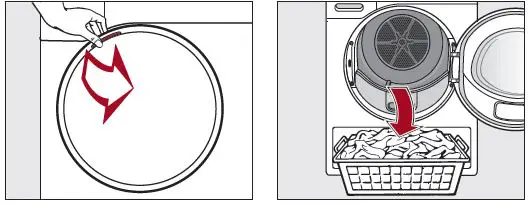
- Open the door.
- Remove the laundry.
Items left in the tumble dryer could be damaged by over-drying when the dryer is used the next time.
Always remove all items from the drum.
If the dryer is switched on at the power supply and the door is opened, the drum lighting will come on. The drum lighting will go out after a few minutes to save energy.
- Turn the program selector to .
- Clean the lint filters.
- Close the drum door.
- Empty the condensed-water container.
Emptying the condensed-water container
Empty the condensed-water container after every drying program.
The  indicator light will light up if the maximum level of the condensed-water container is reached.
- Open and close the door to deactivate this message.

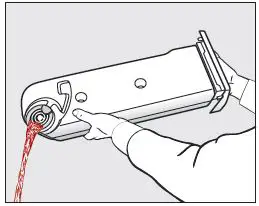
- Remove the condensed- water container.
- To prevent water running out, hold the condensed-water container by the front panel and at the back to keep it in a horizontal position.

- Empty the condensed-water container.
- Replace the condensed-water container in the dryer.
FragranceDos
Tip: This tumble dryer has 2 sockets for inserting fragrance flacons. You can use one or both sockets to give your laundry a pleasant scent.
Close the unused socket.
Before using a fragrance flacon, please read “IMPORTANT SAFETY INSTRUCTIONS
- Using a fragrance flacon (optional accessory)” and “Fragrance flacon” in the operating instructions.
Inserting a fragrance flacon
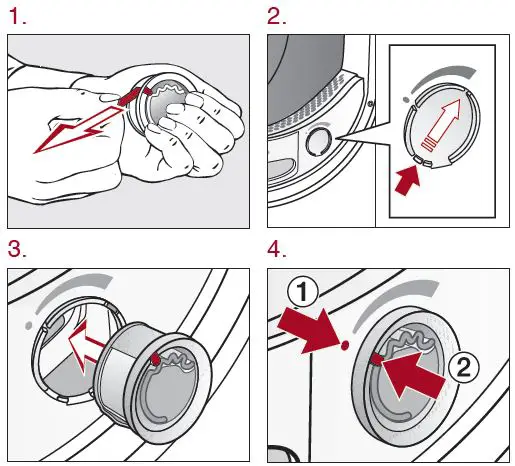
Marker 2 must be in position 1.
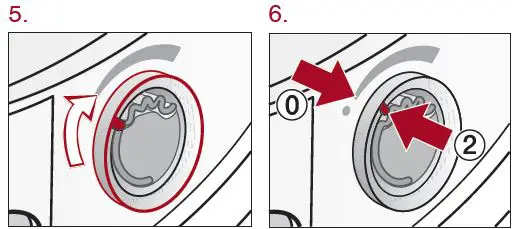
- Turn the outer ring clockwise a little.
Marker 2 must be in position 0.
Setting the fragrance intensity
- The further you turn the outer ring of the fragrance flacon clockwise, the more intense the fragrance.
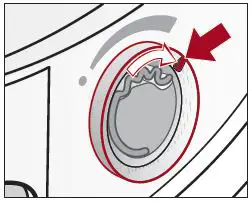
Closing the fragrance flacon
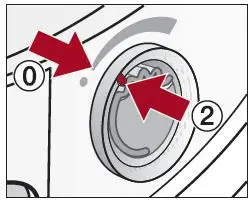
Turn the outer ring counterclockwise until marker 2 is in position 0.
Removing the fragrance flacon
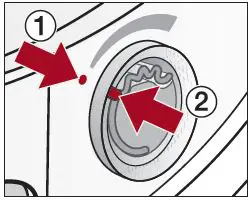
- Turn the outer ring until marker 2 is in position 1.
- Remove the fragrance flacon.

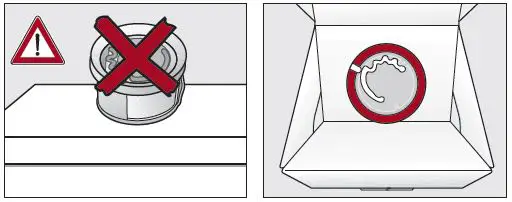
To prevent any fragrance running out of the flacon, do not lay it down on any surface. - Only store the fragrance flacon in its original packaging.
Program guide
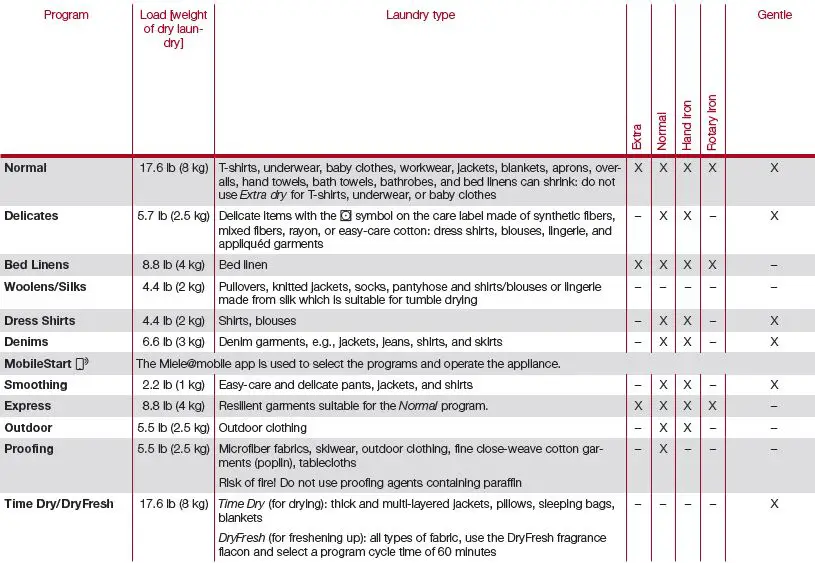
X = yes, – = no
Care symbols

Cleaning and care
Lint filters
Removing visible lint
Clean the 2 lint filters in the door opening at the end of every program.
Remove the fragrance flacon.
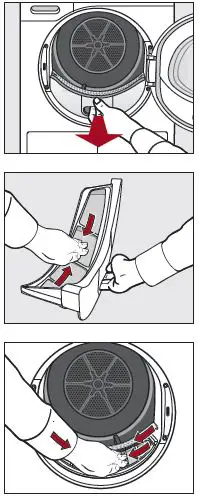
- Pull the upper lint filter forward to remove it.
- Use your fingers or a vacuum cleaner to remove the lint from the surface of the filter.
- Use your fingers or a vacuum cleaner to remove the lint from the surface of the filter.
- Push the upper lint filter back into position until it clicks.
- Close the door.
Cleaning the lint filters and air-flow openings thoroughly
If the drying duration has become longer or the surface of the filters is visibly compacted with lint, you should carry out the following cleaning procedure.
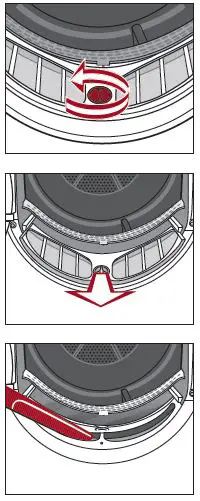
- Pull the upper lint filter forward to remove it.

- Turn the yellow knob on the lower lint filter in the direction of the arrow (until you hear it click).
- Hold the knob and pull the lint filter forward to remove it.
- Use a vacuum cleaner to remove any visible lint from the upper airflow openings.
- Flush the lint filters through with warm running water.
- Shake the lint filters thoroughly and then dry them carefully.
Ensure the filters are dry before replacing them. - Reinsert all of the lint filters and close the door.
Plinth filter
Clean the plinth filter when the program cycle time is longer than usual or whenever the  indicator light lights up.
Open and close the door to clear the message.
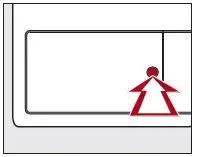
- Press the round, indented area on the flap to open it.

- Pull the plinth filter out by the handle.

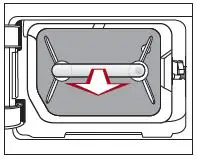
The right-hand guide pin comes out when the plinth filter is removed. The guide pin prevents the access panel from closing without the plinth filter.
- Pull the handle out of the plinth filter.
- Clean the plinth filter thoroughly under running water.
- Squeeze the plinth filter very carefully several times as you rinse it.
- Rinse the plinth filter until all visible residues have been removed.

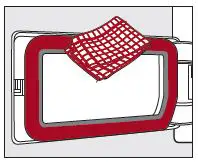
- Use a damp cloth to remove any lint.
Reinserting the plinth filter
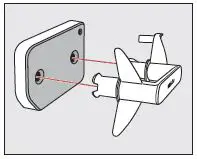
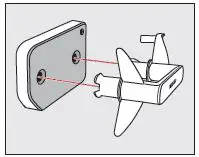
- Install the plinth filter back on the handle. Make sure it is the correct way round.

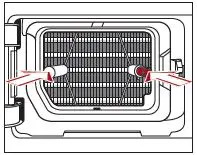
- Push the plinth filter in completely.
This will push in the right-hand guide pin at the same time.
- Close the flap.
Frequently asked questions
| Problem | Possible cause and solution |
 lights up after a program has been canceled lights up after a program has been canceled | The condensed-water container is full or there is a kink in the drain hose. ■ Open and close the door with the tumble dryer switched on to clear the fault. ■ Empty out the condensed-water container. ■ Check the drain hose. |
| lights up at the end of a program | There is a build-up of lint. ■ Open and close the door with the tumble dryer switched on to clear the fault. ■ Clean the lint filter. ■ Clean the plinth filter. |
lights up and  flashes; the program is canceled flashes; the program is canceled | There is a very significant build-up of lint. ■ Switch the tumble dryer off to deactivate the message. ■ Clean the lint filter. ■ Clean the plinth filter. |
| lights up | The program selector has been moved. ■ Select the original program. The time left will appear in the display again. |
| Bars flash on the display at the end of a program:
| The laundry will be cooled down at the end of the program. ■ Either remove the laundry and spread it out to cool down or leave it in the tumble dryer to cool down during the cooling phase. |
| The PIN code is activated. ■ You must enter the correct PIN code to use the tumble dryer. See “Programmable functions” in the operating in- structions. |

| Problem | Possible cause and solution |
| The display is dark and the sensor button flashes slowly | This is not a fault, but a normal function. ■ Touch a sensor button to switch on the displays. |
| The tumble dryer is switched off at the end of the program | The tumble dryer switches off automatically. This is not a fault, but a normal function. |
| The laundry is not sufficiently dry | The load consisted of different types of fabric. ■ Finish drying using the Time Dry/DryFresh program. ■ Select a more suitable program next time. |
| Items made of synthetic fibers are charged with static electricity after dry- ing | Items made of synthetic fibers can become charged with static electricity in the tumble dryer. ■ Static charge can be reduced by adding a fabric softener to the final rinse in the washing program. |
| Lint is caused by tumble drying | Lint is principally the result of friction when garments are being worn and to some extent when they are being washed. Machine drying hardly causes any lint to form. Lint is collected by the lint filters and the plinth filter. ■ See “Cleaning and care” in the operating instructions. |
| You can hear operating noises (buzzing/humming) | This is not a fault. The compressor (heat pump) is operating. ■ No action required. |