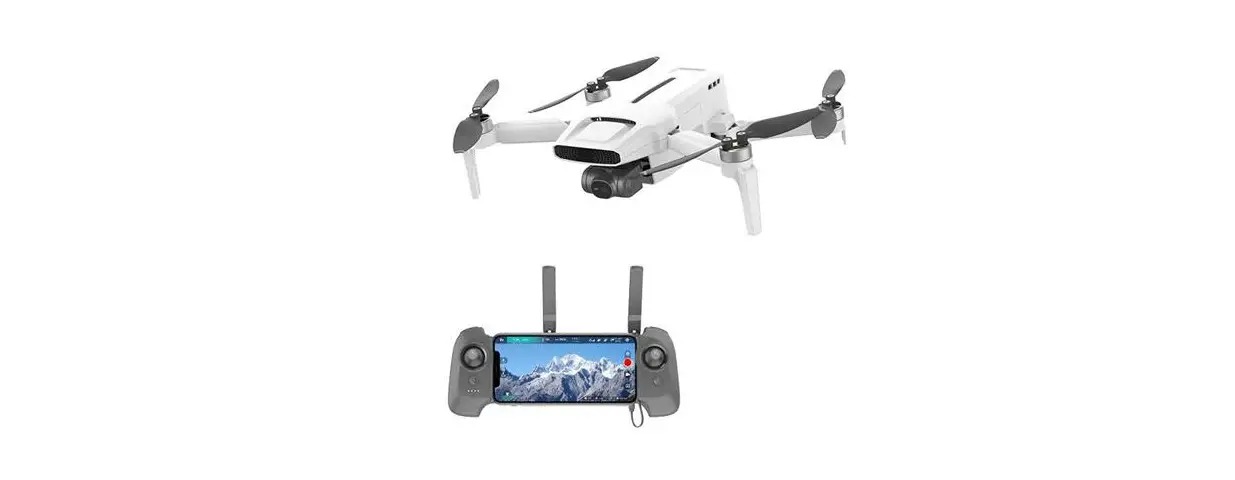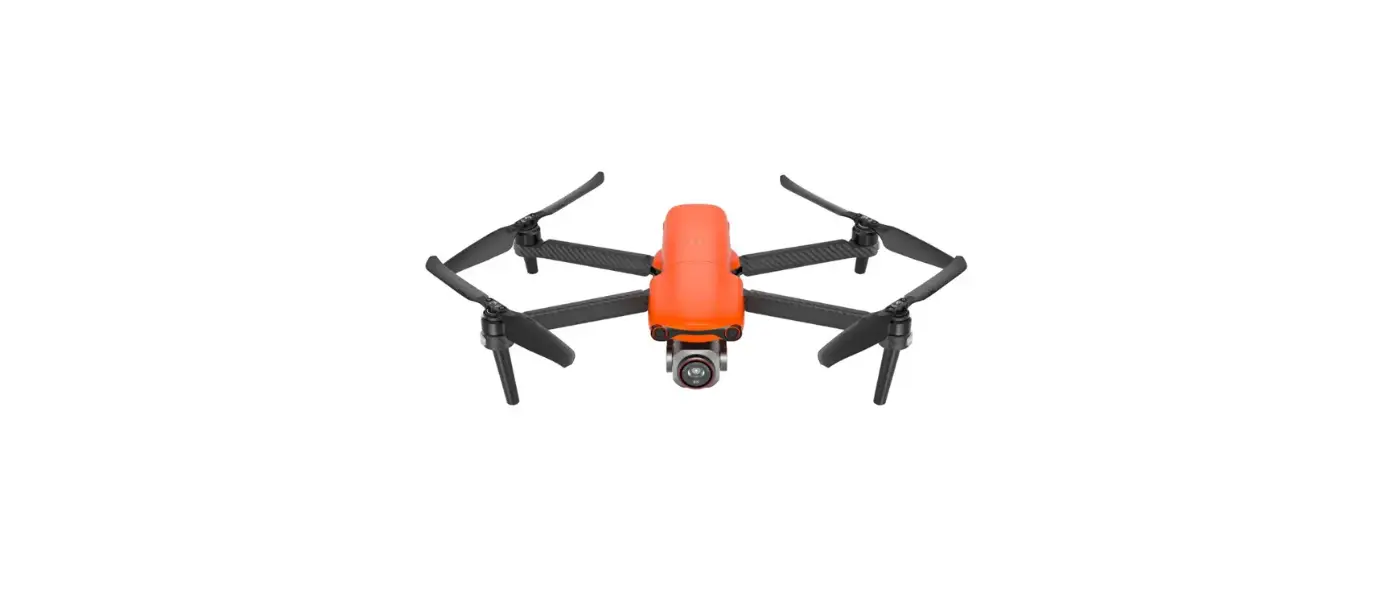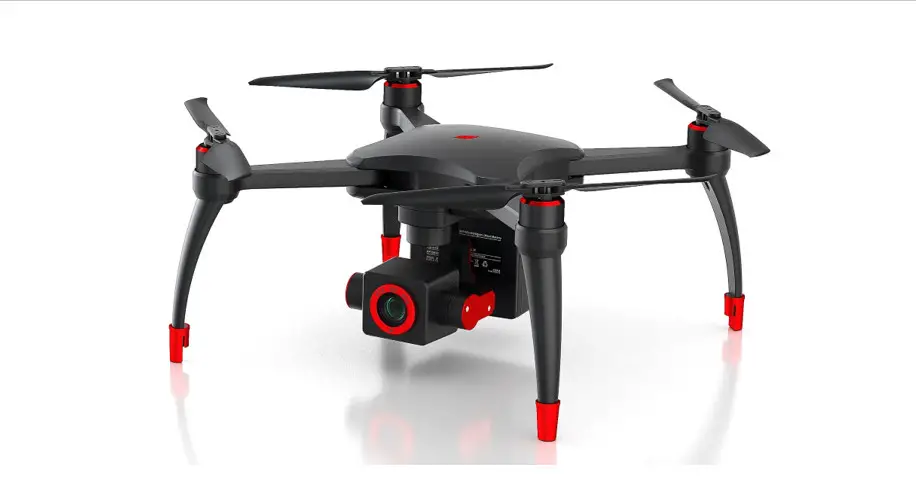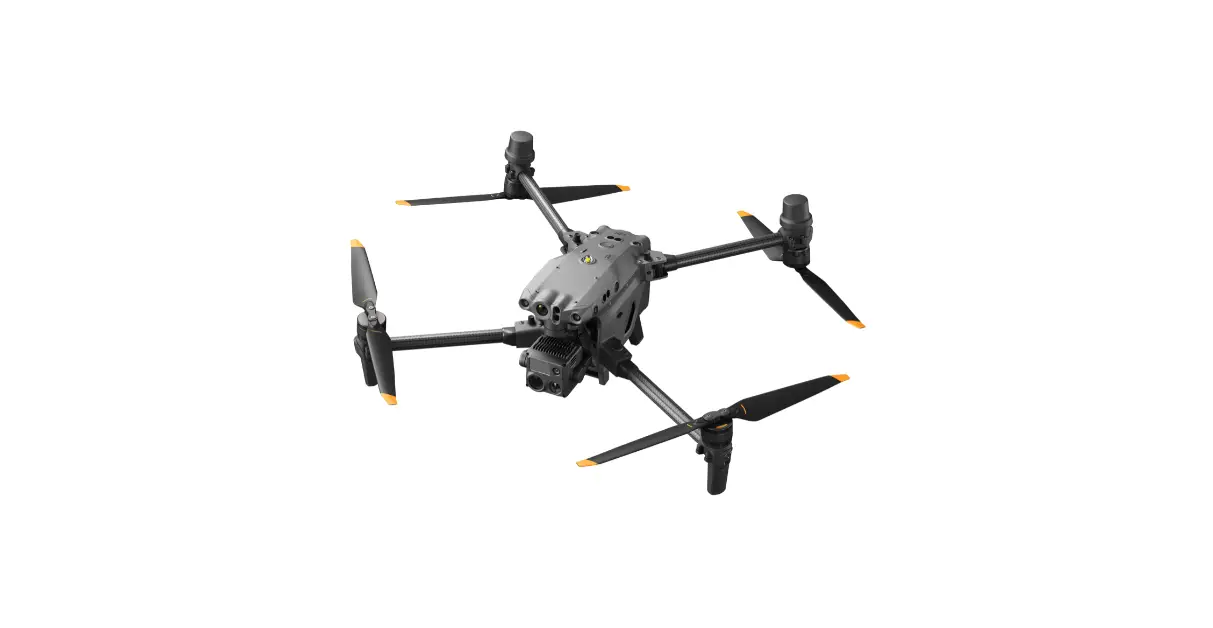

Shenzhen Fimi Robot Technology FIMI X8 Mini Drone
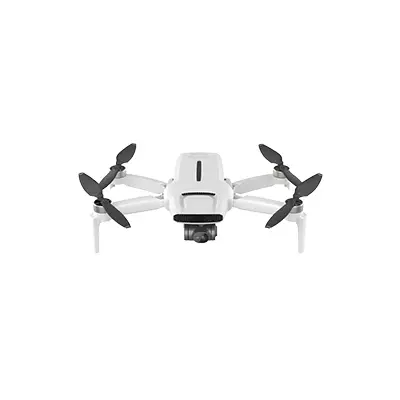
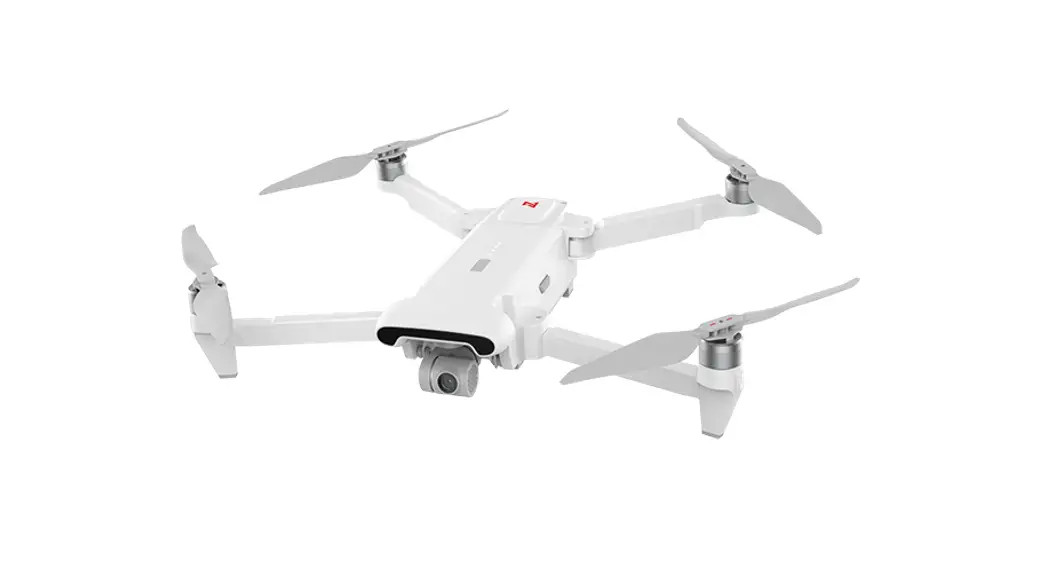
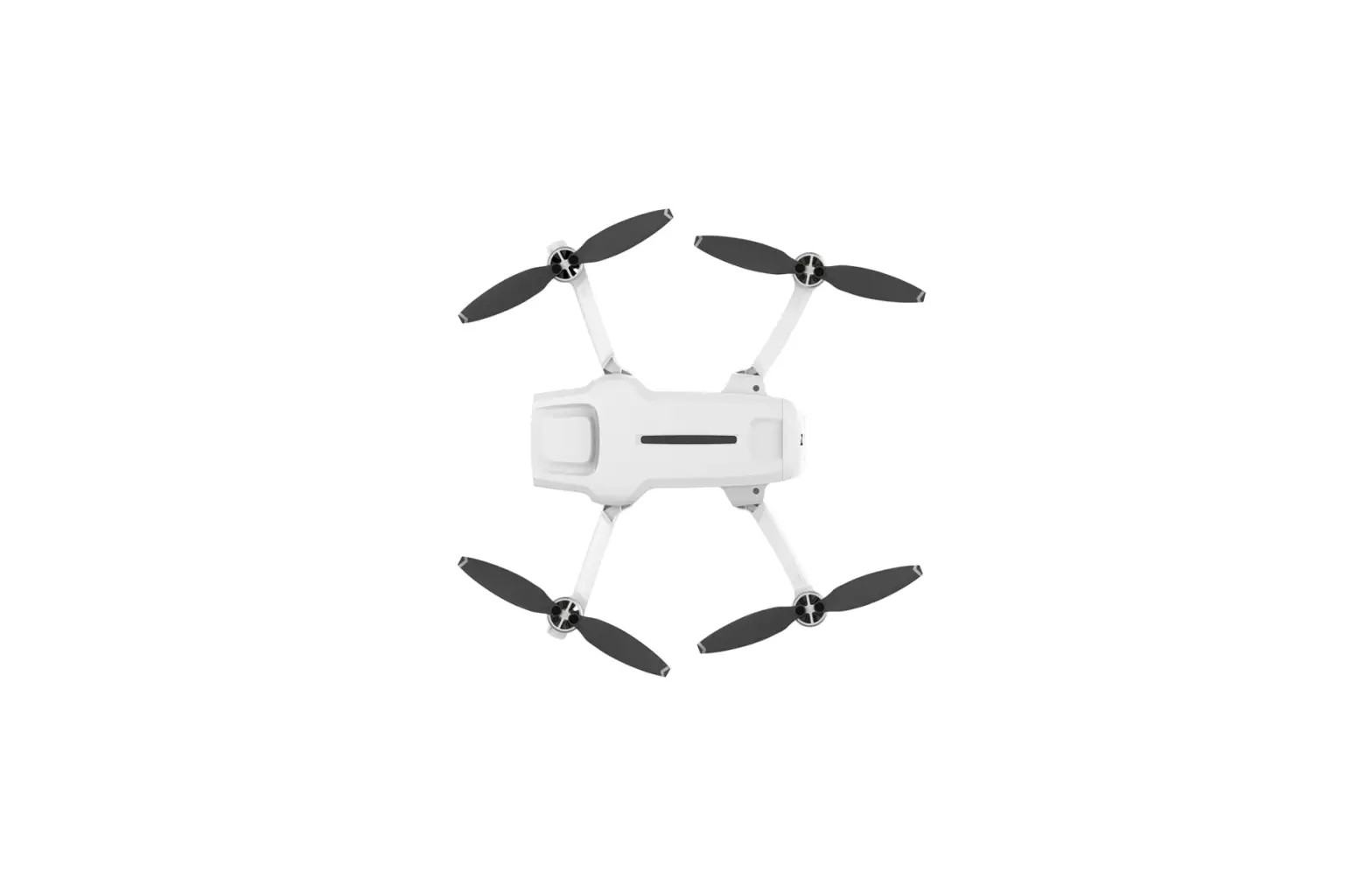
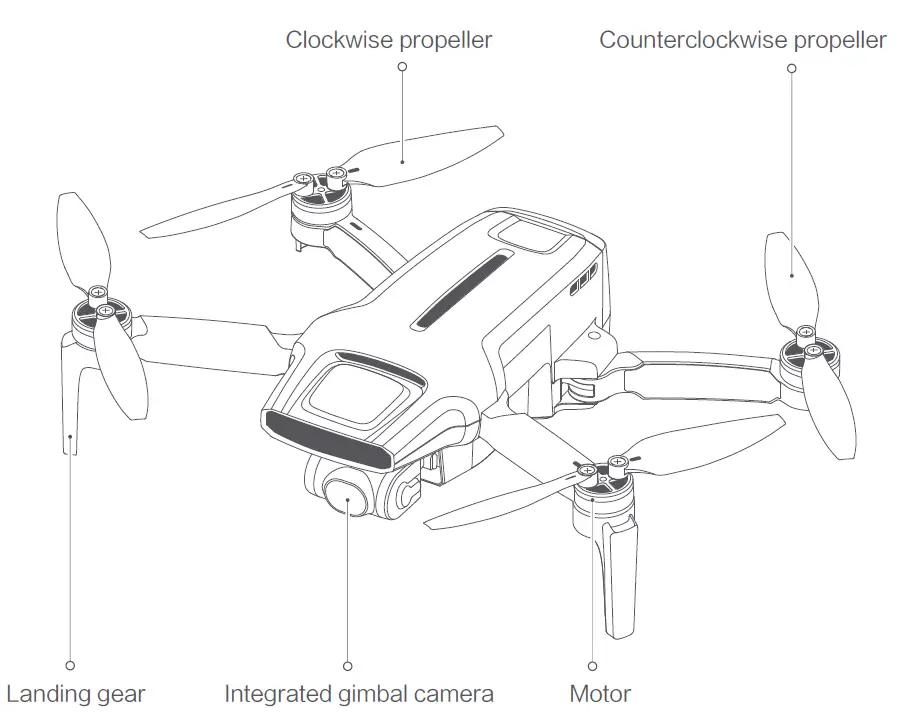
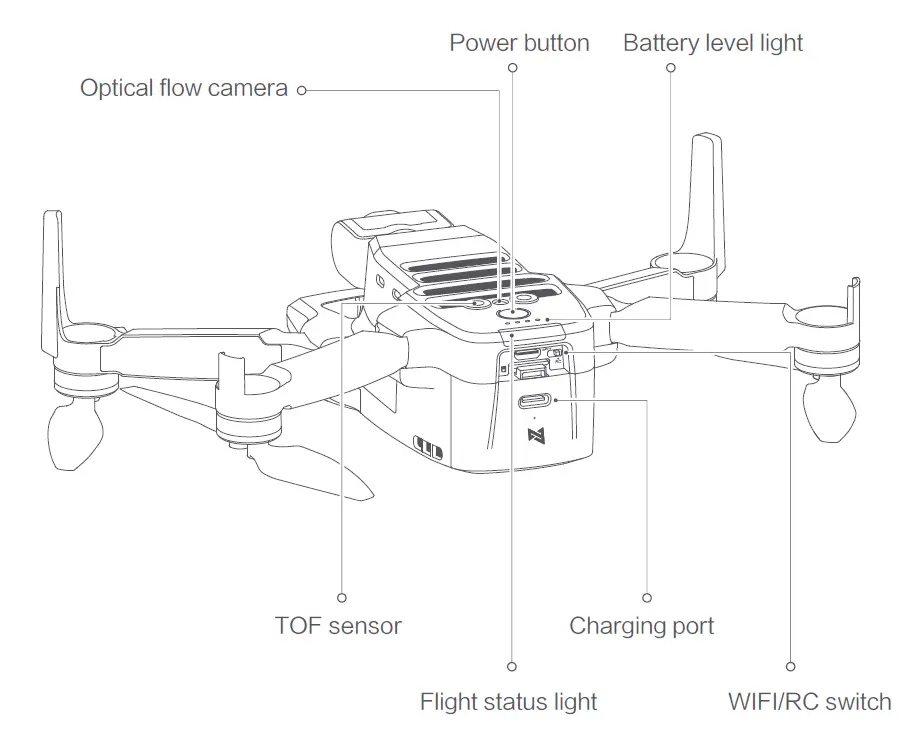
Product Introduction 1 Drone
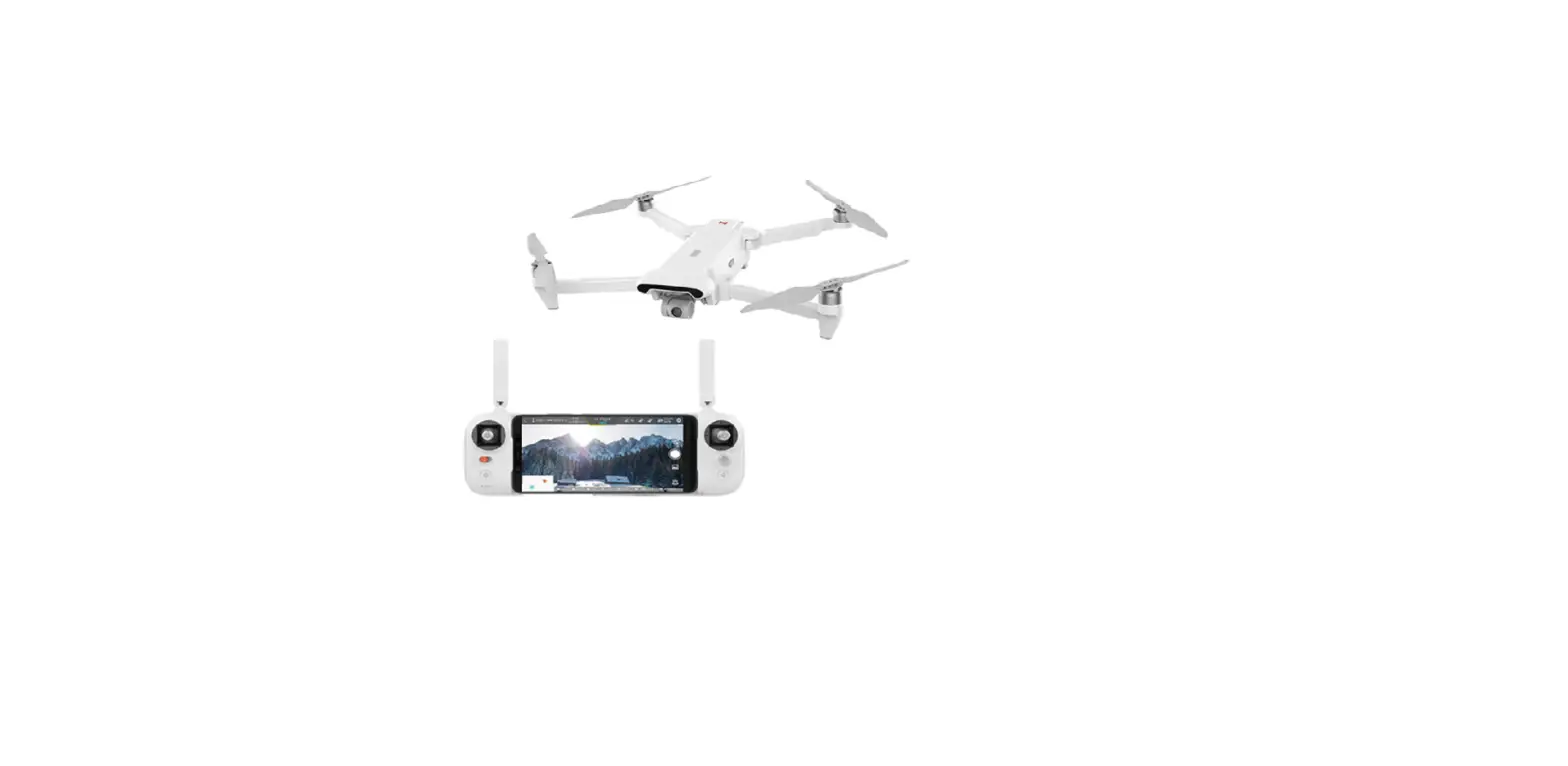
Remote controller

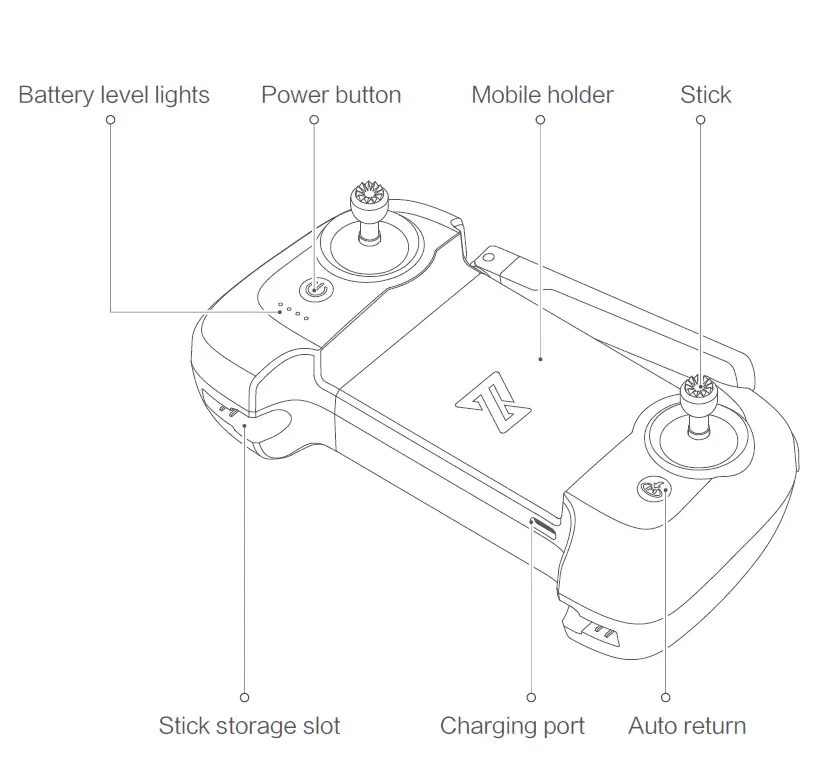
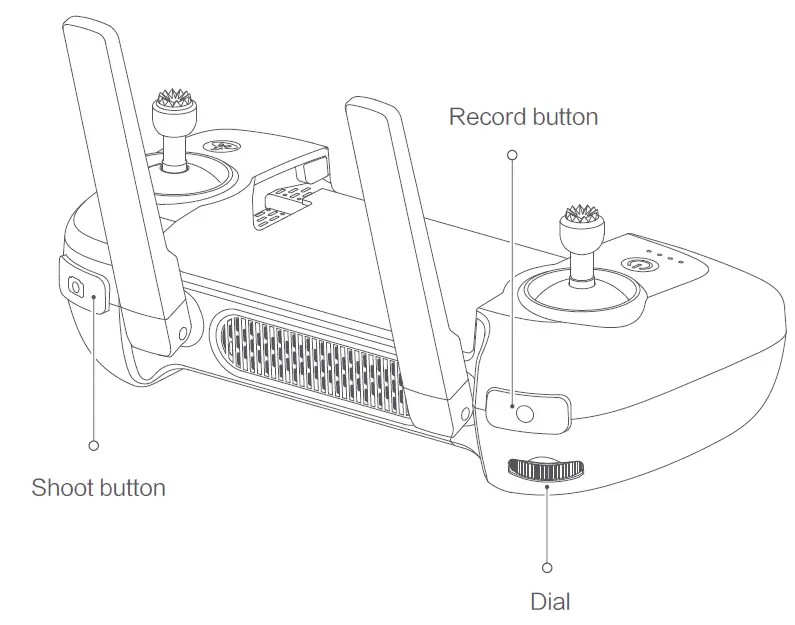
| Buttons | Function description | |
| 1 | Left stick | Push stick upward, the drone goes up Pull stick downward, the drone goes down Toggle stick to left, the drone rotates anticlockwise Toggle stick to right, the drone rotates clockwise |
| 2 | Right stick | Push stick upward, the drone flies forward Pull stick downward, the drone flies backward Toggle stick to left, the drone flies to left Toggle stick to right, the drone flies to right |
| 3 | Auto return | Long press the button for over 2 seconds, and the drone will enter RTH mode when you hear a beep. Short press the button to cancel RTH mode |
| 4 | Shoot button | Short press to shoot the picture |
| 5 | Record button | Short press to start / stop recording |
| 6 | Dial | Adjust the pitch angle of gimbal camera |
| 7 | Power button | Short press to view the battery level Short press+long press 2 seconds to power on/off |
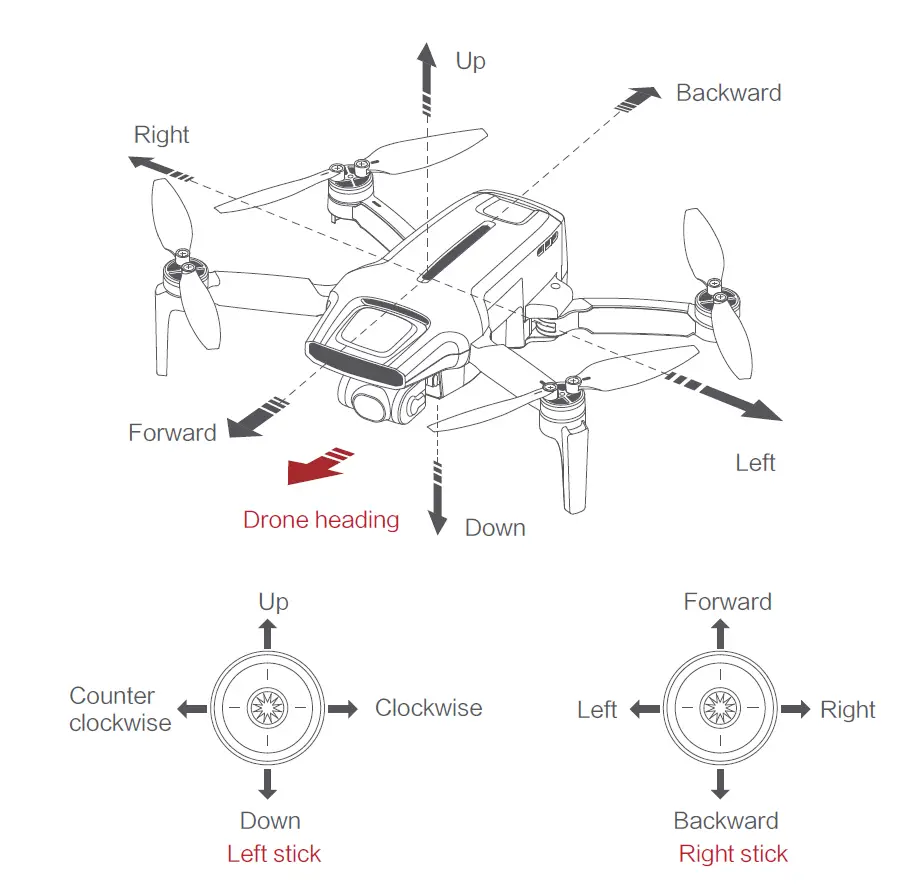
Note: The stick mode can be set in FIMI Navi Mini app. (The default is Mode 2)
Drone Specifications
- Drone
- Product model: FMWRJ04A7
- Max ascending speed:5m/s
- Max descending speed:3.5m/s
- Max flight speed:16m/s
- Operating temperature:0~40℃
- Suitable altitude:≤4000m
- FCC ID: 2AYVYFMWRJ04A7
- Operating frequency:5.725-5.850GHz Dimensions:145×85×56mm (folded) 200×145×56mm (unfolded)
- Take-off weight: Drone with standard version battery weight: around 258g
Drone with pro version battery - weight: around 245g
- Flight time Standard version battery usage time: 30-minutes
(no wind environment and at a constant flying speed of 6m/s) Pro version battery usage time: 31-minutes
(no wind environment and at a constant flying speed of 6m/s) - Satellite positioning systems: GPS/GLONASS/BEIDOU Hovering accuracy: Vertical±0.1m (within TOF sensor working range) ±0.5m(when GPS positioning is active) Horizontal: ±1.5
Remote controller
- Product model: FMYKQ04A7
- Net weight:About 260g
- Dimensions: 165x89x47mm Operating frequency:5.725-5.850GHz Type:Rechargeable lithium battery Battery voltage: 3500mAh
- Nominal voltage: 3.7V
- Input: 5V 2A
- Max transmission distance: About 8000m Operating temperature: 0~40℃Suitable altitude:≤4000m
- FCC ID: 2AYVYFMYKQ04A7
Gimbal camera
- Controllable rotation range: 10° ~ -90°(Pitch) Angular vibration range:±0.005°
- Lens: FOV 80°
- Camera aperture:f2.0
- Camera focal distance:3.54mm Equivalent focal distance:26mm
- Sensor:1/2.6″ SONY CMOS
- Effective pixels:12M pixels
- ISO range:100-320
- Shutter speed:32~1/8000s
- Max video resolution:3840×2160I30fpsI25fpsI24fps
- Max bitrate:100Mbps
- File system: FAT32
- Image format: JPG, JPG+DNG
- Video format: MP4
- Recommended SD card: Micro SD(U3 grade and above)8~256GB
- Note: The standard version battery usage time is 30 minutes, measured at a constant flying speed of 6m/s (no wind or breeze environment) after being fully charged The Pro version battery usage time is 31 minutes, measured at a constant flying speed of 6m/s (no wind or breeze environment) after being fully charged Remote control distance reaches to 8km (FCC) in open area and no interference. All testing and data above come from FIMI laboratory. Errors may occur in actual use because of operating and environmental changes.
Standard version smart battery
- Type:Li-ion 2S
- Weight: 102g
- Capacity:2400mAh
- Voltage:7.2V
- Limited voltage:8.4V
- Energy:17.28Wh
- Suitable charging temperature: 5~40℃
- Pro version smart battery
- Type: LiPo 2S
- Weight: 86g
- Capacity:2200mAh
- Voltage:7.7V
- Limited voltage:8.8V
- Energy:16.94Wh
- Suitable charging temperature: 5~40℃
Ready to fly
1 Equip and remove the gimbal protector Equip and remove the gimbal protector as shown 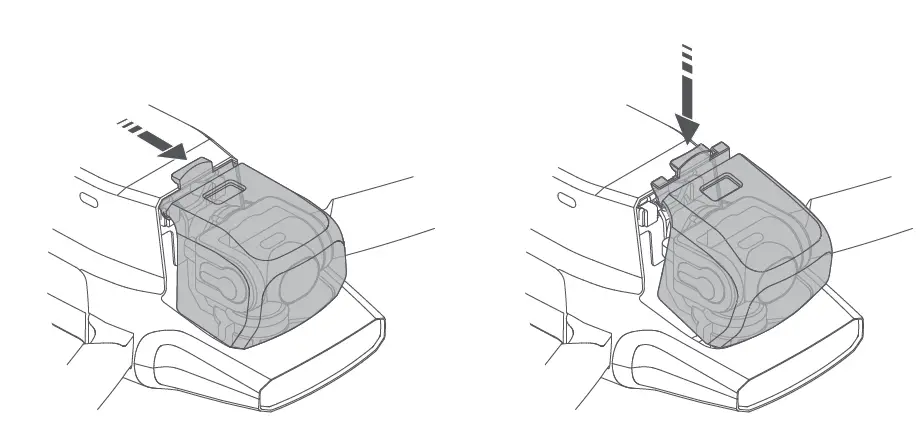
- Equip the gimbal protector as the arrow leading
- Remove the gimbal protector as the arrow leading
Battery
Hard push the battery. There will be a “click” sound if the battery is installed in place. To remove the battery, you need to press the bottom battery buckle to pull out.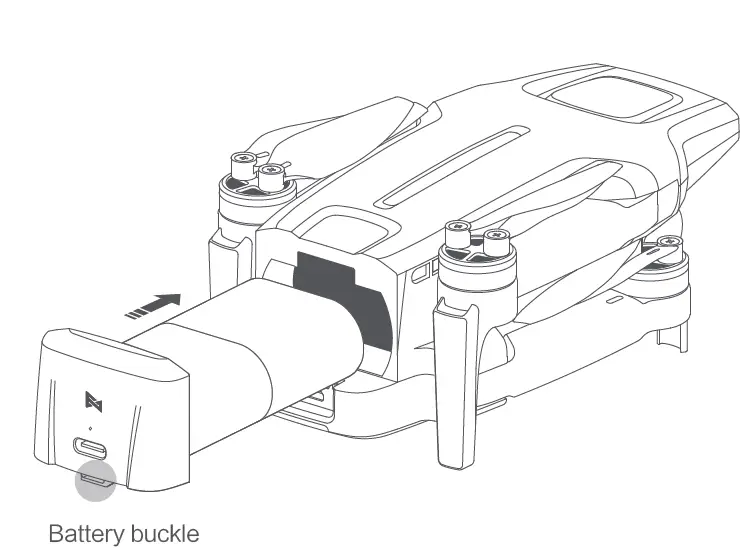
Safety tips: Please take the battery out of the drone and keep it separately when not in use.
Propeller
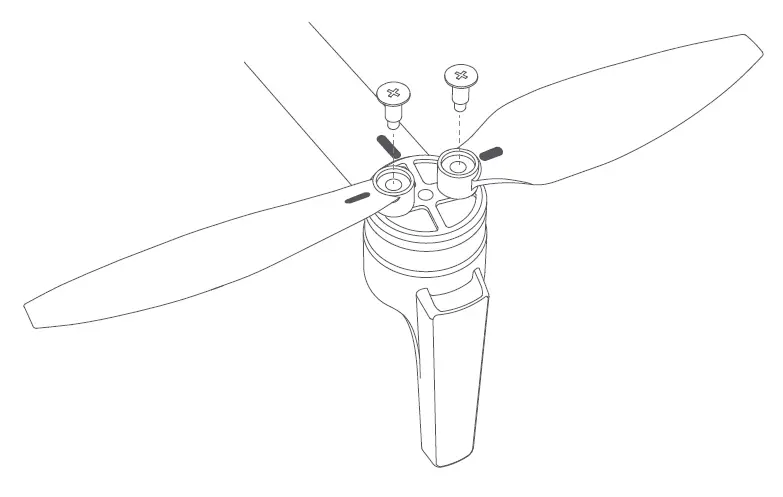
- Please install and remove the propellers as the picture shown.
- The propellers need to be installed according to the marks on the arms and propellers, and distinguished the forward and reverse propellers (the attached picture shows the forward propeller.)
- Need to use a screwdriver for installation and make sure the screws are locked well.
- To keep safe, screws should be replaced together with propellers.
Insert Micro SD card
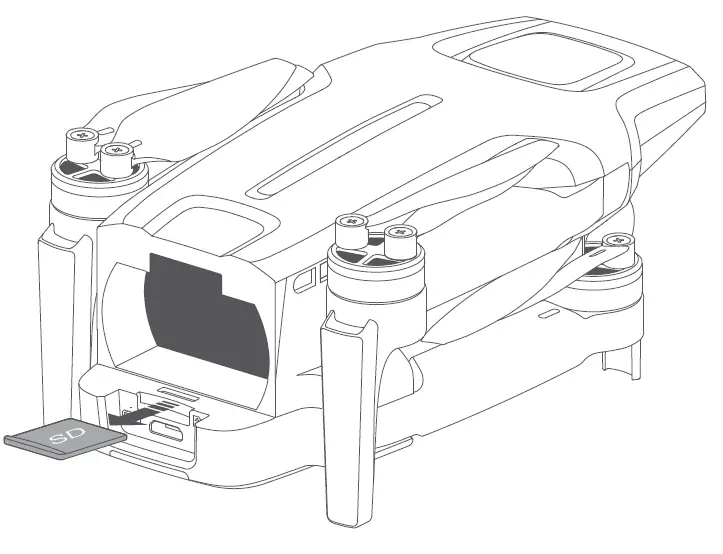
- When installing Micro SD card, please pull out the battery.
- Insert the SD card into the SD card slot.
- When removing SD card, press the SD card to pop out.
Charge
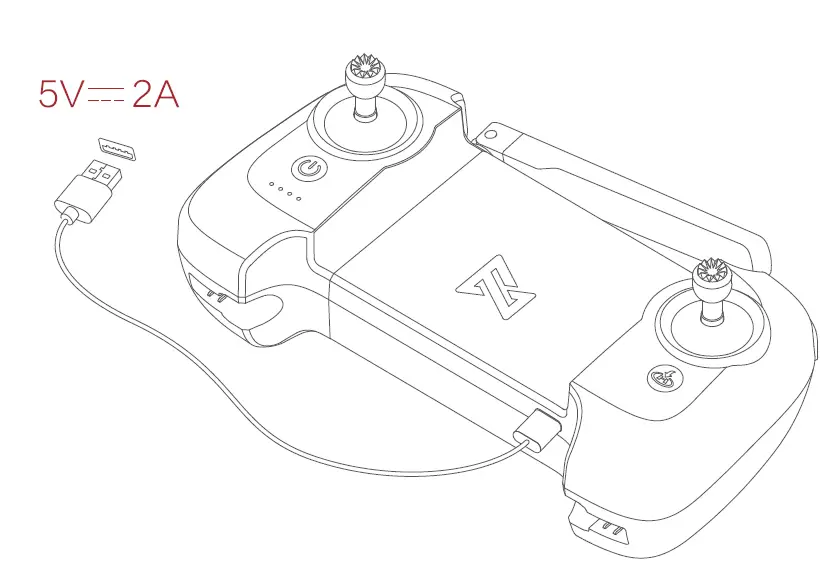
- Connect the remote controller to a power adapter as shown below.
- When the RC is in charge, the battery level lights are flashing.
- When the RC is fully charged, the battery level lights go out.
- It takes about 2.5 hours to fully charge the RC in the powered-off condition.
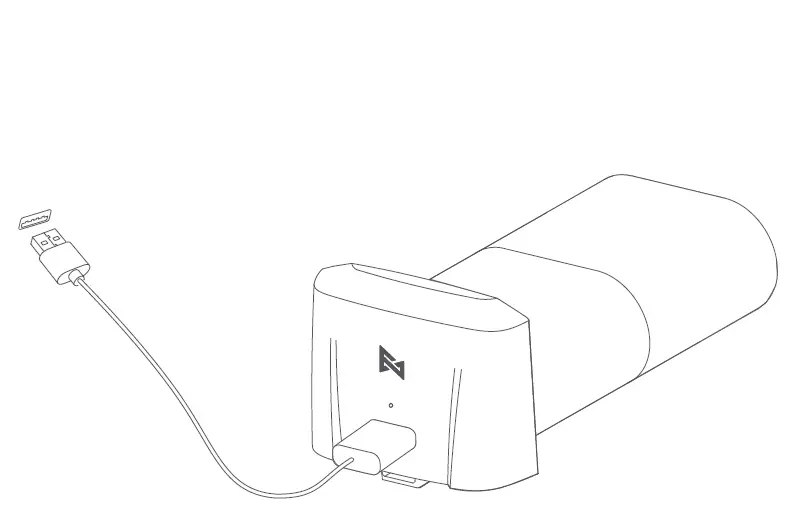
- The battery status light keeps on when charging.
- The battery level light off when charging is finished.
- It takes 2.5h to fully charge the batter via 5V/2A, 1.5h via 9V/2A, and 1h via 9V/3A.
Remote controller
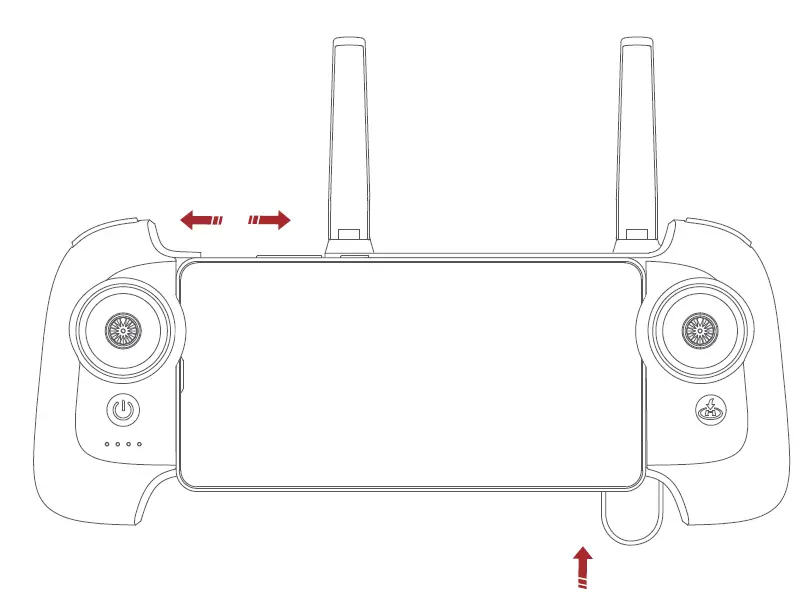
- Use USB cable to connect the device as shown.
- Unfold the RC to place the device.

Distinguish the direction of the drone
- The side of the gimbal camera is the head of the drone.
- Distinguish the direction of a drone through status light.

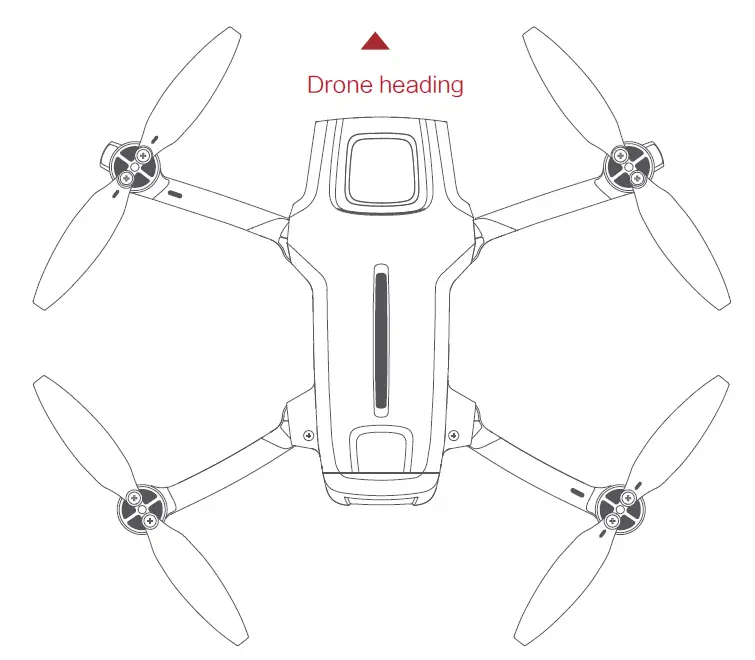
Safety tips: The user should face to the tail of the drone when operating it, in case of an accident caused by the wrong direction.
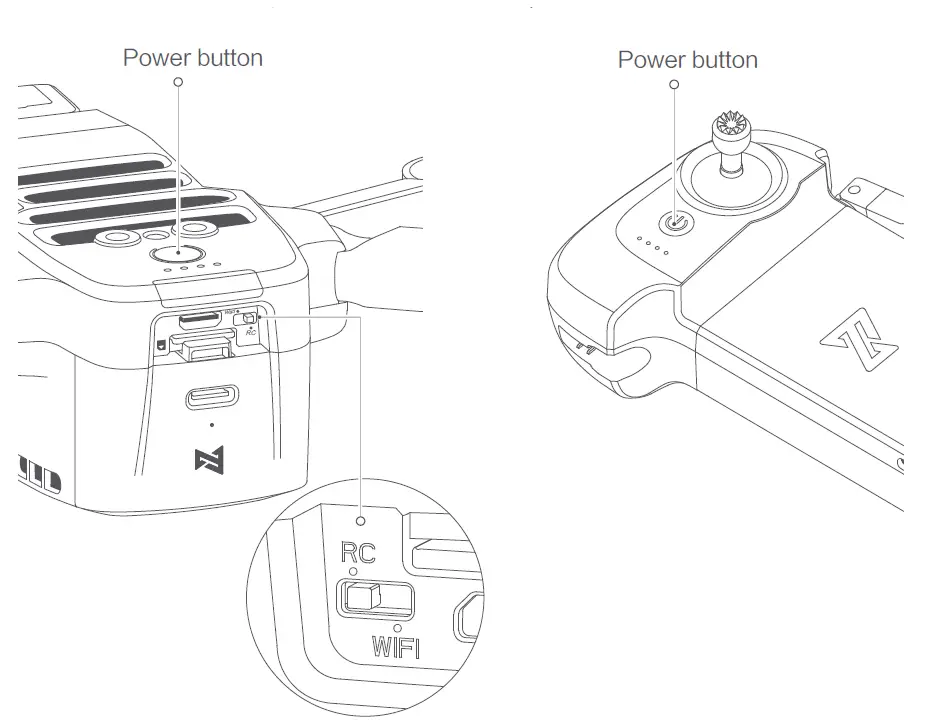
turning on/off the drone and the RC
- Short press+long press power button 2 seconds to power on/off.
- Short press to check the battery level.
- Confirm the current state of the Wi-Fi / RC switch before powering on (factory default RC position); switch control mode requires restarting the device.

Flying
Auto take-off/landing
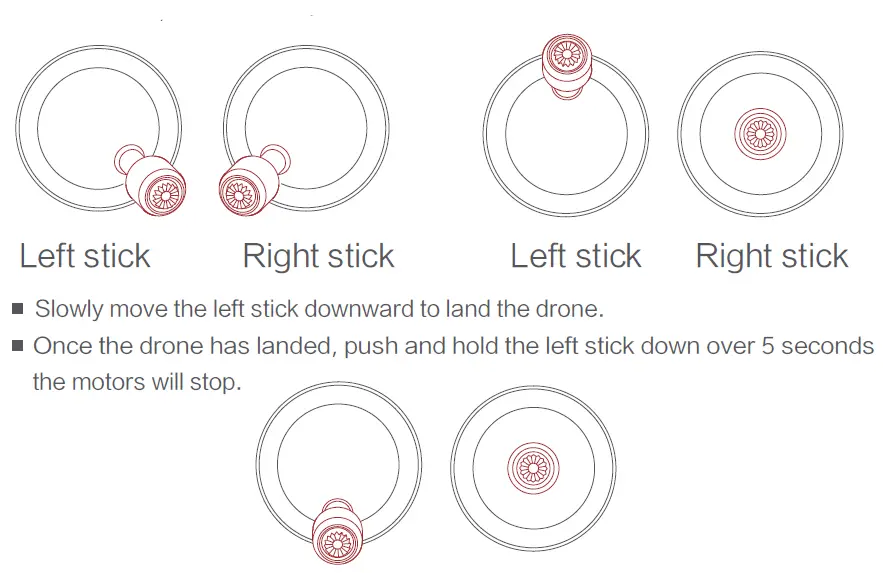
- Keep both sticks to the bottom inner still over 2 seconds, the propellers start spinning.
- Release both sticks once propellers have been spinning, and firmly push the left stick upward to take off the drone.
- During the flight, release both sticks to hover.
Safety tips: The drone has no waterproof function. Please be careful of the landing environment. Do not land on an inclined plane for safety.
Stop propellers in emergency
When motors can’t be properly turned off, please toggle the left stick to the bottom inner maximum range, and press the auto take-off in/landing button for 5 seconds simultaneously, then motors will stop.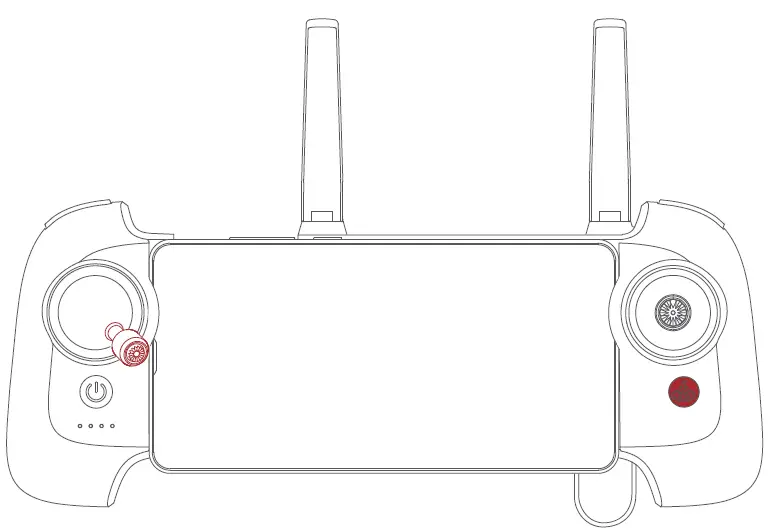
Safety tips: Do not do the operation above during normal flight to avoid motors being stopped in the air.
Shooting and recording
- Press the shoot button to take a photo. A photo is taken when you hear 2 short sounds.
- Press the record button to record video. Recording starts when you hear 2 short sounds. Press again to stop recording with 4 short sounds.
- The pitch angle of the gimbal can be controlled by toggling the left dial up and down.
Light Recognition 1 Drone light
| Light status | Drone status | ||
| 1 | The yellow light is fading in and out | Self-checking | |
| 2 | Red light on | Drone on the ground: self-check fails | |
| Drone is flying: internal error | |||
| 3 | Red and yellow lights flash alternately | Calibrate the compass | |
| 4 | Red light flashing twice | Ready to fly/in flight | |
| 5 | Red light flashing twice | Low battery alerts | |
| 6 | Red light flashing quickly | Very low battery alerts, land as soon as possible | |
| 7 | Red and green lights flash alternately | Updating firmware | |
| 8 | All lights off | The drone is paring to the RC | |
Remote controller light
| Light status | RC status | |
| 1 | All lights are on | Normal connection |
| 2 | Lights flash | RC doesn’t pair to the drone |
| 3 | Lights flash alternately | Pairing or firmware updating |
Safety Flight
Safety tips:
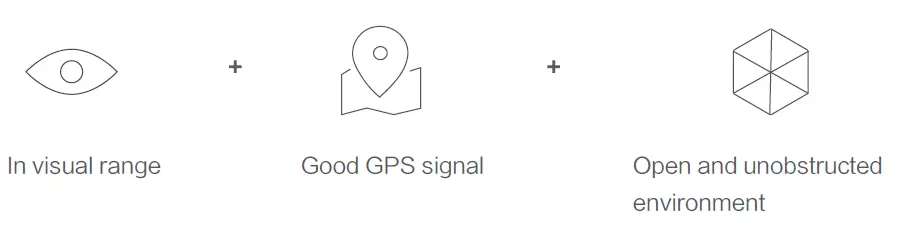
Fly only in an open area, and avoid people, animals, trees vehicles, and buildings. Keep away from airports, railways, highways, high-rises, electric wires and areas where drones are restricted. Keep away from telecommunication base stations, high-power antennas, and areas with complex electromagnetic signals. Do not use this product in restricted areas. Be sure to areas the Disclaimer and Safety Operation Instructions carefully.
This device complies with Part 15 of the FCC Rules. Operation is subject to the following two conditions:
- this device may not cause harmful interference, and
- this device must accept any interference received, including interference that may cause undesired operation.
FCC warning:
Any changes or modifications not expressly approved by the party responsible for compliance could void the user’s authority to operate the equipment.
Note: This equipment has been tested and found to comply with the limits for a Class B digital device, pursuant to part 15 of the FCC Rules. These limits are designed to provide reasonable protection against harmful interference in a residential installation. This equipment generates uses and can radiate radio frequency energy and, if not installed and used in accordance with the instructions, may cause harmful interference to radio communications. However, there is no guarantee that interference will not occur in a particular installation. If this equipment does cause harmful interference to radio or television reception, which can be determined by turning the equipment off and on, the user is encouraged to try to correct the interference by one or more of the following measures:
- Reorient or relocate the receiving antenna.
- Increase the separation between the equipment and receiver.
- Connect the equipment into an outlet on a circuit different from that to which the receiver is connected.
- Consult the dealer or an experienced radio/TV technician for help.
The FIMI X8 Mini Drone should be installed and operated with a minimum distance of 20cm between the radiator & your body.