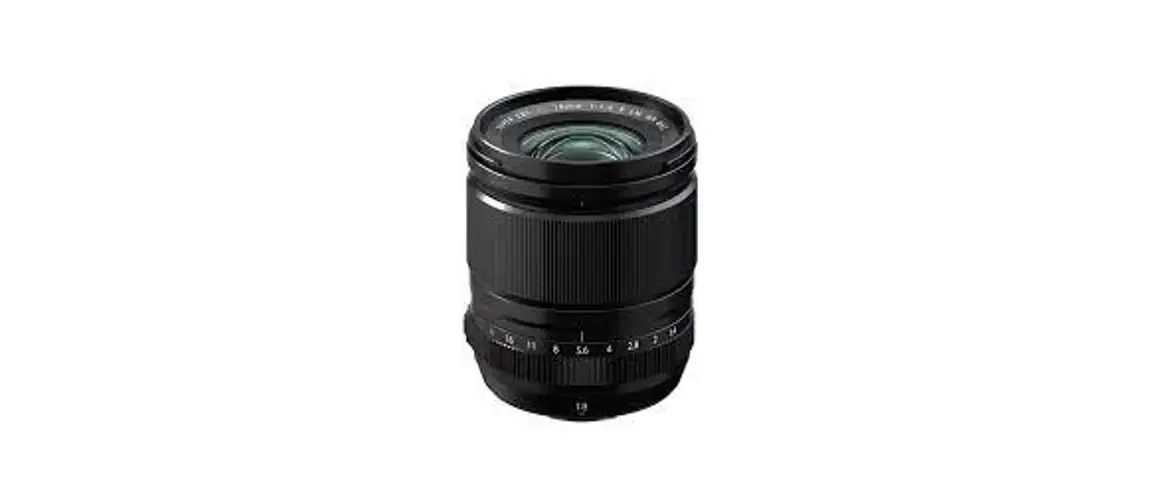
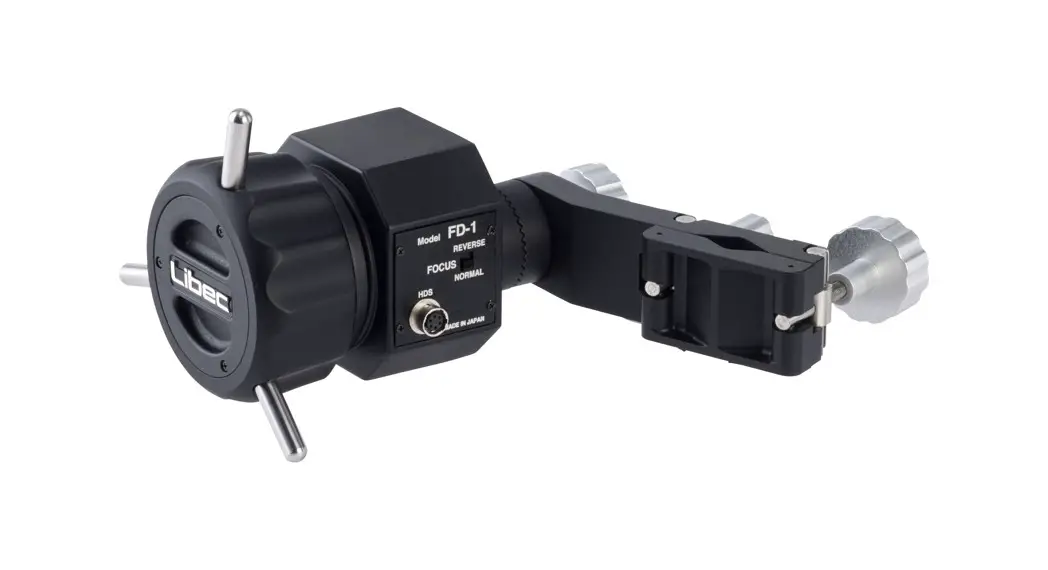
ZD-1 Zoom Demand for Canon-Fujinon Portable Lenses
Product Information
The ZD-1 is a zoom demand designed for Canon and Fujinon
portable lenses. It is manufactured by HEIWA SEIKI KOGYO CO., LTD.
The product is a precision equipment and requires careful handling.
It is not waterproof and should not come in contact with liquid or
cleaner. The package does not include cables for lenses, so you
will need to purchase either the DC-Z20 or DC-Z12 cable depending
on the lens you use.
Names of Parts
- Main Body
- Zoom Speed Switch
- ASSIGN 2 Button
- ASSIGN 1 Button
- Zoom Lever
- RET Button
- Zoom Direction Switch
- ASSIGN REC/RET Switch
- Lens Switch
- Lens Connector (8pin)
- Demand Holder
- Serration
- Knob
- Clamp Small
- Clamp Large
Product Usage Instructions
How to Attach the Demand Holder
- Loosen the clamps (small and large).
- Attach the demand holder to the pan handle.
- Firmly tighten both clamps to secure.
How to Attach the ZD-1
- Fit the serration of the ZD-1 to the serration of the demand
holder. - Firmly tighten the knob to secure.
Connect the Cable
This product does not include cables for lenses. Please purchase
either the DC-Z20 or DC-Z12 cable, depending on the lens you
use.
- For Canon lenses: Connect the DC-Z20 cable (sold separately) to
the ZD-1 lens connector (8pin). - For Fujinon lenses: Connect the DC-Z12 cable (sold separately)
to the ZD-1 lens connector (8pin).
Switch the Setting
Switch the setting depending on the lens you use.
- Slide the lens switch to select the preferred settings.
Incorrect settings might cause a malfunction. - For Canon lenses: Change the lens switch to C.
Zoom Demand for Canon/Fujinon Portable Lenses
/
Demanda de zoom para lentes portátiles Canon/Fujinon
ZD-1
HEIWA SEIKI KOGYO CO., LTD.
Content
Caution
3
A
Names of Parts
4
B
How to Attach the Demand Holder
5
C
How to Attach the ZD-1
5
D
Connect the Cable
6
E
Switch the Setting
6 , 7
F
How to Operate
7
3
A
4
B
5
C
ZD-1
5
D
6
E
6 , 7
F
7
Contenido
Precaución
3
A
Nombres de partes
4
B
Cómo adjuntar el titular de la demanda
5
C
Cómo conectar el ZD-1
5
D
Conecte el cable
6
E
Cambiar la configuración
6 , 7
F
Como operar
7
2
Thank you for purchasing ZD-1. This product does not include cables for lenses.
Please purchase either DC-Z20 or DC-Z12, depending on the lens you use.
WARNING
This equipment is a precision product. It must be operated with great care and requires some basic mechanical knowledge/experience. ZD-1 is not waterproof. Avoid having any contact with liquid or cleaner when using this product. Instead, use a soft dry cloth to clean the equipment. Do not use incompatible components. Please use this product as intended.
Caution
This operating manual may assist a user’s safety, legal rights, and responsibilities. If not used in accordance with this manual, this equipment may cause harm to people. Operating procedures and cautions are written to prevent accidents. For your safety, read and follow these instructions. Please retain this manual for future references. This product is designed with safety in mind. However, improper operations may cause injuries and/or damage to equipment. Please read all the cautions and procedures before use. Please follow all the written cautions and instructions. The following cautions and procedures comply with laws, regulations, and industrial standards at the time this manual was made. Content may be updated to current laws, regulations, and industrial standards. When using this product, take precautions to avoid personal injury or damage to product. Users are fully responsible for all actions taken. Libec accepts no liability for any damage, injuries or legal responsibilities incurred directly or indirectly when using this product. Change the setting depending on the lens you use. Please follow manual instructions when inserting the connectors. Incorrectly attaching the connectors may cause a malfunction. Firmly tighten the clamp If the lock is loose, the clamp might come off and cause damage to the ZD-1 itself. Do not pull out the cable forcefully Pulling out the cable forcefully from the lens or the connector may cause damage to the lens and/or malfunction to the ZD-1 itself. Do not push or pull out each operation part excessively Excessively pushing or pulling the zoom lever, buttons, switches may cause damage to the lens and/or malfunction to the ZD-1 itself.
ZD-1
DC-Z20DC-Z12
Gracias por comprar ZD-1. Este producto no incluye cables para lentes.
Compre DC-Z20 o DC-Z12, según el objetivo que utilice.
Este equipo es un producto de precisión. Debe operarse con mucho cuidado y requiere algunos conocimientos/experiencia mecánicos básicos. ZD-1 no es resistente al agua. Evite tener contacto con
líquidos o limpiadores cuando utilice este producto. En su lugar, utilice un paño suave y seco para limpiar el equipo. No utilice componentes incompatibles. Utilice este producto según lo previsto.
Precaución
Este manual de operación puede ayudar con la seguridad, los derechos legales y las responsabilidades del usuario. Si no se utiliza de acuerdo con este manual, este equipo puede causar daños a las personas. Los procedimientos de operación y las precauciones están escritas para prevenir accidentes. Para su seguridad, lea y siga estas instrucciones. Conserve este manual para futuras referencias. Este producto está diseñado pensando en la seguridad. Sin embargo, las operaciones incorrectas pueden causar lesiones y/o daños al equipo. Lea todas las precauciones y procedimientos antes de usar. Siga todas las precauciones e instrucciones escritas. Las siguientes precauciones y procedimientos cumplen con las leyes, reglamentos y estándares industriales en el momento en que se elaboró este manual. El contenido puede actualizarse a las leyes, regulaciones y estándares industriales vigentes. Cuando utilice este producto, tome precauciones para evitar lesiones personales o daños al producto. Los usuarios son totalmente responsables de todas las acciones realizadas. Libec no acepta ninguna responsabilidad por daños, lesiones o responsabilidades legales incurridas directa o indirectamente al usar este producto. Cambie el ajuste según el objetivo que utilice. Siga las instrucciones del manual al insertar los conectores. La conexión incorrecta de los conectores puede causar un mal funcionamiento. Apriete firmemente la abrazadera Si el cierre de la abrazadera está flojo, podría salirse y causar daños al propio FD-1. No tire del cable con fuerza Sacar el cable con fuerza de la lente o del conector puede dañar la lente y/o fallar el funcionamiento del ZD-1. No empuje ni extraiga excesivamente cada parte de la operación Presionar o jalar excesivamente la palanca del zoom, los botones y los interruptores puede dañar la lente y/o fallar el funcionamiento del ZD-1.
3
A1
2
3 4 5
6
FAST
SLOW
SPEED ASSIGN 2
ASSIGN 1
7
ZD-1 REVERSE
8
ASSIGN
1 REC 2 RET
1 RET 2 REC
F
NORMAL
C
12
9 10
13
15
14
11
12
A: Names of Parts
1 Main Body 2 Zoom Speed Switch 3 ASSIGN 2 Button 4 ASSIGN 1 Button 5 Zoom Lever 6 RET Button 7 Zoom Direction Switch 8 ASSIGN REC/RET Switch 9 Lens Switch 10 Lens Connector (8pin) 11 Demand Holder 12 Serration 13 Knob 14 Clamp Small 15 Clamp Large
4
A:
1 ZD-1 2 3 ASSIGN 2 4 ASSIGN 1 5 6 RET 7 8 ASSIGN REC/RET 9 10 11 12 13 14 15
A: Nombres de partes
1 Cuerpo principal 2 Interruptor de velocidad de zoom 3 Botón ASIGNAR 2 4 Botón ASIGNAR 1 5 Palanca de zoom 6 Botón RET 7 Interruptor de dirección de zoom 8 Conmutador ASSIGN REC/RET 9 Interruptor de lente 10 Conector de lente (8 pines) 11 Titular de la demanda 12 Borde dentado 13 Perilla 14 Abrazadera pequeña 15 Abrazadera grande
B
1
2 2
B: How to Attach the Demand Holder
1 Loosen the clamps (small and large) 2 Attach the demand holder to the pan handle.
Then firmly tighten both the clamps to secure.
B:
1 ( ) 2
C
1
1
B: Cómo adjuntar el titular e la demanda
Afloje la abrazadera (pequeña y grande) Fije el soporte de demanda al maneral de la sartén. Luego apriete firmemente ambas abrazaderas para asegurarlas.
C: How to Attach the ZD-1
1 Fit the serration of the ZD-1 to the serration of the demand holder. Then firmly tighten the knob to secure.
C: ZD-1
1 ZD-1
C: Cómo conectar el ZD-1
1 Ajuste el dentado del ZD-1 al dentado del soporte de demanda. Luego apriete firmemente la perilla para asegurar.
5
D
ZD-1 REVERSE
ASSIGN
1 REC 2 RET
1 RET 2 REC
F
NORMAL
C
DC-Z20 DC-Z12
For Canon lenses Para lentes Canon
For Fujinon lenses Para lentes Fujinon
D: Connect the Cable
This product does not include cables for lenses. Please purchase either DC-Z20 or DC-Z12, depending on the lens you use.
For Canon lenses Connect the DC-Z20 cable (sold separately) to the ZD-1 lens connector (8pin).
For Fujinon lenses Connect the DC-Z12 cable (sold separately) to the ZD-1 lens connector (8pin).
D:
DC-Z20DC-Z12
DC-Z20 8Pin ZD-1 20Pin
DC-Z12 8Pin ZD-1 12Pin
D: Conecte el cable
Este producto no incluye cables para lentes. Compre DC-Z20 o DC-Z12, según el objetivo que utilice.
Para lentes Canon Conecte el cable DC-Z20 (se vende por separado) al conector de lente ZD-1 (8 pines).
Para lentes Fujinon Conecte el cable DC-Z12 (se vende por separado) al conector de lente ZD-1 (8 pines).
E
E-1
E-2
ZD-1 REVERSE
ASSIGN
1 REC 2 RET
1 RET 2 REC
F
NORMAL
C
ZD-1 REVERSE
2
ASSIGN
1 REC 2 RET
1 RET 2 REC
F
4
5
3
NORMAL
C
E: Switch the Setting
E-1 Lens Switch Switch the setting depending on the lens you use
1 Slide the lens switch to select the preferred settings. The incorrect settings might cause a malfunction.
2 For Canon lenses Change the lens switch to “C”.
3 For Fujinon lenses Change the lens switch to “F”.
E-2 ASSIGN REC/RET Switch SelectRECORD/RETURNfor ASSIGN button 1 and 2. Slide the ASSIGN REC/RET switch to set a function.
4 If using ASSIGN1 button as a REC, ASSIGN2 button as a RET.
5 If using ASSIGN1 button as a RET, ASSIGN2 button as a REC.
E:
E-1
1
2
“C” 3
“F”
E-2 ASSIGN REC/RET ASSIGN 1 ASSIGN 2 (RECCORD/RETURN) ASSIGN
4 ASSIGN 1 REC ASSIGN 2 RET
5 ASSIGN 1 RET ASSIGN 2 REC
E: Cambiar la configuración
E-1 Interruptor de lente Cambie la configuración dependiendo de la
lente que use 1 Deslice el interruptor de la lente para seleccionar
la configuración preferida. Los ajustes incorrectos pueden causar un mal funcionamiento.
2 Para lentes Canon Cambie el interruptor de la lente a “C”.
3 Para lentes Fujinon Cambie el interruptor de la lente a “F”.
E-2 Conmutador ASSIGN REC/RET SeleccioneRECORD/RETURNpara los botones 1 y 2 de ASIGNAR. Desliza el interruptor ASSIGN para configurar una función.
4 Si usa el botón ASSIGN1 como REC, el botón ASSIGN2 como RET.
5 Si usa el botón ASSIGN1 como RET, el botón ASSIGN2 como REC.
6
E
ZD-1 REVERSE
ASSIGN
1 REC 2 RET
1 2
RET REC
F
NORMAL
C
E-4 E-3
ZD-1 REVERSE 7
ASSIGN
1 REC 2 RET
1 2
RET REC
F
NORMAL 6
C
FAST
SLOW
SPEED
ASSIGN 2
ASSIGN 1
8
FAST
SLOW
SPEED
ASSIGN 2
ASSIGN 1
E-3 Zoom Direction Switch Change the direction of zoom.
6 Normal) Left (wide-angle) – Right (telephoto)
7 Reverse) Left (telephoto) – Right (wide-angle)
E-4 Zoom Speed Switch Switch the zoom speed.
8 Slow (zoom speed is slow) – Fast (zoom speed is fast)
F
E-3
6 NOMAL
7 REVERSE
E-4
8 Slow ( ) – Fast ( )
E-3 Interruptor de dirección de zoom Cambia la dirección del zoom. Normal) Izquierda (gran angular) – Derecha (teleobjetivo) Inversa) Izquierda (teleobjetivo) – Derecha (wide-ángulo)
E-4 Interruptor de velocidad de zoom Cambia la velocidad del zoom.
8 Lenta (la velocidad del zoom es lenta) Rápida (la velocidad del zoom es rápida)
F-2 3
FAST
SLOW
SPEED ASSIGN 2
ASSIGN 1
F-1
FAST
SLOW
SPEED
ASSIGN 2
ASSIGN 1
1
F-3
2
ZD-1 REVERSE
4
ASSIGN
1 REC 2 RET
F 1 RET
2 REC
NORMAL
C
F: How to Operate
F-1 REC/RET
1 Press the ASSIGN1 button or ASSIGN2 button to start or stopREC/RET).
F-2 RET Button RET button is not linked to the ASSIGN
REC/RET switch. F-3 Zoom control
2 Tilt the zoom lever to the left for wide-angle. 3 Tilt the zoom lever to the right for telephoto. 4 Change the zoom direction switch to
“REVERSE” to change the zoom direction. The zoom speed is adjustable by tilting the zoom
lever angle.
F:
F-1 RECRET 1 ASSIGN 1 ASSIGN 2
/ (REC/RET)
F-2 RET
ASSIGN RET
F-3 2 3 4 “REVERSE”
F: Como operar
F-1 REC/RET 1 Presione el botón ASSIGN1 o ASSIGN2 para
iniciar o detener (REC/RET).
F-2 Botón RET El botón RET no está vinculado al interruptor
ASSIGN. F-3 Control de zoom 2 Inclina la palanca del zoom hacia la izquierda para
el gran angular. 3 Inclina la palanca del zoom hacia la derecha para
el teleobjetivo. 4 Cambie el interruptor de dirección del zoom a
“REVERSE” para cambiar la dirección del zoom. La velocidad del zoom se puede ajustar
inclinando el ángulo de la palanca del zoom.
7


![Zeiss Compact Prime And Zoom Lenses [cp.2, Cz.2] User Manual](https://static-data1.manualsee.com/1/img/176/20329/2020/12/Zeiss-Compact-Prime-and-Zoom-lenses.png "Zeiss Compact Prime And Zoom Lenses [cp.2, Cz.2] User Manual")