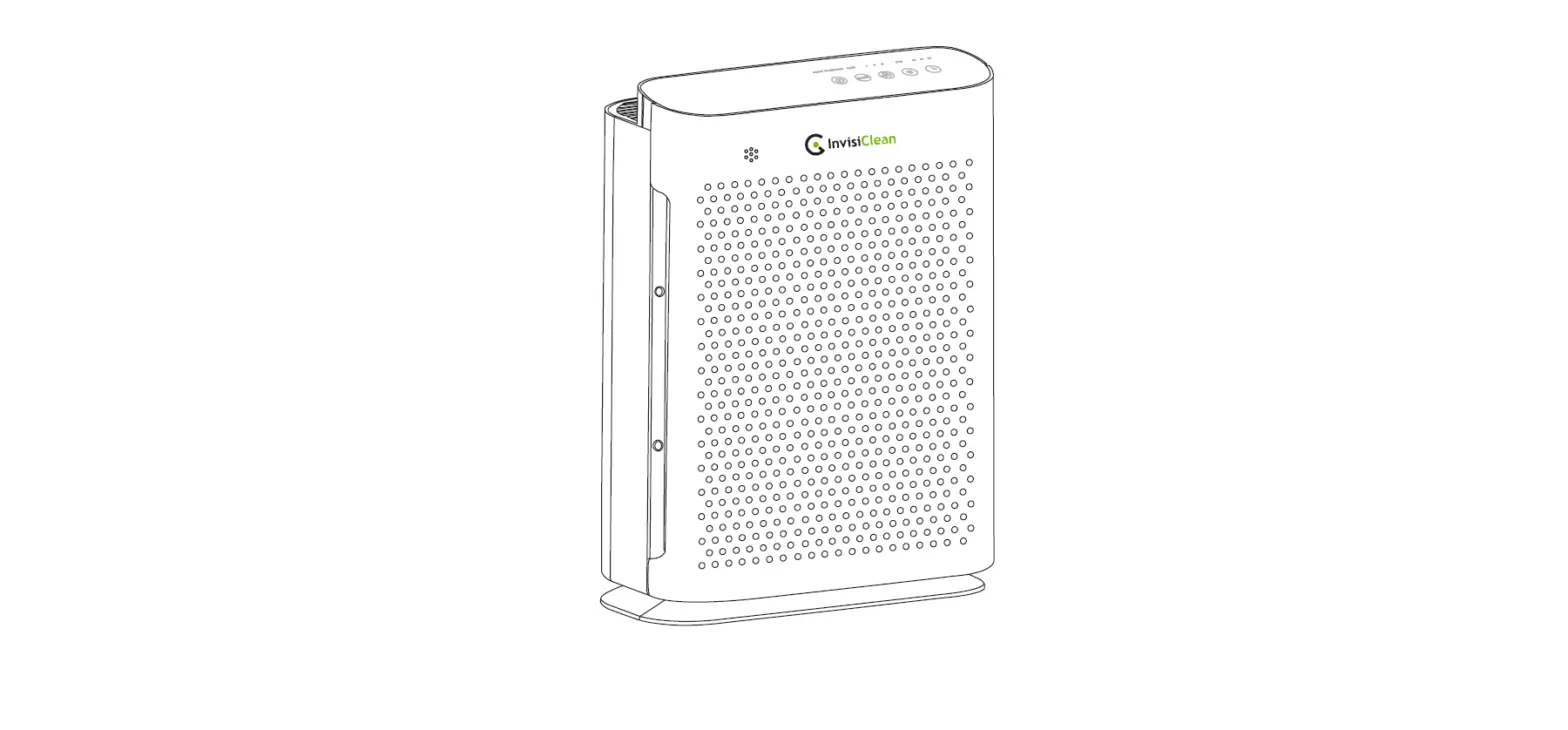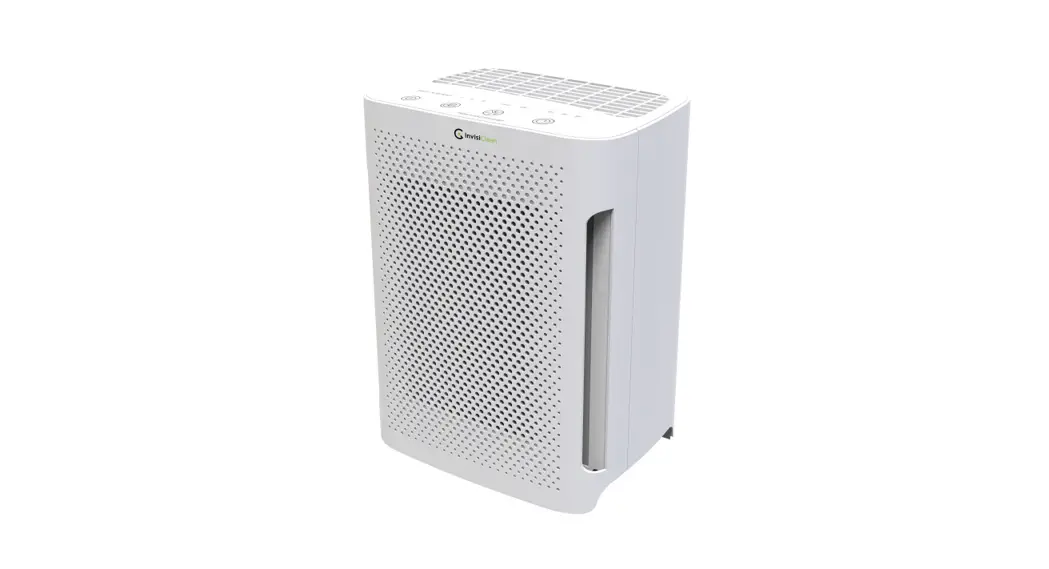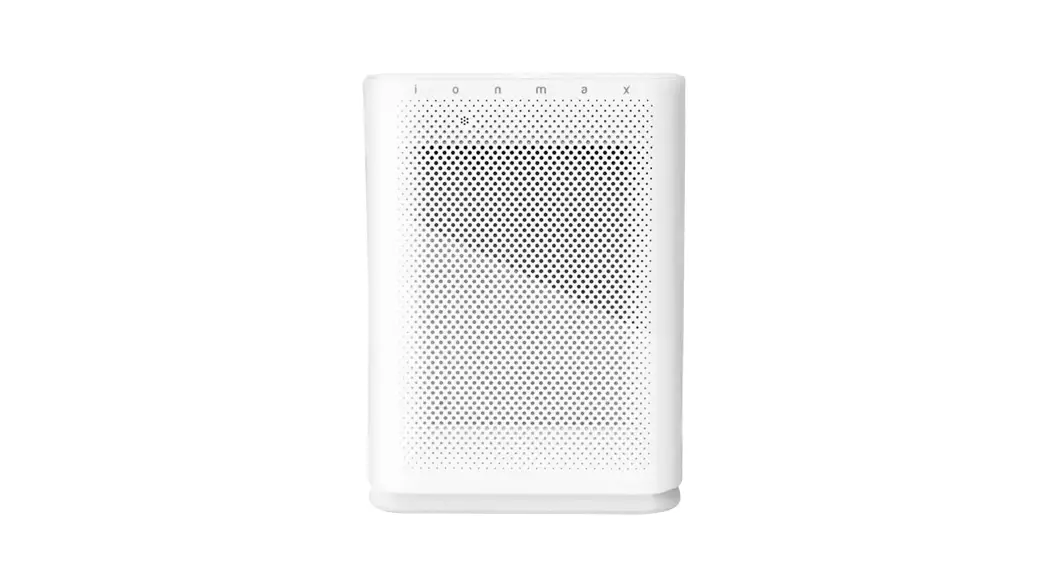
 BREEZE PLUS AIR PURIFIER
ION422
User Manual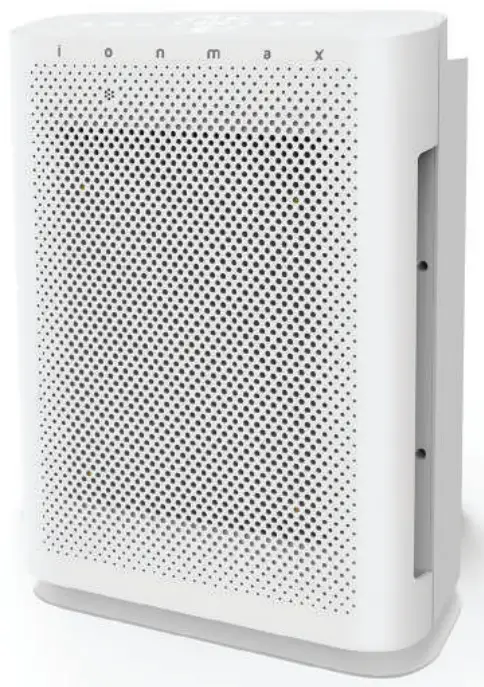
Ion422 Air Purifier
DEAR CUSTOMER
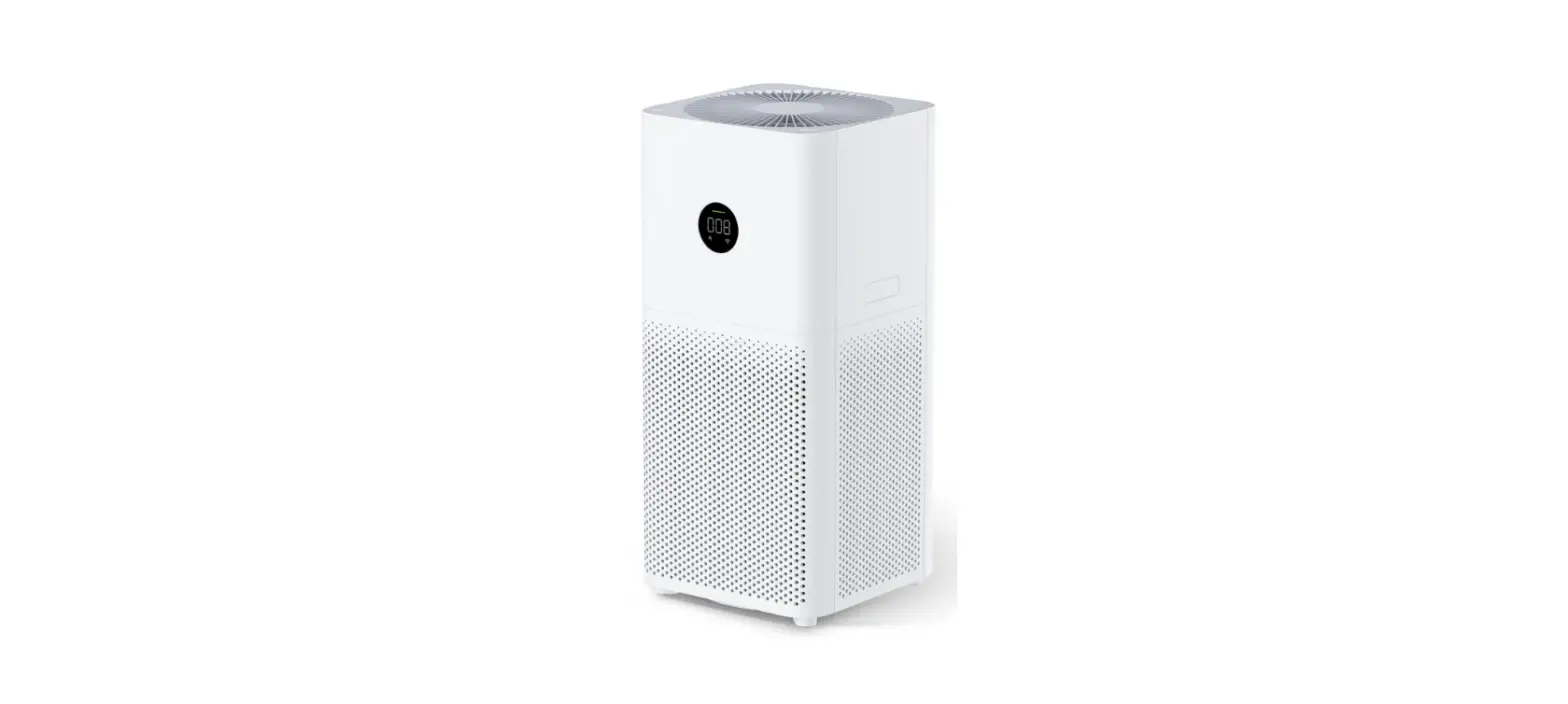
Thank you for purchasing the lonmax ION422 Breeze Plus Air Purifier. The Breeze Plus ION422 can help to improve the indoor quality i n your home or office. Paired with a WIFI app, you can control and monitor your air purifier and indoor air quality easily from your mobile phone.
Please read this manual carefully before use to ensure proper usage and save these instructions for future reference.
The package includes:
- lonmax ION422 Breeze Plus air purifier
- User manual
 Note: Remove plastic bags from filters before first use
SAFETY INSTRUCTIONS
 PLEASE READ ALL THE TIPS AND WARNINGS BELOW BEFORE USING THE AIR PURIFIER.
- Use only as directed in the User Manual.
- Do not allow children or persons with reduced physical, sensory, or mental capabilities to operate the unit without adult supervision.
- Only designed for use in a 220-240V, 50Hz outlet.
- Use indoors only.
- Only operate the unit when it is fully assembled.
- Never touch the unit with wet hands or allow it to come into contact with water.
- Turn off all controls before unplugging the power supply.
- Always disconnect the unit from the power supply before moving or cleaning the unit, and when the unit i s not in use.
- When removing the power plug, always hold the plug and never pull the cord.
- This air purifier is not a substitute for proper ventilation, regular vacuum cleaning or an extractor hood or fan while cooking.
- Do not insert fingers or foreign objects into the air intake or air outlet, or block them by placing items on the air outlet or in front of the air intake.
- For proper airflow, position the unit a t least 30cm away from any wall or furniture.
- When the unit is in operation, please place it at least 2m away from equipment that emits electric waves such as televisions, radios and clocks, to prevent electrical interference from occurring.
- Do not use the unit in bathrooms, kitchens, humid areas, near fireplaces, or place it in proximity to flammable or combustible products, as electric shock and a fire hazard may result.
- Do not clean the unit with water or any other liquid including flammable products.
- Never operate the unit if the plug or cord appears damaged. Contact the authorised distributor or qualified personnel immediately for examination and repair.
- Do not place any thing on top of the unit and do not sit on the unit.
- Do not place the unit directly below an air conditioner as condensation may drip into the unit.
- Do not operate this unit when using indoor insect repellents (aerosols) or in places with oily residues, burning incense or chemical fumes.
- Do not use the unit in a room with major temperature changes, as this may cause condensation inside the unit.
PRODUCT DIAGRAM
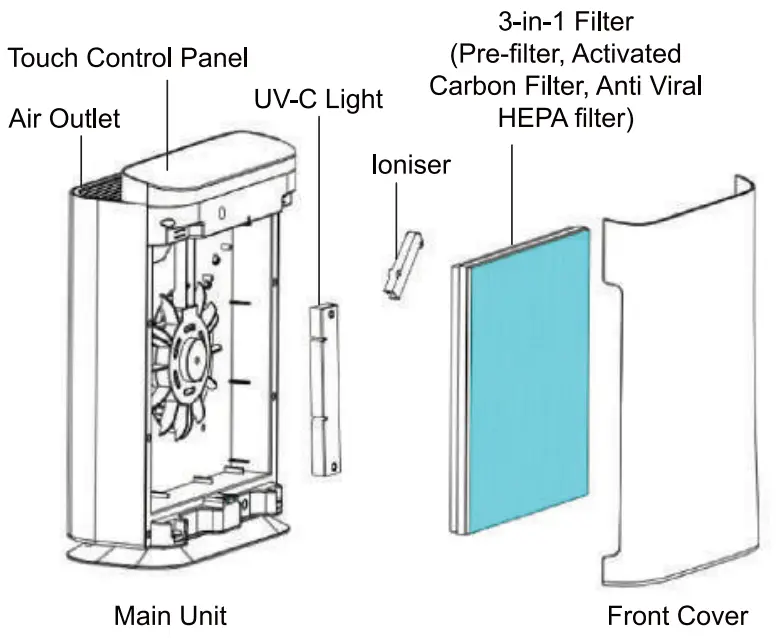
PURIFICATION SYSTEM
- Cleanable Pre-Filter
Traps large particles such as human hair, pet dander and dust particles.
Helps to extend the life of the HEPA and Activated Carbon filters. - Activated Carbon Filter
Neutralises odours and Volatile Organic Compounds (VOC’s) such as formaldehyde and benzene, as well as other harmful fumes emitted by household products. - H13 True HEPA Antiviral Filter
Captures 99.97% of ultrafine airbome particles 0.3 microns in size, such as viruses, bacteria, mould spores, allergens, pollen and dust mites. - UV-C Light (254NM)
Inactivates microbes such as germs, viruses, fungi and bacteria. - Negative lons
Improve indoor air quality by combining with dust or reacting with odour molecules and removing them from the air we breathe.
SPECIFICATIONS
| Model | lonmax ION422 |
| Voltage | 220-240V, 50 Hz |
| Power Rating | 58W |
| Coverage Area | Up to 35sqm |
| Noise Level | ≈ 60dBA (Turbo) |
| CADR | Up to 255m³/h |
| Negative Ions Output | ≥ 3.0×10⁶ ions/cc |
| Filter Life | 12 months (based on typical use) |
| Weight | 3.7 kg |
| Dimensions | 327 (W) x 175 (D) x 449 (H) mm |
OPERATING INSTRUCTIONS
SETTING UP THE UNIT
- Remove the air purifier from the box and plastic bag.
- Place the air purifier on a firm, flat, and leveled surface. For proper air flow, locate the unit at least 30cm from any wall or furniture and ensure ensure its air inlet and outlet are not blocked.
- Open the front cover and remove the plastic bags from the filters (Refer to FILTER REPLACEMENT INSTRUCTIONS for detailed guide).
- Replace the filters and front cover into position.
- Plug the appliance into a suitable electrical outlet.
When the unit is not in use, switch it off and unplug it from the electrical outlet.
IMPORTANT: When moving the air purifier, always lift unit by the carrying handle located on the back.
CONTROL PANEL
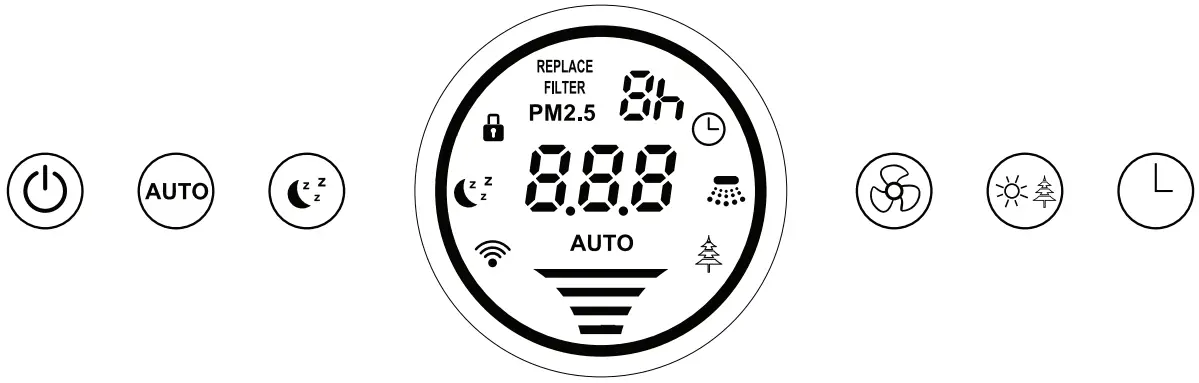
 POWER BUTTON
Press this button to switch on or switch off the unit. AUTO BUTTON
Press this button to turn Auto mode on or off. During Auto mode, the “AUTO” indicator will light up on the display, and the fan speed will be adjusted automatically according to the air quality.
To manually adjust fan speed or turn off Auto mode, press the Speed button. SLEEP BUTTON
Press this button to turn Sleep mode on. The Sleep indicator will flash for 10 seconds, then the ring indicator and LED display will switch off. The fan speed will change to Low.
To turn off Sleep mode, press the Sleep button again or any other buttons. SPEED BUTTON
Press this button to adjust the Fan Speed between Low, Medium, High and Turbo. UV/ION BUTTON
Press once to turn on the UV light only.
Press twice to turn on the UV light and loniser.
Press three times to turn on the loniser only.
Press four times to turn off the UV light and loniser.
Long press for 3-5 seconds to enter the secondary menu. Refer to page 7 for Secondary Menu. TIMER BUTTON
Press this button to set a Timer for the air purifier to operate in intervals of 1 hour, from 1h to 9h, or Oh (no timer). When a timer is set, the air purifier will stop automatically when the operating time has elapsed.
SECONDARY MENU
Press and hold the button for 3-5 seconds to switch to the secondary menu for additional settings for Child Lock ( ) , Wi-Fi (
 ), and HEPA Reset (
 ). Once you have accessed the Secondary Menu, press the button to scroll through the settings, and press the button to confirm a setting. (CHILD LOCK FUNCTION)
Press the button until is displayed on the LED screen.
Press the button to enable the Child Lock function. The icon will appear on the LED display to indicate that Child Lock is enabled.
When Child Lock is enabled, the contol panel will be disabled and pressing any buttons will have no effect on the air purifier operation.
To disable the Child Lock function, press and hold the button for 3-5 seconds to enter the secondary menu, press the button to enter, and press the button to remove the Child Lock. The icon will disappear from the LED display to indicate that Child Lock has been disabled. (RESET FILTER USAGE)
When the icon appears on the LED Display, it indicates that the filter needs to be replaced.
After replacing with brand new filters (refer to Filter Replacement Instructions for detailed guide), press and hold the button for 3-5 seconds to enter the secondary menu, press the button to enterP and press thebutton to reset the filter usage countdown timer. The icon will disappear from the LED display. (WI-FI PAIRING)
Enables Wi-Fi Pairing in EZ or AP mode.
Press and hold the button for 3-5 seconds to enter the secondary menu, press the [clock] button to enter and press the button to enable Wi-Fi. The Wi-Fi icon will appear on the LED display: Fast Flashing: EZ Mode Slow Flashing: AP Mode
Refer to Wi-Fi Setup for further instructions.
WI-FI SETUP
Get the link to the lonmax app and detailed instructions for pairing it with your air purifier at: https://bit.ly/ionmax-app
DISPLAY SCREEN
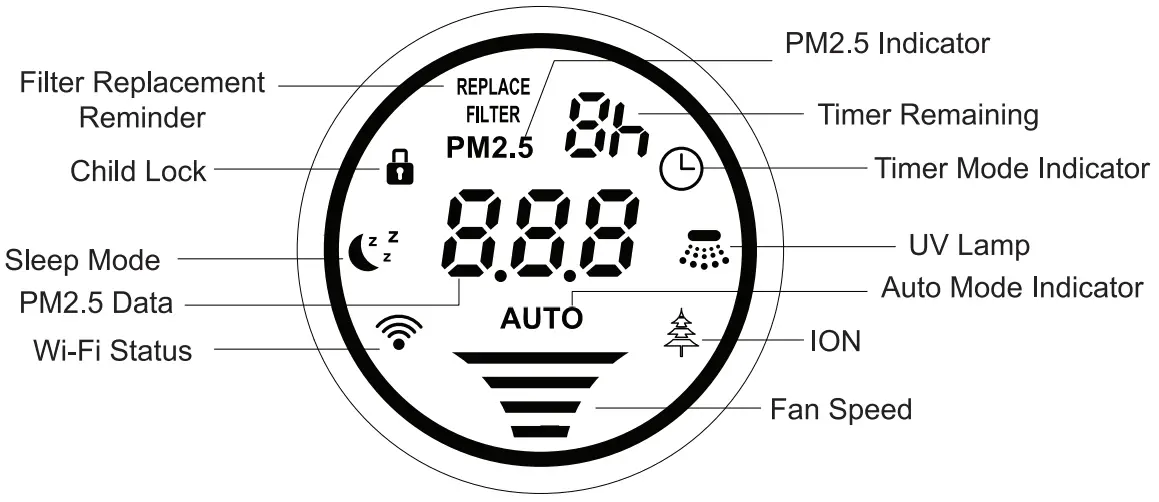
FAN SPEED INDICATOR

PM2.5 AND AIR QUALITY INDICATOR
The indoor air pollution level is indicated by the the Indoor Air Quality light ring, which will change in colour depending on the level of PM2.5 detected by the unit:
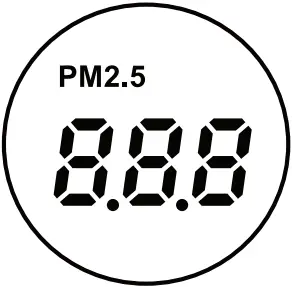
| Heavily Polluted | Red | PM2.5: >150 μg/m³ |
| Lightly Polluted | Orange | PM2.5: 100-149.9 μg/m³ |
| Moderate | Yellow | PM2.5: 50-99.90 μg/m³ |
| Good | Blue | PM2.5: 0-49.9μg/m³ |
WIFI CONNECTIVITY

Blink Rapidly: EZ Mode/Searching
Blink Slowly: AP Mode/Searching
Continuously On: Wi-Fi Connected
 | CHILD LOCK MODE |
 | SLEEP MODE |
| REPLACE FILTER |
 | TIMER INDICATOR |
| AUTO | AUTO OPERATION INDICATOR |
CLEANING AND MAINTENANCE
CLEANING THE UNIT
The air purifier should be cleaned at least once a month.
The pre-filter and activated carbon filter attached to the HEPA filter should be cleaned every month or more frequently, depending on environmental conditions.
- Always unplug the power supply before cleaning the unit.
- Do not put the unit into water or use water to wash it directly.
- Donotuse alcohol, oil, benzene, or any corrosive or flammable detergent to clean the unit.
- Use a soft cloth with mild detergent to clean the unit, and make sure the unit is completely dry after cleaning.
- Regularly clean the inside and outer surface to prevent dust from gathering.
CLEANING THE FILTER
- The 3-in-1 combination filter consists of multiple layers that include a pre-filter, activated carbon filter, and antiviral HEPA filter.
- Use a vacuum cleaner with a soft brush attachment to remove lint and dirt from the 3-in-1 filter.
- Only the removable pre-filter on the 3-in-1 filter is washable. Ensure the pre-filter is completely dry after washing before attaching it back to the combination filter and replacing it in the air purifier.
STORAGE INSTRUCTIONS
If the unit will not be in use for a long time, please pack and store it properly away from moisture and direct sunlight:
- Unplug the power supply of the unit.
- Clean the pre-filter.
- Use a soft cloth to clean the air intake and air outlet.
DO NOT attempt to repair or adjust any electrical or mechanical functions on this unit. All servicing should be performed by qualified personnel only.
FILTER REPLACEMENT
FILTER REPLACEMENT INDICATOR
After approximately 6 months of use, the light will flash during operation.
Replace the filters according to the instructions below.
Then, follow the instructions under the Secondary Menu “(Reset Filter Usage)’ to reset the filter usage countdown timer and remove theindicator.
FILTER REPLACEMENT INSTRUCTIONS
The ION422 comes with the filter fitted inside. Please remove the plastic packaging from the filter before using the air purifier.
When replacing with a new filter, remove all plastic packaging and place the filter into the unit, as describe below.
Tip: Place the appliance against a wall for more stability when you remove or insert the filter.
Note: Make sure you insert the filter in the correct position.
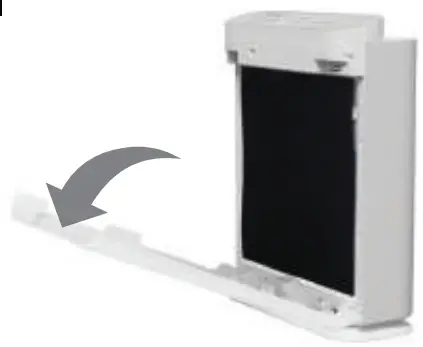
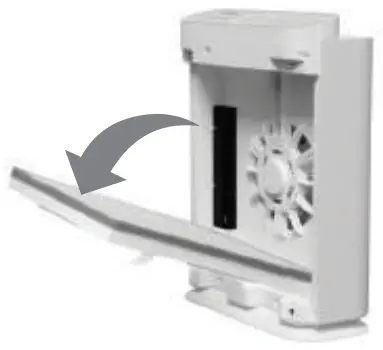
1 | Place your fingers in the recesses of the side panels and gently pull the top part of the front panel towards you. Then, lift the hooks at the bottom of the panel out of the bottom of the unit. |
2 | Remove the combination filter from the unit. Remove all packaging material from the new filters. |
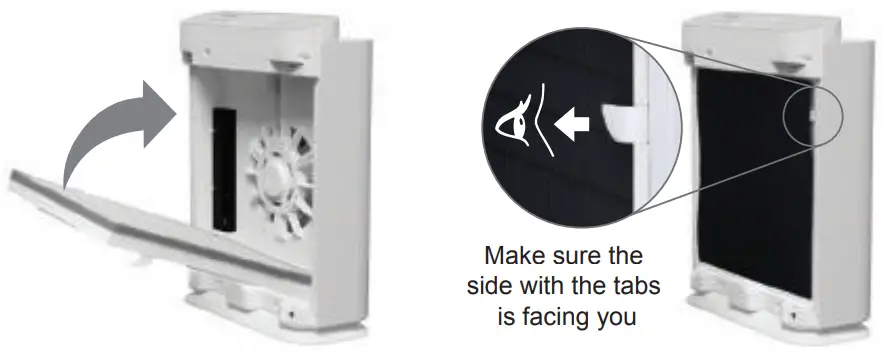
3 | Place the new combination filter into the unit, with the antiviral HEPA filter facing in and pre-filter facing out. Note: The pre-filter is already attached together with the activated carbon filter and antiviral HEPA filter. |
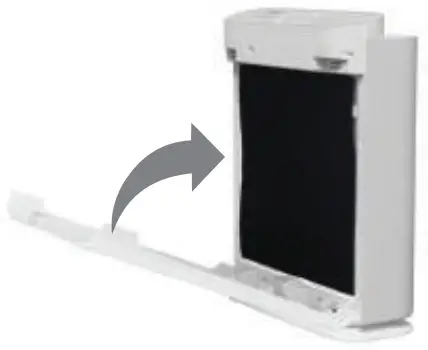
4 | To reattach the front panel, insert the bottom hooks into the bottom of the unit first. Then push the panel against the body of the unit. |
TROUBLESHOOTING GUIDE
Before carrying out any of the following service checks, unplug the unit from the power supply.
| Problem | Probable Cause | Solution |
| Unit not operating | Power cable not plugged in | Plug in power cable |
| Power cable not plugged in properly | Plug in power cable correctly | |
| Front cover not attached properly | Reattach the front cover | |
| Filter not inserted properly | Check that filter is secured firmly in place | |
| Loud noise | Filters not unpacked | Unpack the filter packaging (see Filter Replacement Instructions) |
| Too much dust on pre-filter | Clean the pre-filter | |
| HEPA and Activated Carbon filters dirty | Replace HEPA and Activated Carbon filters | |
| Abnormal noise | Foreign object is in contact with the fan | Remove front cover and filters and remove any obstruction visible on the fan |
| Unit is positioned on uneven surface | Position the unit on a flat, stable and even surface | |
| Loose parts inside the unit | Contact customer service centre | |
| Motor broken | ||
| Reduced airflow | Filters are dirty | Replace filters |
| Filters not unpacked | Unpack filters |
 WARRANTY DETAILS
Congratulations on your purchase! It is our aim to provide you with quality products that you can trust. Our goods come with guarantees that cannot be excluded under the Australian Consumer Law. You are entitled to a replacement or refund for a major failure and compensation for any other reasonably foreseeable loss or damage.
You are also entitled to have the goods repaired or replaced if the goods fail to be of acceptable quality and the failure does not amount to a major failure.
The Guarantee
The product is guaranteed to be free from defects in workmanship and parts for a period of 24 months from date of purchase. Defects that occur within this warranty period, under normal use and care, will be repaired, replaced or refunded at our discretion, solely at our option with no charge for parts and labour. The benefits conferred by this warranty are in addition to all rights and remedies in respect of the product that the consumer has under the Trade Practices Act and similar state laws.
Proof of Purchase
This warranty is valid for the original purchase and is not transferable. Please keep your purchase docket or receipt as proof of purchase and as proof of date on which the purchase was made. The purchase docket (or a copy) or receipt must be presented with the warranty when making a claim under this warranty.
Service during the Warranty Perlod
To claim for warranty, contact us on 1300 800 200 or [email protected] to get an RA# (Return Authorisation Number) or submit a support ticket on my.andatech.com.au. Ensure that the RA# is clearly stated on the outside of the packaging and that the product is properly packaged so that no damage occurs to the product during transit. Shipping of the product back to us for warranty will be at your cost. A product return without the RA# will not be accepted.
Extent of Warranty
This warranty is limited to defects in workmanship or parts. All defective products or parts will be repaired or replaced. This warranty does not cover manuals and packaging.
Normal Wear and Tear
This warranty does not cover normal wear and tear to the product or parts.
Exclusions
This warranty does not cover:
- Any defect caused by an accident, misuse, abuse, improper operation, lack of reasonable care, unauthorised modification, loss of parts, tampering or attempted repair by a person not authorised by the distributor.
- Any product that has been damaged by a lightning strike either directly or indirectly or a main power surge or liquid ingress.
- The product if it is located outside of Australia.
- Any damage caused by improper power input or improper cable connection.
Andatech Pty. Ltd.
PO Box 3038, Nunawading VIC 3131, Australia.
Phone: 1300 800 200
Fax: 1300 883 802
Email: [email protected] WARRANTY REGISTRATION
Register your lonmax ION422 online at my.andatech.com.au or fill out this form and forward to the address below with a copy of your proof of purchase. Contact us on 1300 800 200 or visit andatechdistribution.com.au for options to extend your warranty.
Andatech Pty Ltd
PO Box 3038, Nunawading VIC 3131, Australia.
Product: lonmax Breeze Plus ION422
Date o f Purchase:
Place of Purchase:
Serial No.:
Sumame:
Given Name:
Address:
Suburb:
Postcode:
State:
Contact No.:
Email:

 andatechdistribution.com.au
1300 800 200