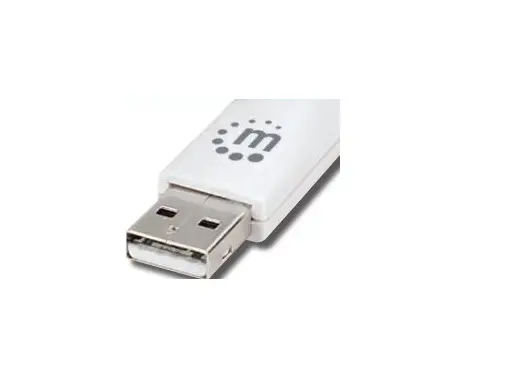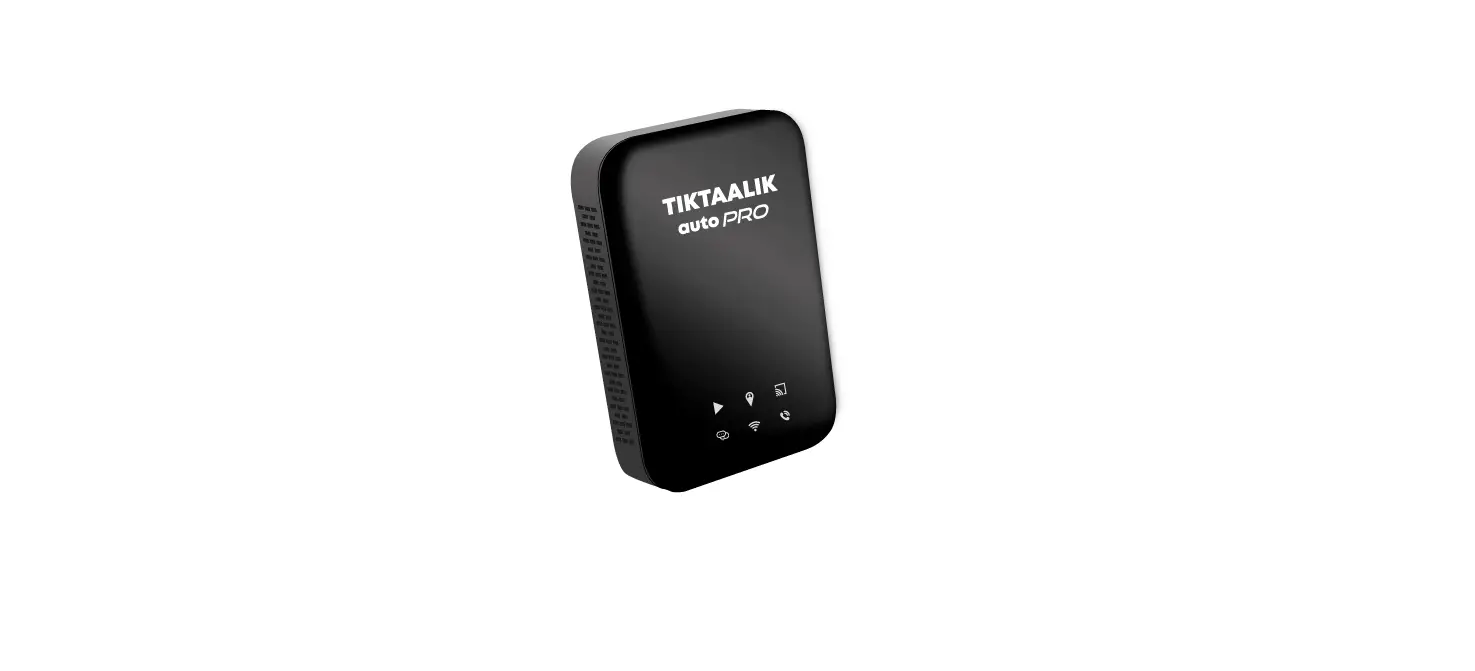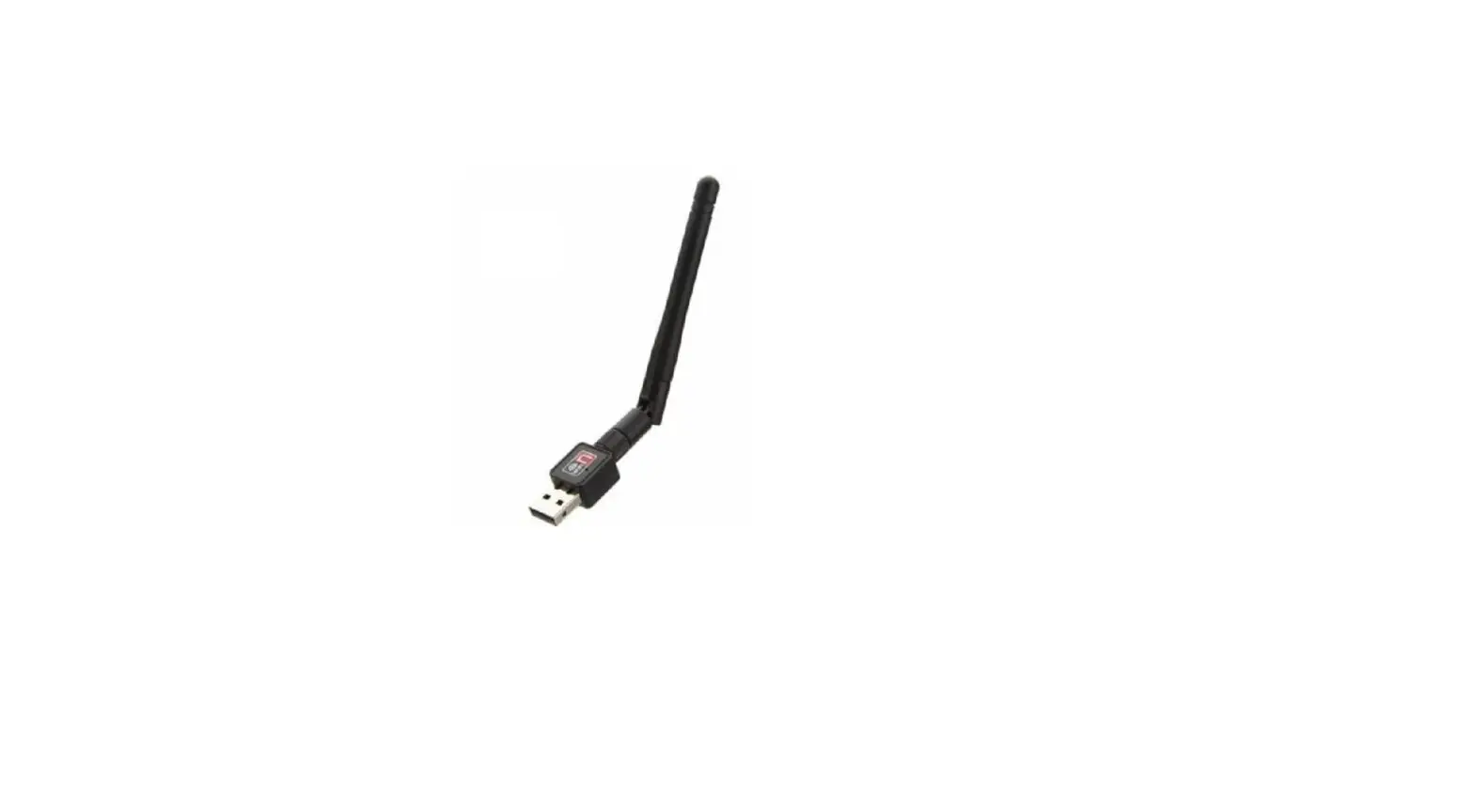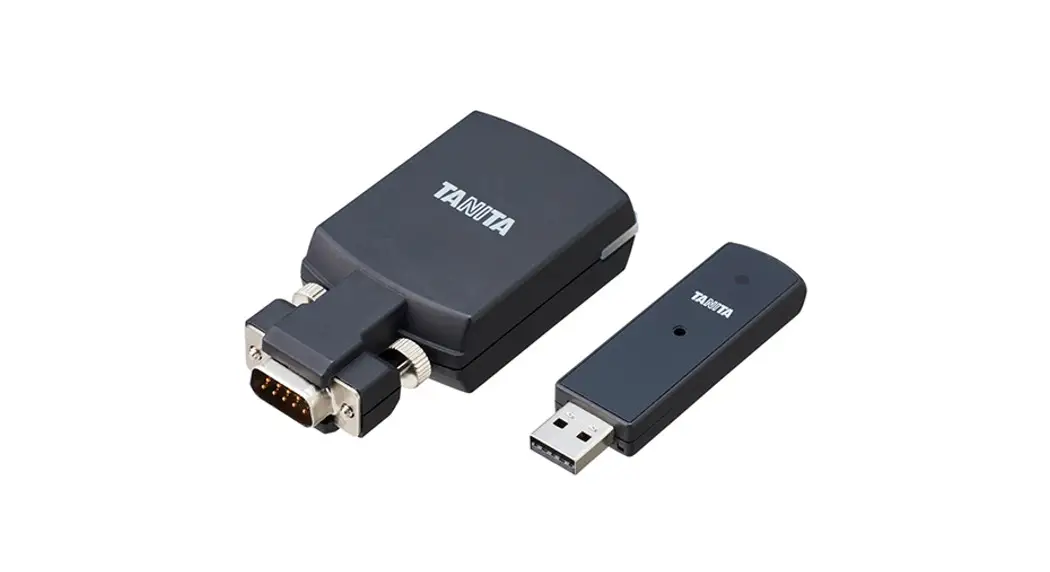
 Wireless Adapter
OP-102-RU
Setup Guide
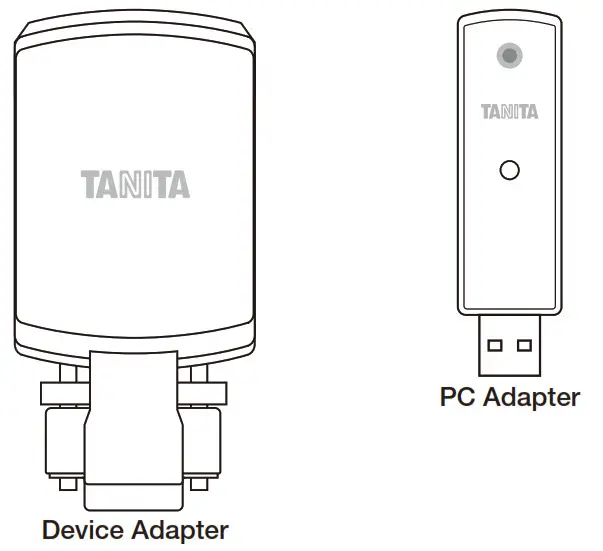
OP-102-RU Wireless Adapter
This is the instructions for the wireless PC and device adapters.
Please read this Setup Guide carefully and keep it for future reference.
TANITA is not responsible for damage or loss of data due to improper operations and resumes no responsibility for any resulting damages.
Images in this guide are for illustration purposes only.
For Your Safety
This section explains precautionary measures to be taken to avoid injury to the users of this product and others, and to prevent damage to property. Please familiarize yourself with this information to ensure safe operation of this product. Warning
Failure to follow instructions highlighted with this mark could result in death or severe injury. Caution
Failure to follow instructions highlighted with this mark could result in injury or damage to property. This mark indicates actions that are prohibited.
 This mark indicates instructions that must always be followed.
| Warning | |
| ・Do not disassemble or perform modifications. Doing so may lead to damage to the equipment, electric shock, or injury. ・Do not plug or unplug the power plug or other connectors when hands are wet. Doing so may lead to electric shock, fire or short circuit. ・Do not daisy chain or otherwise overload electrical outlets. Doing so may lead to fire. ・Do not subject the device to excessive impact or vibration. Doing so may lead to malfunction. ・Do not put water, chemicals, oils or any other foreign matter inside the device. Doing so may lead to fire, electric shock or malfunction. ・Do not leave in reach of infants or small children. Small parts are a choking hazard. ・Do not use in areas where the use of wireless devices is prohibited. Failure to heed this warning may lead to serious accident. ・Those using pacemakers and other electronic medical equipment should consult their physician before using this device. Electronic medical devices may malfunction due to radio wave interference, which may lead to serious accident. |
| ・Periodically remove any dust from the power plug and other connectors. Build-up of dust can lead to accumulation of moisture and other issues that cause insulation failure, which may lead fire. ・Do not use the AC adapter cable while it is wrapped up. Doing so generates heat which may lead to fire. ・Should any of the following occur, unplug the connector and AC adapter, and refrain from use. – Equipment is smoking. – Equipment is generating abnormal noises or odors. ・Use this device with a dedicated TANITA equipment. |
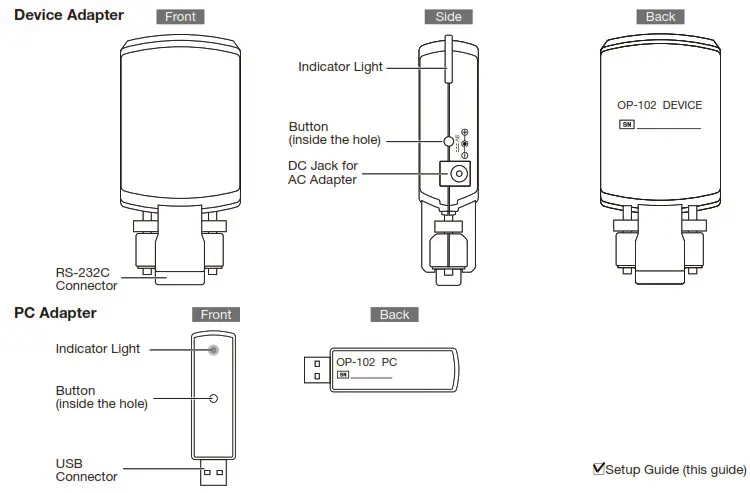
Part Names & Accessories
Setting
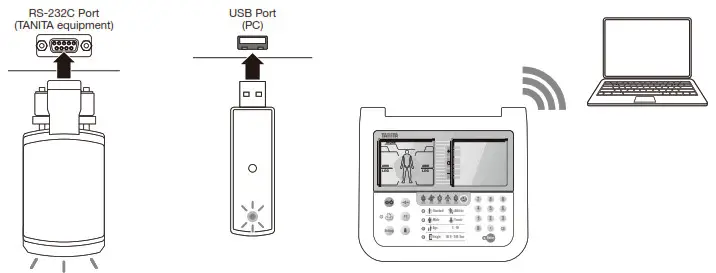
- Set up the device adapter on the body composition analyzer and set up the PC adapter on your computer. Connection starts once power is supplied. The lamps blink green when connection starts.
Note
The adapters are paired as the factory default.
You must install the necessary driver onto your PC, available download from https://www.tanita.eu See the separate document for further information on changing the power supply settings. - When connection is completed, the adapter lamps remain lit in green.
- Measure body composition. The measurement results are sent to the PC when they are displayed on the body composition analyzer. The lamps remain lit in blue while measurement data is being sent.
Note
When communication is disconnected, the adapter lamps remain lit in red.
Indicator Lights
| The green light blinks quickly | Pairing | The green light remains lit. | Connected |
| The green light blinks. | Connecting | The blue light remains lit. | Transmitting data |
Specifications
| Model number | OP-102-RU | |||
| Device Adapter | PC Adapter | |||
| Power source | 9V DC (center negative) | 5V DC | ||
| Electric current range | 500mA or less | |||
| Product size | 93x44x22mm | 72x20x9mm | ||
| Usage conditions temperature | 0 to 35°C | |||
| Usage conditions relative humidity | 30 to 80 % (without condensation) | |||
| Communication specification | Communication standard | EIA RS-232C | ||
| Communication system | Asynchronous | |||
| Signal speed | 9600 bps | |||
| Data bit length | 8 bit | |||
| Parity | None | |||
| Stop bit | 1 bit | |||
| Flow control | None | |||
| Wireless device specification | Radio equipment type | Bluetoot04.1 | ||
| Frequency band | 2402 to 2480MHz | |||
| Maximum RF output power (adaptive frequency) | 0.53dBm (2402MHz) | |||
| Communication distance | Approx. 5m | |||
Setting
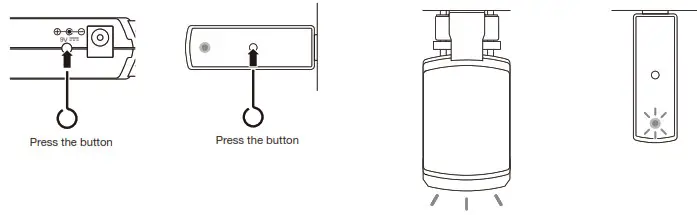
- Additional pairing
Set up the device adapter on the body composition analyzer and press the button. Next, set up the PC adapter on your computer and press the button. The lamps blink quickly in green while in pairing mode.
Note
The adapter lamps blink red if pairing is not completed. - When pairing is completed, the adapters are connected and the lamps remain lit in green.
Note
The device adapter can be paired with multiple PC adapters. Once paired, the pairing is retained after power is turned off.
The PC adapter can only be paired with a single device adapter. Pairing must be performed each time a different device adapter is used.
| Caution | |
| ・Do not place the device in hot or humid locations, locations with extreme variations in temperature, direct sunlight, dirty or dusty locations or locations where it may get wet. ・Make sure to insert the power plug and all other connectors completely. ・Do not unplug the power plug or any other connector by pulling on the cord. ・Because this device is electronic, do not subject it to static electricity. ・Unplug the AC adapter and refrain from using this device around any electronic equipment that handles high-precision control or weak signals. Failure to heed this caution may cause such devices to malfunction or be otherwise affected. ・Do not use this device near any device that generates electromagnetic waves. Doing so may impair proper operation or lower the communication range. ・Do not use benzine, thinner or any similar product for cleaning. Instead, soak a cloth in water or neutral household cleaner, wring out excess liquid, then wipe dirt away. Finish by wiping with a dry cloth. ・Do not use extension cables or similar cables to connect this device to TANITA equipment or PC. ・Dispose of this device as indicated by local law. |
Troubleshooting
| Problem | Solution |
| No LED lights. | Power supply error. Make sure the RS-232C and USB are fully plugged in. Make sure that the TANITA equipment power supply is connected and the power sharing setting is set to on, then connect again. See the TANITA website for how to set power supply on the TANITA equipment: www.tanita.eu Incorrect AC adapter. Use the designated AC adapter. Check the computer power supply. |
| LED light is blinking in red. | Pairing has failed. Reconnect this device or press the switch again. (See “Setting”) |
| LED light turns red. | Bluetooth® is disconnected. Additionally, make sure there is nothing nearby that could interfere with the Bluetooth® signal. Wait for a short while, making sure the area remains free of interferences. |
| LED light blinks alternating red and blue, and measurement results are not displayed in the app. | The signal may have timed out. Check the connection between this device and the TANITA equipment. |
Hereby, TANITA declares that the radio equipment type [OP-102] is in compliance with EU Directives and UK Regulations for Radio Equipment and RoHS.
The full text of the EU and UK declaration of conformity is available at the following internet address: https://www.tanita.eu/help-guides/products-manuals/
Disposal This is an electronic device.
Please dispose of it as an electronic device, not as general household waste. Please follow the regulations in your local region when disposing of this device.
- The product design and specifications may be changed at any time without prior notice.
- The Bluetooth® word mark and logos are registered trademarks owned by the Bluetooth SIG, Inc. and any use of such marks by TANITA Corporation is under license. Other trademarks and trade names are those of their respective owners.
| <Manufacturer> TANITA Corporation 1-14-2 Maeno-cho, Itabashi-ku, Tokyo 174-8630 Japan TEL: +81-(0)3-3968-7048 www.tanita.co.jp | <EU Representative> TANITA Europe B.V. Hoogoorddreef 56-E, 1101 BE Amsterdam, the Netherlands TEL: +31-(0)20-560-2970 FAX: +31-(0)20-560-2988 www.tanita.eu | TANITA Corporation of America, Inc. 2625 South Clearbrook Drive, Arlington Heights, IL 60005 USA TEL: +1-847-640-9241 FAX: +1-847-640-9261 www.tanita.com |
| TANITA Health Equipment H.K. Ltd. Unit 301-303, Wing On Plaza, 3/F., 62 Mody Road, Tsimshatsui East, Kowloon, Hong Kong TEL: +852-2834-3917 FAX: +852-2838-8667 www.tanita.asia | TANITA (Shanghai) Trading Co., Ltd. Room 8005, 877 Huai Hai Zhong Lu, Shanghai, The People’s Republic of China TEL: +86-21-6474-6803 FAX: +86-21-6474-7901 www.tanita.com.cn | UK Representative TANITA Europe B.V. 111 Piccadilly, Manchester, M1 2HY, UK TEL: +44-161-6380926 www.tanita.eu |
© 2022 TANITA Corporation
OP1027661(0)-2211OF
References
 TANITA Asia Pacific | Monitoring your Health with TANITA
-
TANITA | タニタ
 Tanita: digital scales for body fat & weight, bathroom, kitchen & food scales for precision weight measurement
-
TANITA 日本百利达-人体成分分析仪-体测仪-体脂秤-相位角
-
TANITA Europe homepage - Healthy habits for happiness | TANITA Europe
-
TANITA Europe homepage - Healthy habits for happiness | TANITA Europe
-
Declaration of Conformity documents | TANITA Europe
 TANITA Asia Pacific | Monitoring your Health with TANITA
 TANITA | タニタ
 Tanita: digital scales for body fat & weight, bathroom, kitchen & food scales for precision weight measurement
 TANITA 日本百利达-人体成分分析仪-体测仪-体脂秤-相位角
 TANITA Europe homepage - Healthy habits for happiness | TANITA Europe