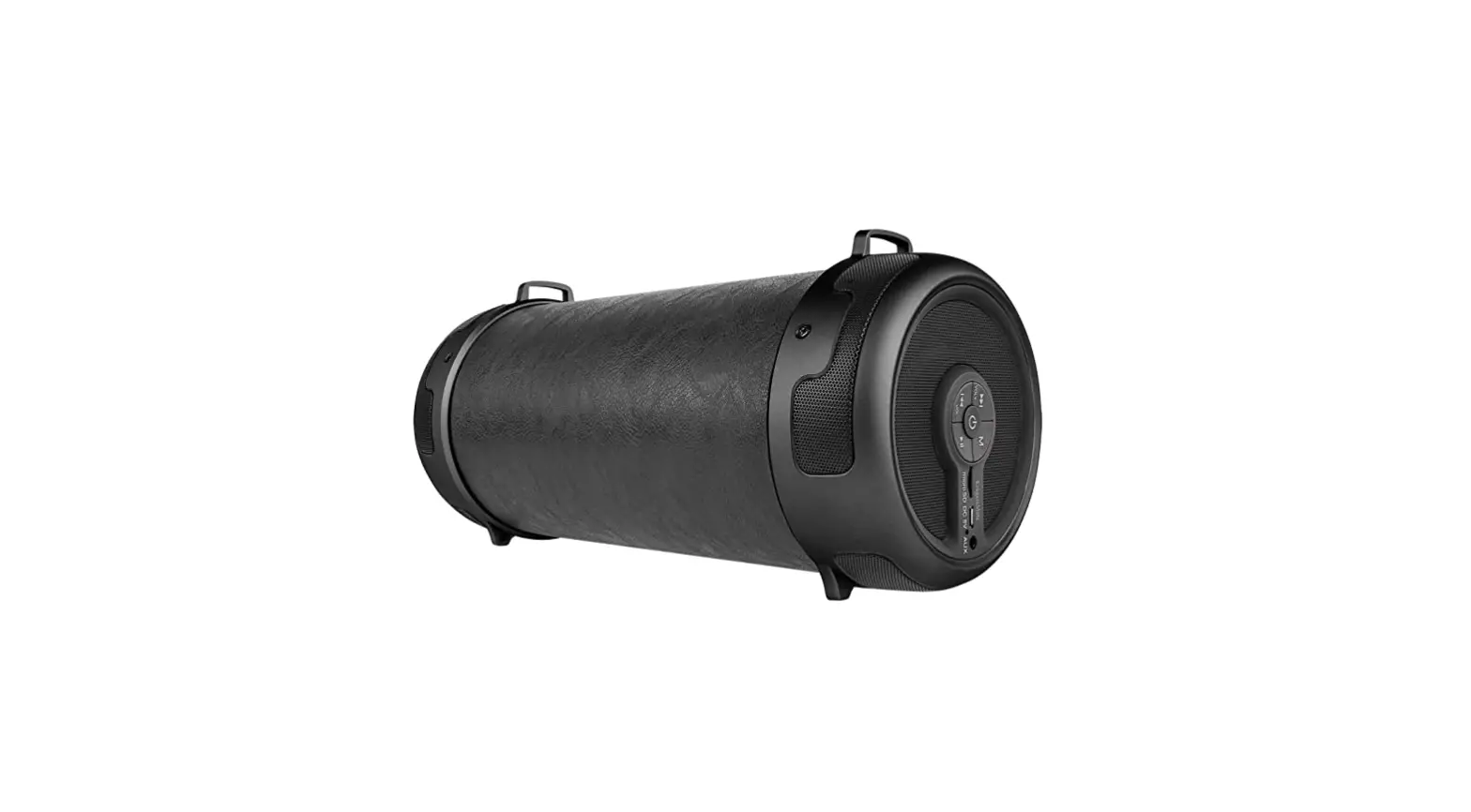
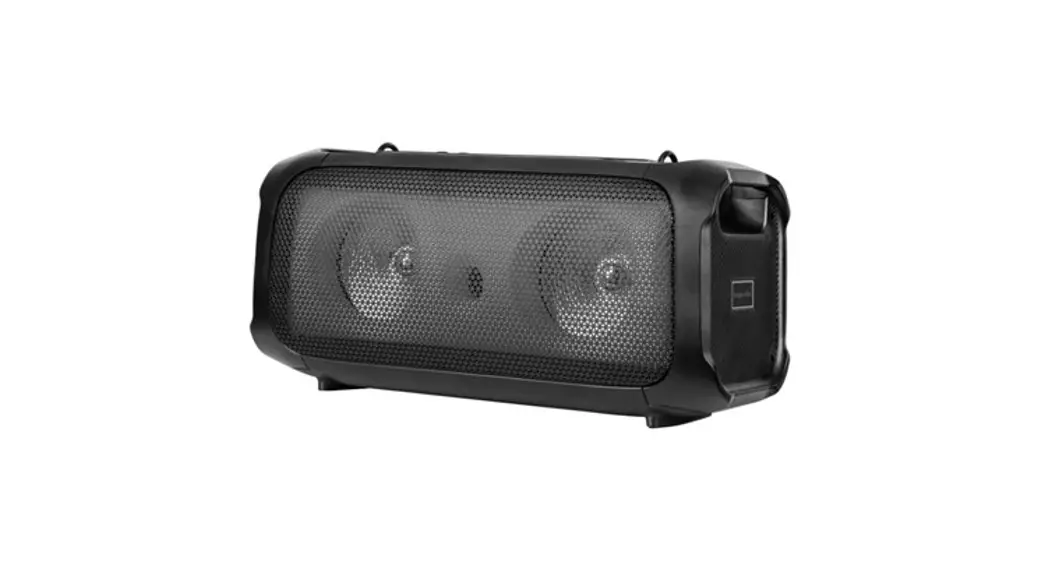
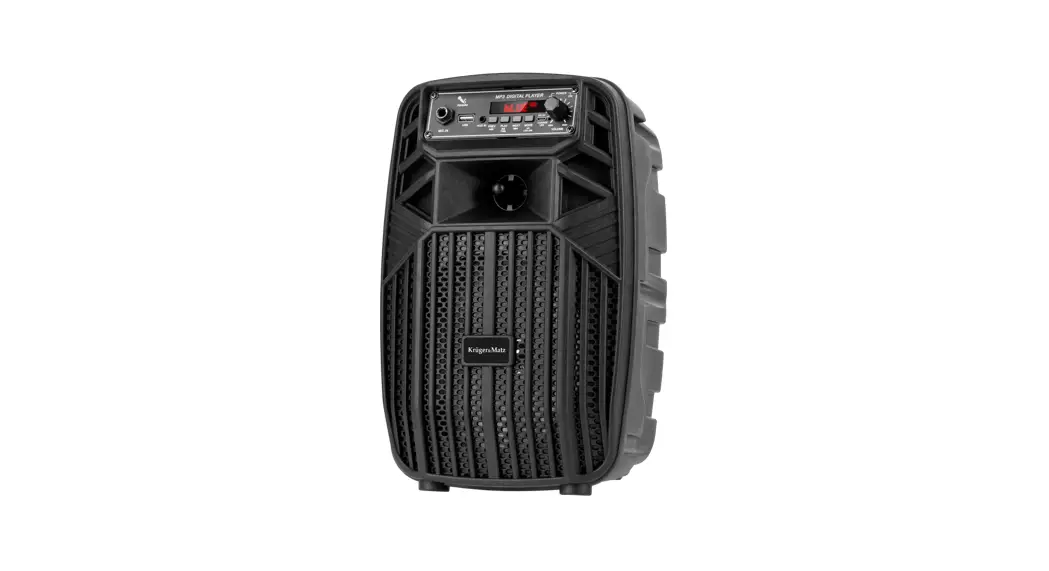
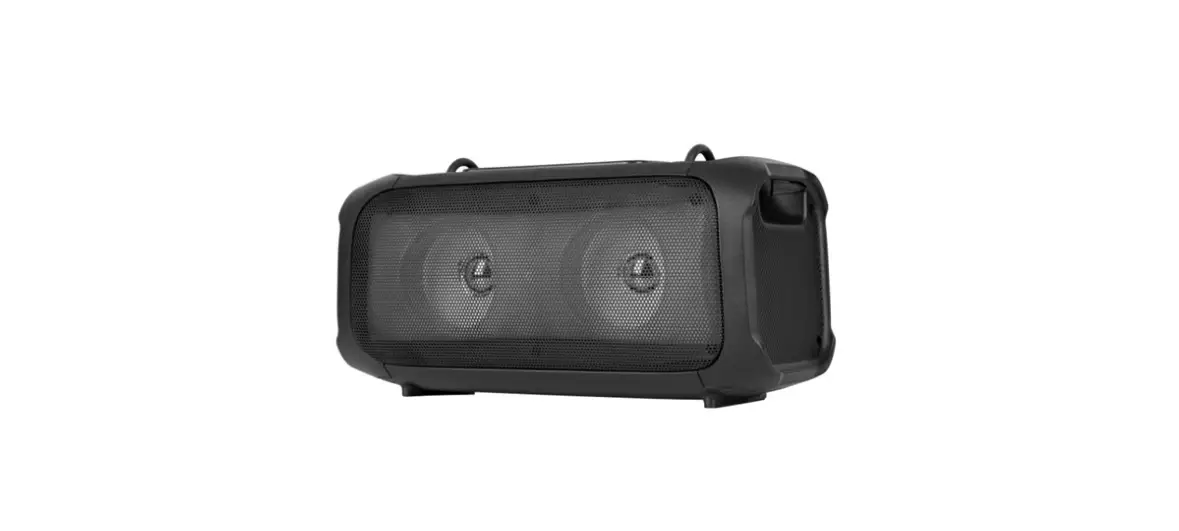
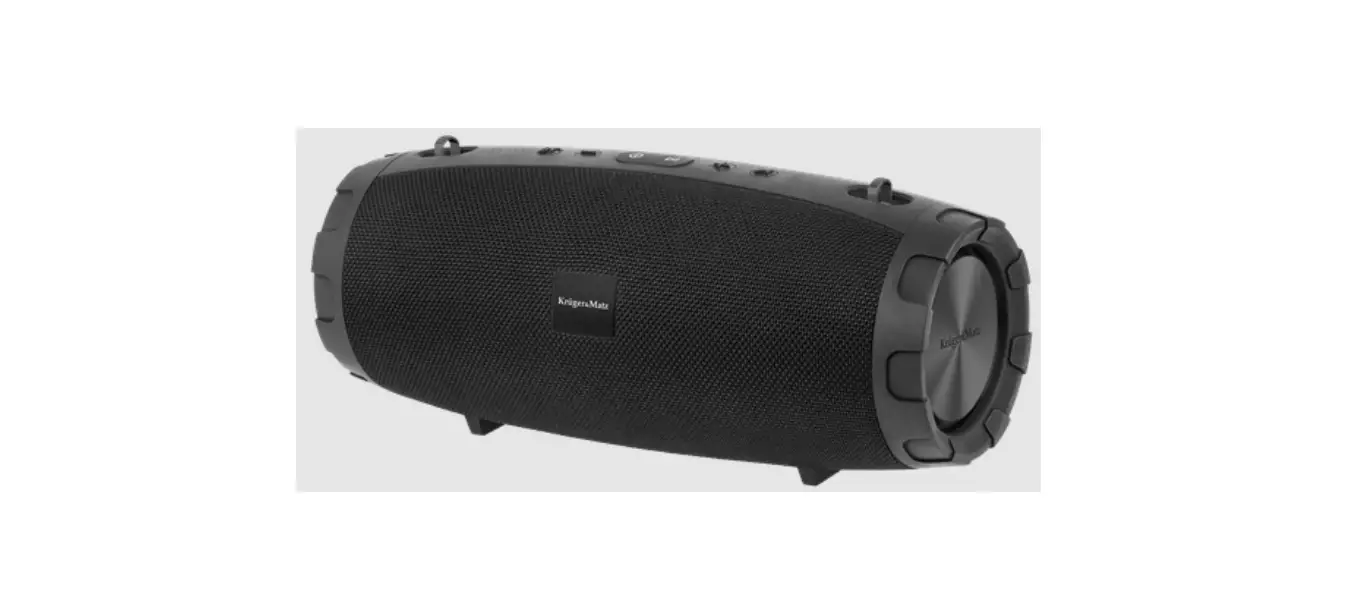
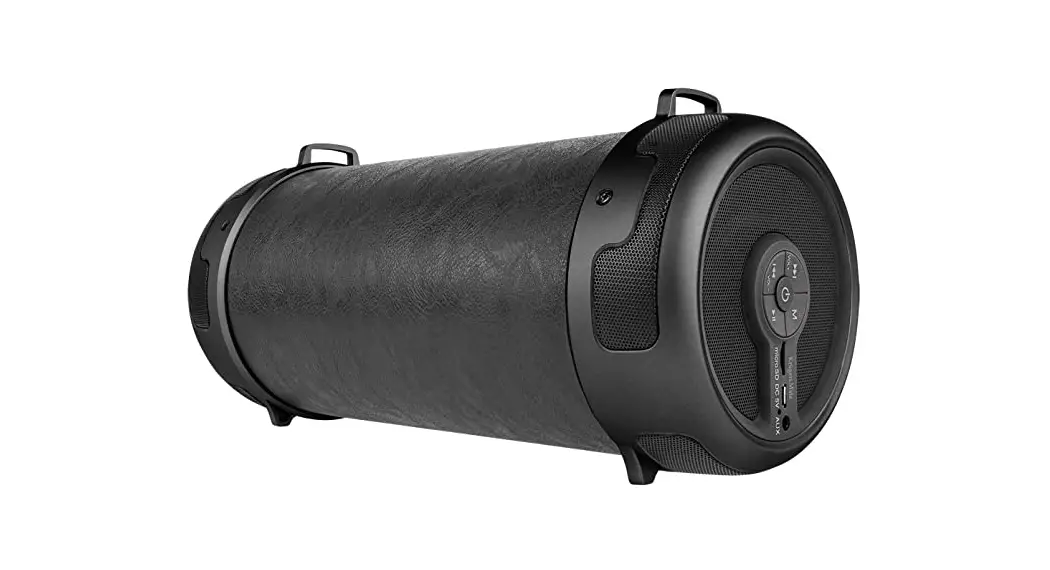
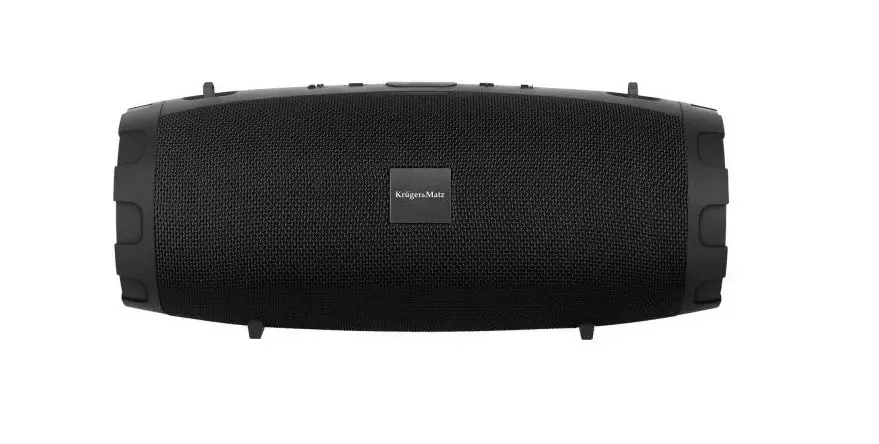
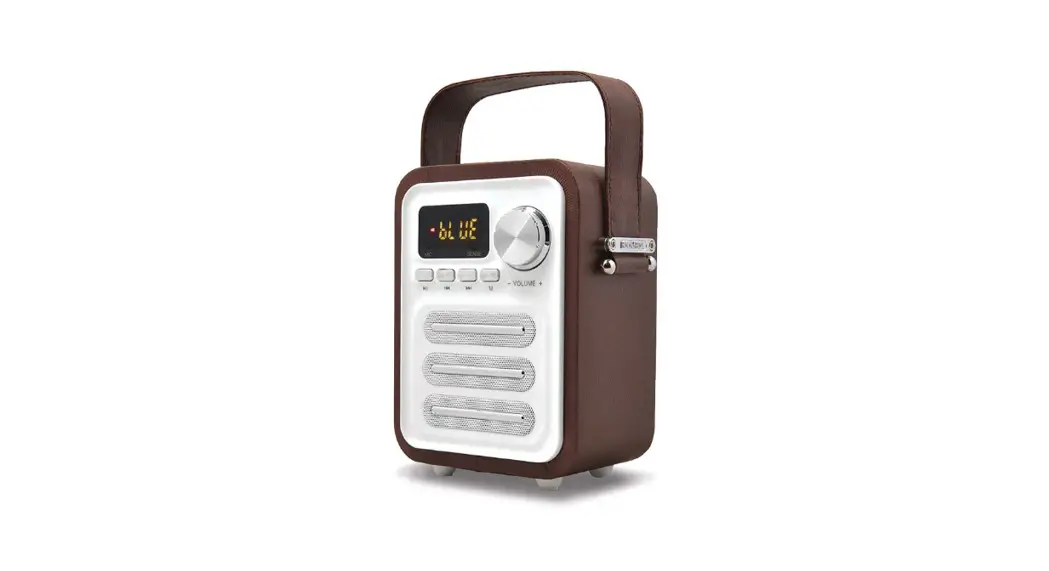
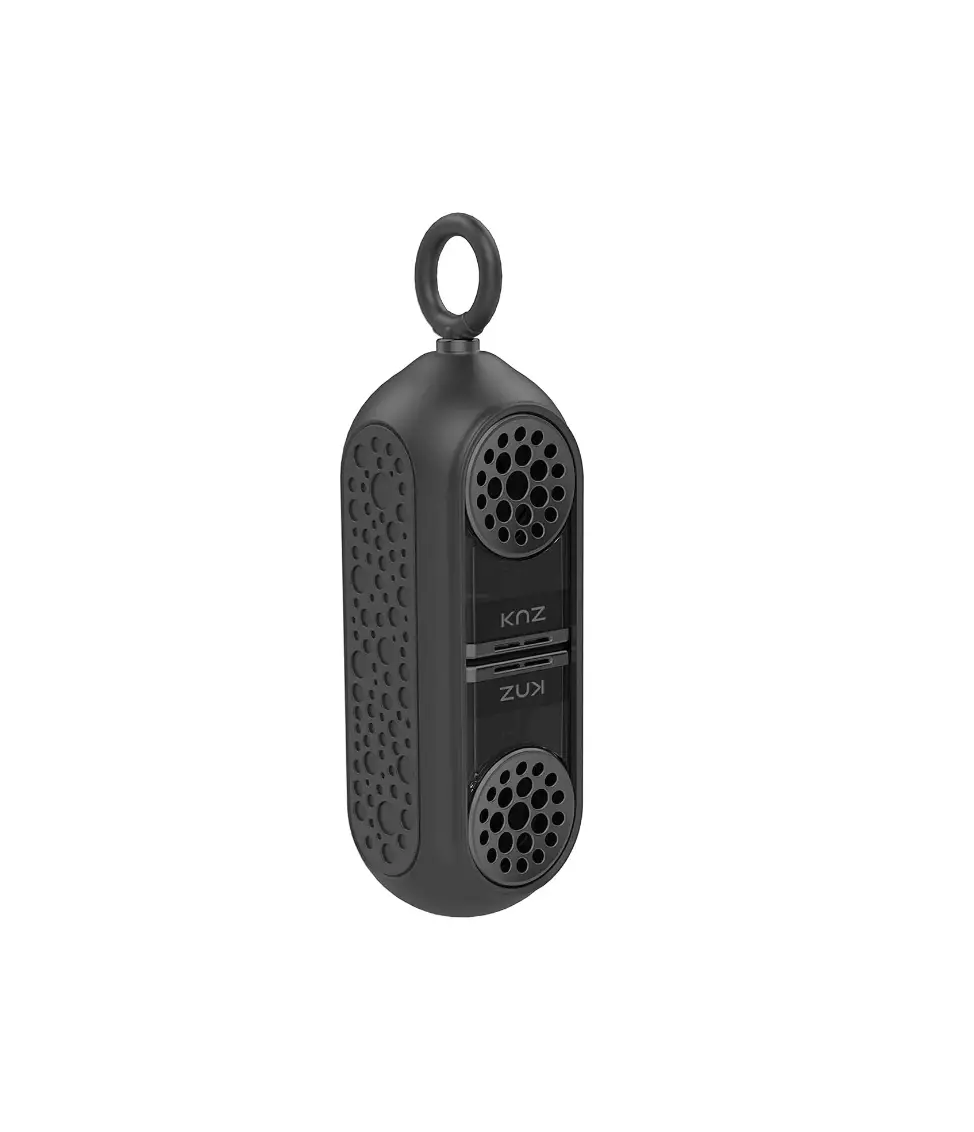
KM0566 Street XL Wireless Speaker
Product Information: Wireless Speaker KM0566 KM0567
The Wireless Speaker KM0566 KM0567 is a portable and wireless
speaker that can be used to play music, FM radio, and also has TWS
function. The speaker also features voice assistant and hands-free
calling functions. It has a USB port, AUX 3.5mm input, and USB-C
charging port. The device has an illumination change button and
microphone.
Product Usage Instructions:
Safety Instructions:
- Place the device on a flat and stable surface.
- Avoid placing heavy objects on the device.
- Do not place anything inside the speaker.
- Avoid placing the device near heat sources, such as radiators,
etc. Also, do not place the device on unstable surfaces. - Position the device in a properly ventilated place and avoid
obstructing ventilation by covering ventilation openings. - Avoid using or storing the device in extreme temperatures. Do
not expose it to direct sunlight or other sources of heat. - Before connecting the device to a power supply socket, ensure
that the voltage indicated on the appliance corresponds to the
voltage in the power supply socket. - Keep the volume at a reasonable level throughout the entire
time of use. Do not raise the volume too high to prevent damage to
your hearing. - If you experience tinnitus, discomfort, or other concerning
behaviors, stop using the device immediately. - Ensure that the device is placed away from electrical devices
that generate interference. - Disconnect from the power outlet if the device is not going to
be used for an extended period. - Avoid handling this device with wet hands.
- Do not use this device if it has been damaged.
- Do not attempt to repair this device yourself. In case of
damage, contact an authorized service point for check-up or
repair. - Always disconnect the product from the power source before
cleaning. - Clean this device with a soft, slightly damp cloth. Do not use
any chemical agents to clean this device.
Operation:
- To turn on the speaker, press and hold the power button for
about 2 seconds. To turn off the speaker, repeat this action. - To increase or decrease the volume, keep pressing the volume
up/down button until the desired value is reached.
Other Functions:
- Einstellen der Lautsprecherbeleuchtung
- FM Radio
- TWS Funktion
- Sprachassistent und and Freisprechfunktionen
- Aufladen
Refer to the user manual for detailed instructions on how to use
these functions.
Wireless speaker KM0566 KM0567
BEDIENUNGSANLEITUNG DE OWNER’S MANUAL EN HANDLEIDING NL
INSTRUKCJA OBSLUGI PL MANUAL DE UTILIZARE RO
DE 2
Bedienungsanleitung
Bedienungsanleitung
SICHERHEITSANWEISUNGEN
1. Stellen Sie das Gerät auf eine ebene, stabile Oberfläche.
2. Stellen Sie keine schweren Gegenstände auf das Gerät.
3. Stellen Sie nichts in das Innere der Lautsprecher.
4. Stellen Sie das Gerät nicht in der Nähe von Wärmequellen
wie Heizkörpern usw. auf. Stellen Sie das Gerät nicht auf
instabile Oberflächen.
5. Stellen Sie das Gerät an einem ordnungsgemäß belüfteten
Ort auf. Blockieren Sie nicht die Belüftung, indem Sie die
Belüftungsöffnungen abdecken.
6. Schützen Sie dieses Gerät vor Feuchtigkeit, Wasser und
anderen Flüssigkeiten. Vermeiden Sie die Verwendung /
Lagerung bei extremen Temperaturen. Setzen Sie es nicht
direktem Sonnenlicht und anderen Wärmequellen aus.
7. Stellen Sie vor dem Anschließen des Geräts an das
Stromnetz sicher, dass die am Gerät angegebene Spannung
mit der Spannung in der Steckdose übereinstimmt.
8. Halten Sie die Lautstärke während der gesamten Zeit der
Verwendung des Lautsprechers auf einem angemessenen
Niveau. Um Gehörschäden zu vermeiden, die Lautstärke
nicht zu hoch einstellen.
9. Die Lautsprecher nicht weiter verwenden, wenn Sie einen
Tinnitus fühlen, Hörbeschwerden, Reizung oder andere
Nebenwirkungen fühlen.
10. Stellen Sie sicher, dass das Gerät nicht in der Nähe von
elektrischen Geräten aufgestellt ist, die Strom erzeugen 11. Trennen Sie das Gerät von der Stromversorgung, wenn es
DE
für eine längere Zeit nicht verwendet wird.
12. Fassen Sie dieses Gerät nicht mit nassen Händen an.
13. Verwenden Sie dieses Gerät nicht weiter, wenn es
beschädigt wurde.
14. Versuchen Sie nicht, dieses Gerät selbst zu reparieren. Im
Falle einer Beschädigung wenden Sie sich zur Überprüfung
oder Reparatur an einen autorisierten Kundendienst.
15. Trennen Sie immer das Produkt vor der Reinigung von der
Stromquelle.
16. Reinigen Sie dieses Gerät mit einem weichen, leicht
feuchten Tuch. Verwenden Sie zum Reinigen dieses Geräts
keine chemischen Mittel.
3
PRODUKTBESCHREIBUNG
Bedienungsanleitung
8
M
1 23 4 5 67
USB AUX DC 5V Reset
DE
8 9 10 11
1. Tasten Lautstärkereglung / Titel wechseln 2. Taste Wiedergabe / Pause 3. Taste Ein/Aus 4. Taste Modus 5. Taste TWS Funktion 6. Taste Beleuchtung ändern 7. Mikrofon 8. USB Steckplatz 9. AUX 3,5 mm Eingang 10. USB-C Ladeanschluss 11. Taste Zurücksetzen [Reset] 4
Bedienungsanleitung
BETRIEB
Ein-/Ausschalten / Lautstärkeregler
Um den Lautsprecher einzuschalten, halten Sie die Taste Ein / Aus etwa 2 Sekunden lang gedruckt. Umden Lautsprecher auszuschalten wiederholen Sie den Vorgang. Um die Lautstärke zu erhöhen oder zu verringern, drücken Sie wiederholt die Taste Lautstärke erhöhen / Lautstärke verringern, bis der gewünschte Wert erreicht ist.
Einstellen der Lautsprecherbeleuchtung
Die Lautsprecherbeleuchtung schaltet sich automatisch ein, wenn Sie das Gerät einschalten. Um den Lichteffekt zu ändern, oder diesen auszuschalten, drücken Sie wiederholt die Taste Beleuchtung ändern.
Abspielen über Bluetooth
Nach dem Anschließen des USB-Laufwerks wechselt der Lautsprecher automatisch in den USB-Modus. Um die abgespielte Musik zu steuern, verwenden Sie die Tasten am Lautsprecher oder die Fernbedienung.
Abspielen über USB
Nach dem Anschließen des USB-Laufwerks wechselt der DE Lautsprecher automatisch in den USB-Modus. Um die abgespielte Musik zu steuern, verwenden Sie die Tasten am Lautsprecher.
Abspielen über AUX
Beim Anschluss an die AUX-Buchse wechselt der Lautsprecher automatisch in den AUX-Wiedergabemodus. Verwenden Sie Ihr Quellgerät, um die abgespielte Musik zu steuern.
5
Bedienungsanleitung
FM Radio
Um auf UKW-Radio umzuschalten, drücken Sie die wiederholt die Taste Modus, bis der gewünschte Modus ausgewählt ist. Halten Sie die Taste Wiedergabe/Pause gedrückt, um verfügbare Radiosender zu suchen und automatisch zu speichern. Durch kurzes Drücken dieser Taste werden die Töne stumm geschaltet. Um zwischen gespeicherten Sendern zu wechseln, halten Sie eine der Tasten Lautstärke /Titel +/- gedrückt.
TWS Funktion
Die TWS-Funktion ermöglicht die Wiedergabe von einer Quelle auf zwei Lautsprechern. Nach dem Einschalten der Lautsprecher drücken Sie die Taste TWS an einem der Lautsprecher. Die korrekte Kopplung wird durch die blinkende LED neben der Taste TWS-Funktion angezeigt. Nach dem Anschließen des externen Geräts wird der Ton über beide Lautsprecher abgespielt. Um die TWS-Funktion auszuschalten, drücken Sie erneut die Taste TWS-Funktion.
Sprachassistent und and Freisprechfunktionen
Nachdem Sie das Telefon über Bluetooth mit dem Lautsprecher verbunden haben, können Sie in diesem Modus den Sprachassistenten des Telefons starten, falls verfügbar. Halten Sie dazu die Taste Wiedergabe/Pause etwa 2 Sekunden lang gedrückt. Um einen Anruf über den Lautsprecher anzunehmen, drücken Sie die Taste Wiedergabe/Pause. DE Halten Sie während eines Anrufs die Taste Wiedergabe/Pause etwa 2 Sekunden lang gedrückt, um den Anruf auf das Telefon umzuschalten.
Aufladen
Der niedrige Batteriestand wird durch die blinkende LED-Anzeige und eine Sprachansage angezeigt. Schließen Sie zum Aufladen des Lautsprechers den Stecker des mitgelieferten Netzgerätes an den USB-C Ladeanschluss des Lautsprechers an, und das Ladegerät selbst sollte an eine Netzsteckdose angeschlossen werden. Während des Ladevorgangs blinkt die LED-Anzeige. Wenn das Gerät vollständig aufgeladen ist, leuchtet die LED-Anzeige weiterhin.
6
Bedienungsanleitung
TECHNISCHE DATEN · Leistung: 30 W · Impedanz: 4 Ohm · Frequenzgang: 80 Hz 20 kHz · S/N – Verhältnis: 80 dB · Lautsprecher: 2x 3″ · Bluetooth: 5.0 · Bluetooth-Reichweite: bis zu 10 m · Bluetooth-Profile: A2DP/AVRCP/HFP · Unterstützte Formate: MP3/WAV/WMA/FLAC · FM-Radio · UKW-Frequenz: 87,5 MHz 108 MHz · TWS Funktion (Verbinden von zwei Lautsprechern) · RGB-Hintergrundbeleuchtung · Schutzklasse: IPX5 · Anschlüsse:
· USB-Anschluss 2.0 · AUX Eingang (Jack 3,5 mm) · USB-C-Anschluss (Laden) · Energieversorgung: 5 V / 1,5 A · Batterie: 3,7 V / 3000 mAh · Abmessungen: 295 x 120 x 122 mm · Gewicht: 1,6 kg · Im Set: USB-C-Kabel, 3,5-mm-AUX-Kabel, Trageriemen, Bedienungsanleitung
DE
7
BedieOnwunegrs’asnmleaitnuunagl
Hiermit erklär die Firma Lechpol Electronics Leszek Sp.k. dass sich das Gerät Kabelloser Lautsprecher KM0566, KM0567 im Einklang mit den Bestimmungen der Richtlinie 2014/53/UE befindet. Komplette Konformitätserklärung zum herunterladen auf www. lechpol.pl. ERFAHREN SIE MEHR Für weitere informationen zu diesem gerät finden sie unter: www.krugermatz.com. Lesen sie die bedienungsanleitung sorgfältig durch, bevor sie das gerät verwenden. Besuchen sie www.krugermatz.com website für weitere produkte und zubehör. Im Falle irgendwelcher Zweifel oder Fragen siehe unsere Seite mit Häufig gestellten Fragen.
DE
Deutsch
Korrekte Entsorgung dieses Produkts
(Elektromüll)
(Anzuwenden in den Ländern der Europäischen Union und anderen europäischen
Ländern mit einem separaten Sammelsystem) Die Kennzeichnung auf dem Produkt
EN
bzw. auf der dazugehörigen Literatur gibt an, dass es nach seiner Lebensdauer nicht zusammen mit dam normalem Haushaltsmüll entsorgt werden darf. Entsorgen Sie
dieses Gerät bitte getrennt von anderen Abfällen, um der Umwelt bzw. der
menschlichen Gesundheit nicht durch unkontrollierte Müllbeseitigung zu schaden.
Recyceln Sie das Gerät, um die nachhaltige Wiederverwertung von stofflichen
Ressourcen zu fördern. Private Nutzer sollten den Händler, bei dem das Produkt
gekauft wurde, oder die zuständigen Behörden kontaktieren, um in Erfahrung zu
bringen, wie sie das Gerät auf umweltfreundliche Weise recyceln können.
Gewerbliche Nutzer sollten sich an Ihren Lieferanten wenden und die Bedingungen
des Verkaufsvertrags konsultieren. Dieses Produkt darf nicht zusammen mit
anderem Gewerbemüll entsorgt werden.
Hergestellt in China für Lechpol Electronics Leszek Sp.k., ul. Garwoliska 1, 08-400 Mitne.
8
BOewdnienr’usnmgasannulaelitung
SAFETY INSTRUCTION
1. Place the device on flat, stable surface.
2. Do not place heavy objects on the device.
3. Do not place anything in speakers interior.
4. Do not place the device in close proximity to heat sources,
such as radiators etc. Do not place the device on unstable
surfaces.
5. Position the device in a properly ventilated place. Do not
obstruct ventilation by covering ventilation openings.
6. Protect this device from humidity, water and other liquid.
Avoid using/storing it in extreme temperatures. Do not
expose it to direct sunlight and other sources of heat.
7. Before connecting the device to power supply socket, make
sure the voltage indicated on the appliance corresponds to
the voltage in the power supply socket.
8. Keep the volume at a reasonable level throughout entire
time of using the speaker. To prevent damage to your
hearing, do not raise the volume too high.
9. If you experience tinnitus, discomfort or other concerning
behaviors, stop using the device immediately.
10. Make sure, that the device is placed away from electrical
devices that generate interference.
11. Disconnect from power outlet if the device is not going to be
used for a long time.
12. Do not handle this device with wet hands.
13. Do not use this device if it has been damaged. 14. Do not attempt to repair this device yourself. In case of
DE
damage, contact authorized service point for check-up or
repair.
15. Always disconnect the product from the power source
before cleaning.
EN
16. Clean this device with a soft, slightly damp cloth. Do not use
any chemical agents to clean this device.
9
DESCRIPTION
Owner’s manual
8
M
1 23 4 5 67
USB AUX DC 5V Reset
8 9 10 11 1. Volume adjustment / change track buttons EN 2. Play / pause button 3. Power button 4. Mode button 5. TWS function button 6. Illumination change button 7. Microphone 8. USB port 9. AUX 3,5 mm input 10. USB-C charging port 11. Reset button 10
Owner’s manual
OPERATION
Turning on / off / volume adjustment
To turn on the speaker, press and hold power button for about 2 seconds. To turn off the speaker, repeat this action. To increase or decrease the volume keep pressing volume up/down button until the desired value is reached.
Illumination settings
The speaker illumination turns on automatically when you turn on the device. To change light effects or turn them off, keep pressing illumination button.
Playing via Bluetooth
The speaker will automatically go to Bluetooth mode, after turning it on. On the external device, search for Bluetooth devices and connect to the speaker (KM Street XL). Played music can be controlled on the external device or with the buttons on the speaker.
Playing via USB
After plugging the USB drive, the speaker will automatically go to USB mode. To control played music, use buttons on the speaker.
Playing via AUX
After connecting to the AUX socket, the speaker will automatically EN enter AUX playback mode. Use your source device to control the music that is playing.
FM radio
To switch to the FM radio, press the play mode change button until the desired mode is selected. Press and hold the play/ pause button to search and automatically store available radio
11
Owner’s manual
stations. Pressing this button briefly mutes the sounds. To switch between saved stations, press and hold one of the volume/track buttons.
TWS function
TWS function allows for playing from one source on two speakers. After turning on the speakers, press TWS button on the one of them. Correct pairing will be signaled by the blinking ofthe LED next to the TWS function button. After connecting the external device, the sound will be played on both speakers. To turn off TWS mode, press TWS button again.
Voice assistant and hands-free features
After connecting the phone to the speaker via Bluetooth, while in this mode, you can launch the voice assistant of the phone, if available. To do this, press and hold the play/pause button for about 2 seconds. To answer a phone call on the loudspeaker, press the play / pause button. During a call, press and hold the play/pause button for about 2 seconds to switch the call to the phone.
Charging
The low battery level will be indicated by the flashing LED indicator and by voice prompt. To charge the speaker, connect the plug of the included mains charger to the speaker charging USB-C port, and the charger itself should be connected to a mains socket. While charging, LED indicator will be flashing. When the device is fully charged, LED indicator will be lit still.
EN
Owner’s manual
SPECIFICATION
· Power: 30 W · Impedance: 4 Ohm · Frequency response: 80 Hz 20 kHz · S/N ratio: 80 dB · Drive units: 2x 3″ · Bluetooth: 5.0 · Bluetooth range: up to 10 m · Bluetooth profile: A2DP/AVRCP/HFP · Supported formats: MP3/WAV/WMA/FLAC · FM radio · FM frequency: 87,5 MHz 108 MHz · TWS function (connect two speakers) · RGB backlight · Protection class: IPX5 · I/O:
· USB 2.0 port · AUX input (Jack 3,5 mm) · USB-C port (charging) · Power supply: 5 V / 1,5 A · Battery: 3,7 V / 3000 mAh · Dimensions: 295 x 120 x 122 mm · Weight: 1,6 kg · In set: USB-C cable, 3,5mm AUX cable, strap, user manual
EN
12
13
OwnHear ‘ns dmleainduinagl
Lechpol Electronics Sp. z o.o. Sp.k. hereby declares that Wireless speaker KM0566, KM0567 are consistent with directive 2014/53/UE. Full text of the EU Declaration of Conformity is available at following Internet address: www.lechpol.pl. LEARN MORE For more information on this device visit: www.krugermatz. com. Read owner’s manual carefully before using. Visit www.krugermatz.com website for more products and accessories. In case of any doubts or questions reach out to our Frequently Asked Questions section.
English Correct Disposal of This Product (Waste Electrical & Electronic Equipment)
ENNL (Applicable in the European Union and other European countries with separate
collection systems) This marking shown on the product or its literature, indicates that it should not be disposed with other household wastes at the end of its working life. To prevent possible harm to the environment or human health from uncontrolled waste disposal, please separate this from other types of wastes and recycle it responsibly to promote the sustainable reuse of material resources. Household users should contact either the retailer where they purchased this product, or their local government office, for details of where and how they can take this item for environmentally safe recycling. Business users should contact their supplier and check the terms and conditions of the purchase contract. This product should not be mixed with other commercial wastes for disposal. Made in China for Lechpol Electronics Leszek Sp.k., ul. Garwoliska 1, 08-400 Mitne.
14
OHawnndelre’sidminagnual
VELIGHEIDSKWESTIES
1. Plaats het toestel op een vlak, droog en stabiel oppervlak.
2. Plaats geen zware voorwerpen op het toestel.
3. Steek geen voorwerpen in de luidspreker.
4. Plaats het toestel niet in de buurt van warmtebronnen zoals
radiatoren enz. Plaats het toestel niet op een beweegbaar
oppervlak.
5. Plaats het toestel op een plaats met een goede
luchtcirculatie. De ventilatie mag niet worden belemmerd
door de ventilatieopeningen af te dekken.
6. Bescherm het toestel tegen vocht, water en andere
vloeistoffen. Gebruik of bewaar het toestel niet bij te hoge
temperaturen. Het toestel moet worden beschermd tegen
direct zonlicht en warmtebronnen.
7. Controleer voor de aansluiting op de voedingsbron of de
spanning van het stopcontact en het toestel compatibel zijn.
8. Gebruik de luidspreker niet gedurende langere tijd op het
hoogste volumeniveau. Gebruik het toestel niet op het
hoogste volumeniveau en voorkom gehoorschade.
9. Stop onmiddellijk met het gebruik van de luidspreker als u
last krijgt van oorsuizingen, ongemak of andere bijwerkingen.
10. Zorg ervoor dat het toestel niet in de buurt staat van
elektronische apparaten die storing kunnen veroorzaken.
11. Koppel het toestel los van de stroombron als u het langere
tijd niet gebruikt.
12. Bedien het toestel niet met natte handen.
13. Het is verboden om het toestel te gebruiken wanneer het
beschadigd is.
14. Het is verboden om het toestel zelf te repareren. Neem in
geval van schade contact op met een erkend servicecentrum
voor inspectie / reparatie.
ENNL
15. Koppel het toestel ALTIJD los van de voedingsbron voordat u
het schoonmaakt.
16. Reinig het toestel alleen met een zachte, licht bevochtigde
doek. Gebruik geen chemicaliën of reinigingsmiddelen om
het toestel schoon te maken.
15
APPARAAT BESCHRIJVING
Handleiding
8
M
1 23 4 5 67
USB AUX DC 5V Reset
8 9 10 11
1. Volumeknoppen / knoppen voor het wijzigen van nummers NL 2. Afspeel- / pauzeknop
3. Aan / uit-knop 4. Knop voor modus selectie 5. Functieknop TWS 6. Knop voor selectie achtergrondverlichting 7. Microfoon 8. USB-ingang 9. AUX-ingang 3,5 mm 10. USB-C oplaadpoort 11. Reset-knop
16
Handleiding
BEDIENING
In-/uitschakelen/volumeregeling
Om de luidspreker in te schakelen houdt u de aan/uit-knop ongeveer 2 seconden ingedrukt. Om de luidspreker uit te schakelen herhaalt u deze stap. Om het volume te verhogen of te verlagen, drukt u op de toets volume omhoog of omlaag tot de gewenste waarde is bereikt.
Achtergrondverlichting wijzigen
De achtergrondverlichting van de luidspreker wordt automatisch ingeschakeld wanneer het apparaat wordt ingeschakeld. Om de verlichtingseffecten te wijzigen of uit te schakelen drukt u op de toets voor het wijzigen van de achtergrondverlichting.
Afspelen door Bluetooth
De luidspreker gaat naar de Bluetooth koppelingsmodus wanneer deze wordt ingeschakeld. Zoek op het externe apparaat naar Bluetooth-apparaten en maak verbinding met de luidspreker (KM Street XL). De afgespeelde muziek kan worden geregeld op het externe apparaat of via de knoppen op de luidspreker.
Afspelen door USB
Wanneer een USB-drager wordt aangesloten, schakelt de luidspreker automatisch over naar de USB-afspeelmodus. Gebruik de knoppen op de luidspreker om de afgespeelde muziek te regelen.
NL Afspelen door AUX
Bij aansluiting op de AUX-aansluiting gaat de luidspreker automatisch naar de AUX-afspeelmodus. Gebruik het bronapparaat om de afgespeelde muziek te regelen.
17
Handleiding
FM-radio
Om over te schakelen naar FM-radio, drukt u op de toets voor het wijzigen van de modus totdat de gewenste modus is geselecteerd. Om beschikbare radiozenders te zoeken en automatisch op te slaan, houdt u de afspeel- / pauze-knop ingedrukt. Een korte druk op deze toets dempt de geluiden. Om te schakelen tussen opgeslagen zenders, houdt u een van de knoppen voor volume/ nummerwijziging ingedrukt.
TWS-functie
Met de TWS-functie kunt u vanaf één Bluetooth-apparaat audio afspelen op twee luidsprekers. Wanneer de luidsprekers zijn ingeschakeld, drukt u op de TWS-functieknop op een van de luidsprekers. Een succesvolle koppeling wordt aangegeven door een knipperende led naast de TWS-functieknop. Om deze modus uit te schakelen, drukt u nogmaals op de TWS-functietoets op een van de gekoppelde luidsprekers.
Spraakassistent en handsfree functies
Wanneer uw telefoon via Bluetooth verbonden is met de luidspreker, kunt u in deze modus de spraakassistent van de telefoon starten, indien deze beschikbaar is. Om dit te doen houdt u de afspeel/pauzeknop ongeveer 2 seconden ingedrukt. Om een telefoongesprek op de luidspreker te beantwoorden, drukt u op de toets afspelen/pauzeren. Houd tijdens een gesprek de afspeel/ pauzeknop ongeveer 2 seconden ingedrukt om het gesprek door te schakelen naar de telefoon.
NL Laden
Een lege accu wordt aangegeven door een knipperende led en een geluidssignaal. Om de luidspreker op te laden, steekt u de stekker van de oplader in de USB-C-poort van de luidspreker en steekt u de oplader zelf in het stopcontact. Tijdens het opladen knippert de LED-indicator. Wanneer het apparaat volledig is opgeladen, brandt de LED-indicator nog steeds.
18
Handleiding
SPECIFICATIE
· Kracht: 30 W · Impedantie: 4 Ohm · Bandbreedte: 80 Hz 20 kHz · S/N-verhouding: 80 dB · Luidsprekers: 2x 3″ · Bluetooth: 5.0 · Bluetooth-bereik: tot 10 m · Bluetooth-profielen: A2DP/AVRCP/HFP · Ondersteunde formaten: MP3/WAV/WMA/FLAC · FM radio · FM-frequentie: 87,5 MHz 108 MHz · TWS-functie (koppelen van twee luidsprekers) · RGB-achtergrondverlichting · Beschermingsklasse: IPX5 · Ingang/Uitgang:
· USB-ingang 2.0 · AUX-ingang (Jack 3,5 mm) · USB-C-poort (opladen) · Stroomvoorziening: 5 V / 1,5 A · Batterij: 3,7 V / 3000 mAh · Dimensies: 295 x 120 x 122 mm · Gewicht: 1,6 kg · In set: USB-C kabel, 3,5mm AUX kabel, gebruiksaanwijzing
draagriem,
NL
19
InstruHkcajnadolebisdluinggi
Lechpol Electronics Leszek Sp.k. verklaart hiermee dat Webradio KM0566, KM0567 conform richtlijn 2014/53/EU is. De volledige tekst van de EU-conformiteitsverklaring is beschikbaar op het volgende adres: www.lechpol.pl
MEER
Meer info over dit apparaat is beschikbaar op www.krugermatz. com. Bezoek www.krugermatz.com, om kennis te maken met meer producten en accessoires. Bij vragen of twijfels is het raadzaam om te kijken bij de Veelgestelde Vragen onder Hulp-kopje.
Netherlands Correcte verwijdering van het product (afgedankte elektrische en elektronische apparatuur)
De markering op het product of in gerelateerde teksten geeft aan dat het aan het
NL einde van zijn levensduur niet met ander huishoudelijk afval mag worden weggegooid.
Om schade aan het milieu en de menselijke gezondheid door ongecontroleerde
afvalverwijdering te voorkomen, dient u het product van andere soorten afval te
PL
scheiden en op een verantwoorde manier te recyclen om het hergebruik van materiële bronnen als een permanente handelwijze te promoten. Huishoudelijke gebruikers
moeten contact opnemen met de winkel waar ze het product hebben gekocht of met
de plaatselijke overheid voor informatie over waar en hoe ze dit product,met oog op
het milieu, kunnen recyclen. Zakelijke gebruikers moeten contact opnemen met hun
leverancier en de voorwaarden van het koopcontract raadplegen. Het product mag
niet worden weggegooid met ander consumptie-afval.
Gemaakt in de VRC voor Lechpol Electronics Leszek Sp.k., ul. Garwoliska 1, 08-400 Mitne.
20
HInasntrdulkecidjainogbslugi
KWESTIE BEZPIECZESTWA
1. Urzdzenie naley umieci na plaskiej, suchej i stabilnej
powierzchni.
2. Nie naley umieszcza na urzdzeniu cikich przedmiotów.
3. Nie naley wklada przedmiotów do glonika.
4. Nie naley umieszcza urzdzenia w pobliu ródel ciepla,
takich jak grzejniki itp. Nie naley umieszcza urzdzenia na
ruchomych powierzchniach.
5. Urzdzenie naley umieci w miejscu z prawidlow
cyrkulacj powietrza. Nie naley zaklóca wentylacji poprzez
zakrywanie otworów wentylacyjnych.
6. Urzdzenie naley chroni przed wilgoci, wod oraz innymi
plynami. Nie naley uywa ani przechowywa urzdzenia w
zbyt wysokich temperaturach. Urzdzenie naley chroni
przed bezporednim naslonecznieniem oraz ródlami ciepla.
7. Przed podlczeniem do ródla zasilania, naley sprawdzi
zgodno napicia prdu gniazda sieciowego i urzdzenia.
8. Nie naley uywa gloników na najwyszym poziomie
glonoci przez dluszy czas. Aby unikn uszkodzenia
sluchu, nie naley uywa urzdzenia na najwyszym
poziomie glonoci.
9. Naley natychmiast przerwa uywanie gloników w
przypadku wystpienia szumu w uszach, dyskomfortu lub
innych reakcji ubocznych.
10. Naley upewni si, e urzdzenie znajduje si z dala od
urzdze elektronicznych, które mog powodowa
zaklócenia.
11. Jeli urzdzenie nie jest uywane przez dluszy czas, naley
odlczy je od ródla zasilania.
12. Nie naley obslugiwa urzdzenia mokrymi rkami.
13. Zabrania si uywa urzdzenia, jeli jest uszkodzone.
NL
14. Zabrania si wlasnorcznej naprawy sprztu. W wypadku
uszkodzenia, naley skontaktowa si z autoryzowanym PL punktem serwisowym w celu sprawdzenia/naprawy.
15. Naley ZAWSZE odlczy urzdzenie od ródla zasilania
przed czyszczeniem.
16. Urzdzenie naley czyci jedynie za pomoc mikkiej, lekko
wilgotnej ciereczki. Nie naley uywa rodków chemicznych
lub detergentów do czyszczenia tego urzdzenia.
21
OPIS URZDZENIA
Instrukcja obslugi
8
M
1 23 4 5 67
USB AUX DC 5V Reset
8 9 10 11
1. Przyciski regulacji poziomu glonoci / zmiany utworu
2. Przycisk odtwarzania / pauzy
3. Przycisk zasilania
PL
4. Przycisk zmiany trybu odtwarzania 5. Przycisk funkcyjny TWS
6. Przycisk zmiany podwietlenia
7. Mikrofon
8. Wejcie USB
9. Wejcie AUX 3,5 mm
10. Port ladowania USB-C
11. Przycisk Reset
22
Instrukcja obslugi
OBSLUGA
Wlczanie / wylczanie / regulacja glonoci
Aby wlczy glonik, naley nacisn i przytrzyma przycisk zasilania przez okolo 2 sekundy. Aby wylczy glonik naley powtorzy t czynno. Aby zwikszy lub zmniejszy glono naley naciska przycisk zwikszania lub zmniejszania poziomu glonoci, a do momentu osignicia podanej wartoci.
Zmiana podwietlenia
Podwietlenie glonika wlcza si automatycznie po wlczeniu urzdzenia. Aby zmieni lub wylczy efekty wietlne naley naciska przycisk zmiany podwietlenia.
Odtwarzanie przez Bluetooth
Glonik po wlczeniu przejdzie do trybu parowania Bluetooth. Na urzdzeniu zewntrznym naley wyszuka urzdzenia Bluetooth i polczy z glonikiem (KM Street XL). Odtwarzan muzyk mona kontrolowa na urzdzeniu zewntrzny lub przyciskami na gloniku.
Odtwarzanie przez USB
Po podlczeniu nonika USB, glonik automatycznie przejdzie do trybu odtwarzania z USB. Do kontroli odtwarzanej muzyki naley uy przycisków znajdujcych si na gloniku.
Odtwarzanie przez AUX
Po podlczeniu do gniazda AUX, glonik automatycznie przejdzie
do trybu odtwarzania AUX. Do kontroli odtwarzanej muzyki naley uy urzdzenia ródlowego.
PL
Radio FM
Aby przej do radia FM naley naciska przycisk zmiany trybu odtwarzania do momentu wybrania odpowiedniego trybu. Aby
23
Instrukcja obslugi
wyszuka i automatycznie zapisa dostpne stacje radiowe naley nacisn i przytrzyma przycisk odtwarzania / pauzy. Krótkie nacinicie tego przycisku powoduje wyciszenie dwików. Aby przelcza midzy zapisanymi stacjami naley nacisn i przytrzyma jeden z przycisków regulacji glonoci / zmiany utworu.
Funkcja TWS
Funkcja TWS pozwala na odtwarzanie dwiku na dwóch glonikach z jednego urzdzenia Bluetooth. Po wlczeniu gloników naley nacisn przycisk funkcyjny TWS na jednym z gloników. Poprawne sparowanie bdzie sygnalizowane miganiem diody znajdujcej si przy przycisku funkcyjnym TWS. Aby wylczy ten tryb naley ponownie nacisn przycisk funkcyjny TWS na jednym z polczonych gloników.
Asystent glosowy i funkcje zestawu glonomówicego
Po podlczeniu telefonu do glonika przez Bluetooth, bdc w tym trybie mona uruchomi asystenta glosowego telefonu jeeli jest dostpny. Aby to zrobi naley nacisn i przytrzyma przez okolo 2 sekundy przycisk odtwarzania / pauzy. Aby na gloniku odebra polczenie telefoniczne naley nacisn przycisk odtwarzania / pauzy. Podczas polczenia, naley nacisn i przytrzyma przycisk odtwarzania / pauzy przez okolo 2 sekundy, aby przelczy rozmow na telefon.
Ladowanie
Niski poziom baterii zostanie zasygnalizowany miganiem wskanika LED i komunikatem dwikowym. Aby naladowa glonik naley podlczy wtyk ladowarki sieciowej do portu USB-C glonika, a PL sam ladowark naley podlczy do gniazda sieciowego. Podczas ladowania wskanik naladowania bdzie migal. Gdy urzdzenie si naladuje, wskanik naladowania baterii bdzie wiecil si wiatlem ciglym.
24
Instrukcja obslugi
SPECYFIKACJA
· Moc: 30 W · Impedancja: 4 Ohm · Pasmo przenoszenia: 80 Hz 20 kHz · Stosunek S/N: 80 dB · Gloniki: 2x 3″ · Bluetooth: 5.0 · Zasig Bluetooth: do 10 m · Profile Bluetooth: A2DP/AVRCP/HFP · Obslugiwane formaty: MP3/WAV/WMA/FLAC · Radio FM · Czstotliwo FM: 87,5 MHz 108 MHz · Funkcja TWS (moliwo polczenia ze sob dwóch
gloników) · Podwietlenie RGB · Stopie ochrony: IPX5 · Wejcia/wyjcia:
· Port USB 2.0 · Wejcie AUX (Jack 3,5 mm) · Port USB-C (ladowanie) · Zasilanie: 5 V / 1,5 A · Akumulator: 3,7 V / 3000 mAh · Wymiary: 295 x 120 x 122 mm · Waga: 1,6 kg · W zestawie: Kabel USB-C, kabel AUX 3,5 mm, pasek, instrukcja obslugi
PL
25
MIannsutraulkdcejauotbiliszlaurgei
Specyfikacja dotyczca fal radiowych
Czstotliwo
Maks. moc wyjciowa
Radio
87,5 108 MHz
-54 dBm
Bluetooth
2402-2480 MHz
<=10DB
Lechpol Electronics Leszek Sp.k niniejszym owiadcza, e glonik bezprzewodowy KM0566, KM0567 jest zgodny z dyrektyw 2014/53/UE. Pelny tekst deklaracji zgodnoci UE jest dostpny pod nastpujcym adresem internetowym: www.lechpol.pl.
WICEJ
Wicej informacji na temat tego urzdzenia dostpne s na stronie: www.krugermatz.com. Przed uyciem naley dokladnie zapozna si z treci instrukcji obslugi. Odwied stron www.krugermatz.com, aby pozna wicej produktów i akcesoriów. W przypadku pyta lub wtpliwoci zachcamy do zapoznania si z Najczciej Zadawanymi Pytaniami w zakladce Pomoc.
Poland Prawidlowe usuwanie produktu (Zuyty sprzt elektryczny i elektroniczny)
Oznaczenie umieszczone na produkcie lub w odnoszcych si do niego tekstach
wskazuje, e po uplywie okresu uytkowania nie naley usuwa z innymi odpadami
pochodzcymi z gospodarstw domowych. Aby unikn szkodliwego wplywu na
rodowisko naturalne i zdrowie ludzi wskutek niekontrolowanego usuwania odpadów,
prosimy o oddzielenie produktu od innego typu odpadów oraz odpowiedzialny
recykling w celu promowania ponownego uycia zasobów materialnych jako stalej
praktyki. W celu uzyskania informacji na temat miejsca i sposobu bezpiecznego dla
PL
rodowiska recyklingu tego produktu uytkownicy w gospodarstwach domowych powinni skontaktowa si z punktem sprzeday detalicznej, w którym dokonali
zakupu produktu, lub z organem wladz lokalnych. Uytkownicy w firmach powinni
skontaktowa si ze swoim dostawc i sprawdzi warunki umowy zakupu. Produktu
RO nie naley usuwa razem z innymi odpadami komercyjnymi. Produktu nie naley
usuwa razem z innymi odpadami komunalnymi. Taki sprzt podlega selektywnej
zbiórce i recyklingowi. Zawarte w nim szkodliwe substancje mog powodowa
zanieczyszczenie rodowiska i stanowi zagroenie dla ycia i zdrowia ludzi.
Wyprodukowano w CHRL dla Lechpol Electronics Leszek Sp.k., ul. Garwoliska 1, 08-400 Mitne.
26
MInsatnruaklcjdaeoubtsilliuzgaire
INSTRUCIUNI PRIVIND SIGURANA
1. Punei dispozitivul pe o suprafa plan i stabil.
2. Nu punei obiecte grele pe dispozitiv.
3. Nu punei nimic în interiorul difuzoarelor.
4. Nu punei dispozitivul în apropierea sureslor de cldur,
cum ar fi calorifere etc. Nu punei dispozitivul pe suprafee
instabile.
5. Punei dispozitivul într-un loc bine ventilat. Nu
obstrucionai ventilaia prin acoperirea orifciilor de
ventilaie.
6. Ferii acest dispozitiv de umiditate, ap i alte lichide.
Evitai utilizarea/depozitarea acestuia la temperaturi
extreme. Nu-l expunei la lumina direct a soarelui i la alte
surse de cldur.
7. Înainte de a conecta dispozitivul la sursa de alimentare,
asigurai-v c tensiunea indicat pe apart corespunde cu
cea de la priz.
8. Meninei volumul la un nivel rezonabil pe toat durata
utilizrii difuzorului. Pentru a preveni deteriorarea auzului,
nu ridicai prea mult volumul.
9. Dac avei tinitus, disconfort sau alte comportamente
îngrijortoare, oprii imediat utilizarea dispozitivului..
10. Asigurai-v c dispozitivul este plasat departe de
dispozitivele electrice care genereaz interferene.
11. Deconectai-v de la priza dac dispozitivul nu va fi folosit
pentru o perioad lung de timp.
12. Nu manipulai acest dispozitiv cu mâinile ude.
13. Nu utilizai acest dispozitiv dac a fost deteriorat.
14. Nu încercai s reparai singur acest dispozitiv. În caz de
deteriorare, contactai un service autorizat pentru
verificare sau reparare.
15. Deconectai întotdeauna produsul de la sursa de alimentare
înainte de curare.
PL
16. Curai acest dispozitiv cu un material textil moale, uor
unemzit. Nu utilizai ageni chimici pentru a cura acest dispozitiv.
RO
27
DESCRIERE
Manual de utilizare
8
M
1 23 4 5 67
USB AUX DC 5V Reset
8 9 10 11
1. Butoane reglare volum / schimbare pies 2. Buton redare / pauz 3. Buton alimentare 4. Buton mod 5. Buton funcie TWS 6. Buton modificare iluminare RO 7. Microfon 8. Port USB 9. Intrare AUX 3,5 mm 10. Port încrcare USB-C 11. Buton resetare
28
Manual de utilizare
FUNCIONARE
Pornire / Oprire / Reglare volum
Pentru a porni difuzorul, apsai i inei apsat butonul de alimentare timp de 2 secunde. Pentru a opri difuzorul, repetai acest aciune. Pentru a crete sau reduce volumul, apsai butonul sus/jos pân când ajungei la valoarea dorit.
Setri iluminare
Iluminarea difuzorului se aprinde automat când pornii dispozitivul. Pentru a modifica efectele de lumin sau pentru a le opri, apsai în continuare butonul de iluminare.
Redare via Bluetooth
Difuzorul va trece automat în modul Bluetooth, dup ce îl pornii. Pe dispozitivul extern, cutai dispozitive Buletooth i conectai-v la difuzor (KM Street XL). Muzica redat poate fi controlat de pe dispozitivul extern sau cu butoanele de pe difuzor.
Redare via USB
Dup conectarea unitii USB, difuzorul va trece automat în modul USB. Pentru a controla muzica redat, utilizai butoanele difuzorului.
Redare via AUX
Când este conectat la mufa AUX, difuzorul va intra automat în modul de redare AUX. Utilizai dispozitivul surs pentru a controla muzica redat.
RO
29
Manual de utilizare
Radio FM
Pentru a comuta la radio FM, apsai butonul de schimbare a modului de redare pân când este selectat modul dorit. Apsai i meninei apsat butonul de redare/pauz pentru a cuta i a stoca automat posturile de radio disponibile. Apsarea scurt a acestui buton dezactiveaz sunetele. Pentru a comuta între posturile salvate, apsai i meninei apsat unul dintre butoanele de volum/melodie.
Funscia TWS
Funcia TWS permite redarea de la o surs pe dou difuzoare. Dup ce pornii difuzoarele, apsai butonul TWS de pe una dintre ele. Asocierea corect va fi semnalat prin pâlpâirea LED-ului de lâng butonul de funcie TWS. Dup conectarea dispozitivului extern, sunetul va fi redat pe ambele difuzoare. Pentru a dezactiva modul TWS, apsai din nou butonul TWS.
Asistent vocal i funcii hands-free
Dup conectarea telefonului la difuzor prin Bluetooth, în acest mod, putei lansa asistentul vocal al telefonului, dac este disponibil. Pentru a face acest lucru, apsai i meninei apsat butonul de redare/pauz timp de aproximativ 2 secunde. Pentru a rspunde la un apel telefonic prin difuzor, apsai butonul de redare/pauz. În timpul unui apel, apsai i meninei apsat butonul de redare/pauz timp de aproximativ 2 secunde pentru a comuta apelul la telefon.
Încrcare
Nivelul sczut al bateriei va fi indicat de indicatorul LED intermitent i de mesajul vocal. Pentru a încrca difuzorul, conectai mufa încrctorului de reea inclus la portul USB-C de RO încrcare a difuzorului, iar încrctorul în sine trebuie conectat la o priz de reea. În timpul încrcrii, butonul de pornire va clipi. Când dispozitivul este complet încrcat, lumina de fundal a butonului de pornire va fi înc aprins.
30
Manual de utilizare
SPECIFICATII
· Putere: 30 W · Impedan: 4 Ohm · Rspuns în frecven: 80 Hz 20 kHz · Raport Semnal/Zgomot: 80 dB · Difuzoare: 2x 3″ · Bluetooth: 5.0 · Raza de actiune Bluetooth: pana la 10 m · Profiluri Bluetooth: A2DP/AVRCP/HFP · Formate acceptate: MP3/WAV/WMA/FLAC · Radio FM · Frecventa FM: 87,5 MHz 108 MHz · Funcie TWS (conectai dou difuzoare) · Iluminare de fundal RGB · Clasa de protectie: IPX5 · Intrri/Ieiri:
· Port USB 2.0 · Intrare AUX (Jack 3,5 mm) · Port USB-C (încrcare) · Alimentare: 5 V / 1,5 A · Baterie: 3,7 V / 3000 mAh · Dimensiuni: 295 x 120 x 122 mm · Greutate: 1,6 kg · În set: cablu USB-C, cablu AUX de 3,5 mm, curea, manual de utilizare
RO
31
Manual de utilizare
Manual de utilizare
Compania Lechpol Electronics Leszek Sp.k. declar prin prezenta c Box wireless KM0566, KM0567 este în conformitate cu Directiva 2014/53/UE. Textul integral al Declaraiei de Conformitate UE este disponibil la urmtoarea adres: www.lechpol.pl.
AFL MAI MULTE
Pentru mai multe informaii despre acest dispozitiv vizitati: www.krugermatz.com. Citii manualul de utilizare cu atenie înainte de a utiliza dispozitivul. Vizitati site-ul web www.krugermatz.com pentru mai multe produse si accesorii. În cazul in care aveti întrebri va rugam sa va adresati seciunii Întrebri frecvente
Romania Reciclarea corecta a acestui produs (reziduuri provenind din aparatura electrica si electronica)
Marcajale de pe acest produs sau mentionate in instructiunile sale de folosire indica
faptul ca produsul nu trebuie aruncat impreuna cu alte reziduuri din gospod arie
atunci cand nu mai este in stare de functionare. Pentru a preveni posibile efecte
daunatoare asupra mediului inconjurator sau a san ata tii oamenilor datorate
evacuarii necontrolate a reziduurilor, v rugm s separai acest produs de alte tipuri
de reziduuri si s-l reciclati in mod responsabil pentru a promova refolosirea
resurselor materiale. Utilizatorii casnici sunt rugati s ia legatura fie cu distribuitorul
de la care au achizitionat acest produs, fie cu autoritatile locale, pentru a primi
informatii cu privire la locul si modul in care pot depozita acest produs in vederea
reciclarii sale ecologice. Utilizatorii institutionali sunt rugati s ia legatura cu
furnizorul i s verifice condiiile stipulate in contractul de vanzare. Acest produs nu
RO
trebuie amestecat cu alte reziduuri de natura comerciala. Este interzis depozitarea deeurilor de echipamente marcate cu simbolul unui co de gunoi barat împreun
cu alte deeuri. Acest echipament este supus colectrii i reciclrii selective.
Substanele nocive pe care le conine pot provoca poluarea mediului i reprezint o
ameninare pentru sntatea uman.
Distribuit de Lechpol Electronic SRL, Republicii nr. 5, Resita, CS, ROMANIA.
32
RO 33
www.krugermatz.com
is a registered trademark
 Lechpol Electronics Leszek - producent i dystrybutor produktów elektronicznych!
 Kruger&Matz - zestawy głośnikowe, telewizory, słuchawki, smartfony, tablety
 Lechpol Electronics Leszek - producent i dystrybutor produktów elektronicznych!