 ANY SPOT ®
AS-DCTVMBP
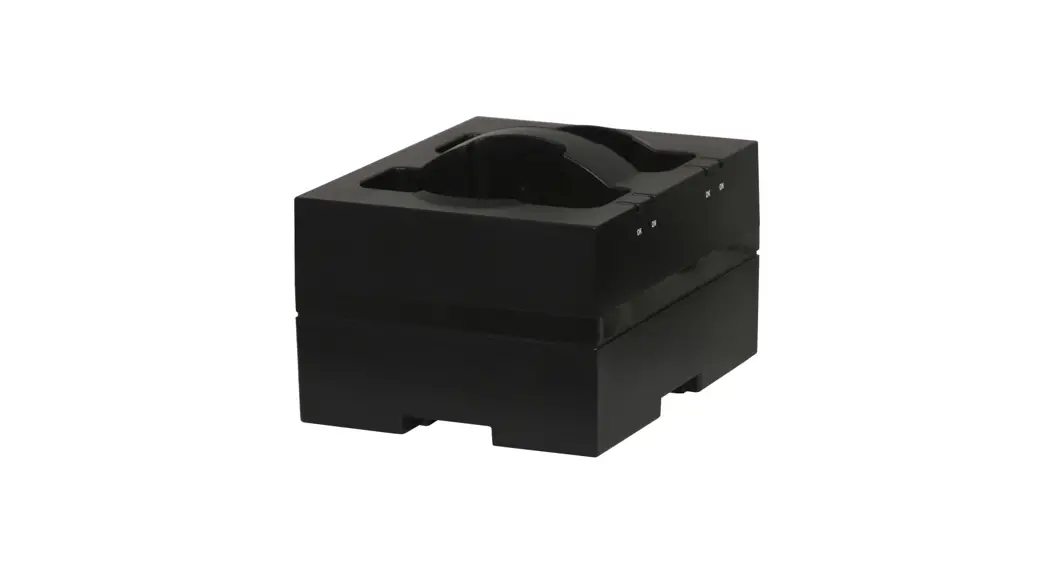
TWIN BODYPACK
CHARGING STAND
User’s Guide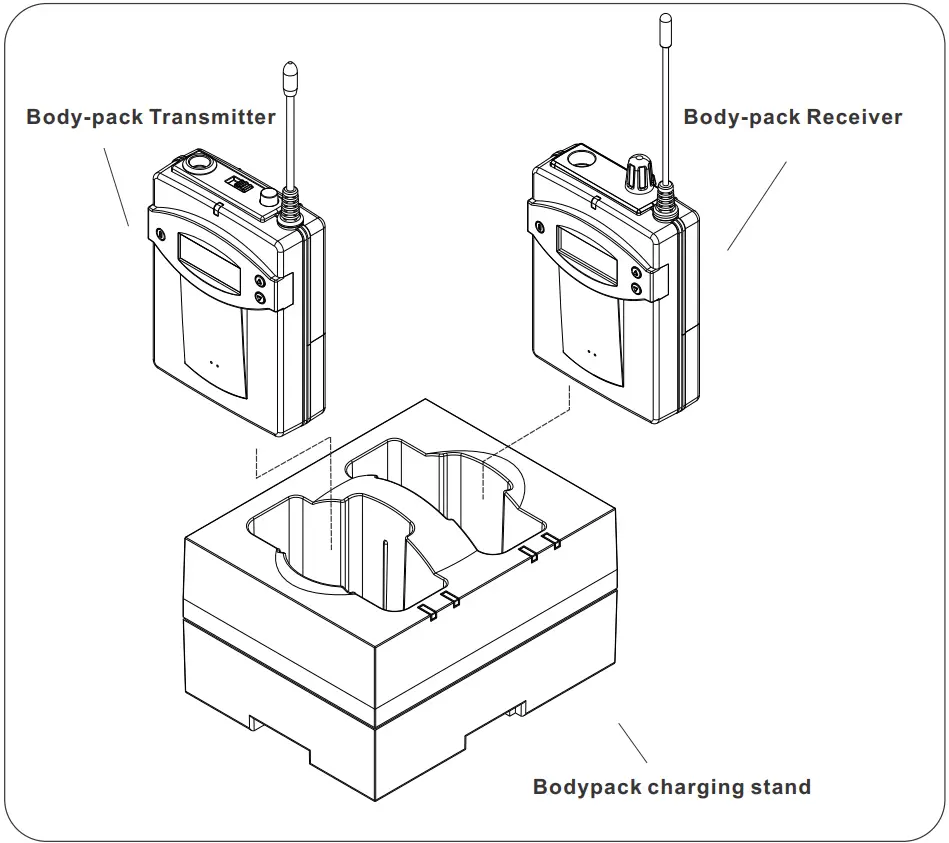
INTRODUCTION
Thank you for purchasing our twin bodypack charging stand for TRAVELER wireless microphone bodypacks.
Please read this manual carefully before using it.
DESCRIPTION OF FUNCTIONS
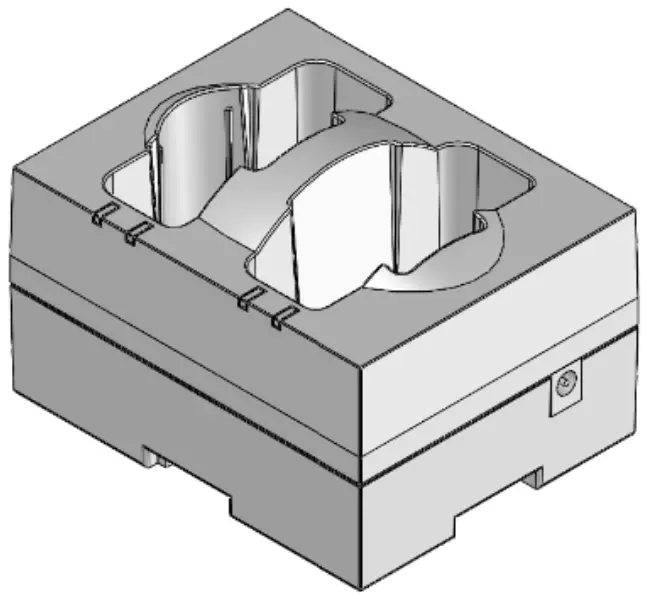
- Fully Charged Indicator (Indicates OK with green LED)
- Charging Indicator (Indicates ON with amber LED)
- DC Power connector
- Charging stands for TRAVELER, wireless microphone bodypacks.
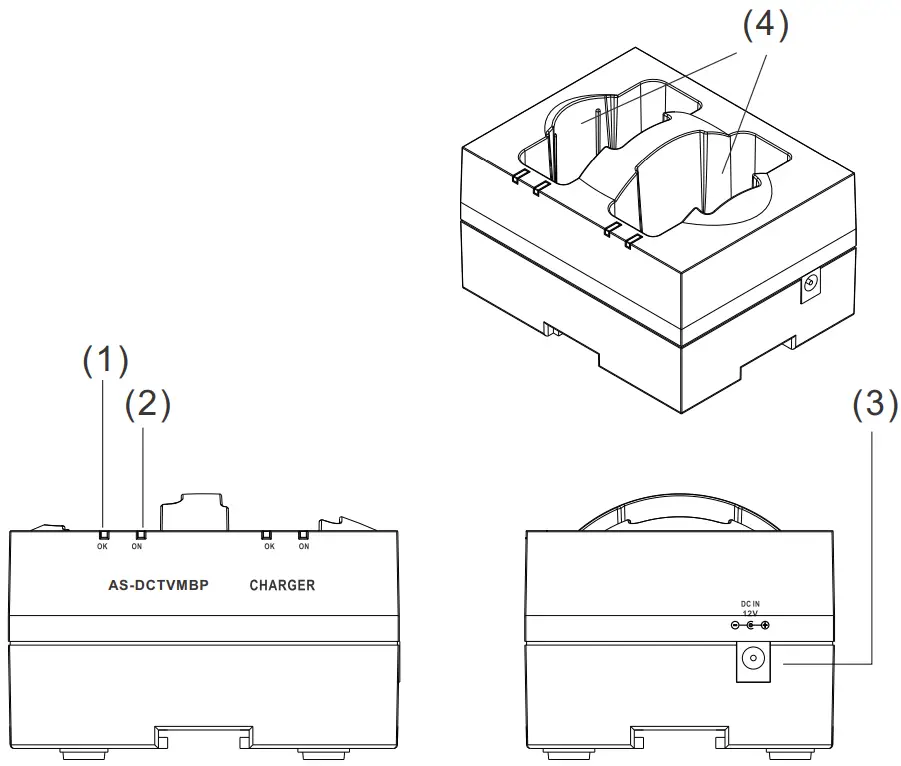
SETUP AND OPERATION
- Plug the AC adapter into an AC outlet of the voltage specified on the adapter. Plug the DC cable into the DC in Jack on the charger stand. The charger will perform a self-test with the following indications: Both OK (GREEN)indicators blink, then both ON (AMBER) indicators blink. If the unit passes the test, both ON (AMBER) indicators will blink one more time.
- Rechargeable batteries of only the NI-CD or NI-MH type must be installed in the bodypacks. Insert the bodypacks fully into the charger stand. The ON (AMBER) LED will light indicating charging in progress.
- The OK (GREEN) LED will light when the batteries are fully charged.
ATTENTION:
Avoid Excessive Heat
Don’t leave the charging stand in the hot sun, on a radiator, or near other sources of high temperature.
Avoid Rough Handling
The charging stand may be damaged if dropped.
USE only Ni-CD or Ni-MH Rechargeable Batteries.
TROUBLESHOOTING
| Problem | Solution |
| Charging Indicator (ON AMBER) Keeps Flashing | Make sure the batteries are the rechargeable type. Make sure the bodypack is installed properly. Some belt clips may need to be changed or removed to allow full insertion of the bodypack into the charger. Make sure the batteries are installed properly. |
| ON (AMBER) LED does not light with the bodypack inserted. | Make sure the AC Adapter is plugged into an outlet. Make sure the DC cable is plugged into the charger stand. |
FEATURES
The AS-DCTVMBP features a PWM charging control with a smart charging shut-off when the batteries are fully charged. The high-efficiency design takes only 3 to 4 hours for a full-bodypack recharge.
SPECIFICATIONS
| Number of charging compartments | 2 (receiver or transmitter) or multi-series |
| Power requirement | 115V or 230V AC adaptor 12V DC, 500mA |
| OK (GREEN) LED lit. | Bodypack fully charged |
| ON (AMBER) LED-lit | Charging in progress |
| Charging current | 450 — 500 mA |
| Charging time Ni-MH. (1300mAH) | 3 — 4 hours |
| Charging control detector, | PWM control, full charge power-off one-time battery detector |
| Dimensions (D*W*H) | 5.47″ x 3.94″ x 3.54″ (139x100x90 mm) |
| Weight | 5.64 oz (160g) |
This device complies with Part 15 of the FCC Rules. Operation is subject to the following two conditions: (1) this device may not cause harmful interference, and (2) this device must accept any interference received, including interference that may cause undesired operation.
ANY SPOT ®
AS-DCTVMBP


1-800-369-7768
www.galaxyaudio.com
Please visit galaxyaudio.com for the latest updates Specifications
in this manual are subject to change without notice.
2021 Copyright Galaxy Audio Inc.
V20210914
 Product Warranty | Galaxy Audio