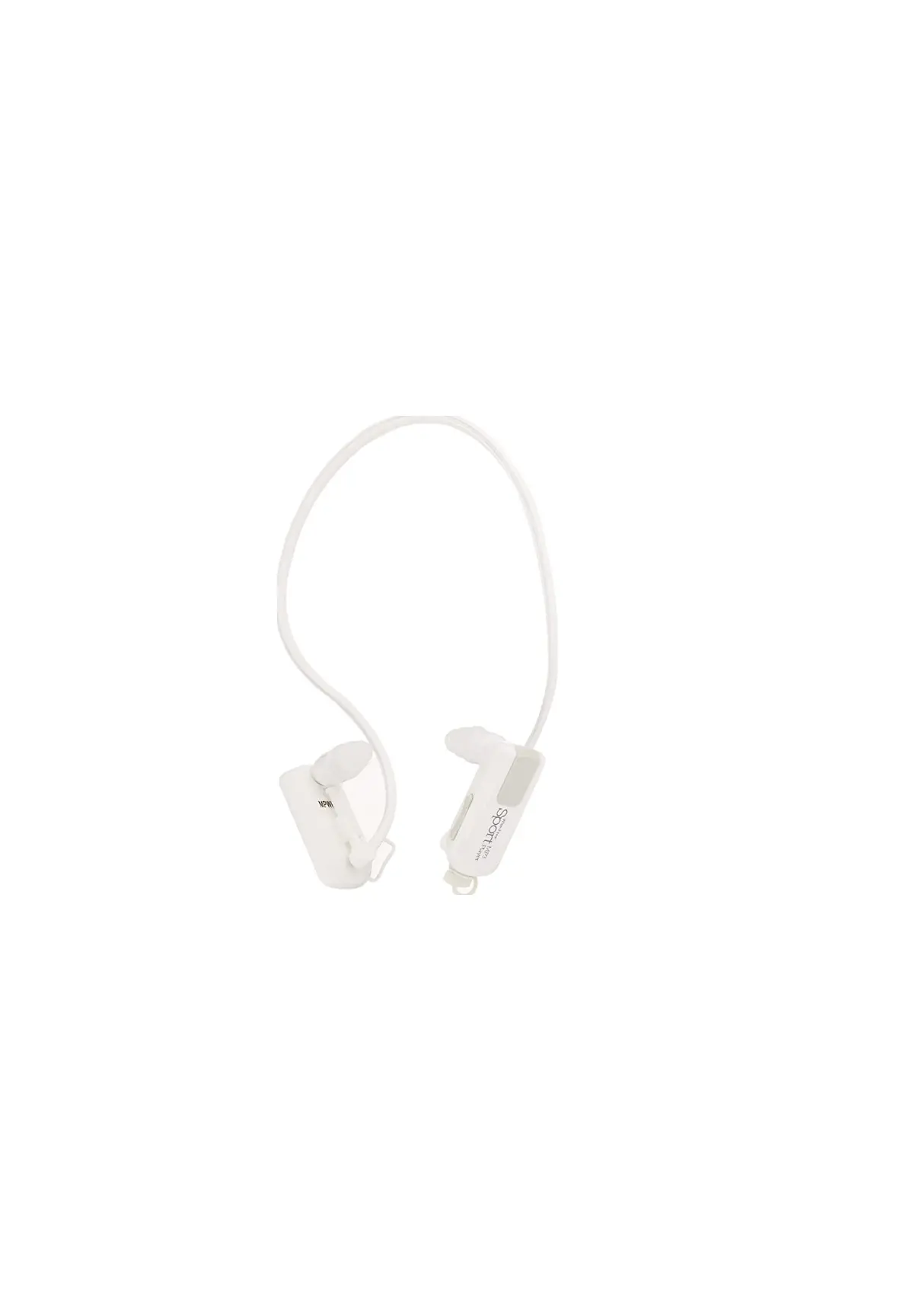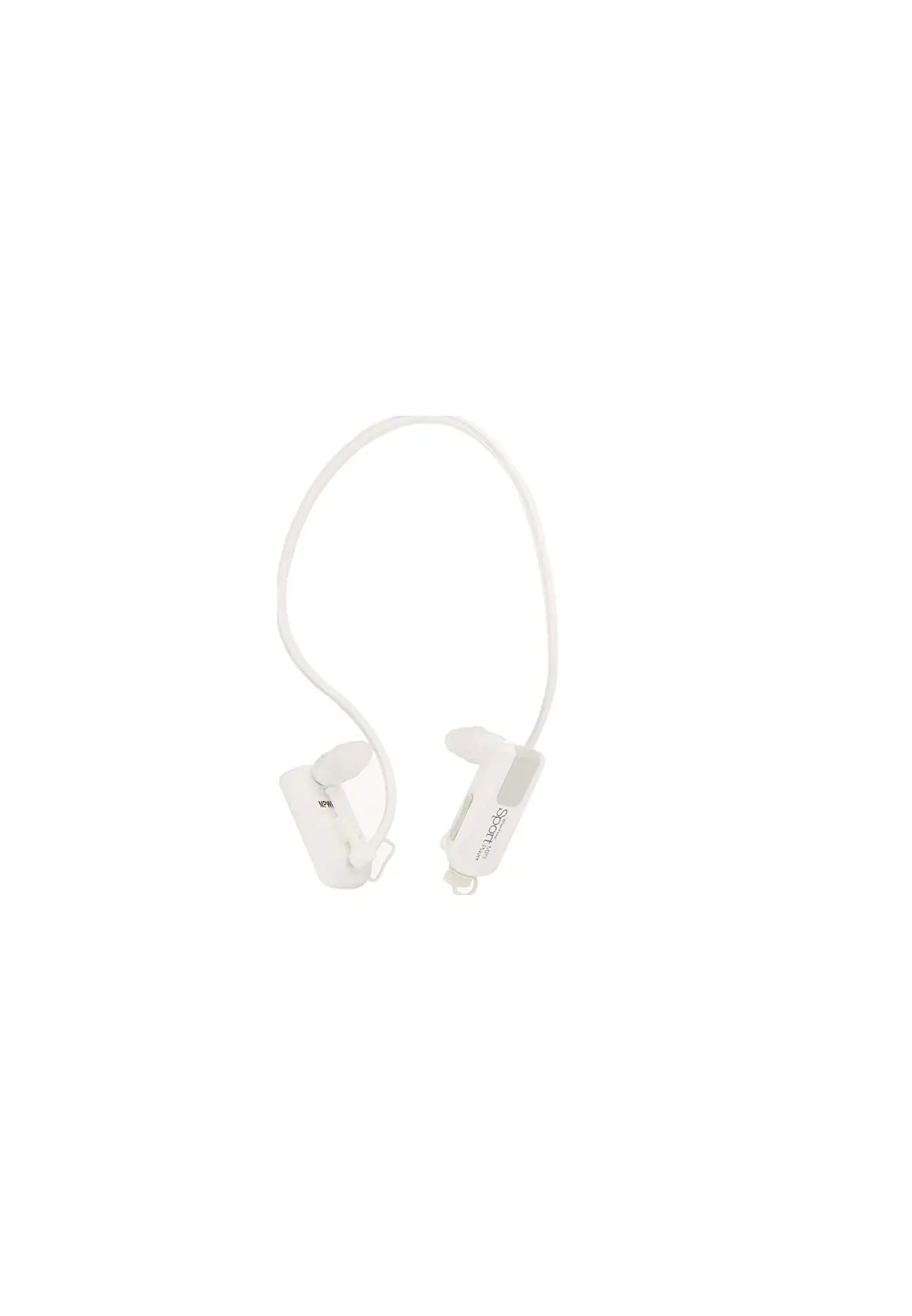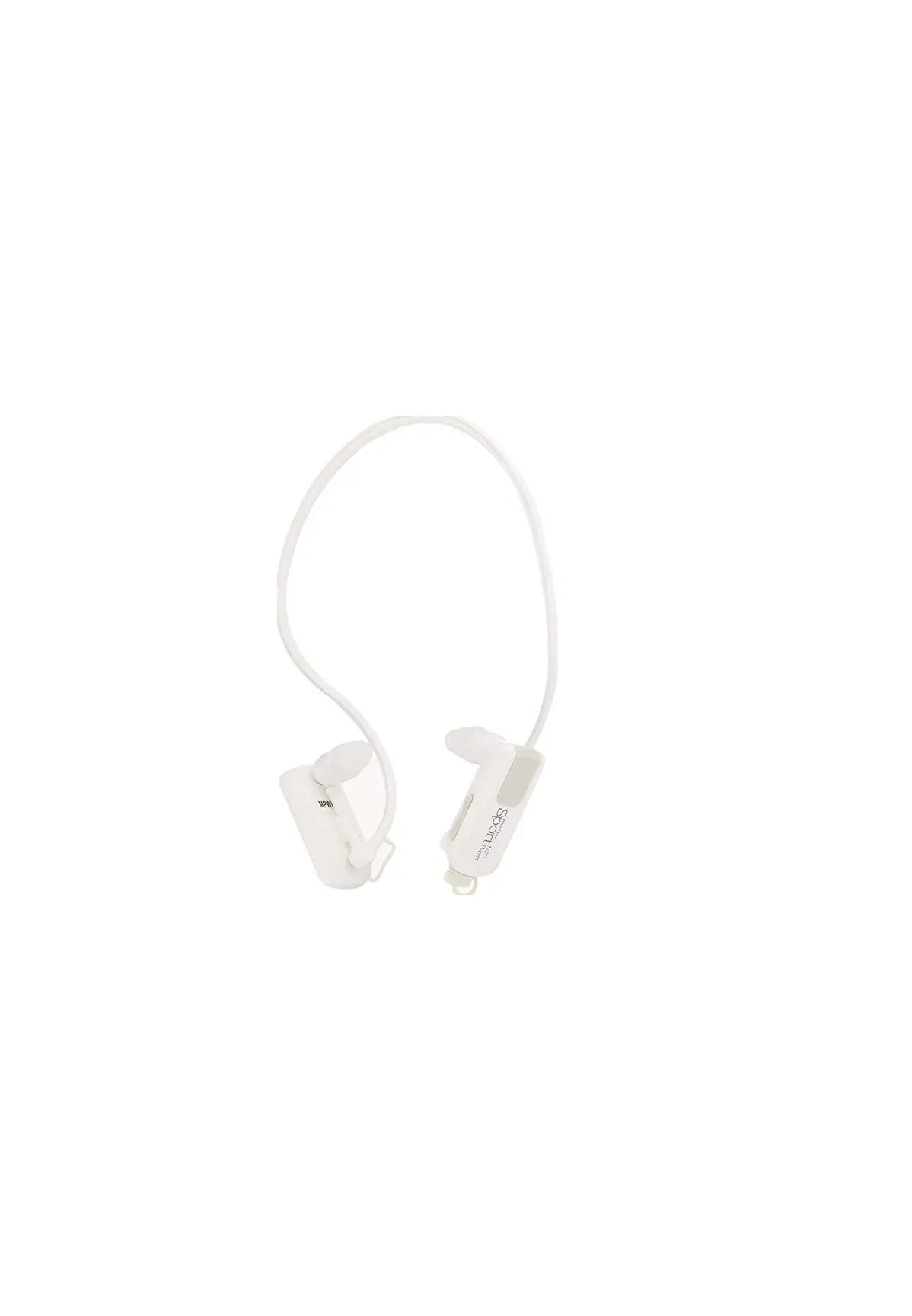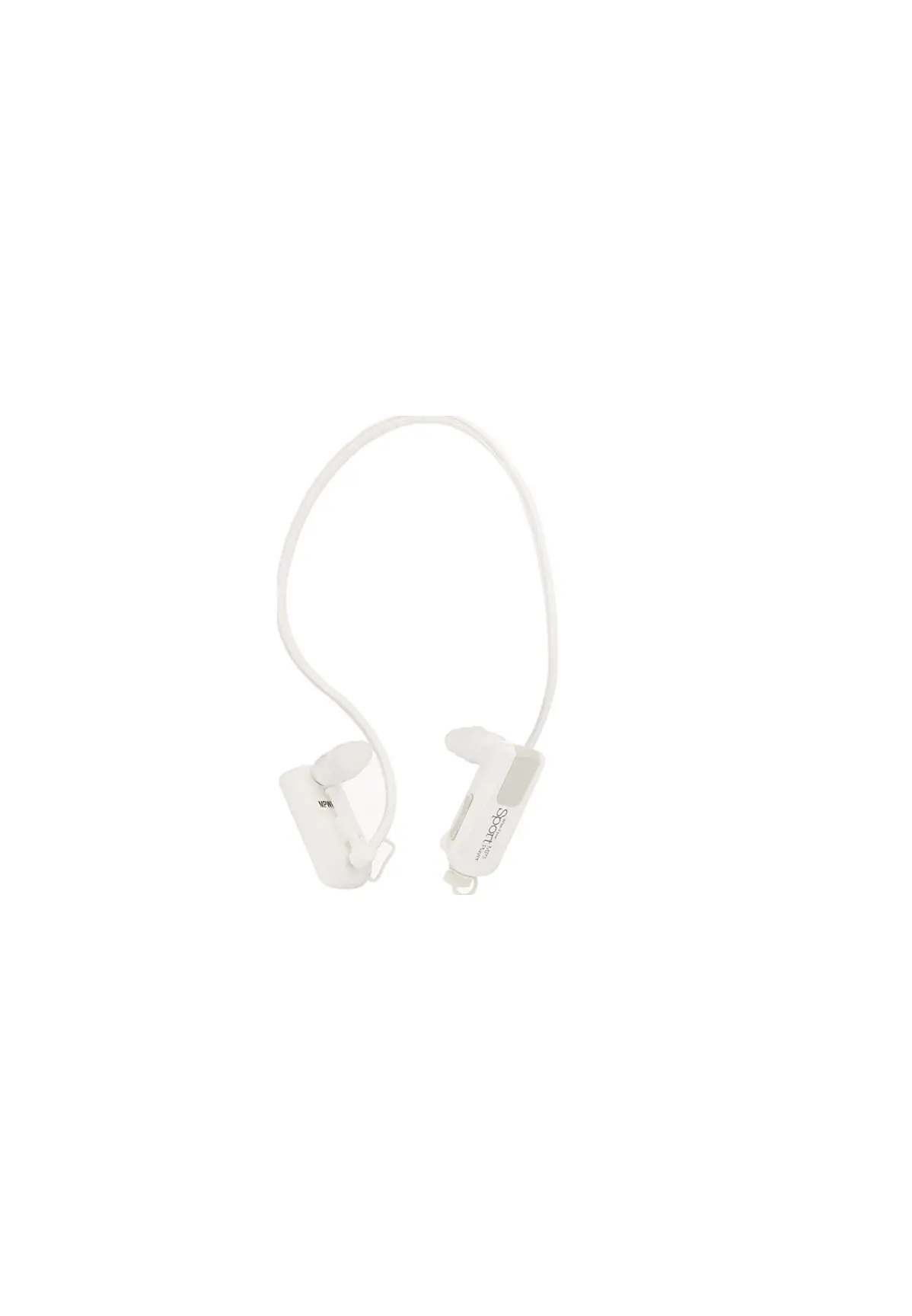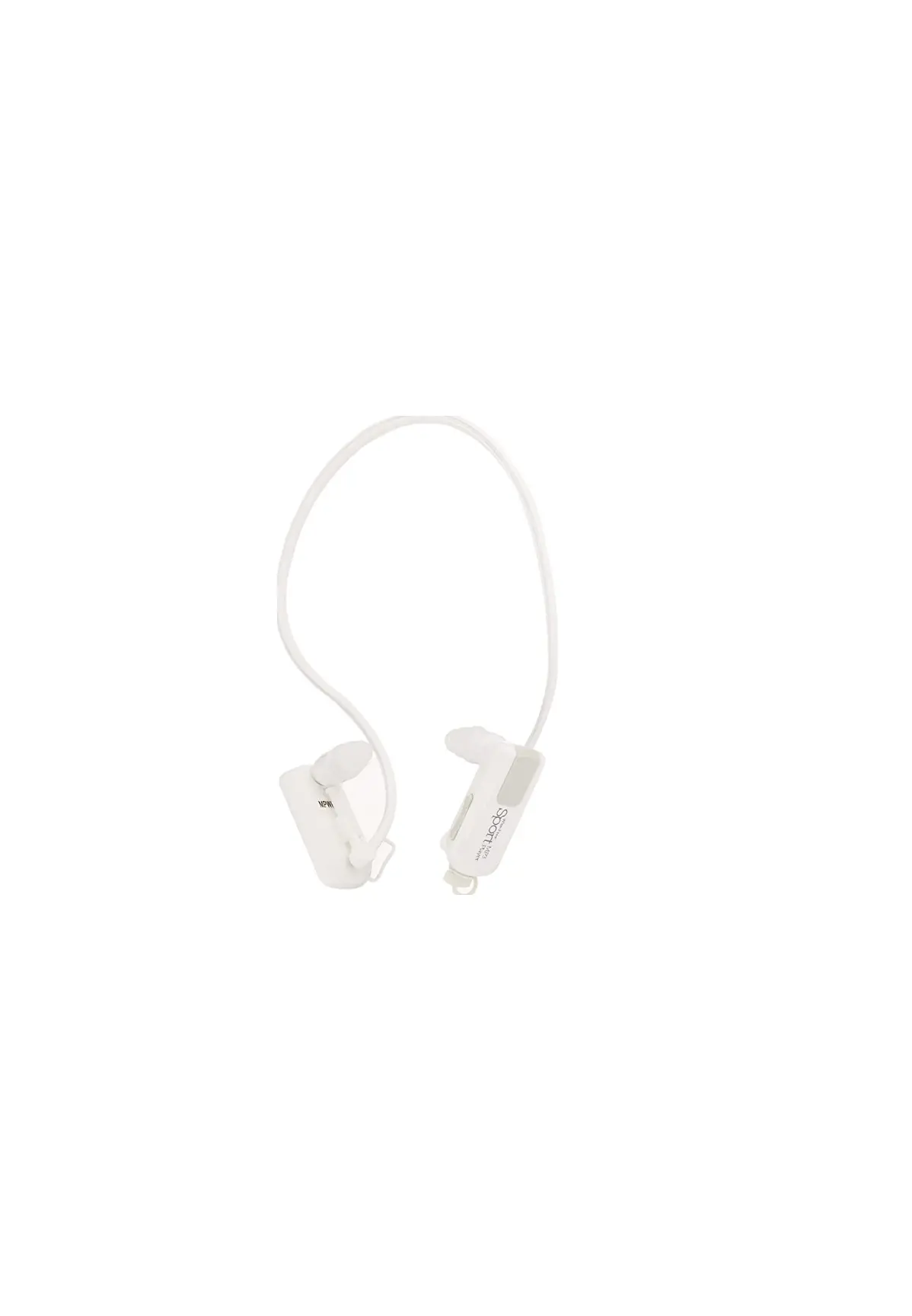

Impecca MPWH-42K Wire Free Sport Waterproof
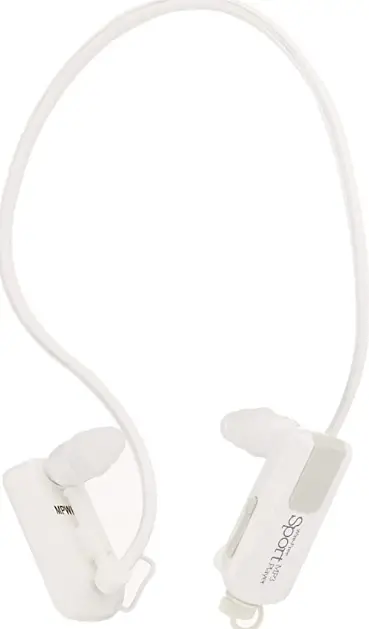
INTRODUCTION
This product is the registered trademark of Impecca, Inc. and it is prohibited to distribute this User Manual in part or in whole without the written permission or consent from Impecca, Inc. The various examples, drawings and pictures included in this User Manual may be slightly different from the actual product and are subject to change without prior notice. Do not attempt to change, configure, or modify the hardware, or disassemble this product, as it may cause permanent damage, undesirable operation, or harmful interferences. Any physical changes or alterations of these devices will void the warranty. Windows 2000, Windows ME, Windows XP, Windows Vista, Windows 7 and Windows Media Player are the registered trademarks of Microsoft Corp. and are used by Impecca, Inc. for descriptive purposes only.
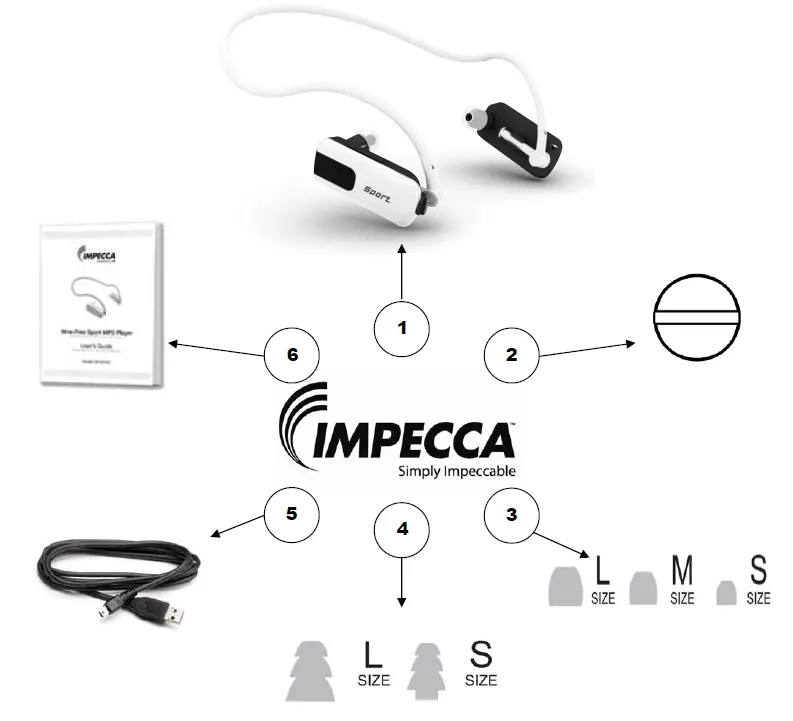
IN THE BOX
MAIN FEATURES
Ergonomic Design
The Impecca Wirefree Sport MP3 Player is specifically designed to be worn comfortably with the luxury of being wire-free. Wear it and enjoy music while you play sports, jog, and even swim underwater.
Excellent Sound Quality
Enjoy amazing Hi-Fi stereo sound quality while playing your favorite sports. Tight fitting earbuds seal in the sound, delivering crystal clear sound waves right to your ears.
Waterproof
Wear your Impecca Wirefree Sport MP3 Player while you jog in the rain, relax in the shower, and swim underwater. The Wirefree Sport MP3 Player is fully submersible up to 10 feet deep. Specially designed earbuds provide a waterproof seal.
No Batteries Required
The Impecca Wirefree Sport MP3 Player features a built-in rechargeable lithium battery that lasts up to 10 hours when fully charged. To recharge, simply connect the Wirefree Sport MP3 player into any
USB port on your computer.
Lots of Music Storage Space
The Impecca Wirefree Sport MP3 Player is equipped to store up to 4 GB of your favorite songs, music, and digital sound files.
Wire-Free Convenience
The Impecca Wirefree Sport MP3 player features a compact all-in-one design, offering true wireless enjoyment that allows you to experience true freedom of mobility.
CONNECT AND CHARGE YOUR MP3 PLAYER
The Impecca Wirefree MP3 Sport Player will automatically begin charging its battery when the player is connected to a USB port on your computer, and your laptop or PC is on or in sleep mode
Connection Procedure
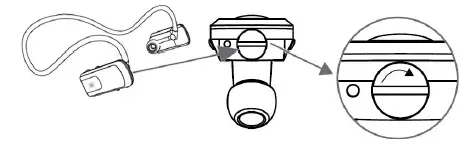
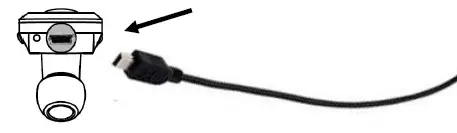
- Step 1: Remove the USB plug located on the MP3 Sport Player

- Step 2: Insert the small micro USB connection cable to your MP3 Sport Player

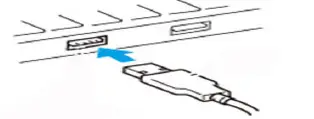
- Step 3: Connect the USB cable to a USB port on your laptop or PC

- Step 1: Remove the USB plug located on the MP3 Sport Player
UPLOADING MUSIC TO YOUR MP3 PLAYER
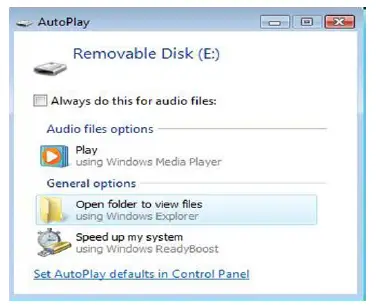
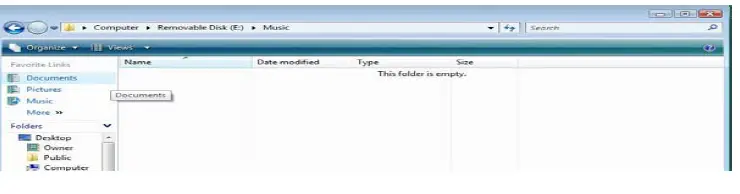
The impecca Wirefree MP3 Sport Player can hold up to 4 Gigabytes of memory and will act as a normal storage device, similar to a Flash drive. You can create new folders, label them, and click and drag files to transfer them between folders. Connect your MP3 Player as described in the previous section.The AutoPlay window will open.
- Step 1: Click “Open folder to view files”

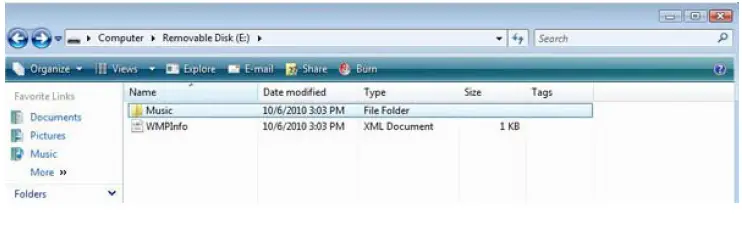
- The Impecca Wireless MP3 Sport Player has a default folder named “Music”. You can rename this folder or add new folders.

- Step 2: Double-click the Music folder to open the folder to view its contents.

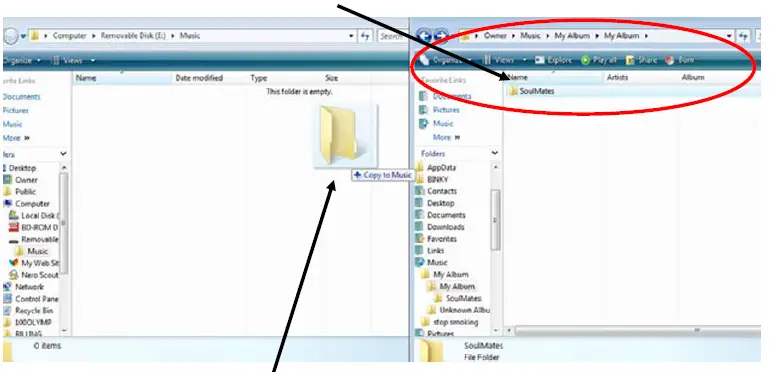
- Step 3: Open a new window and navigate to a location where you currently have music files stored on your Computer

- Step 4: Click and hold the file(s) or folder(s) that you wish to copy to your MP 3 Player music folder.
- Step 5: Drag the file(s) or folder(s) to your MP 3 Player music folder.
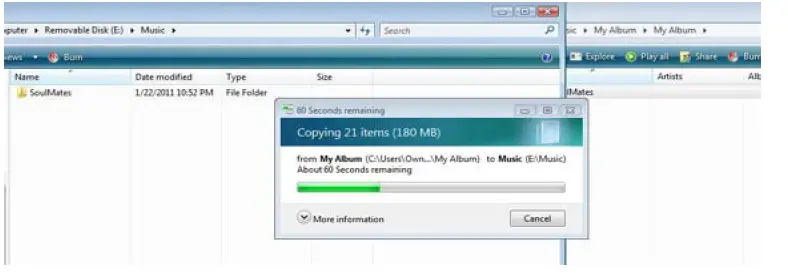
- Step 6: Release the mouse button to begin transferring the friles to your MP 3 Player.

MANAGING FILES ON YOUR MP3 PLAYER
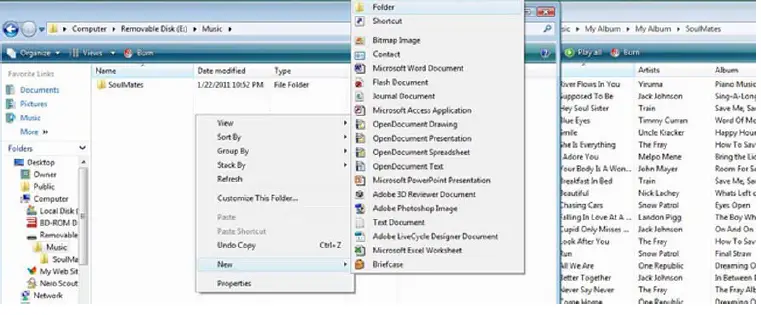
- Step 1: Right click -> Choose New -> Folder

- Step 2: You will be prompted to name your new folder. Name the folder and press the <enter> key on your keyboard.

- Step 1: Right click -> Choose New -> Folder

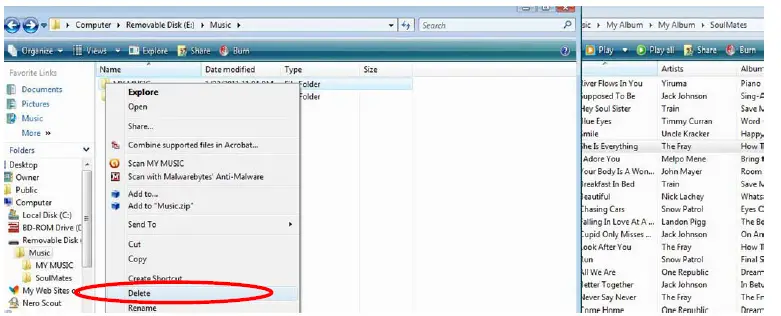
To delete a folder or a file from your MP 3 Player navigate to the folder or file that you wish to delete.
- Step 1: Right clickk on the file or folder -> Choose “Delete”. You will be prompted to confirm. Select “Yes”.

PLAYING MUSIC

Before you begin to enjoy using your Impecca Wirefree Sport MP3 Player, you should familiarize yourself with the buttons that operate the Player.

TROUBLESHOOTING
| ISSUE | Troubleshooting Solution |
| Unit will not turn on or Unit stops during play | Battery needs to be recharged. Connect the USB cable to the MP3 player and plug into the USB port on your computer. |
|
No sound | Adjust the volume by pressing the Vol + button on your MP3 player.
Note: Damaged or incomplete MP3 files may cause noise failure during playback. Unsupported audio formats may ‘play’ but will not produce sound. Check to be sure that the file is complete and that the format is supported. |
|
Unable to upload music to the MP3 Player | Check to make sure that the USB cable is properly connected to both the MP3 Player and the USB port.
Try connecting to a different USB port on your computer.
Check to see if the memory is full. If the MP3 Player is full, you will need to delete files from your Player before you can upload new files. |
TECHNICAL SPECIFICATIONS
| IP Rating: | IPX8 |
| Dimensions: | 124mm x 33mm x 150mm |
| Weight: | 22g |
| USB Interface: | USB 2.0 (High speed) |
| Battery: | Lithium Battery 180 mAh |
| Memory: | 4 GB |
| Music Format: | MP3, WMA |
| File Format: | FAT16, FAT32 |
| MP3 Bit Rate: | 8 Kbps ~ 320 Kbps |
| WMA Bit Rate: | 32 Kbps ~ 192 Kbps |
| Earphone Output power: | 5mW+5mW Load 32Ω |
| Frequency response: | 20Hz‐20KHz |
| S/N: | > 70dB |
| Distortion : | <0.1% |
| Recommended Operating Environment: | ‐5°C ~ 40°C 23° F ~ 104°F |
FAQS
What is a broken wire called?
Core rupture. A core rupture is the failure of the cable’s electrical conductivity due to broken copper wires.
How long is waterproof warranty?
It is a limited warranty that specifically covers the cost of materials in a waterproofing installation if those materials are proven to be defective and the warranty period, which typically ranges from 5 to 30 years, covers the cost of the materials.
How does 1-year warranty work?
For example, many warranties for common household items only cover the product for up to one year from the date of purchase.
What is a 1 year guarantee?
It usually includes assurances about the quality of the item, or service, as well as a promise to provide repair or replacement if something goes wrong within a set amount of time
Can earbud wires get wet?
The circuitry and electronics in headphones are sensitive to moisture.
Can you shower with wired earbuds?
Yes, you can. However, you need to carefully assess the IPX rating of the headphones and ensure a good fit before purchasing them.
How do you clean headphones after sweating?
Using a mix of warm water and soap, wipe them down with a damp cloth and dry them immediately with a soft cloth
What happens if wires get wet?
Wire and Cable exposed to floodwaters should be replaced to assure a safe and reliable electrical system
Where do you put your phone when swimming?
One option is to hang the phone (in its case) around your neck on a lanyard. This makes it very easy to grab and use, and is reasonably secure if you’re dipping or casual breaststroke swimming.
Can you hear music underwater?
Sure we can. Sound travels through both air and water. In fact, sound waves move 4.3 times faster underwater than they do through the atmosphere
What type of wire is weatherproof?
One of the more unique types of wire and cable products is the water-resistant cable, also known as a water block cable or waterproof cable.
What type of cable is waterproof?
Water block or resistant cable is a multi-conductor cable that is designed to be used in a wet or aquatic environment
How can you tell if a wire is waterproof?
Wire insulation—the plastic jacketing around individual wire conductors—is identified by a code that includes letters and sometimes numbers
Why must we not touch bare wires with wet hands?
Touching electrical appliances with wet hands is dangerous because water is a good conductor of electricity and one might get an electric shock.
Can cables cause fire?
Electrical fires originate in electric wires, cables, circuit breakers, and within electrical components